Cyber Security Best Practices for Business: Secure Your
Discover 10 essential cyber security best practices for business in 2026. Get a prioritized checklist, actionable tips, tools, policies & incident response.

Discover 10 essential cyber security best practices for business in 2026. Get a prioritized checklist, actionable tips, tools, policies & incident response.
Canadian businesses are already spending more on cyber security. In 2021, average spending on prevention and detection reached $52,000, up 46% from 2019, while only 26% of businesses had formal written cyber security policies in place, according to Statistics Canada's cyber security and cybercrime data. That gap matters. Buying tools without clear rules, ownership, and recovery procedures leaves mid-sized organisations exposed.
If you're reviewing cyber security best practices for business in 2026, start with controls that reduce the most risk first. For Canadian healthcare providers, finance teams, legal practices, manufacturers, and logistics companies, that usually means strengthening identity, tightening endpoints, testing recovery, and making sure vendors don't become your weakest link. Teams often lose time and budget through a lack of strategic prioritization. They try to mature everything at once instead of ranking controls by business impact.
This guide gives you 10 practical priorities, with implementation advice, trade-offs, and examples designed for Canadian mid-sized organisations. If you need a broad starting point alongside this article, this external guide to SME cyber security is a useful companion read.
Account compromise is still one of the fastest ways for attackers to get into a mid-sized organisation. That is why the Canadian Centre for Cyber Security recommends phishing-resistant MFA for all accounts, with tighter controls for privileged users, in its cyber security hygiene best practices for organisations.
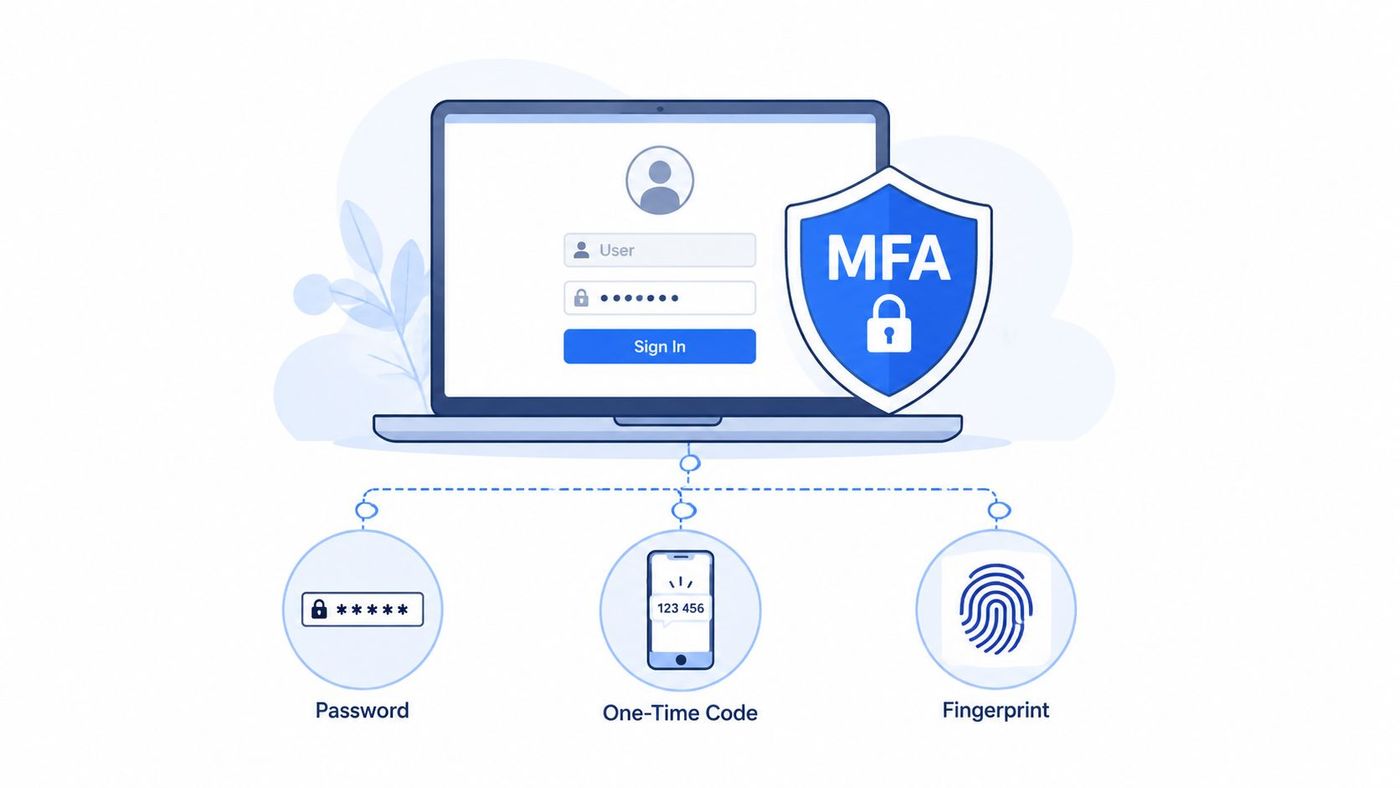
For Canadian mid-sized organisations, MFA is usually the highest-priority identity control because it reduces risk across email, remote access, cloud apps, and admin portals without waiting for a larger security program to mature. The practical trade-off is rollout friction. Staff will tolerate one more login step if the policy is clear, the method is reliable, and recovery is handled well. They will work around it if enrolment is inconsistent or support is slow.
Start with the accounts that can approve payments, reset credentials, access sensitive records, or administer core systems. In real deployments, that usually means Microsoft 365 global admins, Entra ID administrators, VPN users, finance approvers, IT support staff, executives, and third parties with remote access. Then extend coverage to the rest of the business.
Priority also changes by industry:
Authenticator apps and hardware security keys are stronger choices than SMS. SMS still improves on passwords alone, but it is easier to intercept or manipulate through social engineering. For admin roles, finance approvals, and external access, phishing-resistant methods are the safer default.
Conditional access helps keep the user experience reasonable. A mid-sized business does not need to challenge every user on every sign-in if it can require stronger verification for unmanaged devices, unusual locations, impossible travel, or high-risk sessions. That balance matters in healthcare and logistics, where shift-based access and shared operational pressure can make rigid policies harder to enforce.
Practical rule: Roll out MFA to privileged and high-risk accounts first, set a deadline for full coverage, and track exceptions weekly until they are removed.
A workable starter policy can be short:
If your team is aligning Microsoft 365, Entra ID, and line-of-business apps, a clear identity and access management approach keeps ownership and policy decisions from drifting between IT, security, and operations. It also helps to tie MFA decisions to your business continuity and disaster recovery planning process, because locked-out admins and weak recovery flows create avoidable downtime during an incident.
Managed services add value when internal IT cannot maintain policy enforcement, exception reviews, device trust settings, and after-hours account recovery without cutting corners. That is often the point where MFA stops being a simple setup task and becomes an identity control that needs ongoing administration.
Most businesses already know training matters. The harder part is enforcing it consistently. A 2024 CIRA survey found that 98% of surveyed organisations mandate cyber security awareness training, 76% conduct it at least quarterly, yet only 39% make it mandatory for all employees, as outlined in CIRA's overview of how Canadian organisations are handling cyber security.
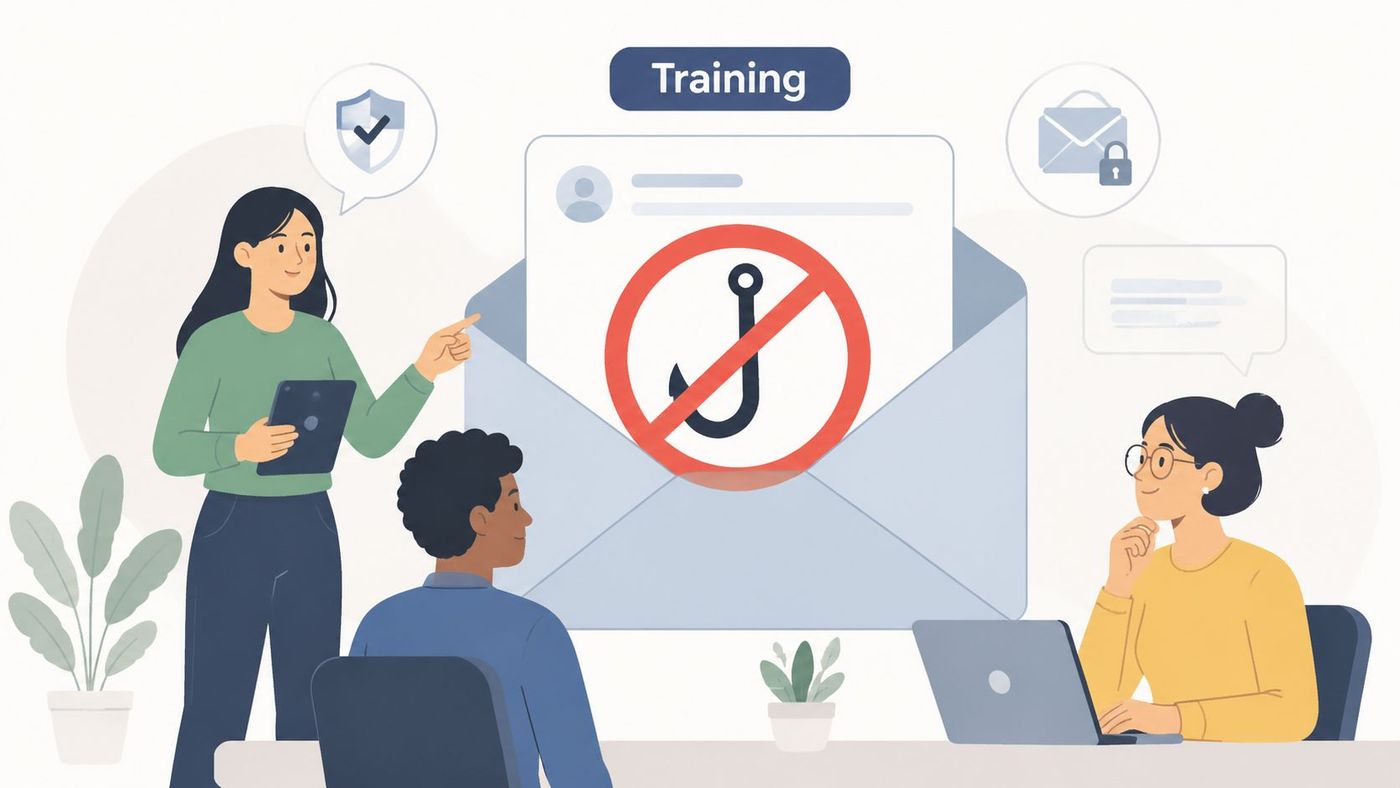
That gap shows up in real operations. A legal firm may train associates but skip temporary staff. A manufacturing company may brief office users but ignore plant-floor supervisors who still handle email, shared drives, or VPN access. A logistics company may onboard quickly during peak periods and leave security training for later, which often means never.
Quarterly training is a sensible cadence for mid-sized organisations because it keeps awareness current without overwhelming staff. But generic slides don't change behaviour. Role-specific scenarios do.
A good training programme doesn't just tell people what not to click. It tells them what to do next, who to call, and how to report without blame.
A practical sample policy can be simple: all employees complete security awareness training during onboarding, repeat it quarterly, and acknowledge core policies annually. Executives should complete the same baseline content, plus scenario training for wire fraud, account compromise, and public communications.
For organisations trying to connect compliance requirements to day-to-day behaviour, structured compliance training for employees helps turn policy into habit.
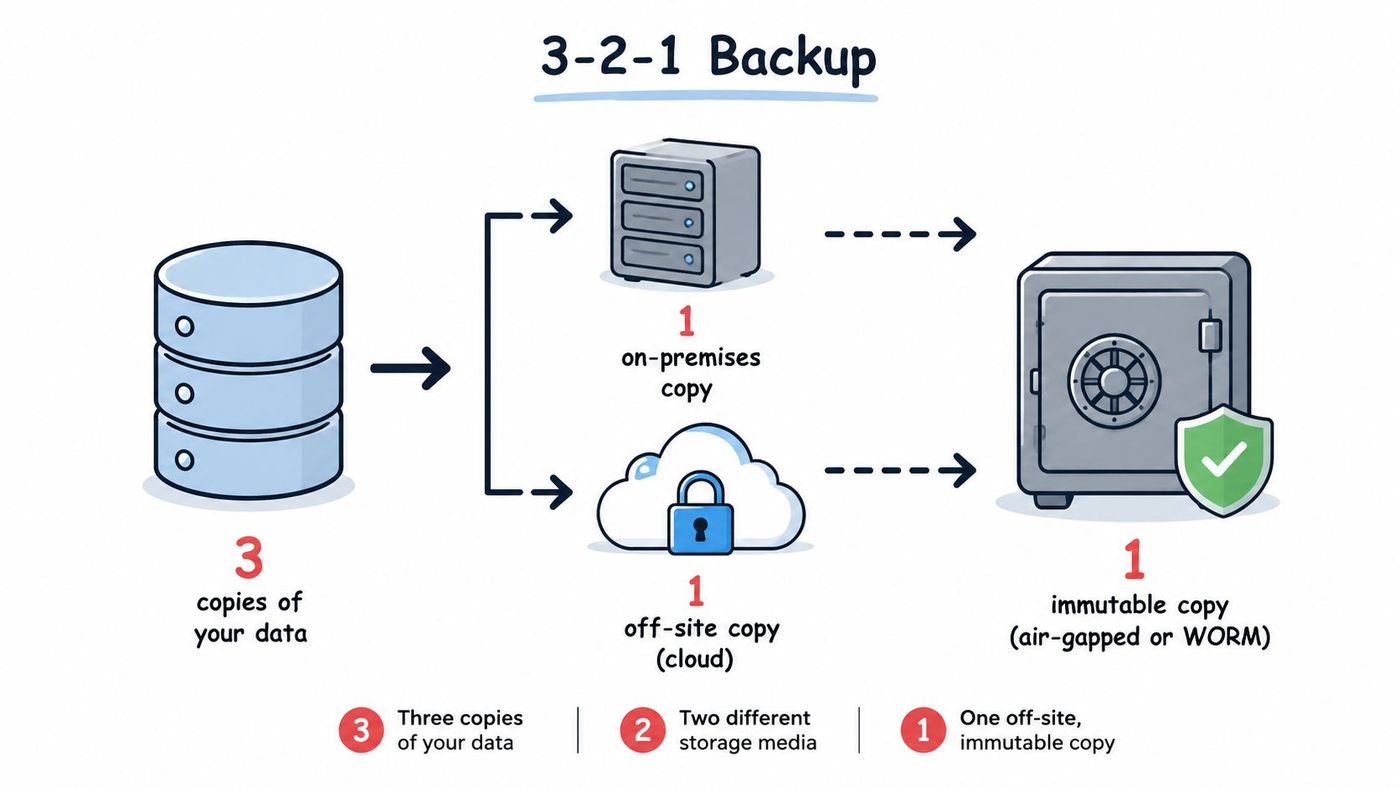
Backups are only useful if you can restore from them. That sounds obvious, but many organisations still treat backup success messages as proof of recoverability. Canadian SMB guidance specifically calls out Data Backup and Recovery as a baseline control, and separate guidance highlights a common gap in Canadian content: too little emphasis on testing restores, with CISA noting many ransomware victims had backups that were incomplete, damaged, or untested in CISA guidance for small businesses.
For healthcare, this is a patient-care issue. For manufacturing and logistics, it's an operations issue. For legal and finance firms, it's a client-service and regulatory issue. The right design depends on what must come back first. Email and files are one layer. Line-of-business systems, identity services, and production platforms are another.
The baseline pattern still works well: keep copies separate from production, protect them from routine admin access, and verify restoration capability regularly. If you run Microsoft 365, Azure workloads, on-prem servers, and endpoint data, make sure your recovery plan covers more than one platform.
Here's the trade-off. More frequent backups and shorter recovery windows cost more. That doesn't mean you avoid them. It means you assign better protection to the systems that drive revenue, compliance, and service delivery.
If you're building a more realistic recovery plan, this guide to business continuity and disaster recovery is a useful next step.
Many endpoint incidents now start with valid accounts, built-in admin tools, browser downloads, or scripts that do not look obviously malicious at first glance. That is why mid-sized organisations need more than basic antivirus. EDR adds behavioural visibility, investigation data, and device isolation so your team can contain a problem before it spreads across users, servers, and cloud-connected systems.
The rollout should follow business risk, not just device count. In healthcare, start with clinician laptops, reception systems, and any endpoint that accesses patient records. In finance and legal, prioritise executive devices, admin workstations, and systems used for trust, payment, or client file access. In manufacturing and logistics, put early coverage on engineering workstations, shipping desks, shared floor terminals, and remote support endpoints. If your estate spans offices, warehouses, mobile users, and cloud services, align EDR deployment with your wider managed computer network services strategy so ownership, escalation paths, and device coverage stay clear.
EDR also creates work. Alerts need triage. Suspicious activity needs investigation. Compromised devices need fast containment, sometimes after hours.
Good endpoint protection depends on alert handling, triage, and response at the pace of the attack.
A practical checklist helps keep the deployment focused:
Many mid-sized organisations also decide at this stage between self-managed EDR and an outsourced monitoring model. The trade-off is straightforward. Self-managed EDR gives internal teams more direct control, but it only works well if someone can review telemetry, tune detections, and respond quickly. Managed detection services add cost, yet they often make sense for organisations without 24/7 coverage, in-house threat hunting, or enough security staff to investigate every alert. If you are comparing those operating models, review the responsibilities carefully in EDR vs. MDR.
Patch management is one of the least glamorous controls in cyber security, and one of the most important. Canadian SMB guidance identifies Patch Management as one of the most frequently neglected baseline controls in cybersecurity guidance for small business. That lines up with what many IT leaders already know. Breaches often start with old software, exposed services, unsupported systems, or browser and plug-in sprawl that nobody owns clearly.
The first step is inventory. You can't patch what you don't know you have. Mid-sized organisations should maintain a living list of servers, workstations, network gear, virtual machines, cloud workloads, business applications, and externally exposed services.
Not every patch deserves the same urgency. A practical ranking model works better than one blanket SLA.
For manufacturing and logistics, patching gets more complicated because OT systems and specialised equipment may have vendor restrictions. In those environments, document compensating controls when immediate patching isn't possible. Segment the network, limit access, monitor more closely, and remove unnecessary services.
A short sample policy can state that all supported software must follow a defined patch cadence, emergency updates require accelerated review, and exceptions need documented approval. Vulnerability scanning should validate that patches landed where intended.
Penetration testing also has a useful role here. It shows where missed patches, weak configurations, and exposed services are creating real attack paths. This overview of reasons your business can benefit of penetration testing helps frame that conversation.
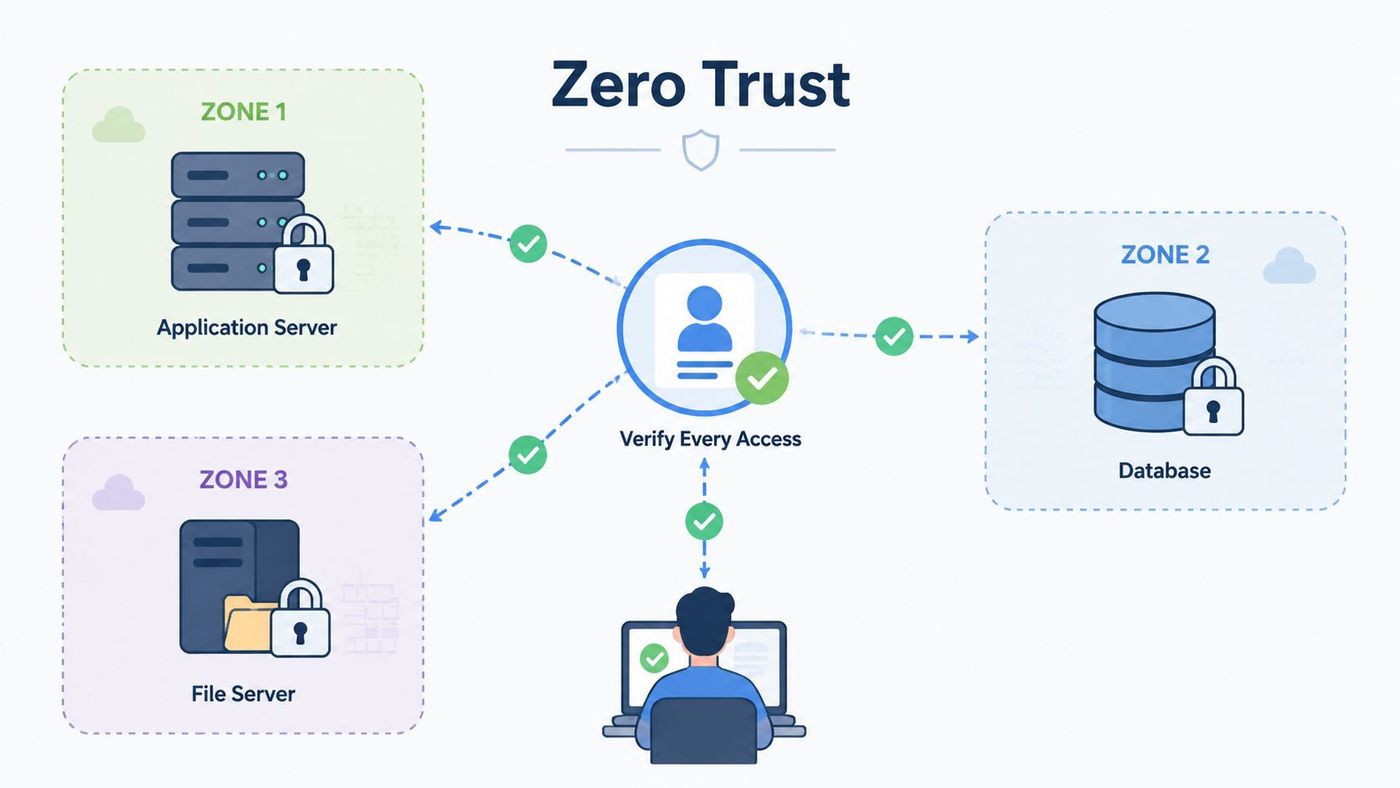
Many businesses still rely on a flat internal network. Once an attacker gets in, they can move too easily between users, servers, file shares, and management systems. Segmentation changes that. It limits lateral movement and makes containment easier.
This matters a great deal in mixed environments. Manufacturers often have ERP systems, engineering systems, and plant-floor technology side by side. Healthcare providers may have clinical systems, guest Wi-Fi, administrative workstations, and third-party support connections in the same broader environment. Legal and finance firms typically hold highly sensitive files but still allow broad internal access out of convenience.
Don't begin with a grand redesign of the whole network. Start with the assets that would hurt most if compromised.
Zero Trust pushes the same principle into access decisions. Every request gets verified based on user, device, location, and context. It's especially effective for remote access, contractor access, and admin workflows.
Segment for containment first. Optimise for elegance later.
There's a usability trade-off. Segmentation and stronger access controls can frustrate teams if the design ignores real workflows. Map traffic first. Identify which systems must talk to each other. Then enforce least privilege around those paths instead of creating broad “temporary” exceptions that become permanent.
For organisations modernising both connectivity and security controls, computer network services often become part of the same roadmap.
You can't investigate what you didn't log. SIEM gives mid-sized organisations a central place to collect and correlate events from firewalls, identity platforms, servers, endpoints, cloud apps, and security tools. That improves detection, but it also supports audits, investigations, and incident response.
The challenge is scope. Teams often ingest everything, then drown in noise. A better approach is use-case driven. Start with identity events, admin activity, endpoint alerts, firewall logs, Microsoft 365 activity, and critical server logs. Add more sources when you know how you'll use them.
A useful SIEM programme begins with a short list of scenarios:
For finance and legal firms, strong logging supports evidence preservation and review. For healthcare providers, it supports access monitoring around sensitive records. For manufacturers and logistics operators, it helps spot unusual activity crossing IT and OT boundaries.
A SIEM also needs ownership. Someone has to tune rules, review alerts, investigate incidents, and maintain retention settings. If nobody has time for that, a co-managed or outsourced model is often the practical answer rather than a failure of strategy.
If your team is evaluating monitoring maturity, security operations centre services can help clarify what to keep in-house and what to outsource.
Many organisations protect everything badly because they haven't decided what matters most. Data classification fixes that. It gives people a shared language for sensitivity and a basis for access rules, retention, encryption, and sharing controls.
Keep the model simple enough that staff will use it. Four levels are usually enough for a mid-sized organisation: public, internal, confidential, and restricted. What changes between those levels is access, storage, transmission, and disposal.
Healthcare clinics should treat patient records and clinical notes as restricted. Finance firms should classify client financial data, payroll, and approval records as confidential or restricted. Legal practices should mark matter files, work product, and litigation material according to sensitivity and privilege. Manufacturers may classify product designs, quality records, and supplier pricing differently from general operational documents.
A sample policy can include:
The trade-off is administrative overhead. If your labels are too complex, staff ignore them. If they're too vague, they won't drive security controls. Start with the data that creates legal, financial, operational, or reputational risk, then align Microsoft 365 labels, DLP rules, and access controls to match.
For organisations tying retention, sharing, and ownership together, information governance is the right companion discipline.
Incident response plans often look solid on paper and fall apart under pressure. The usual failure points are simple. Nobody is sure who approves shutdowns. Legal isn't looped in early enough. Backups exist but haven't been tested against the actual scenario. Communications get delayed because the contact list is outdated.
Annual tabletop exercises are a practical way to expose those gaps before a real incident does. That matters even more because restore testing and backup validation are often underdeveloped in smaller organisations, as noted earlier.
Use scenarios your sector is likely to face. For healthcare, that might be ransomware affecting scheduling, patient records, and email. For finance, it could be executive account compromise tied to fraudulent approvals. For legal firms, a file-share breach and client notification problem is more realistic than a generic malware drill. For manufacturers and logistics teams, include plant disruption, supplier portal compromise, or warehouse mobility issues.
The best tabletop exercise isn't the most dramatic one. It's the one that forces your actual decision-makers to make uncomfortable choices.
Your incident response policy should define:
If your team needs a more operational playbook for detection, escalation, and containment, threat detection and response is a strong place to build from.
Misconfiguration is one of the most common ways businesses create unnecessary exposure. Default credentials stay in place. Legacy authentication remains enabled. Unused services stay open. Shared local admin rights spread across systems. Hardening standards reduce that attack surface.
This is where written policy matters. Earlier data showed many Canadian businesses still lack formal cyber security policies. Configuration baselines are one of the most practical documents to formalise because they directly affect daily operations.
Start with recognised vendor guidance and established benchmarks, then tune for your environment. For Microsoft 365, that usually means disabling legacy authentication, tightening admin roles, limiting external sharing, and enforcing modern authentication. For Windows and macOS, it means full-disk encryption, standard user accounts where possible, secure browser settings, and controlled local admin access. For network gear, remove default credentials, disable unused services, and restrict management access.
A useful configuration standard should cover:
There's a clear trade-off here. Hardening can break legacy apps or old workflows. That's why change control matters. Test, document, and phase changes instead of leaving insecure defaults in place forever because one team raised a concern once.
To keep baselines tied to actual devices and software ownership, IT asset management needs to sit alongside configuration management.
For most Canadian mid-sized organisations, the gap between a workable security plan and an unmanageable one comes down to prioritisation. The table below compares the 10 practices by effort, operating cost, likely business impact, and where each control fits best by industry.
Use it as a risk-based checklist, not a fixed rollout order. A healthcare provider with legacy clinical systems, a law firm handling sensitive case files, and a manufacturer with OT exposure should not sequence these controls the same way.
| Practice | Priority for most mid-sized organisations | Implementation complexity | Resource requirements | Expected outcomes | Ideal use cases | Key advantages |
|---|---|---|---|---|---|---|
| Implement Multi-Factor Authentication (MFA) Across All Systems | 1 | Low to Moderate, mainly integration and legacy app support | Low, usually licences, tokens or app enrolment, and helpdesk time | Lower account takeover risk, stronger access control, better audit posture | Privileged accounts, Microsoft 365, VPN, finance systems, legal document platforms, clinical apps where supported | High risk reduction for relatively low effort. Managed services can help with rollout, conditional access tuning, and account recovery processes |
| Conduct Regular Employee Security Awareness Training | 5 | Low for setup, ongoing effort to keep material relevant | Low to Medium, training platform, simulation tools, staff time | Better phishing reporting, fewer avoidable clicks, clearer escalation from staff | All organisations, especially finance teams, customer-facing staff, legal assistants, and employees handling payment or patient information | Good return on modest spend. Most effective when tailored by role instead of delivered as generic annual training |
| Maintain Complete Data Backup and Disaster Recovery Plans | 2 | Moderate to High, driven by backup design, recovery targets, and testing | High, storage, backup tooling, replication, bandwidth, recovery exercises | Faster restoration after ransomware, deletion, system failure, or site disruption | Healthcare, finance, manufacturing, and logistics operations with low tolerance for downtime | Protects business continuity. The real value comes from restore testing, recovery sequencing, and offline or immutable copies |
| Deploy Endpoint Detection and Response (EDR) Solutions | 3 | High, due to deployment, alert tuning, and integration with IT workflows | High, licences, telemetry retention, analyst time, response processes | Better visibility into endpoint threats, faster containment, stronger investigation capability | Organisations with distributed staff, many laptops, regulated data, or high-value intellectual property | Strong coverage across user devices and servers. Managed detection adds value where internal teams cannot monitor alerts consistently |
| Establish Vulnerability Management and Patch Management Processes | 4 | Moderate to High, especially in mixed environments with legacy systems | Medium to High, scanning tools, patch platforms, test resources, coordination time | Smaller attack surface, faster remediation of known flaws, clearer ownership | Mid-sized organisations with hybrid infrastructure, older business apps, or compliance requirements | Reduces preventable incidents. The trade-off is operational disruption if testing, maintenance windows, and exception handling are weak |
| Implement Network Segmentation and Zero Trust Architecture | 7 | High, requires design work, policy decisions, and change management | High, firewalls, identity controls, NAC, network engineering time | Limits lateral movement, improves access control, reduces blast radius | Manufacturing and logistics, healthcare networks, remote access environments, sensitive internal systems | Particularly useful where one compromise could spread across sites or between IT and OT. Usually best phased over time |
| Establish Security Information and Event Management (SIEM) Systems | 8 | High, integration, rule tuning, log design, escalation workflows | High, platform cost, storage, skilled analysts, after-hours coverage | Centralised visibility, better detection correlation, stronger investigation records | Organisations with many log sources, stricter audit needs, or a formal security operations model | Valuable once core controls are in place. Managed SIEM often makes more sense than building 24/7 monitoring internally |
| Develop and Enforce Data Classification and Handling Policies | 6 | Moderate, requires policy design, data discovery, and business input | Medium, discovery tools, policy work, user training, possible DLP controls | Clearer handling rules, more targeted protection, better retention and access decisions | Legal, finance, healthcare, and any business storing confidential client or employee information | Helps teams apply the right control to the right data. Sample policies should define classes, owners, storage rules, sharing limits, and retention periods |
| Develop Incident Response Plans and Run Tabletop Exercises | 9 | Moderate, planning is straightforward but coordination takes effort | Medium, exercise time, leadership participation, outside counsel or advisors if needed | Faster decisions during incidents, better communication, fewer delays in containment and reporting | All organisations, especially those with breach notification obligations, cyber insurance requirements, or multiple third parties | Turns policies into action. Tabletop exercises often expose practical gaps in contacts, approvals, and vendor responsibilities |
| Maintain Secure Configuration Management and Hardening Standards | 10 | Moderate, depends on standardisation, testing, and automation maturity | Medium, baseline maintenance, deployment tooling, validation effort | Fewer misconfigurations, more consistent systems, easier audits and rebuilds | Standardised endpoint, server, cloud, and network environments | Supports stable operations as well as security. Most useful when tied to asset ownership, change control, and exception review |
A practical rollout usually starts with MFA, recoverable backups, EDR, and patching because they reduce common breach paths and improve recovery. After that, the right next step depends on industry risk. Healthcare and finance teams often move earlier on data handling and logging. Manufacturing and logistics teams usually get more immediate value from segmentation and remote access controls. Legal firms often need stronger identity controls and document governance before they need a full SIEM.
If internal capacity is thin, managed services tend to add the most value in EDR monitoring, SIEM operations, vulnerability scanning, after-hours alert triage, and backup validation. Those are ongoing functions, not one-time projects. That distinction matters when budgets are tight and internal IT already owns infrastructure, support, and vendor management.
The best cyber security programmes don't begin with a shopping list of tools. They begin with priorities. For most Canadian mid-sized organisations, the strongest first moves are clear: enforce phishing-resistant MFA, tighten endpoint visibility, patch and harden systematically, classify sensitive data, and make sure backups can reliably restore the business. After that, build maturity through segmentation, SIEM, incident response, and role-based training.
Industry context should shape your order of work. Healthcare providers need to protect patient data, availability, and third-party clinical systems. Finance and legal firms need stronger identity controls, document governance, and auditability. Manufacturing and logistics organisations need to reduce operational disruption, separate IT from OT where appropriate, and secure remote support paths. Those differences matter because a technically correct control can still fail if it doesn't fit how the business runs.
Managed services add the most value where the workload is continuous, specialised, or time-sensitive. EDR monitoring, SIEM triage, vulnerability assessment, after-hours alert handling, and policy maintenance are common examples. Many internal IT teams can deploy tools. Fewer can monitor them around the clock, investigate reliably, and keep documentation current while also supporting day-to-day operations. That's where co-managed or fully managed support often makes financial and operational sense.
A practical way to start is to score each of the 10 areas against your current state: not in place, partially in place, or consistently enforced. Then rank them by business impact. If a control protects identity, client data, patient care, financial approvals, or operational continuity, move it to the top. If it improves maturity but won't reduce immediate risk, schedule it after the essentials. That approach is usually more effective than trying to chase a broad framework all at once.
If you need help turning these priorities into an implementation roadmap, CloudOrbis Inc. is one Canada-based option for managed IT and cyber security support. Its services align with practical areas covered here, including vulnerability assessments, endpoint protection, backup and disaster recovery, monitoring, compliance support, and broader managed IT operations.
The point isn't to create a perfect security environment in one quarter. It's to reduce the most serious risks quickly, document your standards, and build a programme your team can sustain.
If your organisation needs help assessing risk, prioritising controls, or operationalising cyber security best practices for business, CloudOrbis Inc. can support that work with Canada-based managed IT and cyber security services, including vulnerability assessments, endpoint protection, monitoring, backup and disaster recovery, and ongoing guidance for regulated and operationally complex environments.
Book a 30-minute call with a senior engineer. No sales script, just straight answers about your environment.


