Computer Network Services: A Guide for Canadian SMBs
Explore computer network services and how they drive growth for Canadian SMBs. This guide covers service models, security, and how to choose the right provider.

Explore computer network services and how they drive growth for Canadian SMBs. This guide covers service models, security, and how to choose the right provider.
A lot of Canadian business owners only notice their network when something breaks.
A video call freezes while a client is talking. Staff wait for cloud apps to load. A second location can't reliably reach the same files as head office. Someone raises a security concern, and suddenly the conversation shifts from “our internet seems slow” to “are we actually set up for the way we work now?”
That's usually the core issue. Most companies aren't just buying connectivity anymore. They're depending on computer network services to support remote work, cloud platforms, compliance, voice systems, branch connectivity, and day-to-day resilience.
For many SMBs, the network still gets treated like plumbing. If the lights are on and people can browse the web, it feels “good enough.” But that view falls apart once your business depends on Microsoft 365, VoIP, cloud line-of-business apps, shared files, mobile staff, and secure access from more than one location.
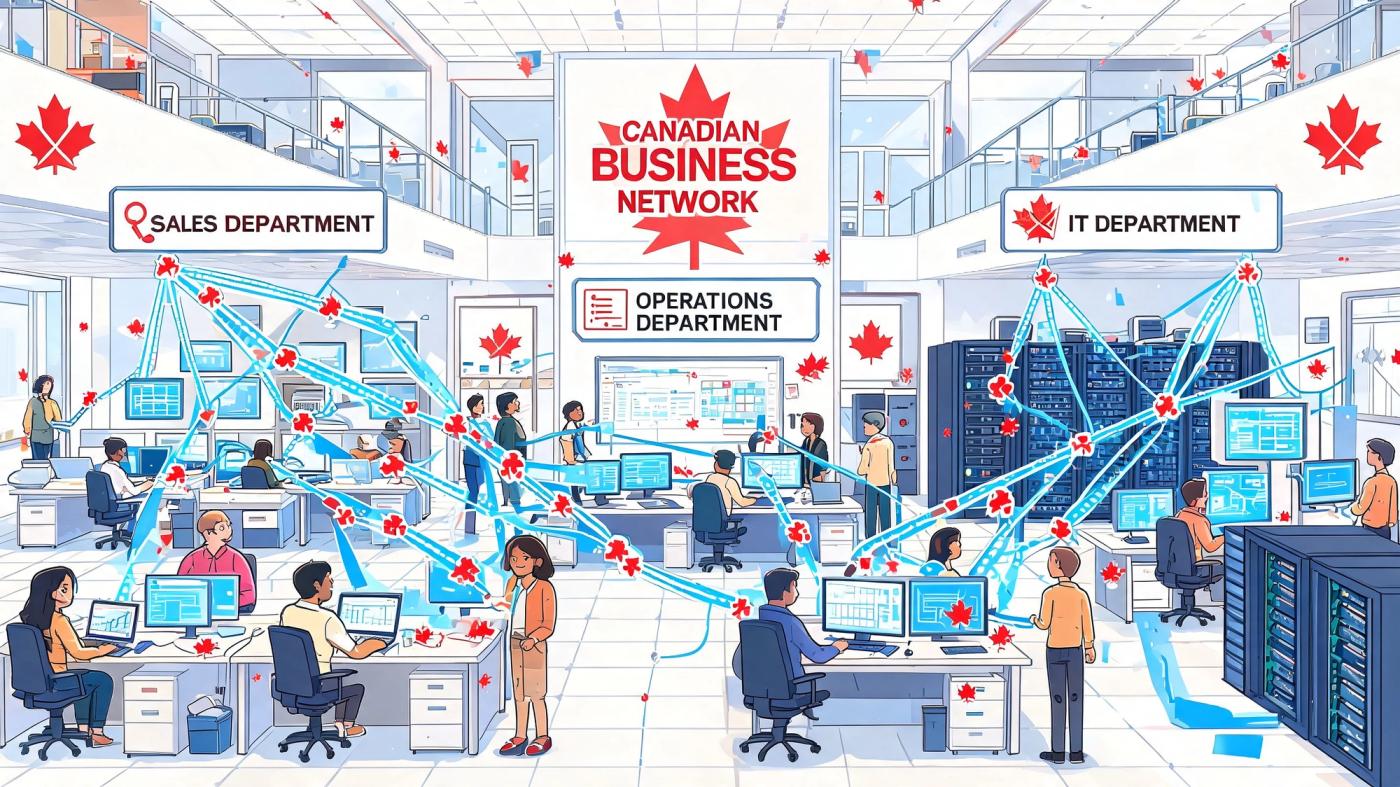
A weak network doesn't just create IT tickets. It slows billing, disrupts customer conversations, adds friction to collaboration, and makes every new technology project harder than it needs to be. In practical terms, your network acts like a central operating layer for the business. When it's well designed, people barely think about it. When it isn't, every team feels it.
The symptoms usually show up outside IT:
That's why network support services shouldn't be framed as a back-room technical purchase. They're part of how a company protects productivity and keeps growth from turning into complexity.
Practical rule: If your staff rely on cloud apps, video meetings, shared files, or multiple sites, your network is already a business system, not just an internet connection.
The way managed network services work today didn't appear by accident. It was shaped by a period when network traffic and usage expanded rapidly enough that uptime, support, and capacity became core design concerns. The University of Washington's network history notes that NSFNET backbone traffic rose from about 1 terabyte per month in March 1991 to 18 terabytes per month in November 1994, while growing more than doubled annually during that period (network history summary).
That matters because today's expectations come from that same operating reality. Businesses in Toronto, Calgary, Edmonton, and beyond need scalable access, managed security, and resilient support because networks stopped being simple a long time ago.
When people hear “computer network services,” they often picture routers, cables, and Wi-Fi. Those matter, but the primary value comes from the services running behind the scenes that make devices connect properly, reach the right systems, and stay secure.
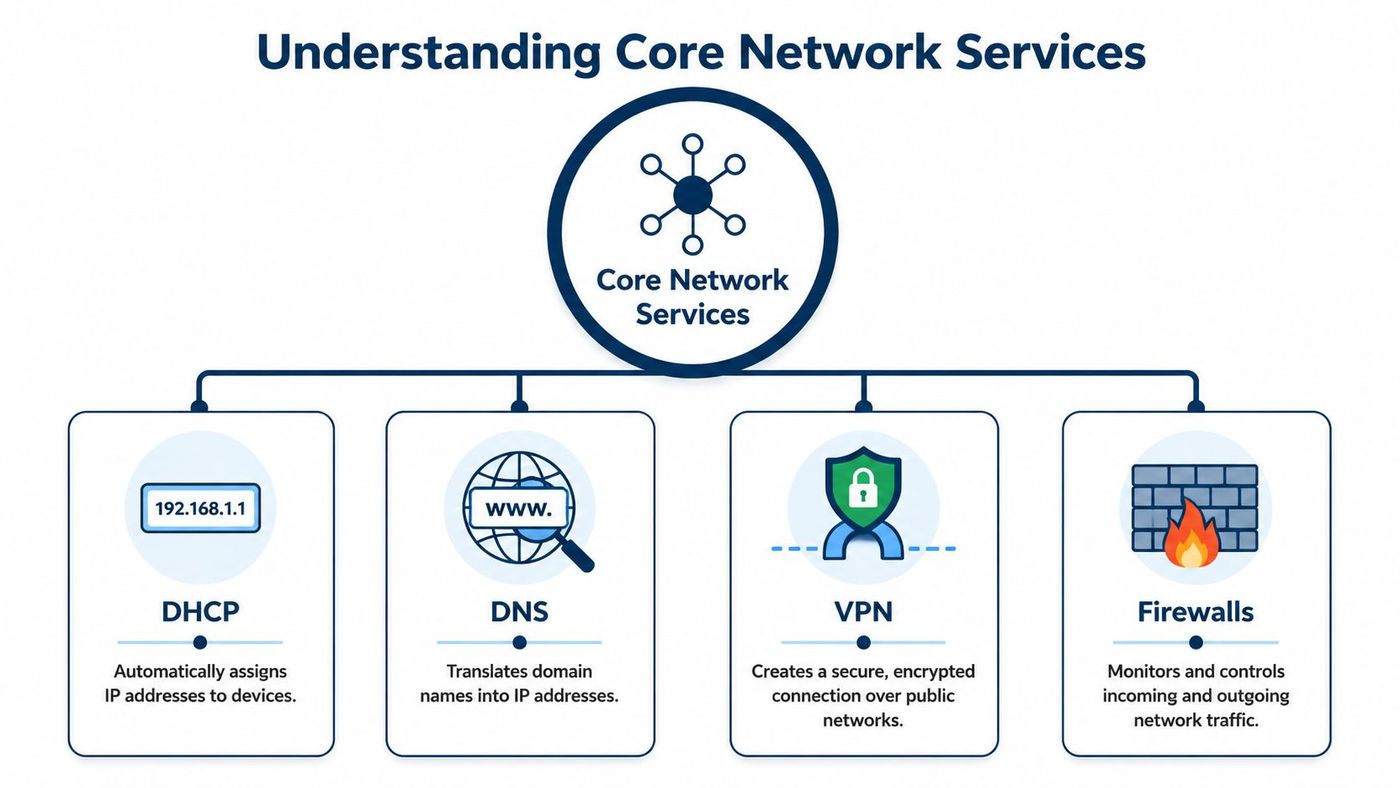
A useful way to think about it is this: internet access is the road. Network services are the traffic signs, dispatch system, security checkpoints, and priority lanes that keep the road usable.
Some services are foundational:
If any of these are poorly configured, users don't describe the problem in technical language. They say things like “the app is slow,” “the call sounds terrible,” or “it worked in the office but not from home.”
A broader look at key infrastructure components helps here because network services don't sit in isolation. They support endpoints, cloud apps, security controls, and communications tools all at once.
Quality of Service (QoS) is one of the most practical examples of business-focused network design. It tells the network which traffic deserves priority when there's competition for bandwidth.
A business network operates much like a motorway with a priority lane. If every vehicle gets treated exactly the same, an urgent delivery truck can get stuck behind slow-moving traffic. On a corporate network, voice and video calls represent that urgent delivery. File syncs, downloads, and background updates can wait a little. Calls can't.
The design goal for business network services is minimizing latency on real-time workloads. If QoS isn't applied, congestion can cause packet delay and loss, which people experience as choppy calls or poor application responsiveness, especially in distributed Canadian SMBs with shared app stacks across locations (Paessler on common network services).
A network that treats every application the same usually serves the business poorly.
This becomes even more important if you're reviewing voice tools and trying to find small business communication features that match how your team works. Phone systems, video platforms, and collaboration apps only perform well when the underlying network gives real-time traffic the right priority.
The right network design isn't just about technology. It's also about who manages it, where control lives, and how quickly the environment can adapt when the business changes.
Some companies still prefer full on-premise control. Others want cloud-based management because they have multiple sites. Many choose a fully managed service because they don't want to build deep networking capability in-house.
On-premise networks put most control inside your walls. Your team owns the hardware decisions, policy setup, maintenance cycles, and troubleshooting process. That can work well if you have strong internal IT resources and stable requirements.
Cloud-managed networks keep physical equipment on site, but administration and visibility are handled through cloud platforms. This model is often easier to scale across branches, remote locations, and hybrid teams because policies and monitoring can be managed centrally.
Fully managed services shift the operational burden to a provider. The provider handles monitoring, maintenance, updates, troubleshooting, and often the planning needed to support growth, security, and business continuity.
If you're weighing broader infrastructure trade-offs, this comparison of cloud computing vs on-premise environments provides a useful lens. The same operational logic often carries into networking decisions.
| Attribute | On-Premise | Cloud-Managed | Fully Managed Service |
|---|---|---|---|
| Control | Highest direct control by internal team | Strong policy control with central cloud administration | Operational control handled largely by provider |
| Internal expertise required | High | Moderate | Lower day-to-day requirement |
| Scalability across sites | Can be slower to expand | Typically easier across multiple locations | Easier if provider has a repeatable deployment model |
| Security management | Internal team owns it | Shared between tools and internal oversight | Often bundled into ongoing service operations |
| Monitoring and support | Reactive if internal resources are limited | Better central visibility | Continuous oversight is usually part of the model |
| Capital planning | More hardware ownership upfront | Mixed model | Often more service-based and predictable operationally |
| Best fit | Firms with strong internal IT and strict control preferences | Multi-site businesses wanting flexibility | SMBs focused on outcomes, resilience, and support |
The old view of networking focused on basic connectivity. The modern view is broader. IBM notes that load balancers distribute traffic across multiple servers, CDNs cache content closer to users to reduce latency, and API gateways secure application traffic. In business terms, that lets managed network services improve failover, handle peak loads, and improve user experience across regions in Canada (IBM on networking).
That matters because choosing a service model now affects more than your office internet. It affects application availability, branch performance, customer-facing services, and how easily your systems handle change.
A well-run network looks different in a clinic than it does in a warehouse or a professional office. The principle is the same, though. The network should remove friction from the work your team already does.

In healthcare, the network supports more than email and Wi-Fi. Staff need dependable access to clinical systems, secure communications, and predictable application performance throughout the day. If a physician, administrator, and remote specialist all rely on the same systems, weak routing or inconsistent access policies create delays that affect patient flow and staff time.
What works in this environment is segmentation, secure access, strong wireless design, and tight policy control around who can reach what. What doesn't work is letting guest traffic, staff devices, clinical systems, and voice tools compete without clear boundaries.
In healthcare, network design is part of service delivery. If staff can't reach systems quickly and securely, care operations slow down.
Professional firms often have a different pressure profile. Their risk sits in confidentiality, document access, secure collaboration, and continuity. A network outage during a filing deadline or closing process isn't a minor inconvenience. It interrupts revenue-generating work.
These firms usually benefit from stricter access control, strong firewall policy, reliable remote connectivity, and careful handling of cloud application traffic. They also need a provider that understands the operational cost of even short disruptions.
Standard “buy faster internet” advice often falls short for this reason. Many Canadian businesses work across yards, job sites, plants, remote offices, and temporary locations where fibre either isn't available or isn't dependable enough to stand alone.
For Canadian industries like construction, logistics, and oil & gas, resilient network service is an architecture problem involving hybrid terrestrial, LEO satellite, and LTE/5G planning. The issue is keeping branch offices and field sites online when wired broadband isn't an option (Infovista on non-terrestrial networks).
That changes the conversation. Instead of asking only about speed, these businesses should ask:
Retailers, franchise groups, and distributed service firms face a different challenge again. They need consistency. If each site has its own ad hoc setup, support becomes messy and security drifts over time.
What works is a standard design. Same firewall approach. Same Wi-Fi policy. Same remote support method. Same monitoring. The less improvisation between locations, the easier it is to maintain reliability as the business grows.
A provider shouldn't just promise “support.” They should be able to explain how their service reduces operational risk, improves visibility, and aligns the network with your business model.

A lot of SMBs ask the same practical question: how do we build a secure, reliable network without enterprise budgets or a specialised in-house team? Canadian guidance on underserved communities points to a useful answer. Ongoing support matters more than one-time toolkits, and a managed model can bundle monitoring, vulnerability reduction, and recovery planning into the network itself (NASCIO cybersecurity guidance).
Use these questions when evaluating providers:
A provider may not be the right fit if they:
For businesses comparing providers, this guide to IT support companies can help sharpen the shortlist.
The right partner doesn't just fix outages. They design around the problems that create outages in the first place.
One option in the Canadian market is CloudOrbis Inc., which provides managed IT support, network management, cybersecurity, cloud services, backup and disaster recovery, and a 24/7 Canada-based helpdesk. The important point isn't branding. It's whether the provider can connect those capabilities to your actual business risks.
A modern network should help your business move faster, not force your team to work around technical limitations. That means treating computer network services as a strategic asset tied to resilience, security, remote work, compliance, and growth.
The businesses that get this right usually make the same shift. They stop asking, “Who can keep us connected?” and start asking, “Who can design a network that supports how we operate and where we're going?”
That's the better lens for decision-making. It leads to better architecture, better support expectations, and fewer surprises when your company adds locations, changes applications, adopts new collaboration tools, or tightens security requirements.
If your current setup feels patched together, inconsistent across sites, or too reactive to support the next stage of growth, it's worth getting a second opinion from CloudOrbis Inc.. A structured assessment and a proven 10-step engagement process can make the transition to a more resilient environment far smoother than most business leaders expect.
An ISP gives you internet connectivity. A network service provider or managed network partner handles the design, monitoring, security, performance, and support that sit on top of that connection.
Think of the ISP as the utility feed. The network service provider makes sure your business can use that feed reliably and securely.
Yes, some businesses do. It usually works best when they have experienced internal IT staff, stable requirements, and enough time to monitor, maintain, document, and improve the environment.
Where self-management often struggles is after-hours support, security upkeep, multi-site consistency, and proactive troubleshooting. If networking competes with every other IT priority, reactive support tends to take over.
There isn't a single standard price because the scope varies. Cost depends on site count, network complexity, security requirements, remote access needs, support model, and whether the provider also manages firewalls, Wi-Fi, cloud connectivity, and recovery planning.
The more useful question is whether the service reduces downtime risk, internal workload, and business friction. Cheap support that misses root causes usually costs more over time than a well-scoped managed service.
If your business needs dependable, secure, and scalable computer network services, CloudOrbis Inc. can help you assess your current environment and build a practical roadmap for what comes next. Whether you're supporting clinics, field teams, professional staff, or multiple office locations, the goal is the same: a network that strengthens operations instead of slowing them down.
Book a 30-minute call with a senior engineer. No sales script, just straight answers about your environment.


