Choosing IT Support Companies for Canadian SMBs
A practical guide for Canadian SMBs on how to select the right IT support companies. Learn to evaluate needs, vet partners, and avoid common pitfalls.

A practical guide for Canadian SMBs on how to select the right IT support companies. Learn to evaluate needs, vet partners, and avoid common pitfalls.
Choosing the right IT support company is not just about finding someone to call when a computer breaks. It is a strategic business decision, one that has a direct link to your growth, security, and long-term success. For medium-sized Canadian organizations, this means finding a partner who understands both your company's vision and the unique challenges of operating right here at home.

There is a massive difference between the old "break-fix" model and a proactive IT partnership. Think of it this way: one is a digital "plumber" you call when something is already leaking, while the other is an "architect" helping you design and maintain a solid technology framework from the ground up. A true partner does not just put out today's fires; they anticipate tomorrow's challenges and opportunities.
For businesses in Canada, this kind of strategic alliance is even more critical. You deal with specific compliance laws like PIPEDA and face distinct operational hurdles, whether ensuring continuity during a wicked winter storm or scaling up in a competitive national market. The right partner understands these nuances.
A strategic IT partner focuses on one thing: using technology to deliver real, tangible business results. It is a shift in mindset that shows up in a few key ways:
We saw this firsthand with an Ontario-based logistics firm. They constantly battled system downtime and wrestled with outdated software, which was killing their ability to manage a growing fleet. After they switched to a managed services partner, they saw a 30% jump in operational efficiency. That was not just because tickets got resolved faster. Their new partner optimized their logistics software, put in a rock-solid data backup system, and gave them a clear roadmap for future tech investments.
The most valuable IT support companies act as an extension of your leadership team. They translate complex technology into clear business advantages, helping you make informed decisions that fuel growth rather than just prevent disasters.
It is a common mistake to see IT support as just another line item on the expense sheet. That is a short-sighted view. When you choose carefully, your IT partner becomes a core investment in your company’s resilience and future. They provide the stable, secure, and forward-thinking technology foundation you need to compete.
Their role also bleeds into high-level planning. By truly understanding your long-term goals, they can align your technology roadmap with your business objectives. This is where you might explore a deeper dive into IT strategy and consulting to see how a service like a vCIO (virtual Chief Information Officer) can help shape your path forward. With that kind of proactive planning, your technology does not just keep up, it leads the way.
Before you even think about looking at different IT support companies, you need to have a clear blueprint of your own requirements. Too many businesses get swept up by a flashy sales pitch or what looks like a low price, only to find out later it is a terrible fit. To sidestep that classic mistake, you have to start with a guided self-assessment.
This is not just about making a list of your computers and software. It is about getting real about your day-to-day operations, figuring out those recurring tech frustrations, spotting potential security holes, and thinking about where you want the business to be in a few years. When you document your specific needs first, you can judge potential partners based on your actual goals, not just their marketing materials.
First things first, take an honest look at the technology you are using right now. Do not just list what you have; think about how well (or how poorly) it is actually working for your team. This initial review is the foundation for everything else.
Dig into these key areas:
A thorough self-assessment transforms your search from a generic vendor hunt into a strategic partnership. You stop asking "What do you do?" and start asking "How can you solve our specific, documented challenges?"
Cybersecurity is not an optional add-on anymore; it is a core business function. Your needs in this area will heavily influence which IT partner is right for you. A basic setup might be fine for a small shop, but a business in a regulated industry needs a much more buttoned-up approach.
When you are outlining your business's needs, robust adherence to data security compliance standards for your industry is completely non-negotiable for any potential IT partner.
Start by figuring out your security maturity level:
Knowing where you are and where you need to be is critical. Medium-sized businesses, in particular, get immense value from a partner who can lay out a clear security roadmap. Our guide on IT support for small business digs deeper into building this security foundation.
Finally, look down the road. The right IT partner should not just support your business today; they should be able to help you get where you are going in the next three to five years. Are you planning to open new locations, fully embrace a hybrid work model, or launch a new online service?
Write down your strategic goals and the technology you will need to make them happen. For example, if you plan to double your sales team, you will need a CRM that can handle that growth and a network that will not buckle under the pressure.
At the same time, define what your team really expects from support. Do they need access to a help desk 24/7 for critical issues, or is standard business-hour support good enough? Nailing this down now prevents a world of frustration later and ensures the Service Level Agreement (SLA) you sign actually reflects how your business works. With this complete picture, you are ready to find a partner who truly gets your vision.
Once you have a solid grasp of your business's IT needs, you can start looking for the right partner. We know that evaluating IT support companies can feel like a massive undertaking, but breaking it down into a structured process makes it far more manageable.
Think of it this way: you would not hire a new senior manager after just one conversation. Finding the right IT partner deserves the same level of care. You are not just buying a service; you are looking for a long-term relationship built on trust, expertise, and a real understanding of where your business is headed.
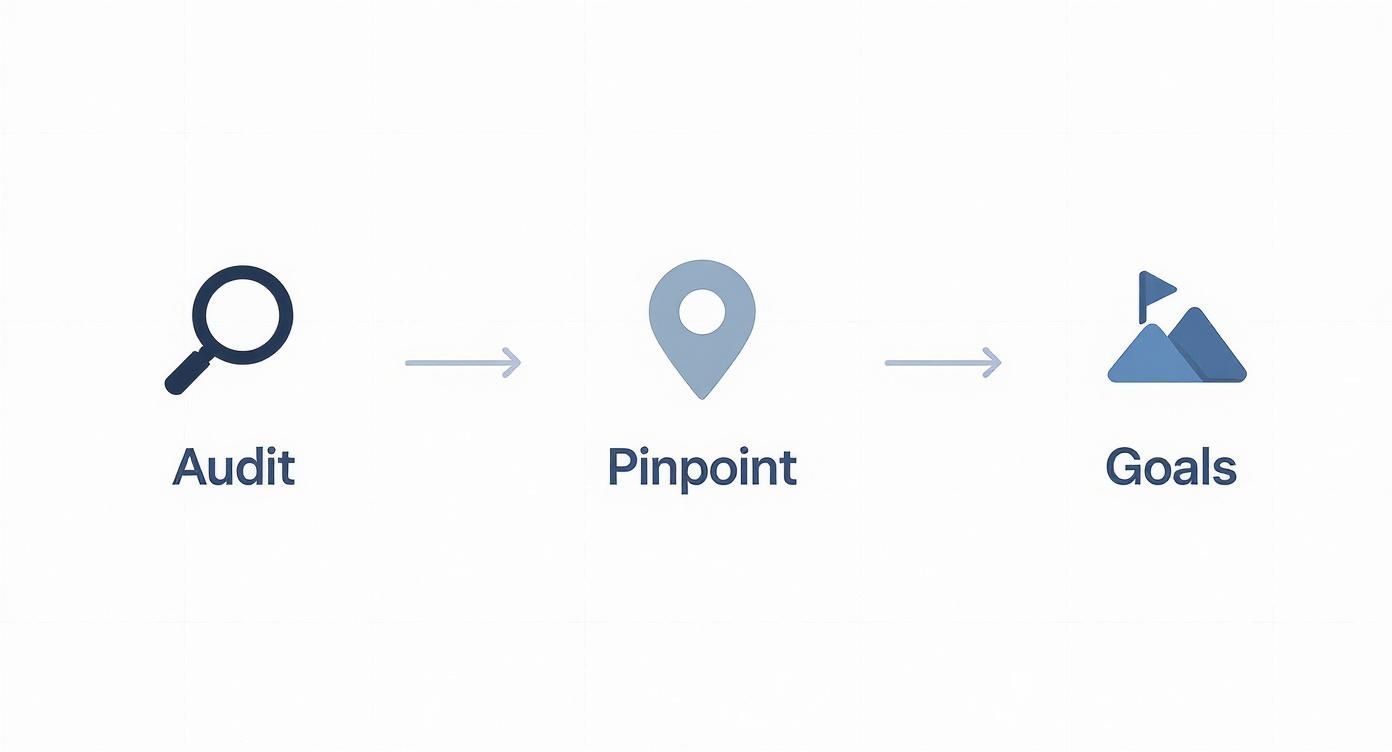
The initial steps we covered, auditing your setup, pinpointing needs, and setting goals, are the foundation for everything that comes next.
With that groundwork done, you are ready to start vetting potential partners.
The first move is to cast a wide net before you start reeling it in. Begin by gathering names from people you trust. Ask other Canadian business owners in your network for referrals, their real-world experiences are worth their weight in gold, especially if they are in your industry.
Pair those recommendations with some solid online research. Hunt for providers with a strong local presence and look for authentic case studies or testimonials that actually sound like your company’s problems. Pay close attention to their website. Is it all just a list of technical services, or does it talk about solving business problems and driving growth? That distinction tells you a lot about their focus.
Your goal here is to create a "long list" of about five to seven companies. From there, you will whittle it down to a shortlist of three or four top contenders who look like a great fit on paper. This is the group you will really dig into.
Now it is time to get past the marketing materials and find out how these companies really operate. When you sit down with your shortlisted providers, your questions need to get to the heart of their technical skills, their approach to customer service, and their culture.
Do not just ask, "What services do you offer?" Go deeper with questions that reveal how they think and act under pressure:
The quality of their answers is more telling than just about anything else. You are listening for detailed, confident responses, not vague promises. It shows you their commitment to transparency, clear communication, and a genuine partnership.
Not all IT support is created equal. Understanding the different service models is key to matching a provider’s structure to your budget and operational needs. The growth in managed services is significant; one report valued the U.S. market at $79.17 billion in 2023, with projections hitting $108.23 billion by 2030. This shows just how many businesses are shifting toward predictable, proactive IT support.
To help you decide, here is a look at the most common models you will encounter.
| Support Model | Best For | Pricing Structure | Key Advantage |
|---|---|---|---|
| Break-Fix | Very small businesses with minimal IT needs and a high tolerance for risk. | Pay-per-incident or an hourly rate. | The upfront cost is low, but it gets expensive and unpredictable in an emergency. |
| Managed Services | Most medium-sized organizations that want proactive support, security, and predictable monthly costs. | A flat monthly fee, often per user or per device. | The provider's goals are aligned with yours, they make money when your systems stay up. |
| Co-Managed IT | Companies with an internal IT person or team needing specialized support. | A monthly fee for specific services (like cybersecurity or help desk). | You get to fill skill gaps on your internal team without the cost of a full-time hire. |
Choosing the right model is a big decision that impacts both your budget and your daily operations. For a more detailed breakdown, our guide on choosing an IT outsourcing company can help you weigh the pros and cons for your business.
This is your final due diligence step before you make a decision, so do not just go through the motions. Ask each provider for two or three references from companies that are similar to yours in size and industry.
When you get them on the phone, ask direct questions that confirm what the provider has been telling you:
Honest, unfiltered feedback from current clients is the best validation you can get. It gives you a clear picture of what it is actually like to work with them, so you can sign on the dotted line with complete confidence.
Signing on with an IT support company is a serious commitment. That contract you sign is the foundation of your entire partnership. The details tucked away in the fine print can be the difference between a predictable, valuable relationship and a frustrating mess of surprise costs and broken promises. To make a smart financial decision, you need to know exactly what you are looking at.
It all starts with the Service Level Agreement, or SLA. This is the heart of your contract, it lays out the specific, measurable standards your provider commits to meeting. Without a solid SLA, you have no real way to hold them accountable.
An SLA is not just a list of services; it is a promise. But it is easy to get tangled up in the terminology. The two most critical metrics you need to grasp are response time and resolution time. They are not the same thing.
Think about it this way: your entire sales team is locked out of your CRM. A provider with a 15-minute response time might just send an automated email confirming they got your ticket. But a provider with a four-hour resolution time for critical issues is contractually bound to solve that problem within that window. Always, always prioritize clear resolution targets.
Vague SLAs are a massive red flag. If a provider cannot commit to specific, measurable outcomes for critical issues, it tells you they either lack the resources or the confidence to deliver when you need them most.
Your contract also outlines how you will pay. The pricing model a company uses says a lot about its approach to service. For any growing Canadian business, predictability is everything, which is why the all-inclusive, flat-fee model has become the standard for a reason.
Let’s break down the typical options you will see:
For most medium-sized businesses, the flat-fee model delivers the best mix of cost control and high-quality service. You can get a transparent look at what this involves by exploring different managed IT services pricing structures to see how they fit your budget and operational needs.
Finally, remember that a good contract should protect both you and the provider. As you review proposals from different IT support companies, keep a sharp eye out for clauses that could put your business at a disadvantage down the road.
Be wary of these common red flags:
Generic IT support is a commodity. Anyone can reset a password or set up a new laptop. But for Canadian businesses, especially those in regulated fields, that is not enough. Partnering with an IT company that does not understand your world is not just a hassle, it is a massive risk.
The right partner already knows the difference between general best practices and the specific compliance, security, and operational headaches your industry deals with every single day. They speak your language from day one.
This is not just a nice-to-have; it is critical. The stakes are just too high. Look at the tech sector, for example. In California, it had a $542.5 billion economic impact, but cybercrime cost the state over $2.5 billion in just one year. That pressure forced businesses to find security-focused providers who understood their unique vulnerabilities. While the numbers are different, the story is the same for Canadian businesses: industry-specific threats demand industry-specific defences.
Think about the unique challenges different sectors face. A generic IT provider might be great at network setups, but do they have a clue about the specific software, hardware, and regulatory hoops you jump through?
Here is what this looks like in the real world:
Choosing a partner with proven experience in your sector means you spend less time explaining your business and more time benefiting from solutions that are already built for you. They bring a ready-made understanding of your challenges, workflows, and compliance obligations.
So, how do you know if a potential partner really has the experience they claim? It is time to look for hard proof, not just a logo on their website.
First, ask for case studies or testimonials from clients in your industry. If a provider has genuinely solved problems for businesses like yours, they will be excited to share those success stories. The stories should be specific, what was the problem, what was the solution, and what were the results?
Next, ask about their team's certifications and training. Do they have people on staff with credentials relevant to your sector, like certifications in healthcare data security or specific manufacturing software? This shows a real commitment to your industry, not just a passing interest.
Checking out the various industries we serve can give you a clear idea of what deep expertise looks like. In the end, this homework ensures your new partner is not learning on your dime but is bringing valuable, hard-won experience to the table from day one.

You have done all the heavy lifting, vetting providers, calling references, and signing a contract that feels right. But the final hurdle is often the most critical: managing the actual switch to your new IT partner.
A bumpy transition can create instant friction. It erodes trust, disrupts operations, and leaves your team frustrated before the partnership even truly begins. The goal here is a seamless handover that feels more like a planned upgrade and less like a chaotic overhaul.
Whether you are moving from an in-house team or another managed service provider, a structured migration plan is not just nice to have; it is essential for keeping your business running smoothly.
A successful transition all comes down to clear communication and meticulous planning. Your new IT partner should take the lead here, but your involvement is crucial. The first 90 days are especially important for getting workflows right and building confidence across your organization.
Any solid plan should cover these key areas:
A great IT partner does not just show up on day one; they guide you through a documented, transparent transition process. This roadmap should clearly outline timelines, responsibilities, and key milestones, leaving no room for guesswork.
Getting the technology right is only half the battle, the other half is your people. Your employees need to feel supported and confident during the switch. This is where many IT support companies fall short if they are only focused on the technical nuts and bolts.
Start by communicating the change clearly to your staff. Let them know why it is happening, introduce the new provider, and highlight the benefits they can expect, like faster help or better tools. The next step is training them on new processes.
Your employee onboarding should cover the basics:
By preparing your team properly, you minimize disruptions and help them embrace the new partnership from the very beginning. It is the best way to build a strong foundation for a successful relationship.
Even with a solid plan, sorting through different IT support companies can stir up a lot of questions. Getting clear, straight answers is the only way to make a decision you feel good about, one that actually fits your business goals and budget.
Here are a few of the most common questions we hear from Canadian business leaders when they are in this exact spot.
Think of it this way: break-fix support is like calling a plumber only after a pipe has burst. It is purely reactive. You call for help when something is already broken, and you get a bill for that one-time fix.
Managed IT services, on the other hand, are proactive. For a predictable monthly fee, your IT partner is constantly monitoring and maintaining your systems to stop those pipes from bursting in the first place. This approach is a game-changer for businesses that want to minimize downtime, beef up their security, and keep IT costs under control.
This is a big one, and the honest answer is: it varies. Your budget will depend on your company’s size, how complex your technology is, and any specific compliance rules you need to follow (like in healthcare or finance).
That said, as a general guideline for comprehensive managed services, Canadian medium-sized businesses can expect to invest between $75 and $250 per user, per month. The most important thing here is to get detailed quotes that spell out exactly what is included so you are not hit with surprise fees later.
A true IT partner is not just a help desk waiting for your call. They invest heavily in a discovery and onboarding process to really understand your infrastructure, workflows, and goals. They become a strategic advisor.
The right one absolutely will. In fact, that is what separates a great IT partner from a mediocre one.
A quality provider starts the relationship by digging into your operations. Look for a team that asks smart, strategic questions and shows a genuine curiosity about how you work. Do they have proven experience in your industry? A true partner does not just fix what is broken; they offer insights and guidance to help you use technology to actually grow your business.
At CloudOrbis Inc., we focus on building proactive, strategic partnerships that deliver real business results. We provide the expertise and support your Canadian business needs to thrive, from 24/7 help desk services to advanced cybersecurity and strategic IT consulting. Learn how our managed IT services can empower your growth.
Book a 30-minute call with a senior engineer. No sales script, just straight answers about your environment.


