How to Use Microsoft Copilot: A Practical Guide for Canadian SMBs
Learn how to use Microsoft Copilot with this practical 2026 guide. Boost adoption, productivity, and ROI for your Canadian SMB with expert strategies.

Learn how to use Microsoft Copilot with this practical 2026 guide. Boost adoption, productivity, and ROI for your Canadian SMB with expert strategies.

You don't "learn" Microsoft Copilot like a separate program. You use it directly inside the applications your team already relies on daily, like Outlook, Teams, and Excel. The goal is not to add another tool to the pile but to make the ones you already own smarter.
This guide is designed to cut through the hesitation many Canadian SMBs experience and show you exactly how to get started, transforming a powerful tool into a tangible business asset.
The conversation around artificial intelligence can feel abstract, but its application in your business is practical. Microsoft Copilot is an AI partner working alongside your employees, helping them reclaim valuable time and produce higher-quality work. It’s about making your current technology investment work harder for you.
For most business and IT leaders, the question isn't "what is AI?" but "how can it help my team today?" The answer lies in the small, consistent productivity boosts that accumulate into a significant competitive advantage. Before diving into Copilot, reviewing a practical playbook on how to use AI for business can help frame your integration strategy. This foundation ensures you are prepared to maximize the tool's benefits.
Many organizations get stuck on the "how" because they envision a massive, disruptive rollout. In reality, learning to use Microsoft Copilot is a gradual process centred on real-world tasks. It begins with simple actions that yield a significant impact.
Imagine if your team members could:
These are not futuristic concepts; they are capabilities your team can leverage with Copilot immediately. By focusing on these daily workflows, you can start seeing tangible benefits that turn a software licence into a real driver of efficiency and innovation.
To help you get started, we've created a quick guide highlighting some of the most immediate, high-impact uses for Copilot across your daily applications. Think of this as your "day one" cheat sheet.
| Application | High-Impact Daily Use | Business Benefit |
|---|---|---|
| Microsoft Outlook | Summarize long email chains or generate a draft reply based on the thread's context. | Speeds up inbox management and ensures key details aren't missed. |
| Microsoft Teams | Ask for a recap of a meeting you joined late or generate a list of action items. | Improves meeting productivity and accountability without manual note-taking. |
| Microsoft Word | Create a first draft of a proposal, blog post, or report from a simple outline. | Overcomes writer's block and dramatically reduces content creation time. |
| Microsoft Excel | Ask questions about your data (e.g., "Show me sales trends by quarter") to create charts. | Unlocks data insights for non-analysts and simplifies spreadsheet analysis. |
| Microsoft PowerPoint | Generate a presentation from a Word document or a simple prompt. | Accelerates the creation of professional-looking slide decks. |
By encouraging your team to try just one or two of these tasks, you can quickly demonstrate the value of Copilot and build momentum for wider adoption.
A common hurdle we see with Canadian businesses is low adoption after the initial purchase. Success isn't just about having the tool; it's about embedding it into your company’s culture and daily routines. This requires a clear strategy that connects Copilot’s features directly to your specific business challenges.
The key is to start small and prove the concept. For instance, a law firm could start by using Copilot to summarize depositions, while a manufacturing company might use it to draft daily shift reports. By showing clear wins in specific departments, you create a powerful case for wider use. To dive deeper, you might be interested in learning how AI tools can revolutionize productivity for businesses in Calgary.
A strategic partner can help you pinpoint these initial use cases and guide your team from assessment to optimization, ensuring Copilot delivers a clear and measurable return on investment.
Before purchasing your first Microsoft Copilot licence, there is crucial groundwork to be done. A successful rollout has less to do with the technology itself and more to do with the strategic preparation you do upfront. We have observed many businesses rush this stage, only to face low adoption, security concerns, and a frustrating experience.
Think of it like building a house. You would never put up walls without first ensuring the foundation is solid and correctly mapped out. The same principle applies here. Your data, permissions, and licensing are the bedrock for AI-powered productivity. Getting this right from the start ensures a smooth, secure, and genuinely useful implementation.
Let’s start with the basics: licensing. To begin, your team needs a base licence of either Microsoft 365 Business Standard, Business Premium, E3, or E5. On top of that, you will add the Copilot for Microsoft 365 licence for each user.
However, the most important part is the health of your data. Copilot works by accessing information across your organization’s Microsoft 365 environment. If your data in SharePoint and OneDrive is disorganized, poorly secured, outdated, or chaotic, the AI will produce equally poor results. It can only be as good as the information it can find.
This is where a Copilot Readiness Assessment becomes essential. It’s a proactive audit that uncovers hidden problems before they become major roadblocks. This assessment will identify:
For any Canadian business in a regulated field like healthcare or finance, this isn’t just a good idea, it's essential for compliance. Correctly configuring your tenant-level permissions is your first and best line of defence.
A successful rollout is not a single event; it's a structured process that ensures you are technically ready and your team is set up for success. This visual illustrates the core stages, from initial checks to ongoing improvement.
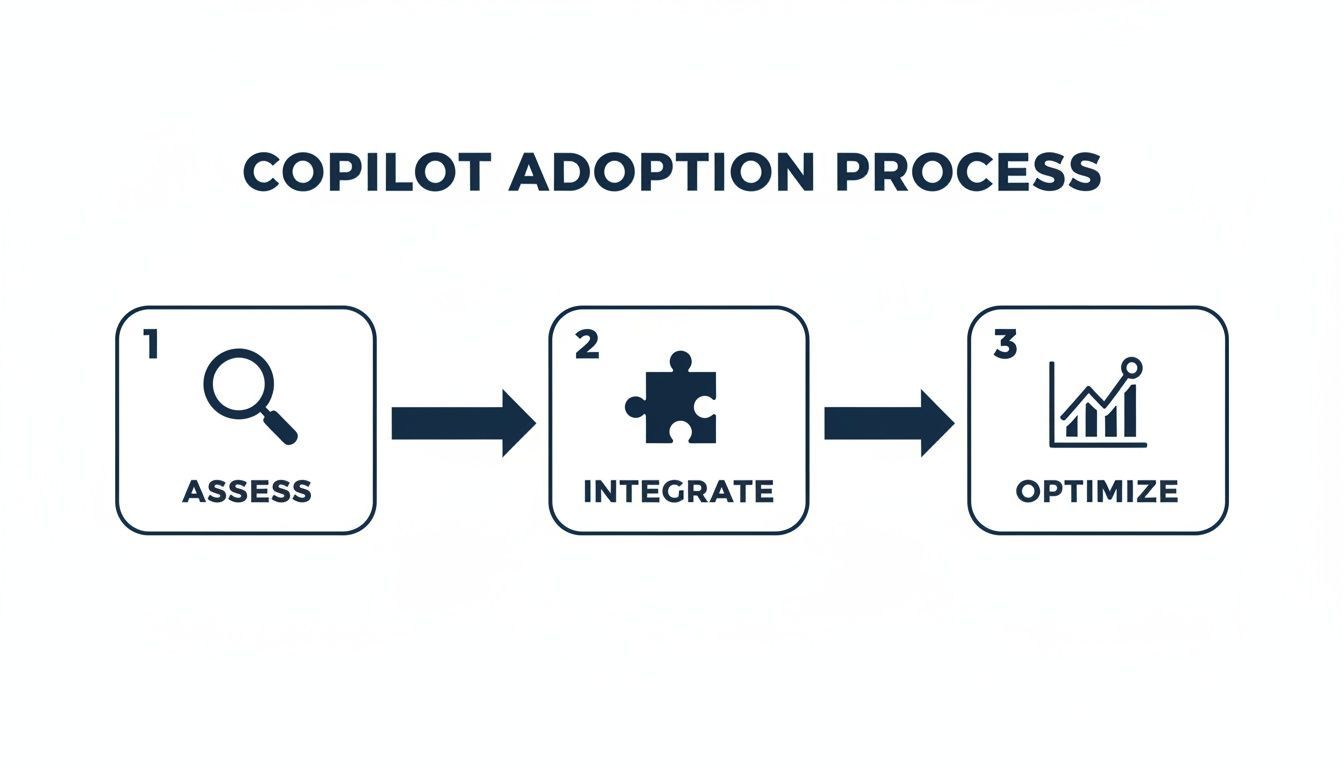
Each step builds on the last, taking you from technical preparation (Assess), to seamless workflow integration (Integrate), and finally to measuring and refining for real business impact (Optimize). The most common mistake is skipping the assessment phase, which almost always undermines the entire project.
Even with a flawless technical setup, motivating people to use the tool can be a significant hurdle. We have seen companies purchase hundreds of licences only to watch them go unused. A key part of your preparation must be a solid plan for change management and user training, a process requiring careful thought long before you go live. For more on this, check out our guide on IT project planning best practices.
Here is a real-world example. In early 2024, Insight Canada, a key Microsoft partner, began their Copilot journey with just a 43% usage rate among employees. By June 2024, they achieved an incredible 93% usage rate. This did not happen by accident. It was the result of targeted education, workshops, and hands-on assistance that showed employees its true value. You can discover more about Insight Canada's successful adoption strategy and how they turned hesitation into a company-wide success.
Your rollout plan must answer the "why" for your employees. It's not enough to announce a new tool; you have to show them how it solves their specific problems and makes their daily work easier.
For a healthcare clinic, this could mean showing a team how to summarize patient communication history while staying PHIPA compliant. For a manufacturing firm, it might be demonstrating how supervisors can draft daily shift reports from a few simple voice prompts. This targeted approach connects the technology directly to tangible benefits, fuelling genuine interest and driving real adoption.

You’ve rolled out Microsoft Copilot. The licences are assigned. What now? The availability of the tool does not automatically translate to success. The real value, and the return on your investment, is realized only when your team fully embraces it and integrates it into their daily work.
A common pitfall we see is businesses buying licences, hoping for the best, and then wondering why usage rates are flat a few months later. What separates a costly software purchase from a genuine productivity engine is a solid change management plan. It is about showing people how and why this tool will make their specific jobs easier.
This is not a theoretical problem. Consider a mid-sized financial services firm in Canada that, in early 2024, was on the verge of scrapping its Copilot subscription. Adoption was dismal because staff did not know how to apply it to their day-to-day tasks.
By introducing persona-based workshops and a champions program, their adoption rate soared to 96%. What was once a source of hesitation became a strategic advantage. This is a powerful lesson for any legal, finance, or accounting firm in the Greater Toronto Area or Calgary, where secure and efficient work is critical. You can explore the market signals shaping Microsoft 365 Copilot adoption to better understand these trends.
One of the most effective ways to build momentum is from the ground up by creating a "Copilot Champions" program. These are not necessarily managers or IT staff; they are the enthusiastic, tech-curious people in each department who their peers already trust for advice.
Formalize this role to maximize its effectiveness:
These champions become your most powerful advocates. When a colleague on the sales team sees a champion draft an entire proposal in minutes, that is far more persuasive than any top-down email.
Generic, one-size-fits-all training sessions are often a waste of time. People disengage if they cannot see how the information applies directly to them. This is why we advocate for persona-based workshops.
Instead of a general overview, you need to segment your training by department or job function. This allows you to deliver highly relevant, practical examples that solve the real-world problems each group faces.
Example Workshop Focus Areas:
This targeted approach directly answers the only question that matters to your employees: "What's in it for me?"
The goal isn't just to teach features; it's to solve problems. When you frame Copilot training around resolving specific pain points, you create an immediate and compelling reason for your team to engage with the tool.
Tracking adoption is crucial for understanding how well your rollout is progressing. Different teams will naturally gravitate toward using Copilot in the apps that help them most. Focusing your training where usage is highest can create quick wins and build momentum.
Here is a look at typical daily usage rates in successful deployments, which can help you prioritize your efforts.
| Application | Daily Usage Rate | Key Takeaway |
|---|---|---|
| Microsoft Teams | 60-70% | Meeting recaps and action items are a huge, immediate win. This is often the best place to start. |
| Microsoft Outlook | 50-60% | Summarizing long email threads and drafting replies saves significant time for almost everyone. |
| Microsoft Word | 30-40% | Excellent for creating first drafts, but adoption is often role-specific (e.g., marketing, sales, legal). |
| Microsoft PowerPoint | 20-30% | Great for generating initial presentation structures, but used less frequently than communication tools. |
| Microsoft Excel | 15-25% | Powerful for data analysis, but requires more specific training to unlock its full potential. |
These numbers show that while Excel's capabilities are impressive, focusing initial training on Teams and Outlook will likely deliver the broadest and fastest impact across your organization.
To truly justify the ongoing investment, you need to connect these usage numbers to real business outcomes. Proving value to leadership means moving beyond just tracking licences.
Focus on metrics that tell a story of efficiency and improvement. This will require a mix of quantitative data and qualitative feedback from your team.
By tracking these outcomes, you build a powerful business case. The conversation shifts from "How many people are using Copilot?" to "How is Copilot helping us work smarter and achieve our targets?"
Knowing what Copilot can do is one thing; knowing how to make it work for your business is where the real value lies. True productivity gains are not found in a feature list, but in applying the tool to the specific, daily challenges your team faces.
Let's move beyond theory to practical application. Here are some hands-on examples and prompts tailored for key Canadian industries. Think of this as a playbook you can start using today to turn Copilot into a genuine, high-performing member of your team.
In Canadian healthcare, every minute spent on administration is a minute not spent on patient care. Efficiency and strict compliance with privacy laws like PHIPA must go hand-in-hand. Copilot can be a powerful ally on both fronts.
Imagine a busy clinic manager trying to understand a long email chain between a specialist, a family doctor, and a patient's relative. Instead of spending 15 minutes piecing it together, they can use a simple prompt within Outlook.
Example Prompt for Outlook:
"Summarize this email thread into bullet points, highlighting key decisions made, outstanding questions, and the next steps for the patient's care plan. Omit all personal identifiers."
This prompt delivers a concise summary in seconds, enabling quick, informed decisions. Crucially, by instructing Copilot to "omit all personal identifiers," you are actively reinforcing patient confidentiality. The same principle works effectively in Microsoft Teams after a virtual consultation.
By using targeted prompts, healthcare organizations can reduce administrative overhead while strengthening their data privacy posture.
In the legal and financial sectors, precision is paramount, and time is money. Core tasks like drafting documents or analyzing data are notoriously time-consuming. This is where Copilot can act as a skilled paralegal or junior analyst, providing a significant head start.
For a law firm, creating a standard client agreement from scratch is repetitive. A lawyer can use Copilot in Word to generate a solid first draft instead of starting with a blank page. To get a handle on these workflows, focused guides like A Business Guide to Using Copilot in Word can provide excellent, deeper insights.
Example Prompt for Word:
"Draft a client services agreement for a small business based in Ontario. Include standard clauses for scope of services, payment terms (net 30), confidentiality, and termination. Use clear, professional language."
This gives the lawyer a structured starting point they can then refine and customize, saving hours of initial drafting. The key is providing specific context, like the jurisdiction (Ontario) and required clauses, to get a useful output.
Likewise, a financial analyst working in Excel can stop wrestling with complex formulas and start asking questions in plain English.
The real power of Copilot in these sectors lies in its ability to handle the heavy lifting of initial creation and analysis. This frees up professionals to focus on higher-value strategic work, reviewing, advising, and making critical judgments.
For manufacturing and logistics companies, operational efficiency is the name of the game. Daily operations involve a tremendous amount of coordination and documentation, from project planning to safety compliance. Copilot helps turn raw data and meeting discussions into structured, actionable documents.
Consider a project manager after a kickoff meeting for a new production run. The entire conversation was captured in a Teams transcript. Instead of manually building a project plan, they can provide the transcript to Copilot.
Example Prompt with a Document:
"Based on the attached meeting transcript, create a project plan in a table format. Include key phases, responsible team members, deadlines, and potential risks identified during the discussion."
In moments, a free-flowing conversation becomes an organized plan, solidifying alignment and accountability from day one. This same method is perfect for critical compliance tasks, like generating routine safety reports.
Example Prompt for a Safety Report:
"Draft a monthly safety compliance report for our manufacturing facility. Include sections for incident summaries, new safety measures implemented, and topics for the upcoming toolbox talk. Reference the safety audit checklist document for key points."
This approach ensures your reports are consistent, thorough, and always on time. By connecting Copilot to your existing documents, you ground its output in your company’s real-world context and data.
These industry-specific examples are just the beginning. As your team explores these workflows, you will discover more ways to apply Copilot to your unique challenges. If you're looking for guidance tailored to your specific field, you might find valuable insights by exploring the industries we serve.
Introducing a powerful AI tool like Copilot into your organization will naturally raise questions about security and data privacy. Before you can truly harness what Copilot offers, you need absolute confidence that your proprietary information is protected.
Prioritizing security is not a roadblock; it is the foundation for confident, long-term adoption.
One of the first questions we hear from business leaders is about data ownership. To be clear: your tenant data remains yours. Microsoft does not use your company's chats, emails, or documents to train its public large language models. This separation is core to Copilot's design and is backed by Microsoft's Copyright Commitment, which defends you if any copyright challenges arise from AI-generated content.
With data ownership clarified, the next step is ensuring your existing security framework is AI-ready. The good news is that Copilot inherits and respects the data permissions you already have in place across Microsoft 365. If a user cannot access a specific SharePoint site, neither can Copilot when that user prompts it.
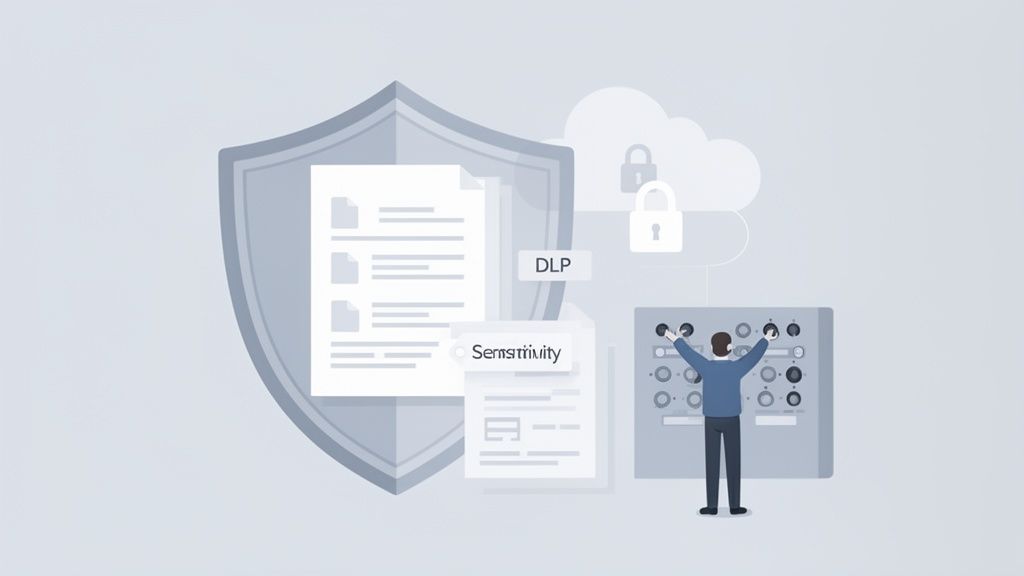
This makes a proper security posture non-negotiable. The practical security tools within Microsoft 365 become absolutely critical for managing how your data is classified and handled.
These measures do more than just protect you from accidental leaks through Copilot; they fortify your entire organization’s security posture. For a deeper look, our guide on data security management provides valuable insights.
Beyond technical controls, you need to provide clear guardrails for your employees. An internal AI Acceptable Use Policy is essential for showing employees how to use Microsoft Copilot responsibly and for managing human-related risks.
Your policy should be straightforward, addressing key areas of responsible use. The goal is not to write a long, complex document no one will read.
Focus on these key points:
An AI Acceptable Use Policy isn't about limiting innovation; it's about building a safe framework for it to thrive. When your team understands the boundaries, they will feel more confident to experiment with the tool in a secure and productive way.
By combining robust technical safeguards with clear, people-focused governance, you create an environment where Copilot becomes a powerful ally without introducing unnecessary risk. This proactive approach gives leaders the peace of mind needed to fully embrace AI-driven productivity.
Getting Microsoft Copilot right is more than a technical project, it is a strategic business shift. It demands a solid technical base, a thoughtful plan for your people, and strong governance to see real success.
For Canadian SMBs, the right approach can unlock major productivity boosts and provide a serious competitive edge. The steps we've outlined are designed to take you from discussing AI to making it a core part of how your business operates.
The most successful Copilot implementations aren't just about the technology; they're about partnership. Working with an expert who understands both the technical and human side of AI adoption ensures you avoid common pitfalls and get the most out of your investment.
If you’re ready to see what AI can do for your business, the next logical step is to connect with a trusted, Canada-based partner. At CloudOrbis, we specialize in guiding businesses like yours through every stage of the process, from planning and setup to ongoing improvement.
Our expertise in Microsoft 365 optimization ensures your environment is secure, compliant, and ready for AI. Book your Copilot Readiness Assessment today, and let's build your AI-powered future together.
When it comes to new technology like Microsoft Copilot, it’s smart to ask the tough questions. We field many inquiries from Canadian organizations, and they often centre on the same core issues: security, cost, and return on investment.
Here are straightforward answers to the most common questions we hear from business leaders.
Yes, your data is secure. Copilot is built on the same robust security and privacy framework that underpins the entire Microsoft 365 ecosystem.
Your company's confidential information, every email, chat, and document, is never used to train the public AI models. Copilot strictly adheres to your existing security configurations, meaning it only accesses information that a specific user already has permission to view.
The licence fee is only the beginning. Achieving real value from your investment means accounting for other critical, and often overlooked, costs.
To budget properly, you need to factor in:
Skipping these steps is a common misstep that leads to low adoption rates and a disappointing return on investment.
You can see an immediate impact on productivity within weeks. Focus on high-impact, low-effort tasks like summarizing meetings in Teams or drafting emails in Outlook to achieve quick wins.
However, a significant, measurable ROI typically takes three to six months to fully materialize. This timeline depends on a successful deployment strategy that includes strong user adoption, targeted training for specific roles, and clear governance from day one.
The Canadian AI market is accelerating rapidly, and businesses are investing heavily to make it work. As Canadian workers lead global adoption rates, the demand for well-managed AI integration is only growing. You can read more about the huge demand for Microsoft 365 Copilot and its impact.
The key is setting realistic expectations. ROI is not just about saving time or money; it is about fostering creativity, enabling smarter decisions, and improving overall employee satisfaction.
Ready to harness the power of AI with a trusted partner? CloudOrbis Inc. specializes in helping Canadian businesses deploy and optimize Microsoft Copilot securely and effectively. Book your Copilot Readiness Assessment today and start your journey toward intelligent growth.
Book a 30-minute call with a senior engineer. No sales script, just straight answers about your environment.


