How to Choose PHIPA Compliant IT Services for Your Clinic
Learn how to select and implement PHIPA compliant IT services with essential safeguards, cloud considerations, an evaluation checklist, and common pitfalls.

Learn how to select and implement PHIPA compliant IT services with essential safeguards, cloud considerations, an evaluation checklist, and common pitfalls.

You can run a busy Ontario clinic, keep the schedule full, and still miss the one alert that matters. A single compromised mailbox, a reused password, or a misconfigured cloud setting can turn a normal workday into a patient privacy incident before anyone reaches the front desk. That's why PHIPA compliant IT services aren't just about buying software, they're about building a controlled environment where patient data stays protected, traceable, and recoverable. For a useful overview of how digital systems support modern care delivery, the importance of computers in medicine is a helpful starting point.
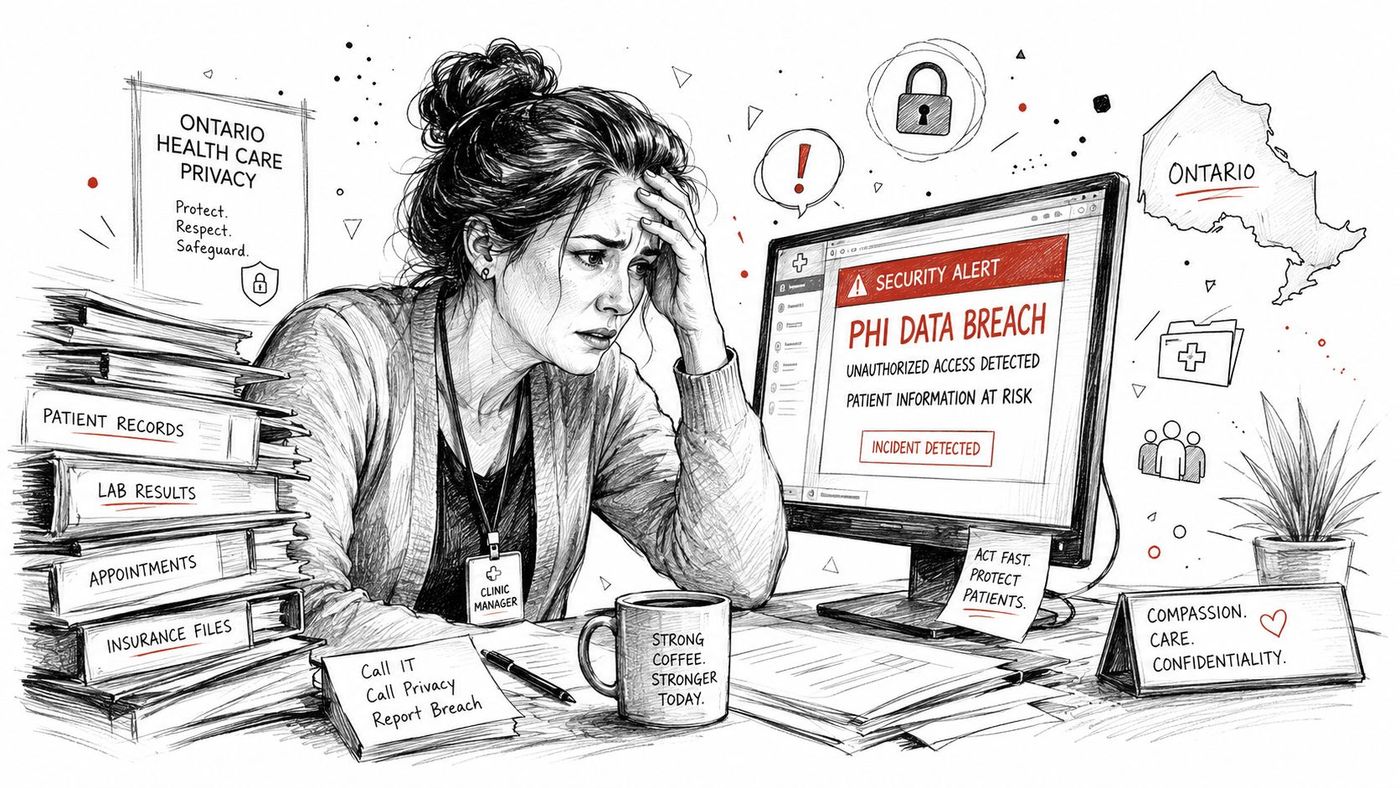
For clinics, the practical question is simple. Can your IT setup show who accessed patient information, stop unsafe access, and prove that your safeguards work when something goes wrong? If a vendor can't answer that clearly, the service isn't ready for healthcare. Teams also need to think about the broader role of technology in the workflow, including consent handling and secure sharing, which is why tools such as BoloSign for HIPAA compliance matter when signatures and authorizations are part of the patient record.
A clinic leader usually notices the problem after a near miss, not before it. Maybe a laptop was left unsecured, maybe a staff member used the wrong account, or maybe a cloud app was turned on with default settings and no one checked the logs. PHIPA compliant IT services reduce that risk by combining secure configuration, monitoring, documentation, and recovery planning into one operating model.
PHIPA is not a sticker you place on a server. It is a set of duties that shape how your clinic handles personal health information, how your vendor manages access, and how your team responds to incidents. If your IT partner only sells licences or storage, you still have a compliance gap.
A smarter setup treats compliance as a working system. That means controls, records, and recovery plans all fit together. It also means your IT provider should help your clinic stay ready for audits, outages, and privacy questions, not just keep the lights on.
PHIPA creates a legal threshold that's easy to miss if you only look at the technology side. In Ontario, a person is a health information custodian if they collect, use, or disclose personal health information, and PHIPA requires safeguards, limits on collection and use to authorized purposes, and records of access and disclosure as set out in Ontario healthcare IT guidance. That matters because the legal duty follows the data handling, not just the clinic's size or speciality.
Think of PHIPA like municipal building codes for a clinic's systems. You don't pass inspection because the building looks modern, you pass because the wiring, exits, alarms, and materials meet the code. The same idea applies to patient data. A polished cloud dashboard doesn't matter if access controls are weak or logs aren't available when someone reviews an incident.
A health information custodian is the party responsible for the information handling. Personal health information is the regulated data itself. A privacy breach protocol is the documented process for what staff do when something goes wrong, from containment to notification to follow-up.
Practical rule: if your clinic can't explain who may access patient information, why they may access it, and how that access is recorded, the IT design isn't ready for PHIPA.
For teams that want to connect policy with service design, CloudOrbis's healthcare IT compliance overview is a useful internal reference point. The key is to make the IT environment match the legal duty, not the other way around.
PHIPA compliance becomes real through configuration. Ontario clinic guidance says the practical control set includes unique user IDs, audit logs for every PHI access event, encryption at rest and in transit, and a written Privacy Impact Assessment for any new PHI system with AES-128 minimum and TLS 1.2+ guidance. That's the difference between a policy binder and an actual control environment.
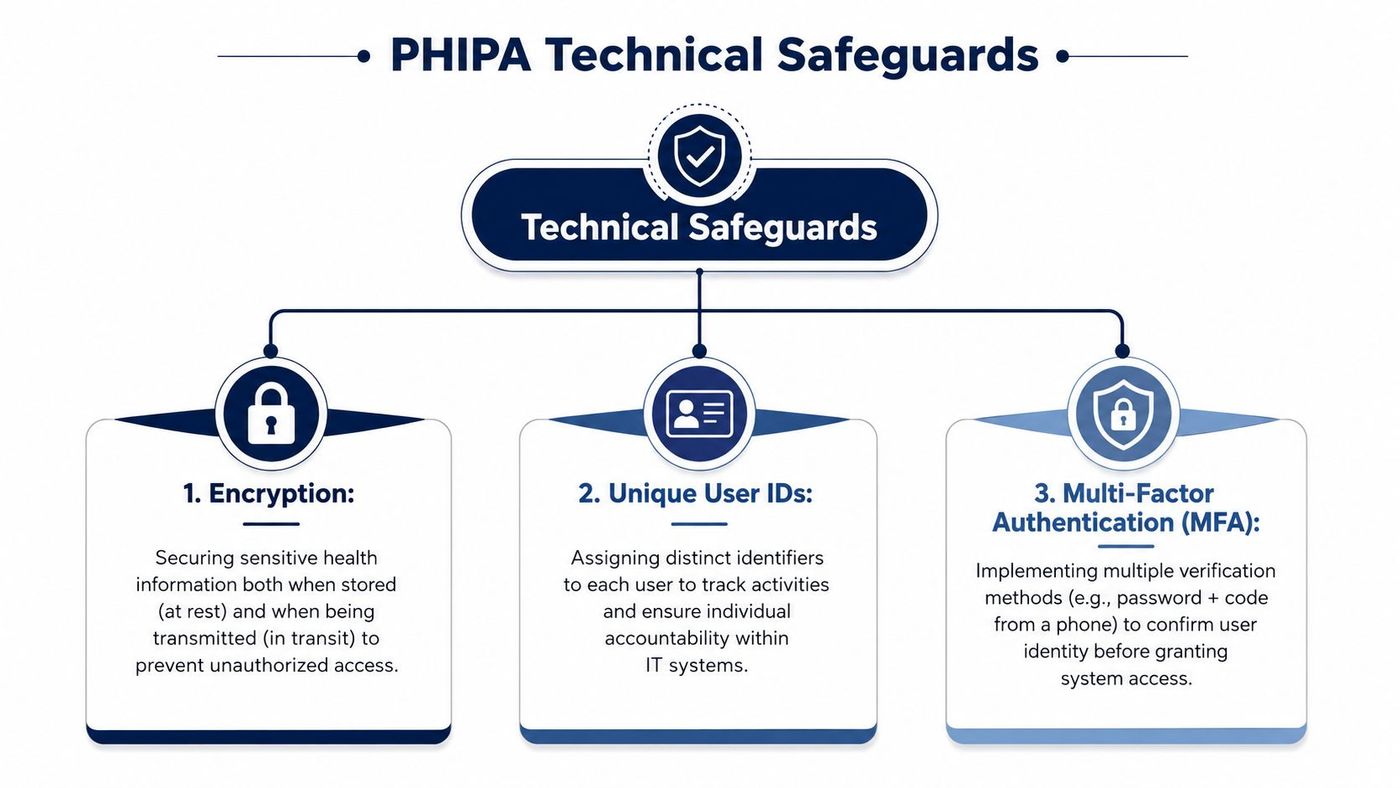
Every staff member should have a distinct account. Shared logins blur accountability, make audit trails unreliable, and create avoidable risk. Encryption should cover stored files and network traffic, so a stolen device or intercepted session doesn't expose patient records in plain text. In practice, that means controls like BitLocker or FileVault for endpoints, strong policy enforcement through MDM, and modern transport security such as TLS 1.2 or better.
Logs only help if someone can read them and act on them. Your system should record logins, record changes, and access events, then route those events into a review process. MFA strengthens that stack by making stolen passwords less useful. DLP helps stop staff from moving sensitive content into places it doesn't belong.
Technical truth: PHIPA readiness isn't about one product label. It's about whether the tenant, device, and identity settings are locked down enough to protect PHI in day-to-day use.
Microsoft 365 is a common example. Microsoft's own guidance says no Microsoft 365 plan is PHIPA compliant out of the box, and that configuration and management drive the result, with Business Premium often the minimum practical tier for small and medium healthcare, while E3 and E5 add more auditing and compliance capability for PHIPA-aligned deployments. For teams building compliant medical systems, developing compliant medical systems is a good lens for understanding how configuration choices shape the end result.
If your team is mapping these controls to cloud security, CloudOrbis's cloud data protection guidance fits naturally alongside the technical checklist.
Cloud hosting adds flexibility, but it also adds contract work and cross-border thinking. For Canadian providers supporting U.S. covered entities, the relationship can become dual-track, because they may need a Business Associate Agreement, follow HIPAA Security and Privacy Rules, and meet breach-notification timelines within 60 days, while Canadian privacy law requires breach recordkeeping for at least 24 months under PIPEDA for service providers handling regulated workflows. That's one reason cloud compliance has to start with the legal map, not the software menu.
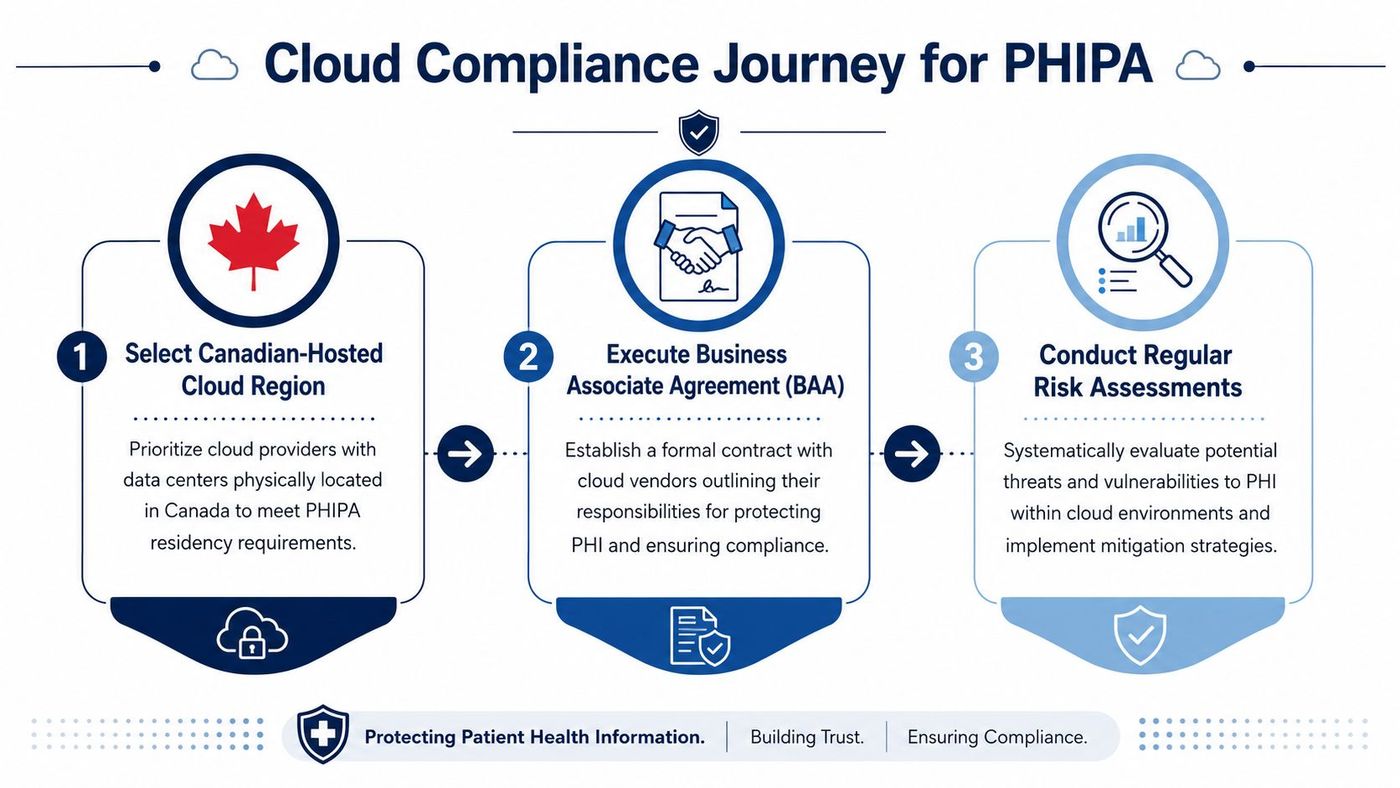
Start by mapping where PHI is created, stored, sent, backed up, and restored. Then decide which systems stay in Canada and which vendor relationships introduce cross-border obligations. If your provider can't show where the data lives and who can touch it, the arrangement is too vague for healthcare.
A BAA is not a formality. It defines vendor responsibilities for protected data, so your contract language has to match your operational reality. That matters if your clinic uses shared platforms for communication, imaging, backup, or support.
Ontario guidance expects a Privacy Impact Assessment for new PHI systems, which means you need more than a migration plan. You need a record of the risks, the mitigation steps, and the residual issues you're willing to accept. CloudOrbis's privacy impact assessment resource is a useful reference for teams that want to structure that review properly.
Canadian hosting helps with privacy expectations, but it doesn't prove resilience. A backup can sit in a Canadian region and still fail you during an outage if you haven't tested restore workflows or defined realistic downtime limits. That issue comes up again in the provider checklist below.
A good provider should be able to prove control, not just promise it. Ontario clinic guidance says PHI must be encrypted at rest and in transit, every user must have a unique login, shared accounts are unacceptable, and systems should keep audit logs of logins, access events, and record changes for day-to-day PHIPA operations. That's the baseline. Anything less is a gap, not a feature.
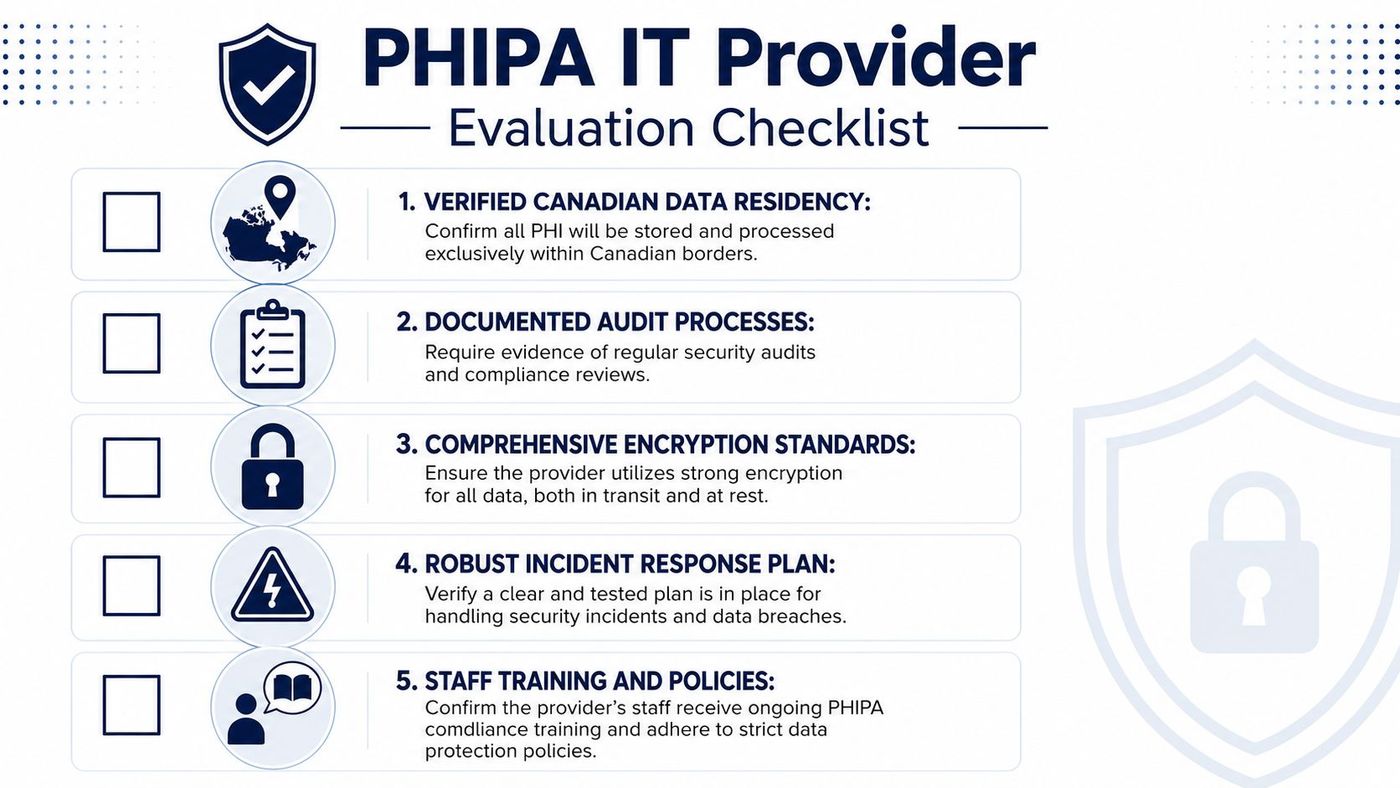
Ask providers to show configuration evidence. A serious vendor should be able to share audit samples, policy excerpts, backup architecture details, and incident-response documentation. If they only offer marketing language about being “PHIPA-ready,” keep pressing.
One of the most overlooked questions is whether a provider can restore your clinic fast enough to keep operating. Existing guidance makes a strong point here, Canadian storage doesn't guarantee rapid restoration, so clinics need encrypted immutable backups, tested restore processes, and defined recovery time objectives to support operational resilience.
Ask this directly: “If our EMR, email, and shared files go down today, how quickly can you prove they'll come back, and when was the last restore test?”
CloudOrbis's managed services questionnaire can help frame vendor discussions, especially when you want to compare support depth instead of just comparing price.
For teams considering operational outsourcing, CloudOrbis Inc. provides managed IT, cybersecurity, cloud, backup, and compliance support for healthcare environments, which can be evaluated alongside other providers in the same way.
The biggest mistakes are usually quiet ones. A clinic signs up for a cloud platform, assumes the defaults are safe, and moves on. Then someone finds out the logs aren't being reviewed, the shared mailbox still exists, or the backup can't be restored cleanly.
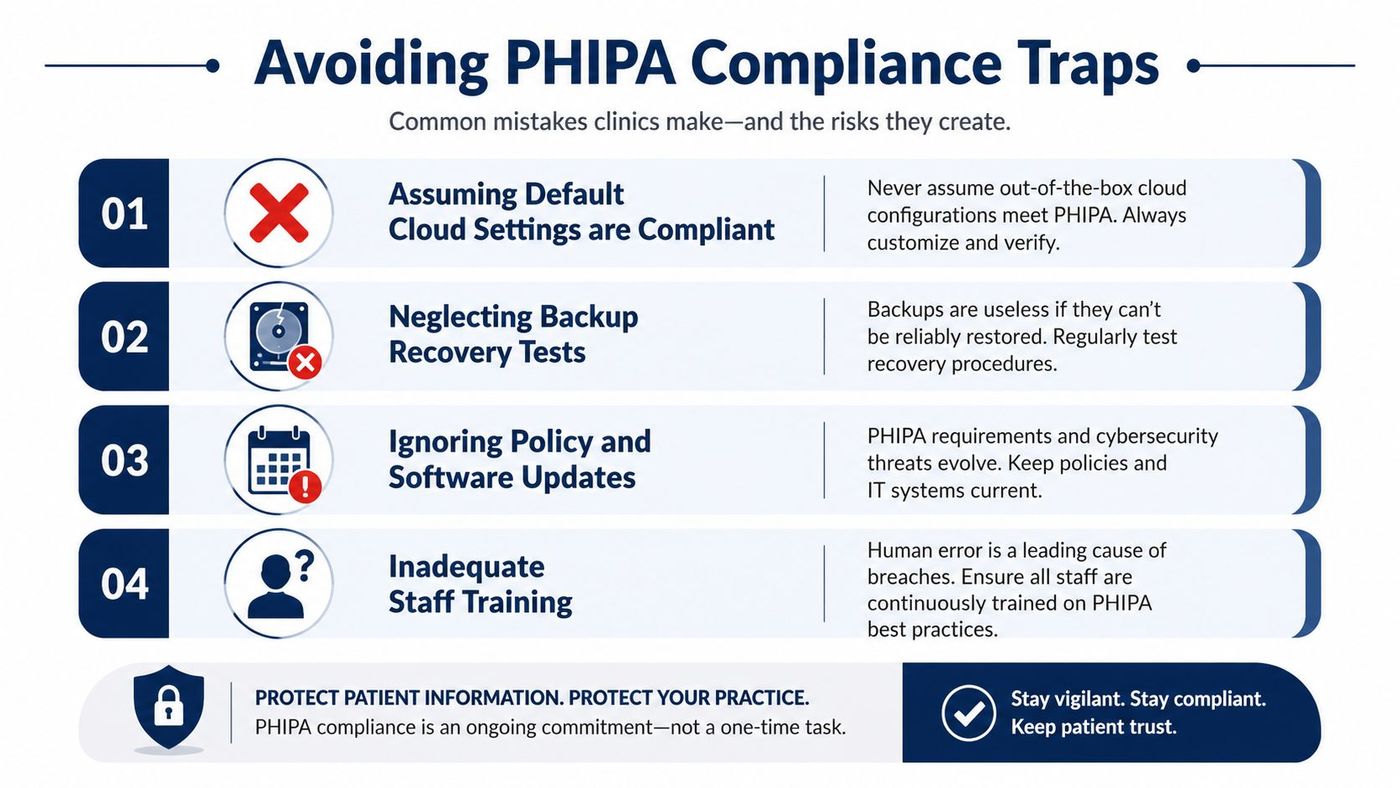
A practical PHIPA program treats these as routine maintenance items. If you don't test them, they aren't controls, they're hopes. The safest clinics close this gap by reviewing configurations on a schedule and checking whether staff behaviour matches policy.
Compliance is a moving target because systems change, vendors change, and users change. Managed IT partners help by keeping the control set active instead of letting it decay between audits. The strongest value comes from monitoring, patching, access reviews, and documented recovery work that keeps the environment defensible when something breaks.
Most public PHIPA guidance overlooks recovery metrics, but that's where resilience gets decided. Storing data in Canada doesn't guarantee rapid restoration, so clinics need encrypted immutable backups, tested restore processes, and defined recovery time objectives to stay operational after an outage and avoid false confidence in storage location alone.
A managed partner should watch for suspicious access patterns, maintain log review, and push software updates before risk accumulates. It should also run restoration drills, because a backup strategy only matters if staff can bring the system back under pressure. That's especially important for EMRs, email, and shared documents, where downtime affects patient care and front-desk operations at the same time.
When you compare options, ask how the provider documents change control, how often it revisits risk, and how it proves restores work in real life. If a team can't answer those questions, it may still support your infrastructure, but it isn't supporting your compliance programme in a meaningful way.
CloudOrbis's managed IT services security overview is a relevant reference for clinics that want a managed model built around monitoring and operational control, not just helpdesk response.
PHIPA compliance gets easier when you treat it as a system, not a slogan. Focus on the legal threshold, enforce technical safeguards, verify cloud contracts, vet providers with proof, and test recovery before an incident forces the issue. Clinics that do these five things build a stronger privacy posture and a more reliable day-to-day operation.
If your team wants to know where the gaps are, start with a readiness review of identity, logging, encryption, backup recovery, and vendor contracts. The fastest path to confidence is a structured assessment, followed by clear remediation steps and regular re-checks.
A CTA for CloudOrbis Inc.. If your clinic wants help evaluating PHIPA compliant IT services, CloudOrbis can review your current controls, cloud setup, backup recovery posture, and vendor documentation, then help you close the gaps with a practical remediation plan.
Book a 30-minute call with a senior engineer. No sales script, just straight answers about your environment.


