

September 25, 2026
Is VoIP Good for Small Business in Canada? a 2026 GuideIs VoIP good for small business in Canada? Explore costs, benefits, reliability, security, and migration tips for SMBs considering VoIP in 2026.
Read Full Post%20(1).webp)
Usman Malik
Chief Executive Officer
June 27, 2026
43% of Canadians have personally been affected by a privacy breach, according to the Office of the Privacy Commissioner of Canada. For a Canadian SMB, that number shifts cloud data protection from a technical project to a business priority.
Most owners already know the cloud brings speed, mobility, and lower infrastructure friction. What's less obvious is that the cloud also changes how risk shows up. Your files may sit in Microsoft 365, your line-of-business application may run in Azure or AWS, your backups may live with a third-party provider, and your staff may access all of it from phones, laptops, and job sites. That convenience is valuable. It also creates more places where data can be exposed, deleted, copied, or held hostage.
Good cloud data protection isn't just about stopping hackers. It's about making sure your business can keep operating, your client data stays controlled, and your team can recover quickly when something goes wrong. For Canadian companies, it also means understanding where data lives, which laws apply, and whether your provider choices create sovereignty issues you didn't intend.
Canadian businesses are already responding. According to Statistics Canada's 2025 business survey, 15.7% of Canadian businesses and organizations planned to adopt or incorporate security software tools in the second quarter of 2025 to enhance cloud and online data protection (Statistics Canada).
That matters because cloud adoption often moves faster than security planning. A company adds Microsoft 365, then SharePoint, then a cloud ERP, then remote access for field staff. Each move improves productivity. At the same time, each move creates new dependencies on identity, permissions, device hygiene, and backup discipline.
On-premises systems were like keeping sensitive paper files in a locked office. Cloud platforms are more like running that same office in a modern tower with shared elevators, outside maintenance teams, digital keycards, courier access, and remote workers coming and going. The building may be well run, but you still decide who gets a key, what goes in the safe, and whether anyone checks the alarm logs.
Three business risks usually show up first:
Practical rule: If your business depends on cloud services to operate, cloud data protection belongs in the same category as insurance, payroll, and contracts. It's a core control, not an optional add-on.
A sensible approach starts before an incident. It includes classifying data, tightening access, encrypting sensitive information, testing recovery, and watching for unusual activity. It also means investing in visibility. If you want a practical look at the monitoring side, CloudOrbis has a useful article on threat detection and response.
For SMBs, the key shift is mindset. Don't ask, “Are we in the cloud?” Ask, “If one account is compromised tomorrow, what data could an attacker reach, and how fast could we recover?”
Cloud data protection is the combination of security, resilience, and governance controls that keep business data confidential, accurate, available, and recoverable across cloud systems.
Consider protecting a physical office. You use door locks to control entry, cameras to monitor activity, safes to protect valuables, fireproof cabinets to preserve records, and spare keys for emergencies. Cloud data protection follows the same logic. You need controls for access, monitoring, encryption, backup, and recovery.
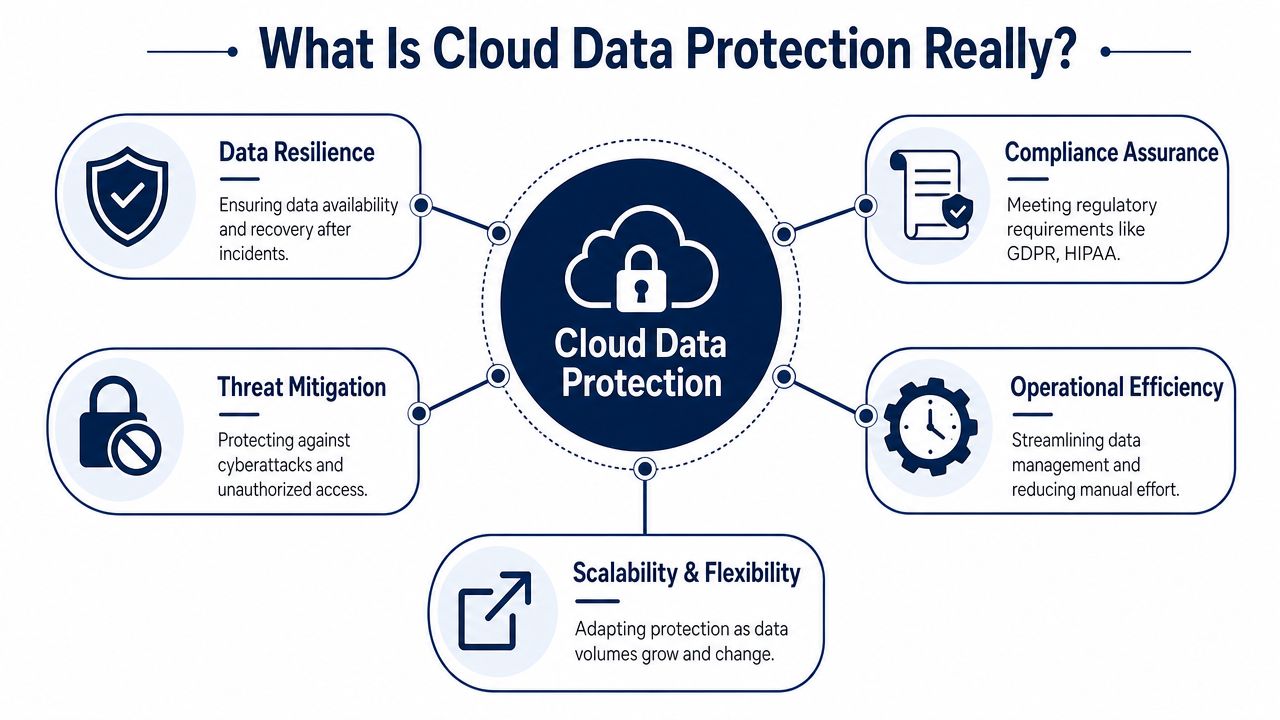
Many SMBs overlook a critical distinction. If you use Microsoft, Amazon, or another major platform, the provider secures the underlying cloud infrastructure. You still own your data, identities, permissions, device access, and recovery planning.
A simple way to remember it:
| Area | Provider usually handles | You usually handle |
|---|---|---|
| Physical data centre security | Facilities, hardware, core platform | No |
| Cloud service uptime | Platform operation | No direct control |
| User accounts | Tools exist | Yes |
| Permission design | Tools exist | Yes |
| Data classification | No | Yes |
| Backup and restore expectations | Limited native options | Yes |
| Compliance fit for your business | No | Yes |
That's why many firms review their configuration posture continuously. If you want a deeper technical view, this comprehensive guide for cloud-native security is a useful companion read, especially for teams juggling multiple cloud services. CloudOrbis also outlines the operational side of this in its article on cloud security posture management.
A complete strategy protects the classic CIA triad:
Most SMB problems happen when one of those three breaks. A compromised account harms confidentiality. A malicious edit or accidental overwrite harms integrity. Ransomware or a service outage harms availability.
Good cloud data protection works like layered office security. One lock isn't enough. You need controlled entry, surveillance, secure storage, and a way to keep operating if something fails.
The technical threats are familiar. The legal consequences are where many Canadian SMBs underestimate the true exposure.
Ransomware can lock files or cloud-connected systems. Insider risk can come from malice, carelessness, or excessive permissions. Misconfiguration remains one of the most common ways data becomes visible to the wrong people. In practice, these problems often overlap. A weak password or poorly secured laptop leads to account compromise. The attacker then uses legitimate access to move through cloud apps undetected.
At the federal level, cross-border handling matters. Under PIPEDA-related expectations, organizations transferring personal information outside Canada need contractual measures that provide comparable protection and must notify individuals that foreign authorities may access the data. For business owners, that turns vendor selection into a legal issue, not just an IT one.
Quebec raises the stakes further. In Quebec, the Private Sector Act, as modified by Bill 64 (now Law 25), imposes administrative penalties of up to CA$25 million or 4% of worldwide turnover for organizations that fail to comply with its stringent data protection requirements (DLA Piper data protection overview for Canada).
Many companies still assume that storing data in Canada automatically solves sovereignty concerns. It doesn't.
The U.S. CLOUD Act explicitly allows U.S. federal law enforcement to compel U.S.-based cloud providers to disclose data stored abroad, including in Canadian data centres. That means a Toronto or Montreal data location doesn't automatically place data outside foreign legal reach if the provider falls under U.S. jurisdiction.
This is why sovereignty analysis has to include at least these questions:
A Canadian street address for the server doesn't answer a Canadian legal-risk question by itself.
The Government of Canada's own approach reflects that caution. Its policy framework limits commercial public cloud use to data up to and including Protected B in the right conditions, and it requires a security categorization process that validates business, technical, and threat contexts. For SMBs, the takeaway is practical. Match the sensitivity of the data to the provider, the architecture, and the legal environment. Don't treat every workload the same.
For a broader operational lens on policies, controls, and governance, the CloudOrbis article on data security management is a helpful starting point.
When owners hear “protect the data,” they often think only of backups. Backups matter, but they're just one layer. Effective cloud data protection combines resiliency tools with access controls, encryption, and monitoring.
These terms get mixed together constantly, and that leads to bad purchasing decisions.
| Method | Primary Use Case | Recovery Speed (RTO) | Data Loss (RPO) | Cost |
|---|---|---|---|---|
| Backup | Recover deleted, corrupted, or encrypted data from a separate copy | Slower than snapshots or replication | Depends on backup frequency | Lower to moderate |
| Replication | Keep a near-current copy of systems or workloads in another environment for continuity | Fast | Low | Higher |
| Snapshot | Capture a point-in-time state for quick rollback | Fast for local rollback | Limited to snapshot timing | Lower, but not a full backup substitute |
Use them like this:
A snapshot isn't a full protection strategy. If an attacker compromises the same environment and deletes or corrupts both production and snapshots, you may still be stuck. A backup stored separately gives you a cleaner fallback.
For data at rest, the Canadian federal approach is direct. The Government of Canada mandates encryption using algorithms approved by the Communications Security Establishment, with tenants required to adopt a key management strategy that ensures exclusive Canadian control of keys, a practice that reduces data breach injury levels by 40–60% (Government of Canada cloud guardrails for protecting data at rest).
That last point matters. Encryption is the safe. Key control is who holds the combination.
If your provider manages all keys and operates under foreign jurisdiction, you've improved security, but you haven't fully solved sovereignty concerns. For sensitive sectors such as clinics, legal firms, and finance teams, customer-managed or Canadian-controlled key strategies deserve serious consideration.
Encryption doesn't stop users from oversharing files or logging in from unsafe devices. That's where supporting controls come in:
If your team is also thinking about secure access and identity experience, this Unified login system for secure communications offers a useful perspective on simplifying authentication without lowering the bar on control.
Decision shortcut: If a control only helps before a breach, you also need one that helps during recovery. If a control only helps recovery, you still need one that prevents unauthorized access in the first place.
A strategy becomes real when you can answer specific questions about your own environment. If you can't answer them quickly, that's usually where the work starts.
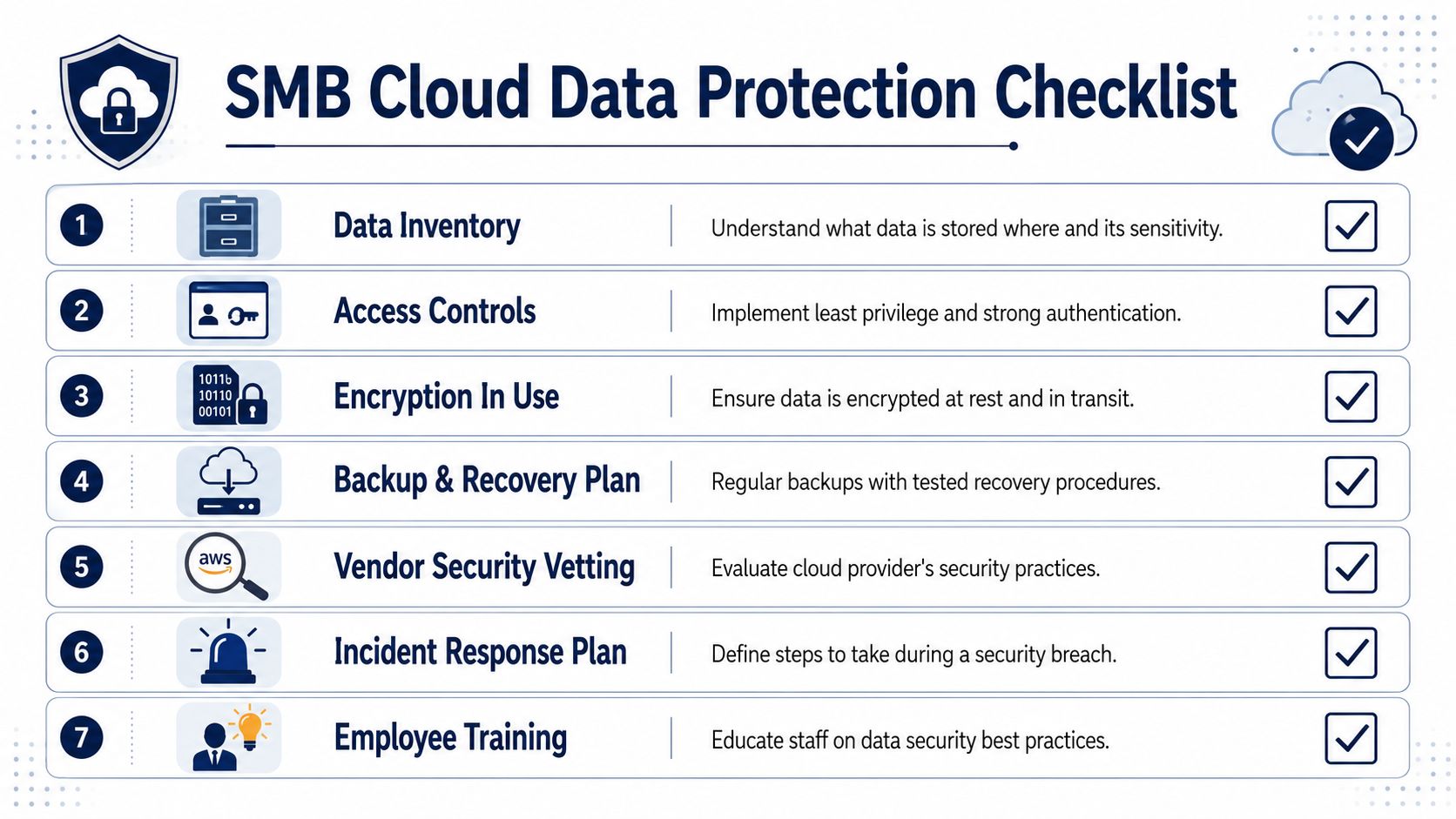
Do you know what data you have and where it lives?
Email, SharePoint, Teams, cloud drives, SaaS applications, mobile devices, and line-of-business systems all count.
Can you identify which data is sensitive?
Client records, health information, legal files, payroll data, contracts, and financial documents shouldn't be treated the same way as marketing drafts.
Have you limited access by role?
Staff should only have the permissions they need. “Everyone has access” is easy to administer and expensive when something goes wrong.
Is multi-factor authentication enforced everywhere that matters?
Not just for email. Include admin accounts, remote access tools, and cloud business applications.
Is data encrypted at rest and in transit?
This should be a verified configuration, not an assumption based on vendor marketing.
Do you have backups outside the production environment?
If your main tenant is compromised, you need recovery options that aren't controlled by the same attacker session.
Have you tested a restore recently?
A backup that hasn't been restored is a theory.
The privacy risk isn't hypothetical. According to the Office of the Privacy Commissioner of Canada, 43% of Canadians have personally been affected by a privacy breach. That's one reason employee behaviour remains part of cloud data protection, not separate from it.
Ask a few more blunt questions:
For many SMBs, backup maturity is the first major gap. If you need a practical primer on recovery planning and managed backup options, CloudOrbis has a useful article on data backup as a service.
Most SMB security assessments don't fail because the tools are terrible. They fail because nobody checked whether the controls were consistently applied.
Cloud data protection works best as a cycle, not a one-time deployment. The four stages are straightforward: assess, plan, implement, operate.
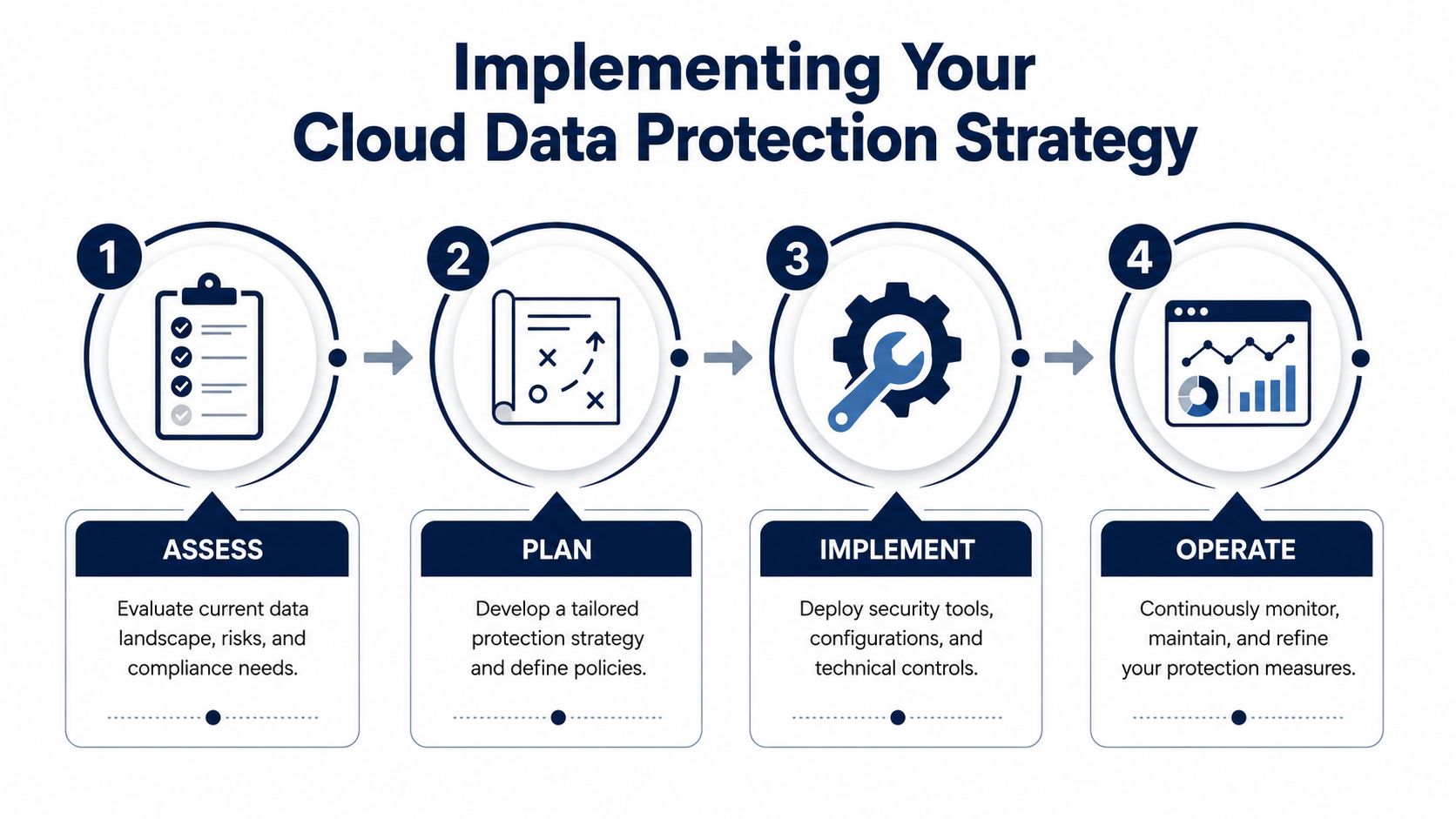
Start with an inventory. List cloud apps, storage locations, admin accounts, vendors, and sensitive datasets. Then map risks to business impact. A clinic, a law office, and a manufacturer won't rank systems the same way.
Planning should answer practical questions:
| Stage | What to decide |
|---|---|
| Assess | What data exists, where it sits, who uses it, and what laws apply |
| Plan | Which controls, retention rules, provider models, and recovery targets fit the business |
| Implement | Which settings, tools, and processes need to be deployed or corrected |
| Operate | How monitoring, training, reviews, and recovery tests will happen over time |
Many SMBs overbuild in the wrong places. Start with the controls that reduce the most risk first:
This is also the point where outside references can help teams sharpen their testing approach. For security teams reviewing validation practices, this guide for modern cloud security professionals offers useful perspective on testing cloud controls and exposures.
Operations are where mature environments separate themselves from checkbox compliance.
Run restore tests. Review privileged accounts. Revisit vendor access. Update staff training. Confirm that logging still covers the systems you rely on most. If the business changes, the protection model has to change with it.
Recovery plans age faster than people expect. New apps, new staff, and new workflows quietly make old documentation inaccurate.
A simple operating rhythm works well for SMBs: review access regularly, test restores on a schedule, revisit sensitive data locations, and reassess provider fit when regulations or business needs shift.
Canadian SMBs often need enterprise-grade discipline without building an internal security team from scratch. That's where a managed model can make sense, especially when the environment includes Microsoft 365, remote staff, line-of-business cloud apps, and sector-specific compliance expectations.
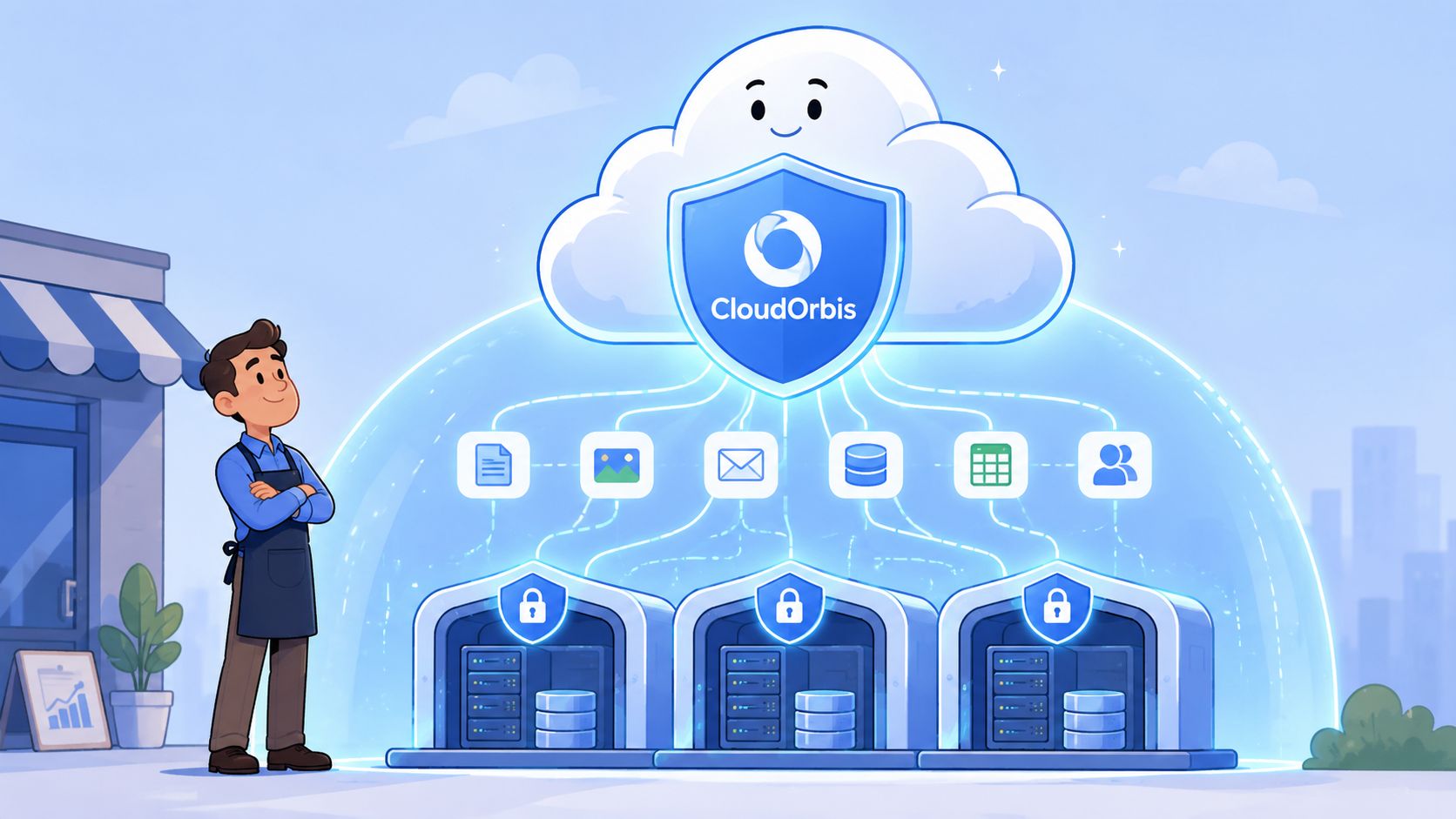
The Government of Canada's cloud security approach requires a framework that validates business, technical, and threat contexts, and that model has pushed organizations toward Canadian-owned providers for higher-sensitivity use cases because it reduces foreign jurisdiction exposure significantly (Government of Canada cloud security risk management approach).
For an SMB, that same logic applies in practical terms:
One option in that category is CloudOrbis cybersecurity services, which combines managed security operations with broader IT support, backup, and advisory work. For SMBs, that kind of bundled approach can be useful because cloud data protection problems rarely stay confined to one tool. Identity, endpoint, cloud configuration, backup, and policy all affect each other.
The strongest results usually come from a layered operating model:
That's often the difference between a business that has security products and a business that has a working protection strategy.
Not fully. They secure the platform they provide, but your business still controls users, permissions, settings, data handling, and recovery readiness. Default configurations are a starting point, not a finished cloud data protection strategy.
Not by itself. While many assume encryption guarantees data sovereignty against the U.S. CLOUD Act, it does not prevent foreign access if the provider operates under U.S. jurisdiction. True sovereignty is best achieved through a Canadian-owned provider with no U.S. operations (Osler analysis on data sovereignty and the CLOUD Act).
Create a data map. Identify what sensitive data you hold, where it's stored, who can access it, which cloud vendors touch it, and how you would restore it after loss or compromise. Without that map, every other control becomes harder to apply properly.
No. Backup is essential for recovery, but it doesn't replace identity controls, encryption, monitoring, staff training, or vendor governance.
If you want a practical review of your current cloud data protection posture, CloudOrbis Inc. can help you assess data location, access controls, backup readiness, and Canadian compliance considerations, then turn those findings into an operating plan your team can maintain.
September 25, 2026
Is VoIP Good for Small Business in Canada? a 2026 GuideIs VoIP good for small business in Canada? Explore costs, benefits, reliability, security, and migration tips for SMBs considering VoIP in 2026.
Read Full Post
September 24, 2026
Helpdesk vs Service Desk: Choosing the Right IT SupportHelpdesk vs service desk: understand the key differences and choose the right IT support model for your organization in 2026.
Read Full Post
September 23, 2026
DDoS Protection for Canadian SMBs: What Works in 2026Learn what DDoS protection really does, the latest Canada-specific threats, and a practical playbook for small and mid-sized businesses
Read Full Post
