

September 24, 2026
Helpdesk vs Service Desk: Choosing the Right IT SupportHelpdesk vs service desk: understand the key differences and choose the right IT support model for your organization in 2026.
Read Full Post%20(1).webp)
Usman Malik
Chief Executive Officer
May 12, 2026
Most business owners don't start by asking for a microsoft enterprise license. They start with a practical problem. Staff need secure access from anywhere. Compliance obligations are getting tighter. Teams want Copilot, better reporting, and fewer login headaches. Finance wants licensing costs under control. IT wants fewer surprises.
Microsoft licensing often becomes complicated. While product names seem straightforward, selecting an incorrect purchasing model or license tier can result in a mid-sized business funding unused features or lacking essential controls required for security and compliance.
For Canadian SMBs, this isn't just an IT purchasing decision. It affects operating costs, audit readiness, user experience, and how quickly the business can scale without creating technical debt.
Most mid-sized businesses buy Microsoft licensing through one of two routes: Enterprise Agreement (EA) or Cloud Solution Provider (CSP). The products may look similar on paper, but the commercial model changes how flexible the relationship is.
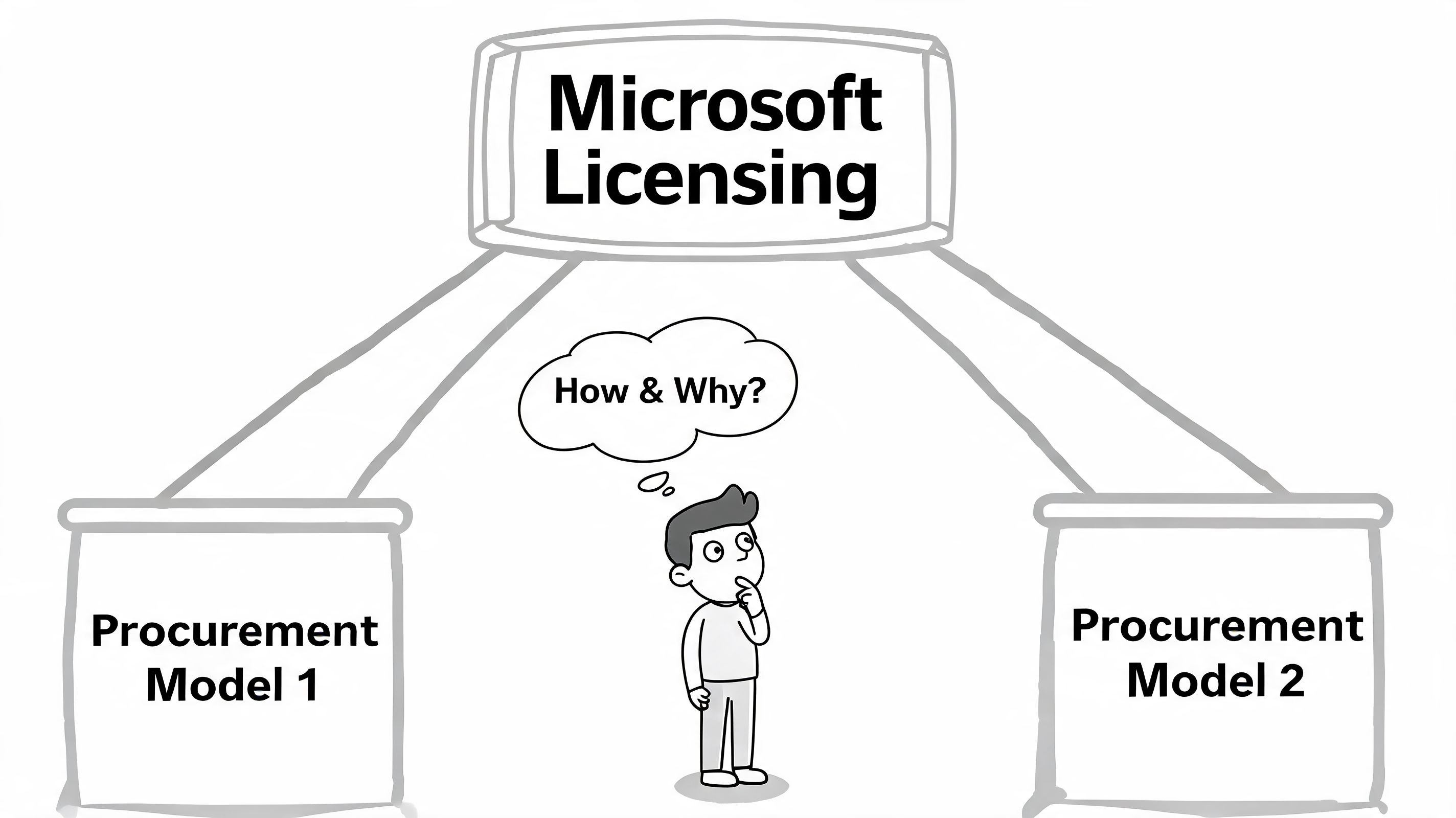
An Enterprise Agreement is the warehouse-buying version of Microsoft licensing. You commit at a broader level, usually for a larger environment with more predictable demand. That can work well when your headcount is stable, your governance is mature, and you already know which workloads are standard across the business.
For some companies, that structure is useful. Procurement likes consistency. Budgeting is easier. Standardisation across departments becomes simpler.
The downside is rigidity. If your business is growing unevenly, adding seasonal staff, opening new locations, or still sorting out which teams need premium licensing, an EA can lock in assumptions too early.
A Cloud Solution Provider arrangement works more like a subscription service. It's better suited to organisations that want room to adjust licensing as staffing, projects, or security requirements change. That matters for many Canadian firms dealing with hybrid work, acquisitions, or fluctuating operational demands.
In practice, CSP often makes more sense for mid-market firms because licensing becomes part of an ongoing management process rather than a one-time procurement exercise. You can add, remove, and review services with less friction.
A useful starting point for business leaders is this:
| Buying model | Best fit | Main trade-off |
|---|---|---|
| EA | Stable, standardised environments | Less flexibility |
| CSP | Growing or changing mid-sized businesses | Requires active licence management |
Practical rule: If your user needs change faster than your annual budget cycle, a flexible model usually beats a rigid one.
Many businesses focus only on E3 versus E5 and skip the commercial path behind it. That's a mistake. The right licence bought through the wrong model can still create waste, delays, and poor visibility.
Administrators can confirm actual counts inside the Microsoft 365 Admin Center under Billing and Licenses, where Microsoft shows total available and assigned enterprise subscriptions, as noted in this Microsoft 365 licensing overview for enterprises. For volume-licensed products such as Office LTSC 2021, licence checks happen through the appropriate volume licensing portal rather than the standard Microsoft 365 console, according to this licensing summary.
That distinction matters because many firms think they have one licence estate when they in fact have several.
For most mid-sized companies, the primary licensing decision comes down to Microsoft 365 E3 or Microsoft 365 E5. Both are enterprise-grade. Both support serious business operations. The difference is whether you need a solid baseline or a more advanced stack for security, compliance, analytics, and voice.
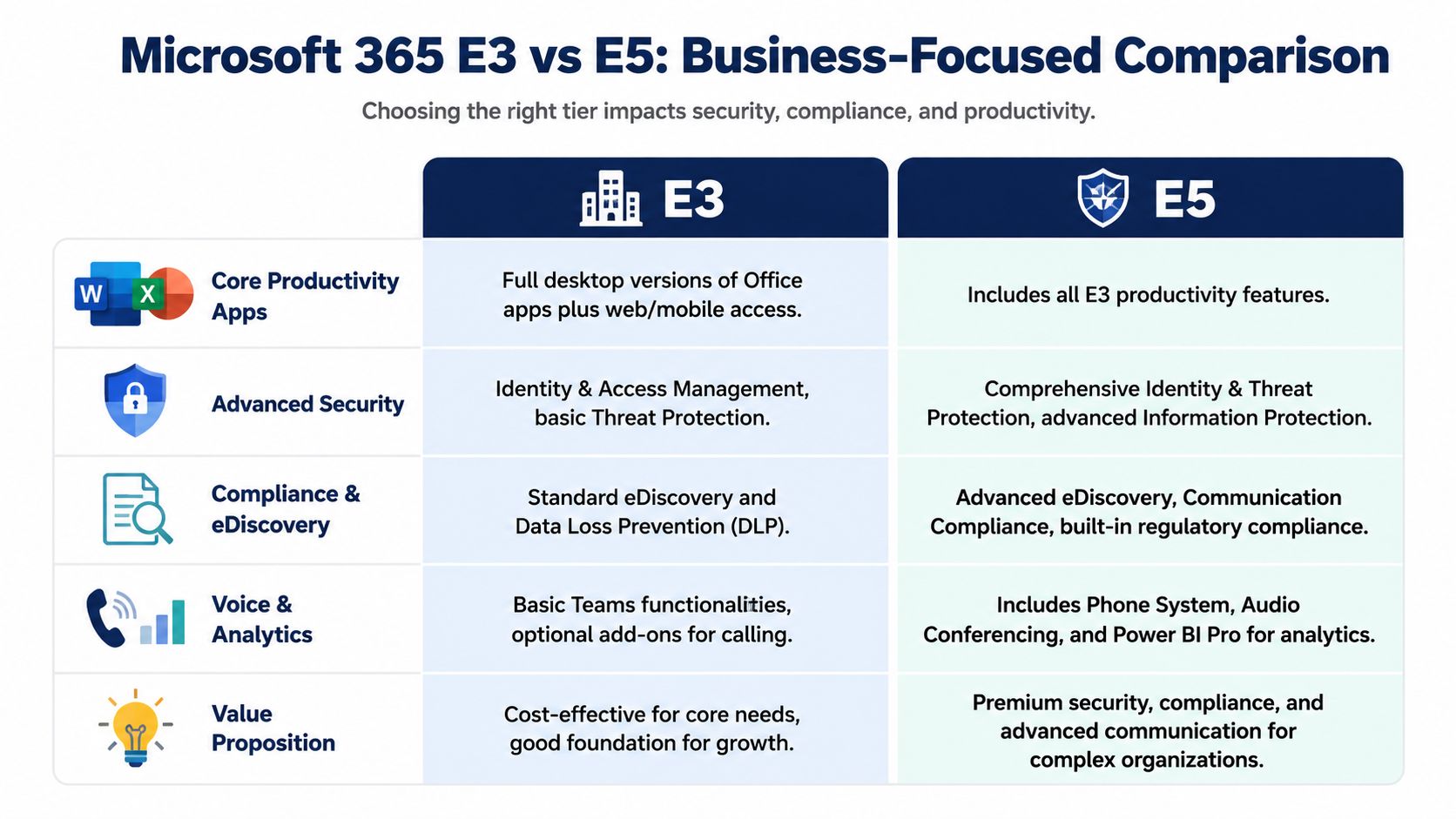
E3 is the practical choice for organisations that want strong core capability without moving every user to the top tier. It gives you the familiar productivity suite, enterprise identity tools, and a credible compliance foundation.
For many businesses, that's enough. If your main priorities are email, collaboration, endpoint management, standard security controls, and controlled growth, E3 is often the right operational baseline.
That's especially true when different roles have very different needs. Front-line users, shared device users, and general office staff often don't need every advanced feature in E5.
E5 becomes easier to justify when the business faces higher regulatory pressure, more serious threat exposure, or stronger reporting demands. It's less about “more features” and more about whether advanced capabilities can replace gaps, manual work, or third-party tooling.
A simple side-by-side view helps:
| Area | E3 | E5 |
|---|---|---|
| Productivity | Full Office apps and enterprise collaboration | Includes E3 capabilities |
| Compliance | Standard DLP and eDiscovery | More advanced compliance and investigation tools |
| Security | Strong baseline controls | Deeper identity, threat, and information protection |
| Analytics and voice | Core Teams, add-ons may be needed | Includes broader advanced communication and analytics capabilities |
Some organisations move to E5 for everyone and later realise only a subset of users needed it. Others stay on E3 too long and keep layering on separate add-ons until the environment becomes harder to manage than an E5-based design would have been.
For a useful outside perspective on migration planning, this review of M365 E3 E5 migration risks highlights the operational issues that often get missed when the decision is treated as a simple upgrade.
Microsoft's changes in April 2024 reshaped enterprise licensing by unbundling Teams and introducing AI-capable plans, but many Canadian SMBs still don't have the governance to decide which roles need Copilot. Without a readiness audit, businesses can over-provision Copilot add-ons and create unnecessary spend, as outlined in Microsoft's licensing update for Microsoft 365 and Teams.
Buying AI access for everybody sounds modern. In most mid-sized businesses, it's just expensive.
The better approach is role-based. Start with teams where Copilot can improve work quality or speed in a measurable way, then expand. Sales leadership, operations analysts, senior project managers, and executives often have different AI value profiles than reception, kiosk, or shared-device users.
If your leadership team is weighing AI alongside licensing decisions, this guide on using Microsoft Copilot in business workflows is a useful companion to the E3 versus E5 discussion.
A microsoft enterprise license conversation shouldn't stop at email and Office apps. Mid-sized businesses usually need to think about the wider stack, especially Windows Enterprise on the endpoint side and Dynamics 365 on the business application side.
Many firms buy Microsoft 365 and barely notice that Windows 11 Enterprise E3 can be part of the value. That matters because the upgrade from Pro isn't only about features on the device. It changes how consistently IT can manage, secure, patch, and standardise the fleet.
For Canadian manufacturing operations, this becomes very practical. Windows 11 Enterprise E3, included in Microsoft 365 E3, provides Universal Print and Windows Autopatch. Microsoft notes that Autopatch can reduce vulnerability windows by as much as 60% in fleet-wide update scenarios, which matters in 24/7 operations where downtime ripples into production and logistics, according to this Windows Enterprise discussion.
That's the difference between desktop licensing as a line item and desktop licensing as an operational control.
Dynamics 365 is more modular. You don't have to treat it like one giant ERP or CRM purchase. Businesses can license the apps that match the process they need, such as sales, customer service, finance, or field service.
That modularity is useful, but it also creates risk. If departments choose tools independently, you can end up with overlapping workflows, disconnected reporting, and licences attached to software nobody fully adopted.
A practical way to evaluate it:
Businesses planning cloud desktops, device standardisation, or app modernisation often benefit from reviewing the broader Windows ecosystem alongside these decisions. This overview of Windows 365 for business use cases helps frame where endpoint strategy and licensing meet.
In regulated industries, a microsoft enterprise license is part of your control framework. It shapes what you can enforce, what you can monitor, and what evidence you can produce during an audit or incident review.
That's why healthcare, legal, finance, and cross-border service firms shouldn't treat licensing as a back-office purchasing task. The licence tier often determines whether the business can apply the policies it thinks it already has.
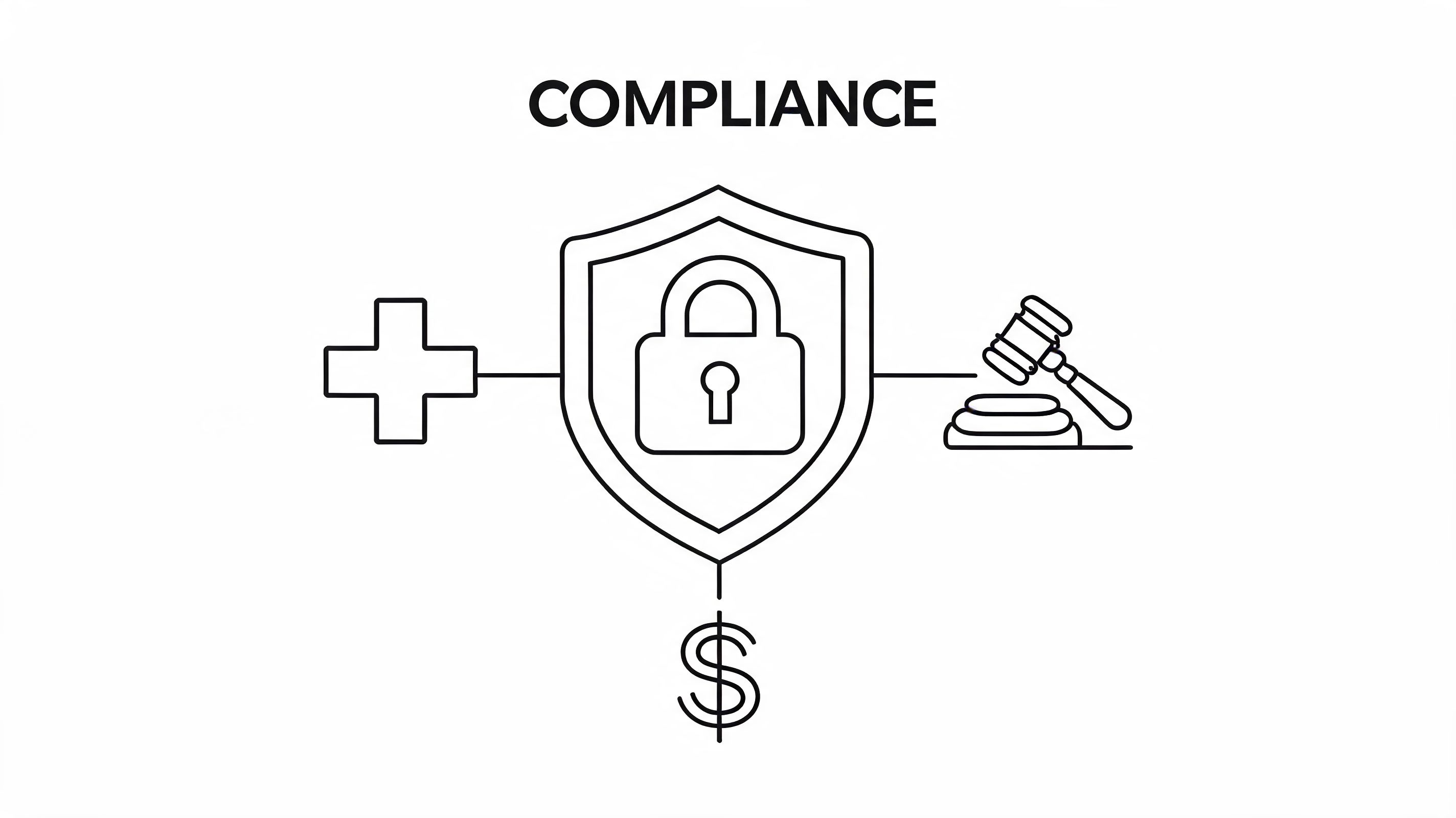
Canadian clinics often need to line up operational reality with PHIPA obligations while also considering HIPAA-style expectations when data handling crosses borders or follows healthcare best practices. In that setting, Microsoft 365 E3 and E5 support HIPAA-compliant configurations that directly address PHIPA requirements through built-in controls such as Data Loss Prevention and Advanced Data Governance. Analysis tied to Microsoft's device-based licensing guidance also shows that consolidated device-based licensing can cut administrative overhead by 30% for clinics using shared devices, according to Microsoft's device-based licensing documentation.
That's a concrete example of licensing affecting both risk and daily operations.
Some firms assume the safest move is to buy the most expensive licence for everyone. That usually creates waste without improving governance. What matters is whether the tenant is configured correctly, identities are protected, data policies are enforced, and the right users have the right access model.
The safest environment isn't the one with the biggest licence bill. It's the one with clear controls, documented ownership, and regular review.
For healthcare and legal environments, common controls often include:
Broader cloud governance also matters. While the context is different, this article on end-to-end cloud security for startups is useful because it shows how security and compliance work best when identity, endpoint, data, and process controls are designed together.
For firms operating in Alberta or Ontario, this overview of Microsoft 365 security in Calgary business environments adds practical context around how licensing and configuration connect in the Canadian market.
The biggest licensing waste usually doesn't come from obvious mistakes. It comes from fear. A manager worries about compliance, security, or future needs, so they approve a premium licence “just in case”. Months later, nobody revisits the decision.
That's how licence bloat becomes normal.
Research cited by CIO Dive found that up to 44% of Microsoft 365 licences are underutilized or oversized, often because organisations in regulated sectors buy higher tiers as a compliance safety net without auditing actual usage, as described in this analysis of Office 365 licence underuse.
For Canadian SMBs, that pattern shows up all the time in healthcare, legal, and finance. The intent is understandable. Leadership doesn't want to be caught short. But over-licensing is still a form of unmanaged risk because it hides poor governance under a bigger monthly bill.
The most effective environments use role-based licensing, not blanket licensing. That means the licence follows the user's work pattern, data sensitivity, and device model.
A simple working model looks like this:
| User type | What to check | Likely concern |
|---|---|---|
| General knowledge worker | Collaboration, document work, device management | Core productivity |
| Regulated or executive role | Sensitive data access, audit exposure, advanced controls | Compliance and security |
| Shared device or kiosk user | Sign-in pattern, shared workstation use | Simplicity and admin overhead |
| Power user or analyst | Reporting, automation, AI use | Advanced capability |
Many businesses encounter a common difficulty. They know they should rightsize, but they don't have a repeatable review process.
Use the Microsoft 365 Admin Center as the source of truth for assigned and available licences. Then build a recurring review process around it.
Field note: If you can't explain why a user has a premium licence in one sentence, that assignment probably needs review.
It also helps to look at pricing and packaging commentary from outside your own market, not because the numbers carry over, but because the buying pitfalls are often similar. For example, Cloud Move's insights on Office 365 are useful as a reminder that feature lists alone don't tell you whether the spend is justified.
The bottom line is simple. Cost optimisation isn't about buying the cheapest licence. It's about paying for the capabilities each role needs, then revisiting that decision before waste becomes standard practice.
A smooth licensing project rarely starts with the licences. It starts with clarity. If you don't know who needs what, what you already own, and which compliance obligations apply, migration gets expensive fast.

Begin with your current state.
A licensing project goes off course when the business tries to choose products before it has mapped roles and risk.
Translate that assessment into a commercial and technical decision.
Document these decisions early. When they stay informal, exceptions multiply.
Many organisations create disruption they could have avoided.
Short pilot groups often surface naming issues, access gaps, and process friction that would have been painful at full scale.
Go-live is not the finish line.
Staff adoption tells you whether the licence decision works in real life. If users bypass the tools, the design needs review.
After rollout, review usage patterns, support tickets, and exception requests. That's where you'll spot unused premium assignments, training gaps, and opportunities to simplify. The businesses that handle Microsoft licensing well don't “set and forget” it. They treat it as an operating discipline.
Some businesses can manage their microsoft enterprise license strategy internally. Others reach a point where the cost of figuring it out alone becomes higher than the cost of expert help.
That usually happens when compliance is complex, the workforce is hybrid, licensing has grown across multiple Microsoft products, or leadership wants better cost control without weakening security. It also happens during tenant migrations, mergers, or Copilot planning, when one bad assumption can create long-term overhead.
A strong managed IT provider doesn't just resell licences. They help you standardise roles, tighten governance, reduce waste, and connect licensing decisions to operational outcomes. They also give internal teams a clearer way to manage ongoing reviews instead of reacting to every renewal or urgent request.
If your organisation needs broader strategic support around procurement, security, user support, and lifecycle management, this overview of managed IT services for small business is a good place to start.
If your business in Toronto, Calgary, Edmonton, or elsewhere in Canada is trying to choose the right Microsoft licensing path without overspending or exposing the business to compliance risk, CloudOrbis Inc. can help you assess your current environment, rightsize licences, and build a practical roadmap for secure growth.
September 24, 2026
Helpdesk vs Service Desk: Choosing the Right IT SupportHelpdesk vs service desk: understand the key differences and choose the right IT support model for your organization in 2026.
Read Full Post
September 23, 2026
DDoS Protection for Canadian SMBs: What Works in 2026Learn what DDoS protection really does, the latest Canada-specific threats, and a practical playbook for small and mid-sized businesses
Read Full Post
September 22, 2026
Security Audit Services Guide for SMBs in CanadaDiscover why security audit services are vital for Canadian SMBs. Explore typical scope, deliverables, timelines, and tips to choose the right provider.
Read Full Post
