Microsoft 365 Security Calgary Businesses Can Depend On
Is your data secure? This guide to Microsoft 365 security Calgary businesses need covers key threats, compliance, and how to build a resilient defence.

Is your data secure? This guide to Microsoft 365 security Calgary businesses need covers key threats, compliance, and how to build a resilient defence.
For many Calgary businesses, Microsoft 365 is the engine that drives productivity. But simply switching it on isn’t enough. Without the right configuration, its default settings can leave your organization vulnerable to cyber threats. Attackers know exactly where to find these gaps, and they are skilled at turning your greatest business asset into a significant liability.
This guide will walk you through the essential steps to transform your Microsoft 365 environment from a potential risk into a secure, compliant, and powerful platform for growth.

Think of a new Microsoft 365 subscription like a new house with standard, factory-installed locks. They offer a basic level of security, but they aren't designed to stop a determined intruder. The platform's default settings are created for broad usability, not for the specific security needs of your business. This can create a false sense of safety, leading leaders to believe that because they are on Microsoft's platform, they are automatically protected.
That assumption is a dangerous one. In reality, the out-of-the-box configuration lacks the hardened, specific policies required to defend against modern cyber threats. Without proactive configuration, your business remains exposed.
In Calgary's dynamic economy, where sectors like oil and gas, construction, and logistics manage teams both in the office and in the field, cyber threats are a persistent challenge. A study from the Business Development Bank of Canada (BDC) revealed that 73% of small businesses have experienced a cybersecurity incident. These are not just abstract statistics; they represent daily realities for companies across our city.
Microsoft 365’s default settings often fail to address the operational challenges common to Calgary businesses:
A common myth is that Microsoft is solely responsible for securing your data. The truth is, Microsoft operates on a Shared Responsibility Model. They secure the global cloud infrastructure, but your organization is responsible for securing your data, accounts, and access within your environment.
Ignoring these security gaps isn't just risky, it's a direct threat to your business operations. A security breach can lead to costly downtime, data loss, steep regulatory fines, and lasting damage to your reputation. The solution is to shift from a reactive mindset to a proactive one.
This means moving beyond the default settings to implement a robust Microsoft 365 security Calgary strategy. By correctly configuring the powerful tools already built into the platform and adding the right security layers, you can transform your M365 environment from a weak point into a fortified, compliant, and reliable business asset.
Making this change is essential for protecting your operations and ensuring your business does not become another statistic. To learn more, check out our guide on the most crucial cybersecurity mistakes and how to prevent them.
Most Calgary business leaders don’t realize their Microsoft 365 subscription includes a suite of powerful security tools. These are not minor add-ons; they are foundational features designed to create a secure, modern workplace. However, if left unconfigured, they remain dormant and offer little protection.
The first step toward building a strong defence is understanding what these tools do. Once you have a clear picture of the core security features included in your plan, you can begin activating them to properly protect your business.
Let's break down the key components in your Microsoft 365 security toolkit.
| Microsoft 365 Security Features at a Glance | ||
|---|---|---|
| Security Feature | Primary Function | Best Use Case for Calgary SMBs |
| Microsoft Defender | Proactive threat protection | Acts as your 24/7 digital security guard, blocking malware, ransomware, and phishing attacks on endpoints and email. |
| Microsoft Purview | Data governance and compliance | Helps you manage sensitive client data, meet PIPEDA requirements, and prevent accidental data leaks. |
| Conditional Access | Intelligent access control | Functions like a smart bouncer, enforcing security policies like MFA based on user, location, and device risk. |
These tools work together to create layers of protection around your business operations.
Think of Microsoft Defender as your 24/7 digital security guard, constantly patrolling your entire digital environment. It is not just a single product but a suite of services designed to protect your identities, endpoints (like computers and mobile phones), cloud applications, and email.
Defender is focused on proactive threat management, it works to prevent, detect, investigate, and respond to threats across your entire organization.
Without Defender configured correctly, you’re leaving your digital doors and windows unprotected, making your business an easy target for common cyberattacks.
If Defender is the guard, Microsoft Purview is the detail-oriented archivist and compliance officer. Its primary role is to help you understand, govern, and protect your sensitive data, no matter where it is stored or shared.
For any Calgary business handling client records, financial information, or proprietary data, Purview is essential for meeting regulatory standards like PIPEDA.
Purview ensures your data handling meets both legal and company standards. It’s built to answer critical questions like: Where is our sensitive data? Who has access to it? Is it being shared securely?
This platform provides tools for:
Setting up Purview properly is a cornerstone of any effective Microsoft 365 security Calgary strategy. It transforms compliance from a manual, time-consuming task into an automated, reliable process.
Finally, picture Conditional Access as a smart, diligent bouncer at the front door of your digital office. It doesn’t just check for a password; it analyzes multiple signals to decide if someone should be granted access.
It asks questions like: Is this employee signing in from a recognized device? Are they in a familiar location? Is their laptop compliant with our security policies?
Based on the answers, it enforces specific actions. For example, it might require Multi-Factor Authentication (MFA) for a sign-in from an unusual location or block access completely from a non-compliant device. This level of control is vital for stopping attacks that use stolen passwords, which are involved in over 80% of data breaches.
By combining these tools, you can create a layered defence that protects your business from every angle. To see how these features fit into a broader strategy, explore our approach to Microsoft 365 optimization for local businesses. Activating and configuring these built-in tools is the most impactful step you can take to secure your operations today.
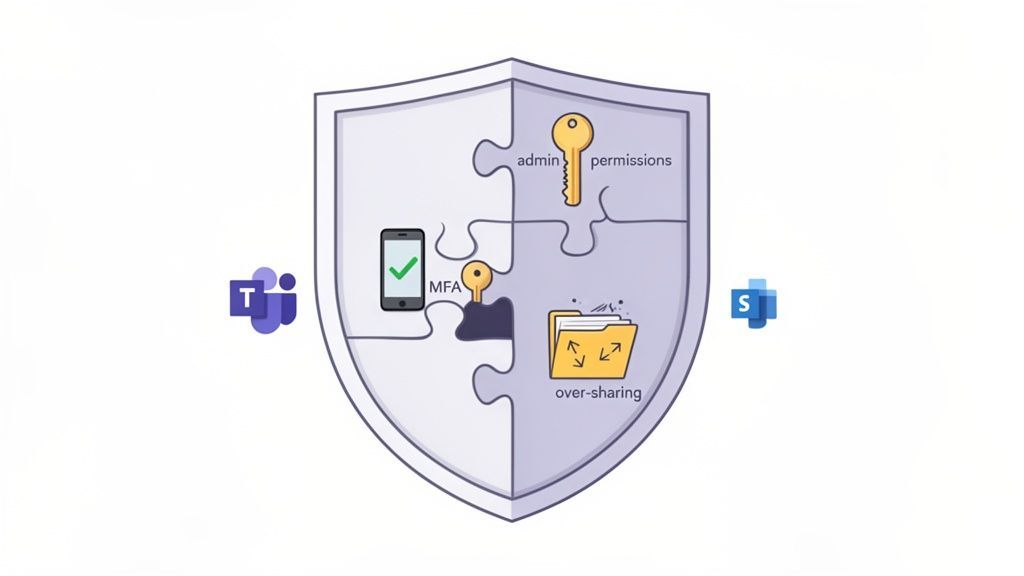
Having a powerful suite of security tools is an excellent start, but it's only half the battle. We've found that the biggest risks often come not from the tools themselves but from how they are, or are not, configured. For many businesses, Microsoft 365 is like a state-of-the-art security system that was installed but never armed, leaving critical entry points exposed.
These gaps are rarely obvious. They are subtle misconfigurations and overlooked settings that, when combined, create serious vulnerabilities. Cybercriminals have become experts at spotting these oversights, knowing exactly how to turn a simple human error into a major security incident.
Across Calgary, we consistently find the same critical security gaps in Microsoft 365 environments, regardless of the industry. These are not complex, obscure flaws but foundational mistakes that leave businesses dangerously exposed to data breaches and ransomware attacks.
The most common issues we encounter include:
These are not just technical slip-ups; they represent direct business risks. An unenforced MFA policy can easily lead to a ransomware attack that brings your operations to a halt, while a simple oversharing mistake could trigger a serious compliance breach and permanently damage your reputation.
The problem of misconfiguration is widespread and a leading cause of security failures. This isn't about buying more software; it’s about correctly using what you already own. When core settings are ignored, even the most advanced security platform cannot perform its job effectively.
A common misconception is that cloud platforms are secure out of the box. In reality, security is a partnership. While Microsoft secures the infrastructure, your organization is responsible for securing the data and access within it.
This is where many businesses stumble. They either lack the specialized expertise or the time to comb through hundreds of settings to ensure their Microsoft 365 security Calgary posture is solid. This oversight has become a major factor in why security incidents occur.
It’s crucial to understand how easily these gaps can be exploited. Consider a real-world scenario we see frequently: an employee at a Calgary logistics firm accidentally shares a SharePoint folder containing sensitive shipping manifests using a public link. That link could be discovered and exploited, exposing client data and operational details to competitors or criminals.
This is why regular audits and professional configuration are so important. Research from security experts highlights a startling trend: an estimated 70-80% of cloud breaches originate from simple misconfigurations in environments like Microsoft 365. This finding, based on extensive audits, underscores the critical need for Calgary SMBs to perform regular security assessments to close these hidden gaps before they can be exploited. You can explore more insights on how these assessments work and their importance from experts in the field. Read the full research on cloud security from Canadian Cyber.
Identifying and closing these gaps requires a proactive and knowledgeable approach. By addressing these common misconfigurations, you can significantly strengthen your defences and protect your business from the very real risks of financial loss and reputational harm.
For Calgary businesses in regulated sectors like healthcare, finance, or energy, compliance isn't just a box to tick, it's the foundation of your operations. Adhering to laws like the Personal Information Protection and Electronic Documents Act (PIPEDA) is non-negotiable. A single misstep can lead to crippling fines, a damaged reputation, and a complete loss of client trust.
The good news is that your Microsoft 365 subscription is packed with powerful tools designed for this very purpose. The key is to map these features directly to your legal obligations, turning your productivity suite into a powerful compliance engine.
PIPEDA establishes the rules for how private-sector businesses collect, use, and handle personal information. It’s built on core principles like accountability, consent, and safeguarding data. This means you must be a diligent steward of any client or employee information you hold. Microsoft 365 provides the tools to put those principles into practice.
Here’s how you can use its built-in features to align with PIPEDA’s requirements:
By actively using these tools, you are not just hoping for compliance; you are building a technical framework that demonstrates your due diligence.
In addition to PIPEDA, many Calgary industries have their own compliance hurdles. A medical clinic must follow provincial privacy laws that mirror HIPAA, while an energy company needs to secure data related to critical infrastructure.
The challenge for many organizations isn’t a lack of tools but a lack of specific configuration. A default setup rarely meets the stringent requirements of regulated industries, leaving dangerous gaps in both security and compliance.
Consider this: nearly 20% of cyberattacks in Canada have targeted the healthcare and education sectors. This is particularly relevant for Calgary clinics that depend on Microsoft 365 for secure collaboration. You can defend against these threats by implementing Data Loss Prevention (DLP) policies in Purview, which can automatically prevent someone from accidentally sharing sensitive patient information via email or Teams. Understanding Microsoft's commitment to Canadian security helps put the importance of these tools into a broader context.
A key component of the Canadian compliance puzzle is data residency, ensuring that sensitive information remains stored and managed within Canada. For many organizations, this is a firm requirement from both regulators and clients.
This is where partnering with a local expert who understands the nuances of Microsoft 365 security in Calgary becomes crucial. A Canada-based provider will ensure your Microsoft 365 tenant is properly configured to use Canadian data centres, so your core data never leaves the country. It’s a simple step that provides a significant layer of assurance. Proper data residency is a key part of any plan for effective data security management.
However, compliance doesn't stop with your cloud data. Calgary businesses must also consider physical data security. When it's time to retire old computers or servers, using professional secure data destruction services is essential to prevent old hard drives from becoming a data breach waiting to happen. This holistic view, covering both digital and physical assets, is what truly solidifies your legal standing.
A secure business is not protected by a single lock; it is protected by layers of defence working in concert. The same principle applies to your digital workspace. Building a resilient Microsoft 365 security Calgary businesses can trust requires a strategic, multi-layered approach that secures every potential point of entry, from employee identities to the data itself.
This blueprint is designed to balance robust protection with the productivity your team needs. It is a methodical plan that moves from foundational security measures to advanced data governance, creating a comprehensive shield around your operations.
Your first and most critical layer of defence is identity. If an attacker can successfully impersonate one of your employees, they can often bypass many other security measures. This is why securing who can access your environment, and under what conditions, is the absolute starting point.
The goal here is simple: make it incredibly difficult for unauthorized users to gain access, even if they have somehow obtained a legitimate password.
Getting this identity foundation right hardens your primary point of vulnerability and sets the stage for all other security measures.
Once you’ve secured your digital front door, the next layer focuses on protecting the devices and communication channels your team uses every day. Every laptop, smartphone, and email inbox is a potential target for malware, phishing scams, and ransomware.
This is where Microsoft Defender comes into play, acting as your 24/7 digital patrol.
These tools work together to create a protective bubble around your users, stopping attacks at the perimeter before they can cause real damage.
The final layer moves beyond preventing access to actively protecting your data itself. For Calgary businesses handling sensitive client records, financial data, or intellectual property, this is essential for both security and compliance. Microsoft Purview provides the tools you need to govern and safeguard your information from the inside out.
This infographic shows how compliance with regulations like PIPEDA is a key part of your security strategy.
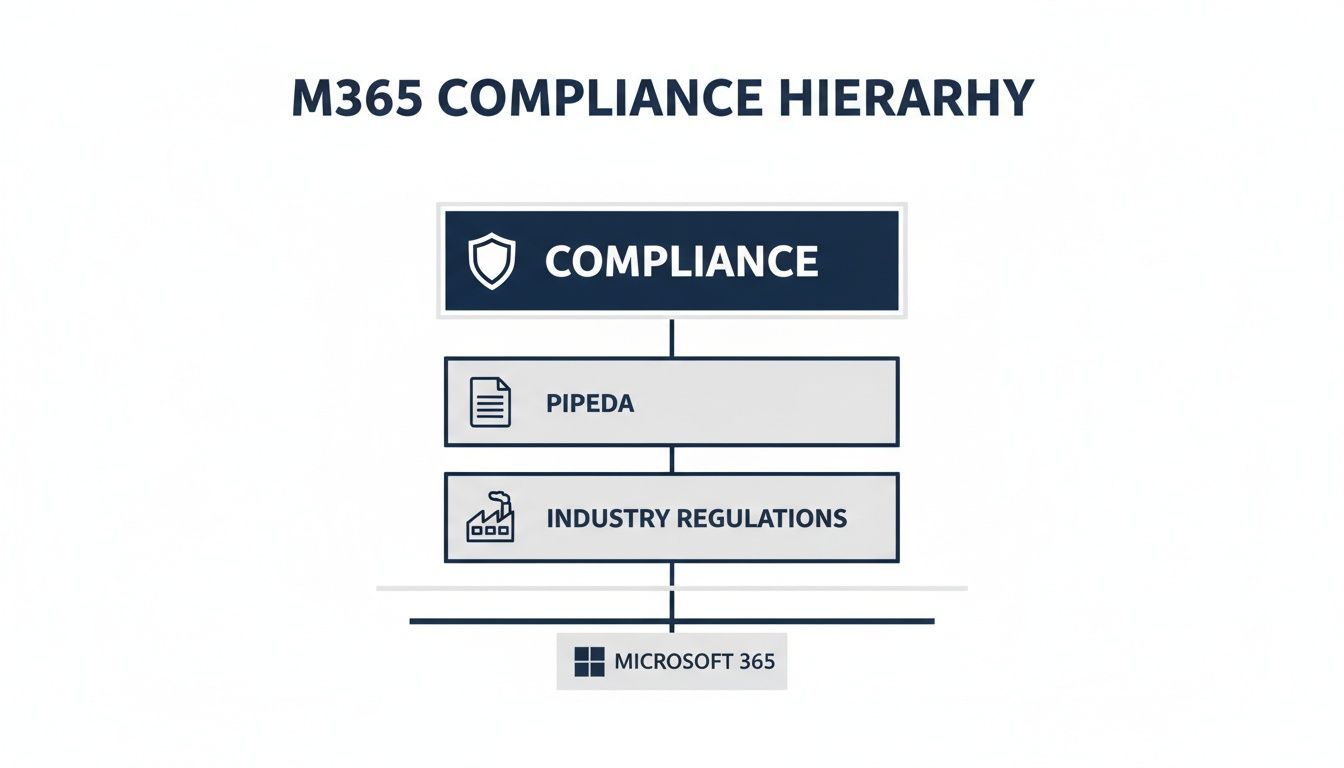
The diagram visualizes how Microsoft 365 tools form the base for meeting both broad regulations and specific industry rules.
A layered defence strategy ensures that if one security control fails, others are in place to stop an attack. It moves security from a single point of failure to a resilient, multi-faceted system.
To build this final, critical layer, focus on these key actions:
By following this phased approach, you can systematically build a secure, compliant, and productive Microsoft 365 environment perfectly tailored to your business needs.
Knowing which security tools exist is one thing; transforming them into a cohesive, proactive shield for your business is another. This is where a dedicated partner makes all the difference. At CloudOrbis, we elevate your Microsoft 365 security Calgary strategy from a reactive, time-consuming task into a streamlined, always-on asset that protects your business and empowers your team.
Our approach is not about simply flipping a few switches. It is a proven process designed to deliver lasting peace of mind. We believe real security comes from a combination of expert configuration, continuous monitoring, and strategic guidance built around your specific business goals.
Our process begins with a thorough assessment and gap analysis of your current Microsoft 365 environment. We identify misconfigurations, hidden vulnerabilities, and any areas where your setup may fall short of industry best practices or compliance mandates.
From there, we build and execute a clear, prioritized action plan that includes:
For Calgary businesses with an in-house IT team, our co-managed IT services offer the perfect blend of support and empowerment. We can handle the complex, specialized work of managing Microsoft 365 security, freeing up your internal staff to focus on other critical projects. It’s a true partnership that adds enterprise-grade expertise to your team without the overhead.
A dedicated security partner offers more than just technical skill; they provide the constant vigilance required to stay ahead of ever-changing threats. This allows your leadership team to focus on growth with complete confidence in your digital foundation.
With our 100% Canada-based 24/7 helpdesk, you get local experts who understand the nuances of the Calgary market and regulations like PIPEDA. We provide the expertise needed to turn your Microsoft 365 investment into a secure, compliant, and powerful platform for growth. Discover how our dedicated cybersecurity services in Calgary can bring this level of security and peace of mind to your organization.
When it comes to digital security, having questions is natural. To help Calgary business leaders find clear answers, we have compiled responses to some of the most common questions we hear about securing a Microsoft 365 environment.
Microsoft provides a highly secure platform, but its default settings are optimized for general usability, not maximum security. Think of it like a new office building: it has basic locks on the doors, which is a good start, but it's not enough to stop a determined intruder.
True security requires expert configuration of tools like Conditional Access, Multi-Factor Authentication (MFA), and data loss prevention policies. This customized setup transforms M365 from a functional tool into a genuine fortress against modern cyber threats.
Yes, absolutely. Cybercriminals often view smaller businesses as ideal targets because they assume these companies have weaker security measures. Attackers use automated tools to scan for vulnerabilities across the internet, regardless of a company's size.
For a small or medium-sized business, a single data breach can be devastating, both financially and operationally. Proactive Microsoft 365 security in Calgary is not just for large corporations; it is a critical investment for businesses of all sizes to protect their assets and ensure business continuity.
While it is technically possible, the reality is that the cybersecurity landscape is incredibly complex and constantly changing. Staying on top of new threats, evolving compliance regulations, and the countless settings within Microsoft 365 requires a level of specialized expertise that most internal IT teams do not have the time or resources to maintain.
Partnering with a security specialist provides dedicated expertise, 24/7 monitoring, and strategic guidance to ensure your configuration stays ahead of emerging threats and compliance requirements.
We guarantee that your Microsoft 365 tenant is configured for Canadian data residency from day one. This means all your core business data, including emails, SharePoint files, and other sensitive information, is stored exclusively within Microsoft's highly secure Canadian data centres.
As a 100% Canada-based managed services provider, our entire support team and management framework operate under Canadian privacy laws. This commitment ensures your business meets its PIPEDA obligations and that your data is handled with the highest standard of care, both technically and procedurally.
Ready to turn your Microsoft 365 environment into a fortified, compliant business asset? The experts at CloudOrbis Inc. are here to help. We provide the proactive management and strategic guidance Calgary businesses need to operate with confidence. Contact us today to schedule your security assessment.
Book a 30-minute call with a senior engineer. No sales script, just straight answers about your environment.


