Microsoft for Small Business: A 2026 Canadian Guide
Unlock growth with our guide to Microsoft for small business. We explain M365, Copilot, and Azure licensing, costs, and security for Canadian companies.

Unlock growth with our guide to Microsoft for small business. We explain M365, Copilot, and Azure licensing, costs, and security for Canadian companies.
If you're evaluating microsoft for small business right now, you're probably staring at a familiar mess. You need email, file sharing, meetings, security, device control, and now some kind of AI plan. Microsoft gives you all of that, but it also gives you a catalogue large enough to make a simple buying decision feel like an architecture exercise.
That confusion is reasonable. Most small and mid-sized Canadian firms don't need every Microsoft product. They need the right combination of products, configured in the right order, with the right guardrails for privacy, cost control, and compliance. That's a very different exercise from just buying licences.
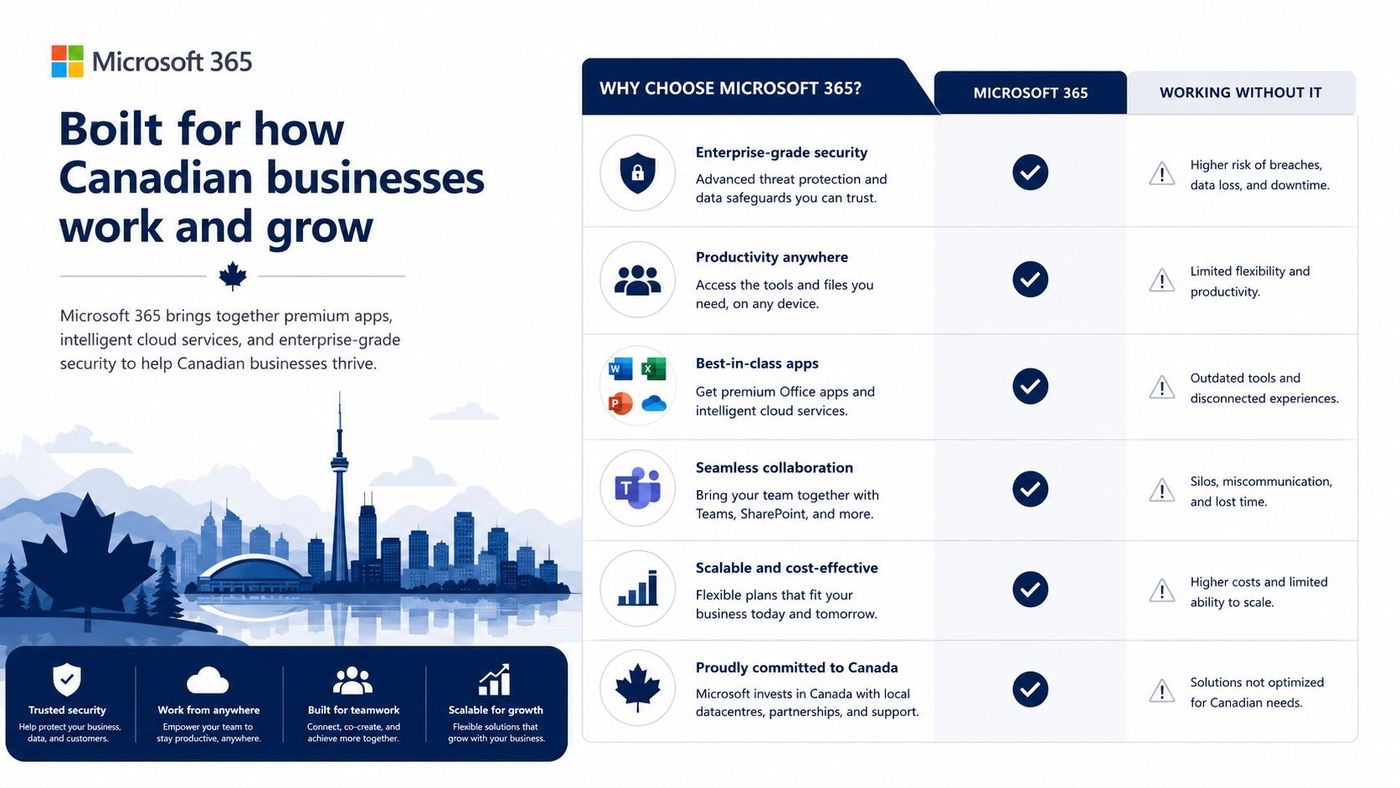
Microsoft 365's established role as the operating layer for a significant portion of business work makes its adoption critical. It has nearly 345 million paid subscribers globally according to Microsoft 365 market statistics. For Canadian SMBs, this isn't a fringe platform decision. It's a strategic decision about how your staff communicate, where your files live, how your devices are secured, and whether your future AI rollout helps or creates risk.
Many leaders come to this decision with the same assumption. Microsoft equals Word, Excel, Outlook, and maybe Teams. That view is out of date.
Microsoft for small business now spans collaboration, identity, cloud infrastructure, workflow automation, security tooling, and embedded AI. The challenge isn't finding features. It's figuring out which parts belong in your business now, which ones can wait, and which ones should never be enabled until governance is in place.
A decade ago, buying business software was often a narrow decision. You picked email, a file server, office apps, and maybe a CRM later. Today, the Microsoft stack can cover all of those areas at once.
That sounds simpler, but it changes the buying question from "Which app do I need?" to "Which operating model do I want?" A clinic in Ontario, a law office in Calgary, and a manufacturer in Edmonton may all choose Microsoft, yet each one needs a very different security posture and rollout plan.
Microsoft is common enough to feel familiar, but broad enough to punish shallow planning.
Strong Microsoft decisions usually start with business priorities, not product names. In practice, that means identifying a few basics first:
When those answers are clear, the Microsoft ecosystem becomes much easier to utilize. Microsoft 365 often becomes the foundation. Azure may support more specialised needs. Copilot can add value later. Dynamics makes sense when customer or operational data outgrows spreadsheets and inboxes.
Think of Microsoft's business stack as a workshop, not a single tool. Most small firms don't need every bench and machine on day one, but they do need to know what each area is for.
Microsoft 365 is the daily work layer. It handles email, meetings, file storage, document creation, chat, and collaboration. For most SMBs, it's the first and most important decision because it shapes how staff work every day.
Dynamics 365 is for operational systems. It handles structured business processes such as sales pipelines, customer service workflows, finance, and operations. If your team is managing customers and work through spreadsheets, inboxes, and disconnected apps, Dynamics may become relevant.
Azure is the cloud platform underneath specialised IT needs. It matters when you need hosted servers, virtual desktops, custom applications, backup architecture, identity integration, or more customized infrastructure than a standard business suite provides.
Copilot is the AI layer that sits inside work. It helps draft, summarise, analyse, and surface information across the tools your staff already use. Its value depends heavily on how clean and well-governed your Microsoft 365 environment already is.
If you're not sure where to focus, use this quick map:
| Business need | Microsoft family that usually fits |
|---|---|
| Email, Teams, files, Office apps | Microsoft 365 |
| Sales pipeline or service workflows | Dynamics 365 |
| Custom hosting or specialised infrastructure | Azure |
| In-app drafting, summarising, search, analysis | Copilot |
This framework helps reduce one common mistake. Leaders often buy Azure when they really need a better Microsoft 365 rollout, or they buy Copilot before fixing permissions and file sprawl.
For most Canadian organisations, Microsoft 365 is the foundation and everything else is layered on top as the business matures. If your team is also evaluating cloud desktops and flexible user workspaces, this overview of Windows 365 for business is a useful next read because it sits at the intersection of user productivity and cloud device strategy.
Buy the platform in the order people will actually use it. Daily collaboration first. Advanced systems second. AI last.
Microsoft 365 matters because it isn't just an office suite anymore. Microsoft's business plans bundle tools into a single cloud subscription, turning the platform into a communications and collaboration stack that supports remote work and day-to-day operations without separate systems, as outlined on Microsoft 365 Business Basic. That changes the licensing conversation from software selection to business design.
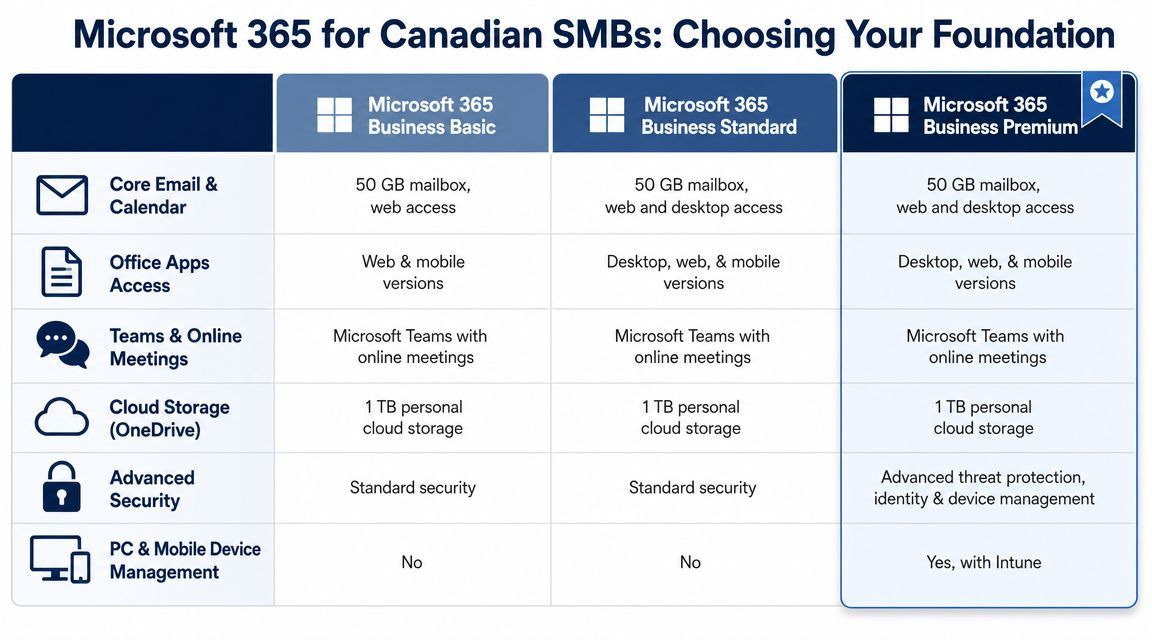
Business Basic fits organisations that want cloud-first work without a heavy desktop management burden. It includes web and mobile versions of Word, Excel, and PowerPoint, plus business email, cloud file storage, online meetings, and AI-powered chat in Microsoft's small-business offering.
This tier often works well for:
What doesn't work well is forcing Basic onto users who spend their day in complex Excel workbooks, offline editing, or heavier desktop workflows.
Business Standard is often the practical middle ground. It's the plan many businesses land on when staff need installed desktop apps as part of their normal work, but the organisation isn't yet ready for more advanced device and security management.
Typical fit includes office-based teams, finance staff working in richer spreadsheets, and professional services groups that still need the familiar desktop experience. The main point isn't prestige. It's matching the plan to how work happens.
Business Premium becomes important when the business needs more than productivity. It matters when leadership wants policy control over devices, stronger identity protection, and a cleaner security baseline for regulated or higher-risk environments.
That usually includes organisations handling sensitive client files, distributed laptops, or bring-your-own-device realities that need firmer administrative control. In those settings, the higher licence cost isn't just a software decision. It's a risk management decision.
Practical rule: If your business depends on controlling who can access data from which device, stop comparing plans only on app features.
A good tenant doesn't give everyone the same plan by default. A receptionist, project manager, accountant, and external contractor don't work the same way, so they shouldn't always get the same licence stack.
That is why many firms benefit from a role-based approach such as:
For a broader planning view, this guide to Office for business 365 helps clarify how these tiers fit into real operational decisions.
Licensing waste usually comes from one of two habits. Either the business buys too much for everyone, or it buys the cheapest option first and then piles on workarounds later. Both approaches cost more than they look.
Microsoft's small-business structure gives you room to be more precise. Business Basic supports web and mobile productivity with business email and storage, while other plans add broader app access and more advanced management options. That flexibility matters because licensing should follow role design, not assumptions.
The best savings don't come from chasing the lowest sticker price. They come from matching licence type to user behaviour.
A sensible model often looks like this:
Many SMBs overbuy by assigning the same licence to every person because it's easier administratively. It's easier at first. It isn't efficient.
AI has changed the licensing conversation. Microsoft positions Copilot as grounded in work data across emails, chats, meetings, files, workflows, and organisational structure in its Copilot plans and pricing information. That means poor data hygiene doesn't stay hidden once AI is introduced.
If your SharePoint permissions are loose, your OneDrive sprawl is unmanaged, or your Teams content structure is chaotic, Copilot won't fix that. It will expose it. Retrieval quality drops, and the chance of surfacing the wrong content rises.
Cheap licensing decisions often become expensive governance problems once AI enters the tenant.
A practical licence review should cover more than seat counts. It should look at role types, app dependency, device ownership, security needs, and whether the tenant is organised well enough to support later AI use. For businesses working through that exercise, this overview of Microsoft enterprise licence planning is useful for understanding how licence strategy connects to operational control.
AI is the part of microsoft for small business that attracts the most attention and the most bad decisions. Many firms want the productivity gains immediately, but they try to add Copilot before they've fixed the environment it depends on.
Microsoft 365 Copilot is integrated directly into apps like Outlook, Word, Excel, PowerPoint, and Teams, which lets people work where they already spend their time, according to Microsoft's Copilot for SMB guidance. That integration is its core strength. Users don't need to leave the workflow to draft a response, recap a meeting, or analyse a dataset.
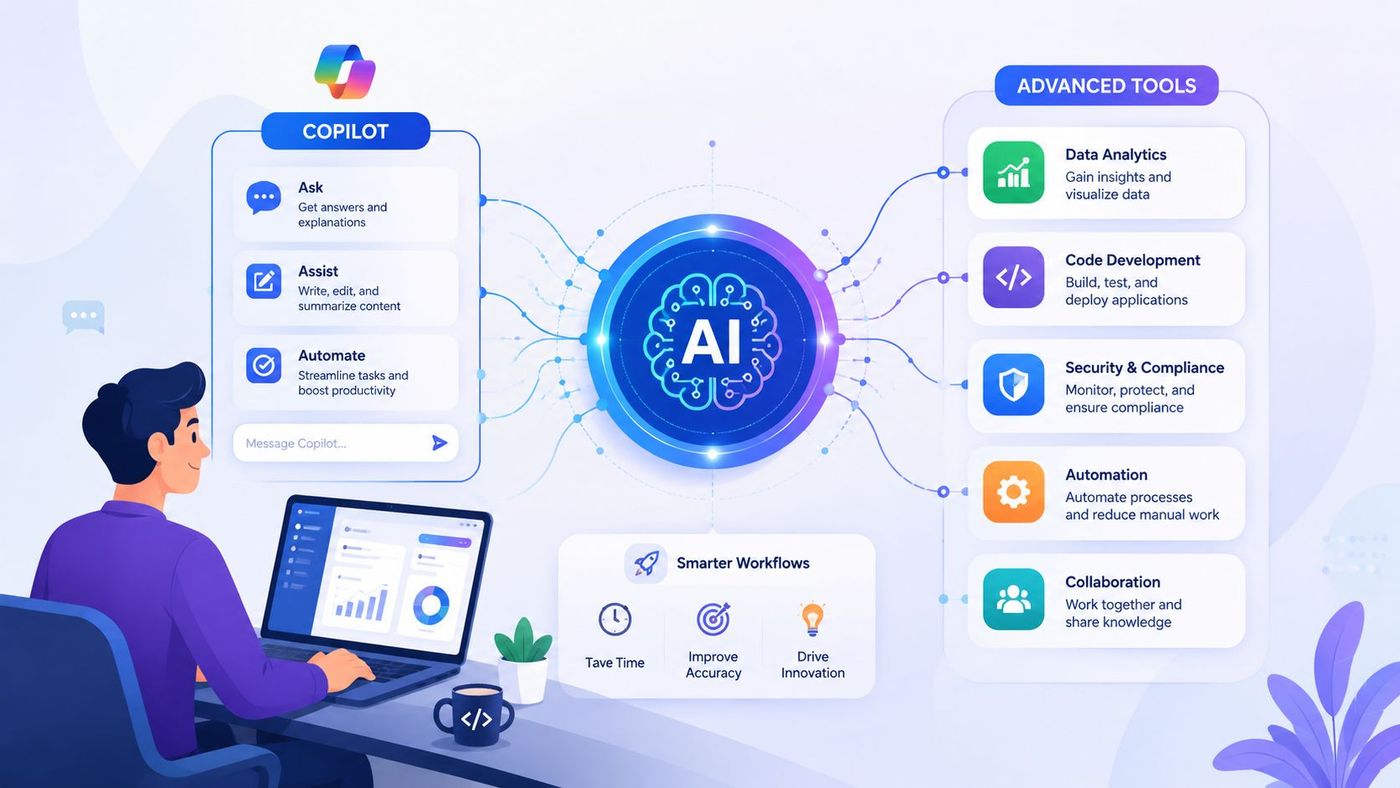
The safest and most effective starting points are usually internal and low-friction. Examples include meeting recaps in Teams, first-draft email writing in Outlook, document drafting in Word, and worksheet assistance in Excel.
These use cases work because they sit close to existing work habits. They don't require a business to redesign every process on day one.
For teams that spend a lot of time in spreadsheets and reporting, this Guide for data professionals on AI tools offers a useful comparison of where different AI options fit around Excel-heavy work.
Azure becomes relevant when your needs move beyond the standard productivity suite. That may include hosting a line-of-business application, supporting a more customised security model, enabling virtual desktops, or integrating systems that don't fit neatly inside Microsoft 365 alone.
A small business doesn't need Azure just to appear advanced. It needs Azure when the business model or compliance demands a customized cloud architecture.
For regulated Canadian SMBs, Copilot's value depends on pairing the licence with endpoint management, identity controls, retention settings, and data governance. If you skip those foundations, AI becomes harder to trust.
That is why mature adoption often follows this sequence:
If your team is still deciding how to operationalise Copilot rather than just buy it, this practical article on how to use Microsoft Copilot can help frame the rollout properly.
A lot of Microsoft content focuses on productivity. Canadian business leaders usually have a different first question. "What changes in my risk profile if we turn this on?"
That's the right question, especially if your organisation handles personal information, financial records, legal documents, or clinical data. PIPEDA and sector-specific obligations don't disappear because a tool is convenient. They become more important when AI can surface and repackage information across the tenant.
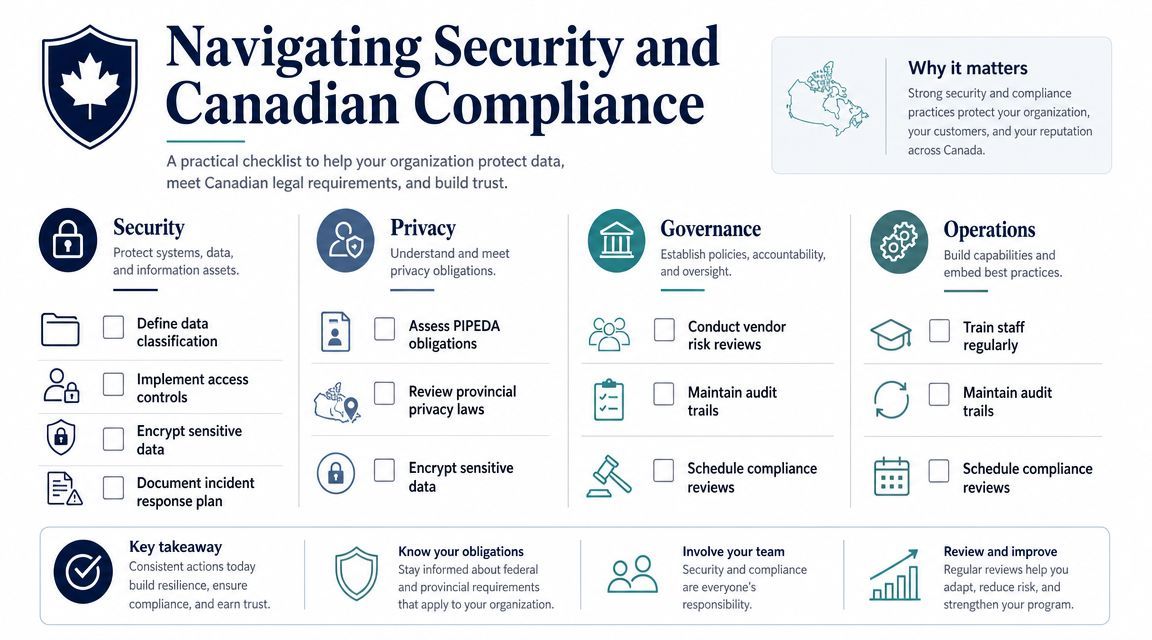
Microsoft's own small-business guidance leaves an important operational gap. A key unanswered question for SMBs is how to deploy AI without creating compliance problems. For Canadian firms in healthcare or finance, a practical framework is needed to decide which Copilot workloads are safe first and what data should stay excluded until governance is in place, as noted in Microsoft's small business growth solutions guidance.
The common mistake is enabling AI broadly because the feature exists. That approach ignores how sensitive content is stored, how permissions are inherited, and whether users understand what should and should not be processed in AI-assisted workflows.
Use a staged model instead of an all-at-once launch.
If you can't explain which data Copilot should never touch, you're not ready for a broad rollout.
Canadian compliance work also includes accessibility, record handling, and operational discipline. If your digital workplace serves staff or customers in Ontario, these AODA compliance guidelines are a useful companion reference because accessibility obligations often get missed during collaboration platform rollouts.
Businesses that need a tighter Microsoft security baseline often involve a specialist partner to configure identity, endpoint management, retention, and policy controls together. One example is Microsoft 365 security support in Calgary, which reflects the kind of structured hardening work many SMBs need before they scale AI use.
Buying Microsoft licences is easy. Running the environment well isn't.
Most small businesses don't struggle because Microsoft lacks capability. They struggle because nobody owns the full picture after purchase. Mailboxes get created, Teams sprawl grows, permissions drift, unused licences stay assigned, and security controls remain half-configured because everyone assumes someone else handled them.
A managed service provider should help with more than support tickets. The primary value is operational discipline across the platform.
That usually includes:
CloudOrbis Inc. is one Canada-based option that provides managed IT support, Microsoft 365 optimisation, cloud migration, cybersecurity, backup, and ongoing operational support for SMBs. Whether you choose that route or another provider, the standard should be the same. The MSP needs to understand both the Microsoft stack and the compliance reality of your industry.
A good provider should make your environment clearer, not harder to understand. If you're unsure what "good" looks like, this checklist on how to evaluate your managed service provider is worth reviewing because it focuses on accountability, visibility, and business outcomes rather than vague promises.
The right partner doesn't just keep systems running. They help you decide when to standardise, when to add security, when to introduce AI, and when to leave a feature turned off until the business is ready.
If your organisation is trying to make sense of microsoft for small business without overspending or creating avoidable compliance risk, CloudOrbis Inc. can help you assess your Microsoft environment, right-size licensing, strengthen security controls, and plan a practical rollout for Microsoft 365 and Copilot in Canada.
Book a 30-minute call with a senior engineer. No sales script, just straight answers about your environment.


