Communication Technology Benefits for Canadian SMBs
Discover the key communication technology benefits for your business. Our guide covers VoIP, cloud collaboration, security, and how to measure ROI.

Discover the key communication technology benefits for your business. Our guide covers VoIP, cloud collaboration, security, and how to measure ROI.

A lot of Canadian businesses are still running on a communication setup that was built for a different era. The front desk has one phone system. Sales lives in mobile apps. Operations relies on email. Leadership uses video meetings, but files are still scattered across desktops, shared drives, and personal inboxes. Customers feel the gaps first. Calls bounce around, responses slow down, and simple decisions take too long.
That setup doesn't just create frustration. It creates cost, risk, and drag on growth.
Modern communication tools changed the equation. Voice, messaging, meetings, file access, and workflow alerts can now work together in a way that makes a business faster and easier to run. For Canadian SMBs, that matters more than ever because communication technology benefits now reach far beyond convenience. They affect productivity, resilience, security, service quality, and the ability to scale without constantly rebuilding internal systems.
A familiar pattern shows up in mid-sized firms. The company has grown, but its communication stack hasn't. The phone system still works, technically. Staff can still email each other. Someone added a chat app during remote work, and another team adopted Microsoft Teams on its own. Nothing is fully broken, yet everything feels harder than it should.
One missed client callback becomes three follow-up emails. An internal handoff gets delayed because the person with the answer is on the road. A manager joins a video meeting but can't access the latest file version. These aren't isolated annoyances. They're signs that communication has become an operational bottleneck.
Canada now has the infrastructure to support a much better model. The CRTC reported that 90.7% of Canadian households had access to broadband meeting the universal service objective of 50 Mbps download and 10 Mbps upload by 2022, and 84% of Canadians had access to 5G by 2023, which gives businesses a strong foundation for real-time communication tools across offices, homes, and field locations (CRTC communications monitoring data).
Older communication systems usually fail in the same ways:
A hosted model fixes many of those issues by moving voice and related tools into a flexible, centrally managed environment. If you want a practical overview of that shift, this guide to the benefits of hosted PBX explains why businesses move away from rigid phone systems once growth and hybrid work start exposing their limits.
Old communication tools rarely fail all at once. They fail one delay, one dropped handoff, and one missed opportunity at a time.
This is why communication technology should be treated like a business system, not a side utility. It sits in the middle of sales, service, operations, and leadership. If it's fragmented, the whole company feels it.
That's also why broader IT modernization matters. Businesses replacing outdated communication tools usually find related issues in authentication, file storage, endpoint management, and support processes. This is one reason many firms start by reviewing how they can modernize outdated IT systems as a connected business initiative instead of a one-off phone upgrade.
Communication technology benefits become obvious when you map them to daily work. The point isn't that a tool has more features. The point is that staff spend less time chasing information, less time switching systems, and less money supporting tools that don't fit how the business operates now.
Statistics Canada reported that nearly 90% of Canadian businesses used at least one digital platform for operations in 2023, while about 70% used cloud-based services (Statistics Canada digital adoption release). That tells you something important. Digital communication is no longer experimental. It's part of normal business operations.
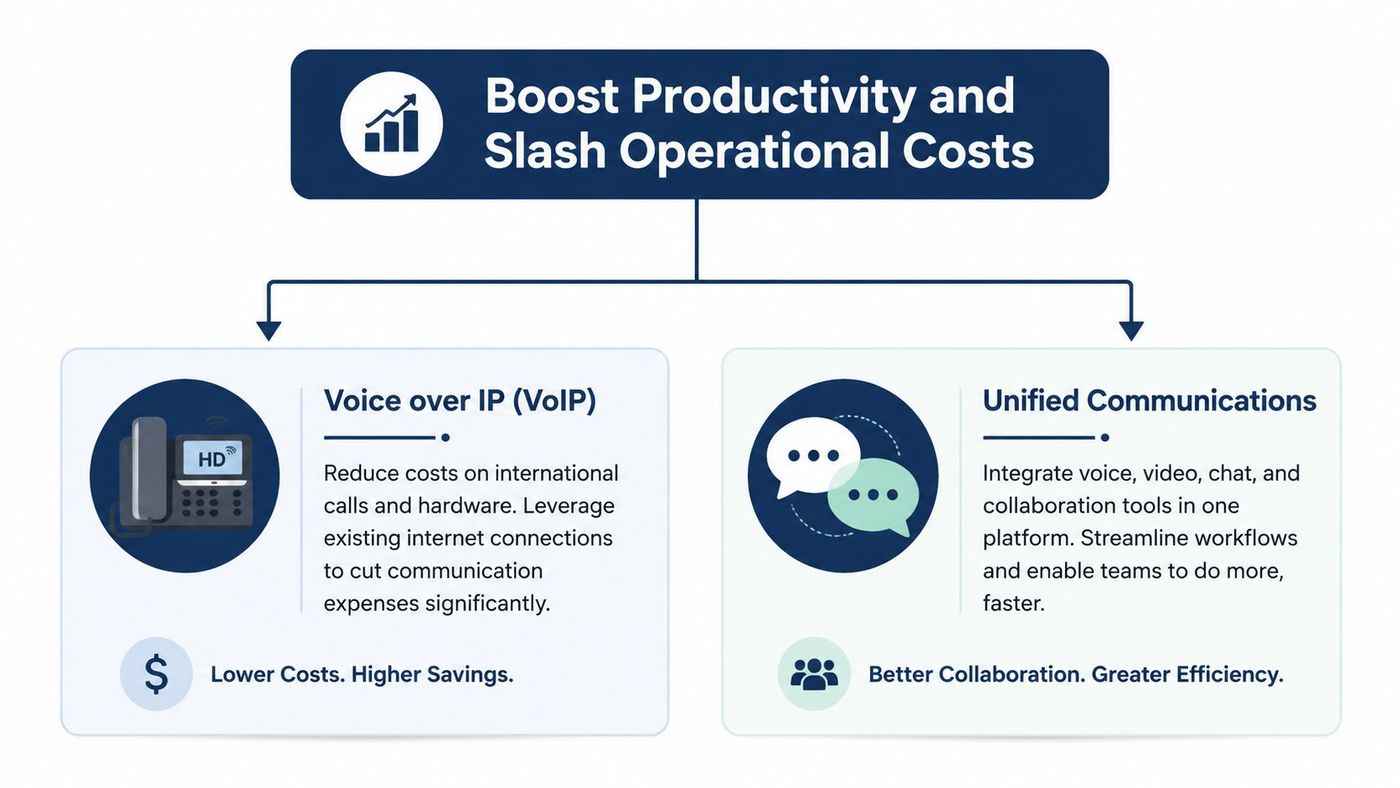
The first improvements are rarely dramatic in appearance. They're practical.
| Tool | What it replaces | Business effect |
|---|---|---|
| VoIP | Traditional landlines and disconnected desk phones | Simplifies calling, supports remote staff, reduces dependence on office-bound hardware |
| Unified collaboration platforms | Long email chains and scattered chat apps | Speeds up decisions, keeps conversations tied to files and meetings |
| Cloud messaging and file access | Local drives and version confusion | Improves handoffs and reduces time spent hunting for documents |
A mid-sized business owner usually notices the same things after rollout: fewer missed calls, fewer internal delays, and fewer “I didn't see that” moments.
VoIP is often framed as a cheaper phone system. That's true, but it undersells the value. The bigger advantage is flexibility. Staff can take and transfer calls from laptops or mobile devices, auto-attendants can route customers properly, and new users can be added without the same physical constraints as old desk-phone environments.
The savings are often operational rather than cosmetic:
Microsoft Teams, shared calendars, document co-authoring, and integrated chat all help. But only when they're set up around actual workflows.
A common mistake is giving staff a platform without changing how work gets done. Then email stays the default, files still live in random folders, and the business pays for a collaboration suite that behaves like a fancy chat app. The better approach is to connect channels, meetings, files, permissions, and device access so staff know exactly where work should happen.
Practical rule: If your team still uses email as the primary place to make internal decisions, your communication stack is underperforming.
For firms already standardizing on Microsoft, there's usually more value available than they're currently getting. A tighter setup around Office for business 365 can pull meetings, calling, file access, and security policies into one manageable environment.
The benefits become clearer when you look at actual operating environments. Healthcare, logistics, and professional services all rely on communication, but not in the same way. The tools only work when they match the pressure points of the industry.

The federal government's Universal Broadband Fund defines funded performance targets of at least 50/10 Mbps because that level supports VoIP, cloud applications, and video collaboration without degradation (Universal Broadband Fund targets). That matters because these use cases depend on stable, low-friction communication, not just raw connectivity.
A clinic doesn't need more apps. It needs fewer communication failures.
Front-desk staff need calls routed correctly. Practitioners need secure messaging and reliable scheduling visibility. Administrators need remote access that doesn't expose patient information. In that environment, communication technology benefits show up as smoother patient coordination, fewer dropped handoffs, and better continuity when staff work across locations.
The trade-off is that convenience can't outrun compliance. Consumer-grade messaging tools may feel easy, but they can create risk when sensitive information enters the conversation.
A logistics company has a different problem. Office staff, warehouse supervisors, drivers, and service coordinators often work in separate systems and separate locations. If dispatch updates stay in email while drivers rely on phone calls and the warehouse works from another dashboard, delays multiply fast.
A unified setup improves communication across moving parts:
That's why communication technology often overlaps with broader operational IT. Manufacturers and logistics teams facing those issues may also need connected planning around devices, networks, and cloud workflows, similar to the concerns covered in these IT solutions for manufacturing companies.
Professional services firms depend on trust. Clients expect prompt replies, controlled document sharing, and smooth virtual consultations. A fragmented setup makes all three harder.
A lawyer or accountant shouldn't have to check one system for voicemail, another for client chat, and a third for file versions. Secure collaboration tools help centralize those interactions, but the main benefit is reducing the chance of error. When communication, file access, and permissions line up, service gets faster and the business presents itself with more confidence.
In professional services, communication quality is part of the client experience. Clients often judge competence by responsiveness long before they judge technical work.
Communication tools can improve speed and service, but they also expand your attack surface. Every mobile device, shared file, recorded meeting, voicemail inbox, and chat thread creates another place where sensitive information can be exposed if the environment isn't configured properly.
That's why communication technology benefits have to be judged alongside security and compliance. For many Canadian businesses, especially clinics, legal firms, finance teams, and manufacturers, the question isn't just “Will this help us communicate better?” It's also “Can we control access, protect data, and meet our obligations?”
The truth is straightforward. Buying Microsoft 365, VoIP, or a collaboration suite doesn't make a business compliant on its own.
At minimum, businesses should review whether their communication environment includes:
The need for this kind of planning is growing. Decision-makers increasingly need guidance on security, compliance, and uptime for communication platforms, and managed services for VoIP, Microsoft 365, and endpoint protection directly address downtime and security risk in regulated and operationally sensitive environments (NTIA equity fact sheet).
Many projects go off track when compliance is oversimplified. A vendor says a platform “supports compliance,” and leadership assumes the box is checked. It isn't. Compliance depends on how the platform is configured, who can access it, what data flows through it, how it is retained, and how incidents are handled.
For healthcare organisations that work with U.S. patients, partners, or systems, HIPAA concerns can enter the conversation alongside Canadian privacy obligations such as PIPEDA. Supporting services matter too. For example, if your workflow includes recorded dictation or patient conversations, this overview of HIPAA compliant transcription services is a useful example of how adjacent communication processes also need proper safeguards.
A communication platform becomes risky when staff assume “secure” means “safe in any workflow.”
Email remains one of the most common exposure points, especially when teams use it as a catch-all for files, approvals, and sensitive client exchanges. Practical controls like mailbox protection, anti-phishing policies, and identity hardening should be part of the same conversation, not an afterthought. These email security best practices are a useful reference point when reviewing communication-related risk.
This is one area where a managed approach often makes sense. CloudOrbis Inc., for example, provides managed support around VoIP, Microsoft 365, endpoint protection, and related IT operations. That kind of service can help a business maintain policy settings, monitor risk, support users, and keep communication platforms aligned with operational and compliance requirements.
If you can't measure the result, the project turns into a debate about opinions. Communication upgrades often get approved because the old system is painful, but the smarter approach is to define success before the migration starts.
The strongest business case doesn't rely on vague claims like “better collaboration.” It ties communication technology benefits to operating metrics that leadership already tracks.
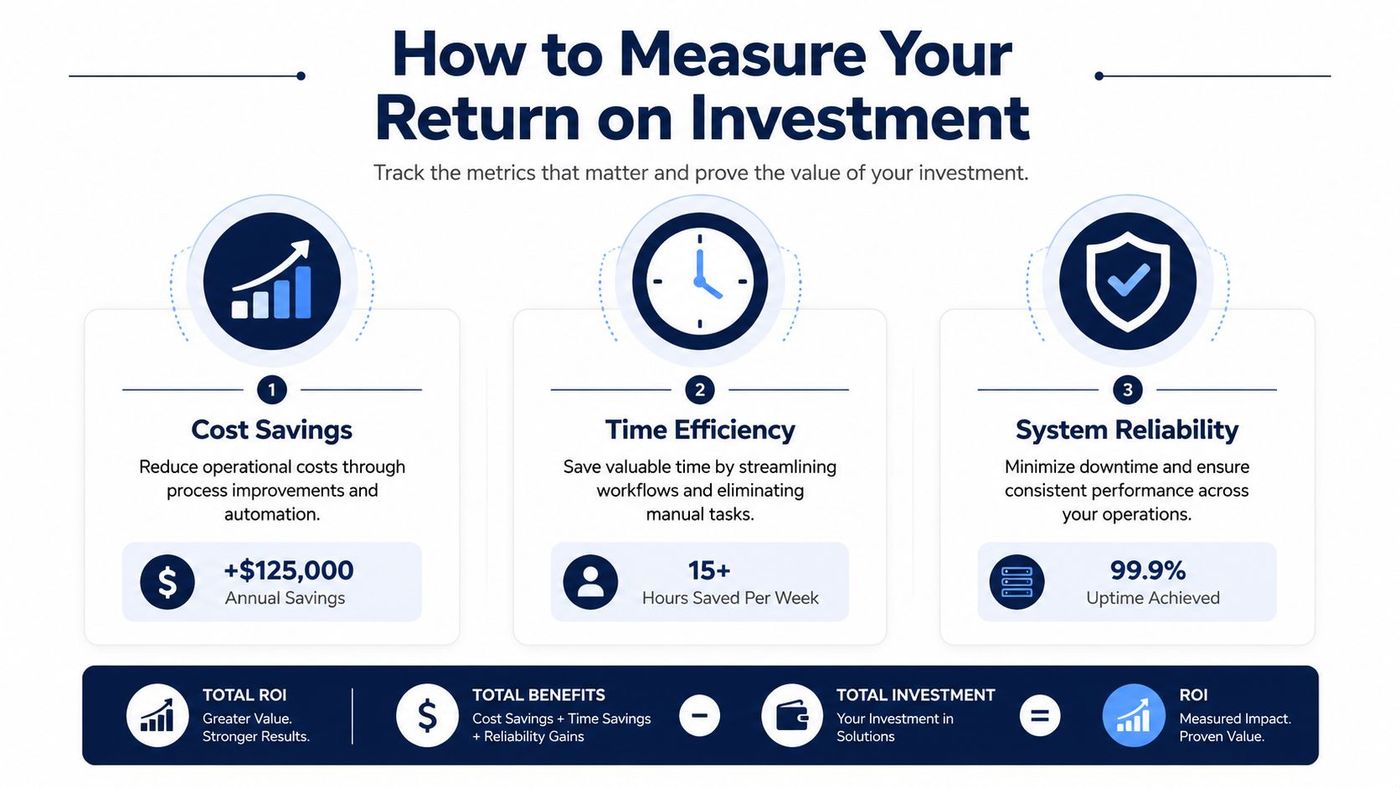
Start with a baseline from your current environment, then compare after rollout.
| KPI | What to look for | Why it matters |
|---|---|---|
| Telecom spend | Old line costs, support contracts, calling costs | Shows whether the new model reduces recurring communication overhead |
| Response times | Time to return client calls or answer service requests | Reflects customer experience and front-line efficiency |
| Internal handoff speed | Time between request, answer, and action | Reveals whether teams are still trapped in communication bottlenecks |
| Travel and meeting overhead | In-person coordination that can move online | Highlights avoidable time and expense |
| Downtime related to communication | Phone outages, meeting failures, access issues | Measures resilience, not just convenience |
| User adoption | Whether staff actually use the approved tools | Tells you if the investment changed behaviour |
Some of the best returns appear in service quality and continuity. A business that answers faster, routes clients more accurately, and keeps teams connected during disruptions is often creating more value than a simple phone bill comparison can show.
A few useful questions to ask after implementation:
Good ROI measurement doesn't just ask what you saved. It asks what your team can now do consistently that it couldn't do before.
For larger SMBs, strategic IT oversight proves beneficial. A vCIO or similar advisor can define the target metrics up front, connect them to business goals, and stop the project from being judged solely on whether the phones sound clearer.
A poor rollout can wipe out most of the value of a good platform. That happens all the time. The business buys strong tools, but ports numbers at the wrong time, skips workflow planning, under-trains staff, and ends up with confusion that gets blamed on the technology.
The human side matters as much as the platform choice. Broadband access is only a first step. Meaningful use depends on adoption, digital literacy, and technical support, and communication technology can widen gaps when users face skills or usability barriers (County Health Rankings broadband adoption guidance).
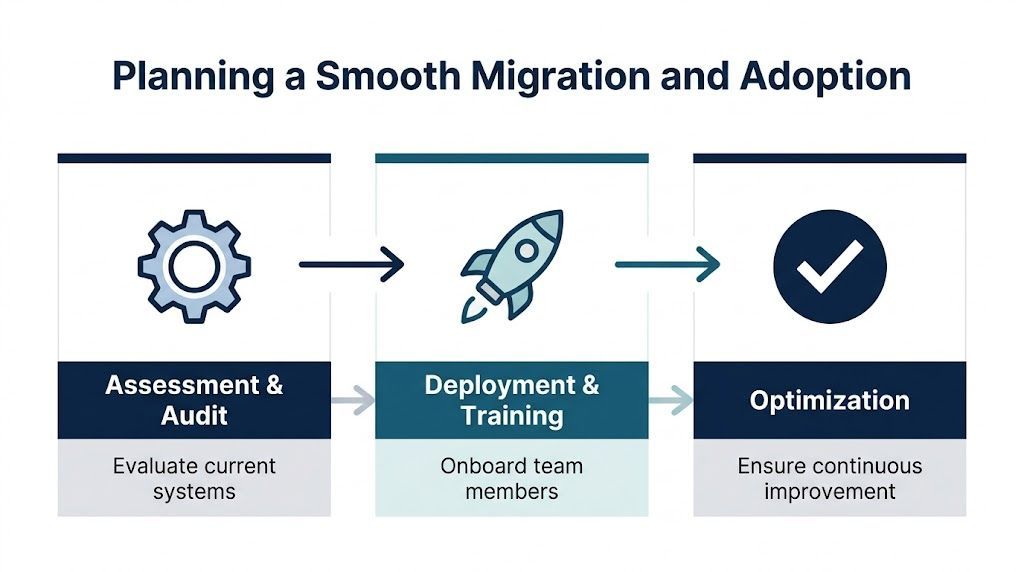
A smoother migration usually follows three stages.
Start by mapping what exists today. That includes phone lines, call flows, conferencing tools, shared files, mobile usage, licensing, internet reliability, device readiness, and compliance requirements.
Don't skip the workflow review. If the reception team handles calls one way and field staff work another way, the target design should reflect that.
Roll out in phases when possible. A single department or location can help surface issues before full deployment. Number porting, device setup, permissions, meeting policies, and mobile app support need to be timed carefully.
Training should be role-based, not generic. Front-desk staff need different guidance than executives, clinicians, warehouse coordinators, or legal assistants.
After go-live, watch what users do. Which features are ignored? Where are support tickets recurring? Which teams have gone back to personal workarounds?
That post-launch tuning is where a lot of ROI is won or lost.
Some migration issues are predictable:
Businesses moving from older Microsoft communication tools often run into exactly these issues during platform transitions. If your team still has legacy collaboration history to untangle, this piece on Skype for enterprise can help frame what needs to be reviewed before a broader communication redesign.
Communication systems used to sit in the background. Today they shape how quickly your team responds, how safely it handles information, and how reliably the business runs when people are distributed across offices, job sites, or home offices.
That's the true story behind communication technology benefits. Better tools help, but only when they're aligned with workflow, security, compliance, and adoption. VoIP, Microsoft 365, chat, meetings, file access, and endpoint controls shouldn't be treated as separate purchases. They should work as one operating environment.
For Canadian SMBs, this is no longer a nice-to-have improvement. It's part of staying competitive, controlling risk, and giving staff a system they'll use.
If your current setup still depends on disconnected apps, ageing phone infrastructure, or workarounds that nobody trusts, it's time to review the bigger picture. The right communication stack should lower friction, support growth, and hold up under pressure.
Cloud communication projects work best when they start with a clear assessment, not a rushed product decision. If you want help mapping your current gaps, priorities, and compliance needs, contact CloudOrbis Inc. to discuss a practical roadmap for modern business communication.
Book a 30-minute call with a senior engineer. No sales script, just straight answers about your environment.


