

September 19, 2026
Database Migration Services Explained for Canadian SMBsLearn how database migration services move data to the cloud securely with minimal downtime. Types, risks, costs and a Canadian provider checklist.
Read Full Post%20(1).webp)
Usman Malik
Chief Executive Officer
March 23, 2026
When most people hear “Office 365 for business,” they immediately think of Word, Excel, and Outlook. While those are still part of the package, the platform has grown into something far more powerful. It’s no longer just software; it's a complete, integrated cloud environment—now officially called Microsoft 365—that serves as the command centre for modern work.
Think of Microsoft 365 as less of a software bundle and more of a central nervous system for your entire company. It’s the evolution from a simple collection of apps into a single, secure cloud platform where your team can connect, create, and collaborate from literally anywhere. For many businesses, it has become essential operational infrastructure.

The name change from "Office 365" was more than marketing; it reflects a fundamental shift. Microsoft has bundled its classic Office suite with advanced security features, device management tools, and even the Windows operating system into one subscription, designed to give you a seamless and protected experience across every device.
For Canadian medium-sized organizations, this all-in-one approach is a game-changer. It directly tackles the real-world challenges we see every day: managing hybrid work, defending against increasingly sophisticated cyber threats, and staying compliant with data privacy laws like PIPEDA.
The easiest way to grasp Microsoft 365 is to picture it as your company’s digital headquarters. It’s a single, secure, cloud-based home for everything your team needs to get work done, regardless of their physical location.
This digital headquarters includes:
This unified model gets rid of frustrating information silos and gives productivity a serious boost. It is now a cornerstone technology for businesses in Canada and worldwide, supporting over two million companies and becoming an indispensable tool for organizational success.
By bringing all your critical business functions under one roof, Microsoft 365 creates a cohesive ecosystem. This integration simplifies IT management and empowers your team with consistent, reliable access to the tools they depend on every day.
In this guide, we'll walk through how to choose the right plan, lock down your security, get the most out of AI with Copilot, and maximize your investment. You can find more expert insights on our blog about Microsoft Office 365. Let’s get started on building a powerful digital foundation for your business.
Picking the right Microsoft 365 plan can feel overwhelming, but it doesn't have to be. The key is to stop looking at long feature lists and start thinking about what your business actually needs to accomplish. Think of the different Office for Business 365 plans as specialized toolkits, each built for a different kind of job.
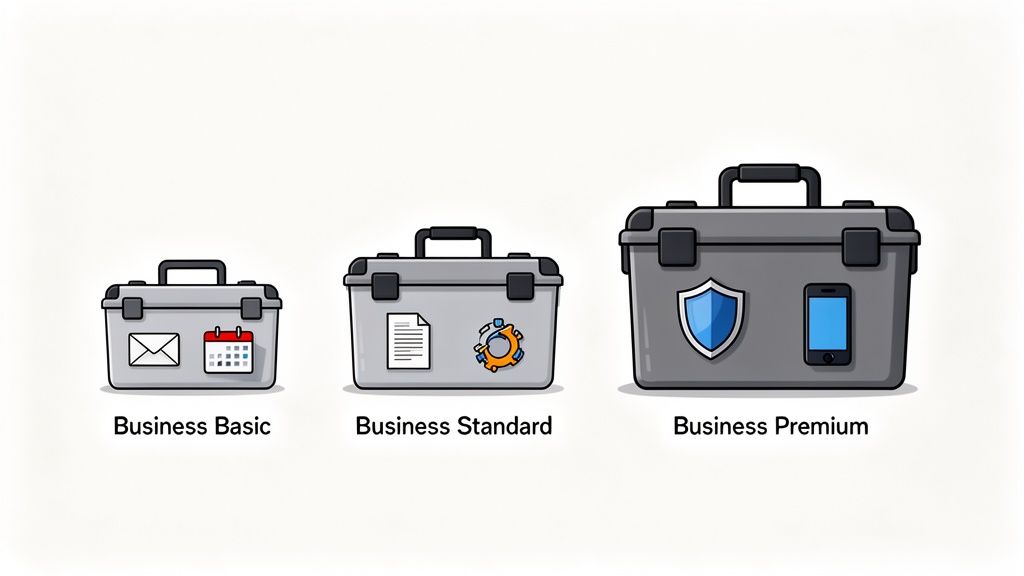
Some businesses just need the essentials to keep emails and calendars in sync. Others need powerful tools for creating and collaborating on documents. And some require the complete workshop—fortified with advanced security to protect sensitive data and manage a fleet of devices.
Let's look at the main options to see which toolkit is the right fit for your team.
Microsoft 365 Business Basic is the foundational plan. It’s perfect for teams that need reliable communication and cloud access but do not necessarily need the full desktop versions of the Office apps. This plan is all about connectivity and collaboration, from anywhere.
This toolkit is ideal for:
For example, a logistics company in Edmonton could equip its drivers and warehouse staff with Business Basic. They would get secure email on their phones, access shift schedules in Teams, and view shared documents in OneDrive, all without the overhead of full desktop software licences.
Moving up the ladder, Microsoft 365 Business Standard includes everything in Basic and adds the full, installable desktop versions of the classic Office applications. This is the go-to choice for teams that are constantly creating, editing, and managing documents, presentations, and spreadsheets.
This is the right fit for any business where content creation is a core part of the day. A marketing agency in Toronto, for instance, would find this plan essential. Their designers and writers need the advanced features in desktop PowerPoint and Word to produce high-quality work for clients.
With Business Standard, you bridge the gap between cloud collaboration and powerful desktop functionality. It empowers your team to produce professional-grade work while staying connected through Teams and SharePoint.
For those who need the whole package, there’s Microsoft 365 Business Premium. It’s the most comprehensive option, bundling everything from Business Standard with advanced security and device management capabilities. This plan is designed for organizations that handle sensitive data, must meet strict compliance standards, or need to secure a distributed workforce.
Consider a legal firm in Calgary that must adhere to PIPEDA guidelines. Business Premium provides the tools they need, like Advanced Threat Protection to block sophisticated phishing attacks and Intune for managing and securing the laptops and mobile devices used by their lawyers.
If you want to dig deeper into the nuances of licensing, you can learn more about finding the right Office 365 licensing mix in our detailed guide.
To help simplify your decision, we have put together a quick comparison of what each plan brings to the table.
This table breaks down the core differences to help you see exactly what you are getting with each plan.
| Plan | Core Apps & Services | Key Security Features | Ideal For |
|---|---|---|---|
| Business Basic | Web/mobile apps, Teams, Exchange, OneDrive, SharePoint | Standard security, multi-factor authentication | Teams needing core cloud services and communication. |
| Business Standard | All Basic features plus full desktop Office apps | Standard security, multi-factor authentication | Content creators and teams needing robust desktop software. |
| Business Premium | All Standard features plus Intune & Defender | Advanced Threat Protection, device management, data protection | Businesses requiring top-tier security and compliance. |
Ultimately, choosing the right plan comes down to matching its capabilities to your specific workflow and security needs. By framing the decision around what your business does every day, you can select the toolkit that delivers the most value and sets your team up for success.
When you are running a business, thinking about security in your Office for Business 365 setup is not just another box to tick—it is the foundation. Treat it like operational insurance; it is the critical investment you make to guard your company's most valuable assets against a constant barrage of digital threats.
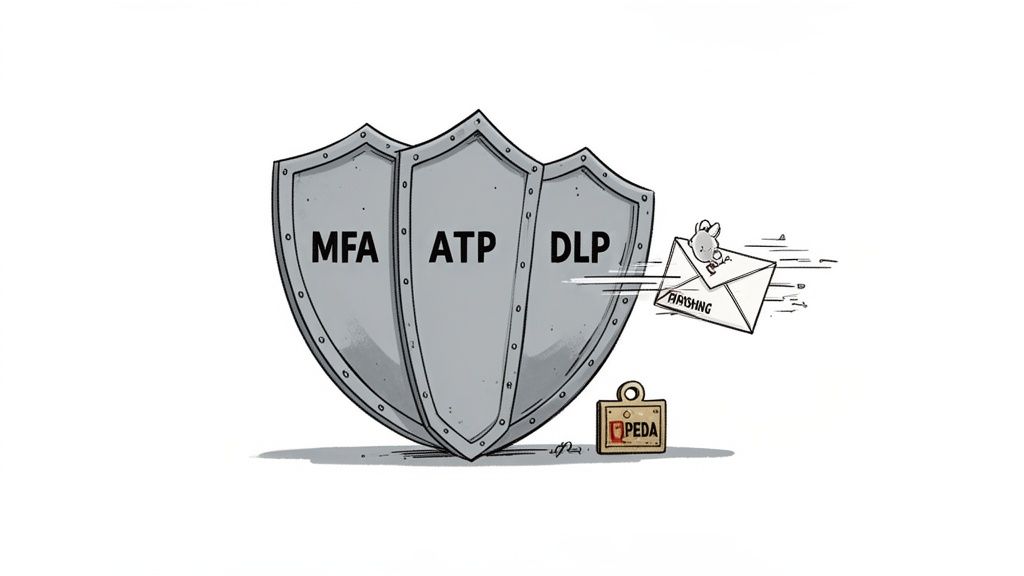
Let's cut through the jargon and look at how these security layers actually work to keep your digital workspace safe. Microsoft 365 comes loaded with powerful, built-in tools that act as your 24/7 digital security team.
The most important step in securing your digital headquarters is controlling who walks through the front door. That is where Multi-Factor Authentication (MFA) comes in. Think of it as a double-lock system for every account.
Instead of relying on just a password—which can be stolen—MFA demands a second proof of identity, like a code sent to a trusted phone. This one simple step is powerful enough to block over 99.9% of account compromise attacks, making it the single most effective security measure you can deploy.
Cyber threats are getting smarter, often hiding in plain sight. Imagine a well-crafted phishing email that looks exactly like an invoice from a vendor you trust. It lands in your finance department's inbox, just waiting for a click.
This is where Advanced Threat Protection (ATP), now part of Microsoft Defender for Office 365, steps in. It acts like an automated security analyst.
ATP does not sit around waiting for a human to slip up. It scans emails and links in real-time. In our invoice scenario, it would spot the malicious link or attachment, neutralize the threat by blocking the email entirely, and flag it to your IT team. A potential disaster is turned into a non-event, all behind the scenes.
Security is not just about building walls; it is about creating an intelligent, responsive defence system. The tools within Microsoft 365 are designed to work together, providing layers of protection that adapt to new threats as they emerge.
For a deeper dive into fortifying your digital defenses, check out resources on Microsoft 365 security hardening. This will give you more technical strategies to lock down your environment even tighter.
Your company’s data—from client lists to intellectual property—is priceless. Data Loss Prevention (DLP) works as your digital compliance officer, making sure this sensitive information does not walk out the door, accidentally or otherwise.
You can set up DLP policies to automatically identify and protect certain kinds of information. For example, you can create a rule that stops any document containing a SIN or patient health records from being shared outside your organization. If an employee tries to email that file to a personal account, DLP blocks the action and reminds them of the company policy, educating while enforcing security.
For any business operating in Canada, staying compliant with regulations like the Personal Information Protection and Electronic Documents Act (PIPEDA) is not optional. The security tools inside Microsoft 365 are crucial for meeting these requirements.
Turning these features from abstract concepts into real-world protection takes expertise. To see how a professional approach can bolster your defences, read our guide on improving Microsoft 365 security in Calgary. By configuring these tools correctly, you can transform your Microsoft 365 environment from a simple productivity suite into a secure, compliant, and resilient fortress for your business.
This is where the real value of a platform like Microsoft 365 comes into focus. It’s not just about giving your team a collection of apps; it’s about changing how they work together, breaking down the frustrating information silos that slow businesses down.
Think about industries like construction or logistics, where you have people spread out across job sites and the main office. This kind of integration is a game-changer. A project manager in Calgary can share updated blueprints on SharePoint, jump into a Teams channel to discuss the changes, and assign new tasks in Planner—all in one seamless motion. Everyone from the site foreman to the back-office staff is always working from the same playbook.
We have all been stuck in those endless email chains with a dozen different versions of the same document attached. It’s messy, inefficient, and a recipe for mistakes. Microsoft 365 gets rid of that chaos by creating a single, connected workflow.
When these tools work together, your team spends less time digging through emails for the right file and more time doing valuable work. Everything is accessible, secure, and always up-to-date.
On top of better collaboration, Microsoft 365 gives your team a powerful new partner: Copilot. It is best to think of it as an intelligent assistant built right into the apps you already use every day, ready to handle routine tasks and spark new ideas.
Forget the hype for a moment and focus on the practical, day-to-day value.
Imagine a project manager just wrapped up a two-hour client call. Instead of spending the next hour re-listening to the recording and typing up notes, they can just ask Copilot in Teams to summarize the key action items and assign them to the right people. It is done in seconds.
This deep integration is what makes Copilot so effective. Your team gets AI-powered help without ever having to leave their workflow, so the productivity boost feels natural and immediate.
The business case for this technology is clear. AI adoption among Canadian medium-sized organizations is surging, with 71% expected to be actively using it by mid-2025. What's more, 93% of Canadian business leaders already using AI report that it has been helpful, and 70% are seeing direct improvements in their efficiency.
Copilot is not about replacing people. It is about augmenting their capabilities, freeing them from tedious work so they can focus on strategic thinking, problem-solving, and innovation.
To get even more out of the platform, exploring practical tools like voice typing in Microsoft Word can also revolutionize how your team creates documents. If you are ready to get started with AI, we have a complete resource to help you learn more about how to use Microsoft Copilot in our article. By connecting these powerful tools to tangible business outcomes, you empower your team, boost efficiency, and lay the groundwork for sustained growth.
Getting Microsoft 365 for Business up and running is one thing. Getting your team to actually use it to its full potential is another challenge entirely. A successful switch is less about the technology and more about the people.
A proper roadmap makes all the difference. By breaking the process into clear phases, you can minimize disruption, build momentum, and ensure your team embraces the new tools from day one.
Before you move a single file, you need to know exactly what you’re working with. This is the planning phase, where we audit your current IT setup, figure out what data needs to come over, and understand how your team gets their work done.
Think of it like a contractor surveying a property before starting construction—it prevents expensive surprises down the road.
This stage is all about answering the right questions:
A solid plan built on this assessment de-risks the entire project. It helps set realistic timelines and ensures everyone is on the same page.
This is where the technical work begins. We move your data from your old systems into the Microsoft 365 cloud environment. It is a delicate process that demands expertise to prevent data loss or corruption while keeping your business running smoothly.
A common mistake is treating migration as a simple "lift and shift." A strategic move also involves cleaning up old data and organizing content logically in its new home, like SharePoint. This sets your team up for success right from the start.
This is where an IT partner provides incredible value. Professionals handle the tricky parts—data transfers, security configurations, and troubleshooting—freeing you up to prepare your team for the new platform. You can learn more about what this process involves in our guide to SharePoint migration in Calgary.
Once the tech is in place, the focus shifts completely to your people. A great launch depends on training that goes beyond a quick tour of features. It needs to be role-specific, showing employees exactly how Microsoft 365 will make their specific jobs easier.
This infographic shows how adopting these tools creates a cycle of continuous improvement.
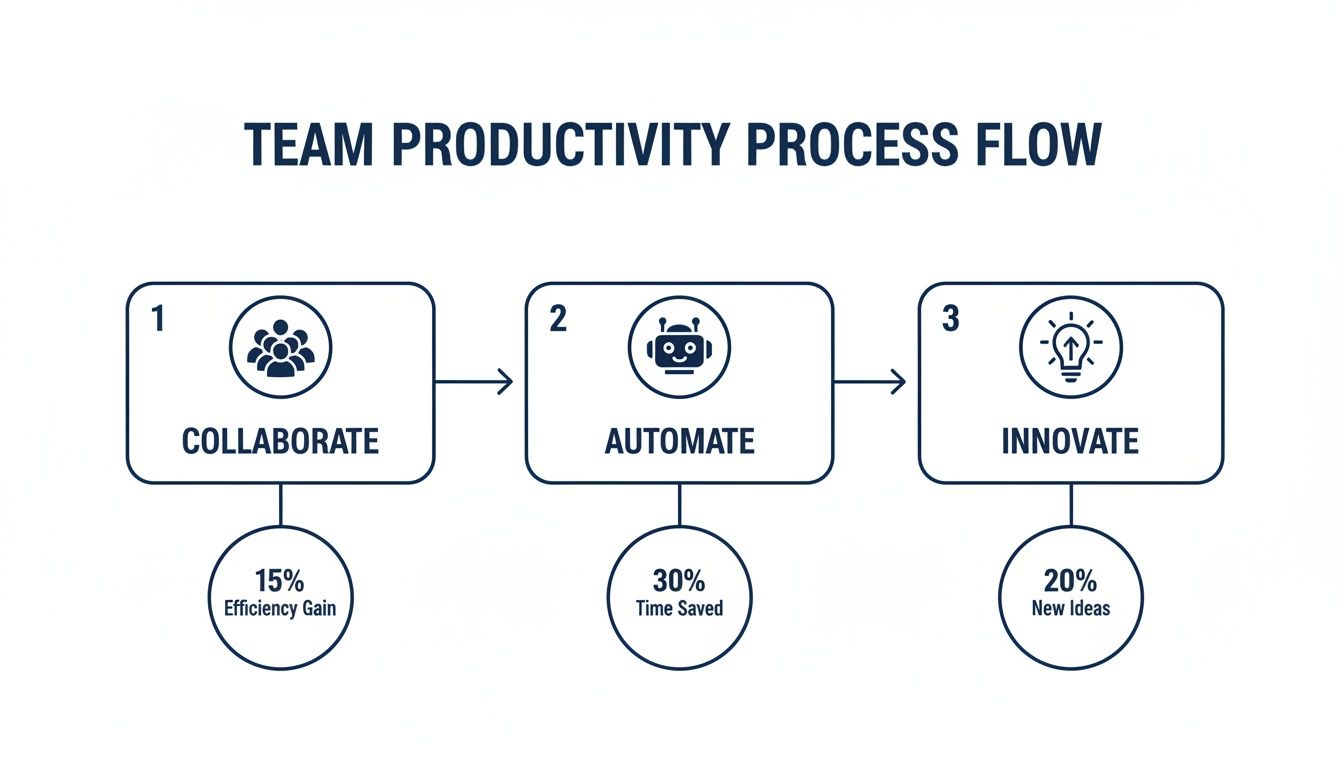
The flow is simple: better collaboration leads to automation, which frees up time for innovation. Mastering these tools directly fuels business growth.
Ongoing support is just as crucial as the initial training. Your team needs a clear way to ask questions and get help when they need it. This kind of proactive support builds confidence and encourages everyone to explore what the platform can really do, ensuring your investment pays off for years to come.
So you have made the move to Office for business 365. That is a fantastic first step, but the journey does not end there. The real power of this platform is not just in the initial setup; it is unlocked through smart, continuous management that keeps it perfectly in sync with your business.
Thinking you can just "set it and forget it" is a common mistake that costs businesses dearly. To truly get your money's worth, you need to shift your mindset. It is about actively managing security, performing preventative maintenance, and making sure the platform is always aligned with your business goals. It is about making your investment work harder for you, every single day.
Think of your Microsoft 365 environment like a high-performance vehicle. You would not just put fuel in it and expect it to run perfectly forever. It needs regular tune-ups, safety checks, and a skilled driver who knows how to unlock its full potential. Without that consistent attention, performance suffers and dangerous vulnerabilities can appear.
A dedicated technology partner is your expert mechanic and co-pilot, all in one. Here’s what that looks like in practice:
A managed approach transforms Microsoft 365 from a simple expense into a strategic asset. It shifts the focus from just keeping the system running to actively finding new ways to improve operations, strengthen security, and drive growth.
This is how you unlock the full value of your office for business 365 subscription. It creates a secure, efficient, and scalable foundation that does not just support your business today but fuels its success for years to come. When you partner with experts who get both the technology and your business needs, you ensure your digital headquarters is always performing at its peak.
As you dig into everything Office for business 365 and Microsoft 365 can do, a few common questions always come up. Let's tackle them head-on to clear up any confusion and help you make the right call for your organization.
Our goal is simple: to give you the clarity you need to move forward with confidence.
The easiest way to think about it is that Microsoft 365 is the natural next step up from Office 365. For years, Office 365 was the go-to for productivity apps—your Word, Excel, and Outlook—combined with cloud services like email.
Microsoft 365 takes that foundation and builds a complete, secure business platform around it. It bundles all those classic Office apps with advanced security tools, robust device management through services like Microsoft Intune, and often includes the Windows OS licence. Simply put, Microsoft 365 is the all-in-one package for a modern, protected workplace.
Data security is non-negotiable, and it is a core pillar of the Microsoft 365 platform. Your information is shielded by layers of security, from physical protection at the data centres themselves to sophisticated digital tools like threat protection and end-to-end encryption.
This is a critical point for any Canadian business. Microsoft gives you the ability to specify that your data resides in Canadian data centres. This is a huge advantage for meeting data residency rules and staying compliant with privacy laws like PIPEDA, ensuring your most sensitive information never leaves the country.
Microsoft's commitment to in-country data processing gives Canadian organizations greater control over their information. It ensures that both your data and your Copilot interactions can be processed within Canada, strengthening your compliance posture.
Honestly, the complexity of a migration hinges entirely on where you are starting from. Moving a basic email server over can be relatively simple. But if you are dealing with tangled file structures, deep email archives, or custom business applications, it requires a much more strategic approach.
A successful migration is far more than a technical checklist; it is a full-blown business project. It means mapping out your needs, getting your data in order, and—most importantly—training your team. Working with an experienced IT partner can turn a potential headache into a smooth, seamless transition, eliminating downtime and getting your team productive on the new platform from day one.
While you can certainly run your business without it, an AI assistant like Copilot offers a real competitive edge. Think of all the time your team spends on routine tasks: summarizing long email chains, drafting standard documents, or trying to pull insights from a complex spreadsheet.
Copilot automates much of that work. This frees your people to focus on the high-value activities that actually drive the business forward—like solving client problems, strategizing, and innovating. For most businesses, the question is not if they will adopt AI, but how quickly they can start using it to reclaim time and boost productivity.
Ready to unlock the full potential of a secure and optimized Microsoft 365 environment? At CloudOrbis Inc., we provide expert managed IT services that align this powerful platform with your business goals, ensuring you get the maximum return on your investment. Contact us today to build your modern workplace.
September 19, 2026
Database Migration Services Explained for Canadian SMBsLearn how database migration services move data to the cloud securely with minimal downtime. Types, risks, costs and a Canadian provider checklist.
Read Full Post
September 18, 2026
Business VoIP Telephone Systems Explained for SMBsLearn how business VoIP telephone systems work, what they cost and how to choose a secure, resilient option for your Canadian SMB.
Read Full Post
September 17, 2026
Cloud Migration Roadmap Template That Prevents Costly ReworkGet a practical cloud migration roadmap template plus steps to customize it for assessment, waves, testing and cutover without budget surprises.
Read Full Post
