SharePoint Migration Calgary: A Practical Guide for Your Business
Explore SharePoint migration Calgary with a step-by-step plan for governance, compliance, and a smooth cloud transition.

Explore SharePoint migration Calgary with a step-by-step plan for governance, compliance, and a smooth cloud transition.

For many Calgary businesses, migrating to SharePoint is more than just adopting new file storage. It is a strategic move that unlocks significant productivity and security benefits. The objective is to centralize company data, enhance team collaboration, and streamline daily operations for everyone, whether they are in a downtown office or working remotely.
Migrating to SharePoint Online is a foundational project for any medium-sized organization seeking to modernize its IT infrastructure. We have seen companies across Calgary, from the energy sector to professional services, replace outdated file servers and fragmented cloud storage with a single, unified platform. This transition is not merely about moving files; it is about fundamentally transforming business operations by establishing a central hub for all corporate information.
This type of project is driven by real-world business needs that directly impact the bottom line. A well-planned SharePoint migration can resolve common challenges that nearly every growing business in Alberta faces.
Ultimately, the entire process is driven by three core objectives that foster tangible business improvements. This simple flow illustrates how each step builds on the last to create a more efficient and secure workplace.
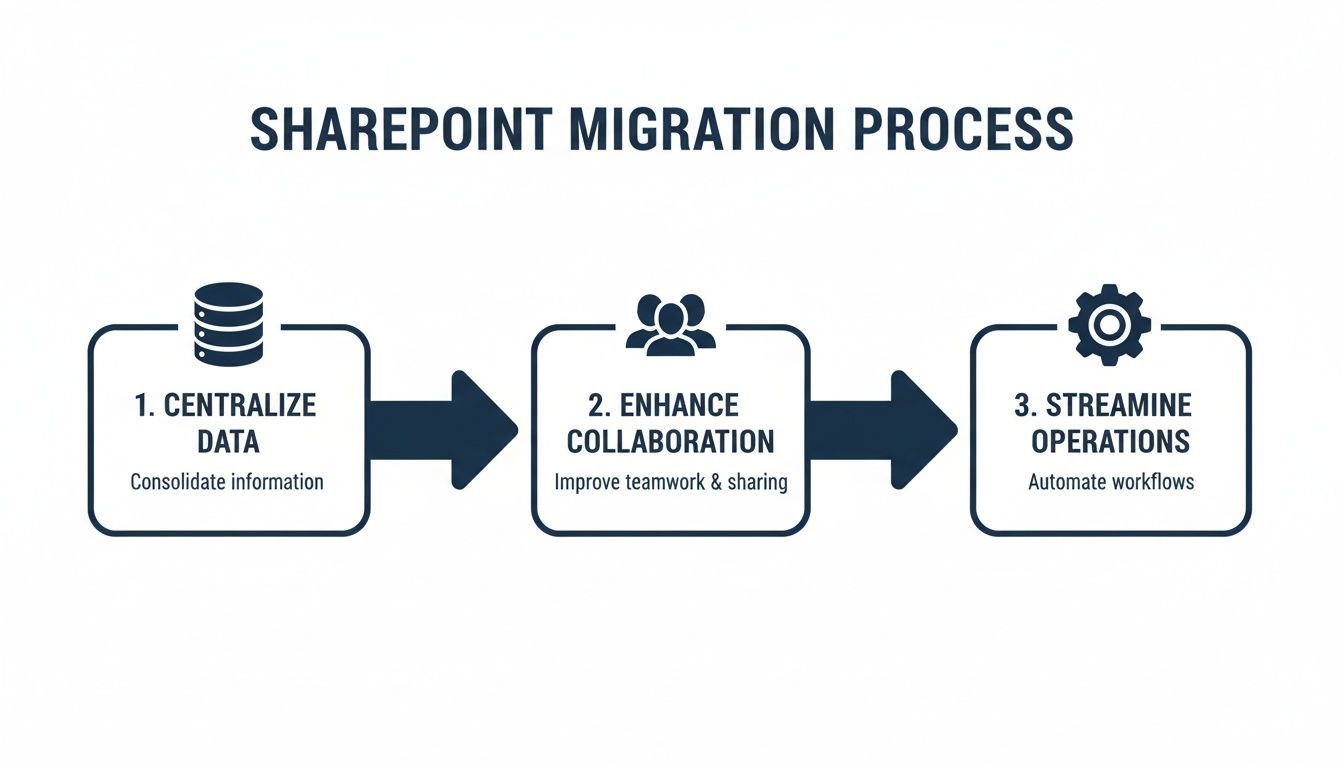
This visual roadmap emphasizes that a successful migration is about more than technology, it is a business transformation designed to make your organization more agile and secure.
We designed this guide to provide a clear, practical roadmap for your SharePoint migration in Calgary. We will walk you through every critical stage, from initial discovery and planning to the final cutover and essential post-migration support. Our goal is to equip you with the knowledge needed to approach this project with confidence, ensuring it aligns with your long-term business goals and delivers a strong return on investment.
A successful migration isn’t just about the technology, it’s about empowering your people. By focusing on how your teams work, you can design a SharePoint environment that boosts adoption and drives real productivity gains.
A successful SharePoint migration is built on a solid plan, not just technical expertise. This initial discovery phase involves a deep analysis of your current data ecosystem. Before moving a single file, you need a clear blueprint that defines what success looks like for your business.
Think of it as preparing a construction site. You would not pour a foundation without surveying the land and creating detailed architectural plans. Skipping this step in a migration almost always leads to budget overruns, frustrating delays, and a final product that fails to meet your team’s needs.
First, you need a complete picture of your data. This means creating an inventory of every file, document, and data repository across your organization. You must identify where everything resides, from on-premise file servers to the various cloud storage applications your teams are using.
During this process, many Calgary businesses are surprised to discover how much of their stored data is redundant, obsolete, or trivial (ROT). This digital clutter drives up storage costs and makes it difficult to locate important information.
Addressing this data bloat is one of the most effective pre-migration actions you can take. By identifying and either archiving or deleting ROT data before you migrate, you ensure that you only transfer information that is essential to your day-to-day operations.
A clean data set is the foundation of an efficient SharePoint environment. Taking the time to declutter before you migrate ensures you only bring what you truly need, saving time, money, and reducing complexity in your new digital workspace.
Technology alone does not guarantee a successful project, people do. That is why engaging key stakeholders from across your Calgary operations from the beginning is non-negotiable. You need to understand how different departments function, what their primary challenges are, and what they require from a new system to perform their jobs more effectively.
Your sales team, for example, might need seamless mobile access to client proposals, while your finance department requires strict access controls for sensitive records. Capturing these unique requirements is the only way to design a SharePoint environment that users will willingly adopt.
Here is how to approach it:
When your team sees that the new platform was designed to make their work easier, they will become its biggest advocates. This user-centric approach leads directly to higher adoption rates and a much stronger return on your investment. You can find more strategies for aligning technology with your business needs by exploring modern cloud solutions for Calgary businesses.
Thorough planning is where local industries, such as Calgary’s oil & gas and logistics sectors, are realizing significant gains. These businesses have been actively migrating to SharePoint to move away from outdated file servers, and the data shows dramatic efficiency improvements.
In 2024-2025, local projects averaged data volumes of 2.5 TB per company and achieved a 92% success rate. This was accomplished by using hybrid lift-and-shift methods that moved active files into the new system while securely archiving legacy data.
Before starting your migration, a thorough assessment is essential. This checklist helps ensure you have covered all critical areas during the discovery phase.
Pre-Migration Assessment Checklist
| Assessment Area | Key Action Items | Why It Matters for Calgary Businesses |
|---|---|---|
| Data Inventory | Catalogue all data sources (file servers, cloud drives). Identify and quantify ROT data (Redundant, Obsolete, Trivial). | Reduces migration costs and complexity. Ensures you're not paying to move and store unnecessary data in your new environment. |
| Stakeholder Needs | Interview department heads and key users. Map out critical business processes and collaboration workflows. | Guarantees the new SharePoint site structure supports how people work, driving user adoption and productivity. |
| Compliance & Security | Review data for PII and IP. Check against Alberta's PIPA and other industry-specific regulations. | Essential for meeting local data residency and privacy laws, avoiding significant fines and protecting sensitive business information. |
| Technical Health | Assess current server performance, network bandwidth, and file permissions complexity. | Identifies potential technical roadblocks early, preventing unexpected delays and performance issues post-migration. |
By working through these steps, you build a detailed migration blueprint. This document serves as your roadmap, minimizing surprises and ensuring every decision aligns with your strategic goals for a successful project.
Once you have mapped out your current environment, the next major decision for your SharePoint migration in Calgary is determining how you will move everything. There is no one-size-fits-all answer; the right path depends on your company’s tolerance for disruption, the complexity of your data, and your specific business requirements.
This is primarily a business decision with technical implications. It will directly shape your project timeline, budget, and the degree of impact on your team's daily work. The goal is to strike the right balance between speed and precision.
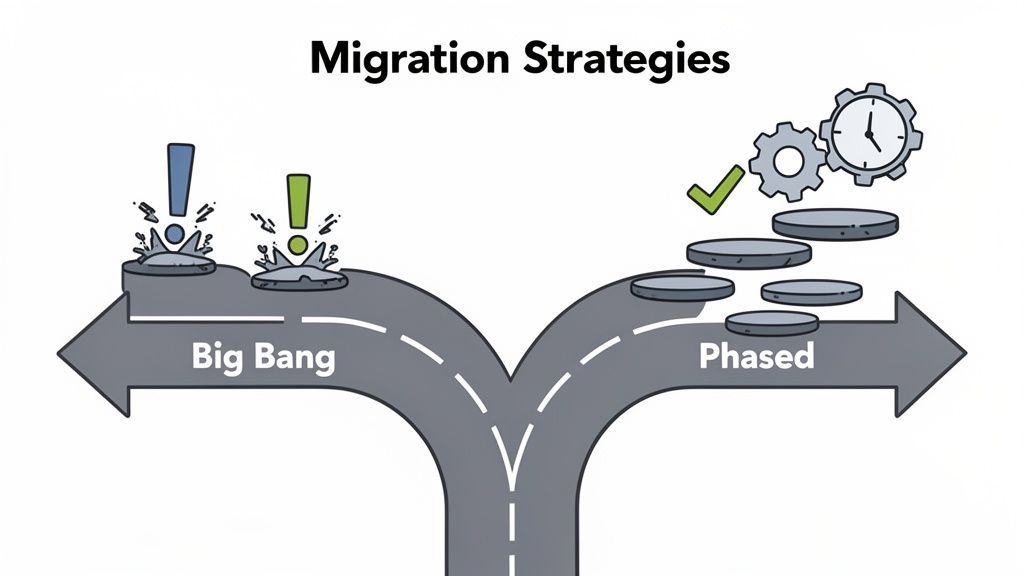
The two primary strategies are the "big bang" and the "phased" migration. Each has distinct advantages and disadvantages that any Calgary business should weigh carefully.
The big bang approach involves moving everything to SharePoint Online in one concentrated effort, typically over a weekend to minimize downtime. It is fast and ensures everyone is on the new platform simultaneously. However, it is a high-risk strategy. If a problem arises, it can bring the entire organization to a halt.
In contrast, a phased migration is a more gradual process. You move data in logical, manageable segments, perhaps one department at a time or specific project sites over several weeks or months. This approach significantly lowers risk and gives your team time to adapt, but it extends the overall project timeline.
Beyond the high-level strategy, you need the right tools for execution. While manually moving a small number of clean files may seem simple, it is rarely a practical solution for any business with a significant volume of data.
This is where specialized third-party tools become invaluable. A platform like ShareGate, for example, is designed to automate the heavy lifting. These tools can manage complex tasks that are nearly impossible to handle manually:
For any migration involving more than a few gigabytes of data or complex permissions, investing in a proven third-party tool is one of the most effective ways to reduce risk, save hundreds of hours of manual work, and ensure a successful outcome.
For many Calgary companies, especially those in regulated industries like energy, finance, or healthcare, a hybrid model is often the ideal solution. This strategy allows you to integrate on-premise systems with SharePoint Online, making it easier to meet specific compliance requirements like Alberta's Personal Information Protection Act (PIPA).
A hybrid approach means you can keep highly sensitive information, such as client financial records or patient data, on a secure local server while moving general collaborative files to SharePoint Online. You get the best of both worlds: powerful cloud collaboration for most of your data and strict, localized control over your most critical assets. As you evaluate migration options, it is also useful to see how a lift-and-shift cloud migration can accelerate the cloud component of a hybrid setup.
This balanced strategy has become a popular choice for good reason. It offers operational flexibility and ensures you can meet stringent data residency rules without sacrificing the collaborative power of SharePoint. This measured approach ensures your migration aligns with both your operational goals and your compliance obligations.
For any Calgary business, a SharePoint migration is not just a technology project; it is a major strategic initiative that must be managed with careful attention to Alberta's data privacy regulations and a realistic project calendar.
Addressing compliance and timelines correctly is fundamental. It prevents projects from exceeding their budget and ensures your new digital workspace is secure and compliant from day one.
In Alberta, the Personal Information Protection Act (PIPA) governs how private sector organizations handle personal information. When migrating data, you have a legal obligation to protect any information that could identify an individual, whether it is in employee files, client details, or patient records.
This means your SharePoint implementation must include a thoughtful strategy for data governance and security.
Properly configuring these elements is not just good practice; it is a legal requirement. For a deeper look at modern security layers, review our guide to Microsoft 365 security for Calgary businesses.
PIPA compliance isn't a final step to check off after the migration. It must be integrated into the plan from the very beginning, from the initial data audit to the final security checks.
One of the first questions we receive is, "How long will this take?" The answer depends entirely on the size and complexity of your current environment. A clear timeline is your best tool for managing expectations and keeping the project on track.
In a competitive market like Calgary's, you cannot afford wasted time. We observed a local technology firm that managed its SharePoint migration by dedicating an analyst to transition the company department by department. They used a hybrid strategy, keeping highly sensitive financial data on-premise while moving collaborative files to SharePoint Online. This structured approach led to a 92% success rate, an excellent model for many local businesses.
To provide a general estimate, here is what you can typically expect:
Small Business (Under 1 TB of Data)
Medium-Sized Organization (1-5 TB of Data)
Larger Enterprise (5+ TB or High Complexity)
Understanding these timeframes from the outset helps you allocate the right internal resources, set a realistic budget, and provide a clear schedule for the entire company. This proactive planning is what distinguishes a smooth migration from a stressful one.
With a solid plan in place, your focus shifts to execution. This is where meticulous preparation pays off, transforming your migration blueprint into a live, functioning SharePoint environment. The process should begin not with a large-scale data move, but with a strategic pilot to test the process first.
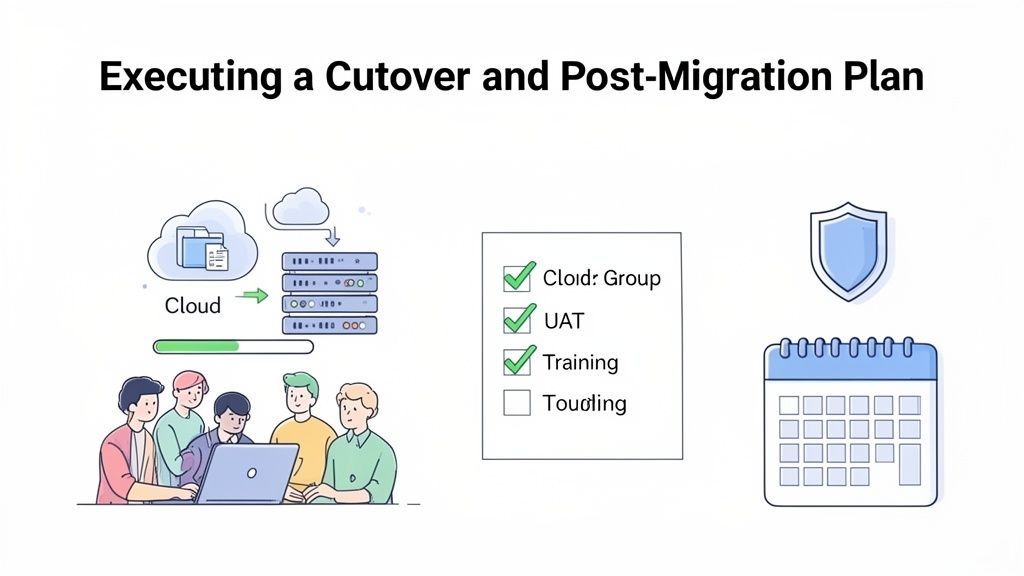
Running a pilot migration is the single best way to de-risk the entire project. By testing the end-to-end process with a small, controlled group, such as a single department or project team, you can identify and resolve potential issues before they impact your entire Calgary operation.
This small-scale test provides invaluable, real-world feedback on everything from data integrity to the user experience. It is a critical opportunity to fine-tune the process and ensure the full migration proceeds smoothly.
Once the pilot is complete and you have incorporated the lessons learned, it is time for the main migration waves. However, simply getting the data across is only half the battle. You need a rigorous testing and validation strategy to confirm that everything has arrived safely and is working as expected.
This is where User Acceptance Testing (UAT) becomes critical. It involves end-users from your team performing their everyday tasks in the new SharePoint environment. Can they find their client files? Do their permissions work correctly? Is the information architecture intuitive?
Your validation checklist should cover key areas such as:
A migration is not a success until your team confirms it. User Acceptance Testing is the final quality check that turns a technical win into a genuine business success, ensuring the new environment meets the real-world needs of your staff.
The cutover is the point where you officially switch off access to the old system and direct everyone to the new SharePoint environment. This is almost always scheduled for a weekend or after hours to minimize business disruption.
Clear communication is paramount. Your team needs to know precisely when the old systems will become read-only and how to access their new digital workspace. It is also important to have a detailed rollback plan. While rarely needed, this safety net provides critical peace of mind by outlining the exact steps to revert to the old system if an unforeseen, critical issue arises.
For more on ensuring business continuity, you might find our guide on backup and disaster recovery in Calgary helpful.
The work does not stop once the data is moved. This is where the long-term value of your SharePoint migration in Calgary truly begins. The focus now pivots from technical execution to people and processes.
End-User Training: True adoption requires effective training that connects SharePoint’s features to your team's actual daily tasks. Show your sales team how to co-author proposals on the go or your finance team how to manage secure document libraries for month-end reports. This role-based approach is what drives genuine buy-in.
Establishing Governance: A clear governance plan is your rulebook for the new environment. It defines who can create new sites, what naming conventions should be used, and how data retention policies will be enforced. This structure prevents your new SharePoint environment from becoming as disorganized as your old file server.
Ongoing Monitoring: Your SharePoint environment is a dynamic tool. Continuous monitoring helps you track usage, identify performance trends, and ensure security policies are being followed. This proactive oversight guarantees your investment continues to deliver value long after the project is officially complete.
Undertaking a SharePoint migration can be a significant undertaking, and it can be tempting to manage it in-house. While this approach may seem cost-effective initially, it often introduces risks that can lead to missed deadlines, data loss, and a frustrated team.
Engaging an experienced local partner for your SharePoint migration in Calgary may be the single most valuable decision you make for the project.
This is not just about delegating a technical task list. It is about gaining a strategic partner who has successfully guided other Calgary businesses through the same process. They manage the technical complexities, freeing up your team to focus on their core responsibilities instead of being drawn into a high-stakes IT project they are not equipped to handle.
An experienced migration partner arrives with a proven, repeatable process that has been refined over countless projects. This structured playbook is what distinguishes a smooth migration from one filled with unforeseen challenges and budget overruns. It covers everything, from the initial discovery session to the final cutover and post-launch support.
A specialized team brings several key advantages:
Partnering with a migration expert turns what could be a high-stakes technical gamble into a predictable, strategic business move. Their experience provides peace of mind that the job will be done correctly, protecting both your data and your timeline.
The best partners do not conclude their engagement once the last file is moved. The goal is to build a lasting relationship that ensures your SharePoint investment continues to deliver value long after the project is complete. This ongoing support is what drives user adoption and helps you adapt the platform as your business evolves.
This long-term value often includes:
This type of partnership is about more than a one-off project; it is about having an expert in your corner. As you consider your options, understanding what a local provider offers is key. You can learn more by reading our guide on choosing an MSP in Calgary. Choosing the right expert ensures your migration serves as a solid foundation for growth.
When Calgary businesses consider a SharePoint migration, a few key questions almost always arise. Let's address some of the most common inquiries we hear from local business leaders.
The timeline for a SharePoint migration in Calgary depends on the volume and complexity of your data. For a smaller business with less than 1TB of well-organized data, the project could be completed in just two to four weeks.
However, for a mid-sized company with several terabytes, complex permissions, and data from multiple sources, the project is more likely to take three to six months. Activities such as data cleanup, custom workflow development, and comprehensive user training will naturally extend the schedule.
The only way to get a truly accurate timeline is with a thorough pre-migration assessment. Investing time in discovery upfront saves significant challenges later and keeps the project predictable and on track.
The main risks include data loss during transfer, unexpected business downtime, incorrect permissions creating security gaps, and poor user adoption post-launch. Fortunately, these are almost always avoidable with careful planning.
Here is how you can mitigate those risks with a proven process:
While Microsoft provides native tools for basic migrations, they are often insufficient for more complex projects. For most businesses we work with, we strongly recommend using a specialized third-party tool like ShareGate.
These platforms are purpose-built for migrations and have advanced features that dramatically reduce risk and manual effort. They excel at mapping complex metadata, preserving file version histories, and handling intricate permissions, all of which contribute to a more reliable and successful outcome.
Ready to modernize how your team collaborates and secure your company's data? The expert team at CloudOrbis Inc. specializes in seamless SharePoint migrations for Calgary businesses. We handle all the technical heavy lifting so you can stay focused on what you do best. Schedule your no-obligation consultation today.
Book a 30-minute call with a senior engineer. No sales script, just straight answers about your environment.


