

September 15, 2026
Why Managed IT Services Matter for Canadian SMBsDiscover why managed IT services are a smart move for Canadian SMBs. Learn the benefits, real ROI, and how to choose the right provider.
Read Full Post%20(1).webp)
Usman Malik
Chief Executive Officer
March 19, 2026
Getting your Microsoft 365 licensing right can feel like walking a tightrope. On one side, you need to equip your team with the right tools; on the other, you have to keep a close eye on your IT budget. The wrong choice leads to wasted money and glaring security gaps, while the right one empowers your entire organization.
As Microsoft’s services evolve, staying on top of your licensing strategy is more important than ever. This guide provides business and IT leaders with the insights needed to navigate the upcoming changes, optimize spending, and turn licensing into a strategic advantage.
For Canadian businesses, a major shift is on the horizon for Microsoft 365. These upcoming price changes are not just an item to plug into your budget; they represent a perfect moment to take a hard look at your current licenses and make sure you’re only paying for what you actually use. Think of it less as a problem and more as a strategic opportunity to optimize.
So, what’s driving these price hikes? It comes down to Microsoft’s massive investments in AI features, enhanced security, and new management tools that are now being built directly into the plans. As businesses grapple with more sophisticated security threats and the push toward AI, Microsoft is packing more value into its suites to help them keep up.
These changes will affect the bottom line for many of the most popular commercial plans that medium-sized businesses rely on. It’s crucial to get ahead of these adjustments now to avoid surprise costs and make smarter decisions about your IT spending for the years ahead.
Microsoft has announced these new prices will take effect on July 1, 2026. Here’s a quick look at what’s changing for some common plans:
The table below summarizes the upcoming price increases for some of the most widely used Microsoft 365 commercial plans in Canada.
| Plan Name | Current Monthly Price (CAD) | New Monthly Price (CAD) | Price Increase (%) |
|---|---|---|---|
| Microsoft 365 Business Basic | $6.00 | $7.00 | 16% |
| Microsoft 365 Business Standard | $12.50 | $14.00 | 12% |
| Office 365 E3 | $23.00 | $26.00 | 13% |
| Microsoft 365 E3 | $36.00 | $39.00 | 8% |
These adjustments underscore the importance of reviewing your license usage now. By identifying and eliminating unused accounts or over-provisioned features, you can offset these increases and potentially even find savings.
This moment gives business leaders a clear reason to act. Review your current license allocation. Are there dormant accounts you're still paying for? Are you over-provisioned? Answering these questions now can unlock immediate savings.
While no one likes seeing prices go up, it is important to see what you are getting for the extra cost. Microsoft is essentially rolling in features that were often sold as separate, pricey add-ons.
Here are a few examples of the added value:
This trend highlights the ongoing discussion many businesses have about their IT infrastructure. As cloud services become more powerful, it is worth weighing their benefits against other models. You can learn more by exploring our guide on cloud vs. on-premise solutions. By understanding the "why" behind these price changes, you can ensure your licensing choices are perfectly aligned with your business goals.
Choosing the right Office 365 licensing plan can feel like a high-stakes decision. Get it right, and your team’s productivity clicks into place. Get it wrong, and you end up paying for expensive features that no one ever touches, quietly draining your IT budget.
The secret is not about matching plans to job titles; it is about mapping Microsoft 365's features to what your business actually needs to accomplish. Think of it like picking a vehicle. You would not use a sports car to haul lumber, and a transport truck is overkill for a trip to the corner store. The same logic is crucial for your licensing strategy.
When you take the time to evaluate your real needs and right-size your licenses, the result is almost always a healthier budget.
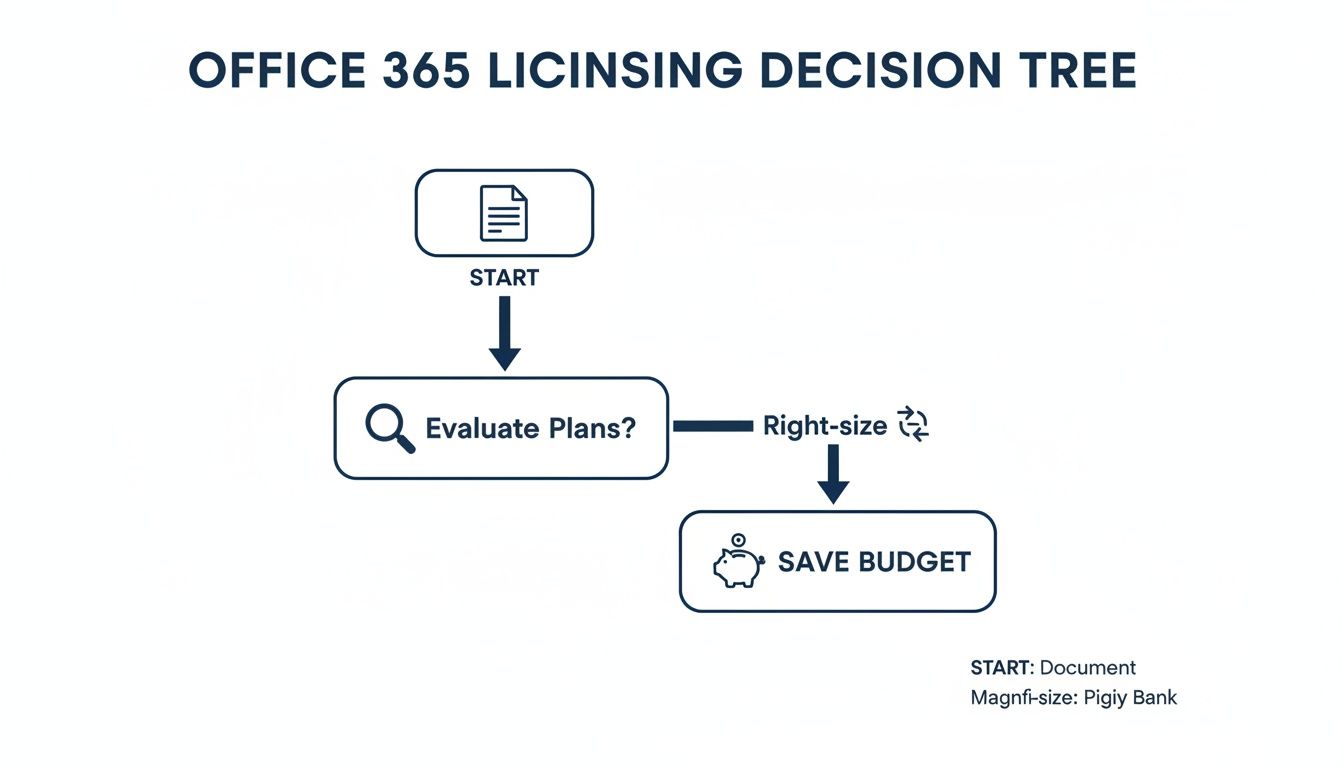
As the flowchart shows, a thoughtful approach to licensing is not just an administrative task—it is a direct path to optimizing your spending.
To make sense of the options, Microsoft organizes its plans into three main families. Each one is built for a different type of work.
Getting a handle on these categories is the first step. It helps you avoid the common mistake of overspending on powerful features that your team simply does not need.
The real magic happens when you move beyond broad categories and align specific plans with the day-to-day demands of your industry. A one-size-fits-all approach is a recipe for wasted money and, even worse, potential security gaps.
Different industries across Canada face unique challenges. A legal practice in downtown Toronto has entirely different compliance needs than a manufacturing plant in Hamilton. Choosing the right license comes down to understanding those specific operational and regulatory pressures.
| Industry Sector | Common Challenges | Recommended Plan(s) | Key Features Provided |
|---|---|---|---|
| Healthcare (HIPAA/PHIPA) | Protecting sensitive patient data, secure communication, mobile device security for clinicians. | Microsoft 365 Business Premium or Enterprise E3/E5 | Advanced Threat Protection, Information Protection, Intune for device management, Data Loss Prevention (DLP). |
| Legal & Finance | Document retention policies, eDiscovery for litigation, secure client collaboration, email encryption. | Microsoft 365 E3 or E5 | eDiscovery and audit tools, legal hold, advanced compliance features, Information Rights Management (IRM). |
| Manufacturing | Connecting office staff with floor workers, task management, secure access on shared devices. | Microsoft 365 F3 (Frontline) & Business Standard (Office) | Teams for real-time communication, Planner for task tracking, SharePoint for information sharing, robust mobile access. |
| General SMBs | Cost-effective collaboration, professional email, cloud storage, foundational security. | Microsoft 365 Business Standard or Business Premium | Full Office suite, Teams, OneDrive, Exchange, and in Premium, advanced cyber threat protection. |
This table shows how a tailored strategy ensures every license serves a purpose, whether for meeting strict compliance rules or improving shop-floor efficiency.
The smartest Office 365 licensing strategy isn’t about giving everyone the most expensive plan. It’s about precision—assigning the right level of access, security, and functionality to the right people based on what they do every day.
For example, an Ontario-based healthcare clinic must operate under strict PHIPA regulations. Their needs are worlds apart from a construction company coordinating teams on-site.
The Healthcare Clinic: This organization is responsible for protecting highly sensitive patient health information, making top-tier security and compliance non-negotiable. A plan like Microsoft 365 Business Premium is a perfect fit here. It bundles Advanced Threat Protection to defend against phishing attacks and includes Intune for managing the tablets used for patient intake, ensuring they are secure and compliant.
The Manufacturing Firm: The main goal here is to bridge the gap between office staff and workers on the production line. Office-based employees might use Business Standard for the full desktop apps. Meanwhile, you could equip shop floor supervisors with Microsoft 365 F3 licenses to use Teams, SharePoint, and Planner on shared tablets, keeping everyone in sync without the cost of a full desktop license for every employee.
This mix-and-match approach is where the savings really start to accumulate. You guarantee that every dollar you spend on licensing directly supports a critical business function, from protecting data to making your operations run smoother. To see how a hands-on, expert-led approach can maximize these benefits, you can learn more about our Microsoft 365 optimization services.
With the 2026 office 365 licensing updates on the horizon, many Canadian businesses are re-evaluating their subscriptions. Amid these changes, one plan stands out as a powerful anchor of value and stability: Microsoft 365 Business Premium.
While some popular plans are slated for a price increase, Business Premium offers a compelling alternative for organizations with under 300 employees. Think of it as the perfect middle ground—it bundles all the productivity tools your team knows and loves, like Word, Excel, and Teams, with a suite of enterprise-grade security features once reserved for companies with much deeper pockets.

For many medium-sized businesses, especially those in regulated industries like healthcare or finance, building a strong security posture often means juggling multiple third-party tools. This approach is not just costly; it is complex to manage and can leave dangerous security gaps if the tools are not perfectly integrated.
Microsoft 365 Business Premium cuts through that complexity by building advanced security right into the license. It includes:
By bringing these critical security functions together under one roof, you can often eliminate several third-party software subscriptions, simplifying your IT and cutting your overall costs.
The real value of Business Premium is consolidation. It replaces a patchwork of security products with an integrated, intelligent platform, giving you a stronger security posture for a predictable monthly cost.
This integrated approach is a game-changer for maintaining compliance. For instance, a healthcare clinic in Calgary could use Intune to manage tablets used for patient intake while applying data loss prevention policies to stop sensitive information from being accidentally shared. You can dive deeper into building a strong defence in our guide to Microsoft 365 security in Calgary.
Beyond its robust security features, Business Premium is a beacon of stability in a shifting market. With the 2026 licensing changes on the way, it is the only major plan untouched by the announced July 1 increases.
Priced at $22 per user per month, it offers significant savings compared to the new price for Microsoft 365 E3, which is climbing to $39. This price stability makes budgeting far more predictable, giving you a clear financial path forward.
What’s more, adopting Business Premium now is a strategic move that prepares your organization for the future of work. The plan provides the security and management foundation needed to safely roll out advanced AI tools like Microsoft Copilot. By ensuring your devices are managed and your data is protected, you create a secure environment where you can introduce new technologies confidently.
This makes Microsoft 365 Business Premium more than just a cost-effective choice for today—it is a smart investment that positions your business for innovation and growth tomorrow.
Not all organizations face the same pricing structure for Office 365 licensing. For Canadian nonprofits, educational institutions, and government bodies, Microsoft has specialized programs that deliver powerful tools at a fraction of the commercial price. Understanding these dedicated paths is the key to stretching your budget and keeping resources focused on your core mission.
These programs offer more than just a simple discount; they open the door to solutions built for the unique operational and security demands of these sectors. For instance, government entities can tap into the Government Community Cloud (GCC), a platform designed from the ground up to meet stringent compliance and data residency rules. Meanwhile, registered charities and nonprofits can qualify for heavily discounted or even donated licenses.
The eligibility rules for these programs are strict, and the application process can feel like a maze at first. Microsoft requires a thorough validation process to ensure only qualified organizations get these benefits. This is where a clear strategy becomes essential.
Here are the key programs you should know about:
Navigating the verification process for these licenses can be challenging. An experienced IT partner simplifies everything by managing the application, ensuring your documentation is perfect, and helping you land on the right mix of licenses for your team. You can discover more about how we support mission-driven organizations with our services for nonprofits.
While these sectors are not completely shielded from price adjustments, the impact is often much softer. Microsoft has put measures in place to help these vital organizations maintain a predictable budget.
For example, while commercial prices are slated for a significant hike, government and nonprofit sectors in Canada are seeing more moderate changes. These increases are capped at 10% annually through 2027, offering a buffer compared to the commercial average of 13% that takes effect on July 1, 2026. Even with these changes, nonprofits will still hold on to deep discounts of up to 75% off commercial rates. To get a broader perspective on these upcoming changes, you can read the full analysis of what businesses need to know in 2026.
For nonprofits and public sector entities, specialized Office 365 licensing is a strategic advantage. It unlocks enterprise-grade tools that foster collaboration, secure sensitive data, and amplify impact—all while respecting tight budgets.
By taking advantage of these specialized programs, your organization can direct its financial resources where they truly count: toward serving your community. With the right guidance, securing the best possible rates is not just a hopeful idea—it is a straightforward, achievable goal.
Getting your Office 365 licensing wrong can be a silent drain on your IT budget. More importantly, it can open up hidden security risks you never knew you had. Many businesses fall into the same common traps, leading to wasted spending and glaring vulnerabilities.
Pinpointing these costly mistakes is the first step. From there, you can build a licensing strategy that’s both efficient and secure.
Think of it like outfitting a workshop. You would not give a master carpenter a basic screwdriver, nor would you hand a high-end laser cutter to someone who just needs to hang a picture. The goal is precision—equipping each person with exactly what they need, nothing more and nothing less.
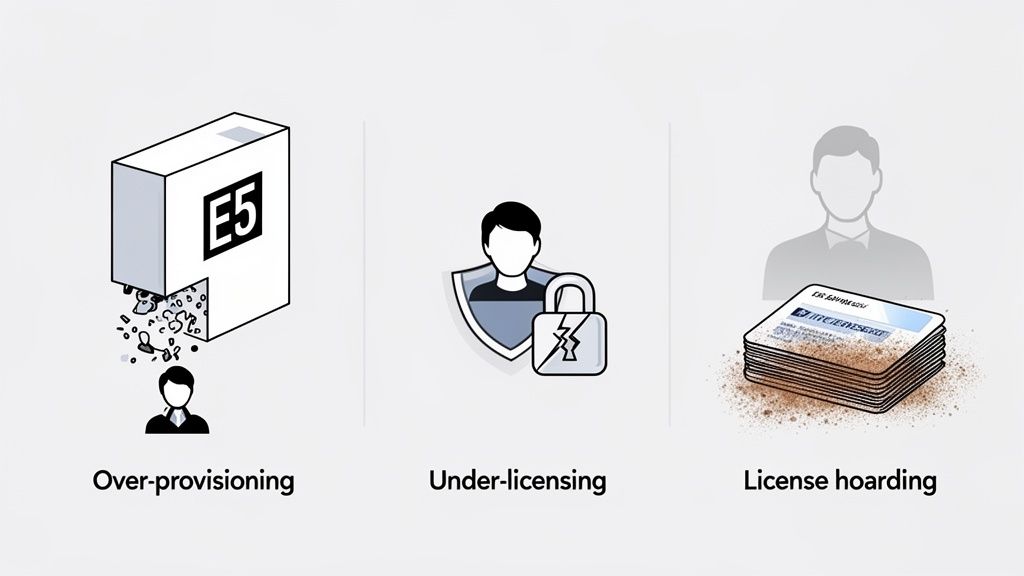
One of the most frequent missteps is over-provisioning—paying for features your employees simply do not use. It is tempting to default to a powerful plan like Microsoft 365 E5 for everyone, assuming it covers all your bases. In reality, this is often a major source of budget waste.
For instance, a marketing coordinator who lives in Outlook, Teams, and the Office suite probably does not need the advanced business intelligence tools in an E5 license. Assigning them a Business Standard or Business Premium plan gives them everything they need at a much lower cost.
To fix this, conduct regular audits of user activity. Analyze which features are actually being used, and do not hesitate to downgrade licenses for employees who do not require the full suite of advanced tools. This "right-sizing" can unlock immediate and substantial savings.
The flip side of the coin, under-licensing, is just as dangerous. In an effort to trim costs, some organizations give basic plans to employees who handle sensitive information. While it might save a few dollars upfront, this approach creates serious security gaps.
A manager in your finance department needs more than just basic email. They require the advanced threat protection, data loss prevention (DLP), and identity protection features found in plans like Business Premium or E3. A basic license leaves them—and your entire organization—exposed to sophisticated phishing attacks and data breaches.
Another common issue is license hoarding. This happens when licenses assigned to former employees are never deactivated, silently adding to your monthly bill. It is an especially big problem in organizations with high turnover or manual offboarding processes.
This is not just a financial drain; it is a security liability. A forgotten account, if not properly secured, can become an easy entry point for an attacker.
A clear offboarding process is the answer:
Finally, many businesses stick with flexible month-to-month payment terms out of habit. This flexibility comes at a premium—often up to 20% higher than an annual commitment. For stable, long-term roles, committing to an annual plan is a simple way to lock in significant savings.
Digging into specific Microsoft programs, such as the Azure Hybrid Benefit, can also dramatically cut your cloud costs. By sidestepping these common pitfalls, you can transform your licensing from a reactive expense into a strategic asset.
Managing your Office 365 licensing is not a set-it-and-forget-it task. It is an ongoing process that affects your bottom line every single month. When you get it right, licensing stops being a frustrating expense and becomes a genuine competitive advantage. This is where having a dedicated IT partner changes the game completely.
An expert partner reframes the whole conversation. It is no longer about just buying licenses; it is about strategically investing in them. They dig into how your teams actually work, what tools they truly need, and where you can trim costs without sacrificing an ounce of productivity or security. This approach ensures your tech spending is directly fueling your business goals.
A great IT partner steps in as your virtual Chief Information Officer (vCIO), bringing a strategic eye to your entire Microsoft 365 environment. They do not just fill orders. They provide constant oversight and optimization, turning your licensing into a dynamic asset that flexes and adapts right alongside your business.
This kind of continuous monitoring prevents common financial drains, like paying for premium features your team never touches. A good partner helps your business move past just managing licenses and advises on how to treat them as a strategic investment—essentially transforming an area into a strategic asset that gives you a leg up on the competition.
With this hands-on management model, you can be confident you are never overpaying for licenses you do not need, and your security posture is always making the most of your plan's capabilities.
The goal of a partnership should be measurable ROI. Through expert analysis and right-sizing, a partner can often uncover savings that more than cover their own services—all while making you more secure and compliant.
Trying to navigate Microsoft’s sprawling and complex licensing landscape on your own is a huge time sink, and it is full of hidden risks. A partner simplifies the entire process, freeing up your internal team to focus on what they do best: growing the business.
Here’s how a partner like CloudOrbis delivers real, tangible value:
This proactive approach is at the core of modern IT management. To see how this model works beyond just licensing, check out our guide on what you should expect from a leading managed IT service.
Stop trying to decode the complexities of Office 365 licensing alone. By partnering with an expert, you can unlock savings, guarantee compliance, and turn what was once a major headache into a true strategic asset for your organization.
Getting to grips with Office 365 licensing can feel like trying to solve a puzzle, but a few key insights can make everything click into place. To help you make clear, confident decisions for your business, we’ve put together answers to the questions we hear most often from business leaders and IT managers.
This is easily one of the most common points of confusion we encounter, but the difference is actually quite straightforward.
Think of Office 365 as the foundational toolkit your team depends on every day. It includes Word, Excel, PowerPoint, Outlook, and Teams—the familiar applications for creating content and collaborating with colleagues.
Microsoft 365 is the complete package. It bundles everything in Office 365 and then adds critical layers of advanced security, device management tools, and even Windows OS upgrades. Microsoft 365 is built to be an all-in-one solution that covers productivity and security, creating a more integrated and protected IT environment for your entire organization.
Not only can you, but you absolutely should. Mixing and matching plans is one of the smartest ways to get your Office 365 licensing costs under control. A one-size-fits-all approach almost always means you are overspending, since not every employee needs the same set of tools.
For instance, you can build a highly efficient and cost-effective setup:
A skilled IT partner can help you analyze specific roles and workflows to build the perfect, most cost-effective license mix for your unique organization.
The best way to handle the upcoming price changes is to be proactive. If you wait until the new prices take effect on July 1, 2026, you are simply leaving money on the table.
A proactive license audit is your best first step. It transforms a budget challenge into an opportunity for strategic optimization, ensuring you only pay for what you truly need.
Start by getting a clear picture of all your active licenses and mapping them to what your users actually need. Look for chances to right-size your plans by downgrading users who are over-provisioned. It is also crucial to track down and remove any licenses still assigned to former employees.
Finally, think about the financial benefits of commitment. For stable, long-term roles, moving from a flexible monthly term to an annual one can lock in savings of up to 20%. Evaluating a plan like Business Premium, which is holding its price steady, is another smart move to secure predictable costs for the future.
Stop wrestling with licensing complexity and start building a smarter IT strategy. CloudOrbis offers expert Microsoft 365 optimization to ensure you get the most value from your investment. Get in touch with us today to see how we can help.
Learn more at https://cloudorbis.com.
September 15, 2026
Why Managed IT Services Matter for Canadian SMBsDiscover why managed IT services are a smart move for Canadian SMBs. Learn the benefits, real ROI, and how to choose the right provider.
Read Full Post
September 14, 2026
Vulnerability Management vs Vulnerability AssessmentVulnerability management vs vulnerability assessment explained for Canadian SMBs. Compare scope, process, tools, and how to choose the right approach.
Read Full PostSeptember 13, 2026
Third-Party Risk Management for Canadian SMBsMaster third-party risk management for your Canadian SMB. Learn OSFI compliance, vendor monitoring frameworks, and how to secure your supply chain.
Read Full Post
