
September 13, 2026
Third-Party Risk Management for Canadian SMBsMaster third-party risk management for your Canadian SMB. Learn OSFI compliance, vendor monitoring frameworks, and how to secure your supply chain.
Read Full Post%20(1).webp)
Usman Malik
Chief Executive Officer
May 1, 2026

Your team is probably living with this already. Contracts sit on one laptop. Finance exports live on a desktop in the office. Patient files, project drawings, or HR records move around as email attachments because that feels faster than logging into the “right” system. Then someone asks for the latest version, and nobody’s fully sure where it is.
That kind of file sprawl hurts twice. First, it slows people down. Staff waste time hunting for documents, redoing work, or asking who changed what. Second, it creates risk. Sensitive files end up in inboxes, on personal devices, or in folders with weak access controls. For Canadian businesses dealing with privacy obligations, that’s not just messy. It can become a compliance problem.
A lot of business owners search “nas drive means” because they want a simple definition. What they usually need is something more useful. They need to know whether a NAS is just another box in the server room, or whether it’s a smarter way to control business data.
A NAS system solves a very common business problem. It gives your team one central place to store, share, protect, and recover files across the organisation. Instead of files being tied to one person’s PC or copied across multiple devices, the business works from a shared data hub on the network.
That matters more than many leaders realise. If file storage stays fragmented, your security controls stay fragmented too. Backups become inconsistent. Access permissions are harder to manage. Recovery gets slower when something goes wrong. If you're already reviewing your broader approach to data security management, storage is one of the first places to look.
The business impact is measurable. A 2021 IDC Canada study cited here found that 24/7 operation and RAID support in NAS systems reduced downtime by 67%, preventing average losses of CAD 8,500 per hour for Canadian SMBs. That’s the difference between a storage device that holds files and a system designed to keep work moving.
When a business centralises files properly, storage stops being a daily annoyance and starts acting like infrastructure.
For many Canadian SMBs, that’s what a NAS really represents. Not a gadget. Not a nice-to-have. A practical foundation for security, collaboration, and resilience.
People often use the term loosely, which is why it causes confusion. Sometimes they mean the full NAS appliance. Sometimes they mean the hard drives inside it. Both matter, but they aren’t the same thing.
A Network Attached Storage, or NAS, is a dedicated storage device connected to your office network. Think of it as a private digital filing room. Your team can reach it from their computers and approved devices, but the data stays under your control rather than living on scattered local machines.
That’s why the phrase “nas drive means” more than “an external hard drive with a network cable.” A NAS is built to serve files to multiple users at the same time. It can organise shared folders, apply permissions, support backups, and keep data available even when a drive fails, depending on how it’s configured.
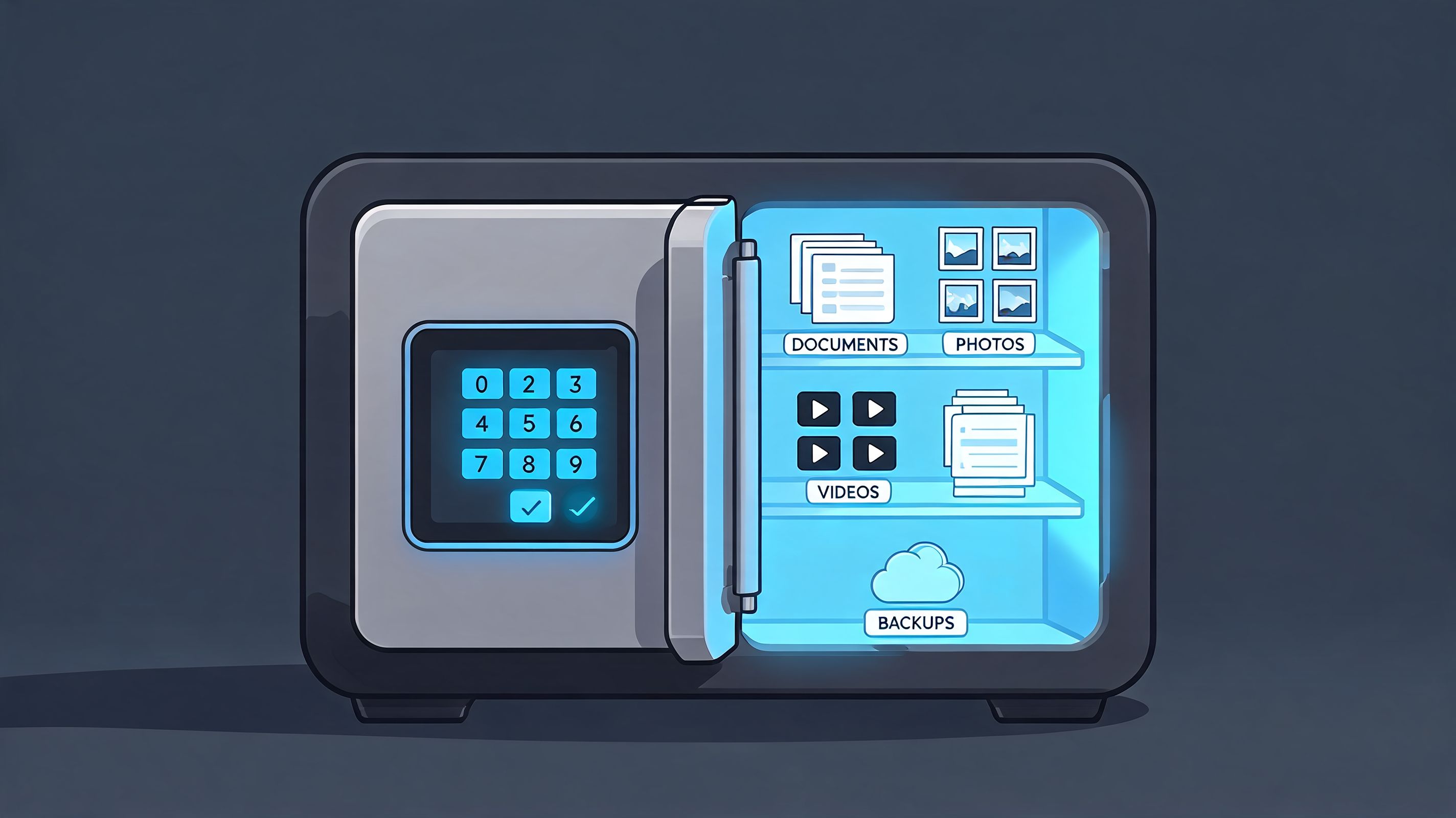
A simple example helps. An accounting team might store invoices, payroll exports, and reporting workbooks on a NAS share instead of on one bookkeeper’s desktop. Everyone authorised can reach the same files, and the business can back up that shared location properly. That’s a very different situation from hoping someone remembered to copy a folder to a USB drive.
Now for the second part. A NAS drive often refers to the hard disk drives installed inside the NAS appliance. These are not ordinary desktop drives. They’re designed for continuous 24/7 operation in multi-bay environments where several disks sit close together and work constantly.
That design matters because vibration can affect reliability in multi-drive systems. According to Seagate’s explanation of NAS drives, NAS drives are specifically designed to handle the mechanical vibrations in multi-bay systems, reducing uncorrectable error rates by up to 50% compared to standard desktop drives. The same verified data notes that 78% of SMBs in key Canadian markets experienced data loss incidents in 2024, with storage failures a primary cause.
If you’re planning storage seriously, you also need a recovery plan that matches it. A NAS fits naturally into a wider data backup and recovery guide, rather than acting as a standalone fix.
A business can buy a good NAS appliance and still make poor choices if it fills that unit with drives meant for occasional home use. It’s similar to buying a delivery van and fitting it with tyres meant for a weekend car. The vehicle may run, but it wasn’t designed for the workload.
Practical rule: When your files matter to daily operations, treat the enclosure and the drives as one business system, not separate purchases.
That’s the core idea. The box provides shared access and management. The drives provide the durability and reliability that keep the whole system useful.
The phrase “network attached” is the important part. A NAS doesn’t plug into one employee’s computer as their personal storage. It connects to the business network so the storage belongs to the organisation, not to a single workstation.
Once connected, the NAS appears to users as a shared location. On Windows, that may look like a mapped drive. On a Mac, it may appear as a network share. On mobile devices, it may be available through an approved app or secure portal.
Here’s what that looks like in plain terms:
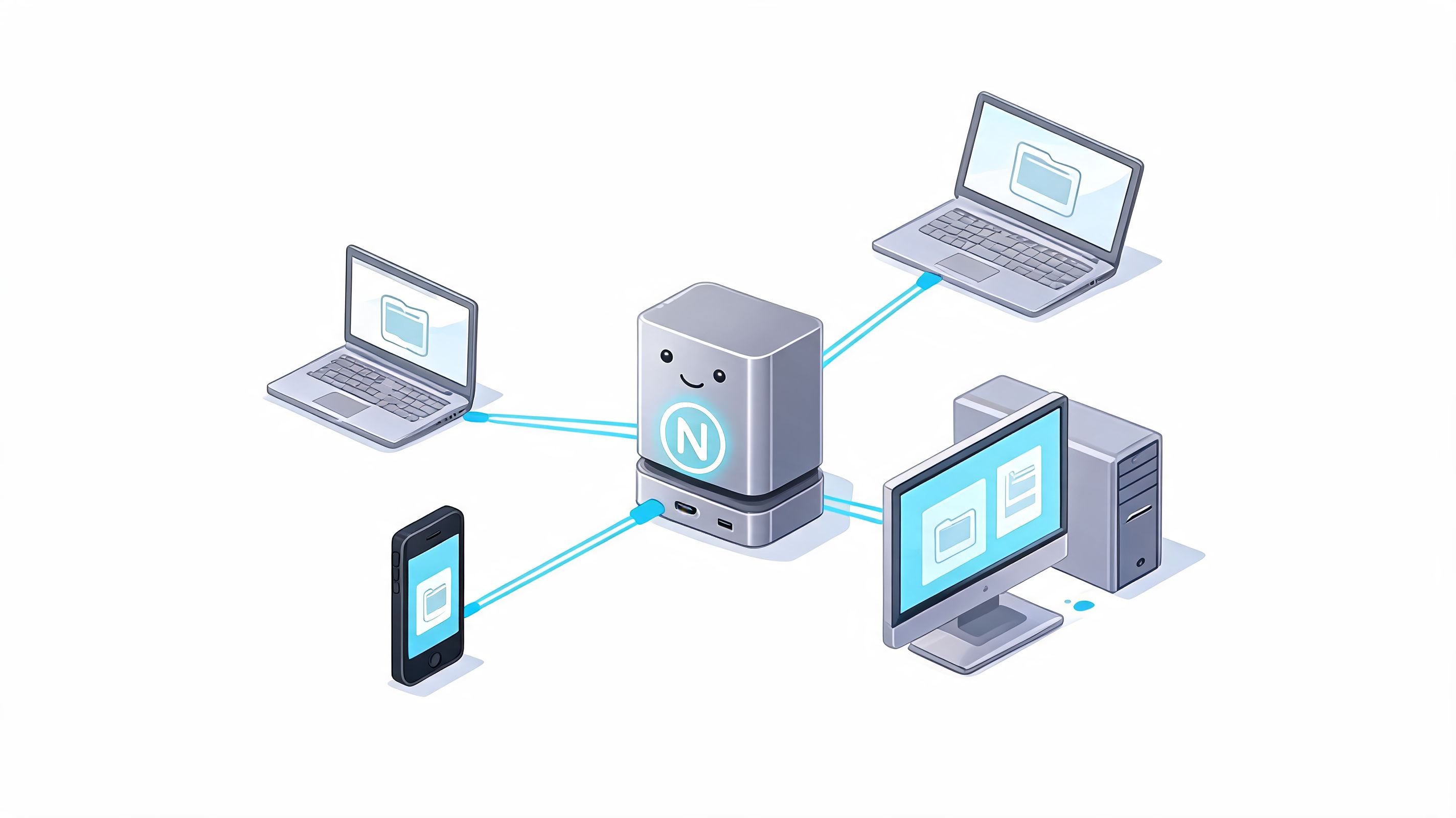
A direct attached external drive is useful for one user or one machine. It isn’t a strong collaboration tool. If the drive is plugged into the office manager’s PC, other staff can’t rely on it the same way. Access depends on that computer being on, connected, and working properly.
A NAS changes that workflow. It becomes a shared service on the network. That means multiple authorised people can access the same central file system without building their work around one person’s desk.
A central storage hub reduces version confusion because people stop creating private copies just to keep working.
From a leadership point of view, this setup creates order. You can assign access by role, standardise where files live, and include that central storage in your backup, security, and disaster recovery routines. That is far easier than trying to protect dozens of scattered storage locations.
It also supports growth. As teams expand, a central hub makes collaboration more predictable. Staff don’t have to wonder where to save things. The business sets the process once and scales from there.
Business owners don’t choose storage in a vacuum. They usually compare four models. DAS, SAN, NAS, and public cloud storage. Each has a place, but they solve different problems.
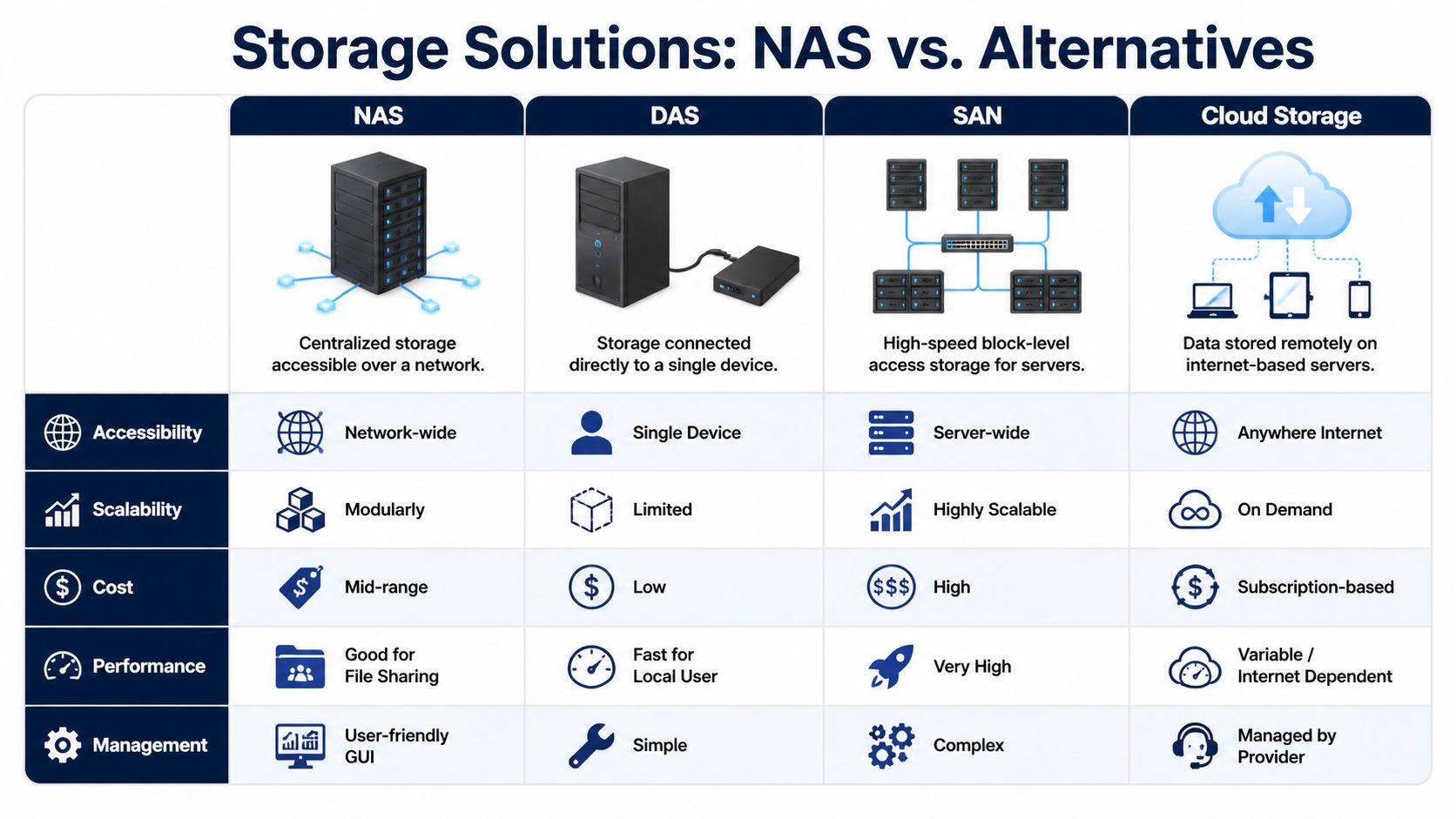
| Storage type | Plain-language meaning | Best fit |
|---|---|---|
| DAS | Storage attached directly to one computer or server | Single-user or device-specific storage |
| NAS | Shared file storage available over the network | Team file sharing and centralised business data |
| SAN | High-speed storage network usually built for servers | Larger, more complex enterprise environments |
| Cloud storage | Data stored with a remote provider over the internet | Flexible access and off-site storage |
For many SMBs, NAS sits in the middle ground. DAS is cheap to start with, but it quickly becomes messy when several people need access. SAN is powerful, but it’s usually more complex and expensive than a mid-sized business needs for file sharing.
Verified data from Pure Storage’s NAS overview states that NAS offers a significant cost and simplicity advantage over SAN for many SMBs by using file-level protocols and scaling out modularly. It also notes that a common 8-bay NAS unit provides a solid starting point for around $5,000 CAD, and for businesses with significant on-premise data needs and consistent growth, it can deliver 40% lower TCO than cloud-only storage.
If your team is weighing local control against subscription-heavy platforms, this broader comparison of cloud computing vs on-premise is a useful next step.
DAS doesn’t scale elegantly for teams. You add another drive, then another device, then another workaround. Cloud platforms scale easily in capacity, but performance depends on internet connectivity and usage patterns. SAN scales well, but it usually brings complexity that smaller firms don’t want to manage.
NAS is often the practical balance. You can start with a modest system and expand as your business grows. For businesses handling larger files, local network access can also feel more responsive than constantly pulling files from the internet.
Business reality is a key factor. The easiest technology on paper is not always the easiest technology to govern.
Decision lens: If your business needs shared access, predictable local control, and simpler management than SAN, NAS is often the strongest fit.
That doesn’t mean NAS replaces cloud. In many cases, the smartest answer is hybrid. Keep core operational data in a centrally managed NAS, then replicate or back up selected data off-site. That gives you control without losing resilience.
The strongest case for NAS shows up in industries where file access, privacy, and operational continuity all matter at once. In Canada, that includes healthcare, manufacturing, legal, and finance.
A clinic or healthcare practice handles sensitive records every day. Staff need quick access, but they also need boundaries. Not everyone should see every file, and patient information can’t be left drifting across local devices and inboxes.
Verified data from IBM’s NAS overview notes that NAS adoption among Canadian SMBs reached 62% in 2023, largely driven by compliance needs under PIPEDA and provincial acts. For healthcare, the same verified data states that NAS-based systems demonstrated an 88% data recovery success rate in simulated disasters, supporting patient data availability and HIPAA/PHIPA alignment.
That makes NAS attractive in clinical settings because it supports a tighter operating model. Records can stay centralised, permissions can be enforced more consistently, and backups can be tied to one managed repository rather than many scattered endpoints.
Manufacturing and logistics teams often work with large files, production documents, drawings, and operational records that staff need throughout the day. Waiting on remote access or chasing copies across different machines slows work and creates version problems.
A NAS works well here because it keeps current operational files close to the business network while giving teams one place to organise them. Engineers, schedulers, and operations staff can work from the same shared source instead of maintaining duplicate folders.
Law firms, accounting teams, and finance departments work under pressure. They handle confidential documents, time-sensitive approvals, and records that need to be retained properly. The risk isn’t only cyber-related. It’s also procedural. If people keep multiple versions of a contract, statement package, or tax document, mistakes become more likely.
A central NAS helps establish one authoritative file set. Access can be restricted by team or matter. Retention and backup processes become easier to formalise. For firms concerned about Canadian data residency, on-premise storage can also provide more direct control over where key records live.
In regulated sectors, storage decisions are never just about capacity. They shape privacy posture, recovery options, and daily staff behaviour.
Canadian businesses don’t adopt NAS because it sounds technical. They adopt it because it solves a practical tension. Teams need fast file access, but leaders also need governance, recovery, and compliance.
That combination is why NAS has become common in organisations that can’t afford chaos around business data. It gives them a central place to work, a clearer way to protect information, and a better foundation for continuity when something breaks.
Buying a NAS appliance is the easy part. Turning it into a secure, resilient business asset takes more planning.
A good implementation starts with design choices that match business reality. How much storage do you need now? How quickly is data growing? Which folders need tighter permissions? What should stay on-site, and what should replicate off-site?
Then come the details that many businesses underestimate:
A managed IT provider adds value. According to the verified guidance from Synology’s NAS solution page, for Canadian SMBs in regulated industries, the decision to use on-premise NAS is often driven by data residency requirements, and a managed IT provider bridges the gap by handling deployment, monitoring, and compliance, clarifying total cost of ownership and determining when a managed on-premise or hybrid solution is more compliant and cost-effective than public cloud alone.
That matters because storage decisions affect more than storage. They affect security operations, staff workflows, business continuity, and compliance reporting. A strong partner helps connect those dots instead of treating NAS as a standalone hardware purchase.
If you're assessing that kind of support model, this overview of managed IT services for small business gives useful context for what should be included.
A strong NAS strategy usually includes a sequence like this:
A NAS delivers value when it's governed like infrastructure, not when it's treated like a bigger external drive.
That’s the difference between a box that stores files and a platform that supports operations.
When business owners ask what “nas drive means,” the best answer isn’t a short hardware definition. It means central control over files, better collaboration for staff, stronger support for compliance, and a more resilient way to keep operations moving when hardware fails or people make mistakes.
For Canadian SMBs, that’s why NAS remains so relevant. It fits the need for local control under PIPEDA and PHIPA-sensitive environments, while also supporting practical day-to-day efficiency. A good setup can also work alongside off-site protection. If you're reviewing options for broader resilience, resources like UpTime Web Hosting's backup services can help you think through the off-site side of the equation.
A storage decision becomes far more useful when it’s tied to business goals. That’s where a wider IT strategy and consulting conversation usually pays off.
If you want help deciding whether a NAS, hybrid storage model, or broader data strategy makes sense for your organisation, talk to CloudOrbis Inc.. A practical assessment can show where your files are exposed, where your recovery gaps sit, and how to build a storage environment that supports security, compliance, and growth.
September 13, 2026
Third-Party Risk Management for Canadian SMBsMaster third-party risk management for your Canadian SMB. Learn OSFI compliance, vendor monitoring frameworks, and how to secure your supply chain.
Read Full Post
September 12, 2026
Managed Services Cost: A Practical Guide for Canadian SMBsUnderstand managed services cost for Canadian SMBs. Learn pricing models, industry factors, ROI, and how to choose the right provider for your business.
Read Full Post
September 11, 2026
Managed EDR Services: A Practical Guide for Canadian SMBsLearn how managed EDR services detect, contain, and respond to threats around the clock. A practical guide for Canadian SMBs evaluating providers, pricing
Read Full Post
