On Cloud vs On Premise: A Canadian Business Guide
Choosing between on cloud vs on premise? This guide compares cost, security, and scalability to help Canadian businesses make the right IT decision.

Choosing between on cloud vs on premise? This guide compares cost, security, and scalability to help Canadian businesses make the right IT decision.
The core difference between cloud and on-premise infrastructure comes down to two things: ownership and location.
With an on-premise setup, your business buys, owns, and manages all its IT hardware and software in-house. Think of servers humming away in a dedicated room. In a cloud environment, you are essentially renting computing resources from a third-party provider over the internet. The choice you make hinges on whether you value direct control and deep customization more than flexibility and lower upfront costs.
For Canadian business leaders, choosing between on-premise hardware and a cloud solution is a major strategic move. This isn't just a technical decision, it's a fundamental evaluation of your business goals, operational needs, and long-term vision.
The decision boils down to crucial trade-offs in cost models, security duties, and day-to-day management, all of which are critical components of IT infrastructure.
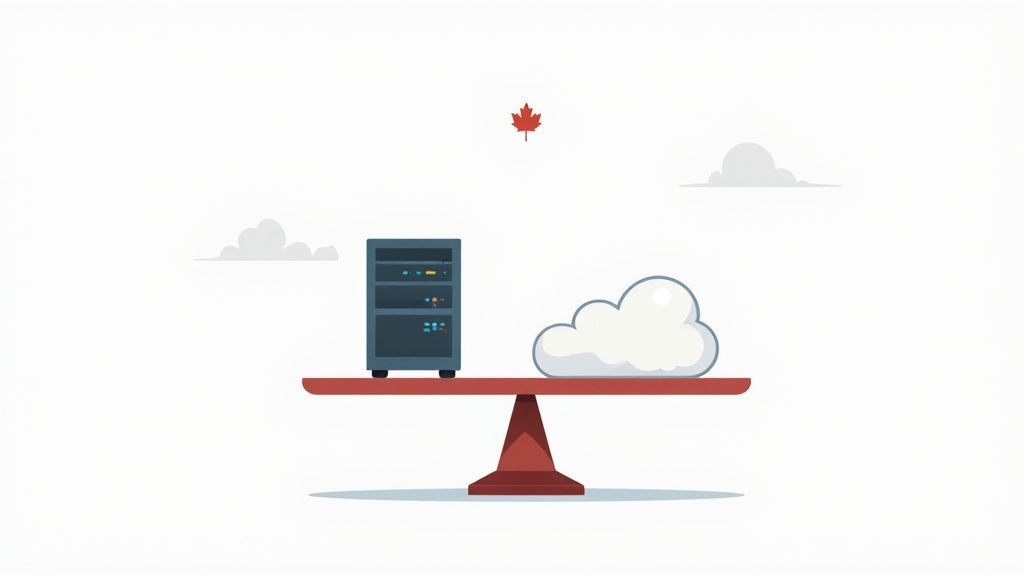
To frame the conversation, let’s quickly look at the essential differences side-by-side.
This table offers a high-level summary of how these two models stack up across key business criteria.
| Criterion | On-Premise Infrastructure | Cloud Infrastructure |
|---|---|---|
| Cost Model | Capital Expenditure (CapEx) – Large upfront investment in hardware and software. | Operational Expenditure (OpEx) – Pay-as-you-go subscription model. |
| Scalability | Limited and slow; requires purchasing and installing new hardware. | High and rapid; resources can be scaled up or down on demand. |
| Management | Your internal IT team holds full responsibility for maintenance, updates, and security. | The cloud provider manages the underlying infrastructure; you manage applications and data. |
| Security | You have complete physical control but are solely responsible for all security measures. | Shared responsibility model; the provider secures the cloud, you secure what's in the cloud. |
| Accessibility | Primarily local access, with remote access requiring complex setup (e.g., VPNs). | Accessible from anywhere with an internet connection, ideal for remote work. |
Each model has its place. The context of your business, your industry, growth plans, and compliance needs, will ultimately steer you toward the right fit.
The trend toward the cloud is impossible to ignore. Projections show that by 2025, an estimated 92% of Canadian companies will use some form of cloud computing, with the market value hitting around $12.5 billion.
This isn't just a fad; it's a strategic pivot towards greater operational agility and efficiency. For businesses in specialized sectors, understanding how platforms like the Google Cloud Healthcare API for medical data management can streamline operations is a game-changer.
When you compare cloud versus on-premise infrastructure, the conversation almost always kicks off with capital versus operational spending. It’s a good starting point, but the real story is much deeper. To truly understand the financial impact, you have to look at the Total Cost of Ownership (TCO) and the potential Return on Investment (ROI) for both.
The cheapest option upfront isn't always the winner in the long run.
For a Canadian business looking to build its own on-premise setup, the initial investment can be staggering. We have seen mid-sized operations face setup costs exceeding $250,000, and that's before factoring in the day-to-day upkeep. In contrast, businesses that strategically adopt the cloud often report a 47% faster time-to-market and see their total IT costs drop by 23% over five years. But it's not a magic bullet; an estimated 21% of enterprise cloud spending is wasted on idle resources, which shows how crucial careful management is.
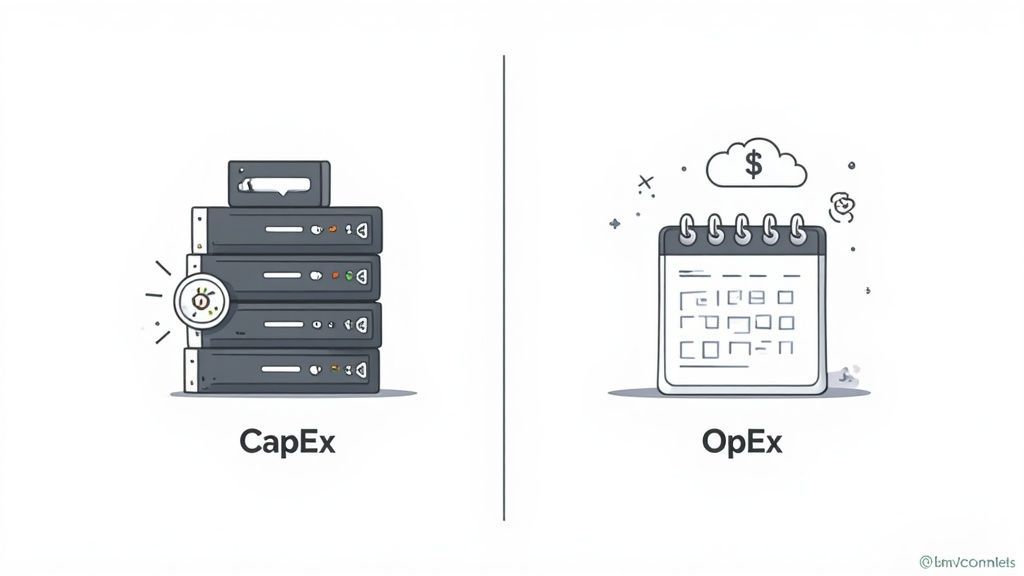
An on-premise environment is the classic definition of Capital Expenditure (CapEx). You buy the servers, the storage, and all the networking gear. They become assets on your balance sheet, a fixed cost that offers a sense of budget predictability.
However, that initial purchase price hides a range of ongoing expenses that make up its true TCO.
These "hidden" costs can quickly inflate your initial investment:
While you get total control, the financial burden is all yours, and it never really goes away.
The cloud flips the script, operating on an Operational Expenditure (OpEx) model. It turns that massive upfront investment into a predictable monthly or annual subscription fee. This pay-as-you-go approach is a huge draw for businesses that want to keep their capital free and stay financially nimble.
But the OpEx model isn't without its own financial quirks that you need to watch.
Key Insight: The biggest financial win with the cloud isn't just dodging CapEx. It's the power to perfectly match your spending to your actual usage. This flexibility stops you from overspending on idle capacity, but only if you actively manage your resources.
If you are not careful, hidden or variable costs can pop up:
For many Canadian SMBs, working with a partner that offers managed cloud computing services is the best way to keep these costs in check and get the most out of their investment.
So, which model is financially superior? It completely depends on your business and what you are trying to do.
Think about a manufacturing firm with a steady, 24/7 production workload. In this scenario, a well-managed on-premise setup, bought and paid for, might actually have a lower TCO over five years than paying for high-demand cloud resources around the clock. The workload is so predictable that the CapEx investment makes perfect sense.
Now, consider a marketing agency that sees huge traffic spikes during seasonal campaigns. For them, the cloud delivers a much higher ROI. They can instantly scale up resources to handle a major product launch and then scale right back down the next day, only paying for what they used. Trying to do that with on-premise hardware would mean buying expensive equipment that sits gathering dust for most of the year.
For Canadian businesses, the conversation around security and data sovereignty isn't just a technical footnote, it's a critical, non-negotiable part of the on cloud vs on premise decision. Your choice of infrastructure directly impacts how you protect sensitive information and adhere to national and provincial privacy laws.
The decision often boils down to a fundamental trade-off: do you want absolute control, or do you prefer to tap into shared, specialized expertise? Each path offers a different security posture, and understanding these nuances is essential for making a compliant and secure choice.

An on-premise setup gives your organization complete physical control over its servers and data. This is a massive advantage, especially for businesses with strict data residency requirements that demand certain information never leaves Canadian soil. You know exactly where your data is, 24/7.
But that total control comes with total responsibility. Your internal IT team is on the hook for every single layer of security, a task that is as complex as it is relentless.
This responsibility includes:
While the idea of total control is appealing, the resources needed to maintain a truly robust security posture can be immense, often stretching the capabilities of a mid-sized business.
Cloud infrastructure runs on a shared responsibility model. The cloud provider, think Microsoft Azure or Amazon Web Services, is responsible for securing the underlying infrastructure. This covers the physical data centres, the networking fabric, and the hardware that your virtual services run on.
Your job is to secure your data and applications within the cloud. This means managing access controls, correctly configuring security settings, and protecting your data as it travels to and from the cloud environment.
A huge benefit of the cloud is gaining access to enterprise-grade security tools and expertise that would be prohibitively expensive for most SMBs to build themselves. Top-tier providers invest billions in security, employing armies of experts to defend against threats around the clock.
This model lets you offload a significant chunk of the security burden, freeing up your IT team to focus on what matters most, your business data and user access. For a deeper dive, check out our guide on effective data security management strategies.
For any Canadian business, compliance with regulations like the Personal Information Protection and Electronic Documents Act (PIPEDA) is mandatory. The real question is whether your infrastructure can support these legal obligations, particularly around data sovereignty.
Major cloud providers tackle this head-on by offering dedicated Canadian data centre regions. By choosing a Canadian region, you can ensure your data is stored and processed within the country's borders, satisfying residency rules set by PIPEDA and other industry-specific regulations.
This is also where hybrid models are becoming a popular middle ground. A significant 54% of Canadian enterprises now use hybrid cloud environments for critical workloads, thanks to their flexibility with security and compliance. This approach can offer the best of both worlds, keeping highly sensitive data on-premise while using the cloud for scalable, less-regulated workloads. The on cloud vs on premise decision does not have to be all or nothing.
Moving beyond the balance sheet and security protocols, the practical, day-to-day realities of performance, scalability, and reliability often steer the final decision in the on cloud vs on premise debate. The way your infrastructure handles business demands has a direct line to user experience, your ability to keep the lights on, and whether you can seize growth opportunities. Each model comes with its own distinct character in these critical areas.
An on-premise setup can be incredibly fast for local teams. When your servers are just down the hall from your employees, data access is almost immediate. This is a huge plus for specific tasks, like high-speed manufacturing controls or editing massive video files right on the local network.
But that advantage starts to fade the moment your team spreads out. As employees connect from different cities or their home offices, trying to access a central on-premise server can become painfully slow, creating frustrating bottlenecks.
Scalability is where the philosophical divide between cloud and on-premise really shows. It is all about your system's capacity to handle a growing workload, and each model tackles this from a completely opposite direction.
Scaling on-premise infrastructure is a slow, deliberate, and expensive undertaking. When your business is booming and you have maxed out your server capacity, the process looks something like this:
This entire sequence can easily take weeks, if not months, putting a hard ceiling on how quickly your business can pivot or grow.
The cloud, in stark contrast, offers on-demand elasticity.
Key Insight: Cloud scalability isn't just about adding more resources; it's about the power to add and subtract them in an instant. This elasticity lets you perfectly match your infrastructure to real-time business needs, so you only pay for what you actually use.
Think about an e-commerce business gearing up for Black Friday. With the cloud, they can automatically scale up server capacity by ten times to handle the flood of traffic, then just as easily scale back down to normal levels the following week. Pulling that off with an on-premise setup without wasting a massive amount of money is next to impossible. For a closer look at these advantages, check out our article on the benefits of cloud computing services.
Reliability is about more than just preventing a server from failing; it is about making sure your business stays online when something unexpected happens. Both on-premise and cloud solutions can be reliable, but their approaches to disaster recovery (DR) are worlds apart.
Building a truly resilient on-premise DR plan is a major project. It usually involves setting up and maintaining a completely separate, secondary physical site with duplicate hardware, networking, and power. This effectively doubles your capital investment and management workload, a cost that is simply out of reach for many mid-sized organizations. And if a disaster does hit your primary site, the failover is often a manual, high-stress event that can lead to significant downtime and potential data loss.
Cloud providers, however, build their entire infrastructure on a foundation of redundancy and automated recovery. They offer sophisticated DR solutions that are not only more resilient but also far more cost-effective. The key advantages are clear:
This approach makes enterprise-grade disaster recovery accessible and affordable for businesses of any size, ensuring you can get back on your feet quickly when it matters most.
The cloud vs. on-premise debate isn’t about which is universally “better.” It’s about which model is the right fit for your specific business, right now. To get past the theory, you need a structured way to weigh the practical realities of your operations against what each approach offers. This is how you align your infrastructure choice with your actual strategic goals.
A great place to start is with a simple question about scalability. The answer often points you in the right direction immediately, as this decision tree shows.
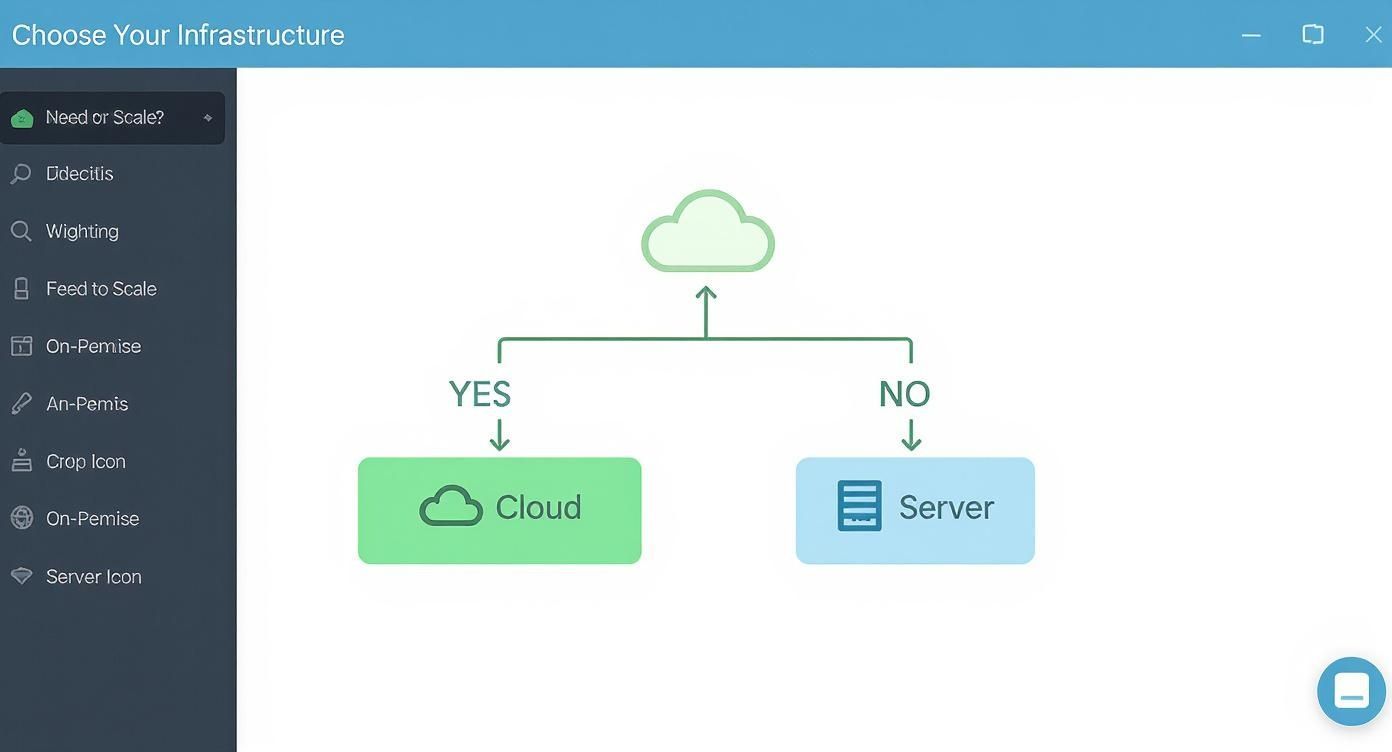
As you can see, if your primary need is handling rapid growth or unpredictable demand, the path leads straight to the cloud. If your needs are stable and predictable, an on-premise setup might be the smarter play. But beyond this first step, the nuances of your industry really start to matter.
The best choice often comes down to your industry. Factors like regulatory requirements, typical workloads, and the level of in-house IT expertise can make one model a clear winner over the other. Let's dig into a few real-world examples for key Canadian sectors.
Healthcare Clinics and Patient Data
A healthcare clinic in Canada must live and breathe PIPEDA compliance and the security of electronic health records (EHR). While major cloud providers offer compliant solutions, the sheer sensitivity of patient data often pushes clinics toward a hybrid model.
This allows them to keep their core EHR databases on secure, on-premise servers, giving them maximum control and ensuring data sovereignty. At the same time, they can tap into the cloud for less sensitive tasks like appointment scheduling, billing systems, and telehealth platforms. It's the best of both worlds: flexibility without compromising patient trust.
Tech Startups and Scalable Growth
For a tech startup, the name of the game is scaling quickly. A sudden flood of new users could completely overwhelm a fixed on-premise environment, killing momentum just as it's building. This makes the cloud the default choice.
Startups can lean on the cloud’s pay-as-you-go model to keep their initial burn rate low, then instantly scale up resources as their user base explodes. That kind of agility is essential for iterating on a product and reacting to the market without getting bogged down by lengthy and expensive hardware purchasing cycles.
Manufacturing Plants and Legacy Systems
Now, think about a manufacturing plant that runs on specialized, legacy software to control machinery on the factory floor. This software was never designed for the cloud and often requires near-zero latency to work properly.
Key Insight: When uptime and performance are directly tied to physical production and legacy applications, an on-premise environment is almost always the most reliable and practical solution. The need for direct, high-speed connectivity to operational technology can make cloud adoption too risky or simply unworkable.
In this scenario, keeping servers local ensures production lines are not at the mercy of an internet connection and that those critical legacy systems keep running without a hitch.
A scoring matrix is an incredibly useful tool for structuring your decision. It helps you quantify what is most important to your organization, creating a much clearer path forward. In fact, a solid IT strategy and consulting process often kicks off with exactly this kind of evaluation.
Use the table below to score how important each factor is to your business on a scale of 1 (low priority) to 5 (high priority). This will help you see where your needs truly lie.
| Decision Factor | High Priority for On-Premise | High Priority for Cloud | Your Score (1-5) |
|---|---|---|---|
| Budget Model | Prefer predictable, upfront capital expenditures (CapEx). | Prefer flexible, pay-as-you-go operational spending (OpEx). | |
| Scalability Needs | Workloads are stable and highly predictable. | Experience fluctuating or unpredictable demand. | |
| IT Expertise | Have a dedicated, skilled IT team to manage hardware. | Have a limited IT staff or prefer to offload infrastructure management. | |
| Data Sovereignty | Must meet strict data residency rules for all data. | Can leverage Canadian cloud regions for compliance. | |
| Remote Workforce | The majority of staff work from a central location. | Support a geographically distributed or remote team. |
Once you have filled it out, take a look at your scores. If they are heavily weighted toward one column, you likely have a clear answer. If your scores are mixed, it is a strong signal that a hybrid solution could be the ideal path for your organization.
Making the call between cloud and on-premise is a major milestone, but that is really just the starting line. The real work begins when you start to implement that decision. Whether you are gearing up for a full cloud migration or a strategic on-premise hardware refresh, having a solid, well-structured plan is the only way to ensure a smooth transition. A methodical approach will save you from costly mistakes and keep operational disruptions to a minimum.
Every transition must start with a thorough assessment of what you have right now. You need a complete inventory of every application, workload, and data dependency to truly understand what is moving and why. Before you even think about moving to the cloud, it is critical to conduct a comprehensive evaluation. This Cloud Migration Assessment Checklist is a great resource for identifying key factors and potential roadblocks.
One of the most common pitfalls we see is companies trying to rush the process. A "big bang" approach where everything is moved at once is incredibly risky and rarely ends well. Instead, breaking the project down into a phased migration plan lets you manage complexity, test as you go, and learn from each stage.
A typical, successful plan breaks down into these key stages:
Key Insight: Underestimating the complexity of a migration is a frequent and costly error. Even a "simple" lift-and-shift move requires meticulous dependency mapping to avoid breaking interconnected systems. Rushing this phase almost always leads to extended downtime and budget overruns.
The technical side of things is only half the battle. Your team is absolutely central to the success of any infrastructure change. Without proper communication and training, even the most perfectly executed technical plan can run into a wall of internal resistance and poor adoption.
The key is to focus on proactive change management. Keep your staff in the loop about the project timeline, the reasons behind the change, and how it will impact their day-to-day work. More importantly, provide targeted training on any new tools or processes they will be expected to use. When you equip your team with the right skills, a potentially disruptive project transforms into an opportunity for growth and genuine efficiency gains.
When it comes to the on-premise vs. cloud debate, leaders often have a few practical questions on their minds. Let's tackle some of the most common ones we hear from businesses across Canada.
This is the big one, and the answer isn't as simple as one being better than the other. Security really boils down to how well it is implemented. With on-premise, you have total physical control over your servers, but that also means you are on the hook for securing absolutely everything, from the lock on the server room door to the firewall rules.
Cloud providers, on the other hand, bring enterprise-grade security resources to the table that most mid-sized businesses simply cannot afford on their own. It all works on a shared responsibility model: they secure the underlying cloud infrastructure, and you are responsible for securing your own data and applications within it. The right choice hinges on your team's expertise, compliance needs, and how much risk you are comfortable managing internally.
The short answer is yes, but it is a move that needs to be planned carefully. This process, known as cloud repatriation, is almost never as simple or as cheap as flipping a switch. It requires a detailed migration plan to bring applications and data back to your own physical servers without causing major disruptions or losing information along the way.
You will run into a few key challenges, like the high upfront cost of buying new hardware, the data egress fees cloud providers charge for moving your data out, and the tough task of making sure your new on-premise setup can handle the performance and scale you got used to in the cloud.
The impact is huge. A traditional on-premise disaster recovery (DR) plan often involves building and maintaining a second, expensive physical site, basically doubling your hardware and management costs. It is an approach that is often slow to get running in a real emergency and is a major financial drain.
Cloud-based DR is a different game entirely. It is far more flexible, scalable, and cost-effective. You can replicate your systems to a secure cloud environment and only pay for the full computing power when you actually declare a disaster. This slashes recovery times, reduces the risk of data loss, and takes a massive weight off your shoulders.
The biggest mistake we see is treating the on cloud vs on premise decision as a purely technical issue instead of a strategic business one. Many leaders focus only on the initial cost, overlooking the total cost of ownership, future scalability needs, or the management burden placed on their IT team. The best decisions align infrastructure directly with long-term business goals.
Making the right infrastructure choice is critical for your business's security, scalability, and growth. At CloudOrbis Inc., our team of experts provides strategic IT consulting to help Canadian businesses navigate this decision and implement the ideal solution. Discover how our managed IT and cloud services can build a resilient foundation for your future at https://cloudorbis.com.
Book a 30-minute call with a senior engineer. No sales script, just straight answers about your environment.


