Email Security Best Practices: Essentials for 2025
Discover email security best practices to protect your business in 2025. Learn practical steps and checklists to reduce risk and secure communications.

Discover email security best practices to protect your business in 2025. Learn practical steps and checklists to reduce risk and secure communications.
For Canadian medium-sized organizations, email is more than a communication tool; it is the central hub of operations. It holds sensitive client data, financial records, and strategic plans, making it a primary and highly vulnerable target for cybercriminals. A single compromised account can quickly escalate into a devastating data breach, leading to significant financial loss and irreversible reputational damage. The consequences of an unsecured email system are too high to ignore, especially as attacks become increasingly sophisticated.
While the threats are complex, building a strong defence does not have to be an overwhelming task. This guide provides a clear, actionable checklist of the most critical email security best practices. We move beyond generic advice to give you specific, prioritized steps that your organization can implement immediately. This article will help you build a resilient defence against modern email-based attacks that threaten businesses in Toronto, Calgary, Edmonton, and across Canada.
This comprehensive list covers everything from foundational technical controls like DMARC and MFA to the crucial human element of user security training. By following these steps, you can create a multi-layered security posture that protects your most vital digital asset. Consider this your roadmap to transforming your email from your biggest liability into a secure and reliable business tool. We will explore ten key practices that work together to shield your communications, safeguard your data, and ensure operational continuity.
Multi-Factor Authentication (MFA) is a foundational email security best practice that adds a critical layer of defence beyond a simple password. It requires users to verify their identity through at least two different methods before gaining access to their accounts. This process combines something you know (your password), something you have (like your smartphone or a security token), or something you are (a fingerprint or facial scan). This makes it significantly harder for unauthorized individuals to compromise an account, even if they manage to steal a password.
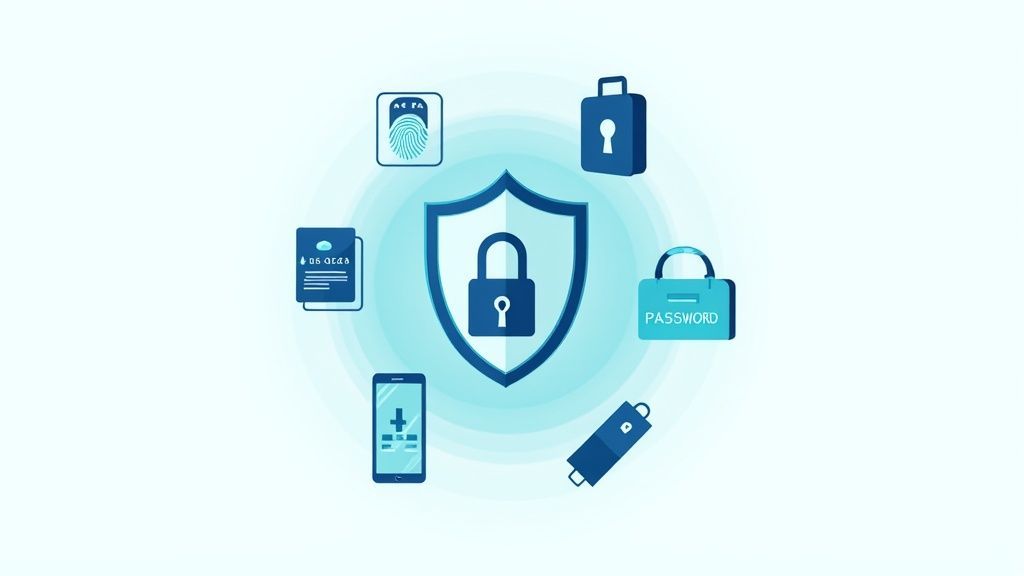
This layered approach is highly effective. For example, both Microsoft 365 (via Azure MFA) and Google Workspace (with its two-step verification) have demonstrated that MFA can block over 99.9% of automated credential-based attacks. For Canadian businesses, implementing MFA is no longer optional; it is a core component of a modern cybersecurity posture.
To maximize protection, your organization should:
Email encryption is a vital security practice that protects the content of your messages from being read by unauthorized parties. It uses cryptographic protocols to render data unreadable during transmission and while at rest on servers. The two primary types are Transport Layer Security (TLS), which encrypts the connection between email servers to prevent eavesdropping in transit, and end-to-end encryption, which ensures only the sender and the intended recipient can decipher the message content.
This dual-pronged approach is critical for protecting sensitive information. For instance, services like Microsoft 365 Message Encryption (OME) and Proton Mail leverage these technologies to secure communications for businesses handling confidential data. For Canadian organizations subject to privacy laws like PIPEDA, implementing robust encryption is not just a best practice, it is a fundamental requirement for compliance and safeguarding client trust.
To ensure your email communications are secure, your organization should:
DMARC, SPF, and DKIM are three powerful email authentication protocols that work in concert to protect your domain from being used in phishing and spoofing attacks. Think of them as a digital passport for your emails. They verify that an email claiming to be from your organization was actually sent by an authorized server, building trust with recipients and preventing brand impersonation. This system is a core component of modern email security best practices.
This trio of protocols is essential for protecting your organization’s reputation. Sender Policy Framework (SPF) specifies which mail servers are permitted to send email on behalf of your domain. DomainKeys Identified Mail (DKIM) adds a tamper-proof digital signature to each message. Finally, DMARC (Domain-based Message Authentication, Reporting, and Conformance) instructs receiving servers on how to handle emails that fail SPF or DKIM checks and provides valuable reports on email activity.
Proper configuration is key to leveraging these controls without disrupting legitimate email flow. To secure your domain, your organization should:
Advanced Threat Protection (ATP) goes beyond traditional antivirus and anti-spam filters, employing artificial intelligence and machine learning to defend against sophisticated, modern email threats. This technology analyzes email content, sender behaviour, and link destinations in real-time to identify and neutralize zero-day exploits, ransomware, and advanced phishing attacks that are designed to bypass standard security measures. A key component of ATP is sandboxing, which automatically executes suspicious attachments in a secure, isolated virtual environment to observe their behaviour before they reach a user's inbox.
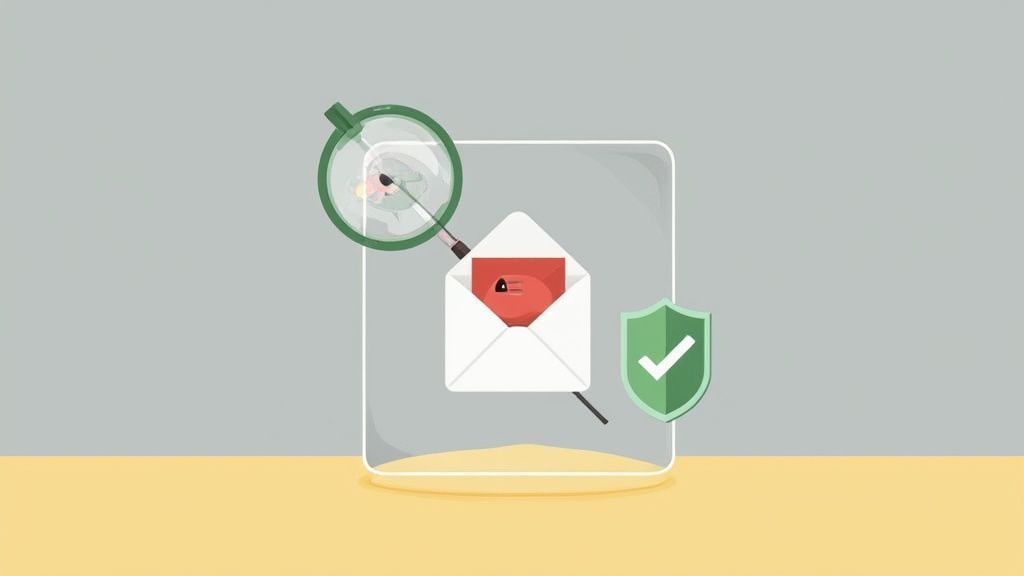
Solutions like Microsoft Defender for Office 365 and Proofpoint Targeted Attack Protection (TAP) use these techniques to provide proactive defence. For instance, if a user receives an invoice that appears legitimate but contains a malicious macro, the ATP sandbox will open the file, detect the harmful script, and block the email from ever being delivered. This proactive analysis is a critical email security best practice for preventing breaches before they can occur.
To get the most out of your ATP solution, your organization should:
Data Loss Prevention (DLP) policies are an essential component of a robust email security framework, acting as a digital guard to prevent sensitive information from leaving your organization's network. These systems actively monitor, identify, and control outbound email communications to stop accidental or malicious data exposure. By establishing rules, DLP can automatically block, encrypt, or quarantine emails containing confidential information like financial records, personal identifiable information (PII), intellectual property, or protected health information (PHI).
This proactive approach is critical for Canadian businesses, especially those handling regulated data governed by laws like PIPEDA. For instance, a finance department employee might accidentally attach a spreadsheet with client banking details to an email intended for an external recipient. A well-configured DLP policy, such as those available in Microsoft 365, would recognize the sensitive data format, block the email from being sent, and notify both the user and an administrator of the policy violation, preventing a potentially costly data breach.
To deploy DLP policies that protect data without hindering business operations, your organization should:
Technical controls are essential, but the human element remains a critical factor in any organization's defence. User awareness and security training is a cornerstone of email security best practices, designed to educate employees about cyber threats like phishing, social engineering, and proper data handling. By turning your team into a "human firewall," you can significantly reduce the risk of security incidents caused by simple human error.
An effective training program moves beyond a one-time annual session. It involves continuous education, reinforcement, and practical testing through simulated phishing attacks. Platforms like KnowBe4 and Proofpoint Security Awareness Training provide comprehensive modules and realistic simulations that help organizations measure and improve their security culture over time. For Canadian businesses, building this resilience is key to protecting sensitive client and company data from increasingly sophisticated attacks.
To build a strong security-aware culture, your organization should:
A Secure Email Gateway (SEG) acts as a specialized checkpoint for all incoming and outgoing email traffic. This dedicated appliance or cloud-based service sits between your organization's network and the public internet, filtering messages before they reach your users' inboxes. By centralizing email inspection, SEGs provide advanced protection against a wide array of threats, including sophisticated phishing attempts, malware, spam, and zero-day exploits that might bypass standard email client filters.
SEGs are an essential line of defence for any Canadian business that relies heavily on email. Unlike basic, built-in filters, dedicated gateways like Mimecast, Proofpoint, or Cisco Email Security offer more granular control and advanced threat intelligence. They scrutinize email content, attachments, and links against a constantly updated database of known threats, effectively neutralizing malicious campaigns before they can cause damage. This proactive filtering is vital for maintaining both security and operational productivity.
To maximize the benefits of your secure email gateway, your organization should:
Protecting individual email accounts and their associated credentials is a cornerstone of any effective email security framework. While technologies like MFA provide a powerful barrier, the underlying strength of a user's password and the processes for managing it remain critical. This involves establishing and enforcing robust policies around password creation, implementing secure credential management systems, and actively monitoring for signs of compromise to prevent unauthorized access at its most fundamental level.
A strong credential security policy acts as the first line of defence. If a password is weak, easily guessable, or has been exposed in a previous data breach, it creates a significant vulnerability that attackers can exploit. By combining strong password requirements with proactive monitoring and secure storage, organizations can drastically reduce the risk of credential-stuffing attacks and other common account takeover methods, protecting sensitive business communications from the inside out.
To effectively protect email accounts and credentials, your organization should:
Mobile email security involves a set of practices and technologies designed to protect corporate email data accessed on smartphones and tablets. With the prevalence of remote work and bring-your-own-device (BYOD) policies, employees frequently access sensitive company information from personal or company-issued mobile devices. This convenience introduces unique risks, including device loss or theft, insecure public Wi-Fi networks, and malicious mobile applications, making a dedicated mobile security strategy essential.
Implementing a robust mobile security framework is a critical email security best practice for Canadian businesses. Solutions like Microsoft Intune, part of the Endpoint Manager suite, allow organizations to manage devices and applications, ensuring that only compliant and secure devices can access corporate email. This prevents data leakage and ensures that sensitive communications remain protected, regardless of where they are accessed.
To secure email access on mobile endpoints, your organization should:
Effective Email Archive and Retention Management is a critical email security best practice that goes beyond immediate threat defence. It involves systematically saving, indexing, and storing email communications to meet legal, regulatory, and business requirements. By implementing a formal archive system, your organization ensures that crucial data is preserved, searchable, and manageable over the long term, protecting you from litigation risks and compliance violations.
These systems, such as Google Vault or Microsoft 365’s In-Place Archive, automatically capture and store all inbound, outbound, and internal emails in a secure, centralized repository. This not only optimizes server performance by offloading old data but also provides an unalterable record for e-discovery and internal investigations. For Canadian businesses, particularly in regulated sectors like finance or healthcare, maintaining a defensible archive is a non-negotiable part of a comprehensive data governance strategy.
To build a robust and compliant email management framework, your organization should:
| Email Security Measure | Implementation complexity | Resource requirements | Expected outcomes | Ideal use cases | Key advantages |
|---|---|---|---|---|---|
| Multi-Factor Authentication (MFA) | Medium, user onboarding and policy management | Low–Medium, auth apps, possible hardware keys | Significantly reduces account takeover and phishing success | All users, administrators, remote access | Strong authentication; widely supported; limits credential theft |
| Email Encryption (End-to-End and TLS) | High, PKI, key management, interoperability work | Medium–High, KMS/certificates, training, performance overhead | Confidentiality in transit and at rest; compliance support | Regulated data, legal/medical/financial communications | End-to-end confidentiality; digital signatures; regulatory alignment |
| DMARC, SPF, and DKIM Authentication | Medium, DNS changes and sender alignment | Low, DNS records and monitoring tools | Reduced spoofing and impersonation; visibility into abuse | Brand protection, anti-phishing, BEC prevention | DNS-based, industry standard, actionable reports |
| Advanced Threat Protection (ATP) and Sandboxing | High, integration, tuning, false-positive management | High, compute, sandboxing infrastructure, licensing | Detects zero-day malware and targeted phishing | High-risk orgs, execs, attachment-heavy environments | Advanced detection; behavioral analysis; sandbox detonation |
| Data Loss Prevention (DLP) Policies | High, policy design, tuning, contextual rules | High, classification engines, admin overhead | Fewer accidental/intended data leaks; audit trails | Finance, HR, healthcare, IP-sensitive departments | Granular controls; automated enforcement; compliance reporting |
| User Awareness and Security Training | Low–Medium, program creation and simulation cadence | Low–Medium, training platforms, staff time | Reduced successful phishing; improved reporting behavior | Organization-wide baseline defense; complements technical controls | Cost-effective; measurable behavior change; empowers users |
| Secure Email Gateway (SEG) Implementation | Medium, deployment and mail-system integration | Medium–High, appliances/SaaS subscriptions, ops staff | Centralized spam/malware filtering; consistent policy enforcement | Organizations needing centralized mail protection and compliance | Centralized management; scalable protection; detailed logging |
| Email Account and Credential Security | Medium, policy enforcement, SSO, monitoring | Low–Medium, password managers, monitoring services | Reduced credential stuffing and faster compromise response | All organizations, privileged accounts, SSO environments | Prevents reuse attacks; breached-password detection; supports passwordless |
| Mobile Email Security | Medium, MDM, containerization, conditional access | Medium, MDM licenses, support for device types | Secure mobile access; minimized data loss on lost/stolen devices | BYOD programs, mobile-first workforces | Remote wipe; containerization; conditional access enforcement |
| Email Archive and Retention Management | Medium–High, retention mapping, e-discovery integration | High, storage, indexing, backup and admin resources | Compliance readiness; searchable historical records for legal needs | Regulated industries, litigation hold, compliance audits | Supports e-discovery; preserves evidence; reduces primary mailbox load |
Navigating the landscape of modern email security can feel like a daunting, never-ending battle. We have explored a comprehensive checklist of critical defences, from foundational authentication protocols like DMARC, SPF, and DKIM to the non-negotiable layer of Multi-Factor Authentication (MFA). We detailed the importance of technical safeguards such as Advanced Threat Protection (ATP), Secure Email Gateways (SEGs), and Data Loss Prevention (DLP) policies. Yet, we also underscored a crucial truth: technology alone is not enough. The human element remains the most significant variable in your security posture.
This is why a holistic strategy that combines robust technical controls with continuous user awareness training is not just recommended, it is essential. Phishing simulations, strong password policies, and mobile security protocols transform your employees from potential liabilities into your first line of defence. Mastering these email security best practices is not about achieving a one-time state of "perfect security," but about building a resilient, adaptable framework that evolves with the threat landscape.
The value of implementing these measures extends far beyond merely preventing a data breach. It is about building trust with your clients, protecting your organization's reputation, and ensuring business continuity. For Canadian businesses in regulated industries like healthcare, finance, or law, it is also a matter of stringent compliance with standards like PIPEDA. A single compromised inbox can lead to devastating financial loss, regulatory penalties, and irreparable damage to the trust you have worked so hard to build.
Implementing this multi-layered defence, however, is a complex and resource-intensive undertaking. Each component requires specialized expertise, from configuring DNS records for email authentication to fine-tuning DLP rules and managing a sophisticated security awareness training program. For medium-sized Canadian businesses, dedicating the necessary in-house resources can be a significant challenge, often diverting focus from core business operations and strategic growth.
A proactive, managed approach to email security is no longer a luxury reserved for large enterprises. It is a fundamental requirement for any organization that values its data, its reputation, and its future.
This is where a strategic partnership becomes a powerful asset. Instead of shouldering the entire burden of cybersecurity management, you can leverage the expertise of a dedicated team whose sole focus is protecting organizations like yours. CloudOrbis acts as an extension of your team, translating these complex email security best practices from a checklist into a fully managed, living defence system.
Our Canada-based experts handle the intricate details of implementation, continuous monitoring, and adaptation. We manage everything from initial DMARC policy configuration and ATP deployment to the ongoing administration of your Secure Email Gateway and the execution of effective phishing simulation campaigns. We tailor every solution to the unique risks and operational needs of your business, whether you are in manufacturing, healthcare, or professional services. By partnering with CloudOrbis, you are not just outsourcing a task; you are investing in peace of mind and strategic resilience, allowing you to focus on what you do best: running your business.
Ready to transform your email security from a source of anxiety into a strategic advantage? Contact CloudOrbis Inc. for a comprehensive security assessment and discover how our managed IT services can build a robust, layered defence tailored specifically for your Canadian business. Let us help you secure your communications and protect your future.
Book a 30-minute call with a senior engineer. No sales script, just straight answers about your environment.


