I.T. Security Services: A Guide for Canadian Businesses
Explore I.T. security services for Canadian businesses. Our guide covers service models, compliance (HIPAA, PIPEDA), SLAs, and how to choose the right provider.

Explore I.T. security services for Canadian businesses. Our guide covers service models, compliance (HIPAA, PIPEDA), SLAs, and how to choose the right provider.
A lot of Canadian business leaders are in the same position right now. The company has Microsoft 365, remote staff, a line-of-business application or two in the cloud, and some version of antivirus already in place. On paper, that sounds covered. In practice, it often means no one has a clear view of identity risk, security alerts arrive with no ownership, and compliance obligations sit half with IT and half with operations.
That gap is where i.t. security services matter. Not as a product category, and not as a pile of tools, but as an operating model for keeping the business running. If you're responsible for a clinic, law firm, logistics company, manufacturer, or finance team in Toronto, Calgary, Edmonton, or Oakville, the question usually isn't whether you need security. It's whether your current setup can support growth, privacy obligations, and a real incident when one happens.
Most businesses still start with the wrong mental model. They treat security like a lock on the front door. Modern i.t. security services work more like a full building security program: badge access, camera coverage, alarm monitoring, visitor logs, guard response, and an emergency plan that people have practiced.
That difference matters because the threat pattern has changed. SentinelOne projects that 70% of cloud breaches will originate from compromised identities rather than software flaws, and 95% of cloud security failures will be due to human error and misconfigurations in 2026 according to its cyber security statistics overview. For a Canadian SMB using Microsoft 365, SharePoint, Teams, SaaS apps, and hybrid devices, identity and configuration are now the front line.
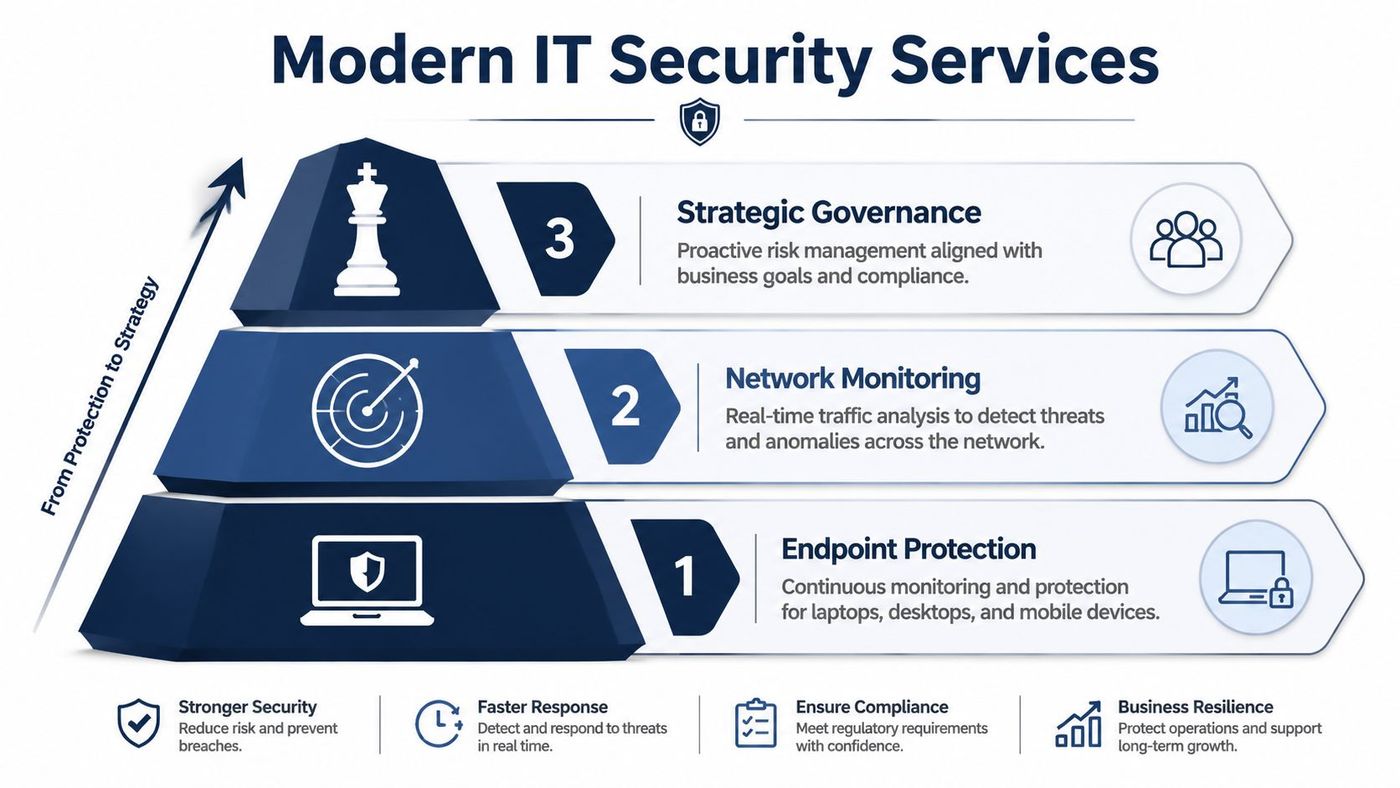
A proper service usually combines several functions that need to work together:
The effective approach is layered and routine. Teams that do this well review admin access, tune alerting, harden Microsoft 365, test backups, and keep ownership clear between internal staff and the service provider.
What fails is the half-built model. A business buys an endpoint tool, leaves default settings in place, and assumes that equals a managed security program. It doesn't.
Practical rule: If no one can tell you who owns identity, patching, logging, and incident escalation, you don't have a security service. You have software licences.
The best way to think about modern i.t. security services is simple. They are the combination of people, process, and tooling required to reduce risk continuously, not occasionally.
The delivery model matters almost as much as the tooling. A poor-fit model creates friction fast. Internal IT feels bypassed, executives get vague reporting, and incidents stall because everyone assumes someone else owns the problem.
The market has already moved toward more integrated service delivery. As reported by CRN, providers like Huntress have expanded beyond endpoint detection into identity protection, security awareness training, and SIEM because SMBs need unified services rather than isolated point tools, as described in this coverage of Huntress's SMB security direction.
| Criterion | Fully-Managed | Co-Managed | MSSP |
|---|---|---|---|
| Who runs daily security operations | Provider handles most operational security tasks | Shared between provider and internal IT | Provider monitors and alerts, internal team often executes more follow-up |
| Internal expertise required | Lower | Moderate to high | Moderate |
| Control over tools and policies | Lower direct control, higher outsourcing | Highest shared control | Varies by contract |
| Best fit | Firms with lean internal IT or no in-house security staff | Businesses with capable IT teams that need depth and coverage | Organisations that mainly want external monitoring |
| Common trade-off | Less hands-on internal ownership | Requires strong collaboration and clear boundaries | Can become alert-forwarding without enough remediation support |
| Scalability | Strong for growing SMBs | Strong if governance is mature | Good for coverage, but integration can vary |
If your internal IT team is small and stretched, fully-managed often makes the most sense. It removes the expectation that internal staff will chase alerts at night, tune detections, manage identity risk, and handle vendor coordination on top of everything else.
If you already have solid IT leadership, a co-managed model is often the stronger strategic choice. It lets your team retain control of infrastructure, user support, and business priorities while a specialist provider adds threat monitoring, response depth, and governance. For a closer look at how this compares with traditional outsourced options, review this overview of MSSP security services.
A co-managed model works best when both sides agree on one thing early. Who decides, who acts, and who communicates during an incident.
The classic MSSP model can still fit, especially for businesses that want monitoring first. But it's worth checking whether “managed” actually means active response, or just alert delivery and periodic reporting. That distinction becomes obvious only when something serious happens.
For many Canadian organisations, security isn't just an operational concern. It's part of legal compliance and client trust. PIPEDA affects how private-sector organisations handle personal information. Alberta businesses may also face PIPA requirements. Quebec organisations need to account for Law 25. Healthcare providers may need controls that support HIPAA obligations when they handle cross-border data or partner with U.S. entities.

A lot of firms approach compliance backwards. They collect policies for the audit file, then realise later that their access controls, retention settings, endpoint standards, and vendor contracts don't line up with those policies.
That's risky in regulated sectors. Industry reporting referenced in cybercrime statistics notes that financial companies spend an average of $6.08 million dealing with data breaches, which is 22% higher than the global average, as outlined in this cyber security statistics summary. Even if your business isn't a bank, the lesson is clear. Regulated data is expensive to mishandle.
A capable security partner should support compliance in practical ways:
For legal, healthcare, and finance teams, that turns security from a reactive technical spend into part of governance. It also gives leadership a better basis for board reporting, insurer discussions, and client due diligence. This broader discipline is covered well in CloudOrbis's article on data security management.
Service proposals often look polished and still leave the most important questions unanswered. “24/7 monitoring” sounds reassuring, but it can mean very different things depending on the provider. One team may actively investigate suspicious sign-ins at night. Another may log the alert and queue it for business hours.
The first thing to separate is response time from resolution time. Response time is how quickly the provider acknowledges the issue or starts triage. Resolution time is how quickly they contain, fix, or recover from it. During a ransomware event, those are not interchangeable.
Look for these details in writing:
A strong package reads like an operating agreement, not a brochure. It should explain ownership, escalation paths, assumptions, exclusions, and review cycles in plain language. If it takes several calls to understand what's included, expect confusion later.
“24/7” only matters if someone is authorised to act when the business is asleep.
Managed service maturity manifests itself. A provider that also delivers broader managed IT service support will usually be better at connecting security operations with endpoint management, user onboarding, and recovery planning, a critical juncture where many incidents are either contained quickly or grow expensive.
Most provider evaluations are too shallow. Buyers compare monthly price, a few tools, and whether the sales team sounds credible. That's not enough. You're choosing who will see your logs, access your systems, handle a breach, and influence your compliance posture.
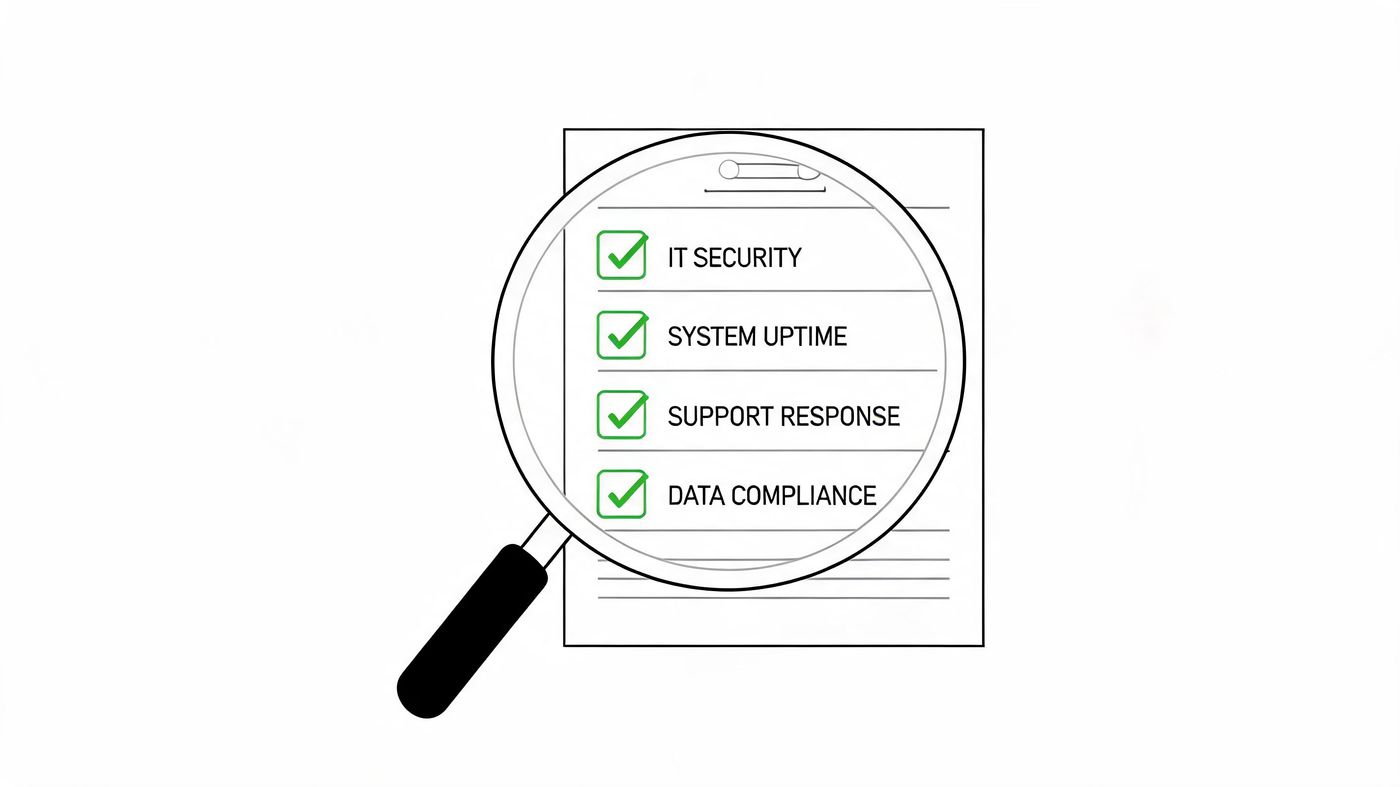
NIST recommends managing security services through a full lifecycle with attention to strategy, budget, architecture, organisation, personnel, policy, transition planning, and enough internal expertise to manage the outsourced service, as set out in NIST SP 800-35. That's practical advice for SMB leaders, not just enterprise theory.
A provider should be able to answer questions in each of these areas without resorting to slogans.
Ask these in the sales process and insist on direct answers:
Executive risk often includes public exposure, impersonation, and reputational issues that sit outside traditional endpoint security. For leaders thinking about that layer, this guide to online content removal for CEOs is a useful companion resource because digital risk doesn't stop at the firewall.
Also consider the operating fit. If your business needs a Canada-based helpdesk, close alignment with privacy expectations, and support for sectors like healthcare, legal, finance, logistics, or manufacturing, providers such as CloudOrbis cybersecurity services are one example of a Canada-focused managed model to compare against other regional and national firms.
Due diligence test: If a provider can't explain onboarding, escalation, and offboarding clearly, they probably can't manage pressure clearly either.
Changing security providers feels risky because leaders imagine disruption. In a well-run engagement, onboarding is structured, staged, and far less dramatic than often anticipated.
The process usually starts with discovery. The provider reviews users, devices, cloud apps, admin accounts, current policies, backup status, and known pain points. This stage should also identify business-critical workflows so the rollout doesn't break operations.
Then comes service design. The provider maps ownership, approves security baselines, defines escalation contacts, and plans implementation waves. For user-facing changes such as MFA prompts, access workflow updates, or training rollouts, some organisations even use tools that help create interactive web product walkthroughs so staff can follow new processes with less friction.
The strongest onboarding plans usually include:
This isn't just technical migration. It's change management. When staff know what to expect, and leadership knows who owns each step, adoption goes much more smoothly.
A professional provider should leave you with a clear rhythm at the end of onboarding. Monthly reviews, incident contacts, reporting cadence, policy updates, and improvement priorities should all be established before the project is considered complete.
Security decisions used to be easier to postpone. That's no longer realistic. The threat environment kept accelerating long ago. Cybersecurity histories note that researchers were seeing about 5 million new malware samples per year by 2007, and around 500,000 unique malware samples per day by 2014, as summarised in this history of cyber security. That kind of escalation is why reactive, break-fix security no longer matches the problem.
For Canadian businesses, the smart move isn't to buy more disconnected tools. It's to choose a service model, provider, and operating structure that fit the business you run. A healthcare clinic needs privacy discipline and continuity. A law firm needs controlled access and defensible processes. A manufacturer or logistics company needs uptime, remote site support, and clear incident response when operations can't stop.
The strongest i.t. security services combine technical depth with business clarity. They reduce uncertainty around identity, endpoint risk, cloud configuration, compliance, and response. Just as important, they give leadership a reliable way to make decisions without waiting for a crisis to expose weak assumptions.
If you're reviewing your current provider, planning a co-managed approach, or trying to understand whether your Microsoft 365 and hybrid environment is properly secured, start with a practical assessment. The right partner won't begin with jargon. They'll begin with your risks, your obligations, and the systems your team depends on every day.
CloudOrbis Inc. helps Canadian SMBs align security, compliance, and day-to-day IT operations with a practical managed approach. If you want a clearer view of your current risk posture, your service gaps, or whether your existing provider is meeting the mark, schedule a no-obligation assessment with CloudOrbis Inc..
Book a 30-minute call with a senior engineer. No sales script, just straight answers about your environment.


