IT Solutions for Manufacturing Companies: A Practical Guide
Explore practical IT solutions for manufacturing companies. Our guide covers key technologies, selection criteria, and a roadmap for Canadian SMBs.

Explore practical IT solutions for manufacturing companies. Our guide covers key technologies, selection criteria, and a roadmap for Canadian SMBs.

A lot of Canadian manufacturers are sitting in the same uncomfortable middle ground. The plant is running, orders are moving, and the team has found workarounds for years. But the cracks are getting harder to ignore. Production data still gets typed into spreadsheets by hand. A machine on the floor can run all day but can’t easily share its status with finance, purchasing, or planning. And every new cyber alert raises the same question. If one system goes down, what stops the line?
That’s why conversations about it solutions for manufacturing companies have changed. This isn’t about buying software because it’s modern. It’s about connecting operations, reducing avoidable downtime, protecting production, and giving leaders better visibility across the business.
For many mid-sized firms, the main challenge isn’t deciding whether to modernise. It’s figuring out how to do it without disrupting the systems and equipment they still depend on every day.
It usually starts with an ordinary production meeting. Sales needs a firmer ship date. Operations is working from yesterday’s numbers. Maintenance knows one aging machine is becoming a risk, but its status still lives in a technician’s notebook and a few spreadsheets. Finance wants margin by product line, yet the labour and scrap data arrive too late to trust. The plant is still running, but management is making decisions with partial visibility.
That is the point where many mid-sized Canadian manufacturers are now stuck. The issue is no longer whether digital tools matter. It is whether the business can connect newer IT systems to the legacy OT and plant equipment it still depends on every day, without creating downtime, security exposure, or compliance problems.
On the ground, this usually shows up as delay and rework rather than a single dramatic failure. Inventory counts lag behind actual material movement. Quality data sits in one system while production data sits in another. A machine fault gets noticed only after output drops or scrap climbs. Each gap looks manageable on its own. Together, they slow scheduling, purchasing, costing, and customer response.
I see the same pattern across manufacturers with twenty-year-old PLCs, older ERP customizations, and teams that have built reliable workarounds under pressure. Those workarounds deserve respect. They kept the business moving. But they also make it harder to add reporting, automate handoffs, or apply security controls consistently across the office and the plant.
This is why technology decisions in manufacturing need a different standard than a typical office IT upgrade. The question is not which software has the longest feature list. The question is which systems can exchange data cleanly, support uptime requirements, and fit the realities of your production environment. For many firms, reviewing manufacturing ERP solutions is part of that process because ERP often becomes the point where purchasing, inventory, scheduling, and finance either align or keep drifting apart.
The same goes for infrastructure and support strategy. Manufacturers need IT planning that reflects plant constraints, audit requirements, remote access risk, and the fact that some equipment cannot be replaced on a normal refresh cycle. CloudOrbis outlines that operational focus in its manufacturing industry IT services.
The tipping point comes when the cost of disconnected systems becomes higher than the cost of fixing them properly. At that stage, modernization stops being an IT project and becomes an operating decision tied to throughput, resilience, and growth.
A modern manufacturing operation runs on four connected foundations. Reliable infrastructure. Machine and process data. An ERP that reflects how the plant works. Security controls that protect uptime as much as information.
If one of those pieces is weak, the others start compensating. Teams re-enter data, supervisors chase updates by phone, and maintenance finds problems later than they should.
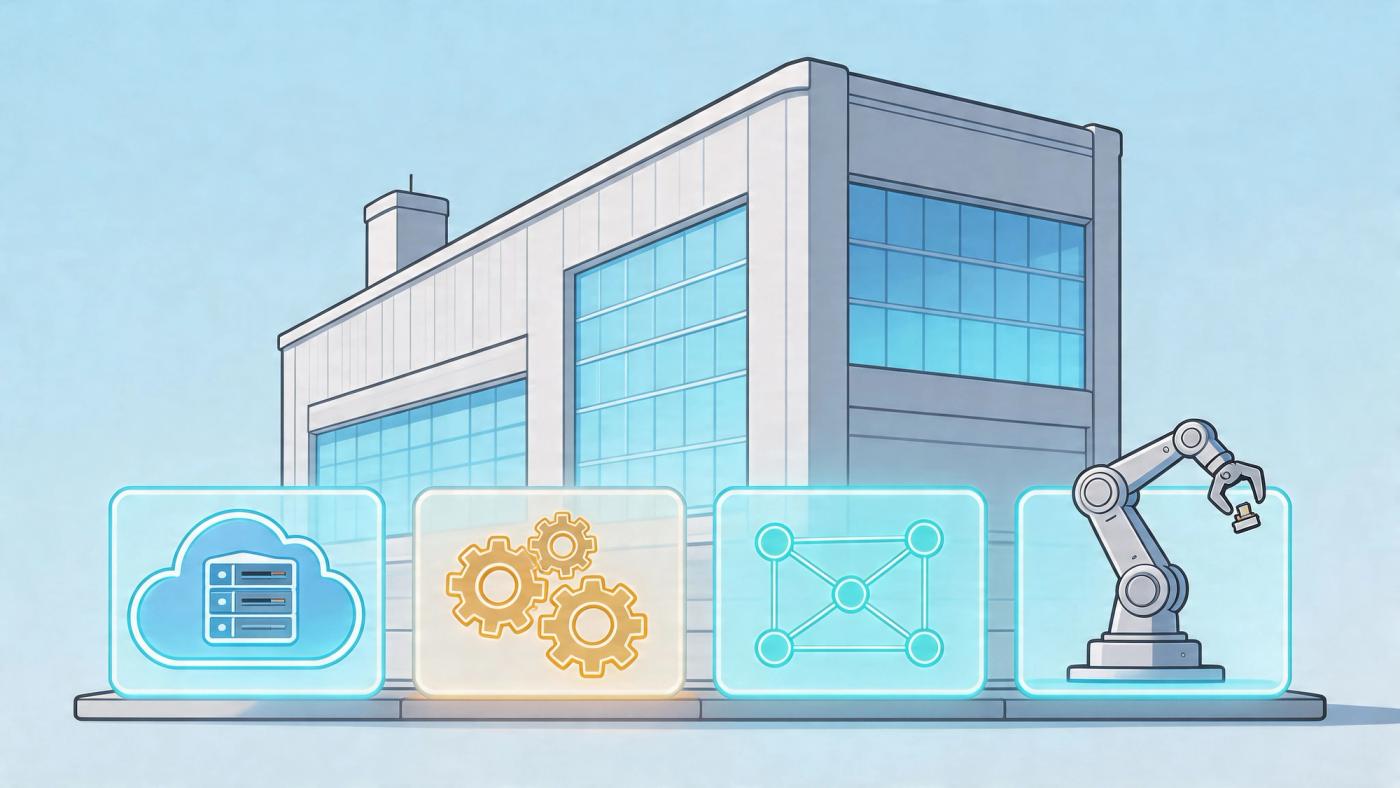
The hard part for Canadian manufacturers is not buying modern tools. It is fitting those tools around older PLCs, shop-floor equipment, custom ERP workflows, and plants that cannot afford downtime during cutover. That OT and IT overlap shapes every good decision in this section.
Cloud infrastructure helps manufacturers remove capacity and availability constraints from core business systems. It is often the right fit for email, collaboration, backup, disaster recovery, analytics, and many ERP environments. It also gives leadership better visibility across multiple sites without depending on one aging server in a back office.
That said, cloud is not a full plant strategy on its own. Latency-sensitive production systems, older machine controllers, and equipment with vendor restrictions may still need local processing or site-based infrastructure. The goal is to place each workload where it supports the operation best, not to force every system into the same model.
A practical design usually includes:
For manufacturers assessing readiness, the underlying IT infrastructure services for multi-site and plant-connected operations matter as much as the software itself.
Operators already know the warning signs. A machine sounds different. Cycle time slips. Scrap starts creeping up. IIoT makes those signals visible earlier and more consistently by collecting data from CNC machines, conveyors, robotic cells, compressors, and other production assets.
That matters because manual checks happen on intervals. Equipment issues do not.
Useful IIoT projects start with a plant problem, not a dashboard. Maintenance may need earlier warning on vibration or temperature drift. Production may need better visibility into small stoppages that never make it into reports. Quality may need machine-condition data beside defect data to find the underlying cause of recurring issues.
A simple rule applies here. If a problem only becomes visible after an operator stops and investigates it, the business has already absorbed some cost through downtime, scrap, or schedule disruption.
In manufacturing, ERP should connect the commercial side of the business with what is happening on the floor. Purchasing, inventory, scheduling, production reporting, shipping, and finance need to line up well enough that managers can trust the picture they are seeing.
When ERP is doing its job, it answers practical questions fast:
| Operational question | System response that matters |
|---|---|
| Do we have the material to release this order? | Inventory, purchasing, and production data align |
| Which jobs are at risk today? | Scheduling and shop-floor status are visible together |
| Where are margins slipping? | Labour, material, and overhead data flow into reporting |
The trade-off is straightforward. A heavily customized ERP may match current processes closely, but it often becomes harder to upgrade, integrate, and secure over time. A cleaner configuration usually supports reporting and integration better, but it may require the business to change habits that have been in place for years. Good decisions balance both realities.
Manufacturers still get into trouble when security is treated as an office IT issue while the plant runs on separate assumptions. That split creates gaps around remote access, unsupported operating systems, shared accounts, and vendor connections into equipment that no one reviews often enough.
Security in a manufacturing environment needs to cover endpoints, identities, patching, vulnerability management, network segmentation, remote access, and monitoring across both business systems and plant-connected assets. It also needs rules around who can connect to equipment, how they connect, and what gets logged.
The strongest environments are usually not the ones with the most tools. They are the ones where controls reflect production reality, legacy OT constraints, and the cost of an outage. That is what makes modern manufacturing IT effective. It supports efficiency, protects uptime, and lets the business improve without breaking the systems it still depends on.
The value of modern systems becomes clearer when you look at specific plant problems. Most manufacturers don’t need more theory. They need to know what changes on a Monday morning when the technology is working properly.
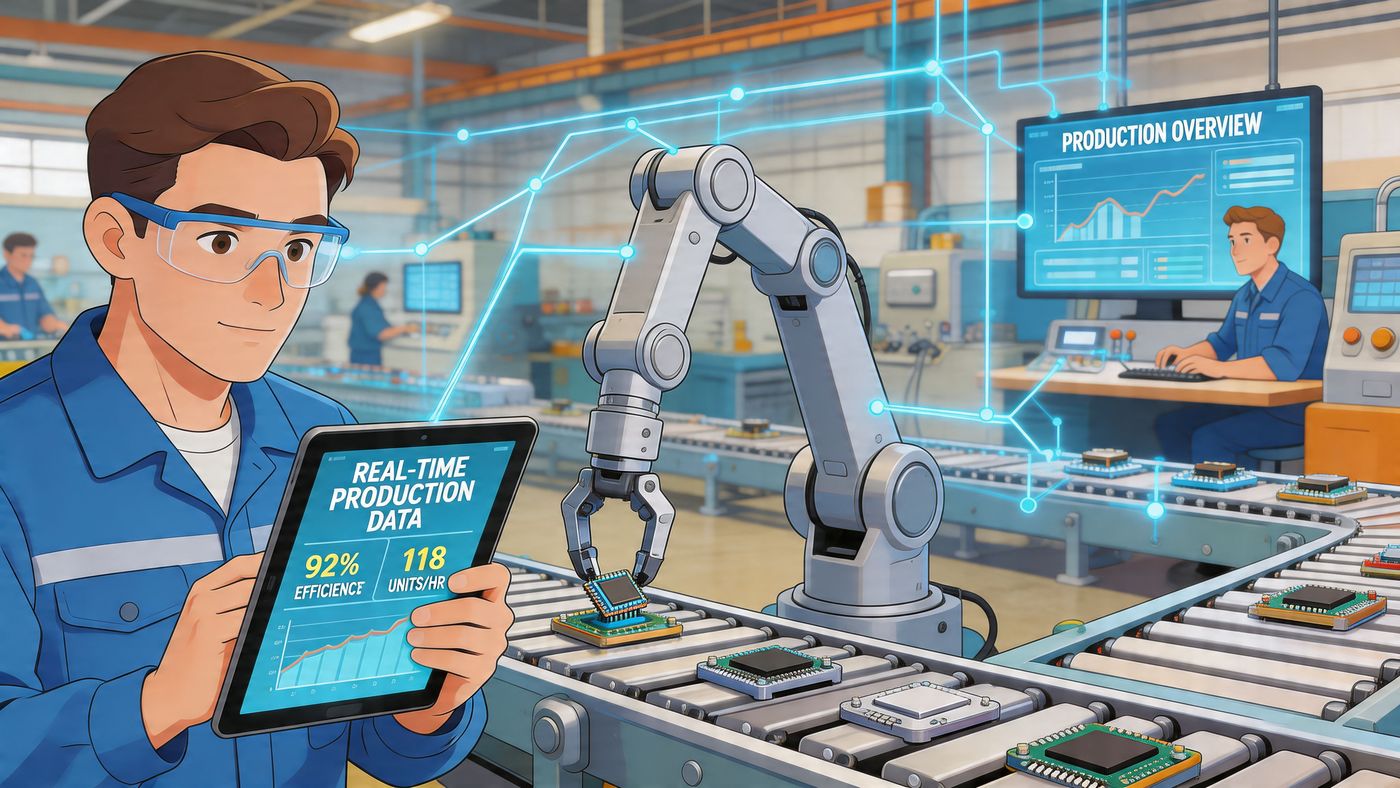
An Ontario parts manufacturer with tight customer deadlines faces a familiar problem. A CNC machine doesn’t always fail dramatically. Sometimes it degrades gradually, produces inconsistent output, or starts creating quality issues before anyone calls maintenance.
In sectors like Ontario’s automotive industry, production downtime can cost an average of $50,000 per hour, and a Toronto-based plant trial showed that using edge servers with IIoT-based predictive maintenance alerts reduced defect rates from 2.5% to 0.8% while cutting data transmission delays by up to 80%, according to this analysis of manufacturing IT support and edge monitoring use cases.
The important lesson isn’t just the technology stack. It’s where the processing happens. Edge computing handles machine data close to the equipment, so alerts don’t depend on sending everything back to a central cloud platform first. That reduces lag and gives maintenance teams faster warnings.
A sound deployment typically includes:
A broader example of this approach appears in CloudOrbis’ guidance on IT support for manufacturers, particularly where uptime and plant-floor visibility need to improve without replacing every existing system at once.
A food or consumer goods manufacturer often struggles less with making product than with knowing exactly what’s available, what’s committed, and what needs to move next. When inventory accuracy is weak, planners compensate with buffers. Buyers order conservatively. Production starts later than it should.
That’s where cloud-based ERP and analytics start earning their place. Instead of waiting for end-of-shift updates, teams work from shared data across purchasing, receiving, production, and shipping. Inventory stops being a rough estimate and becomes an operating control.
What usually improves first:
| Problem on the floor | IT-enabled fix |
|---|---|
| Manual stock updates lag behind reality | ERP transactions update centrally |
| Planners hold extra inventory “just in case” | Real-time visibility improves confidence |
| Compliance records are scattered | Digital records are easier to trace and review |
This kind of change is rarely dramatic at launch. It shows up in fewer exceptions, cleaner handoffs, and less arguing over which report is correct.
If production, purchasing, and finance all trust a different data source, the business doesn’t have a system. It has competing versions of reality.
Manufacturers increasingly need outside access for vendors, technicians, and support teams. The mistake is allowing convenience to outrank control. Unmanaged remote connections create avoidable risk, especially when old OT assets sit on the same environment as newer business systems.
The better approach is selective access. Give approved parties tightly scoped entry, log activity, separate plant assets from general business traffic, and review those pathways regularly. This is one area where a general office IT setup often falls short in a production setting.
The pattern across all three examples is consistent. The right IT solution doesn’t add complexity for its own sake. It removes friction from maintenance, planning, and support while keeping operations safer and more predictable.
Many manufacturing projects stall. Not because cloud, analytics, or ERP are bad ideas. They aren’t. They stall because the plant still depends on legacy controllers, ageing HMIs, serial-connected equipment, and custom workarounds built over many years.
The hard part of it solutions for manufacturing companies isn’t buying the modern platform. It’s connecting that platform to equipment and processes that were never designed to share data cleanly.
In Canada, 62% of plants use systems over 20 years old, and 71% of manufacturers in Ontario and Alberta report struggling with OT-IT convergence, with those projects leading to a 25% average increase in downtime during integrations when the approach isn’t aligned with Canadian industrial control security standards, according to this review of manufacturing OT and IT support challenges.
A standard office IT mindset often assumes systems can be patched on schedule, restarted during maintenance windows, and reconfigured with limited business impact. Manufacturing doesn’t work that way. Some equipment can’t be interrupted easily. Some vendor software is sensitive to change. Some lines depend on legacy protocols that newer platforms don’t handle elegantly.
That creates several risks at once:
Successful convergence projects usually start with restraint. Don’t connect everything at once. Don’t flatten the network. Don’t assume every machine needs direct cloud access.
A better sequence looks like this:
Most failed manufacturing transformations don’t fail because the software was weak. They fail because someone treated OT like ordinary office infrastructure.
Security planning has to be built into this stage, not added later. CloudOrbis outlines that broader security posture in its overview of cyber security services, especially where business systems and operational assets intersect.
Many manufacturers don’t want to hand over the plant to an outside provider, and they shouldn’t. Internal teams know the production environment, the maintenance schedule, and the practical limits of change. External specialists can add architecture, monitoring, cybersecurity discipline, and project capacity.
That combination is usually stronger than either side working alone. OT-IT convergence works when technical decisions respect plant realities.
The wrong IT partner creates a polished proposal and a messy rollout. The right one asks tougher questions early. Which systems can’t tolerate interruption? Where does production data originate? Who owns compliance? Which vendor relationships already affect your equipment and controls?
That’s the standard I’d use when evaluating any provider.
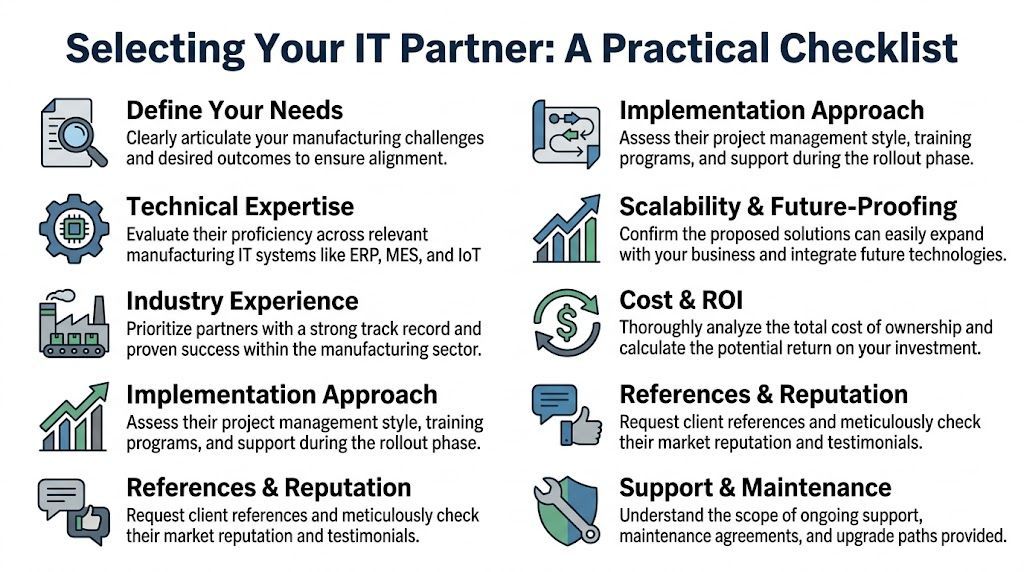
A manufacturing IT partner should understand that uptime, traceability, plant access, and operational sequencing matter as much as licences and hardware. If they lead with a stack but can’t discuss maintenance windows, network segmentation, or line dependencies, that’s a warning sign.
Compliance belongs near the top of the checklist. 58% of Canadian manufacturing SMBs in cities such as Toronto and Calgary lack integrated frameworks for evolving privacy laws, and that gap leads to 30% higher audit failure rates, according to this overview of IT support and compliance issues in manufacturing.
Use a practical screen when comparing providers:
A useful reference point is the broader discussion around evaluating IT support companies, especially if you’re comparing a generalist MSP against a provider with manufacturing experience.
| Question | Why it matters |
|---|---|
| How do you handle legacy OT systems during cloud or ERP projects? | Reveals whether they understand plant constraints |
| What does your security model look like for mixed IT and OT environments? | Tests whether they think beyond office endpoints |
| How do you structure rollout phases? | Shows whether they have a repeatable delivery method |
| What support is available after go-live? | Distinguishes project firms from operational partners |
One option some mid-sized manufacturers consider is CloudOrbis Inc., which provides managed IT, cybersecurity, cloud migration, backup, disaster recovery, and vCIO support with a Canada-based helpdesk. That matters if you need one partner to cover both strategic planning and day-to-day operational support without separating those conversations.
Selection test: If a provider can’t explain how they’ll protect production while modernising technology, they’re not ready for a manufacturing environment.
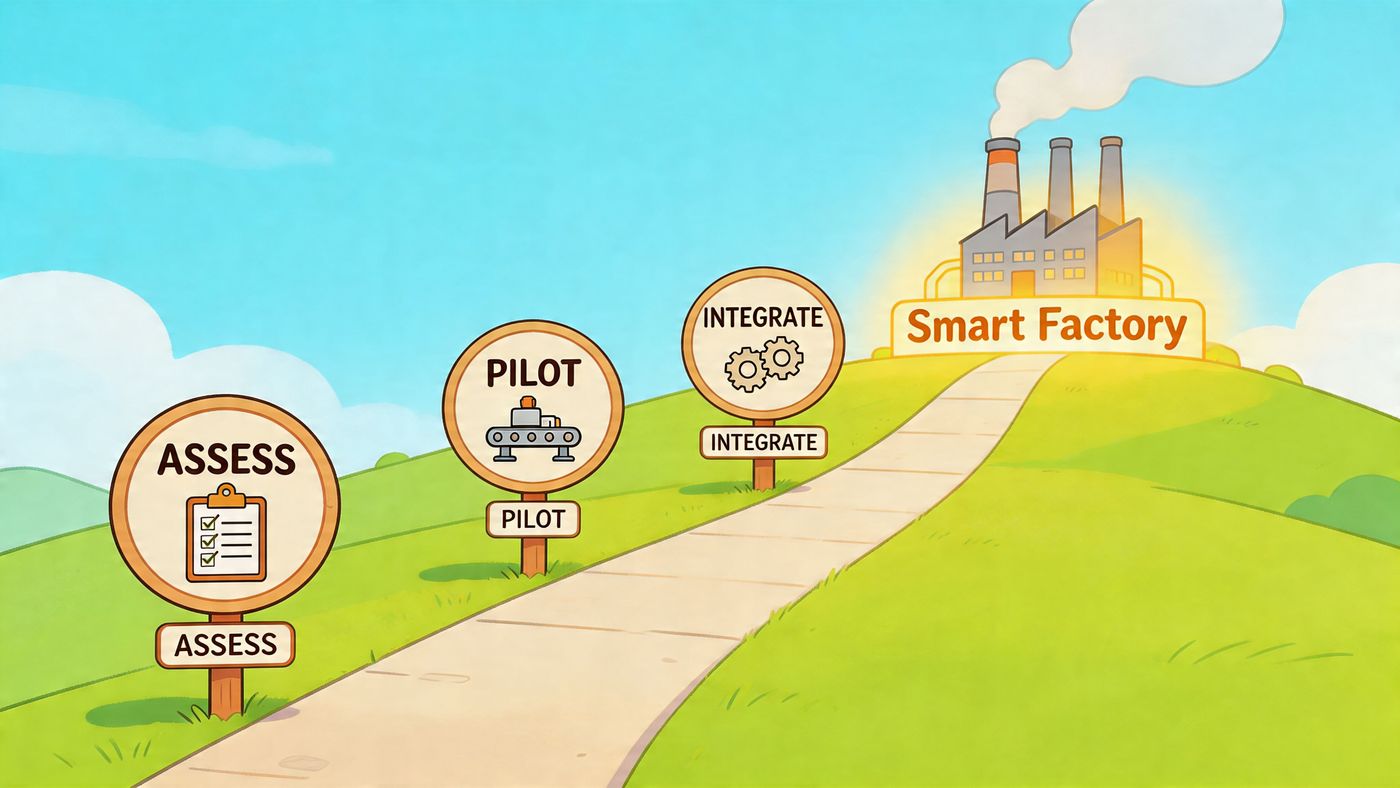
Most manufacturers don’t need a massive transformation on day one. They need a sequence that lowers risk, improves visibility, and creates operational wins without forcing unnecessary disruption.
That roadmap should be structured, phased, and tied to plant realities.
A well-run implementation can produce meaningful results. Mid-sized Canadian manufacturers migrating to cloud-based ERP platforms such as Microsoft Dynamics 365 have seen 30 to 40% reductions in IT overhead and 18% gains in Overall Equipment Effectiveness through integrated predictive analytics, according to this review of manufacturing IT solutions and cloud ERP migration outcomes.
The first step is an honest current-state review. Not a software wish list. Not a rushed cloud conversation. A real assessment of business systems, plant systems, security gaps, dependencies, and operational pain points.
That review should answer:
At this stage, many projects either get grounded in reality or drift into avoidable risk.
The best pilot is important enough to matter and narrow enough to control. Common starting points include ERP modernisation, backup and recovery improvement, secure remote access, shop-floor visibility, or predictive maintenance on a constrained asset group.
A good pilot has three qualities:
| Good pilot trait | Why it matters |
|---|---|
| Narrow scope | Easier to govern and support |
| Clear business owner | Decisions happen faster |
| Measurable operational impact | Teams can judge whether to scale |
Starting with one meaningful workflow builds internal confidence. It also exposes process issues early, before they spread across the business.
Once the pilot is stable, build outward carefully. Connect related systems, standardise access, and improve reporting. At this stage, many firms introduce stronger identity controls, better backup architecture, cloud collaboration, and cleaner links between plant data and business data.
Training has to happen alongside this work. Even strong systems fail if supervisors, planners, and office staff don’t trust the process or understand what changed. Good training isn’t generic. It’s role-based and tied to daily work.
Rollouts succeed when employees can see how the new process removes a problem they deal with every week.
The last stage is where the actual value compounds. Monitoring, patch management, vulnerability review, access control, backup testing, vendor coordination, and roadmap planning all need to continue after go-live.
That’s also when leadership should review what the new environment reveals. Better visibility often changes decisions about inventory, staffing, maintenance planning, and capital spending.
A smarter factory isn’t built by installing one platform. It’s built by creating a repeatable operating model for technology, security, and continuous improvement.
The manufacturers that get the most from technology usually take a practical view. They don’t chase trends for their own sake. They invest in systems that improve visibility, support better decisions, protect uptime, and reduce the operational drag caused by disconnected tools.
That’s the compelling case for modern IT in manufacturing.
Cloud, ERP, IIoT, edge computing, cybersecurity, and structured support all matter. But the toughest part is still the same one many providers avoid discussing clearly. You have to connect modern platforms to legacy operational environments without creating new risk on the floor. If that work is rushed, the project struggles. If it’s sequenced properly, the business gets stronger.
For a mid-sized Canadian manufacturer, the goal isn’t to become a technology company. The goal is to run a more reliable operation, make better use of limited staff, respond faster to change, and avoid preventable disruption. That’s what good IT should deliver.
If your team is dealing with ageing systems, poor visibility across departments, recurring support issues, or uncertainty around cybersecurity and compliance, it’s worth stepping back and assessing the environment properly before making another piecemeal purchase. A structured roadmap almost always beats another isolated fix.
CloudOrbis Inc. helps Canadian manufacturers assess current IT and OT risks, plan phased modernisation, strengthen cybersecurity, and support day-to-day operations with a 24/7 Canada-based team. If you want a clear view of what to fix first and how to modernise without unnecessary disruption, start with a no-obligation conversation through CloudOrbis Inc..
Book a 30-minute call with a senior engineer. No sales script, just straight answers about your environment.


