HIPAA Compliant File Sharing: A 2026 Implementation Guide
Learn how to implement HIPAA compliant file sharing in your Canadian healthcare organization. Our 2026 guide covers controls, vendors, M365 tips, and policies.

Learn how to implement HIPAA compliant file sharing in your Canadian healthcare organization. Our 2026 guide covers controls, vendors, M365 tips, and policies.
A clinic manager approves a simple request. A specialist needs a patient file. A staff member attaches the document to an email, types the address from memory, and clicks send. Nothing looks unusual. No alarm goes off. But if that file contains protected health information and the message goes to the wrong person, the clinic now has a security problem, a compliance problem, and a trust problem.
That's why HIPAA compliant file sharing can't be treated as a box-ticking exercise. It's an operating discipline. If your organisation handles U.S. patient data, supports U.S. healthcare partners, or acts as a service provider to a covered entity, your file-sharing process needs to hold up under real-world pressure. That means secure tools, documented controls, and staff who know exactly what to use and what to avoid.
For many Canadian organisations, the good news is that the foundation may already be in place. Microsoft 365 and SharePoint can support a strong, practical file-sharing model when they're configured properly. The challenge isn't buying another app. It's turning the tools you already have into a controlled system that protects patient information every time a file is uploaded, shared, downloaded, or reviewed.
Most file-sharing mistakes don't come from bad intent. They come from speed, habit, and convenience. Staff members use personal email because it's familiar. They create broad share links because a patient is waiting. They keep files in general cloud folders because “secure storage” sounds close enough to “secure sharing.”
It isn't.
Healthcare data carries unusual operational risk because even a small mistake can trigger legal review, patient notification work, vendor scrutiny, and internal disruption. The financial exposure is also severe. IBM's 2023 Cost of a Data Breach Report placed the average healthcare breach at USD 10.93 million, the highest of any industry, which is why clinics and service providers need controlled systems for exchanging patient files with U.S. partners and covered entities (healthcare breach cost context).
A common misconception is that HIPAA only matters to organisations physically located in the United States. In practice, Canadian clinics, medical service providers, and support teams can still face HIPAA obligations when they handle U.S. patient information or work with U.S.-regulated healthcare partners.
That changes the standard for file sharing. Emailing records from a regular mailbox or dropping them into a generic shared folder isn't enough. You need a process that can show who had access, when access happened, how files were protected, and what contractual safeguards were in place with any third-party provider.
Practical rule: If you can't trace a file's access history and control who can open it, you don't have a compliant sharing process.
This matters beyond technology. Release procedures, consent workflows, and records handling all connect to the way files move between people. Teams that need a practical reference on the records side should review Simbie AI's guide to compliant medical records, especially when medical record release requests intersect with secure delivery requirements.
Clinic managers often inherit fragmented systems. One department uses SharePoint. Another still relies on email attachments. A billing partner uses a portal. A physician occasionally uses a consumer cloud app out of habit. That mix creates blind spots.
A proper HIPAA compliant file sharing model reduces those blind spots. It gives managers a way to standardise tools, narrow permissions, and create evidence. If an auditor, partner, or legal adviser asks how patient files are protected, the answer shouldn't depend on which employee happened to send the file that day.
The term “HIPAA compliance” often evokes thoughts of legal language. In day-to-day operations, the requirements are more concrete. HIPAA's modern compliance framework is rooted in the HITECH Act of 2009. For file sharing, this means any platform must support encryption in transit and at rest, access controls, audit logging, and a signed Business Associate Agreement, with AES-256 encryption and multi-factor authentication treated as baseline requirements (HIPAA file-sharing requirements).
That's easier to manage when you break it into four working pillars.
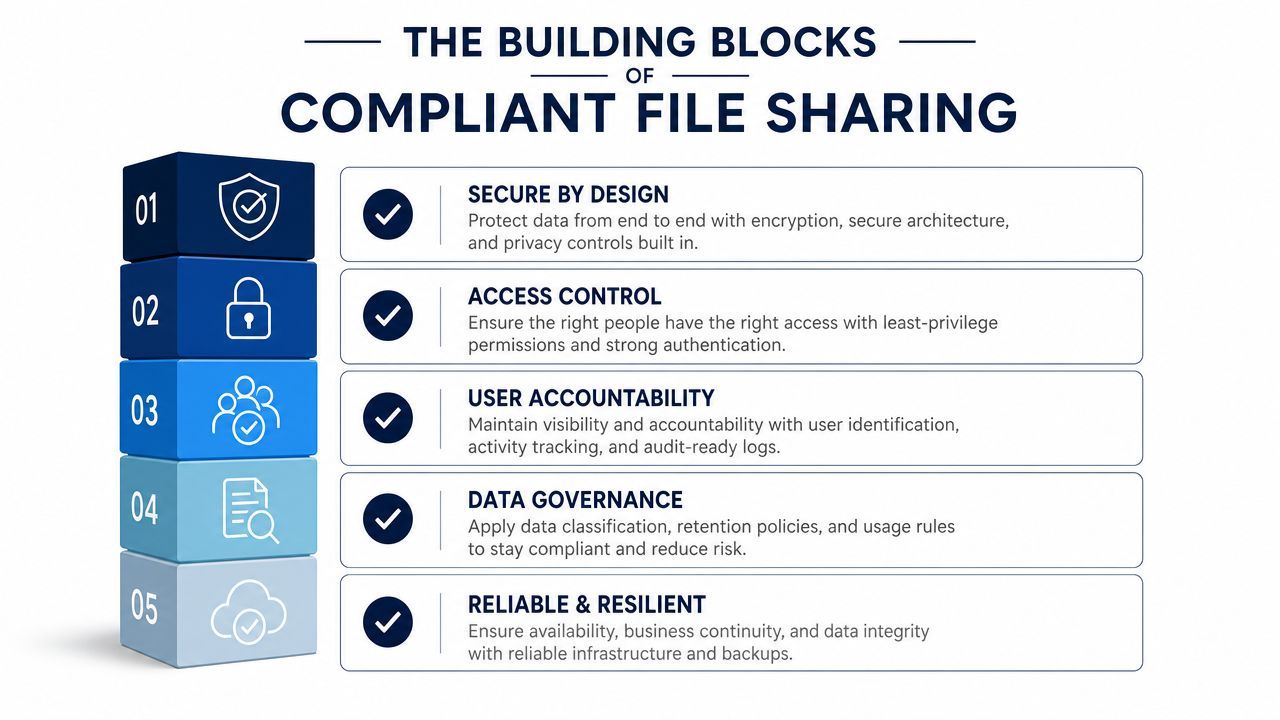
Access control answers a simple question. Who should see this file, and who should not?
In a clinic, not every user needs access to every patient file. A front-desk employee may need scheduling details but not full clinical records. A physician may need edit access. An outside billing contact may need limited, time-bound access to a narrow set of documents.
Good access control usually includes:
If your team wants a broader perspective on protecting company data, the same principle applies here. Security improves when access is deliberate, not open by default.
Audit controls are where many organisations fall short. Encryption protects a file. Logging proves what happened to it.
If someone opens a patient file, downloads it, changes it, or shares it onward, you need a record. Without that, incident response turns into guesswork.
Reviewable logs are not a “nice to have.” They are how you investigate mistakes, suspicious activity, and improper sharing.
This is one reason generic file-sharing habits fail. A system that stores files securely but can't show user activity leaves a serious gap.
Integrity controls protect the file itself. They help prevent unauthorised changes, accidental overwrites, or untracked edits.
In practice, integrity often depends on platform features such as:
A clinic manager doesn't need to become a security engineer to use these controls. The key is to make sure the platform supports them and that the default settings match your workflow. For firms comparing secure collaboration use cases in other regulated environments, this CloudOrbis article on secure file sharing for accountants is a useful parallel.
Transmission security protects files while they move. That includes uploads, downloads, and shared access over the internet.
Key elements include secure links, encrypted sessions, expiry dates, and download restrictions. Weak process design also leads to exposure. If staff copy files out of a secure platform and send them through standard email, the technical controls of the platform no longer protect the file in the same way.
Here's a simple checklist for evaluating any solution:
| Control Category | Requirement | Example Implementation |
|---|---|---|
| Access Control | Limit file access to authorised users | Role-based permissions and multi-factor authentication |
| Audit Controls | Log file access and actions | Reviewable logs showing who viewed, modified, or downloaded files |
| Integrity Controls | Prevent or detect unauthorised changes | Version history, edit restrictions, and document classification |
| Transmission Security | Protect files in transit and at rest | Encryption, secure sharing links, and restricted external access |
| Vendor Accountability | Formalise responsibilities | Signed Business Associate Agreement |
A secure platform matters. The vendor behind it matters just as much.
A Business Associate Agreement, or BAA, is the contract that sets expectations for how a provider handles protected health information on your behalf. If a vendor won't sign one where required, that's usually the end of the conversation. But signing a BAA alone doesn't mean the vendor is a good fit.
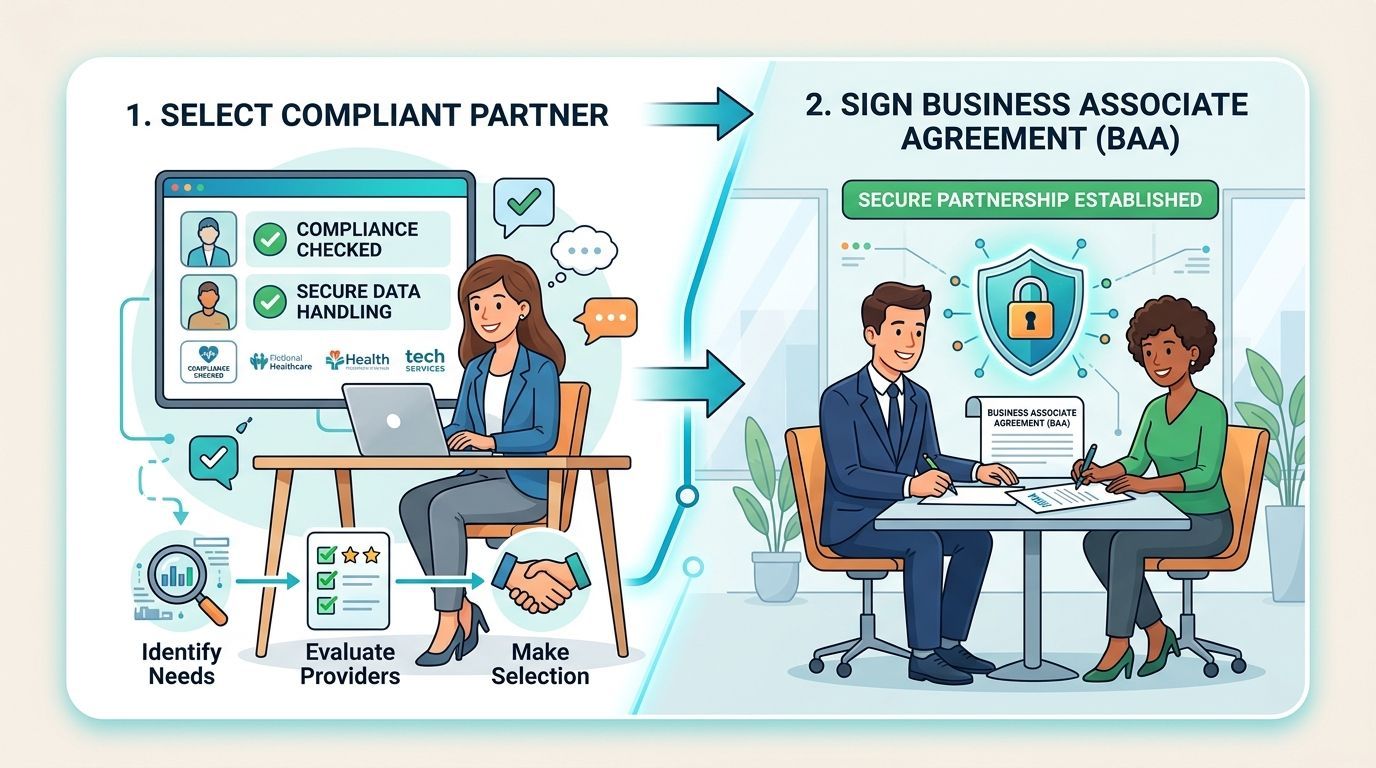
A clinic manager should push past the vendor's sales language and ask operational questions. The useful ones are often very direct:
These questions become more important for Canadian organisations. A key challenge is what “HIPAA-compliant file sharing” means for cross-border teams. Most content stops at generic features, but organisations with Canadian operations must also evaluate jurisdictional risk, data residency, and how a vendor's location impacts breach response, as having a BAA and encryption alone may not be enough (cross-border HIPAA file-sharing risk).
Some clinic leaders assume Canadian data should always stay in Canada. Others assume geography doesn't matter if the vendor offers encryption. Neither position is complete.
Jurisdiction affects legal process, incident handling, support escalation, and contract review. If your file-sharing vendor stores data in one country, uses support teams in another, and backs up systems in a third, your risk picture becomes more complex. That doesn't automatically make the platform unusable. It does mean your due diligence needs to go beyond a feature list.
A BAA answers one legal question. It does not answer every operational question.
Experienced managed service support can assist in evaluating vendor contracts, Microsoft 365 design, and cross-border controls before a clinic rolls out a sharing model at scale. Teams looking at local support options can compare that approach with what's described in this Calgary MSP overview.
When comparing vendors, use three filters:
A vendor that passes the first filter but fails the second will frustrate staff. A vendor that passes the first two but creates murky cross-border risk may still create audit and breach-response headaches later.
Many clinics already own the core platform they need. The issue is that Microsoft 365 doesn't arrive HIPAA-ready by magic. It has to be configured with a clear security model, and SharePoint needs guardrails so staff can share files without creating sprawl.
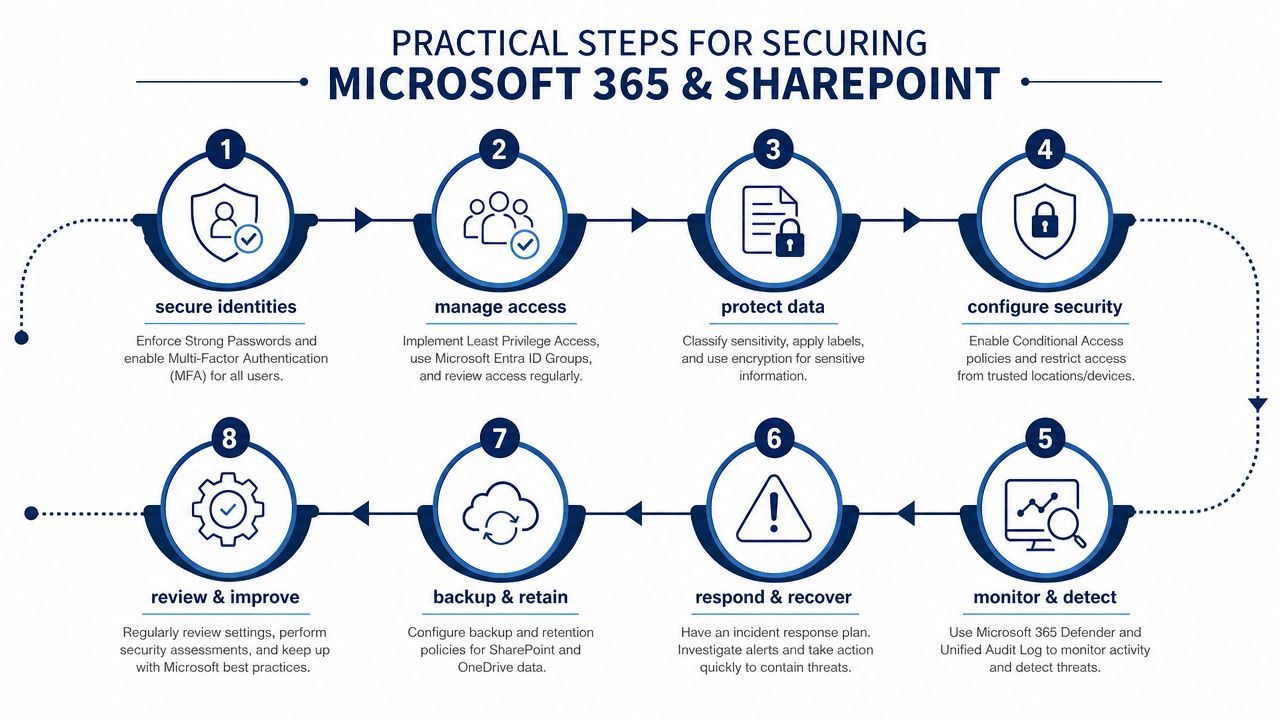
Most failures in Microsoft 365 start with identity, not documents. If user accounts are weak, every file control sits on top of a shaky base.
Begin with these steps:
A clinic that skips this part often ends up with “secure” SharePoint sites that are accessible through poorly protected accounts.
SharePoint is powerful because it makes collaboration easy. That's also why it needs clear boundaries.
Use a secure-by-default approach:
A clean design usually works better than trying to retrofit controls onto a chaotic site structure. Create dedicated document libraries or sites for patient-related records instead of mixing them with routine administrative content.
Microsoft 365 becomes practical for HIPAA compliant file sharing rather than just general collaboration.
Microsoft Purview sensitivity labels let you classify documents based on their content and apply rules. A file marked as containing patient information can carry stricter access settings, visual marking, or downstream protection. The exact label names will vary by organisation, but the goal is consistent classification.
Data Loss Prevention (DLP) policies help stop accidental exposure. For example, if a user tries to share a document in a way that conflicts with policy, Microsoft 365 can block the action, warn the user, or require additional review.
A practical rollout often looks like this:
The best configuration is the one staff can follow under pressure. If labels and sharing rules are confusing, users will look for workarounds.
Microsoft 365 includes logging and reporting capabilities, but many organisations leave them underused. That defeats one of the main reasons to use the platform for regulated file sharing.
Clinic managers should make sure someone is responsible for reviewing:
This doesn't need to become a daily manual exercise for the clinic manager personally. It does need an owner, a cadence, and a way to escalate findings.
Microsoft environments also benefit from a wider security baseline. If your team is reviewing tenant hardening, secure configuration, and monitoring priorities, this CloudOrbis guide to Microsoft 365 security in Calgary is a useful reference point.
A practical sequence works better than a giant one-time project:
That order matters. If you deploy DLP before identity and permissions are stable, staff will experience friction without getting the core protection benefits.
Technology can enforce rules. It can't explain judgement.
That's why many HIPAA file-sharing failures happen in organisations that already have decent tools. A common implementation pitfall is assuming secure cloud storage is sufficient. HIPAA-compliant sharing also requires logs of who accessed, modified, or downloaded each file. Failures usually come from weak user authentication, missing logs, and incomplete staff training rather than from encryption settings alone (HIPAA implementation pitfalls).
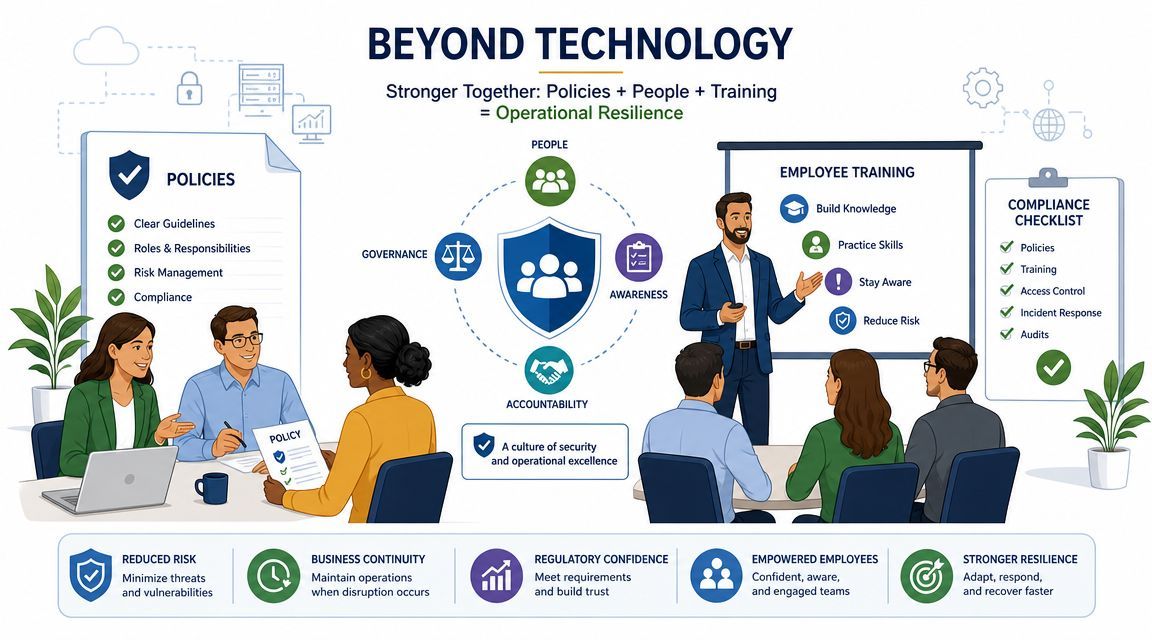
A useful policy doesn't try to sound legal. It answers the questions employees have when they're busy.
At minimum, the policy should define:
Short policies work better than long ones if the rules are clear. The detailed procedures can sit behind them.
Staff training often fails because it stays abstract. People hear “protect patient data” but don't get shown what to click, what to avoid, or what to do when a physician asks for an exception.
Effective training includes scenario-based examples:
If employees have to guess which tool to use, policy hasn't been operationalised.
Managers should also reinforce one point repeatedly. Speed is never a valid reason to bypass the approved process. In healthcare settings, rushed exceptions often become recurring habits.
For organisations formalising their people-side controls, this employee cybersecurity training guide offers a practical framework that fits well alongside secure file-sharing policies.
Training becomes credible when leadership backs it with enforcement. That means managers review exceptions, security teams investigate policy breaches, and admins remove unnecessary access instead of leaving it in place indefinitely.
A strong programme usually has three layers:
Without that third layer, employees learn that the written rules are optional.
HIPAA compliant file sharing isn't a one-time project. It's a recurring operating task. Once the platform is configured and staff are trained, the work shifts to checking whether controls are still functioning the way you expect.
A practical audit routine should focus on the areas that drift most often:
This kind of review is much easier when the environment was built cleanly to begin with. If your team needs a starting point for the broader compliance side, this HIPAA risk assessment checklist is a useful companion.
If someone shares the wrong file, notices suspicious access, or reports a compromised account, your team shouldn't improvise. The plan should identify who investigates, who contains access, who documents the event, and who handles communication with partners or affected parties.
A simple plan that people can follow is far more useful than a long document no one opens during an incident.
HIPAA file sharing works when four things stay aligned. The platform is configured correctly. The vendor relationship is sound. Staff use the approved process. Someone keeps watching the environment after go-live.
If your clinic or healthcare-adjacent organisation needs help turning Microsoft 365, SharePoint, and day-to-day workflows into a defensible HIPAA file-sharing model, CloudOrbis Inc. can help. Their Canada-based team supports secure cloud configuration, compliance-focused IT operations, employee training, and ongoing monitoring so your controls don't fade after implementation.
Book a 30-minute call with a senior engineer. No sales script, just straight answers about your environment.


