

September 21, 2026
Secure File Sharing Guide for Canadian BusinessesLearn secure file sharing essentials for Canadian SMBs — encryption, compliance, protocols and best practices to protect data and stay compliant.
Read Full Post%20(1).webp)
Usman Malik
Chief Executive Officer
March 24, 2026
Before Microsoft Teams took centre stage in workplace collaboration, another platform was the backbone for countless Canadian businesses: Skype for Enterprise. It was the original blueprint for the unified communication tools we rely on today, wrapping instant messaging, video meetings, and voice calls into one secure package.
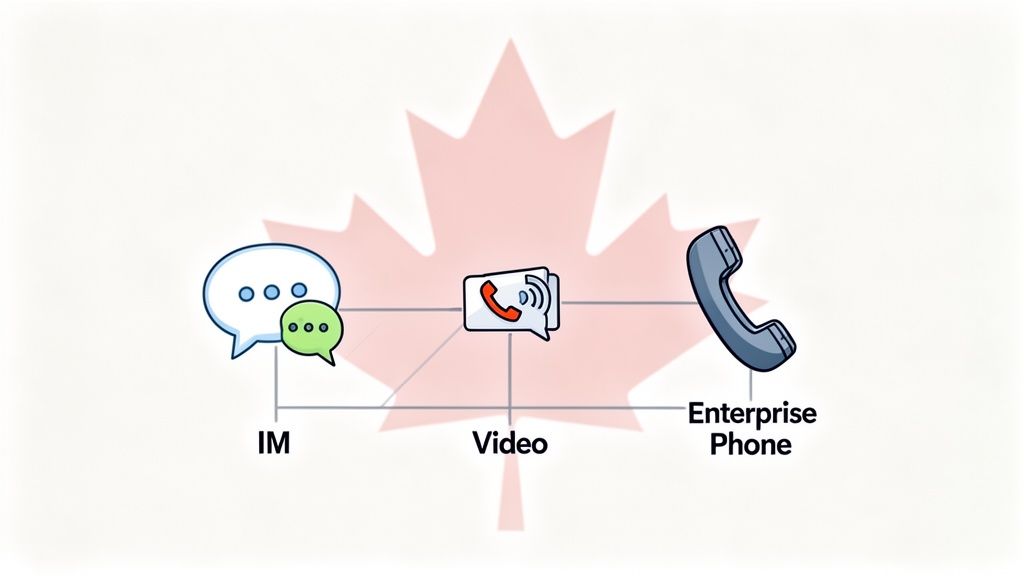
For many, the name "Skype" brings to mind the free app we used for personal calls. Its business-focused counterpart, however, was a completely different and far more powerful platform. Skype for Enterprise was built from the ground up to meet the tough demands of professional settings, packing in the security, management, and compliance features that consumer apps lack.
This platform didn't just appear out of nowhere. Its journey started with a product called Microsoft Office Communicator, which later became Microsoft Lync. In 2015, Microsoft gave Lync a major facelift and rebranded it as Skype for Business, now often called Skype for Enterprise. This move was a big step toward creating a unified tool that felt familiar to users while integrating deeply with other Microsoft mainstays like Office and Exchange.
At its heart, Skype for Enterprise cracked a fundamental business problem: it pulled all our scattered communication methods under one roof. Instead of juggling separate apps for chat, video conferences, and phone calls, companies could give their teams a single, cohesive tool.
This unification brought some major wins for medium-sized organizations:
For IT managers and business leaders still managing older systems, looking back at the history of Skype for Enterprise isn't just a technical exercise. It’s about understanding the foundation that today's collaboration tools are built on and seeing the strategic value in a well-planned migration.
While Skype for Enterprise was a cornerstone for business communication, its official retirement marks a necessary evolution. Microsoft has shifted its entire focus to its successor, Microsoft Teams. Support for both Skype for Business 2015 and 2019 servers will officially end on October 14, 2025.
There's a temporary, paid Extended Security Update (ESU) program available until April 2026 for those in the middle of a migration, but it is not a long-term fix. For Canadian businesses still running on this legacy platform, the time to map out a transition is now. Its history provides the perfect context for why this move isn't just another software update—it's a strategic upgrade for future growth and security.
To truly understand why Skype for Enterprise became a staple for so many Canadian businesses, we need to look past its history and dive into the features that made it so essential. It wasn't just another app; it was a suite of tools built to work together, making business communication faster, clearer, and far more effective.
The platform's real magic was in how seamlessly its functions meshed. Imagine a sales rep in Calgary needing to check on a supplier in Toronto. They could instantly see their contact was available, send a quick message, and then—with a single click—escalate that chat into a video call to review a contract.
This kind of fluid, all-in-one workflow was its secret sauce.
One of the first things users noticed was the powerful combination of instant messaging (IM) and presence indicators. This might sound simple, but it had a massive day-to-day impact. Presence let everyone see at a glance if their colleagues were available, busy, in a meeting, or away from their desk.
This simple status update eliminated countless wasted phone calls and emails. Instead of sending an email into the void and waiting hours for a reply, a project manager could see their lead developer was "Available" and get an immediate answer to a critical question. That's how projects stay on track.
The presence feature essentially gave you a digital pulse of the entire organization. It took the guesswork out of communication, allowing teams to connect at the right moment with the right tool.
This was a game-changer for companies with offices spread across Canada. A team split between Vancouver, Edmonton, and Montreal could feel just as connected as if they were in the same room, breaking down the barriers of physical distance.
While IM was perfect for quick check-ins, Skype for Enterprise also delivered rock-solid video and audio conferencing. It gave businesses the power to host everything from a spontaneous one-on-one video chat to a large, scheduled all-hands meeting with staff and external partners.
To give you a better idea, here's a quick look at its core capabilities and what they meant for businesses.
| Capability | Business Application | Primary Benefit |
|---|---|---|
| Instant Messaging | Quick, informal questions and real-time project updates between team members. | Drastically reduces email clutter and shortens response times. |
| Presence Status | See if colleagues are available, busy, or in a meeting before contacting them. | Eliminates communication delays and interruptions. |
| Video Conferencing | Host multi-participant virtual meetings, client demos, and team collaborations. | Reduces travel costs and accelerates decision-making. |
| Screen Sharing | Share your desktop or a specific application during a call for training or reviews. | Improves collaboration and simplifies troubleshooting. |
| Enterprise Voice (VoIP) | Make and receive external phone calls directly from the Skype client. | Unifies all communication channels and lowers telephony costs. |
These features became the standard for modern meeting tools, empowering Canadian businesses to slash travel costs and make decisions faster. A manufacturing firm could conduct a virtual plant tour for a client, or a legal team could review case files with experts across the country—all without leaving their desks.
You can learn more about how these capabilities evolved and fit within the broader Microsoft ecosystem in our article on Office for Business 365.
Perhaps the biggest differentiator for Skype for Enterprise was its powerful Voice over IP (VoIP) telephony, often known as Enterprise Voice. This feature allowed the platform to either replace or integrate with a company's traditional PBX phone system.
This meant your employees could make and receive calls to and from the public telephone network right from their Skype for Enterprise client, whether on their computer or mobile. It brought chat, video, and phone calls together into one unified interface with a single user identity.
For a medium-sized business, this was a huge win. It simplified infrastructure, cut down on phone bills, and set the standard for the unified communications platforms we rely on today.

While Skype for Enterprise was a workhorse across many industries, it found a truly essential role inside Canada's healthcare sector. For clinics, hospitals, and long-term care facilities, communication isn't just about getting things done efficiently—it’s about protecting patient privacy and sticking to strict regulations. The platform’s robust security and compliance features made it an obvious choice for this high-stakes environment.
Think of it like this: a regular consumer chat app is like having a conversation in a public park, where anyone could potentially overhear. In contrast, Skype for Enterprise was a private, soundproof consultation room with controlled access. This fundamental difference made it a go-to tool for managing sensitive patient data and navigating Canada’s tough privacy laws.
For many healthcare providers, this platform wasn’t just another application; it became a cornerstone of their digital health strategy. Because it could integrate securely with their existing Microsoft infrastructure, it gave hospital IT managers a controlled environment they could trust, paving the way for the rise of telehealth.
One of the most impactful uses of Skype for Enterprise in Canadian healthcare was in making secure telemedicine possible. Long before the pandemic pushed virtual care into the mainstream, this platform was already enabling remote patient appointments. Its end-to-end encryption for video calls was a game-changer.
This meant a specialist in a major hub like Toronto could securely consult with a patient in a remote northern community, all while staying compliant with privacy laws like Ontario’s Personal Health Information Protection Act (PHIPA). For patients, it meant no more long, expensive, and often difficult travel. For the healthcare system, it was a massive step forward in expanding access to specialized care.
Skype for Enterprise was more than just a video tool; it was an enabler of equitable healthcare access. It demonstrated that technology, when applied securely, could bridge vast geographical distances and bring expert medical advice directly to patients, wherever they were.
This wasn't a niche use case, either. Usage data shows that over 3,414 companies in Canada actively used Skype, with a significant portion in the healthcare sector. In fact, an estimated 10,000 organizations within the hospitals and healthcare industry integrated Skype for Business into their operations. You can dig deeper into these industry-specific trends on TheirStack.
Beyond patient consultations, the platform was just as critical for internal communication between medical professionals. In a hectic hospital, doctors, nurses, and lab technicians need to share information instantly and securely. Using personal devices or unsecure messaging apps was never a safe or compliant option.
Here’s how it supported compliant workflows on the ground:
These features allowed healthcare teams to collaborate in real time without ever compromising patient confidentiality. This secure, immediate communication improved coordination and led to better patient outcomes, cementing the role of Skype for Enterprise as a vital part of Canada's digital health infrastructure. For providers now looking to the future, this history offers valuable lessons as they plan their migration to modern platforms like Microsoft Teams.
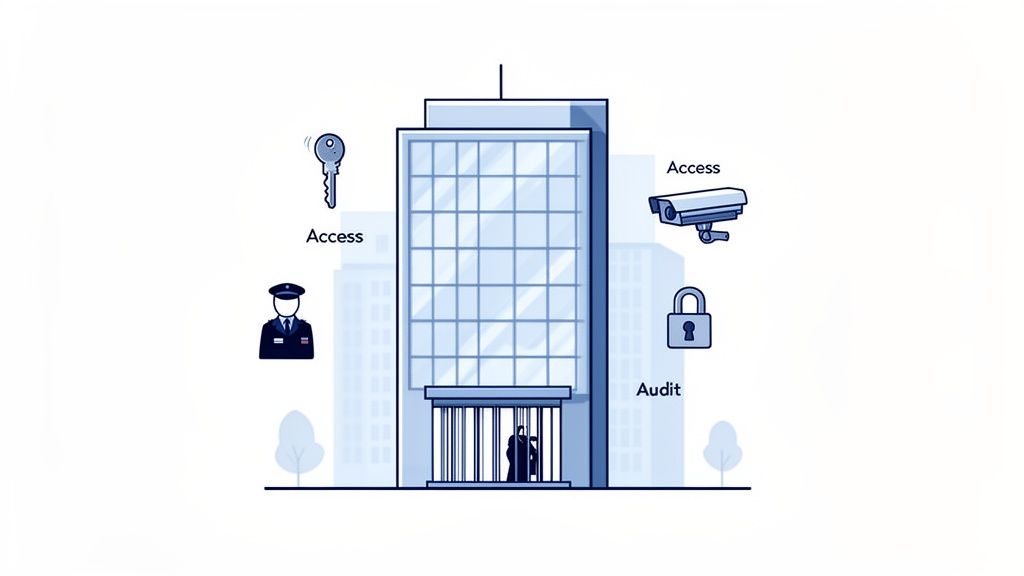
For any Canadian business, especially in regulated fields like healthcare or finance, security can’t just be a feature—it has to be the foundation. The team behind Skype for Enterprise understood this perfectly. They built its security architecture to be far stronger than any consumer app.
Think of it like a high-security corporate headquarters. Unlike a public space with open doors, this building has a single, guarded checkpoint where everyone’s credentials are verified before they can enter. This core principle gave organizations the confidence they needed to communicate freely.
This approach was a game-changer. While consumer tools focused on making access as easy as possible, Skype for Enterprise put control first, creating a secure bubble for every business interaction. It gave IT leaders the oversight they needed to protect sensitive data from prying eyes and external threats.
At the heart of its security model was powerful, end-to-end encryption. Every message sent, every file shared, and every video call was scrambled from start to finish. This wasn't some optional add-on; it was baked into the platform's DNA.
This protection covered data whether it was moving or sitting still.
This two-pronged approach was critical for meeting Canadian privacy standards, giving businesses peace of mind that their conversations remained private.
Beyond just scrambling data, Skype for Enterprise handed IT administrators the keys to the kingdom. They had precise control over who could do what on the platform, ditching the typical all-or-nothing approach.
This level of control is like issuing employee-specific keycards in our secure headquarters analogy. A front-desk employee's card might only open the main door, while a senior executive's card grants access to sensitive boardrooms. Every user gets exactly the access they need, and no more.
This meant an administrator could fine-tune policies for different user groups. For example, they could disable file transfers for temporary staff or restrict external chats to only approved partner companies. This was vital for stopping accidental data leaks before they happened. Mastering these types of controls across all systems is a cornerstone of professional cybersecurity services.
For businesses bound by strict rules, like those governed by the Personal Information Protection and Electronic Documents Act (PIPEDA), Skype for Enterprise had another trick up its sleeve: built-in archiving and compliance tools.
All communications could be automatically archived, indexed, and made fully searchable. This was huge for a few key reasons:
These features transformed the platform from a simple chat tool into a compliant system of record. While today’s tools like Microsoft Teams have taken these ideas even further, the solid security foundation of Skype for Enterprise truly set the standard for what a business should expect from its collaboration technology.
The move from Skype for Enterprise to Microsoft Teams wasn’t just a simple software update—it represented a massive shift in how we think about workplace communication. This wasn't about replacing one tool with another. It was a complete overhaul, rethinking how modern teams should collaborate.
While Skype for Enterprise was a master at unifying existing communication channels, Teams was built from the ground up to be the central hub where all business activity happens.
To really understand why this change was so important, you have to look past the surface features. The two platforms are built on fundamentally different philosophies. Skype for Enterprise was fantastic for one-to-one or one-to-many communications, functioning much like a high-tech telephone or a virtual meeting room. In contrast, Microsoft Teams is designed around the idea of persistent teamwork. It's more like a dynamic, digital office where conversations, files, and tools all live together in one place.
This architectural difference is the secret to unlocking a whole new level of productivity.
One of the biggest distinctions is how the two platforms handle conversations. In Skype for Enterprise, most chats were temporary. Once you closed a window, that conversation was pretty much gone unless you made a point to save it. It was great for quick questions, but not so good for ongoing project discussions that you needed to refer back to later.
Microsoft Teams flipped this on its head by introducing persistent chat channels. Think of a channel as a dedicated digital room for a specific project, department, or topic. Every single message, reply, and file shared in that channel stays there—permanently—organized into easy-to-follow threaded conversations.
This means a new team member can jump into a project channel and get completely up to speed just by reading through the history. Nothing gets lost in the shuffle, and the context is always right there. This move from temporary chats to a permanent, searchable collaboration record is a huge leap forward.
You could definitely share files in Skype for Enterprise, but the process was pretty basic. It was little more than a direct transfer from one person to another during a chat. This worked fine for simple tasks but fell short when it came to the deep integration needed for real collaborative work.
Teams, on the other hand, is a true collaboration powerhouse. Because it's woven so tightly into the Microsoft 365 fabric, every channel automatically gets its own SharePoint site for file storage and a OneNote notebook. This deep integration unlocks some powerful features:
This creates a single workspace where you can chat, meet, collaborate on files, and manage projects without constantly jumping between different applications. It’s a massive efficiency boost, especially when you consider that research shows the average worker switches between apps more than 1,200 times a day.
The core difference is this: Skype for Enterprise helps you talk about the work, whereas Microsoft Teams provides a space where you can actually do the work together. It transforms communication from a separate activity into an integrated part of your workflow.
As you think about your own transition, it helps to understand the full timeline. You can learn more by reading our guide on the official Skype for Business Online retirement.
Finally, the underlying architecture of the two is completely different. Skype for Enterprise, even the cloud version, was mostly a standalone application focused on real-time communication. It could connect with other Microsoft products, but it was never the centre of the user experience.
Microsoft Teams is engineered to be the main user interface for the entire Microsoft 365 suite. It's not just another app; it's the front door to your digital workplace. This platform-first approach allows for far greater security, flexibility, and future-proofing. As Microsoft rolls out new tools and security features, they are built directly into Teams, ensuring the platform is always evolving.
Here’s a simple table to put their differences into perspective.
| Aspect | Skype for Enterprise | Microsoft Teams |
|---|---|---|
| Communication Style | Primarily one-to-one transient chats and scheduled meetings. | Persistent, channel-based threaded conversations for teams. |
| Collaboration | Basic file sharing and screen sharing capabilities. | Integrated hub with co-authoring, centralized file storage, and app integration. |
| Architecture | A standalone application focused on unified communications. | A central platform for teamwork, fully integrated with Microsoft 365. |
| Key Benefit | Unified real-time chat, voice, and video in one place. | Creates a single, persistent workspace for collaboration and productivity. |
For Canadian businesses, moving from Skype for Enterprise to Teams is more than just a required update. It's a strategic upgrade that sets your organization up for a more connected, secure, and productive future.
With the retirement of Skype for Enterprise, the question isn’t if your business should move to Microsoft Teams, but how to make the switch without disrupting your entire operation. This transition is a necessary step to keep your communications secure and your team productive. While it sounds like a massive undertaking, a solid plan can turn a potentially chaotic move into a seamless upgrade.
The secret is to treat the migration as a journey, not a single event. It’s about understanding where you are today, mapping out the best path forward, and getting your team excited for the change. When you break it down into manageable stages, the whole process feels less overwhelming and far more predictable.
Before you even think about moving a user, you need to take a good, hard look at your current setup. This initial assessment is the foundation of your entire migration plan. It’s about digging into your existing Skype for Enterprise environment, your network’s health, and, most importantly, how your people actually use the tool day-to-day.
Your readiness check should cover a few key areas:
The good news is you don’t have to flip a switch and move everyone overnight. Microsoft offers several "coexistence modes" that let Skype for Enterprise and Teams run side-by-side during the transition. This is a fantastic way to introduce Teams gradually without causing a major shock to the system.
While Islands Mode is a common starting point where both platforms run independently, the end goal is to get everyone to "Teams Only" mode. For a structured approach, a detailed cloud migration checklist can be an invaluable guide for every step of this process.
Think of coexistence modes like setting up well-marked detours during a major highway upgrade. Instead of shutting down the old road completely, you guide traffic to the new one in a controlled, phased manner, ensuring everyone arrives at their destination safely and without getting lost.
Technology is only half the battle—the other half is your people. A migration plan that ignores user adoption is almost guaranteed to stumble. Your team needs to understand not just how to click the buttons in Teams, but why it’s a better way to get their work done. A great training plan focuses on improving their daily workflows, not just listing features.
Proactive training and ongoing support are what make the difference. Providing handy resources, hosting Q&A sessions, and appointing a few internal "Teams champions" can massively speed up adoption and help your staff genuinely embrace the new platform. Working with a partner on expert-led Microsoft 365 optimization and training can also take this burden off your shoulders.
A managed IT partner can be a powerful ally on this journey, guiding you from the initial strategy and technical work right through to post-migration support. This approach transforms a complex project into a powerful upgrade that strengthens both your security and your team’s efficiency.
Making a big platform change always brings up questions. For many Canadian business and IT leaders, the move from the familiar Skype for Enterprise to Microsoft Teams is no different. You’re likely wondering about security, your data, and the real deadlines. Let's clear up some of the most common concerns.
Technically, your on-premises servers might still run after the October 2025 end-of-support date, but it’s a risky long-term strategy. Once that date passes, those servers won't get any new features or, more importantly, public security updates. This leaves your organization wide open to threats.
Microsoft is offering a paid Extended Security Update (ESU) program until April 2026, but they're positioning it as a temporary bridge, not a permanent solution. The official—and safest—path forward is a complete migration to Microsoft Teams.
This is a big one, and thankfully, Microsoft has built tools to make sure your data transitions as smoothly as possible. Most key information is preserved.
This move isn't a one-day flip of a switch. The recommended migration journey breaks it down into three manageable phases.
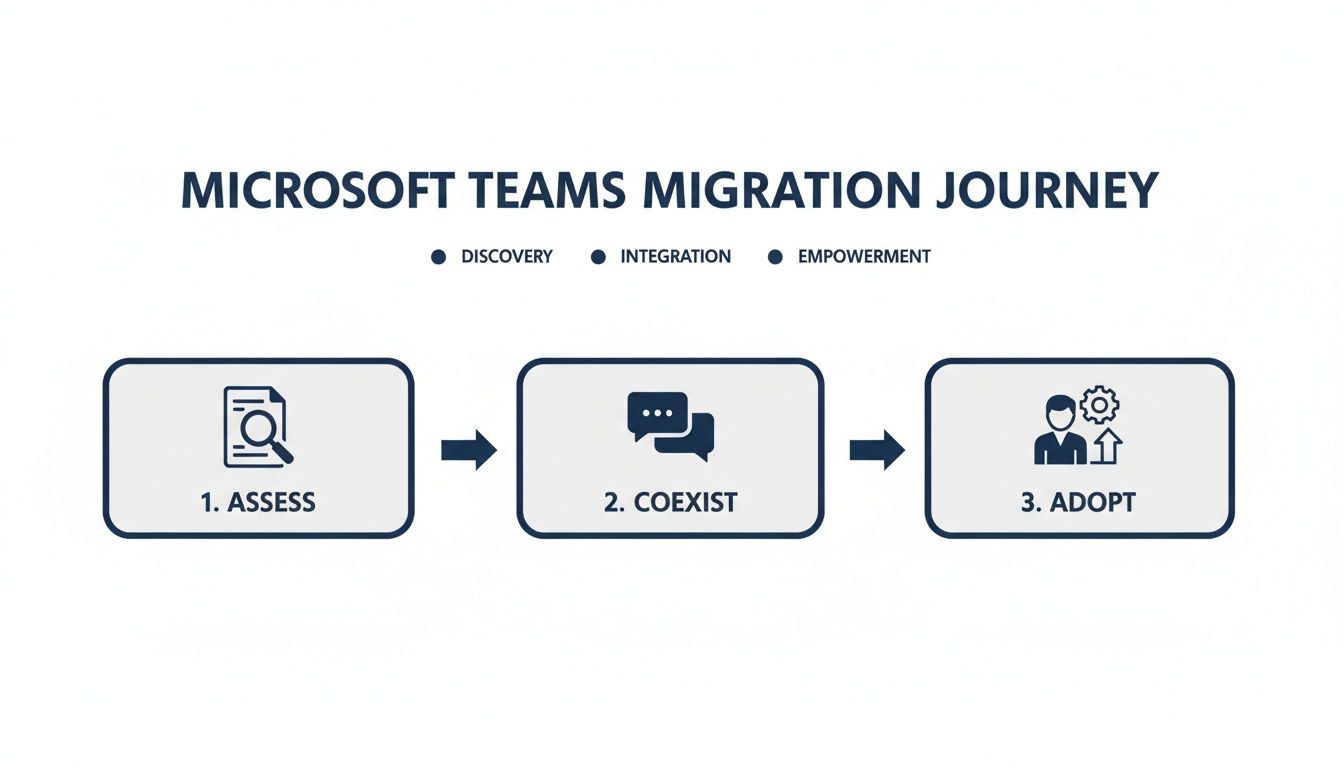
The journey starts with a thorough assessment, moves into a coexistence phase where both platforms can run side-by-side, and ends with full adoption. This controlled approach ensures minimal disruption. A critical part of your planning also involves understanding your different Office 365 licensing options to get the most value.
A complete data protection plan also needs to account for the hardware you're leaving behind. It's vital to prioritize proper data security in IT asset disposition when you decommission your old servers.
The end of Skype for Enterprise isn’t the end of the road—it's an opportunity for a strategic upgrade. For medium-sized Canadian businesses, navigating this transition effectively means more than just a software change; it’s about future-proofing your communication and collaboration strategy. By embracing Microsoft Teams, you’re not just staying compliant; you're equipping your team with a more powerful, integrated, and secure platform built for modern work.
If you’re ready to ensure a seamless and secure transition, our team at CloudOrbis is here to help. We specialize in planning and executing Microsoft 365 migrations, ensuring your business experiences minimal disruption and maximum benefit. Reach out to us today to start building your tailored migration plan.
September 21, 2026
Secure File Sharing Guide for Canadian BusinessesLearn secure file sharing essentials for Canadian SMBs — encryption, compliance, protocols and best practices to protect data and stay compliant.
Read Full Post
September 20, 2026
Disaster Recovery Plan Business Continuity for SMBsBuild a disaster recovery plan business continuity strategy tailored for Canadian SMBs. Covers risk assessment, RTO/RPO, backup, testing, and ownership.
Read Full Post
September 19, 2026
Database Migration Services Explained for Canadian SMBsLearn how database migration services move data to the cloud securely with minimal downtime. Types, risks, costs and a Canadian provider checklist.
Read Full Post
