Microsoft 365 License Optimization Guide
Learn microsoft 365 license optimization for Canadian SMBs. Audit, analyze, and reduce waste to cut costs and ensure compliance in 2026.

Learn microsoft 365 license optimization for Canadian SMBs. Audit, analyze, and reduce waste to cut costs and ensure compliance in 2026.

Your Microsoft 365 bill probably looks clean on paper. The problem is what's buried inside it, a stack of premium entitlements, overlapping add-ons, and users who only need email, Teams, and basic collaboration. In a Canadian SMB, that kind of drift doesn't just waste money, it also creates a false sense of control.
Microsoft 365 license optimization should not start with headcount cuts. It should start with feature right-sizing, because that's where the value is usually hiding. Reclaiming dormant seats matters, but downgrading people who don't use advanced security, analytics, or compliance features often matters more, especially in regulated firms that still need tight control over access and data handling. For a practical overview of how Microsoft environments fit into broader operational tuning, see AI business process optimization, which frames the same mindset shift from waste reduction to workload alignment.
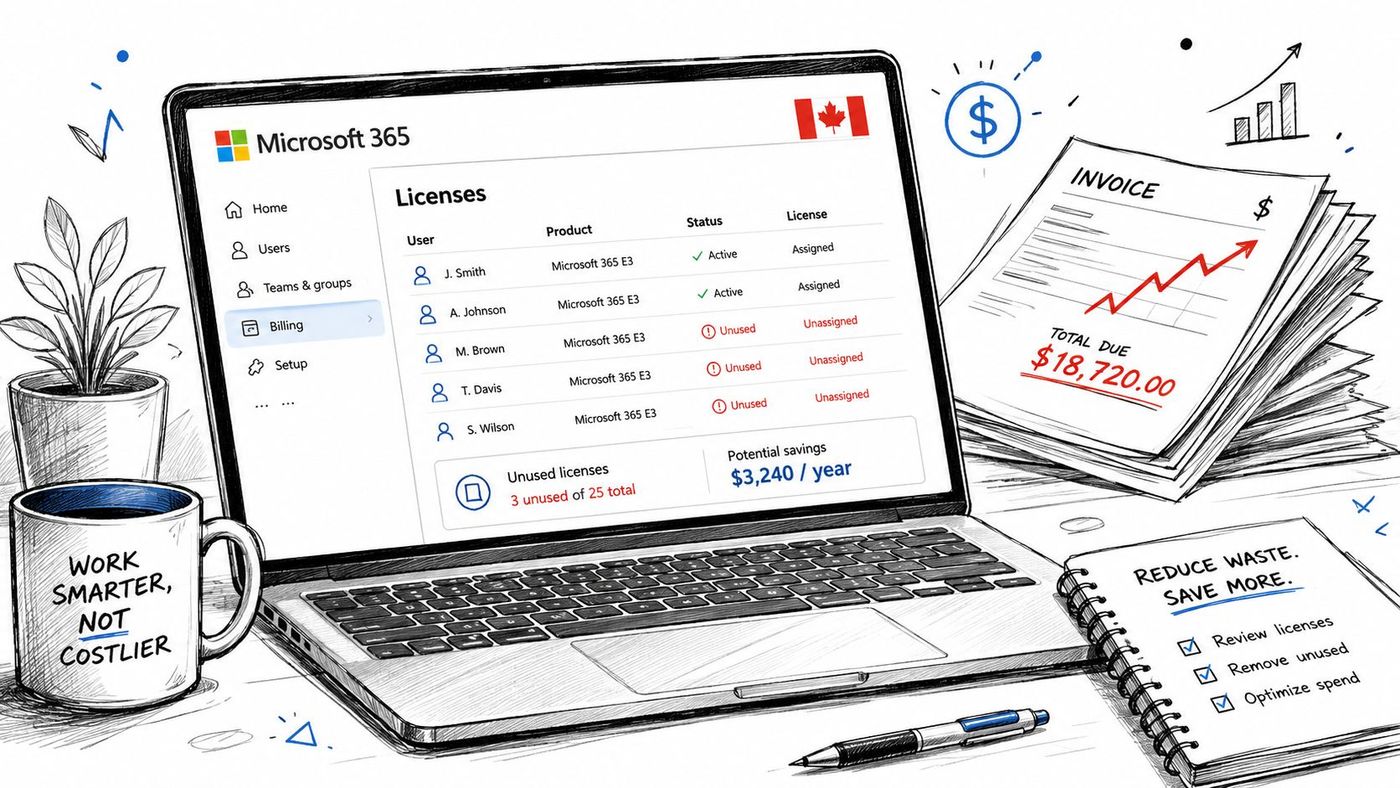
If you're still treating licensing as a fixed monthly overhead, you're leaving easy savings on the table. CloudOrbis's small business Microsoft guidance is a useful companion piece if you want to see how Microsoft choices fit into a broader operating model, not just a line-item review. CloudOrbis Microsoft for Small Business
Most SMB owners don't notice licensing waste until renewal time, and by then the damage is already baked into the budget. The pattern is usually familiar, someone gets a premium plan during a busy quarter, nobody revisits it, and the subscription keeps rolling even after the workload changes. That's how premium spend becomes shelfware.
The bigger issue is that license waste has two faces. One is obvious, unused or inactive accounts. The other is far more expensive, users sitting on E3, E5, Business Premium, or add-ons they don't need. Independent guidance notes that inactive-license recovery is typically 5 to 15% of seats and that tier right-sizing can save another 8 to 20% of eligible users (plow.net). Those aren't numbers to chase blindly, but they do show why seat deletion alone is a weak strategy.
Healthcare, legal, finance, manufacturing, and logistics all have a sharper compliance edge than a generic office environment. If you strip a licence too aggressively, you can create gaps in security controls, retention, or collaboration access. If you keep everyone on premium tiers without checking actual usage, you pay for compliance capabilities that many staff never touch.
Practical rule: optimise for the work people actually do, not the plan they were handed when they joined.
That's the mindset shift. Microsoft 365 license optimization isn't a cleanup project, it's an operating discipline. For Canadian SMBs, that means every licence decision should answer two questions, what does this person use, and what does this role need to stay compliant? If you can't answer both, you're overspending or overexposing the business.
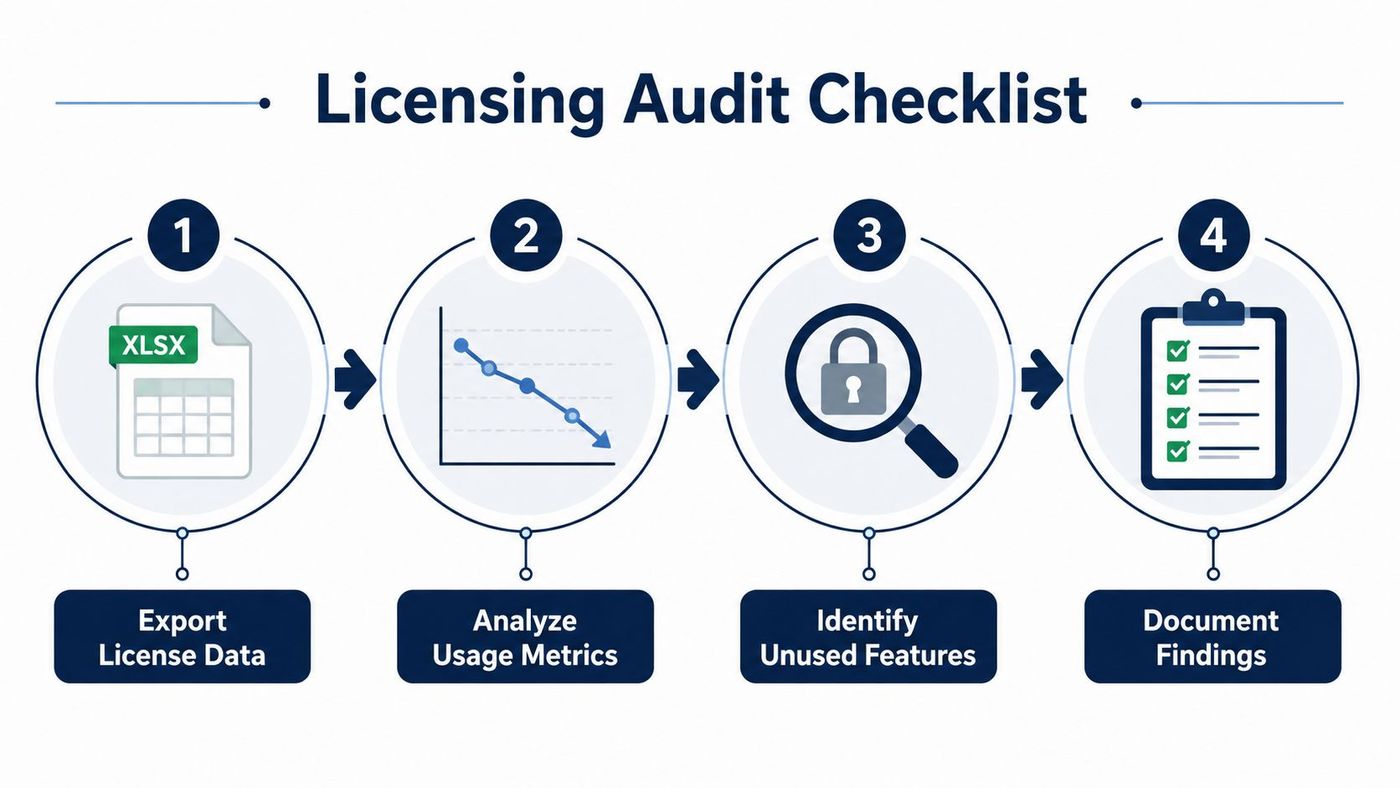
A good audit starts with facts, not assumptions. Pull the current licence inventory, then separate assigned, unassigned, and inactive accounts. For usage, use the Microsoft 365 Admin Center reports or Graph API, then compare assigned entitlements against actual consumption. A sensible review window is 90 days, because usage-based optimisation guidance commonly treats licences as dormant when there's been no activity in that period (Redress Compliance).
Start with data collection. Export the tenant's licence assignments, user status, and service usage. Then pull activity data for the apps and services you care about, especially Teams, email, SharePoint, Power BI, Defender, and compliance features. If someone signs in but never uses a premium service, that's not proof the licence is justified.
Next comes analysis. Flag accounts that are inactive, disabled, or carrying add-ons with no clear use case. Look for users on premium plans whose work is mostly communication and file sharing. Those are the easiest downgrade candidates. Use the same logic for external users and project-based add-ons, because old exceptions tend to become permanent expenses.
Finally, do reporting. Give leadership a simple view of what can be reclaimed, what should be downgraded, and what must stay in place for compliance. If the outcome is buried in a spreadsheet no one reads, the audit hasn't solved anything.
Keep the audit boring and repeatable. The more disciplined the process, the easier it is to defend licence changes during a renewal or compliance review.
Use the CloudOrbis IT asset management resource if you want to connect licence audit discipline with broader lifecycle control. That's the right lens, because Microsoft 365 licences are just another asset class, and they need the same accountability as hardware or security tools.
The biggest mistake I see is treating every employee as if they need the same stack. They don't. A finance lead may need retention and compliance features, a frontline operations user may need nothing beyond email and Teams, and a manager may only need access to shared files and meetings. If you assign the same tier across the board, you're paying for capability that never gets touched.
The practical move is to map roles to workloads. Review whether users use premium tools such as Power BI, Defender, or advanced compliance functions before you lock them into higher plans. If their day-to-day work doesn't depend on those capabilities, downgrade them and keep the expensive tier for the people who need it. That's the core of feature right-sizing.
| Feature Rightsizing Opportunities | ||
|---|---|---|
| License Tier | Typical Use Case | Potential Savings |
| E5 or loaded enterprise tier | Security, compliance, analytics-heavy roles | Usually the best downgrade target when users only need email, meetings, and file collaboration |
| E3 | Knowledge workers with moderate collaboration and selected control needs | Often better than premium tiers for staff who don't use advanced capabilities |
| Business Premium | SMB users needing broader protection and management | Worth keeping for users who need those controls, unnecessary for very light roles |
The table is intentionally simple, because simplicity wins in licence reviews. You don't need a perfect taxonomy on day one, you need a clear rule that separates real requirement from habit. If a user isn't touching the premium layer, that layer should not survive the next renewal by default.
CloudOrbis's Microsoft Enterprise licence resource fits well here if you're comparing enterprise-style features against SMB use cases. The point is not to buy the cheapest plan, it's to buy the right plan for each role and stop paying twice for capability that overlaps.
Bottom line: the savings often come from removing premium overlap, not from chasing dormant accounts alone.
Once you know what to cut, make the process automatic. Manual reviews work for a first pass, but they fall apart when staff move roles, leave the company, or pick up temporary projects. Licence drift comes back fast unless you build a reclaim workflow that runs alongside onboarding, offboarding, and role changes.
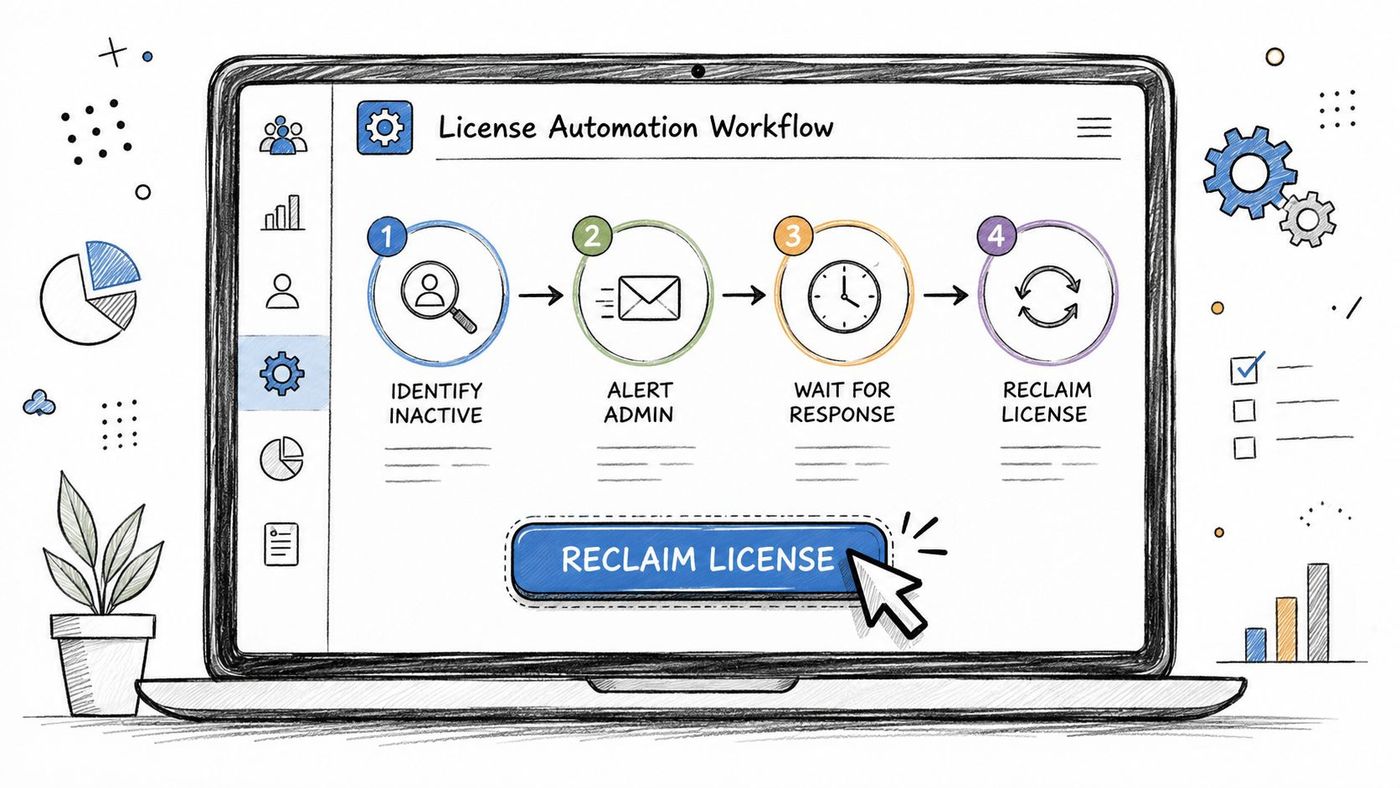
Set inactivity alerts for the accounts that matter most, especially premium users and add-ons. Schedule recurring reports from the Admin Center so someone reviews assigned licences against actual use. Then make licence recovery part of the leaver process, so seats are reclaimed before they sit idle.
Automation saves the most admin time after the first review pass. A good workflow flags inactive licences, surfaces overlapping assignments, and routes downgrade approvals to the right manager before renewal pressure forces a rushed decision. The approach in Andy's 2026 automation guide fits this model because consistency matters more than one-off cleanup. If you are building the process around tools and handoffs, CloudOrbis's workflow automation tools resource is a useful reference for shaping the sequence.
For SMBs that want a managed route, CloudOrbis can fold licence review into ongoing IT operations as part of a broader support model. That matters when internal staff do not have time to chase reports every month, especially in Canadian firms that have to keep security and compliance controls aligned with how people work.
Use this sequence:
If you do this well, licence management stops being a spreadsheet exercise and becomes a routine control. That is the goal.
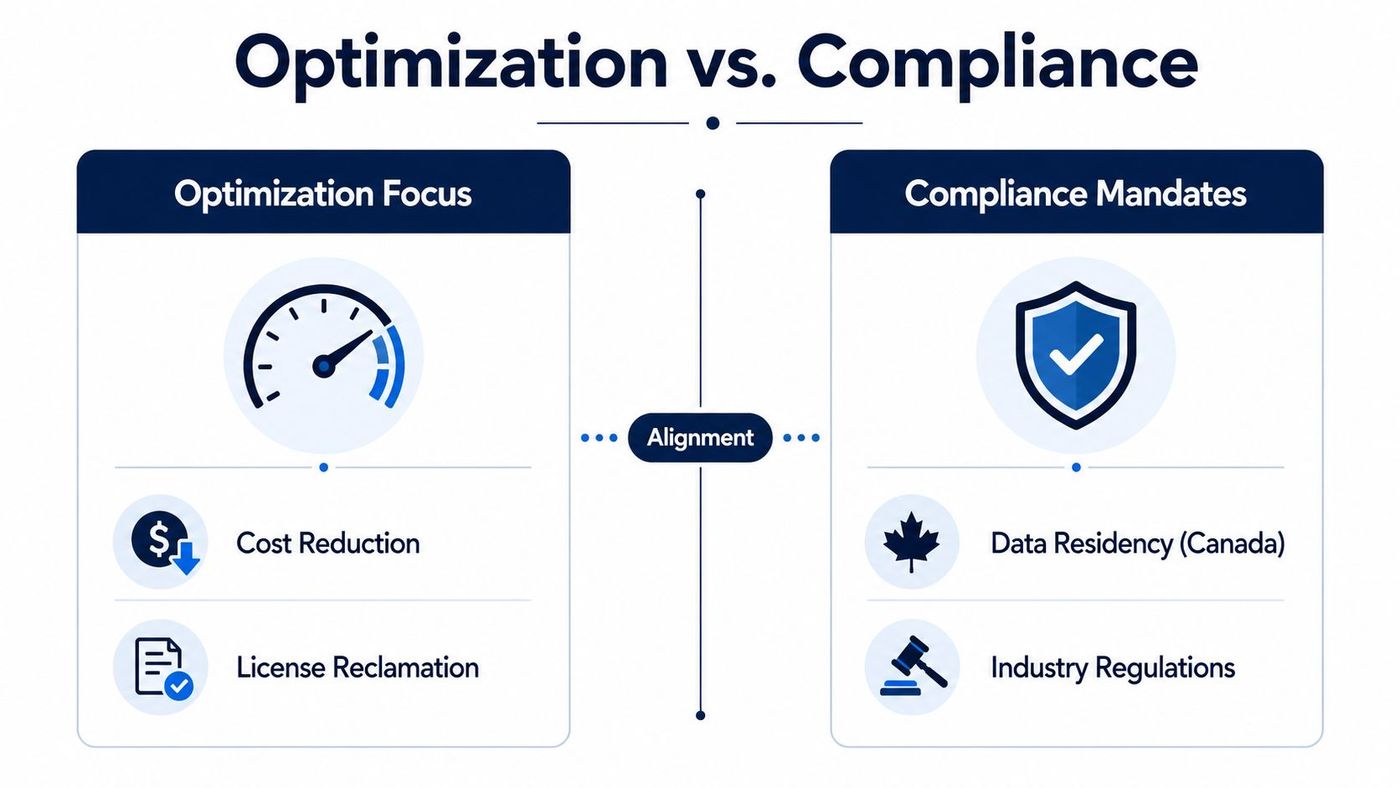
Licence cuts are easy to get wrong in regulated industries. A legal firm can't casually remove features tied to retention or collaboration controls. A clinic can't downgrade a user if the new plan breaks the security posture that protects client or patient data. A finance team can't save a few dollars if the change creates a compliance gap.
That's why optimisation has to sit beside governance, not underneath it. Recent Microsoft 365 optimisation guidance increasingly treats licence decisions as a fit between workload, adoption, and compliance boundaries, not just cost cutting (Syskit). That matters even more now that Copilot and similar AI add-ons are changing the value calculation. The question is no longer whether a premium tier looks expensive, it's whether a user can justify it through real security, compliance, or AI readiness.
DIY works if you have a capable admin, a small tenant, and a stable user base. It's cheaper up front and gives you full control. The downside is obvious, it becomes fragile fast when the business grows, regulations tighten, or someone needs to explain licence choices to leadership.
Partner-managed optimisation makes more sense when you need ongoing review, not just one-time cleanup. A competent partner should check feature use, document compliance impact, and keep the reclaim process alive after the initial audit. That's where DynamicsHub M365 compliance is a useful reference point for understanding how compliance conversations should stay tied to operational controls, not marketing language.
| Approach | Strength | Limitation |
|---|---|---|
| DIY | Low immediate cost, direct control | Easy to let drift return |
| Partner-managed | Ongoing oversight, stronger governance | Requires trust and clear scope |
Use DIY when the tenant is simple and the stakes are modest. Use a partner when licensing affects compliance, AI adoption, or multiple departments with different risk profiles. For Canadian SMBs in healthcare, legal, finance, manufacturing, and logistics, that threshold arrives sooner than most owners expect.
The cleanest roadmap is simple. Audit the tenant, map usage to roles, reclaim dormant seats, right-size feature-heavy users, then automate the review cycle so the gains stick. If you skip any one of those steps, the savings fade and the licence sprawl comes back.
Use this as your decision filter:
The right answer is rarely a dramatic purge. It's a controlled, documented programme that keeps the business compliant while removing waste every renewal cycle. If you need a broader framework for sequencing that kind of change, the digital transformation roadmap resource is a good match because licence optimisation works best when it sits inside a wider operating plan.
Start with one review cycle, one department, and one clear rule for downgrades. Then expand it across the tenant once you've proven the logic holds. That's how you turn Microsoft 365 from a recurring cost into a controlled asset.
CloudOrbis Inc. helps Canadian SMBs review Microsoft 365 licensing, align plans to actual usage, and keep compliance considerations in view while reducing waste. If you want a practical audit, right-sizing guidance, and ongoing support that fits regulated environments, visit CloudOrbis Inc. and start a conversation about your Microsoft 365 setup.
Book a 30-minute call with a senior engineer. No sales script, just straight answers about your environment.


