Help Desk Ticketing System: A Guide for Canadian SMBs
Discover what a help desk ticketing system can do for your Canadian SMB. Our guide covers core features, business value, implementation, and KPIs for success.

Discover what a help desk ticketing system can do for your Canadian SMB. Our guide covers core features, business value, implementation, and KPIs for success.
A lot of mid-sized Canadian businesses still run support through Outlook folders, Teams messages, phone calls, and whoever happens to be available. That works until it doesn't. One urgent vendor issue lands in email, another comes through reception, a third gets mentioned in chat, and no one has a complete view of what's open, who owns it, or what's about to breach an internal commitment.
A modern help desk ticketing system fixes that operational gap. It gives business leaders something far more valuable than a queue. It creates control, traceability, and a consistent way to manage service requests across staff, clients, and locations. For firms in healthcare, legal, finance, manufacturing, and logistics, that matters just as much for compliance and audit readiness as it does for response times.
The category itself has been around for decades. Help desk ticketing systems became a distinct IT practice in the 1980s, when organisations moved from informal troubleshooting to structured incident tracking and queue management, according to TOPdesk's history of the help desk. What's changed is the business context. Today's support environment includes Microsoft 365, distributed teams, co-managed IT, security controls, and rising expectations for documented service delivery.
A common failure point looks harmless at first. A client emails a service issue to one employee. That person is away. The message gets forwarded to a colleague, discussed in Teams, and noted somewhere outside any formal process. Hours later, nobody is sure whether the issue was acknowledged, escalated, or solved.
That's not just messy. It creates a business risk.
When support requests live in inboxes and chat threads, leadership loses visibility. Staff duplicate work, miss deadlines, and spend time asking for status updates instead of resolving problems. Clients notice inconsistency long before management sees it in a report.
An unmanaged support flow affects more than the service team:
Unstructured support rarely fails in dramatic ways. It fails quietly, through missed handoffs, unclear ownership, and delayed follow-up.
For Canadian businesses, that risk often spreads beyond IT. HR requests, onboarding tasks, access approvals, and vendor issues all start to pile into the same informal channels. Leaders then mistake activity for control. A busy inbox isn't a service model.
Ad hoc support can survive in a very small team because people still remember context. As the company grows, memory stops being a system. New staff don't know the unwritten rules. Managers can't see backlog clearly. Multi-office operations create more handoffs and more room for something to vanish.
If your team is still managing service work through email and manual follow-up, it's worth looking at how structured IT and network support practices reduce those gaps before they become client-facing problems.
A centralized help desk ticketing system is the digital control point for support work. Every request, whether it arrives by email, phone, portal, or chat, becomes a ticket with an owner, a status, a timeline, and a record of what happened.
Think of it as a digital post office for service operations. It receives incoming requests, sorts them, routes them, tracks delivery, and preserves the history. Without that control plane, requests move through the business in unpredictable ways.
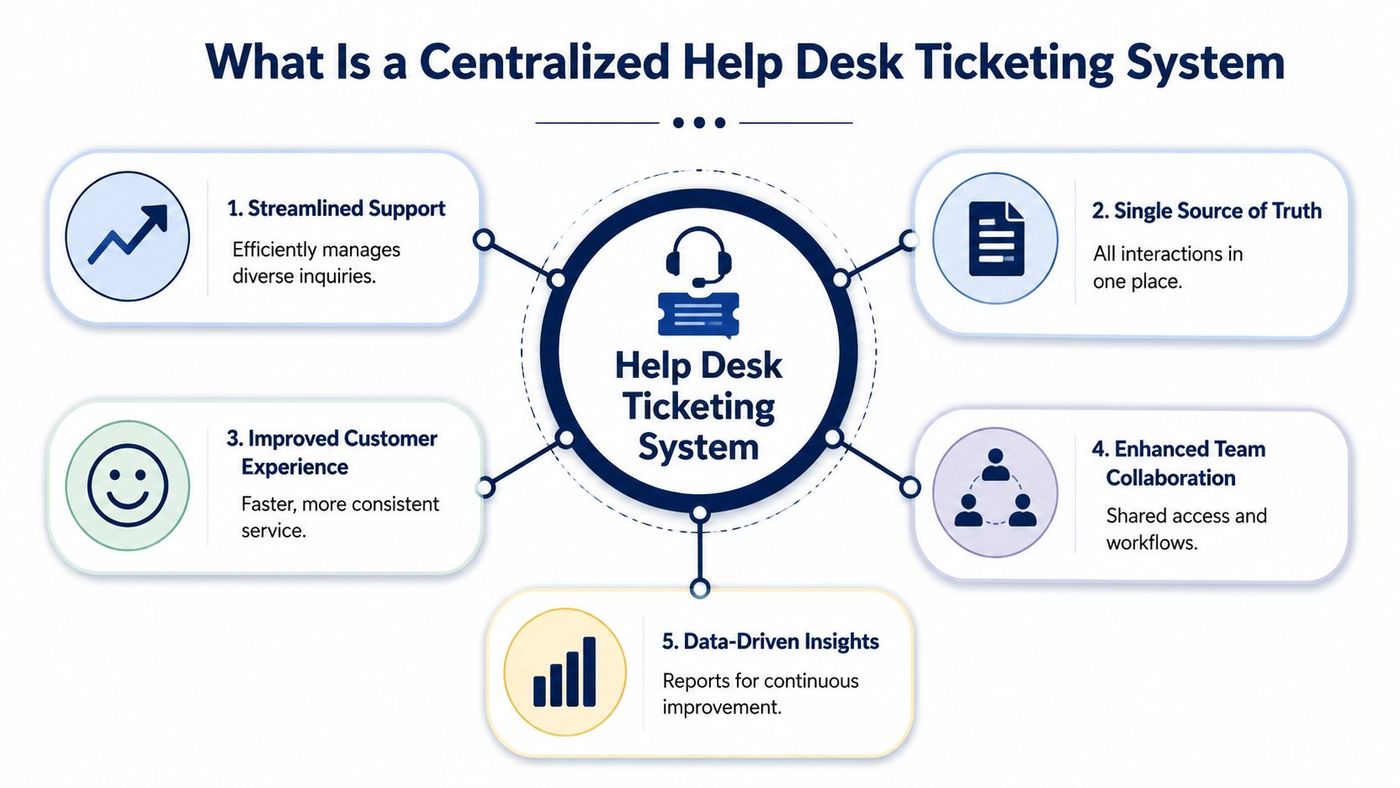
The most practical design choice is to treat the platform as a single, centralized control plane for omnichannel support. Independent guidance describes ticket systems as centralized platforms that track each request from submission to resolution, preserve communication history, and maintain assignment data, which is especially useful for regulated environments, as outlined in Purple Griffon's explanation of help desk ticketing systems.
That architecture matters because every ticket becomes a traceable record. You can see when it was created, who touched it, what was communicated, and how it was resolved.
A centralized system usually gives you five operational advantages:
| Capability | Why it matters |
|---|---|
| Unified intake | Email, portal, and other requests enter one workflow instead of scattered inboxes |
| Clear ownership | Every issue has an assigned person or queue |
| Status visibility | Staff and managers can see what's new, in progress, waiting, or resolved |
| Full history | Notes, updates, attachments, and timestamps stay attached to the ticket |
| Reporting base | You can review trends, bottlenecks, and recurring issue categories |
Practical rule: If a request matters, it should exist as a ticket. Not as a memory, not as a forwarded email, and not as a chat message someone might miss.
Many firms transition from reactive support to managed service delivery. The help desk ticketing system becomes the source of truth, not just a place to log work after the fact. For a business comparing service models, a formal help desk for IT support therefore operates very differently from a shared mailbox with a few informal rules.
The workflow is simple. A request comes in, the system turns it into a ticket, someone owns it, work happens, communication stays attached to the record, and the ticket closes when the issue is resolved.
That sounds basic, but it's the operational discipline that informal support lacks.
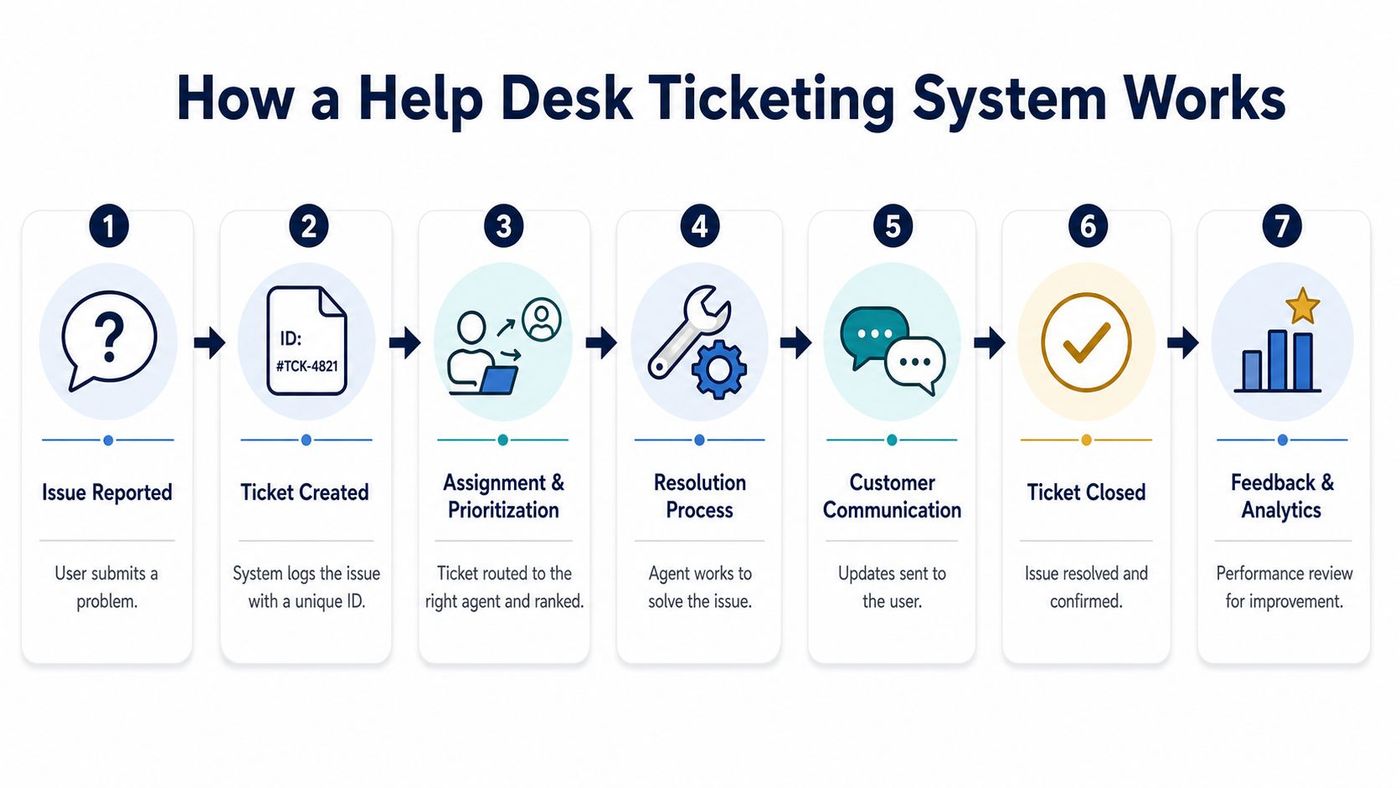
Teams often follow a workflow close to this:
A strong system usually includes more than the ticket itself:
One practical implementation detail often gets overlooked. If your business accepts requests by email, the system should convert those messages into tickets automatically and preserve the thread. Teams exploring email-driven automation may also find this developer guide to autonomous agent email useful for understanding how structured email workflows fit into broader support operations.
A ticketing platform works best when staff don't have to think about where to log the issue. The system should capture the request as part of normal work.
Not all platforms solve the same problems. Some are little more than digital inboxes. Others operate as a structured service layer across IT, HR, operations, and client support. For Canadian SMBs in regulated sectors, the difference matters.
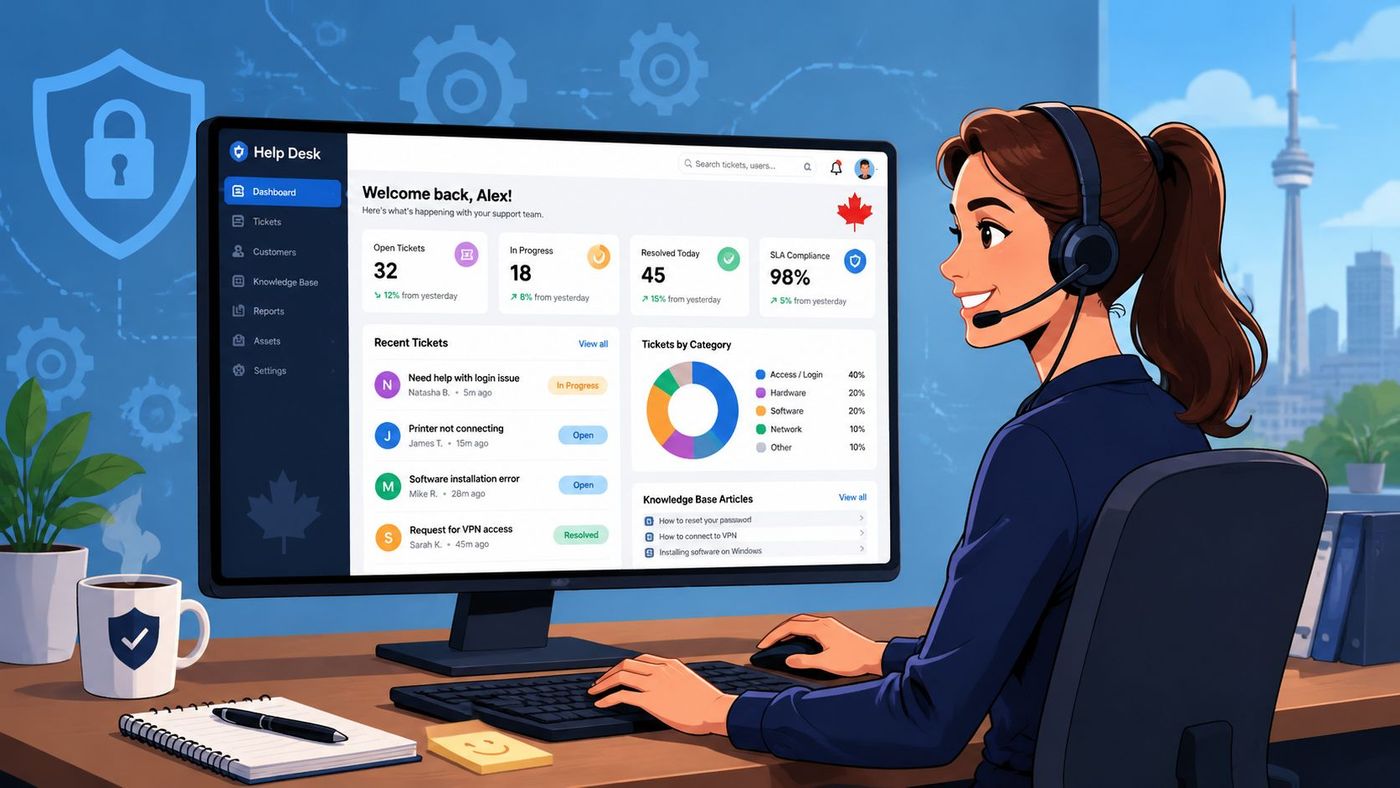
The highest-value technical control is automatic ticket routing and escalation. Industry guidance highlights this as the feature that turns unstructured inbound requests into workflow-ready records and reduces manual triage, as explained in Select Software Reviews' buyer guide for IT help desk ticketing systems.
In practical terms, that means:
If a platform can't route email-generated tickets, prioritise by type, and escalate based on rules, it will create administrative drag.
Service level management matters because it turns vague expectations into measurable commitments. Even internal support teams need a clear understanding of what counts as a timely response and what counts as unacceptable delay.
Look for:
A ticketing system moves beyond being a record-keeping tool and becomes an operational management tool. It also ties closely to broader workflow automation tools that reduce repetitive admin work across the business.
For many Canadian SMBs, Microsoft 365 is already the centre of collaboration. A ticketing system should fit that reality. Integration with Outlook, Teams, identity controls, and document workflows reduces friction and helps staff work in tools they already use.
Security and compliance features should include:
| Feature | Business value |
|---|---|
| Role-based access | Limits who can view or edit sensitive tickets |
| Audit trails | Preserves who did what and when |
| Retention controls | Supports documented handling of records |
| Channel integration | Keeps support tied to existing Microsoft workflows |
For healthcare, legal, and finance organisations, these controls aren't optional. They support privacy, defensibility, and more consistent handling of regulated information.
Leaders often ask the wrong question. They ask whether a help desk ticketing system will help the team answer tickets faster. It probably will, but that's only one part of the return.
The larger gain comes from operating support as a managed process instead of an interruption stream.
The easiest improvements to identify are operational:
Those gains are visible even before you build mature reporting. Team leads stop acting as human dispatchers. Technicians stop scanning inboxes for hidden priorities. Users know where to send requests and how to check status.
A more strategic question is whether the platform serves only as a queue, or whether it also captures knowledge. That distinction matters. Neutral guidance notes that self-service portals and knowledge bases reduce ticket volume and free IT staff for higher-value work, as discussed in Verizon Business's overview of help desk ticketing benefits.
That changes how you evaluate ROI.
If your team resolves the same issue repeatedly without documenting the fix, the system is processing work, not improving operations.
For lean Canadian SMBs, especially those with limited in-house IT capacity, the primary return often comes from reducing repeat incidents. A documented solution article, a repeatable onboarding checklist, or a standard process for common Microsoft 365 requests can prevent the next ticket entirely.
Use a simple before-and-after review:
| Area | Before | After a mature ticketing setup |
|---|---|---|
| Request intake | Email and chat scattered across staff | Centralised, logged, searchable |
| Ownership | Informal and inconsistent | Assigned and visible |
| Repeat issues | Solved repeatedly from scratch | Captured in knowledge and workflows |
| Management view | Anecdotal | Trend-based and reportable |
A co-managed model can strengthen that return because internal staff stay focused on business priorities while an external team handles the platform, queue discipline, and escalation structure. That's one reason many firms move to a more formal managed help desk instead of trying to scale ad hoc support internally.
Buying software is the easy part. Implementing a system that people use is where projects succeed or fail.
A poor rollout usually follows a pattern. The business buys a platform with strong features, imports a pile of legacy requests, sets up generic categories, gives minimal training, and assumes the tool will force better behaviour on its own. It won't.
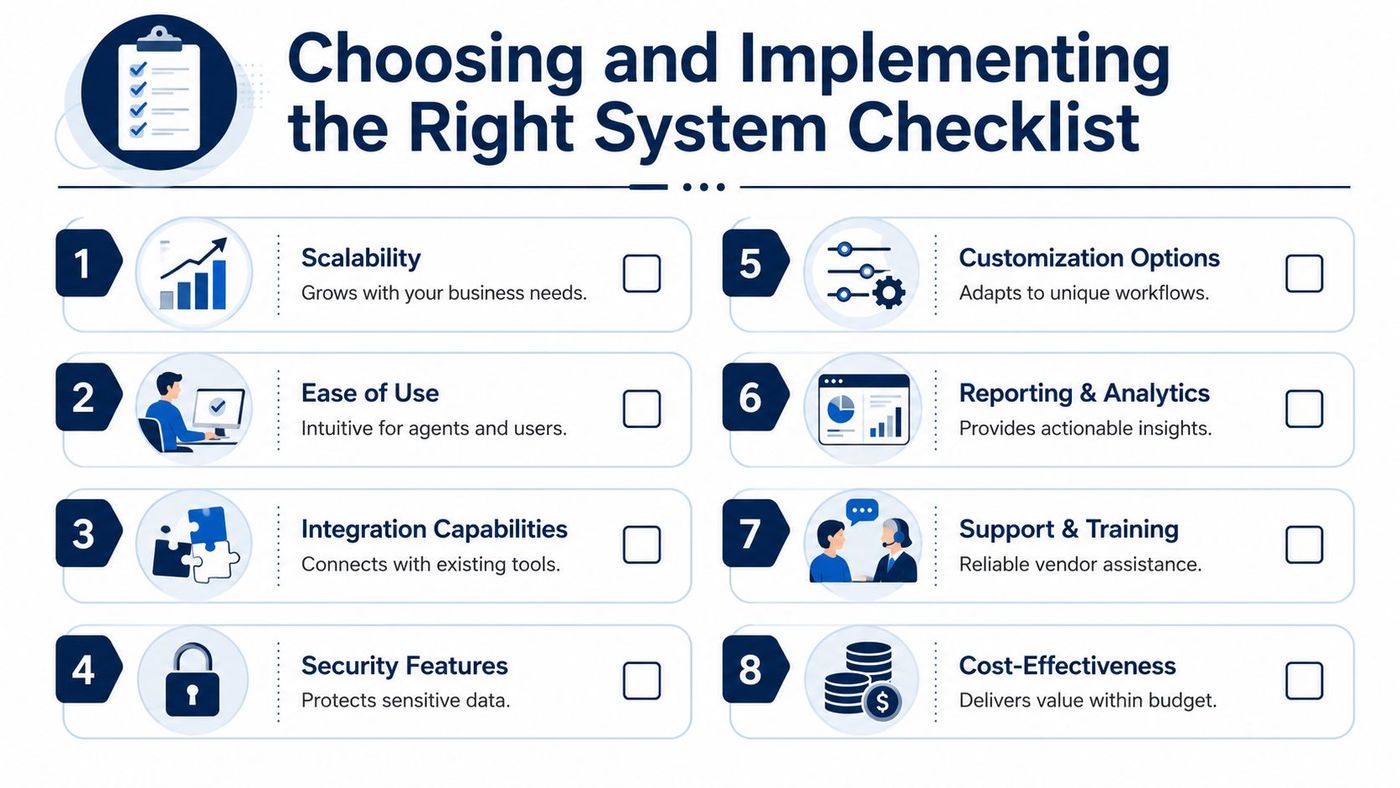
Use a short checklist that reflects your actual operating model:
For regulated industries in Canada, buyers also need to decide which requests can be safely auto-resolved, what audit trail is required, and how to avoid exposing sensitive information when AI and Microsoft 365 workflows are involved. That governance issue is highlighted in N-able's discussion of IT ticketing systems.
The biggest mistakes usually have little to do with technology:
Some firms manage the platform entirely in-house. Others use a co-managed model, where internal staff retain business context while an external provider handles tooling, process maturity, and escalation support. CloudOrbis Inc. fits into that second category for organisations that want managed or co-managed IT support tied to Microsoft 365, security, and ongoing service operations.
That model is often more realistic for SMBs. It lets the business build disciplined service delivery without asking a small internal team to become ticketing architects, reporting analysts, and escalation managers all at once.
A help desk ticketing system isn't a one-time clean-up project. It's an operating discipline. The value comes from reviewing the data and refining how the team works.
For most SMBs, start with a small set of metrics that leadership can act on:
A centralized ticket record is what makes those operational metrics reliable in the first place. If you want reporting to drive decisions, not arguments, your data source has to be consistent. That's why many teams eventually pair ticket operations with stronger analytics and reporting practices.
Build the knowledge base from resolved tickets, not from theory. Real incidents produce the best documentation.
A few habits make the biggest difference:
A good help desk ticketing system gives you structure. A well-run one gives you better decisions, lower operational drag, and a support function that scales with the business instead of slowing it down.
If your organisation needs a help desk ticketing system that supports security, Microsoft 365 workflows, and regulated Canadian operating requirements, CloudOrbis Inc. can help you assess your current support model, design the right process, and implement a managed approach that fits your team.
Book a 30-minute call with a senior engineer. No sales script, just straight answers about your environment.


