IT and Network Support: A Guide for Canadian Businesses
Unlock reliable IT and network support for your Canadian business. This guide covers managed services, proactive monitoring, provider selection, and ROI.

Unlock reliable IT and network support for your Canadian business. This guide covers managed services, proactive monitoring, provider selection, and ROI.
Month-end arrives and the same pattern repeats. The network slows down, staff start tethering to mobile phones, calls on VoIP drop mid-conversation, and someone in finance cannot open a file they need right away. Nothing is fully broken, but everything is harder than it should be.
For many mid-sized Canadian businesses, that is what weak IT support looks like in practice. The problem is not one dramatic outage. It is the steady drag on productivity, confidence, and decision-making. Leaders end up spending time approving emergency fixes, chasing vendors, and asking whether backups, security tools, and remote access are working.
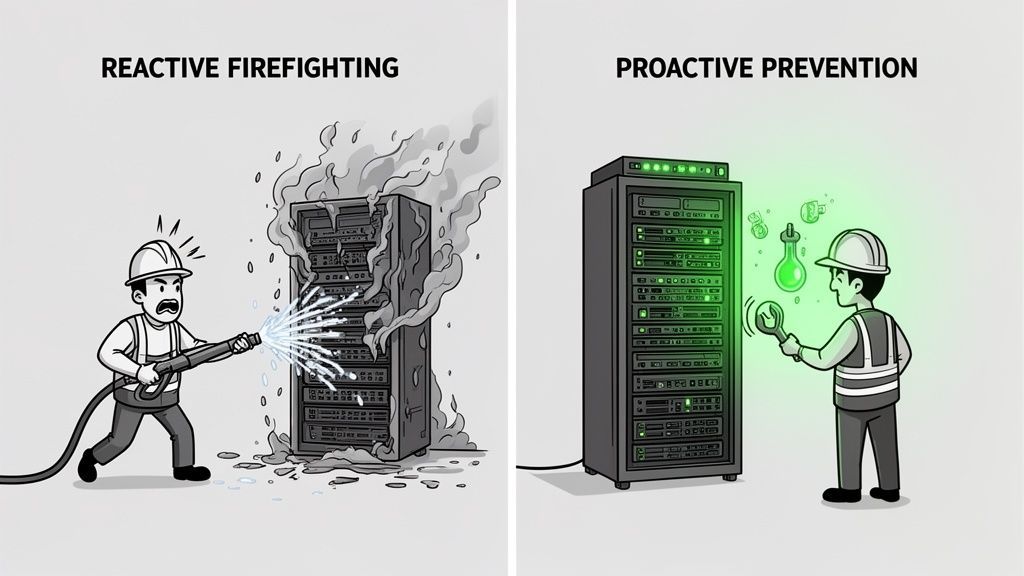
Reactive support keeps the lights on until the next issue. Strategic it and network support does something different. It treats uptime, cybersecurity, compliance, and user experience as operational priorities that can be monitored, tuned, and improved continuously.
A business owner usually notices the support model long before they learn the terminology. They notice it when every issue feels urgent, when staff hesitate to report recurring slowness because they expect a slow response, or when the answer to “why did this happen?” is always vague.
Break-fix IT creates that pattern. Something fails, someone calls for help, work stops, and the invoice arrives after the disruption. Then everyone moves on until the next incident. It can feel cheaper in quiet months, but it often leaves the business exposed during the moments that matter most.
A proactive model changes the sequence. Systems are monitored, patching is managed, backups are verified, alerts are reviewed, and recurring issues are investigated before they become outages. That is the difference between repairing damage and reducing the odds of damage in the first place.
A useful way to think about it is this. Break-fix support reacts to symptoms. Managed support looks for causes.
The warning signs are rarely dramatic at the start:
Business leaders who recognise those patterns often start looking for a more stable operating model. CloudOrbis’s overview of the benefits of managed IT services is useful because it frames support as an ongoing business function, not a string of one-off repairs.
Key takeaway: If IT only gets attention when something breaks, your support model is already costing more than the invoice shows.
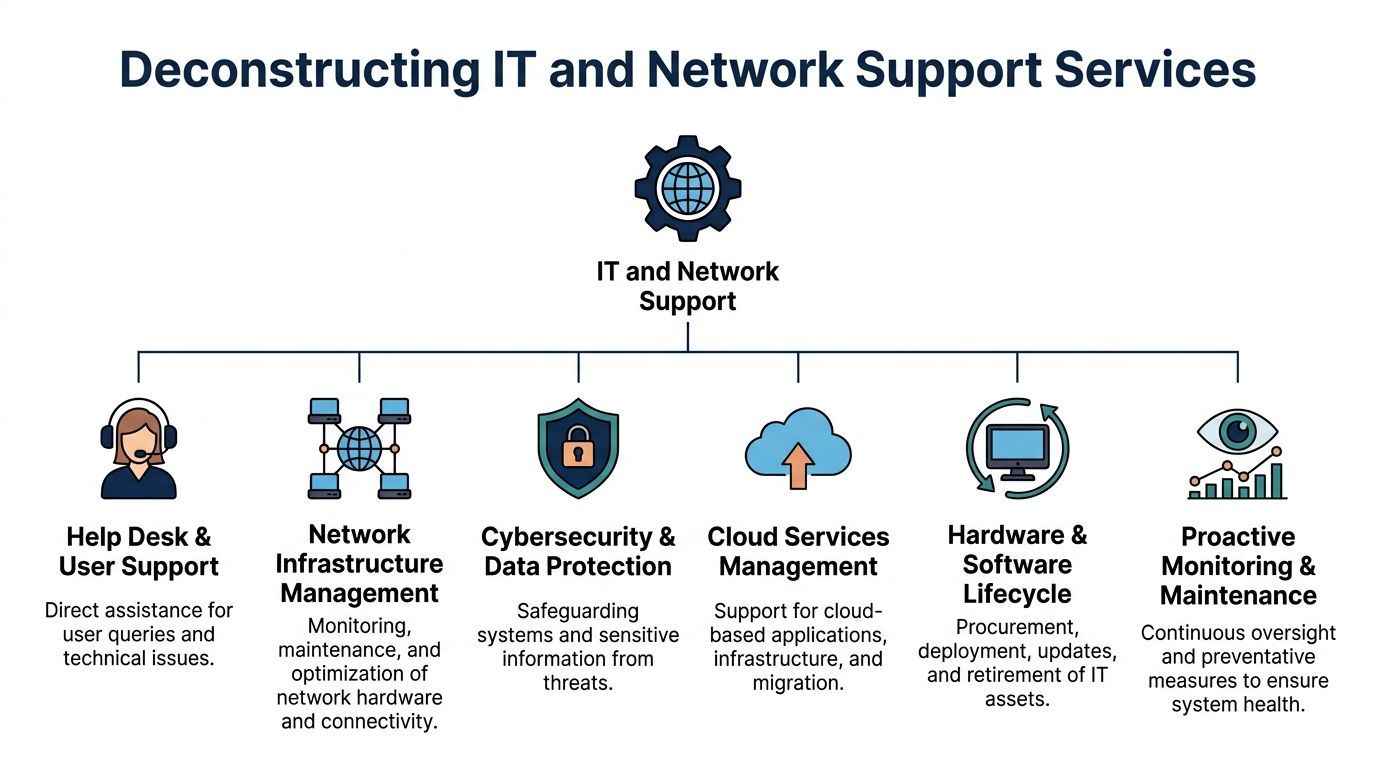
Modern it and network support is broader than a helpdesk and a few server checks. It covers the systems people use every day, the networks carrying business traffic, the security controls protecting data, and the planning needed to keep everything aligned with how the business operates.
A practical analogy helps. Break-fix support is like calling a mechanic after the vehicle stops on the motorway. Managed support is the maintenance plan that checks fluid levels, replaces worn parts, monitors warning lights, and schedules service before a breakdown strands the driver.
A capable provider should cover several layers at once.
The difference is not marketing language. It shows up in daily operations.
Reactive support tends to look like this:
Proactive support behaves differently:
Canadian businesses have good reason to take this seriously. The roots of today’s networked business environment in Canada go back to CANARIE, established in 1992 with substantial initial investments, which helped build a national high-speed backbone. More recently, the Canadian managed IT services market reached CAD 5.2 billion in 2023, and 68% of SMBs reported adopting managed IT support (Computer History Museum timeline).
That growth reflects a simple reality. Networks are no longer background utilities. They are production systems for every department.
For a deeper breakdown of service scope, this overview of network support services is a helpful reference point when comparing providers.
Support is not only about fixing technology. It is also about managing dependencies between systems.
If Teams calling depends on stable connectivity, identity services, endpoint health, and firewall rules, then “the phone system” is not one system. The same is true of cloud file access, remote work, line-of-business apps, and site-to-site connectivity.
That is why isolated fixes often disappoint. Businesses need support that sees the environment as one operating system for the company.
The strongest reason to move away from reactive support is not convenience. It is business performance.
When IT is treated as a managed operating function, employees lose less time, leadership sees fewer surprises, and risk becomes easier to govern. That matters in every sector, but it becomes especially clear in environments where downtime affects patient care, billing, shipping, or client service.
Downtime never stays inside the server room. It delays approvals, disrupts customer conversations, interrupts order processing, and forces staff into workarounds that create more errors later.
In Canadian healthcare organisations, proactive network monitoring in managed IT services reduces downtime by 65% on average, with mean time to resolution dropping from 8 hours in reactive models to under 2 hours (EXP Technical’s IT Support Buyer’s Guide). Even if your business is not a clinic, the lesson is transferable. Early detection and structured response protect working time.
Most security problems do not begin with a dramatic breach. They start with drift. An unpatched device, a stale admin account, an endpoint policy exception, or a backup job that fails unnoticed can all become serious if nobody is checking.
Proactive support helps by making security routine:
That is much more reliable than waiting for a visible incident.
Break-fix support often looks inexpensive until the business totals the hidden costs. Internal time is lost. Priorities get reshuffled. Projects stall. Leadership approves urgent purchases with limited planning. That is not financial control.
Managed support usually works better for budgeting because it replaces intermittent spikes with a service model the business can forecast. Some providers use per-user pricing, some use hybrid arrangements, and some combine project work with recurring support. What matters is that cost aligns with service expectations and business growth.
Practical test: Ask whether your current IT spend is mostly planned or mostly reactive. If the answer is reactive, the model is driving your costs more than the technology itself.
A useful perspective on this sits in CloudOrbis’s article on why proactive managed IT support is an investment not a business expense.
One of the least discussed returns is attention. When owners, operations leaders, and department heads stop refereeing technical issues, they can focus on hiring, customer delivery, compliance, and growth. Good support does not just solve incidents. It removes IT from the list of recurring management distractions.
That is why the decision is strategic. A reactive model asks the business to absorb instability. A proactive model is designed to reduce it.
The easiest way to judge support quality is to look at repeated problems. If the same issues keep resurfacing, the provider may be closing tickets without improving the environment.
In a reactive setup, users report slowness after it becomes disruptive. Someone reboots equipment, changes a setting, or opens a ticket with the ISP. The issue eases, then returns.
In a proactive model, support reviews bandwidth patterns, switch health, Wi-Fi coverage, firewall load, and application traffic. The goal is not to restart things faster. It is to identify whether the problem is congestion, poor wireless design, failing hardware, or an application consuming more than expected.
Reactive support usually deals with remote access one user at a time. A person cannot connect, MFA fails, or VPN performance drops, and support responds after the user is already blocked.
A stronger model standardises remote access, reviews policy settings, tracks failed logins, and audits how remote users work. That prevents support from becoming a stream of exceptions.
Security is where reactive support becomes most expensive. In Canada, cybersecurity threats targeting IT networks in healthcare and finance sectors surged by 47% in 2024 compared to 2023, and SMBs in Toronto, Calgary, and Edmonton faced an average cost of CAD 125,000 per network breach (Internet Society background link as provided in the verified data).
That matters even for organisations outside those sectors because the attack patterns are similar. If support only steps in after a suspicious email is clicked or an endpoint starts behaving oddly, the business is already on the defensive.
This is common. A business believes it has reliable backups because software is installed and reports exist somewhere. Then a restore is needed and the recovery point is incomplete, corrupted, or too slow to meet operational needs.
Proactive teams test restores, verify job success, and review whether backup scope matches actual business priorities. That is not glamorous work. It is also the difference between a recoverable incident and a prolonged outage.
VoIP and Microsoft 365 problems are often treated as app issues when the true causes sit elsewhere. Packet loss, poor Wi-Fi, overloaded devices, outdated firmware, and identity misconfigurations can all affect call quality and access.
A managed provider looks across those dependencies instead of isolating one symptom at a time. CloudOrbis is one example of a provider that offers 24/7 Canada-based helpdesk support, proactive monitoring, and network management for businesses that need that broader view.
What works: Monitoring plus policy plus documentation.
What does not: Rebooting the same systems every month and calling that support.
Compliance is often misunderstood as a document exercise. In practice, it is an operating discipline. Policies matter, but they only work when systems, access controls, user behaviour, and support processes line up with them.
For regulated Canadian organisations, it and network support has to account for privacy obligations, secure data handling, and evidence that controls are in place.
A compliant environment usually includes several practical elements working together:
For healthcare providers, legal firms, finance teams, and accounting practices, support has to understand the business context behind the control. A clinic’s workflow, for example, places different pressure on availability and privacy than a construction firm’s project collaboration environment.
For Canadian healthcare providers in underserved areas, there is a documented gap in affordable, transparent, and seamless IT integration aligned with HIPAA-equivalent regulations like PIPEDA. At the same time, recent federal initiatives have added $50 billion toward broadband connectivity, creating new opportunities for secure cloud migration and compliance planning when the right support model is in place (Healthcare IT Today on underserved areas and digital health).
That matters because compliance problems in regional settings are not always caused by neglect. Often they come from limited local expertise, aging infrastructure, and difficulty translating broad requirements into practical operating steps.
A knowledgeable support partner should be able to answer questions such as:
If a provider cannot explain those clearly, the business is carrying more risk than it realises. Organisations evaluating security maturity often start with a provider’s cyber security services because compliance depends on operational security, not paperwork alone.
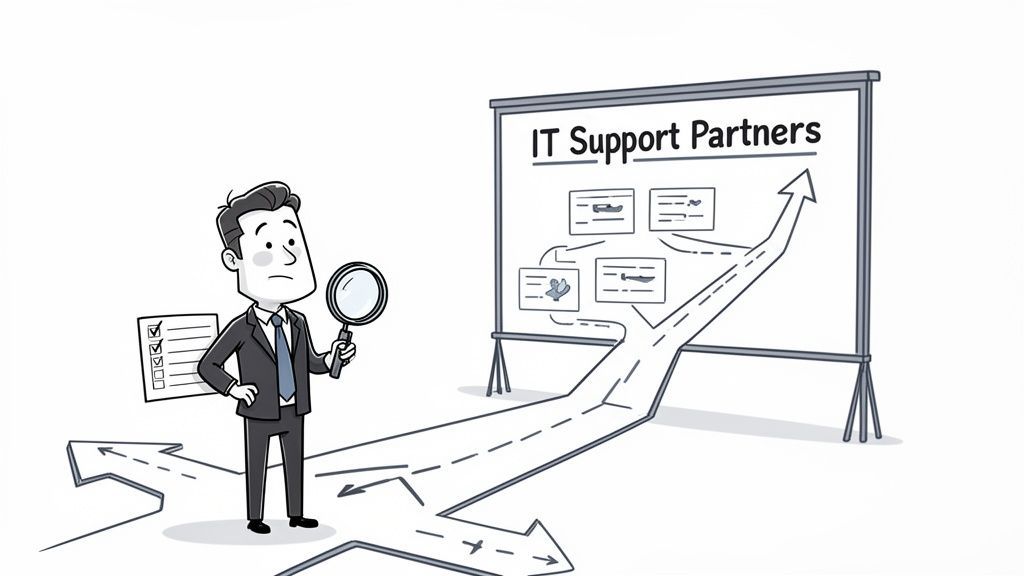
Choosing an IT partner is less about promises and more about operating fit. A polished sales call matters far less than how the provider handles tickets, documents environments, escalates risk, and supports change over time.
| Model | How It Works | Best For | Potential Downside |
|---|---|---|---|
| Break-fix | Pay only when something goes wrong or when project work is requested | Very small environments with limited complexity | Encourages delay, creates cost spikes, and leaves preventive work undone |
| Per-user | Monthly fee based on supported users | Businesses standardising support across staff and devices | Can become vague if exclusions are buried in the agreement |
| Per-device | Monthly fee tied to endpoints, servers, and network assets | Environments where asset count is the clearest cost driver | Can discourage coverage of shared or emerging tools |
| Tiered managed services | Provider offers support bundles with different inclusions | Firms matching support depth to budget and risk appetite | Important services may sit in higher tiers, creating gaps |
Tip: If the provider answers only in broad language, keep pushing. Good partners can explain process in plain terms without hiding behind jargon.
A useful starting point when comparing vendors is this guide to IT support companies, especially if your shortlist includes both local firms and larger outsourced providers.
Some warning signs appear quickly:
The right partner should make your environment easier to understand, not harder.
Once the evaluation criteria are clear, a good fit becomes easier to spot. The strongest providers do not just provide technicians. They provide structure, accountability, and continuity.

For many Canadian businesses, especially outside major urban centres, the challenge is not willingness to improve. It is access to consistent expertise. Canadian SMBs in rural and regional areas often face a “Cyber Poverty Line” shaped by limited funding, scarce cybersecurity expertise, and weaker access to outside help. The model described for CloudOrbis, with 24/7 Canada-based support without geographic limitations, directly addresses that gap for underserved businesses that need practical, ongoing protection rather than occasional emergency assistance (Aspen Digital on the cyber poverty line).
A provider serving regulated, distributed, or fast-moving organisations needs more than a ticket queue. It needs a repeatable way to assess the environment, identify priorities, implement improvements, and keep reviewing them.
That is where a structured engagement model matters. Assessment, roadmap development, implementation, user enablement, and ongoing optimisation should feel connected. If those steps are fragmented, businesses end up with tools but no momentum.
Several parts of the CloudOrbis model align with what mid-sized organisations usually need most:
The one-click IT Button is also a practical example of access design done well. Staff should not have to guess how to get help or which channel to use when they are blocked.
This kind of support model makes the most sense for businesses that recognise at least one of these conditions:
That is the shift from vendor to partner. The value is not just in solving the next ticket. It is in building an environment that is easier to operate, govern, and scale.
It depends on the state of documentation, admin access, contracts, and the complexity of your environment. Clean handovers move faster. Poorly documented environments take longer because the new provider must discover dependencies safely before making changes.
Yes. Co-managed IT often works well for mid-sized businesses. Internal staff can stay close to users, business applications, and leadership, while the provider handles monitoring, escalation coverage, cybersecurity operations, backup oversight, and specialist work.
No. Hardware fails, carriers have issues, and users still make mistakes. The goal is not perfection. The goal is fewer incidents, faster recovery, and better control over business risk.
Most businesses notice better ticket flow, clearer visibility into assets and risks, and fewer repeated issues. The larger gains usually come after standards are enforced and the environment is documented properly.
A mid-sized clinic often starts with fragmented support, aging endpoints, and uncertainty around access and backups. The early wins usually come from standardising endpoint protection, reviewing permissions, tightening backup checks, and creating a clearer support path for staff.
A logistics or manufacturing firm often has different pressure points. VoIP stability, warehouse connectivity, remote access, vendor coordination, and shared device management tend to matter more than cosmetic improvements. In those environments, practical network management and disciplined change control usually deliver more value than buying another standalone tool.
The underlying lesson is consistent. Businesses do better when they stop treating IT as a repair function and start treating it as operational infrastructure.
If your business is dealing with recurring downtime, rising security pressure, or a support model that feels reactive, talk to CloudOrbis Inc. about your environment, your compliance needs, and what a more proactive it and network support strategy could look like.
Book a 30-minute call with a senior engineer. No sales script, just straight answers about your environment.


