Data Loss Prevention for Canadian Businesses 2026
Protect sensitive data with a robust data loss prevention (DLP) strategy. Our guide for Canadian businesses covers types, compliance, & implementation.

Protect sensitive data with a robust data loss prevention (DLP) strategy. Our guide for Canadian businesses covers types, compliance, & implementation.
Your team is already moving sensitive data all day. Patient files travel through Microsoft 365. Quotes and contracts sit in SharePoint and OneDrive. Finance exports land on laptops. Someone forwards a spreadsheet to a personal email account because they're trying to work faster, not cause a breach.
That's why data loss prevention matters. Not because it's a trendy security acronym, but because mid-sized Canadian businesses now operate in a messy mix of cloud apps, remote devices, vendors, and compliance obligations. If you don't control how data moves, you don't control one of your biggest business risks.
For most SMBs, the question isn't whether to implement data loss prevention. It's whether you'll do it deliberately, with policies that fit your business, or react after a costly incident.
Data loss prevention is a business control first and a technology stack second. Its job is simple: identify sensitive data, watch how people use it, and stop the wrong data from leaving through the wrong channel at the wrong time.
Consider a modern bank. The vault protects what's stored. Guards watch the exits. Cameras track movement. DLP works the same way for digital assets. It protects data at rest, data in use, and data in motion across laptops, email, cloud storage, chat apps, and file-sharing tools.
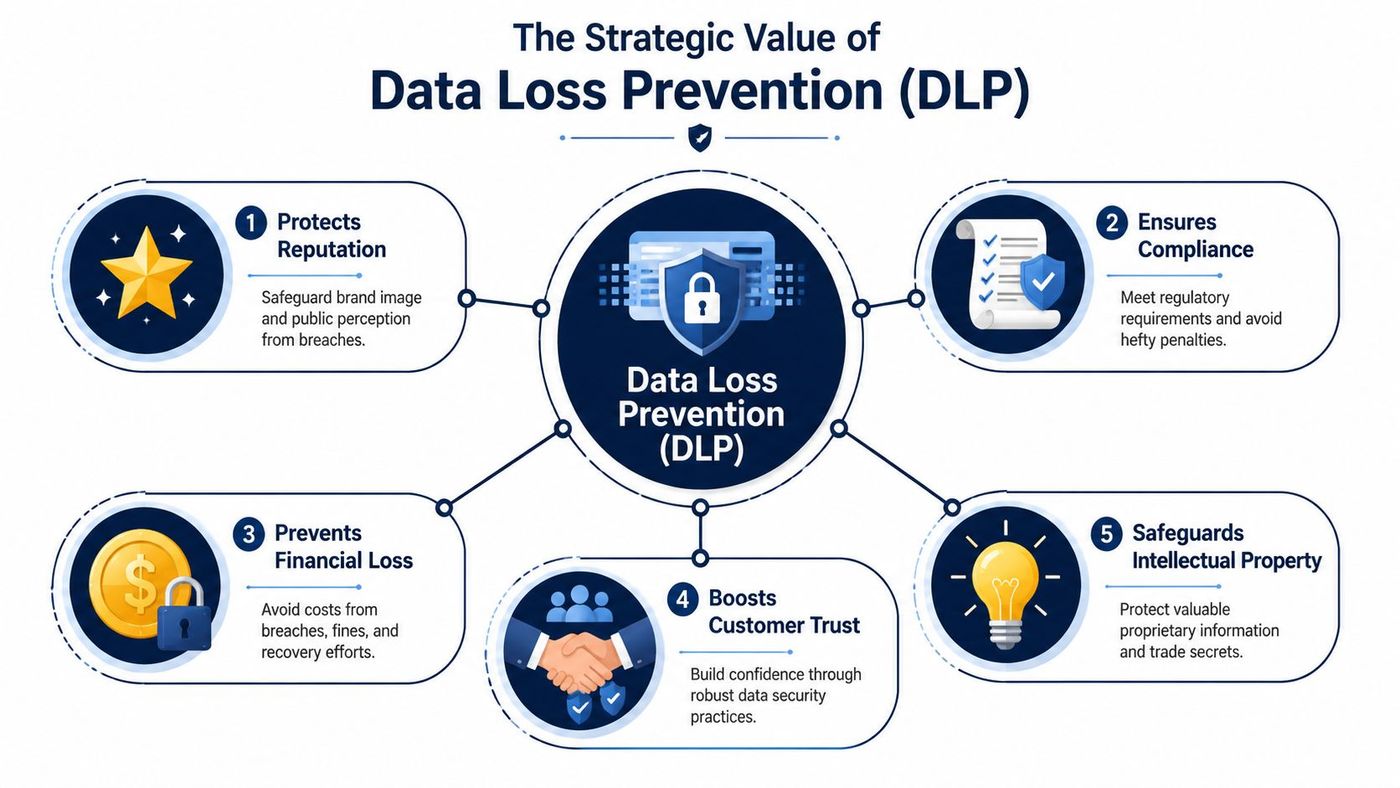
If you run a clinic, accounting firm, manufacturer, logistics company, or legal practice, your most valuable information probably includes some mix of customer records, employee data, contracts, financials, pricing, designs, and internal know-how. Losing control of any of that hurts revenue, operations, trust, and compliance.
The cost side is no longer abstract. The average cost of a data breach for a Canadian organization in 2025 was CA$6.98 million, a 10.4% year-over-year increase. Businesses that used security AI and automation, core components of modern DLP, saw significantly lower costs at CA$5.19 million according to the Cybersecurity Canada Report 2026.
That doesn't mean every breach becomes a multi-million-dollar event for every SMB. It does mean the financial downside is severe enough that hoping employees “use common sense” is a weak strategy.
Practical rule: If your business handles regulated data, client records, or intellectual property, data loss prevention belongs in your core operating model, not on a future wishlist.
A good DLP programme usually covers five practical jobs:
That's why DLP shouldn't be treated as a single tool purchase. Microsoft Purview, endpoint controls, email protections, and file-sharing rules may all play a role. The right design depends on where your data lives and how your staff work.
Many business owners also confuse backup with DLP. Backup helps you recover after loss. DLP helps stop improper exposure in the first place. You need both. If you're reviewing your broader cloud posture, this guide to cloud data protection strategies is a useful companion.
DLP forces clarity. You decide what data matters, who can move it, where it can go, and what should happen when someone breaks the rules. That discipline reduces accidental mistakes and makes malicious behaviour harder to hide.
Above all, it turns data protection into something manageable. Instead of vague worry about “cyber risk,” you get clear controls around email, file sharing, USB use, cloud collaboration, and remote work.
Most SMBs make the same mistake. They buy one security product and assume it covers every path data can take. It doesn't.
You need to understand the three main DLP architectures because each one protects a different exit point. If you skip one, you leave a gap.
Endpoint DLP protects data on the devices your staff use. That includes laptops, desktops, and sometimes servers.
This is the control that can stop an employee from copying a client list to a USB drive, printing confidential payroll files, or uploading sensitive documents from a managed laptop into an unsanctioned app. For businesses with remote staff, travelling employees, or hybrid work, endpoint DLP is often the first serious layer.
A clinic with mobile staff needs this. So does a construction firm whose project managers carry bid files on laptops. If the device is where the work happens, the device needs controls.
Network DLP watches data as it leaves through monitored communication channels such as email or web traffic. It's useful when you want visibility into outbound movement from corporate systems and internet gateways.
This matters when someone sends a spreadsheet with personal information to the wrong recipient, uploads a file through a browser, or uses webmail to move company documents outside approved channels. Network controls can inspect traffic and trigger alerts or preventative actions.
Strong network controls catch bad exits. They don't replace endpoint or cloud controls, because staff no longer work only inside one office perimeter.
Cloud DLP protects data stored and shared in cloud services like Microsoft 365, SharePoint, OneDrive, and Teams. For many Canadian SMBs, this is now the centre of gravity.
In North America, the Cloud-Based segment held a dominant 60.5% share of the DLP market in 2023, reflecting the shift toward cloud-first protection strategies, according to Market.us coverage of the DLP market. That tracks with what I see in the field. Businesses don't just store data in the cloud anymore. They collaborate there constantly.
Cloud DLP can detect when a confidential file is shared publicly from SharePoint, when a finance document is sent to a personal account from Outlook, or when sensitive content appears in Teams messages or OneDrive links.
| Architecture | Best at stopping | Typical SMB example |
|---|---|---|
| Endpoint DLP | Copying, printing, USB transfers, local misuse | Staff member copies customer data from a laptop to removable media |
| Network DLP | Outbound email and web-based exfiltration | Employee emails regulated data externally without approval |
| Cloud DLP | Risky sharing and exposure inside SaaS platforms | SharePoint folder is shared too broadly or OneDrive link is public |
If your business runs on Microsoft 365, you can't think about DLP without also thinking about identity. A sharing policy is only as strong as the account behind it. If access controls are sloppy, DLP policies become harder to enforce cleanly.
That's why data controls and access governance should be planned together. This overview of identity and access management fundamentals is worth reading if your team relies heavily on Microsoft 365.
The practical takeaway is straightforward. Endpoint, network, and cloud DLP aren't competing options. They're complementary layers. A mid-sized business rarely needs every control switched on at once, but it does need a design that matches how people work.
Compliance is where many SMB leaders finally get serious about data loss prevention. They should. Regulators don't care whether your data escaped because of malware, a rushed employee, or a careless sharing setting. They care that you failed to protect it.
For Canadian businesses, that starts with PIPEDA and quickly expands into sector-specific obligations. Healthcare organisations may also need to align controls with PHIPA and HIPAA-related expectations when handling protected health information. Finance, accounting, and legal firms face their own confidentiality and records-handling pressures.
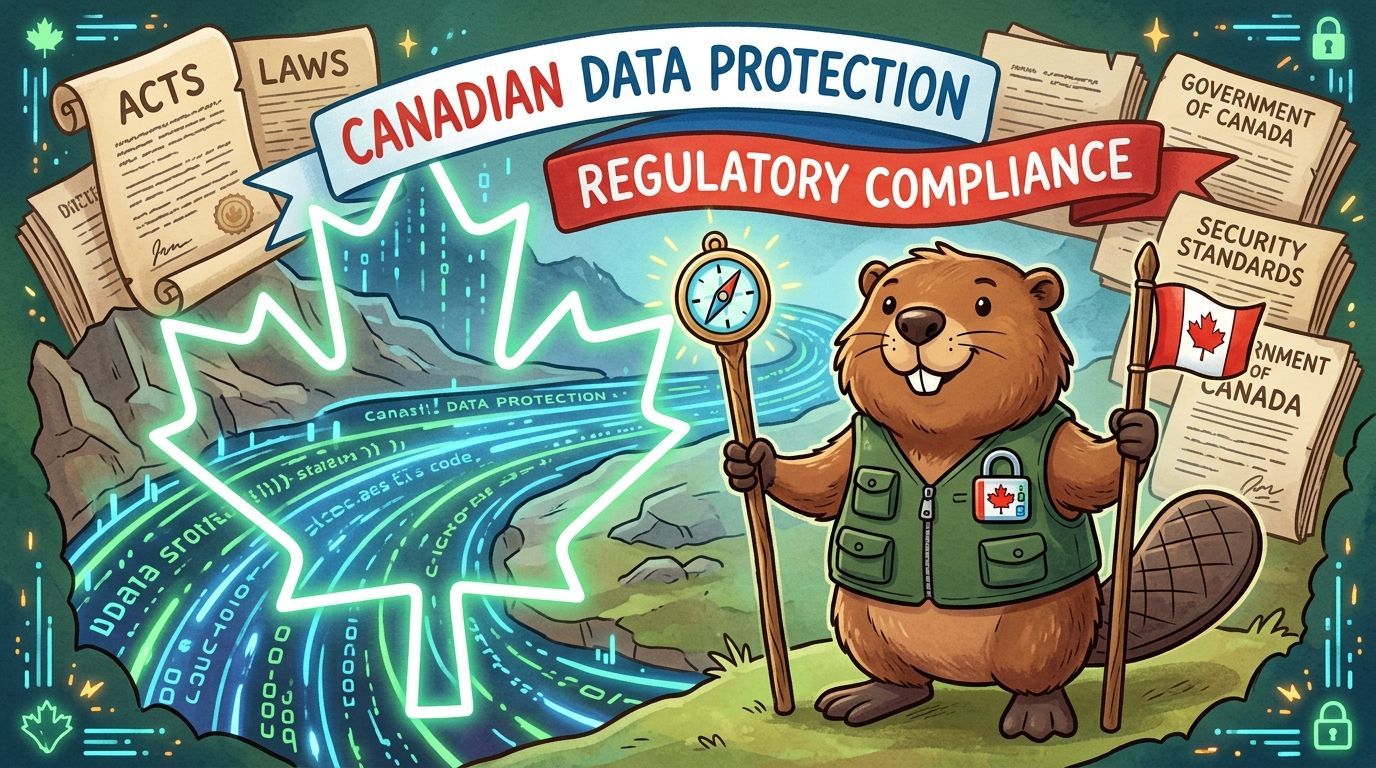
Policies on paper don't stop disclosure. DLP does the operational work. It can identify personal information, trigger warnings, block external sending, encrypt files, or quarantine suspicious transfers based on rules you define.
That's important because the threat mix isn't limited to one cause. Malware is the top cause of data loss in North America at 31.2%, while social engineering accounts for 18.6% of incidents, according to Infrascale's data loss statistics for North America. You need controls that handle both external compromise and internal mistakes.
A healthcare example is easy to understand. A clinic might use DLP to detect patient identifiers in outbound email, prevent public sharing of intake forms from OneDrive, and flag staff attempts to move records into personal storage. A finance firm might use similar rules for tax files, banking details, and confidential client statements.
They expect you to know:
If you can't answer those questions, you don't have a mature compliance posture. You have assumptions.
That same principle shows up outside cybersecurity too. HR and operations leaders navigating changing provincial obligations often need a similar control mindset. For example, Ontario employers reviewing hiring-related compliance may find this guide to Bill 149 for talent acquisition useful because it shows how fast regulatory expectations can become operational requirements.
DLP won't fix weak governance on its own. If staff don't understand what counts as sensitive, they'll keep creating avoidable risk. If managers bypass controls for convenience, your policy framework falls apart.
A good compliance programme gives employees a safe path to do the right thing and a hard stop when they try to do the wrong thing.
That's why DLP must sit alongside classification, acceptable-use rules, secure collaboration standards, and documented exceptions. If you're shaping a broader governance model, this article on data security and privacy for growing businesses connects the policy side to the technical side.
My advice is blunt. If your organisation handles personal, health, or financial data, treat DLP as a compliance control, not a nice-to-have security feature.
Most failed DLP projects don't fail because the technology is weak. They fail because the rollout is reckless.
If you switch on aggressive blocking before you understand your own data flows, your staff will hit false positives, business will slow down, and executives will lose confidence in the whole programme. That's avoidable.
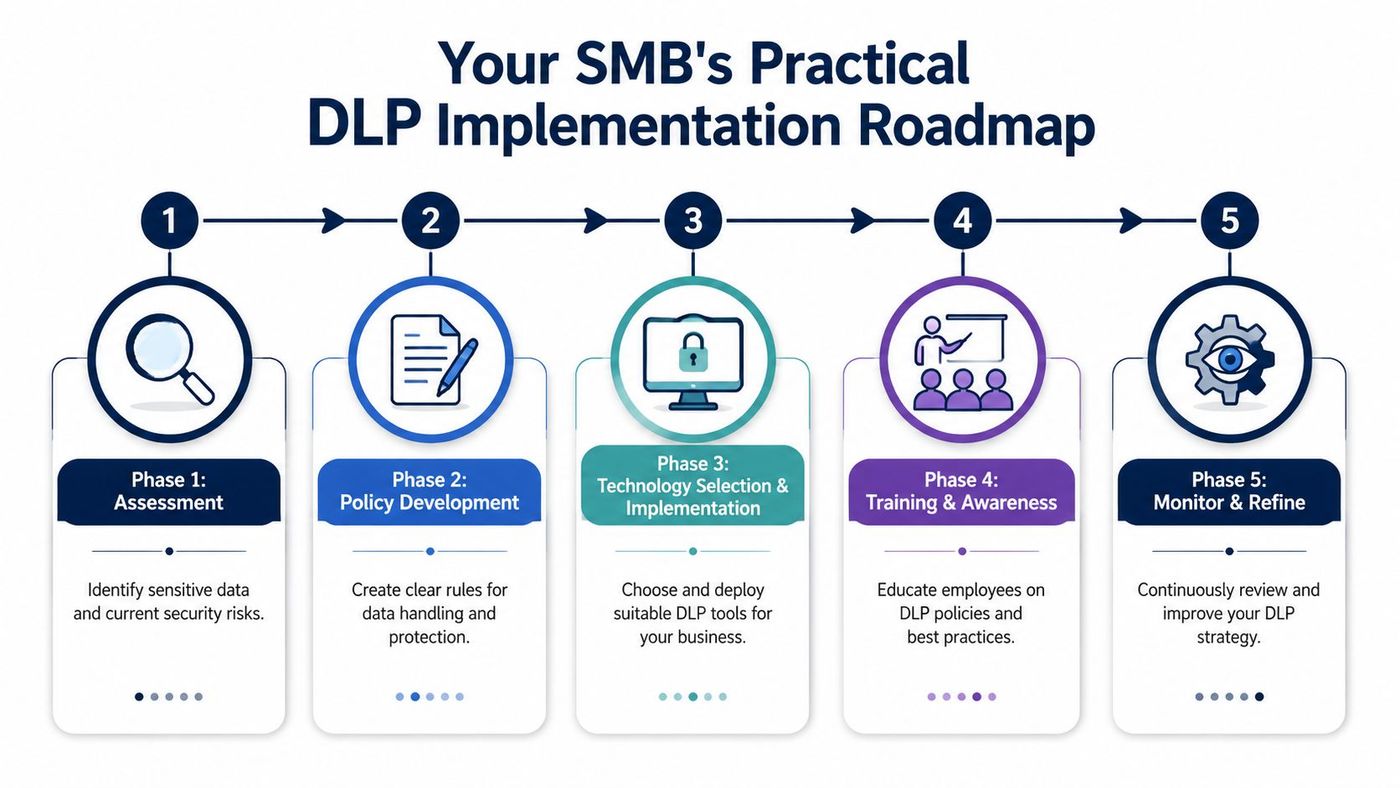
Before you write a single rule, find your sensitive data. That means reviewing Microsoft 365, shared drives, endpoint storage, finance systems, HR repositories, and any line-of-business platforms your team uses.
Then classify it. Not every file deserves the same treatment. Separate public content from internal documents, confidential business records, personal information, health data, and financial data. If you skip this step, you'll either under-protect the important material or over-control everything.
For most SMBs, discipline is a necessity. A common implementation pitfall is that 48% of Canadian organizations suffered data loss incidents costing $1M–$10M+, mostly from user error. A detection-first best practice, starting with real-time alerts before blocking, is critical to avoid false positives that disrupt business, according to Nightfall's discussion of DLP implementation pitfalls.
That's the right sequence. Start with visibility. Learn how people share files, send email, and collaborate. Then tune the rules.
Field advice: Run alert-only mode long enough to see normal business behaviour. If your first move is “block everything suspicious,” your users will hate the system before it gets useful.
The smartest SMBs start with their most sensitive processes:
This risk-first method gives you fast value without overcomplicating the rollout.
A common pressure point is Microsoft 365 sharing. OneDrive permissions, guest links, and casual file sharing create plenty of silent exposure. If that's an issue in your environment, this guide to OneDrive file sharing risks and controls will help you tighten the basics.
You're building a control system, not launching a one-time project. Start narrow. Tune aggressively. Expand once the business trusts the process.
That's how DLP becomes useful instead of disruptive.
A lot of SMBs underestimate the operational load behind data loss prevention. They assume it's a licence, a few policies, and done. It isn't.
DLP needs ongoing tuning, exception handling, alert review, policy updates, user coaching, and coordination with compliance, identity, and endpoint management. Most mid-sized businesses don't have an in-house team with the time or depth to do that well.
Buying Microsoft or third-party tooling is the easy part. The hard part is deciding what should trigger an alert, what should be blocked, who can approve exceptions, and how to separate risky behaviour from legitimate work.
That's why a managed approach makes sense. The global DLP market is projected to grow at a 21.2% CAGR to USD 8.9 billion by 2028, with Managed Security Service as a key segment, according to MarketsandMarkets research on the DLP market. Businesses are outsourcing this function because policy-heavy security controls are labour-intensive.
A good managed provider should bring more than tool administration. It should give you:
Some businesses prefer co-managed delivery. Internal IT keeps ownership, while the external provider handles specialist tuning and security operations. Others want fully managed execution because they don't have spare capacity. Both can work.
If your internal team is already stretched across support tickets, Microsoft 365 administration, projects, vendor issues, and cybersecurity basics, DLP won't get the attention it needs. It will either be underused or misconfigured.
The right partner doesn't just run the tool. They help you decide which risks matter most and which controls your staff will actually live with.
If you're weighing whether to build or outsource broader support and security capability, this overview of managed IT services for small business is a practical place to start.
My view is straightforward. For most Canadian SMBs, managed DLP is the sensible route. You get stronger controls, less internal drag, and a better chance of rolling it out without damaging productivity.
Data loss prevention isn't about locking everything down. It's about letting your business move quickly without letting sensitive information leak through email, cloud sharing, endpoints, or poor judgement.
That matters more now because mid-sized organisations run on distributed systems and distributed people. Your staff work from laptops, phones, home offices, clinics, job sites, and branch locations. Your data moves across Microsoft 365, line-of-business apps, vendors, and clients. Without deliberate controls, that convenience turns into exposure.
The practical path is clear. Know what data matters. Choose the right mix of endpoint, network, and cloud controls. Align those controls to Canadian compliance obligations. Roll them out in phases, starting with monitoring. Then keep tuning the programme so it matches how your business operates.
That's not just a defensive move. It's a growth decision. Clients trust businesses that protect information properly. Leaders make faster decisions when governance is clear. Teams collaborate more confidently when secure sharing is built into daily work instead of bolted on after a scare.
If you're a business owner or executive, don't leave this sitting in the “IT issue” bucket. Data protection is an executive responsibility because the downside hits operations, reputation, client trust, and legal exposure all at once.
If you want a practical, Canadian-focused plan for data loss prevention, talk to CloudOrbis Inc.. Their team helps small and mid-sized businesses design secure, workable IT environments that support compliance, reduce risk, and keep operations moving.
Book a 30-minute call with a senior engineer. No sales script, just straight answers about your environment.


