
September 13, 2026
Third-Party Risk Management for Canadian SMBsMaster third-party risk management for your Canadian SMB. Learn OSFI compliance, vendor monitoring frameworks, and how to secure your supply chain.
Read Full Post%20(1).webp)
Usman Malik
Chief Executive Officer
June 15, 2026
An IT change usually starts with a reasonable decision. Replace a line-of-business app. Migrate to Microsoft 365. Tighten security controls. Standardise devices across sites. On paper, the move makes sense. In practice, the disruption often lands on front-line staff, managers, and customers long before the benefits do.
That's where a disciplined change management process matters. For SMBs, the margin for error is small. You don't have spare teams sitting idle while people figure out a new workflow, and most managed services projects involve two organisations working together: your internal leaders and your MSP. If that partnership isn't clear on scope, communication, training, risk, and measurement, the rollout can stall even when the technology itself is sound.
From a vCIO perspective, the pattern is consistent. Projects fail less often because the tool was wrong and more often because the business case was vague, ownership was fuzzy, or the team treated go-live as the finish line. A workable change management process fixes that. It gives leaders a way to move quickly without creating avoidable downtime, confusion, or rework.
Most troubled IT projects are already in trouble before the first task is assigned. The issue isn't effort. It's that the change was approved as a rough idea instead of a defined business decision.
A formal business case does two jobs. First, it explains why the change is worth the disruption. Second, it sets the boundaries for what the project is and is not supposed to do. That sounds basic, but it's where many SMB projects drift. A cloud migration becomes a file clean-up exercise, then a permissions redesign, then an identity project, then a device refresh. Each add-on may be valid. Together, they turn a manageable initiative into a moving target.
The warning signs are well known. A widely cited Gartner estimate says about 50% of change initiatives fail, 16% produce mixed results, and only 34% succeed. That baseline warning is commonly tied to weak early stakeholder engagement and unclear success metrics from the outset, as outlined in this five-step change management overview.
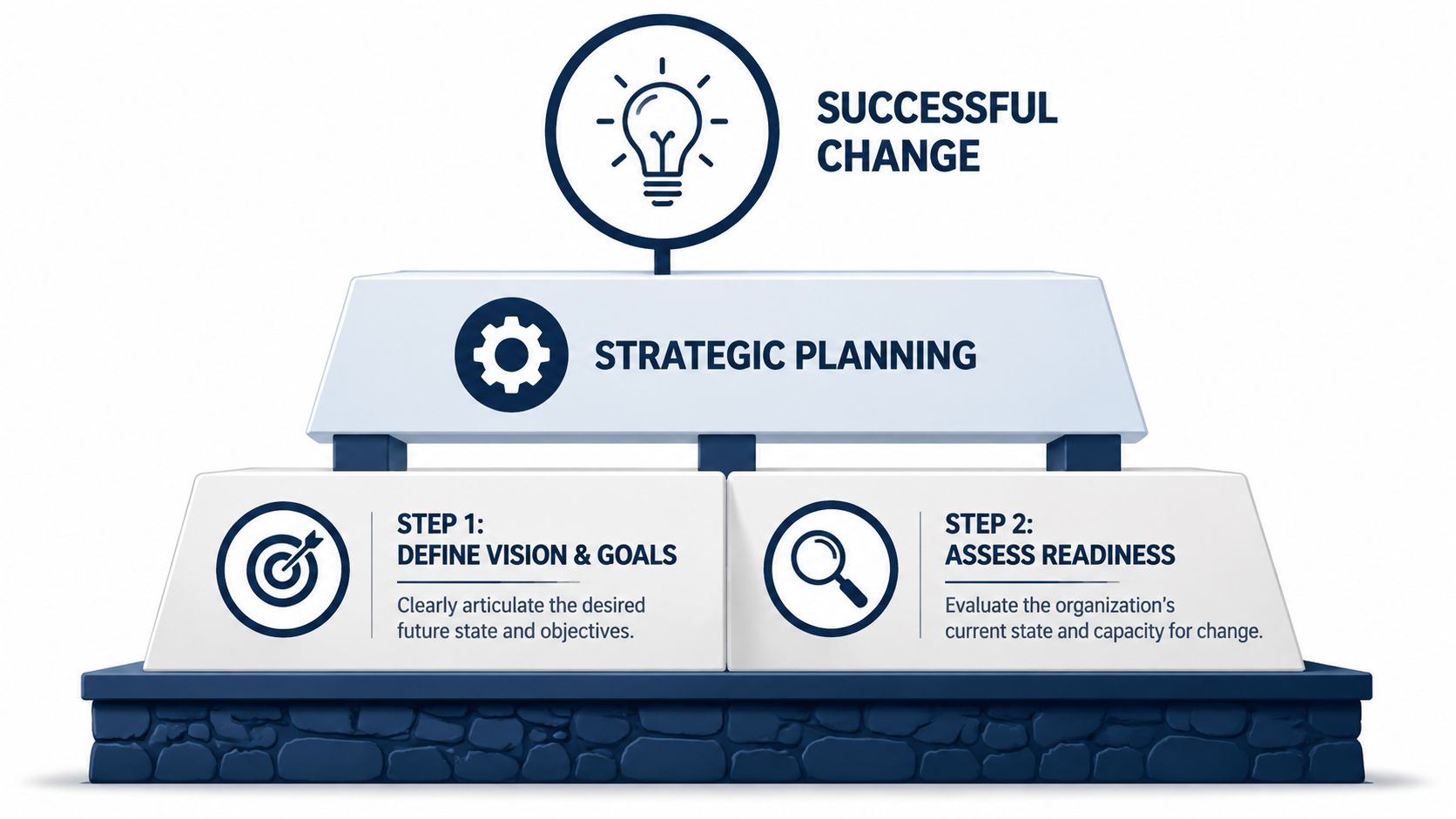
A solid business case doesn't begin with “we need new software.” It begins with an operational problem or business goal. For example:
That business case should also define the cost of doing nothing. If leaders can't explain why the current state is no longer acceptable, the organisation won't stay committed when the project becomes inconvenient.
Practical rule: If the “why” can't be explained in two or three plain-language sentences, the scope isn't ready.
Once the business case is clear, put the change into a formal request. In SMB environments, this doesn't need to be a long enterprise document. It does need to answer the questions that prevent scope creep and finger-pointing.
A useful change request includes:
Objective
What business outcome is expected after the change is live?
In scope
Which systems, teams, sites, workflows, and dates are included?
Out of scope
What will not be touched in this phase?
Dependencies
Which approvals, vendors, licences, or internal resources are required?
Operational impact
What disruption should managers expect during rollout?
Success criteria
How will leadership know the change worked?
A short written scope beats a long verbal agreement every time. It gives the client and the MSP the same reference point when new requests appear halfway through the project.
For larger modernisation efforts, this discipline also keeps the change tied to sequence instead of ambition. Cloud, security, data, and workflow changes often need to happen in the right order. A practical planning model is laid out in this digital transformation roadmap, which is useful when leaders need to stage multiple IT changes without overloading the business.
Technology changes don't fail in the server room first. They fail when the wrong people hear too little, too late, or in language that means nothing to their day-to-day work.
Stakeholder mapping fixes that. It forces the project team to identify who is affected, how they are affected, and what each group needs to hear before, during, and after rollout. In the MSP-SMB model, this matters even more because the project team often spans executives, internal managers, outside technical staff, and front-line users who don't report to the same person.
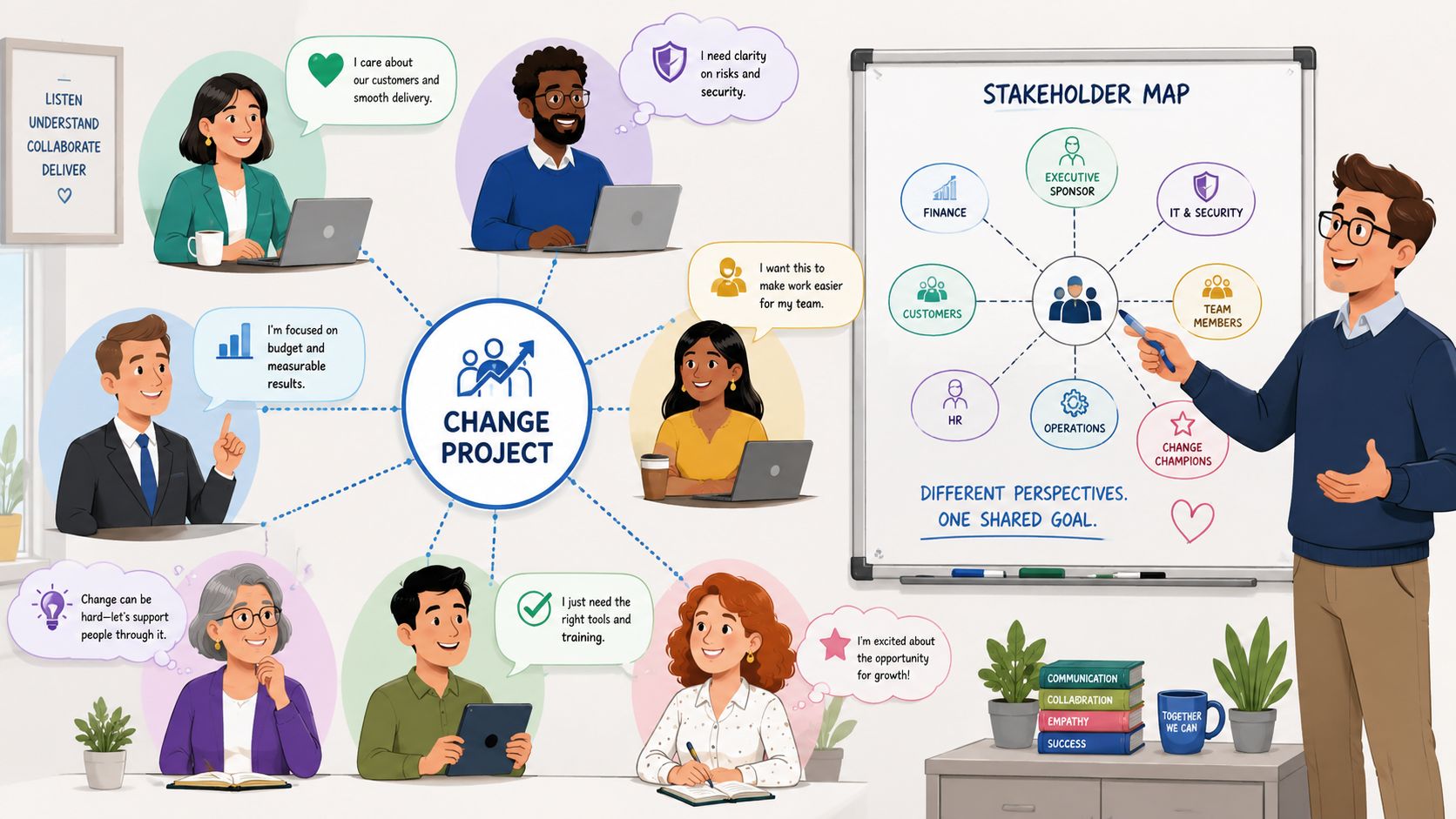
You don't need a complicated framework. A practical map uses two dimensions: influence and impact.
| Stakeholder group | Influence on project | Impact from change | What they need most |
|---|---|---|---|
| Executive sponsor | High | Medium | Risks, business outcomes, decisions |
| Department managers | High | High | Timing, workflow changes, staffing impact |
| Front-line users | Low | High | Clear expectations, training, support |
| Internal IT or operations leads | Medium | High | Technical detail, escalation paths |
| External MSP team | Medium | Medium to High | Ownership, approvals, rollout sequence |
This exercise surfaces the common gap in SMB projects. Leaders often communicate heavily with the sponsor and not enough with middle managers. Then go-live arrives and supervisors are the first people hearing real complaints from staff, but they weren't prepared to answer them.
A communication plan should never be one all-staff email plus a training invite. Different groups need different messages, delivered through different channels.
Use something closer to this:
The timing matters as much as the message. Staff shouldn't hear about a major workflow change for the first time on launch day. They also shouldn't get six vague notices with no concrete instruction. The rhythm should move from awareness to readiness to action to reinforcement.
Resistance is often treated as a communication problem. In many environments, it's really a clarity problem. People resist what feels unclear, risky, or badly timed.
One communication mistake shows up constantly. Everyone assumes someone else is handling it.
Assign clear owners:
This is one place where a dedicated client-side operational contact can make or break momentum. For many organisations, that role looks similar to the accountability model described in a technical account manager relationship, where planning, prioritisation, and communication are coordinated instead of left to chance.
A good plan protects the business from the project. That's the standard. If your rollout plan only describes technical tasks and ignores user readiness, it isn't a complete change management process.
The most defensible model for IT and operational change is phased. Prepare the organisation, create a realistic plan, implement in controlled stages, embed the change into routine work, and review outcomes using measurable KPIs such as usage rates, process completion times, error rates, and employee satisfaction scores, as outlined in this change management process guide.
For SMBs, a phased rollout is usually safer than a broad launch. It gives the team room to catch workflow issues, permissions gaps, and training blind spots before the whole company feels them.
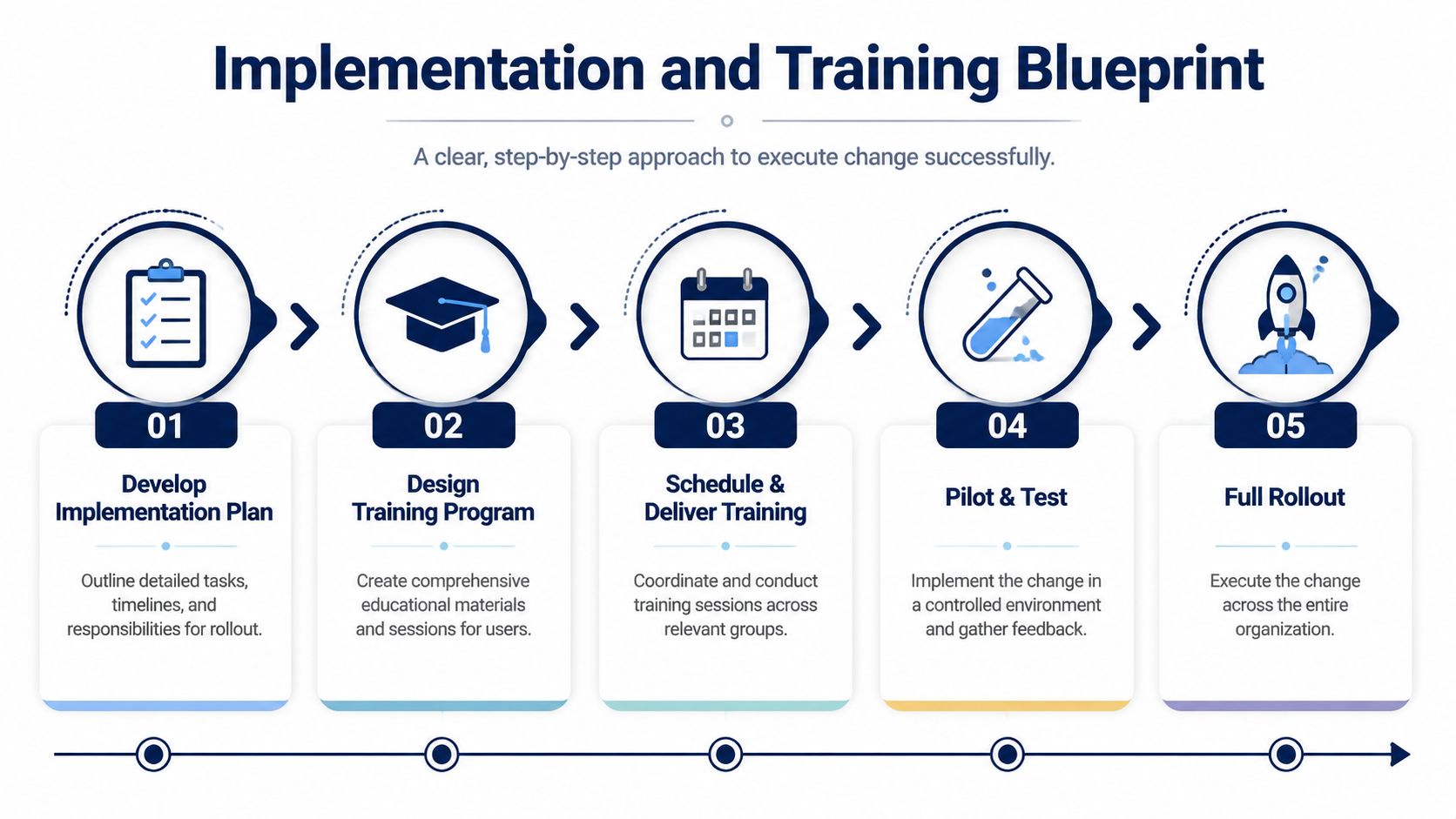
A practical sequence looks like this:
Pilot group selection
Choose a small group with representative workflows, not just the most technical users.
Controlled test period
Watch what breaks in actual use, not just in a checklist.
Adjustment cycle
Fix documentation, permissions, process gaps, and support scripts.
Wave rollout
Expand by department, site, or role.
Stabilisation period
Keep enhanced support in place after each wave.
The quantitative case for disciplined execution is strong. Projects with effective change management are reported to be 6 times more likely to meet benchmarks, according to this change management statistics summary.
Generic training wastes time. People don't need a tour of every feature. They need confidence in the tasks they perform every day.
That means training should be built around roles such as reception, finance, warehouse, supervisors, clinicians, or project coordinators. Each session should answer a few practical questions:
A finance team may need guidance on approvals, record retention, and audit trail consistency. A clinical team may need instructions that protect continuity and reduce delays. A warehouse team may need device-specific steps and backup procedures if connectivity drops.
“Training worked” doesn't mean people attended. It means they can do the job in the new state without creating workarounds.
The best training programmes include practice. Short job aids, short videos, live Q&A sessions, sandbox access where practical, and manager reinforcement all help. For security-related projects in particular, user behaviour can determine whether the technical control holds up in daily use. This is why many organisations pair system changes with focused education such as cybersecurity training for employees, especially when access rules or authentication steps are changing.
Optimism creates blind spots. Every serious IT change needs a risk review and a rollback decision before implementation starts, not after the first incident call.
This isn't pessimistic planning. It's operational discipline. The Treasury Board of Canada Secretariat's organisational change model emphasises leadership, communication, and training as core enablers, and its focus on reducing disruption supports formal risk assessment and rollback procedures in major transitions, as summarised in this change management reference.
A simple risk model works well for SMB projects. List the main risks, rate their likely business impact, and judge how plausible they are in your environment. Then decide which risks need mitigation, which need contingency steps, and which need monitoring.
| Risk type | Example | Impact | Likelihood | Response |
|---|---|---|---|---|
| Technical | Integration fails or permissions break | High | Medium | Pilot, pre-checks, staged cutover |
| Operational | Staff can't complete key tasks on day one | High | Medium | Role-based training, floor support |
| Human | Managers reinforce old process | Medium | Medium | Manager briefings, post-launch checks |
| Vendor | Third-party dependency slips | Medium | Medium | Decision dates, fallback options |
| Compliance | New workflow bypasses required controls | High | Low to Medium | Review approvals, test evidence trail |
The point isn't to document every hypothetical issue. It's to identify the handful of conditions that would materially disrupt the business.
A rollback plan is one of the most neglected pieces of the change management process. Teams often assume they'll “work through issues” if something goes wrong. That's not a plan. That's hope.
A workable rollback plan answers four questions:
Trigger
What exact condition would force a pause or reversal?
Decision owner
Who has authority to call rollback?
Restoration steps
What must be returned to the prior state, in what order?
Communication sequence
Who needs to know, and how fast?
For example, if a Microsoft 365 migration wave leaves a priority department unable to access core files or mail within the agreed support window, the team should already know whether to pause the wave, restore previous access paths, or move users back temporarily. That decision should not be improvised in a Teams chat while managers are waiting.
Operational test: If your project team can't explain rollback in one page, the launch isn't ready.
A structured risk method also helps when the change touches regulated workflows or continuity-sensitive systems. Many leaders use a broader risk management framework to decide which issues need technical controls, process controls, or executive decisions before rollout.
Go-live is a milestone. It isn't proof of success.
That distinction matters more now because many technology changes alter the way work gets done, not just the software people touch. Guidance on modern change measurement increasingly argues that real success should be judged by business outcomes, rework trends, and sustained behaviour change, not only attendance or adoption. In Canada, that shift is especially relevant as 45.2% of businesses used AI in 2024, which means many projects now involve workflow redesign, governance, and role changes in addition to technology, as discussed in this change measurement article.
The cleanest way to measure change is to return to the reason the project was approved.
If the business case was speed, measure process speed. If it was risk reduction, measure control adherence and error reduction. If it was better service, measure the customer-facing outcome. Adoption still matters, but only as an early signal. It isn't the end result.
Many SMBs often face this difficulty: They can tell you who logged in, who attended training, and who reset a password. They can't tell you whether invoicing is faster, handoffs are cleaner, or managers spend less time correcting errors.
One practical method is to pair an adoption KPI with a business outcome KPI. That keeps the team from celebrating usage when the operational result is still weak.
| Project Type | Adoption KPI (The What) | Business Outcome KPI (The Why) |
|---|---|---|
| Microsoft 365 migration | Active use of Teams, SharePoint, or OneDrive features | Faster document retrieval, fewer version conflicts, smoother collaboration |
| Security control rollout | Completion of required authentication or policy steps | Fewer access issues, fewer policy exceptions, stronger compliance consistency |
| ERP or workflow change | Use of new forms, workflows, or approval paths | Shorter cycle times, lower rework, fewer processing errors |
| AI-enabled process change | Staff use of approved prompts, tools, or workflows | Better throughput, more consistent outputs, less manual duplication |
| Service desk process change | Tickets submitted through the new intake path | Faster triage, cleaner categorisation, improved resolution flow |
These don't need to be complicated. They do need to be agreed before launch, with owners assigned to each measure.
A proper review shouldn't happen only in the first week. Early adoption often looks better than sustained behaviour. Managers are paying attention, support is visible, and people are trying to comply. The more revealing check happens later, once the project team is less visible and daily habits return.
That review should ask:
For teams that need more operational visibility, tools and reporting practices in areas like analytics and reporting can help turn post-launch measurement into a routine management activity rather than a one-time project exercise.
The strongest post-launch question isn't “Did users adopt it?” It's “Did the business operate better after the change?”
A change management process becomes usable when it's turned into repeatable working documents. Most SMBs don't need a giant methodology binder. They need a small set of templates that leaders, managers, and technical teams will use.
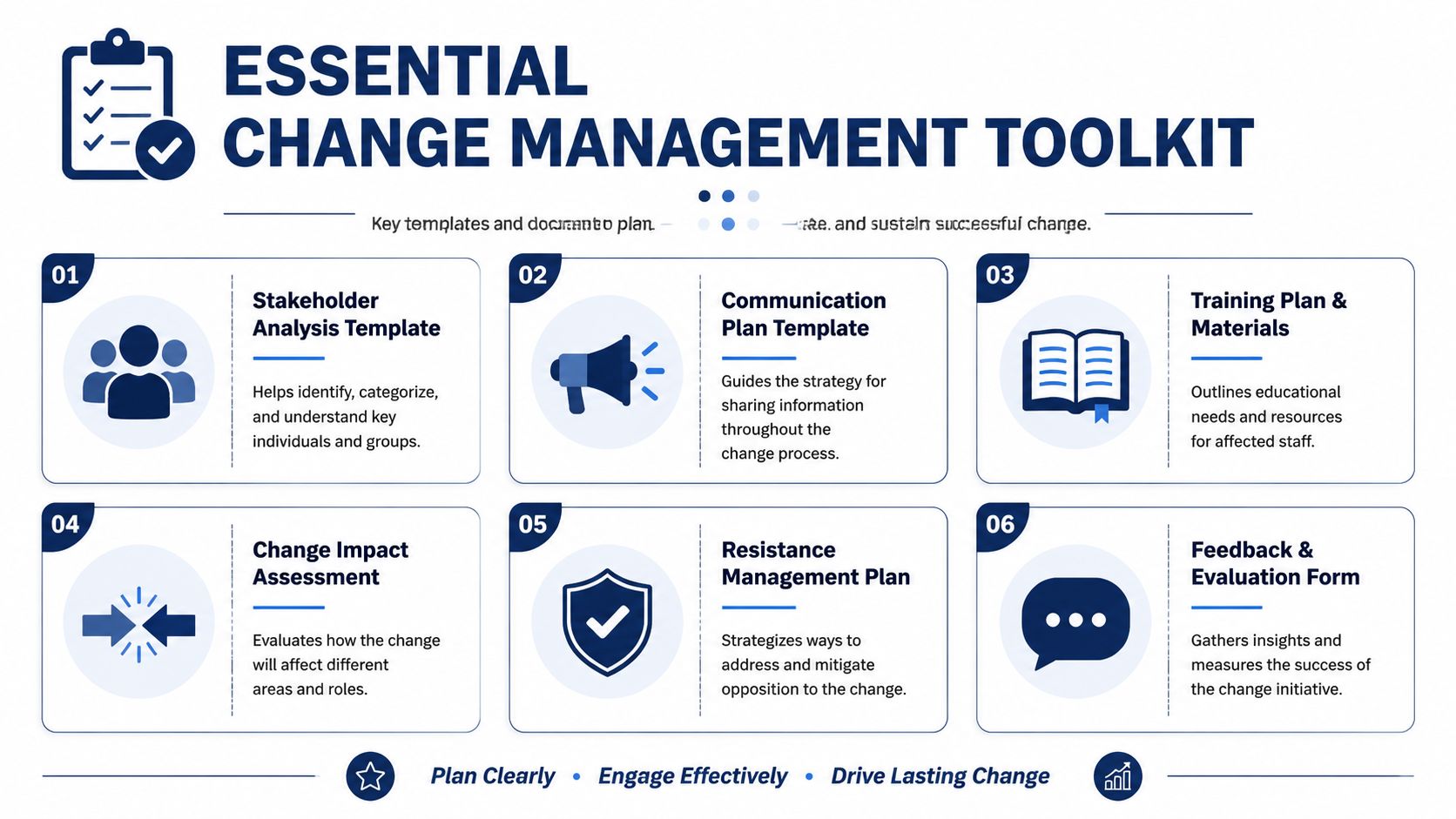
Keep these short. One or two pages is usually enough.
Change request form
Include business problem, objective, in-scope items, out-of-scope items, dependencies, target dates, sponsor, and success criteria.
Stakeholder communication matrix
List audience, message, channel, timing, owner, and expected response. This prevents duplicate or missing communication.
Training plan
Break training down by role, required tasks, delivery method, timing, and support contact.
Risk register
Track risk, impact, likelihood, mitigation, contingency, owner, and status.
Post-launch feedback survey
Ask what worked, what blocked work, what still feels unclear, and what should be adjusted.
Below are simple outlines you can adapt immediately.
Short templates are better than perfect templates. Teams use what they can understand quickly under pressure.
Use short-answer and scaled questions such as:
The toolkit doesn't need expensive software. Many SMBs can manage it with Microsoft Lists, SharePoint, Teams, Excel, Planner, or a project board already in use. If the organisation wants outside help coordinating both technical delivery and user adoption, one option is to work with a managed services partner that includes planning, implementation, employee training, and ongoing optimisation in the operating model, such as CloudOrbis Inc..
The main requirement is consistency. A simple toolkit used every time is more effective than a complex framework used once.
If your next IT initiative needs tighter scope, clearer stakeholder coordination, or a safer rollout plan, talk to CloudOrbis Inc.. We help Canadian SMBs structure change around business outcomes, controlled implementation, user readiness, and operational continuity so technology improvements don't come at the cost of avoidable disruption.
September 13, 2026
Third-Party Risk Management for Canadian SMBsMaster third-party risk management for your Canadian SMB. Learn OSFI compliance, vendor monitoring frameworks, and how to secure your supply chain.
Read Full Post
September 12, 2026
Managed Services Cost: A Practical Guide for Canadian SMBsUnderstand managed services cost for Canadian SMBs. Learn pricing models, industry factors, ROI, and how to choose the right provider for your business.
Read Full Post
September 11, 2026
Managed EDR Services: A Practical Guide for Canadian SMBsLearn how managed EDR services detect, contain, and respond to threats around the clock. A practical guide for Canadian SMBs evaluating providers, pricing
Read Full Post
