Multi-Factor Authentication Guide for Canadian SMBs
Discover how multi-factor authentication protects your business, the strongest MFA methods for 2026, and how to roll it out across Microsoft 365.

Discover how multi-factor authentication protects your business, the strongest MFA methods for 2026, and how to roll it out across Microsoft 365.
Multi-factor authentication blocks more than 99.9% of automated account compromise attempts. The business decision isn't whether to turn it on, it's which method you choose, because the second factor you standardise will shape both your security posture and your helpdesk load.
In Canadian SMBs, MFA is now a baseline control, not a nice-to-have. Passwords get phished, reused, guessed, and replayed. Once an attacker has valid credentials, the rest of the attack often becomes a login problem, not a hacking problem. That's why the question for clinics, law firms, manufacturers, and other mid-sized organisations is no longer “Should we deploy MFA?” It's “Which MFA method fits our users, our risk, and our Microsoft 365 environment?”
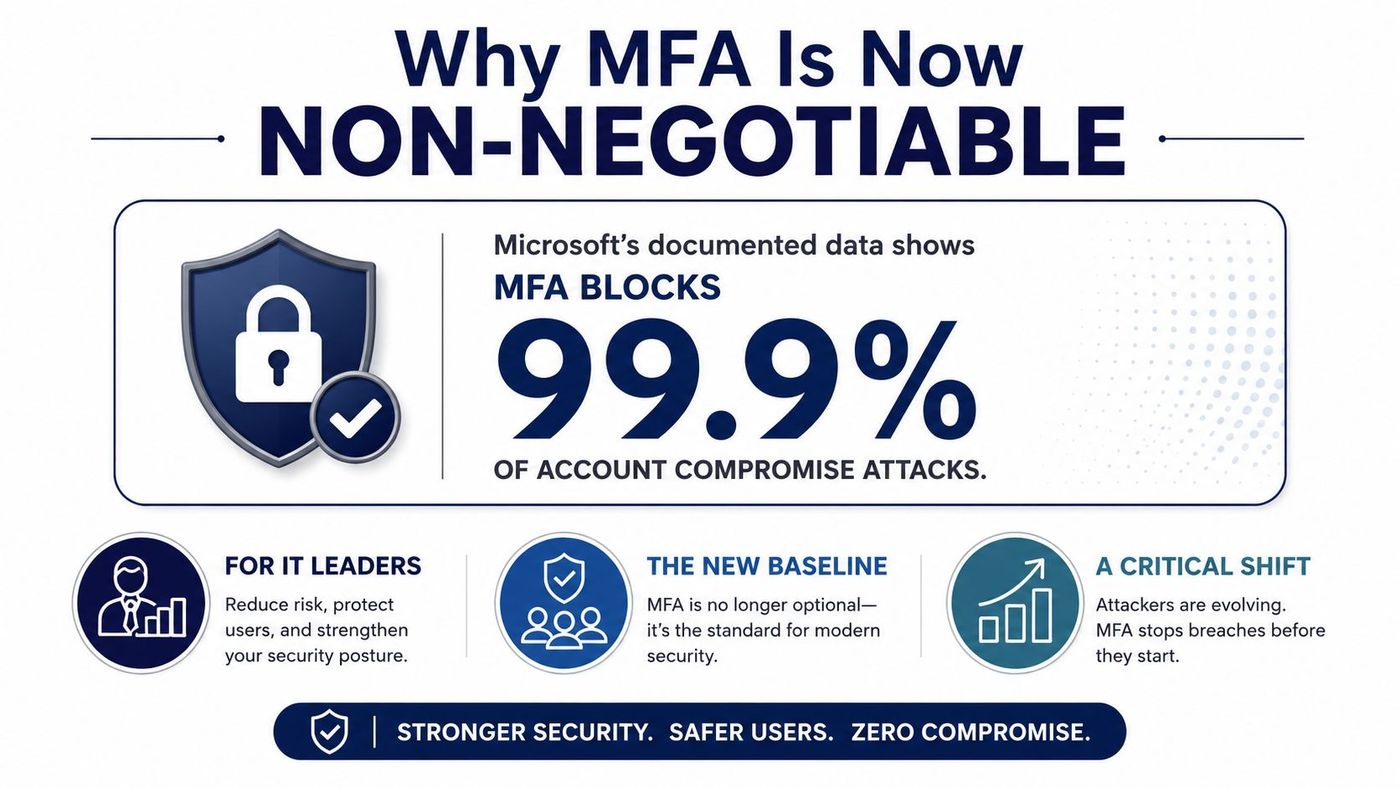
Microsoft's documented research says multi-factor authentication can stop more than 99.9% of automated account-compromise attempts. That figure changes the conversation. MFA isn't a feature you tuck in later, after the rest of your security work is finished. It's the control that makes stolen passwords far less useful, which is exactly what you want when credential theft keeps showing up as a common first step in breaches.
Canadian organisations have felt the pressure from both regulation and reality. Public-sector direction in Canada treats MFA as a practical baseline, and that mindset lines up with the security logic described by CISA, which says MFA adds an extra verification step beyond a password and is one of the most effective protections against unauthorised access. For businesses handling personal data, that matters because PIPEDA and Law 25 both push leaders toward stronger control over account access, authentication, and privacy-sensitive systems.
A single compromised Microsoft 365 account can expose payroll data, client records, vendor invoices, and internal conversations. That's why the old “single sign-on makes life easier” argument only goes so far. Convenience is useful, but it can't outrank control when one stolen password can open email, file storage, and line-of-business apps in one move.
Practical rule: if an account can reach client data or money movement, MFA shouldn't be optional on that account.
Method choice starts to matter. A weak second factor still reduces risk, but it doesn't reduce it evenly. That's why experienced IT teams stop talking about MFA as a checkbox and start treating it as an access policy decision.
For a broader security baseline, see CloudOrbis's cyber security best practices for business.
The right mental model is simple. MFA is now the floor, and the strength of the second factor determines how much risk leaves the business. If your organisation still relies on passwords alone, you're depending on a control that attackers already know how to work around. If you've enabled MFA but allowed weak methods everywhere, you've improved security, but not enough for privileged accounts, finance teams, or remote administration.
MFA is a three-lock system. A password opens the first lock, but it should not be enough to open the door. The next lock asks for a second proof from a different category, and that changes the attack maths for an intruder with stolen credentials.
Canadian public-sector guidance defines MFA as using two or more authentication factors from distinct categories, and the usual categories are something you know, something you have, and something you are. A password or PIN is the first category. A phone, hardware key, smart card, or physical OTP token sits in the second. A fingerprint or face scan sits in the third.
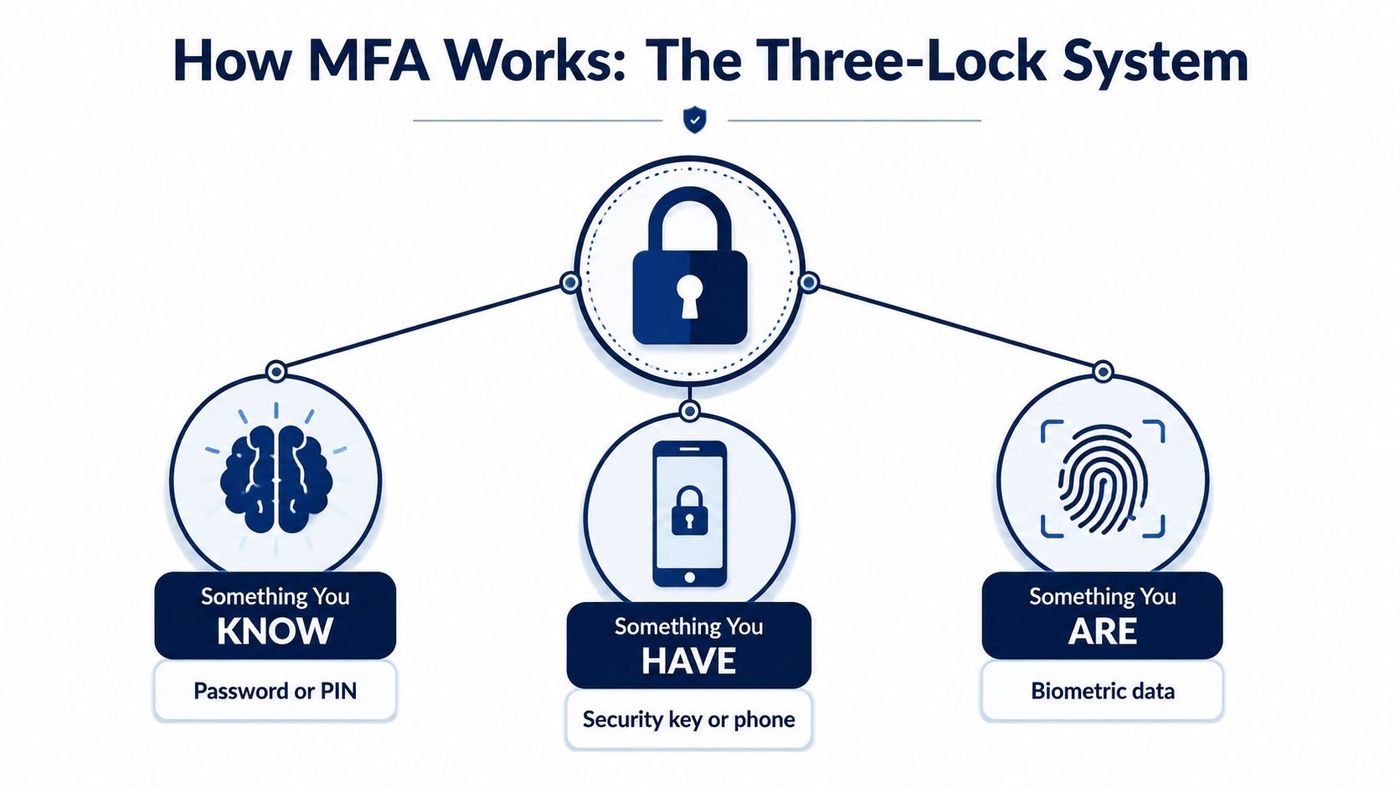
The key point is that MFA works best when the factors are distinct. A password plus another password does nothing useful. A password plus a code sent to a device helps more. A password plus a phishing-resistant hardware key helps more again.
The Australian Cyber Security Centre's implementation guidance is useful here because it names the valid “have” factors clearly, including security keys, smart cards, software certificates, physical OTP tokens, and smartphones. That lines up with what most Canadian MSPs deploy in practice for regulated clients. For identity strategy and directory design, CloudOrbis also covers the broader identity and access management picture.
The control flow is straightforward. First, the identity provider validates the password or PIN. Then it requests a second proof, such as a code, key tap, or biometric prompt. Only after both succeed does the system issue a session token and grant access.
MFA should live in the identity provider as a policy layer, not as a stand-alone product bolted onto the side of your stack.
That matters because modern deployments do more than ask whether the password is correct. They also check device trust, sign-in context, and session risk before granting access. Microsoft Entra MFA documentation describes this as a sign-in prompt for additional proof after the initial credential is entered, and that model fits Microsoft 365 environments well. For teams on Microsoft 365, CloudOrbis's Microsoft 365 security in Calgary explains the operational side of that stack, and it connects directly to confianza del usuario en cripto bancos in practical biometric trust terms.
Not all MFA methods carry the same weight. That's the part most generic guides skip, and it's the part that matters most when you're deciding what to deploy for staff, managers, and admins. Microsoft's research paper says MFA reduced compromise risk by 99.22% overall and 98.56% in leaked-credential cases, but those are study-level outcomes, not a reason to treat every method as equal. The method still matters.
| Method | Phishing resistance | User friction | Best fit |
|---|---|---|---|
| SMS one-time codes | Low | Low | Low-risk apps, temporary coverage |
| Email codes | Low | Low | Limited fallback only |
| App-based push | Moderate | Low to moderate | General workforce sign-ins |
| Hardware security keys | High | Moderate | Admins, finance, executives |
| Passwordless or biometric flows | High | Low to moderate | High-risk users, repeat sign-ins |
SMS is easy to roll out, which is why it survives in too many environments. It's also weak against phishing and SIM swap abuse, so I'd keep it for low-risk apps or as a transitional method, not as your long-term standard. Email codes aren't much better. They're convenient, but they usually land in the same mailbox the attacker is trying to reach.
App-based push is better, but you still need to watch for approval fatigue and rushed tap-through behaviour. Hardware keys are the point where I start feeling comfortable for executives, administrators, and anyone with privileged access. Passwordless or biometric sign-in is stronger still, especially when it's tied to a cryptographic authenticator rather than just a convenience prompt.
If you want a useful external comparison on trust and authentication design, OneSafe's piece on confianza del usuario en cripto bancos is a good reminder that user confidence follows from clear, strong sign-in controls, not from friction alone.
Bottom line: if the account can approve payments, change security settings, or access client records, SMS is too weak.
For CloudOrbis's operational approach to this kind of rollout, see its managed cybersecurity services.
The best way to understand MFA is to watch what happens when it's missing, and what happens when it's enforced. In managed environments, those two outcomes are the difference between a nuisance and an incident.
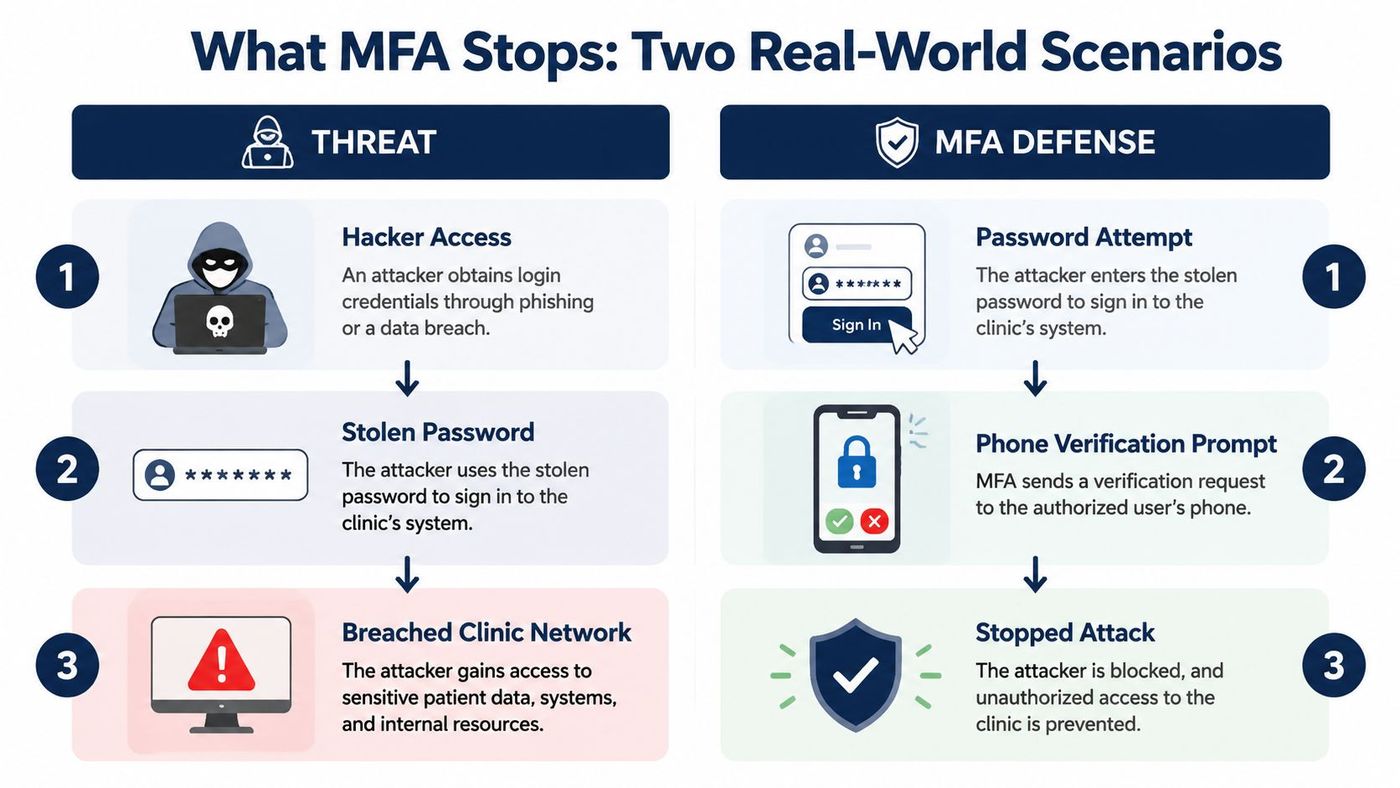
A small healthcare clinic in Ontario sees a receptionist's Microsoft 365 password stolen through a fake login page. The attacker tries to use that mailbox to reach billing and scheduling records. MFA stops the second step cold, and the sign-in alert gives the IT team a chance to reset the account before the intruder moves laterally.
That's the point a lot of leaders miss. The password theft itself wasn't the breach. The breach would have been the successful mailbox takeover after the theft. MFA interrupts that chain.
A logistics company in Alberta has a finance lead whose credentials are sold on the dark web after another site gets compromised. The attacker tries the same username and password on the company tenant. Because MFA is enforced, the sign-in can't finish, even though the password is valid.
That's what MFA does best. It turns stolen credentials into incomplete access. The attacker still has a login attempt, but not a session.
MFA doesn't stop every kind of attack, but it forces the intruder to do more work, use more tooling, or abandon the attempt. For SMBs, that's usually enough to move the event from a business problem to a blocked login.
The cleanest rollout starts with the people who can cause the most damage if they're compromised. Protect administrators first, then finance, then leadership, then the rest of the workforce. That order cuts risk early and gives your team time to tune policy before every user is inside the new rules.
Audit every identity in your tenant. Remove stale accounts, identify shared mailboxes, and map out privileged users before you flip any switches. If the directory is messy, MFA will expose that mess quickly, and the helpdesk will inherit the fallout.
For change control and rollout pacing, CloudOrbis's change management process is the right model to follow. Security rollouts fail when they move faster than user communication.
Turn on MFA through Microsoft Entra, then use conditional access to target who must use it, from which device types, and under what sign-in risk conditions. That's where you avoid overfitting the policy. If you force every scenario through the same rule, you'll either frustrate your executives or leave too many holes open.
Start with app-based authenticator methods, then phase in hardware keys or passwordless sign-in for higher-risk users. Keep SMS only where you need a transition path. If you're running Microsoft 365 for a clinic, a legal firm, or a manufacturer, this is the point where the policy becomes a real operational control rather than a checkbox.
Practical rule: pilot with IT and a small group of power users before you force the whole company onto the same experience.
Plan your user communication before launch. Give staff a short explanation of why the second factor matters, a simple guide for enrolment, and a clear path for lost devices, travelling staff, and authenticator resets. The rollout always creates more tickets than leadership expects, but most of them are predictable if you write the runbook first.
A good rollout is a mix of policy, communication, and follow-up. Without all three, even a technically sound MFA project will feel brittle to users.
MFA projects usually fail in the same three places. The directory is messy, conditional access is too broad or too strict, and the helpdesk gets flooded with reset tickets the minute users start switching phones or travelling. Managed deployment solves those problems because it treats MFA as an ongoing control, not a one-time setup task.
CloudOrbis works through a structured engagement model that starts with assessment, then policy design, implementation, training, and ongoing optimisation. That sequence matters because MFA isn't just about switching on enforcement. It's about aligning the policy with how people sign in, how admins recover accounts, and how your organisation handles remote work.
For organisations that want an external reference point, secure your tenant with AITS shows the kind of tenant-focused configuration work businesses often need before MFA feels stable in production.
First, policy tuning. A managed team can shape conditional access so it protects sensitive users without locking out the wrong people. Second, helpdesk burden. Reset workflows, lost-device recovery, and new-phone enrolment need a process, not improvisation. Third, monitoring. Failed challenges, suspicious sign-ins, and policy drift need to be reviewed continuously, not once a quarter.
CloudOrbis also ties MFA into Microsoft 365 and Dynamics 365 environments, which is where many SMBs feel the pressure. That makes the control practical for day-to-day operations instead of abstract compliance language. It's the difference between having MFA enabled and having MFA managed.
A lot of companies can turn MFA on. Far fewer can keep it tuned, supportable, and aligned with privacy and security requirements over time. CloudOrbis's value is in reducing the friction that usually causes teams to backslide into weak methods or inconsistent policy.
Most MFA failures aren't caused by the technology itself. They come from bad policy choices, bad recovery planning, or bad rollout discipline. If you avoid those traps, MFA becomes one of the most reliable controls in your stack.
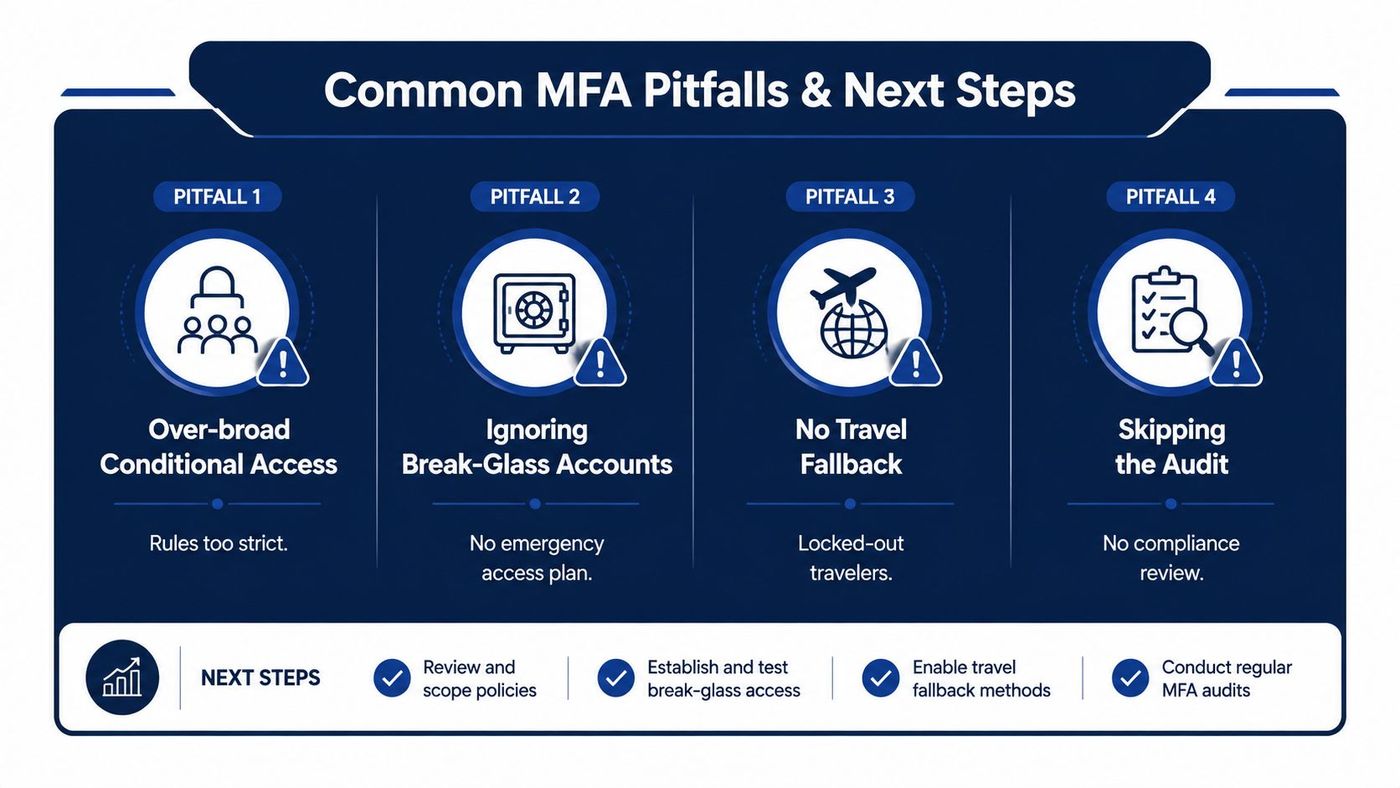
| Pitfall | Symptom | One-line fix |
|---|---|---|
| Over-broad conditional access | Users get blocked from routine work | Narrow the rule set and test by user group |
| Ignoring break-glass accounts | No emergency admin access when policy misfires | Create and protect emergency access separately |
| No travel fallback | Staff get locked out on the road | Define a recovery path for roaming users |
| Skipping the audit | Nobody knows whether the policy still fits | Review enrolment, exceptions, and sign-in logs regularly |
The break-glass point deserves special attention. If your MFA policy can lock out every admin account, you've built a security problem into your recovery plan. Keep emergency access separate, protect it tightly, and test it before you need it.
The same goes for travelling staff. People lose phones, change numbers, and work from unpredictable locations. If you don't plan for that, your helpdesk becomes the recovery path whether you intended it or not.
My advice: don't ask whether MFA is deployed. Ask whether your strongest users are on the strongest methods, and whether your recovery plan actually works.
Multi-factor authentication is no longer a competitive advantage. It's the floor. What separates a compliant checkbox from real risk reduction is method choice, conditional access discipline, and steady tuning after rollout. If your current setup still leans on weak methods or has no recovery plan, it's time to fix that before an attacker makes the decision for you.
If you want a practical review of your current MFA setup, CloudOrbis Inc. can assess your identity controls, tighten conditional access, and help you move from weak, mixed methods to a policy that fits your team. Visit CloudOrbis Inc. to book a security assessment and start closing the gaps in your Microsoft 365 and cloud access today.
Book a 30-minute call with a senior engineer. No sales script, just straight answers about your environment.


