
September 24, 2026
Helpdesk vs Service Desk: Choosing the Right IT SupportHelpdesk vs service desk: understand the key differences and choose the right IT support model for your organization in 2026.
Read Full Post%20(1).webp)
Usman Malik
Chief Executive Officer
September 25, 2026

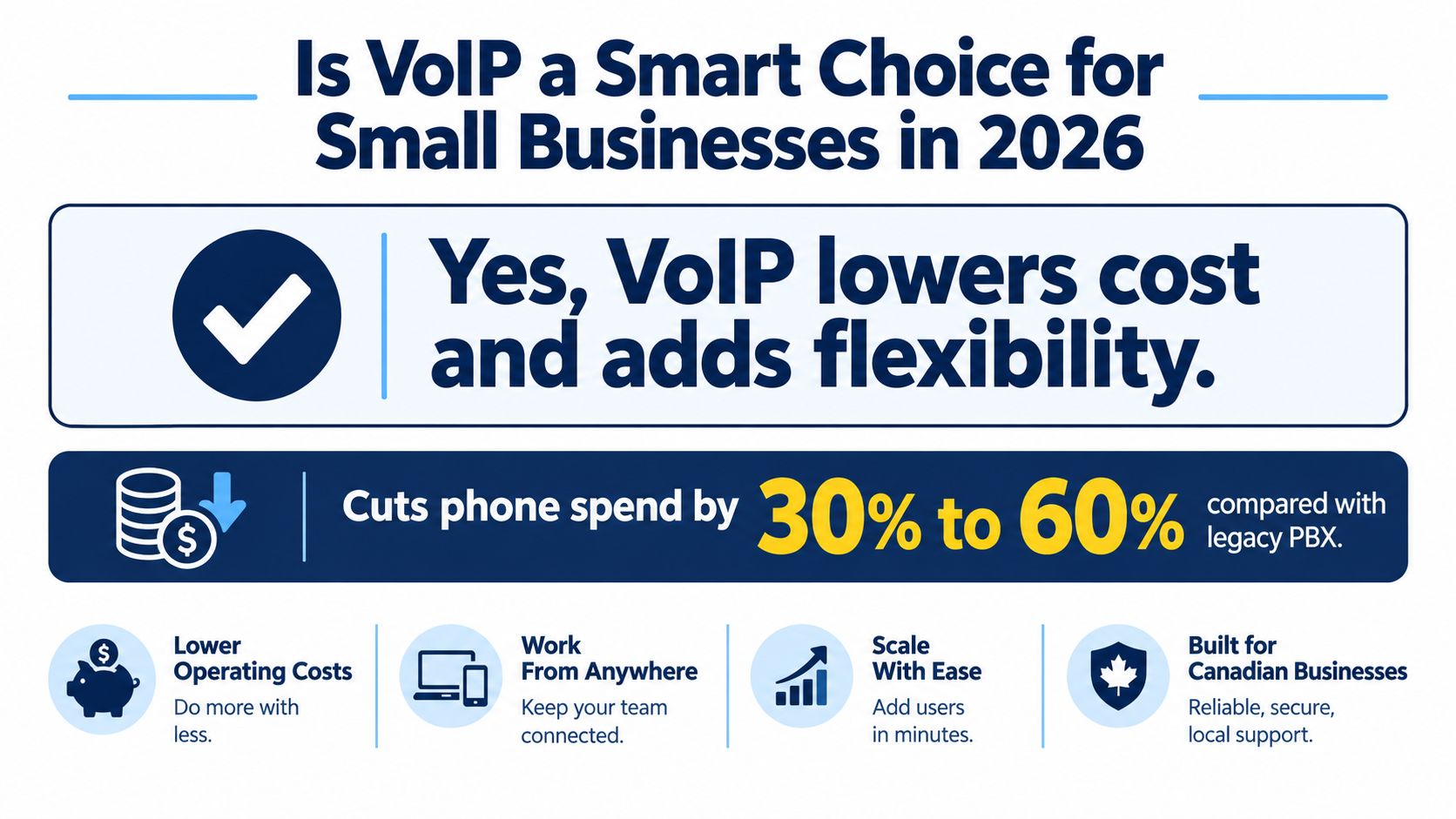
Yes. For most Canadian small businesses, VoIP lowers phone costs by 30% to 60% compared with legacy landline systems, while adding flexibility. The decision still depends on internet readiness and a sensible failover design.
That distinction matters. A hosted phone system can give a five-person office professional call handling, mobile access, voicemail-to-email, and straightforward growth without the cost and maintenance of an on-premises PBX. It can also frustrate a clinic, plant, or field crew if the network is congested, the router loses power, or nobody has planned what happens when the primary internet connection fails.
So, is VoIP good for small business in Canada? Yes, when the deployment is engineered around the business, not just sold as a bundle of features. The practical checkpoints are network quality, router-level QoS, backup connectivity, power continuity, emergency calling, and the support model behind the service.
The financial case is strong. Canadian guidance places typical VoIP savings against legacy landlines in the 30% to 60% range, while common business plans sit around $20 to $50 per user per month. A Canadian pricing guide estimates that a 10-employee business could save roughly $3,000 to $10,000 annually after switching, depending on calling volume and features. See the Canadian VoIP cost comparison for the assumptions behind those ranges.
The operational case is just as important. Cloud calling lets employees use a business number from a desk phone, laptop, or mobile app. A receptionist can work remotely, a salesperson can answer from a client site, and an owner can add a user without buying another traditional line or rebuilding a phone cabinet.
Cloud VoIP is now a practical model for Canadian teams operating across an office, home locations, and field sites. If you're comparing vendors, a guide to the best phone systems for small business can help you build a shortlist, but don't choose from a feature grid alone. Review the wider business communication technology benefits, then test the network and outage plan that will determine whether those benefits reach your staff.
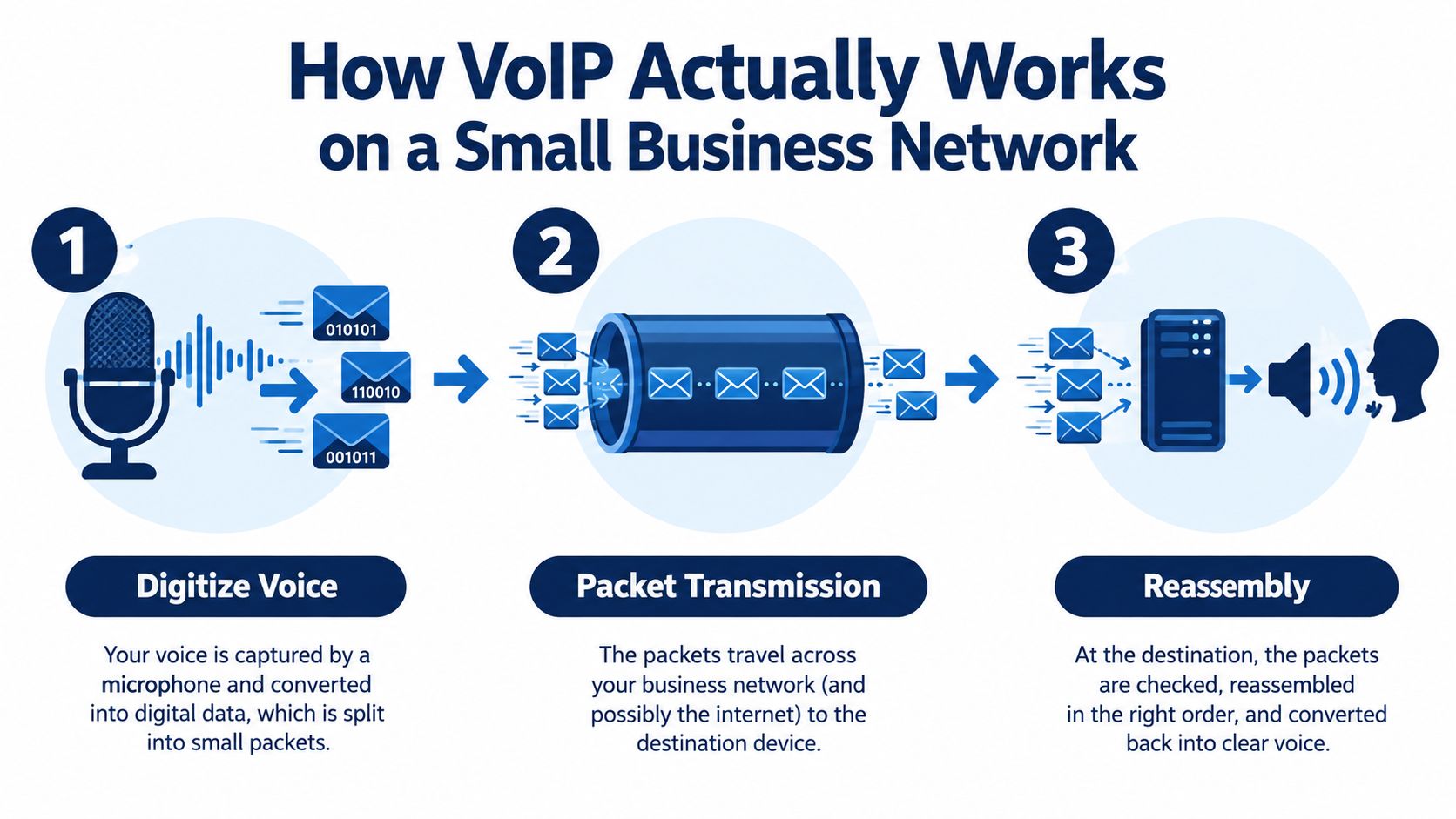
VoIP converts speech into digital data, sends it across an IP network, and rebuilds it as audio at the receiving phone. The system divides a conversation into packets, routes them through the network, then reassembles them in the correct order. Delays, packet loss, or congestion can make the result sound clipped, robotic, or delayed.
A hosted PBX handles call routing and phone features in the provider's cloud. SIP trunks connect that service to the public telephone network, while session border controllers manage signalling, device registration, and traffic between the office and provider. Your team does not need to run these systems, but your IT partner should understand how they affect call quality and failover. A clear overview of business VoIP telephone systems can help owners compare the architecture before choosing a provider.
Each concurrent call typically uses about 100 kbps upstream and downstream. A 25-user office handling 10 simultaneous calls therefore needs roughly 1 Mbps of dedicated voice headroom, alongside normal business traffic. These figures come from Canadian guidance on business VoIP bandwidth.
Raw download speed does not prove that voice will perform well. Canadian guidance recommends one-way latency below 150 ms, jitter below 30 ms, and packet loss under 1%. Another Canadian reference uses less than 100 ms round-trip as an operating target. These measures show whether packets arrive on time and intact. The Canadian VoIP network requirements guide explains why those conditions matter more than a headline internet speed.
Practical rule: Configure QoS on the router, segment voice where appropriate, and test during the busiest work period. A quiet speed test at opening time says little about performance during a large backup or video meeting.
For desk-phone installations, this how to set up VoIP phones guide covers the device side. The main risk remains a contended or undersized connection. A well-hosted platform cannot rescue calls from a network that is already overloaded.
Don't compare only the advertised user price. A proper total-cost review includes line rentals, long-distance charges, PBX hardware, maintenance, hardware depreciation, administration time, number porting, and the network equipment needed to keep voice stable.
Canadian market guidance places many cloud VoIP plans around $20 to $35 per user per month, while one comparison lists entry pricing at $19.95 per user per month and a Canadian provider example lists $24.99 per user per month for a plan with call recording, bilingual support, and local hosting. Those examples appear in this Canadian small-business VoIP pricing comparison. Pricing varies with calling plans, devices, storage, integrations, and support.
The switch can be particularly attractive for a 10-employee office because the saving is not limited to the monthly bill. Removing an aging PBX may also reduce maintenance, hardware replacement, and the staff time spent managing extensions and call routing. A 25-user operation can see a larger financial difference when it replaces several sites or avoids a major hardware refresh. Use the verified Canadian estimates of roughly $3,000 to $10,000 in annual savings for 10 employees and $6,000 to $18,000 for a 25-user office as planning ranges, not promises. The Canadian cloud VoIP business case provides further context.
| Cost Line Item | Legacy PBX/Landline | Hosted VoIP (CloudOrbis) | Annual Savings |
|---|---|---|---|
| User and line service | Separate lines, bundles, and calling charges | Per-user cloud subscription | Depends on users and plan |
| Phone system | On-premises PBX and maintenance | Hosted PBX service | Avoided system upkeep |
| Expansion | New lines, configuration, and technician work | Add users through administration portal | Lower change effort |
| Calling features | Often separate modules or hardware | Usually included according to plan | Fewer add-on costs |
| Mobility | Forwarding or desk-phone dependence | Desktop and mobile applications | Greater location flexibility |
| Network resilience | Traditional service may have different outage behaviour | Requires internet and power planning | Depends on failover design |
You may need QoS-capable switches, UPS support for routers and phones, compatible handsets or headsets, number porting work, emergency-calling address registration, and user training. A managed provider can bundle some of that work, but it doesn't make the requirements disappear.
VoIP is best treated as a cost-reduction and operating-flexibility project, not a free phone replacement. Build the business case from your current invoices and equipment lifecycle, then compare it with a written hosted proposal. That approach exposes whether the saving comes from a genuine structural change or just from removing features your team still needs.
Legacy PBX systems can handle calls, extensions, and voicemail. They become less appealing when a business needs the phone system to follow employees, connect with other applications, and change quickly.
Cloud VoIP usually puts the daily call controls in an administration portal. Auto-attendants direct callers, hunt groups ring the right people, queues manage busy periods, and business-hour rules change routing without a technician visiting the office. Voicemail-to-email gives managers and staff a searchable way to handle messages instead of relying on a desk handset.
| Capability | Legacy PBX | Cloud VoIP |
|---|---|---|
| Main greeting | Often tied to installed system | Configurable auto-attendant |
| Remote work | Call forwarding and manual workarounds | Mobile and desktop softphones |
| Voicemail | Desk-phone mailbox | Voicemail-to-email and visual voicemail |
| Call routing | Hardware or specialist configuration | Portal-based rules and schedules |
| Integrations | May require modules or custom work | Connectors for business applications |
| New employee | Hardware, extension, and configuration work | Seat provisioning through the portal |
| Analytics | Limited or separate system | Call logs and reporting, plan dependent |
| Legacy devices | Direct support for older equipment | ATA adapters or hybrid design may be needed |
A mobile or desktop softphone lets a field employee use the company number without exposing a personal mobile number. Click-to-dial can reduce repetitive typing, while integrations with Microsoft Teams, Google Workspace, HubSpot, or Salesforce can place calling closer to the tools staff already use. Transcription, summaries, and chat-to-call workflows can also help teams recover missed enquiries, provided the provider's privacy and retention controls fit the business.
Microsoft environments deserve a proper design review rather than an automatic assumption that Teams should replace everything. CloudOrbis's overview of the Microsoft Teams phone system is a useful starting point for teams already using Microsoft 365.
Adding a user should be an administrative change, not a truck roll or a major telephone-system reconfiguration. That matters for seasonal hiring, acquisitions, and distributed teams. It doesn't mean every device belongs in the cloud. Factories may still need analogue paging, lift phones, or specialised intercoms. An ATA adapter or hybrid gateway can preserve those devices while modernising the main calling system.
VoIP reliability depends on the whole communications chain. A hosted platform may advertise an availability target, but your business still relies on its internet connection, router, switches, handsets, and power. As noted earlier, the cloud platform cannot compensate for a poorly prepared local network.
A primary internet outage can take office desk phones offline while the main number remains active in the provider's system. Calls can still reach mobile users if failover is configured and tested. Specify the backup connection, forwarding rules, and power coverage before signing a contract. A second internet path or cellular failover often matters more than the provider's availability claim.
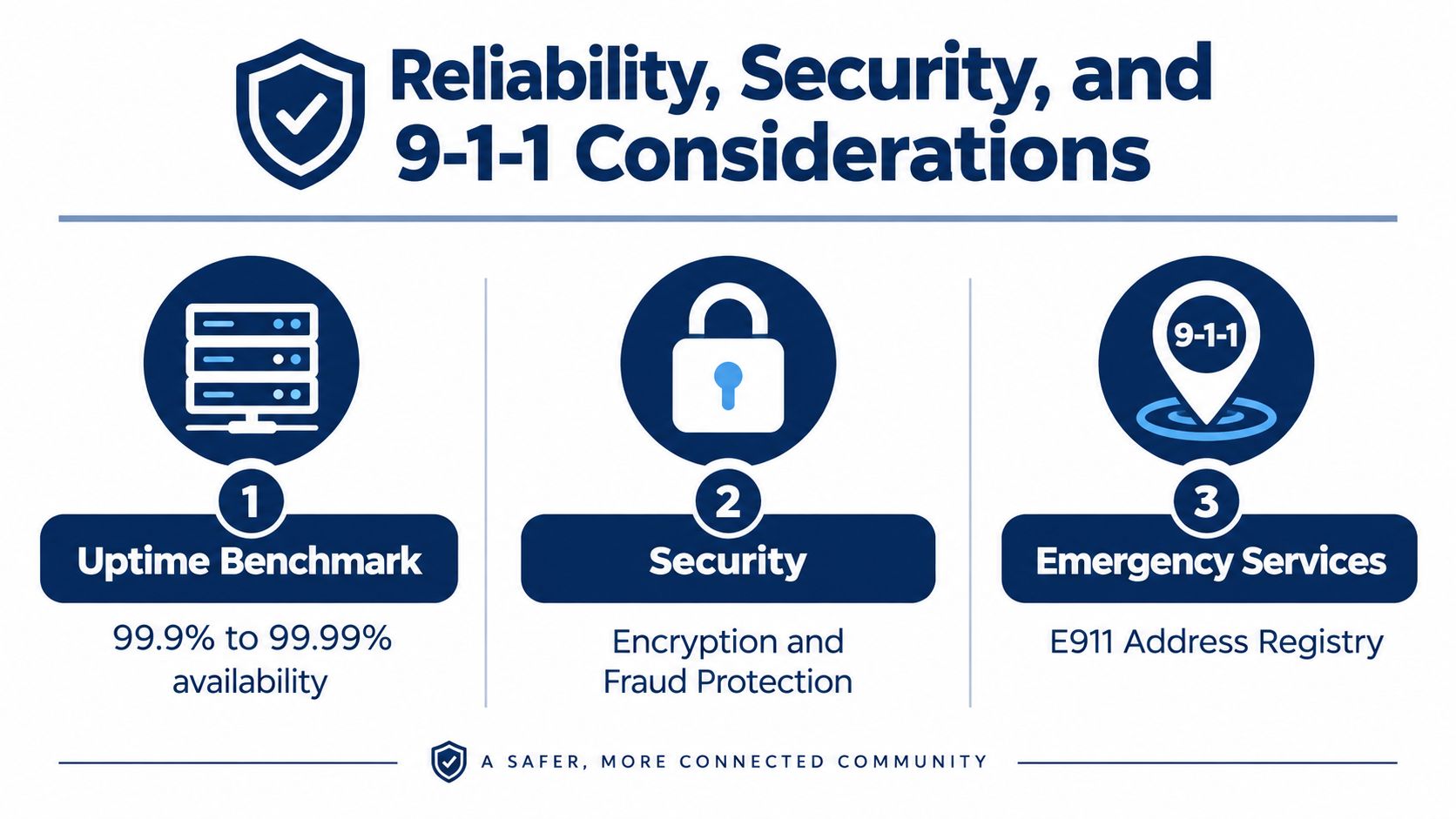
Treat VoIP as an internet-facing business service. Ask for SRTP and TLS, require strong credentials, enable MFA for administrator accounts, limit portal access, and monitor unusual calling patterns. Toll fraud, vishing, and telephone denial-of-service attacks can create financial and operational harm even when call quality remains high.
Field crews need practical workflows, not another screen to manage. Tools such as hands-free AI for plumbers electrical show how voice interfaces can support work performed on job sites. Review access permissions, recording settings, and retention rules before connecting automation to customer or business information.
The CRTC requires local VoIP providers to notify customers about limitations affecting 9-1-1 and enhanced 9-1-1 service. Confirm the civic address registered for every location, explain the process to employees, and update the record when staff work from another site. Train employees to state the physical address clearly during an emergency call.
Bring these questions to every vendor meeting:
Privacy review matters for healthcare, legal, and financial callers. CloudOrbis's guidance on Canadian data privacy laws gives owners a starting point for questions about storage, access, and retention. Use those answers to document vendor responsibilities before deployment, especially when calls contain sensitive information.
A manufacturing plant doesn't have the same phone requirements as a dental clinic or accounting firm. VoIP works well in all three environments, but the deployment pattern changes.
Plant networks introduce physical and radio challenges. Thick concrete can weaken wireless coverage, while variable-frequency drives and welding equipment can create interference. Isolated yards may also have unreliable cellular coverage. Put SIP phones on hardened switches, apply QoS, and use wired connections wherever the environment demands predictable service.
Don't assume cloud calling replaces every plant device. Overhead paging, analogue alarms, lift phones, forklift intercoms, and wearable devices may need ATAs, hybrid PBX gateways, or a separate operational communications system. A sensible pattern is cloud VoIP for office, dispatch, and supervisor calls, with a hybrid gateway for paging and analogue equipment.
Dental, physiotherapy, and telehealth practices gain from scheduled call routing, mobile access, and integrations with appointment workflows. Remote clinics can also use a central hosted PBX when their local connection is stable enough for voice.
The sensitive part is information handling. Choose a provider prepared to document its privacy and security responsibilities, enforce MFA, control recording access, and support policies that respect patient consent. Encrypted calling and video are useful only when staff understand what may be recorded, retained, or shared.
Professional firms often need call recording, encrypted softphones, presence information, and detailed call records. Those functions can help with supervision and audit preparation, but recording a sensitive call without a clear policy creates its own risk.
A practical deployment uses regional data residency where appropriate, SRTP-capable endpoints, role-based administration, and a written recording policy. Keep client-sensitive conversations off unmanaged personal devices, and make sure remote staff use the same security controls as people in the office. In each industry, the answer to “is VoIP good for small business” depends less on the brand of handset than on the surrounding operating controls.
A VoIP migration should be staged. Friday-afternoon cutovers create avoidable risk, especially when the business number is customer-facing.
Measure symmetric capacity against the expected number of concurrent calls, using about 100 kbps per call as the planning figure. Confirm latency below 150 ms, jitter below 30 ms, and packet loss below 1%, based on Canadian VoIP network guidance. Then configure voice traffic on a managed switch, using VLAN tagging and QoS where the network design supports it.
The owner or operations lead should identify critical numbers and busy periods. The technician should document the network, test call paths, and record acceptance criteria before ordering service.
Inventory every direct number, main number, extension, fax dependency, auto-attendant prompt, and call-routing rule. The provider should manage number porting through the appropriate Canadian carrier process, register the correct civic address for emergency calling, and apply QoS policies at the network edge.
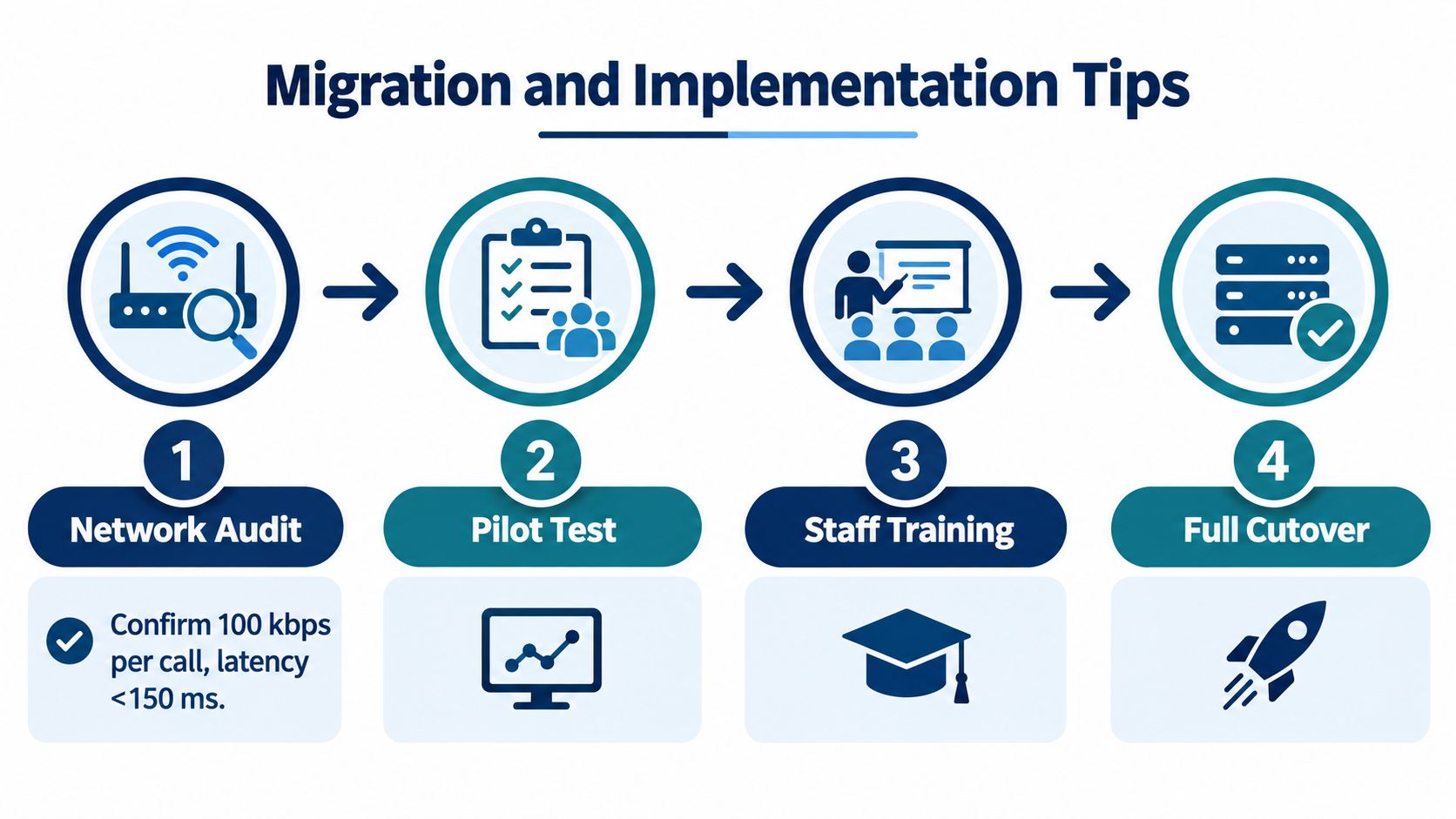
Pilot a small user group for two weeks. Test handset firmware, soft-client behaviour on remote laptops, call transfers, voicemail, integrations, mobile failover, and emergency address records. Staff should practise the calls they make, not just confirm that a test call connects.
Then run a parallel cutover. Keep the old PRI or legacy service live for one billing cycle while the cloud PBX carries new traffic, monitor missed calls, and retain a documented rollback plan. A managed provider such as CloudOrbis can handle provider paperwork, QoS templates, handset provisioning, and an after-hours change window. Its business VoIP solution describes the kind of implementation and support scope businesses should expect.
Assign ownership clearly:
Score the business against five readiness gates before signing:
If three or more gates are weak, don't self-install. Fix the network first or use managed support to control the migration risk. A low monthly phone price won't compensate for missed calls, poor audio, or an emergency procedure nobody understands.
CloudOrbis Inc. provides managed IT support, network assessment, business VoIP implementation, carrier porting, handset provisioning, security controls, and ongoing administration for Canadian small and mid-sized businesses. The useful question isn't whether VoIP is good for small business. It's whether your network, outage plan, emergency records, and support model are ready to make it dependable.
Ask for a written readiness assessment before comparing contracts. The proposal should show the call design, failover path, security controls, device requirements, porting responsibilities, and post-launch support, not just a per-user price.
Book a discovery conversation with CloudOrbis Inc. to assess your network, emergency-calling setup, and failover requirements before you switch. Their managed VoIP team can turn the findings into a practical migration plan that covers porting, provisioning, security, and ongoing support.
September 24, 2026
Helpdesk vs Service Desk: Choosing the Right IT SupportHelpdesk vs service desk: understand the key differences and choose the right IT support model for your organization in 2026.
Read Full Post
September 23, 2026
DDoS Protection for Canadian SMBs: What Works in 2026Learn what DDoS protection really does, the latest Canada-specific threats, and a practical playbook for small and mid-sized businesses
Read Full Post
September 22, 2026
Security Audit Services Guide for SMBs in CanadaDiscover why security audit services are vital for Canadian SMBs. Explore typical scope, deliverables, timelines, and tips to choose the right provider.
Read Full Post
