Business VoIP Telephone Systems Explained for SMBs
Learn how business VoIP telephone systems work, what they cost and how to choose a secure, resilient option for your Canadian SMB.

Learn how business VoIP telephone systems work, what they cost and how to choose a secure, resilient option for your Canadian SMB.

A clinic manager arrives to find that a patient's call went to an empty reception desk. A manufacturer's customer calls the office, gets transferred to a warehouse, then loses the connection. A legal team member working from home can access email and documents, but not the office extension clients already know.
These problems rarely come from the handset itself. They usually come from a phone system built around fixed locations, separate tools, and limited visibility into what happens when a line, internet connection, or employee isn't available.
Business VoIP telephone systems change that model. They use internet-based calling to connect desk phones, computers, mobile apps, voicemail, messaging, video, and business workflows through a coordinated communications platform. For Canadian small and mid-sized businesses, the buying decision should involve more than monthly pricing. Call continuity, 9-1-1 readiness, provider accountability, security, and practical support deserve equal attention.
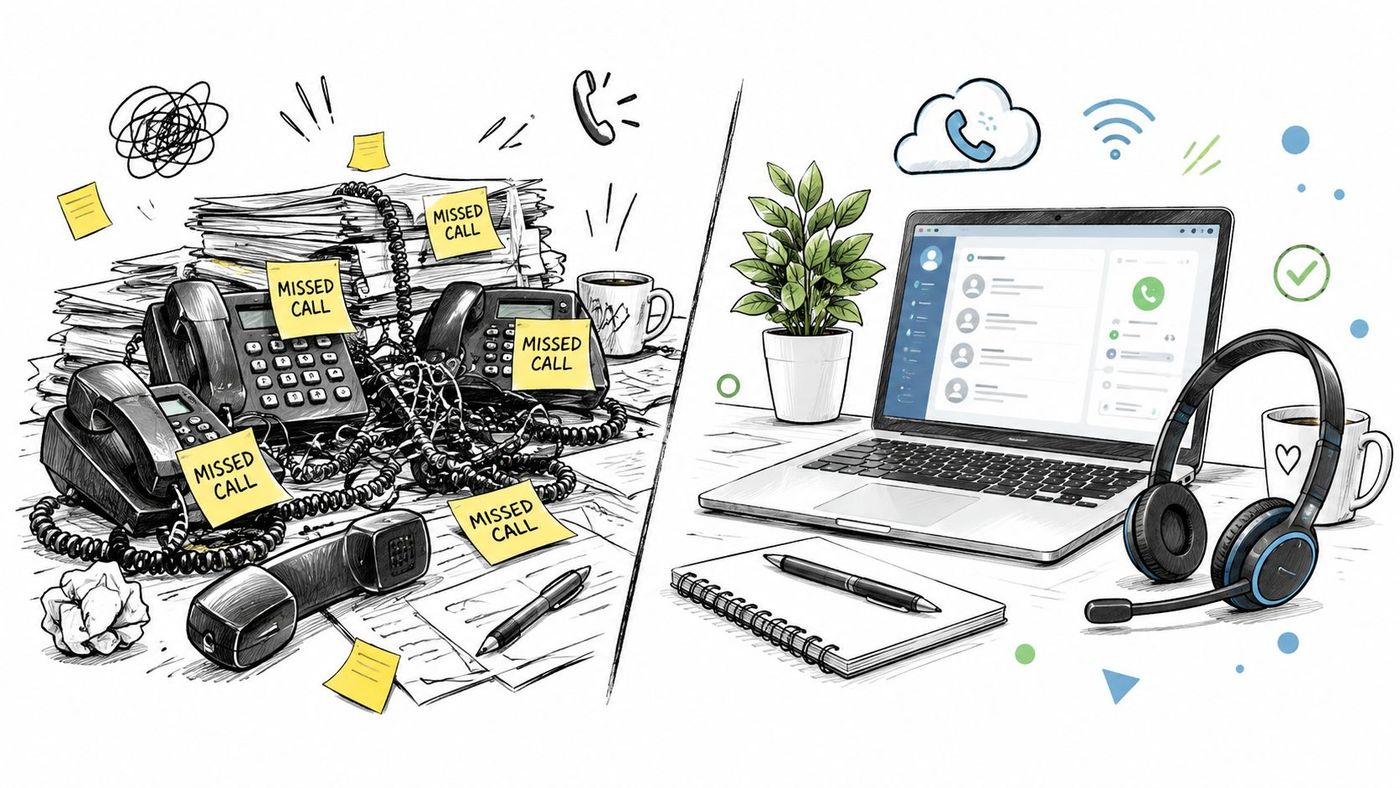
A traditional phone system treats each office, extension, and physical line as part of a fixed installation. That arrangement can work for a single location with predictable hours, but it becomes restrictive when teams add branches, remote staff, mobile workers, or rotating schedules.
VoIP treats the user, rather than the desk, as the centre of the system. An employee can answer a business number through a desk phone, desktop application, or mobile application, depending on the rules your team sets. A receptionist can send calls to sales, support, a warehouse, or an after-hours service without rewiring the office.
Canada's transition toward internet-based business calling began well before cloud communications became common. A CRTC-linked spectrum-management paper cited an AT&T/EIU business survey reporting that 12% of small and mid-sized businesses were already using VoIP, while 18% planned to implement it in the longer term. The same material described VoIP as still being in its infancy in Canada at the end of 2004, with an estimated 29,000 residential subscribers nationwide. The CRTC-linked paper provides useful historical context for how business calling moved from an experimental option toward a core communications service.
A healthcare clinic may need dependable after-hours routing and clear location information for emergency calls. A legal or accounting firm may value call recording policies, controlled access, and professional voicemail handling. A logistics or manufacturing company may need calls to reach people across offices, yards, warehouses, and mobile devices.
The right system can help these teams:
A practical starting point is CloudOrbis's business VoIP solution, which illustrates how voice, video, messaging, forwarding, conferencing, and mobility can work together. The important question isn't whether VoIP has many features. It's whether those features solve the communication failures your team experiences.
Think of a traditional phone call as travelling along a dedicated road between two locations. A VoIP call takes a different route. The system turns your voice into small digital parcels, sends them across a data network, and rebuilds them at the other end.
The process looks like this:

Core idea: VoIP quality depends on the complete path between callers, not only on the phone service provider.
SIP is one of the signalling methods used to start, manage, and end internet-based calls. You don't need to configure SIP yourself to use VoIP, but your provider and IT team need to manage it correctly.
A codec determines how the system encodes and decodes voice. Some codecs favour audio quality, while others use less bandwidth. The provider chooses which codecs the service supports, and the network must handle the resulting traffic consistently.
Packets are the digital pieces that carry the call. If packets arrive late, arrive out of order, or disappear, callers may hear delay, distortion, or gaps. That's why a fast internet connection alone doesn't guarantee a good call.
Three network conditions affect the experience:
A router configured for Quality of Service, often called QoS, can prioritize voice traffic over less time-sensitive activity. A well-designed deployment also separates voice traffic logically, monitors the network, and tests busy-period performance before migration.
VoIP can connect with platforms such as Microsoft 365, customer relationship management systems, calendars, and collaboration tools. The value comes from reducing the need to copy information between separate systems. A caller's identity, voicemail, availability status, or call history can appear where employees already work.
There isn't one correct architecture for every Canadian SMB. A hosted service may suit a growing team with limited telecom expertise, while an organization with existing phone hardware and internal technical staff may prefer more control. SIP trunking can modernize an existing private branch exchange without replacing the entire system at once.
| Deployment Model | Best For | Key Trade Off |
|---|---|---|
| Hosted PBX | Teams seeking managed infrastructure, flexible locations, and simpler administration | Less control over the underlying platform, with greater reliance on the provider |
| On-premise PBX | Organizations needing direct control and able to maintain telecom infrastructure | More responsibility for hardware, upgrades, security, and continuity |
| SIP trunking | Businesses keeping an existing PBX while replacing traditional carrier connections | Preserves the older system, but doesn't remove its maintenance and feature limitations |
A hosted private branch exchange runs in the provider's environment. Your business manages users, schedules, call flows, and permissions through an administrative portal, while the provider manages much of the platform infrastructure.
This model usually fits organizations opening locations, supporting hybrid work, or lacking dedicated telecom specialists. It can also make changes easier. Adding an extension, changing an auto attendant, or redirecting calls during a closure generally happens in software.
The trade-off is dependency. Your provider's support quality, incident communication, security practices, and emergency-calling process become part of your operating model. Review those details before signing.
An on-premise PBX gives your organization direct ownership or control of the phone-system hardware and software. That can matter when you need custom integrations, strict internal control, or a long-standing investment in compatible equipment.
It also means your team, IT partner, or maintenance contractor carries responsibility for patches, backups, replacement parts, capacity planning, and failover. An on-premise system doesn't automatically provide better resilience. It provides control, and your organization must turn that control into a tested operating plan.
SIP trunking connects a traditional PBX to an internet-based carrier service. It can reduce dependence on legacy telephone connections while allowing the business to keep familiar handsets and internal call features.
A hybrid model can be useful during a phased migration. For example, a company may move one department or site to hosted VoIP while another continues using the existing PBX until contracts, equipment, or workflows are ready.
Businesses reviewing the physical side of their communications environment may also benefit from guidance on modern phone intercom infrastructure, particularly when entry systems and internal communications share the same facilities planning.
For Canadian-specific service considerations, the overview of VoIP services in Canada is a useful companion to the architecture decision. Start with operational needs, not a preferred deployment label.
A phone system creates value through the way its features work together. A clinic doesn't need an auto attendant because it sounds modern. It needs a reliable way to greet callers, identify the reason for the call, route urgent requests, and protect staff from unnecessary interruptions.
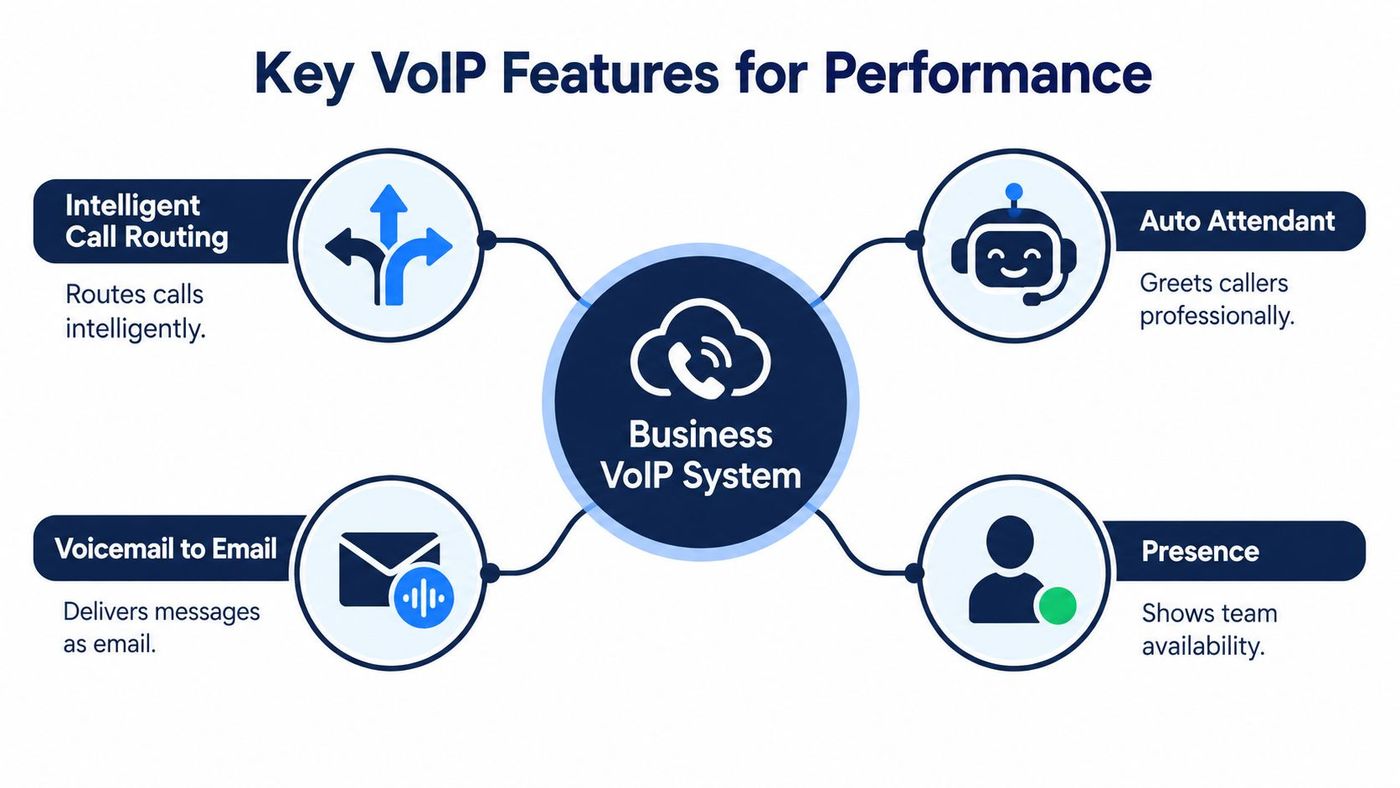
Intelligent call routing sends calls according to rules such as department, schedule, caller selection, staff availability, or overflow conditions. A logistics company might route dispatch calls to the active operations group, then send unanswered calls to a supervisor or backup number.
An auto attendant gives callers a structured menu. It can provide business hours, direct callers to departments, and reduce pressure on a receptionist. Keep menus short and easy to understand. A complicated menu only moves frustration from the receptionist to the caller.
Voicemail to email turns a message into a notification that staff can review from an approved device. Transcription can make the message searchable, but teams should consider privacy, retention, accuracy, and access permissions before enabling it broadly.
Presence shows whether a person is available, busy, away, or already on a call. That small status indicator can prevent repeated transfers and help staff choose between calling, messaging, or waiting.
Mobile applications extend the same business identity beyond the desk. Employees can answer through a business number while travelling between sites, working remotely, or responding to an urgent request. Administrators should still define acceptable devices, authentication requirements, and rules for personal-device use.
Call analytics can reveal patterns such as unanswered queues, recurring peak periods, abandoned calls, and transfer activity. Use that information to improve staffing and routing, not to create surveillance without a clear business purpose.
Before approving an add-on, connect it to a measurable operational problem. Ask:
Businesses comparing collaboration capabilities may also review how a 3CX phone system can benefit your business. The platform choice matters, but implementation discipline matters just as much.
VoIP creates a communications service on top of your network, applications, identities, and internet connections. That flexibility brings responsibilities. Attackers may target user credentials, attempt toll fraud, exploit poorly secured devices, or disrupt service through network abuse.
Protect the system in layers. Use strong authentication and role-based administration. Keep phones, applications, routers, and firewalls maintained. Separate voice traffic from general user traffic where the design supports it, and restrict administrative access to approved people and locations.
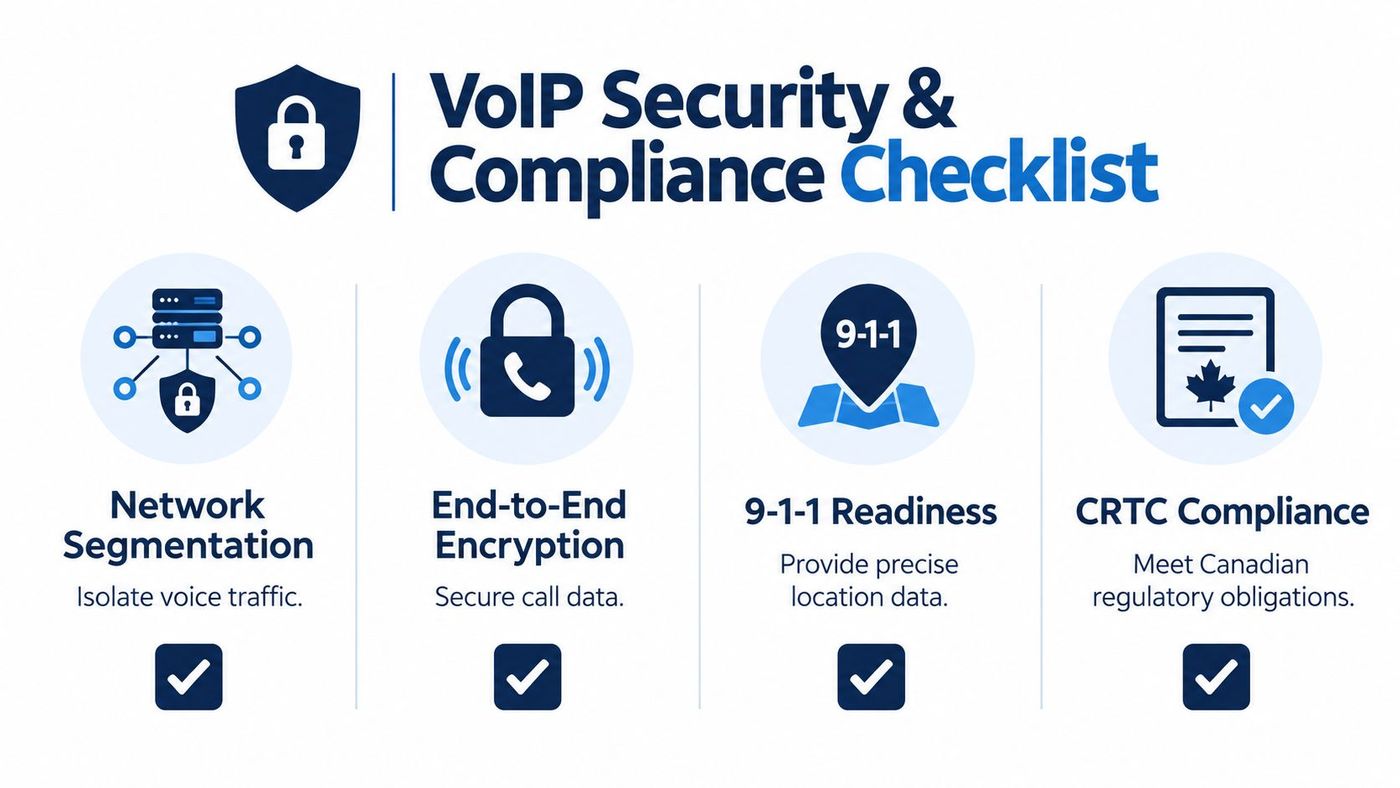
The CRTC treats local business VoIP services as local exchange services. Providers generally must follow the local competition framework unless an exception applies, and providers operating their own facilities must register as competitive local exchange carriers. Resellers must also register with the CRTC. The CRTC's VoIP 9-1-1 guidance explains why numbering, interconnection, emergency calling, and customer notices form part of the service model.
The CRTC's telecommunications registration rules also apply before an organization offers customers telecommunications services in Canada, and the service types explicitly include VoIP. The CRTC registration information is relevant to organizations that may be operating or reselling communications services, not only purchasing a business phone platform.
Providers must also report operational details such as customer line counts, including access-dependent and access-independent service types, as described in the Canadian regulatory material. That framework reinforces that VoIP is a regulated telecom service, not an informal software add-on.
Canada's regulator includes VoIP and 9-1-1 impacts within major service-outage obligations. Providers must notify the CRTC within two hours of becoming aware of a major outage, according to the CRTC's 2025 outage-reporting letter.
That rule doesn't replace your own continuity plan. Ask a provider:
Healthcare, finance, legal, logistics, and manufacturing teams should document these answers, test them, and assign responsibility. A low-cost plan without resilient routing, backup connectivity, or clear escalation can create operational costs that never appear on the invoice.
The financial case for VoIP starts with more than the subscription. Compare the total operating model, including handsets, licences, carrier services, long-distance usage, support, upgrades, network improvements, training, and the cost of downtime.
VoIP can reduce the need for dedicated hardware and make moves, adds, and changes less dependent on physical cabling. It can also support distributed teams without maintaining a separate phone identity for every location. Those benefits only become real when the system matches your call volumes, workflows, connectivity, and support requirements.

Evaluate providers against the conditions that affect daily operations:
AI deserves the same practical scrutiny. Recent Canada-adjacent launches include Gupshup's Voice AI Platform and 3CLogic's AI Agent Evaluator, which reflect the wider move toward voice automation. The useful question isn't whether a provider offers AI. Ask which tasks should be automated first.
For many SMBs, AI may offer more value as an after-hours triage and quality-control layer than as a complete receptionist replacement. It can help classify requests, summarize calls, or review agent interactions, while human staff retain responsibility for situations involving accuracy, liability, sensitive information, and customer trust. Canada's telecom sector generated $59.6 billion in 2024, unchanged from 2023, according to the CRTC-referenced telecommunications information. As basic calling becomes easier to obtain, workflow quality and responsible automation become stronger differentiators.
Begin with an inventory of numbers, extensions, call flows, devices, schedules, greetings, queues, and emergency locations. Then test network capacity, QoS behaviour, failover, mobile applications, and integrations before moving every department.
Port numbers only after the provider confirms the required information and timing. Run a pilot with representative users, train reception and managers separately, document the rollback plan, and monitor calls after launch. A managed option such as CloudOrbis Inc.’s business VoIP service can combine implementation, support, and ongoing administration for SMBs that don't want telecom operations to sit entirely with internal staff.
For teams using Microsoft's ecosystem, compare the operational fit of a Microsoft Teams Phone System with a dedicated VoIP platform. The right choice depends on user habits, licensing, calling requirements, governance, and the support model behind the service.
A business VoIP telephone system should earn approval by solving specific operational problems. It should help the right people answer calls, give managers visibility into service patterns, support employees across locations, and keep communications available during disruption.
The decision path is straightforward:
The strongest business communications strategies treat voice as part of the wider operating environment. That perspective aligns with the broader benefits of communication technology, including better coordination, mobility, and information flow.
Don't choose a phone system because it has the longest feature list or the lowest advertised rate. Choose the platform that gives your team a dependable customer experience, a clear recovery path, and enough flexibility to support the way your business works.
CloudOrbis Inc. helps Canadian small and mid-sized businesses assess, implement, secure, and support business VoIP telephone systems with proactive managed IT services and Canada-based helpdesk coverage. Visit CloudOrbis Inc. to discuss your current phone-system risks, migration priorities, and a practical path to more resilient communications.
Book a 30-minute call with a senior engineer. No sales script, just straight answers about your environment.


