Inventory Management Software: 2026 Guide for Canada
Discover how inventory management software streamlines operations for Canadian businesses. Our 2026 guide covers benefits, selection, and implementation tips.

Discover how inventory management software streamlines operations for Canadian businesses. Our 2026 guide covers benefits, selection, and implementation tips.
You're probably already feeling the strain if inventory still lives in spreadsheets, emailed counts, whiteboards, and someone's memory. One warehouse says a SKU is available. Sales sees something different. Purchasing orders too late, or too much. Finance gets month-end surprises. Operations spends time chasing numbers instead of fixing the underlying process.
For Canadian SMBs, that problem gets harder when you add multiple locations, field teams, healthcare or privacy requirements, and remote sites with uneven connectivity. Generic software advice rarely addresses those realities. The right inventory management software does, but only if you choose and implement it with your actual operating environment in mind.
A manual inventory process usually doesn't fail all at once. It fails in small ways that look manageable until they start stacking up.
A receiver forgets to update a spreadsheet after a partial shipment. A picker grabs from the wrong bin because the location list is outdated. A sales rep promises stock that was already consumed by another order. A buyer places a rush order because the reorder point was based on last quarter's assumptions. None of these mistakes look dramatic on their own. Together, they create service issues, margin pressure, and staff frustration.
That's why inventory problems are rarely just “warehouse issues.” They affect purchasing, customer service, fulfilment, finance, and leadership reporting. If your team can't trust available stock, every downstream decision gets weaker.
The financial case is larger than many leaders realise. Inventory distortion, including shrinkage, stockouts, and overstock, costs businesses an estimated USD 1.6 trillion annually worldwide, and only 22% of small businesses currently use inventory management software according to inventory management statistics compiled by Meteor Space. That gap helps explain why so many SMBs still struggle with avoidable stock errors.
Manual tracking often creates hidden costs in four places:
Manual inventory systems don't break because people are careless. They break because the process asks people to do too much reconciliation by hand.
If you're still relying on spreadsheets, it helps to review practical inventory management best practices before selecting software. The strongest implementations usually combine better process discipline with better tooling.
There's also a broader governance issue. Many businesses that track physical inventory manually are often doing the same with laptops, mobile devices, scanners, or other operational equipment. That's why inventory discipline and IT asset management often mature together. Once a business starts building a reliable record of what it owns, where it is, and who touched it, operations become easier to secure and audit.
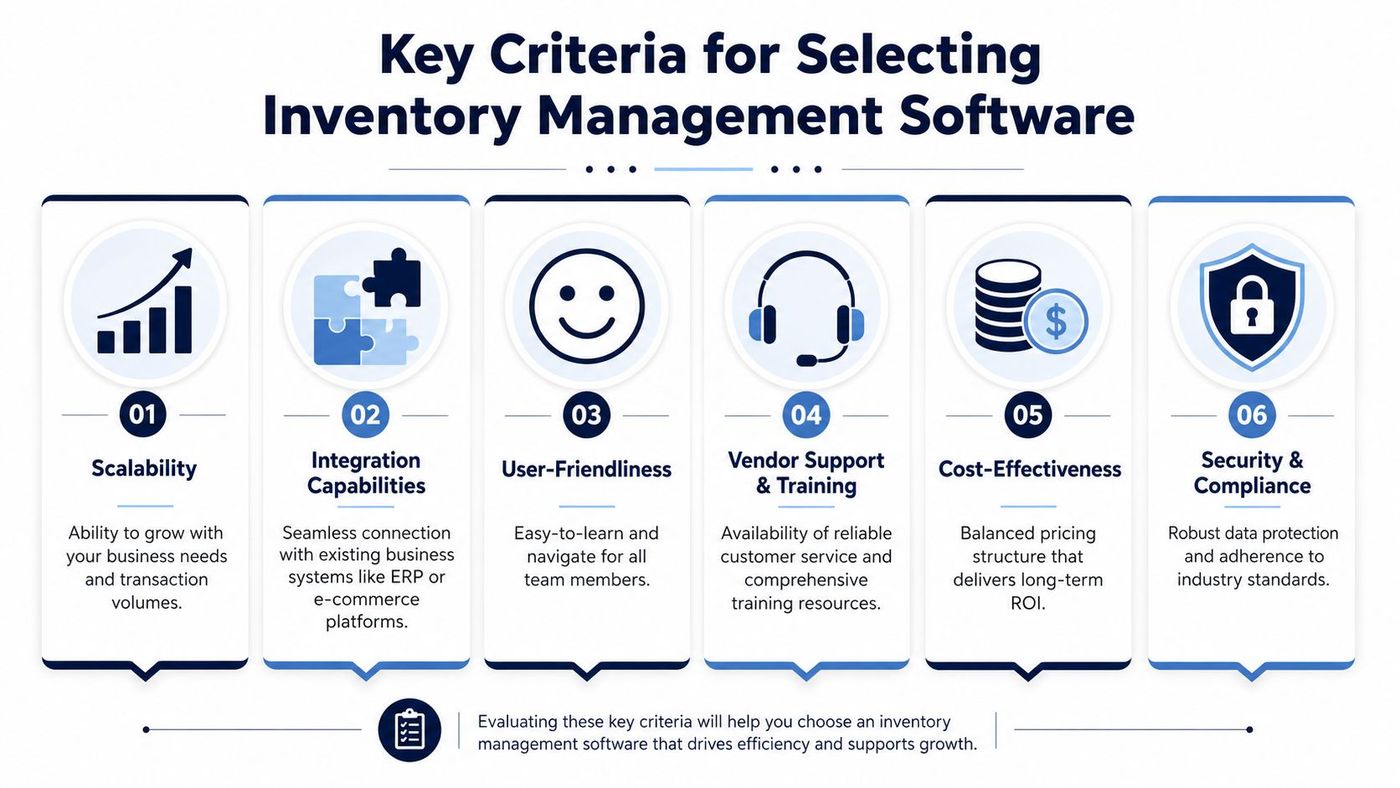
Inventory management software should act as the single operational record for physical goods. It's not just a counting tool. It's the system that tells your team what exists, where it is, what moved, what should be reordered, and whether the rest of the business is seeing the same truth.
According to NetSuite's overview of inventory management system features, modern inventory software must provide real-time inventory state synchronization across ERP, warehouse, and point-of-sale systems. That same guidance highlights multi-location control, cycle counting, barcode or RFID capture, and automated reorder logic as core requirements for scalability.
If you're evaluating platforms, focus on capabilities that solve operational friction, not just features that look good in a demo.
What works is tight integration. If your inventory software updates one system but leaves another behind, the business still operates on conflicting data. In practice, that means your ERP, warehouse process, and sales channel all need to stay synchronized.
What doesn't work is bolting a lightweight app onto a fragmented process and hoping that staff will manually bridge the gaps. They won't do it consistently, especially during busy periods.
A good comparison point comes from sectors where immediate stock visibility affects day-to-day service. This example of streamlining workplace refreshment through real-time inventory tracking is useful because it shows how inventory accuracy improves when teams capture movement as it happens rather than after the fact.
Practical rule: If a product movement can happen without the system knowing, your reported inventory will drift.
For Microsoft-centred environments, inventory software also has to fit the way your business already works. If teams live in Outlook, Excel, Teams, Microsoft 365, or Dynamics, integration matters more than a long feature checklist. It's one reason many mid-sized firms pair inventory modernization with broader workflow automation tools so approvals, purchasing, and reporting move in the same direction.
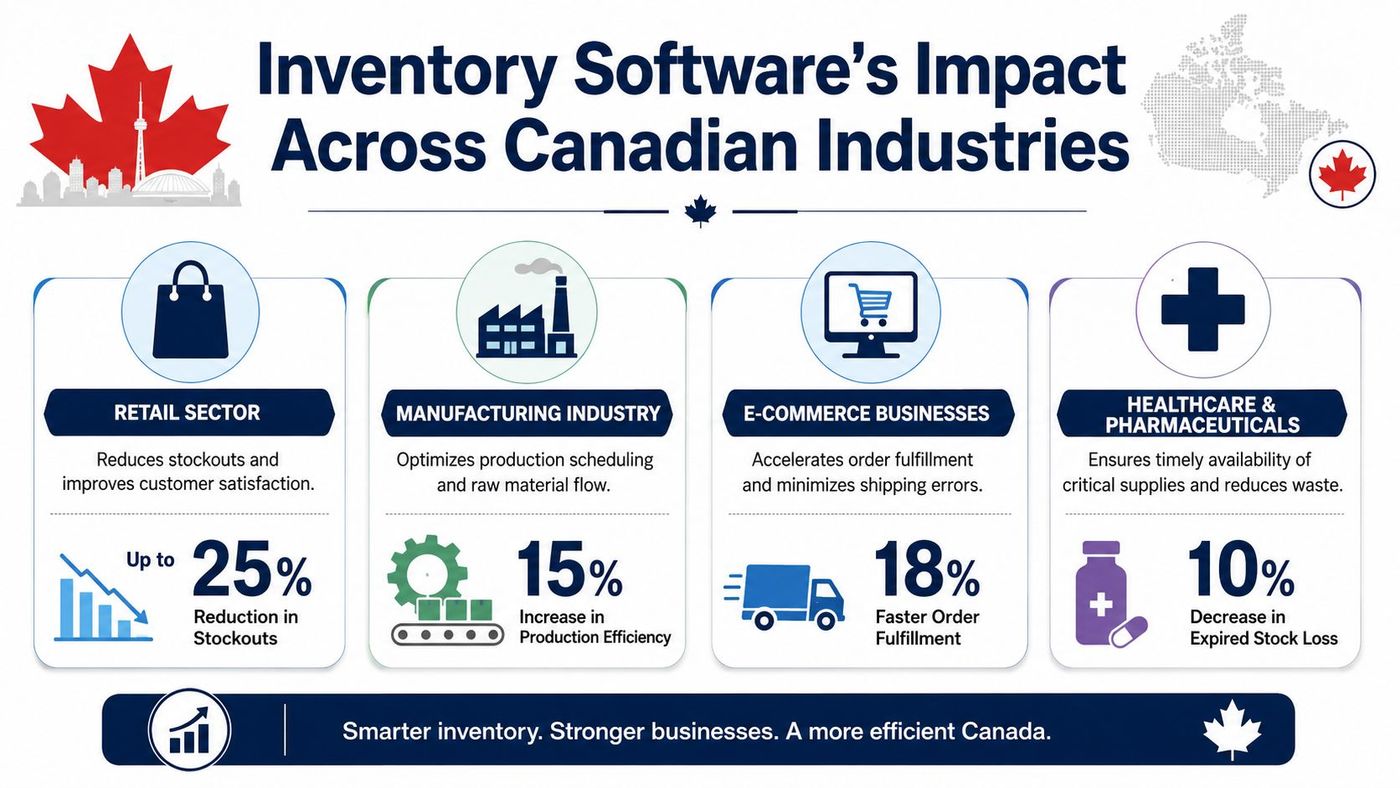
The value of inventory management software changes by sector. The technology may be similar, but the operational pressure points are not.
Statistics Canada's Wholesale Trade Survey uses inventory-to-sales ratios to monitor how quickly stock is turning relative to demand. That matters because software should expose measures such as inventory turnover and days-on-hand so planners can react before carrying costs rise. The operational implication is clear in this inventory system explainer from Knack, which ties live data, forecasting, and replenishment actions together.
In healthcare, inventory isn't just about availability. It's also about traceability, controlled handling, and audit readiness. Clinics, labs, and healthcare suppliers need to know who moved a product, when it moved, and whether the system can support secure reporting.
What works here is event-level tracking tied to roles, locations, and timestamps. What usually fails is a shared spreadsheet updated only once daily. That may feel simple, but it creates gaps when products move between treatment rooms, storage areas, or facilities.
Manufacturers need inventory software that handles raw materials, work-in-progress, and finished goods without losing context. The biggest issue isn't usually “how many units do we have?” It's “do we have the right inputs in the right place to keep production moving?”
Strong systems support bin-level visibility, issue and return transactions, and replenishment rules that reflect production flow. Weak systems turn the floor team into data clerks.
For distributors, the difference between a usable system and a frustrating one is often speed and location accuracy. If receiving, put-away, picking, and transfers aren't captured in sequence, stock becomes technically available but operationally hard to find.
That's where Canadian distribution environments need practical design choices. Multi-site businesses benefit from location-based inventory views, mobile scanning, and reporting that lets managers compare movement by site. Businesses looking at this area in more depth can review common warehouse requirements in warehouse and distribution operations.
Retail and field-heavy businesses need point-of-sale and operational stock to stay aligned. If a sale happens and the back-end system doesn't reflect it quickly, replenishment logic goes off course. The same applies to service businesses carrying van stock or mobile inventory in the field.
A system that only records stock after the fact won't help much. The useful systems capture activity close to the physical event.
When leaders ask for better inventory reporting, they're usually asking for better operational timing.
| Industry | Common pain point | Software capability that matters most |
|---|---|---|
| Healthcare | Missing audit trail | Secure, real-time movement history |
| Manufacturing | Production delays from material gaps | Reorder logic tied to actual consumption |
| Distribution | Stock exists but can't be found fast | Mobile scanning and location control |
| Retail | Sales and stock records drift apart | POS synchronization and live availability |
Most buying mistakes happen before the contract is signed. Leaders focus on interface, price, or a polished demo, but miss the operational conditions that determine whether the software will work effectively in their business.
For Canadian SMBs, two issues deserve much more scrutiny than they usually get: data residency and compliance, and performance in remote or inconsistent network environments.
A platform may look strong on features and still be a poor fit if it can't support your regulatory obligations. That's especially relevant for healthcare-adjacent operations, clinics, and any business handling sensitive records alongside physical inventory.
A 2025 CFIB survey found that 68% of Ontario and Quebec SMBs delay inventory software adoption due to uncertainty over provincial data sovereignty laws like PHIPA. That issue matters because many global tools still don't address real-time audit trail expectations tied to Canadian compliance needs.
If you operate in a regulated setting, ask direct questions:
A surprising number of inventory tools integrate only at a surface level. They may import orders or export reports, but they don't keep operational status synchronized in a way that reduces duplicate effort.
Ask vendors to show you real workflows:
If that sequence depends on workarounds, your team will end up reconciling exceptions manually. Businesses already using Microsoft platforms should pay close attention to how inventory tools align with Microsoft Dynamics NAV software environments, especially where finance, purchasing, and stock control overlap.
Generic software reviews often assume stable, high-quality connectivity. That's not always the case in Canada, especially for remote industrial sites, field locations, and distributed operations.
If your users work in warehouses with weak signals, rural sites, or production environments with intermittent coverage, test the system under those conditions before rollout. Don't accept a vendor's general assurance that the app is “cloud-based” and therefore fine. What matters is how it behaves when latency rises, sessions drop, or mobile devices reconnect mid-task.
The right decision usually comes from a short list of operational questions, not a feature race.
Buy for the way your business runs on a busy Tuesday morning, not for the clean demo environment.
The best system isn't the one with the longest brochure. It's the one your team can operate reliably, securely, and consistently.
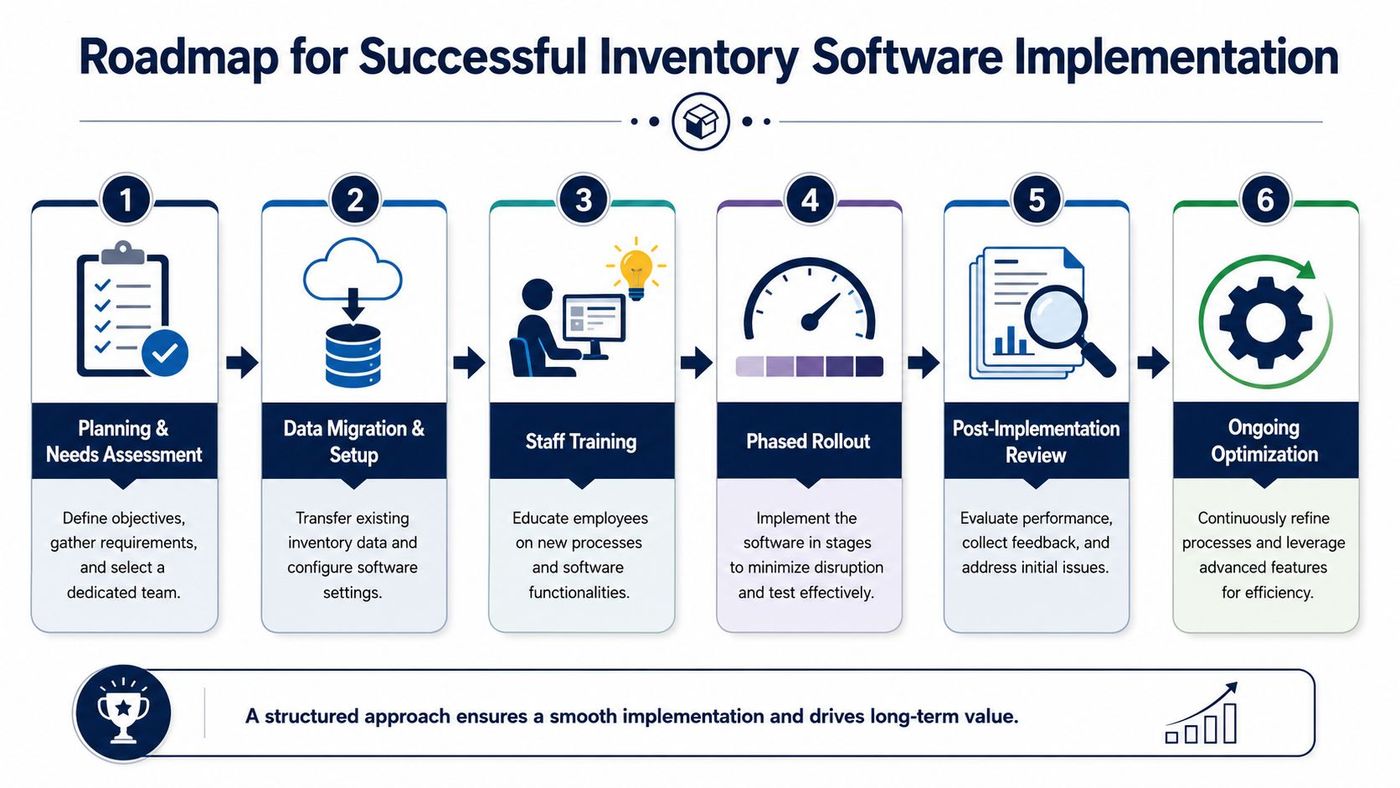
Even strong software can fail if implementation is rushed. Most inventory projects go wrong in familiar ways: poor data migration, weak user training, unclear ownership, or a go-live that tries to change everything at once.
The better approach is phased, operational, and disciplined.
Start with one location, one inventory class, or one workflow. That gives you room to test receiving, counting, transfers, and exception handling before the system expands across the business.
A phased rollout also helps teams build confidence. Staff are more likely to adopt a new process when they can see that issues are being corrected quickly rather than buried under a full-scale launch.
Bad inventory data moved into a new platform doesn't become good data. It becomes a more expensive problem.
Before migration, standardise:
Receivers, warehouse staff, finance users, supervisors, and purchasing managers don't need the same training. Show each group the transactions they perform, the errors they're likely to encounter, and what to do when inventory doesn't match expectation.
That's also where change management matters. If staff think the software was imposed on them to create more admin work, adoption will stall. If they see it removes repetitive checking and after-hours reconciliation, adoption usually improves.
A successful rollout changes habits, not just screens.
The first weeks after implementation should be active, not passive. Review transaction errors, stock variances, user feedback, and reporting gaps quickly. Adjust reorder rules, permissions, and workflows while usage is still forming.
A practical implementation rhythm often looks like this:
| Stage | Focus |
|---|---|
| Preparation | Process mapping, ownership, data cleanup |
| Pilot | Limited scope, live transaction testing |
| Go-live | Controlled launch with support coverage |
| Stabilisation | Issue review, workflow tuning, retraining |
| Expansion | Add sites, categories, integrations, reports |
Businesses often underestimate the operational support needed right after launch. That's when scanner behaviour, network reliability, permissions, and user habits all intersect. The smoother those details are handled, the faster the system becomes part of daily work.
Once the system is live, the next question is simple. Is it improving operations, or just changing the interface?
The most useful KPI set is small, operational, and reviewed regularly. You don't need dozens of dashboards. You need a few measures that show whether stock is accurate, moving appropriately, and supporting service levels.
You don't need advanced analytics to start using these.
These metrics become far more useful when they're reviewed by SKU class, location, and process type. A business may have acceptable overall turnover but poor performance in one region or one category that's doing most of the damage.
For teams building stronger decision support around these measures, analytics and reporting often becomes the next maturity step. Good inventory software should feed practical reporting, not trap data in operational screens.
The signs of success are usually operational before they're dramatic on a financial statement. Teams spend less time reconciling. Buyers trust reorder signals more. Managers can see exceptions sooner. Customer-facing staff stop guessing.
That's when inventory management software stops being an IT project and becomes part of how the business runs.
Inventory management software is no longer a nice-to-have for Canadian SMBs managing physical goods. It's a core operating system for stock accuracy, fulfilment speed, planning discipline, and compliance. The challenge isn't just choosing software with the right features. It's making sure it fits your Microsoft stack, security requirements, data residency obligations, network conditions, and day-to-day workflows.
That's where an experienced implementation partner matters. A strong deployment combines system integration, secure access design, device readiness, user training, and ongoing monitoring. It also needs practical support after go-live, when real-world exceptions start surfacing.
CloudOrbis supports that kind of rollout with a co-managed approach that connects inventory modernization to infrastructure, cybersecurity, cloud operations, and ongoing support. For Canadian SMBs, that's often the difference between a tool that technically works and a system the business can rely on every day.
If you're evaluating inventory management software and want help aligning it with compliance, Microsoft integration, cybersecurity, and operational rollout, talk to CloudOrbis Inc..
Book a 30-minute call with a senior engineer. No sales script, just straight answers about your environment.


