
September 13, 2026
Third-Party Risk Management for Canadian SMBsMaster third-party risk management for your Canadian SMB. Learn OSFI compliance, vendor monitoring frameworks, and how to secure your supply chain.
Read Full Post%20(1).webp)
Usman Malik
Chief Executive Officer
March 17, 2026
In short, Microsoft Dynamics NAV software is an Enterprise Resource Planning (ERP) solution that pulls a company’s core business functions—like finance, supply chain, and sales—into one unified system. For many Canadian small and medium-sized organizations, it was the foundational tool that let them finally move beyond tangled spreadsheets and see their entire operation clearly.

Think of Microsoft Dynamics NAV as the central nervous system for a growing business. Before tools like NAV came along, most organizations juggled a patchwork of separate applications and spreadsheets. Your finance team had its own accounting software, the warehouse ran a different inventory system, and sales used yet another tool for customer data. It worked, but it created frustrating information silos that made it impossible to get a real-time picture of the entire business.
An ERP like Microsoft Dynamics NAV software solves this by creating a single source of truth. It connects all those previously isolated departments, letting information flow seamlessly between them. For example, when a salesperson closes a deal, the system can automatically update inventory, tell the warehouse to prep for shipment, and generate an invoice in the finance module. That level of deep integration is what an ERP is all about.
An ERP does not just store data; it actively helps you run your business more intelligently. By unifying all your information, it gives leaders a complete, top-down view of operations, which is absolutely critical for making smart, informed decisions.
The key benefits of an integrated ERP system like Dynamics NAV include:
For many Canadian businesses, especially in manufacturing and logistics, Dynamics NAV was the technology that unlocked serious growth. It gave them the structure they needed to scale up their operations, manage complicated supply chains, and meet customer demands more efficiently.
Dynamics NAV became incredibly popular because it was so flexible. It could be customized to fit the unique needs of different industries, from healthcare organizations managing supplies to distribution companies optimizing their warehouse layouts. It was more than just a piece of software; it was a platform for building a more organized, efficient, and resilient business. As you explore the different Microsoft solutions out there today, you will see how this foundation continues to shape modern systems.
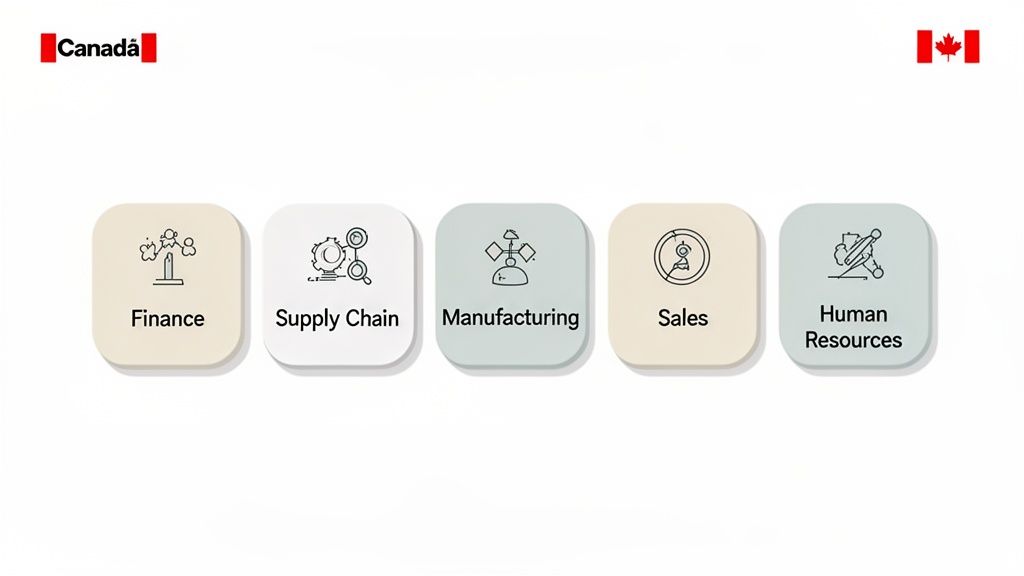
To really understand what makes the Microsoft Dynamics NAV software so effective, you must look under the hood at its core modules. Think of these modules as specialized toolkits, each designed for a different part of your business but all seamlessly connected. This integration allows information to flow freely from one department to another.
At its core, NAV is a collection of these components all working together. When someone in sales closes a deal, the system automatically alerts inventory and accounting. Everyone is working from the same real-time playbook, which is a massive advantage.
The Financial Management module is the bedrock of any ERP system, and NAV’s version goes well beyond simple bookkeeping. It’s the central nervous system for your company’s finances, managing everything from accounts payable and receivable to fixed assets and cash flow. But its real power is in providing deep financial insight.
Instead of just looking in the rearview mirror, this module helps you see what is coming. Its key capabilities include:
This level of financial control gives business leaders the confidence to make strategic decisions, knowing their data is both accurate and complete. It shifts your finance department from a historical scorekeeper to a strategic partner.
If your company holds any kind of stock—whether you’re a distributor, manufacturer, or retailer—the Supply Chain Management (SCM) module is absolutely essential. It’s like the brain of your warehouse and logistics operations, giving you a crystal-clear view of your inventory at all times. It tracks every item from the moment you order it from a supplier until it’s in your customer’s hands.
For example, a distribution company in Calgary could use the SCM module to optimize its warehouse layout. By analyzing pick-and-pack times, the system might suggest moving high-volume items closer to the shipping docks, which could dramatically speed up order fulfillment.
This module also masters the art of order processing, making sure sales orders are filled accurately and on time. It includes demand planning to help you predict future sales and avoid stockouts, along with shipment management to organize deliveries and meet customer deadlines. By improving visibility and control, the SCM module helps businesses cut carrying costs and keep customers happy.
The Manufacturing module is built for businesses that make things. It manages the entire production lifecycle, from planning and scheduling to execution and costing. It allows you to define your bill of materials (BOMs) and production routes, ensuring you get consistency and quality in every single batch.
It also provides real-time shop floor control, giving supervisors an instant look at what’s in progress and how much machine capacity is available. This lets them adjust schedules on the fly to handle a rush order or deal with unexpected downtime. For industries with strict compliance rules, it offers robust lot and serial number tracking, which is critical for product traceability. You can explore how effective software and workflow management supports these complex processes.
It’s this detailed control that has made the Microsoft Dynamics NAV software a favourite among mid-sized companies. In fact, its adoption in Canada is significant, with our country representing 5% of the platform's global customer base. The majority of these users are businesses with 50-200 employees, which really confirms NAV’s strong fit for the SMB sector in cities like Toronto, Calgary, and Edmonton. You can read more about the demographics of NAV users.
If you use Microsoft Dynamics NAV software, one of the most common questions you might have is, "What exactly is Dynamics 365 Business Central?" It’s easy to think of it as just another new product, but that does not tell the whole story.
Instead of a replacement, it’s better to view Business Central as the next generation. It’s a direct evolution, built on NAV’s trusted code but completely reimagined for the modern, cloud-connected business.
This transition is more than a simple software update; it marks a strategic shift in how businesses operate. While NAV was the king of on-premise stability, Business Central is built for cloud-first agility and intelligence. The core DNA is the same, but the capabilities have been expanded to meet today's demands.
The most significant difference is the deployment model. Microsoft Dynamics NAV software was traditionally an on-premise solution. This meant businesses had to buy and maintain their own servers, manage backups, and handle all the IT infrastructure to keep it running. While this offered a high degree of control, it also came with major capital expenses and ongoing maintenance duties.
Business Central, on the other hand, is a cloud-native platform. It runs on a Software-as-a-Service (SaaS) model, which means Microsoft manages all the underlying infrastructure in its secure Azure cloud. For a monthly subscription fee, you get access to a powerful ERP without the headache of server management.
This cloud model delivers incredible flexibility. Your team can access the full power of Business Central from anywhere, on any device with an internet connection. Whether they’re in the office, on the road, or working from home, they have the same secure access to real-time data.
The approach to updates is another major leap forward. With NAV, upgrading was a significant project. It often involved lengthy planning, extensive testing, and considerable cost to move from one version to the next. Because of this, many companies would delay upgrades for years, missing out on new features.
Business Central gets rid of this cycle of costly, disruptive upgrades. As a SaaS solution, it receives automatic updates twice a year, ensuring your system is always current with the latest features, security patches, and compliance updates—all without any downtime or manual effort.
The user experience has also been completely modernized. While NAV's interface was functional, Business Central offers a clean, intuitive, and role-based interface that feels right at home with other Microsoft 365 applications like Outlook and Teams. This modern design shortens the learning curve and makes daily tasks more efficient for everyone.
To put these differences into perspective, here is a direct comparison between the two platforms.
| Feature | Microsoft Dynamics NAV | Microsoft Dynamics 365 Business Central |
|---|---|---|
| Deployment | Primarily on-premise, requiring server hardware and maintenance. | Cloud-based (SaaS), with on-premise and hybrid options available. |
| Updates | Manual, costly, and often disruptive major version upgrades. | Automatic, bi-annual updates included with the subscription. |
| User Experience | Classic desktop client interface, functional but dated. | Modern, role-based web interface accessible on any device. |
| Integration | Limited integrations, often requiring custom development. | Native integration with Microsoft 365, Power Platform, and AI tools. |
| Accessibility | Limited to on-premise network access, with some remote options. | Secure access from anywhere, on any device with an internet connection. |
| Cost Model | Perpetual license fee plus ongoing maintenance costs. | Predictable monthly subscription fee per user. |
As the table shows, the move to Business Central is a fundamental shift toward a more modern, flexible, and cost-effective operational model.
Business Central's greatest strength is its deep, native integration with the broader Microsoft ecosystem. It seamlessly connects with tools your team already uses every day, such as Excel, Outlook, and Teams. You can send invoices, review customer data, and approve workflows without ever leaving your inbox.
It also fully integrates with the Microsoft Power Platform (Power BI, Power Apps, and Power Automate), letting you build custom apps, create automated workflows, and generate insightful reports with ease. On top of that, it incorporates AI-driven tools like Copilot, which acts as an intelligent assistant to help with tasks like generating product descriptions or forecasting cash flow.
As businesses look to move on from Dynamics NAV, understanding the strategies for modernizing legacy systems is key to ensuring a smooth transition. This move isn't just about updating software; it's about future-proofing your operations with a more intelligent, agile, and connected foundation.
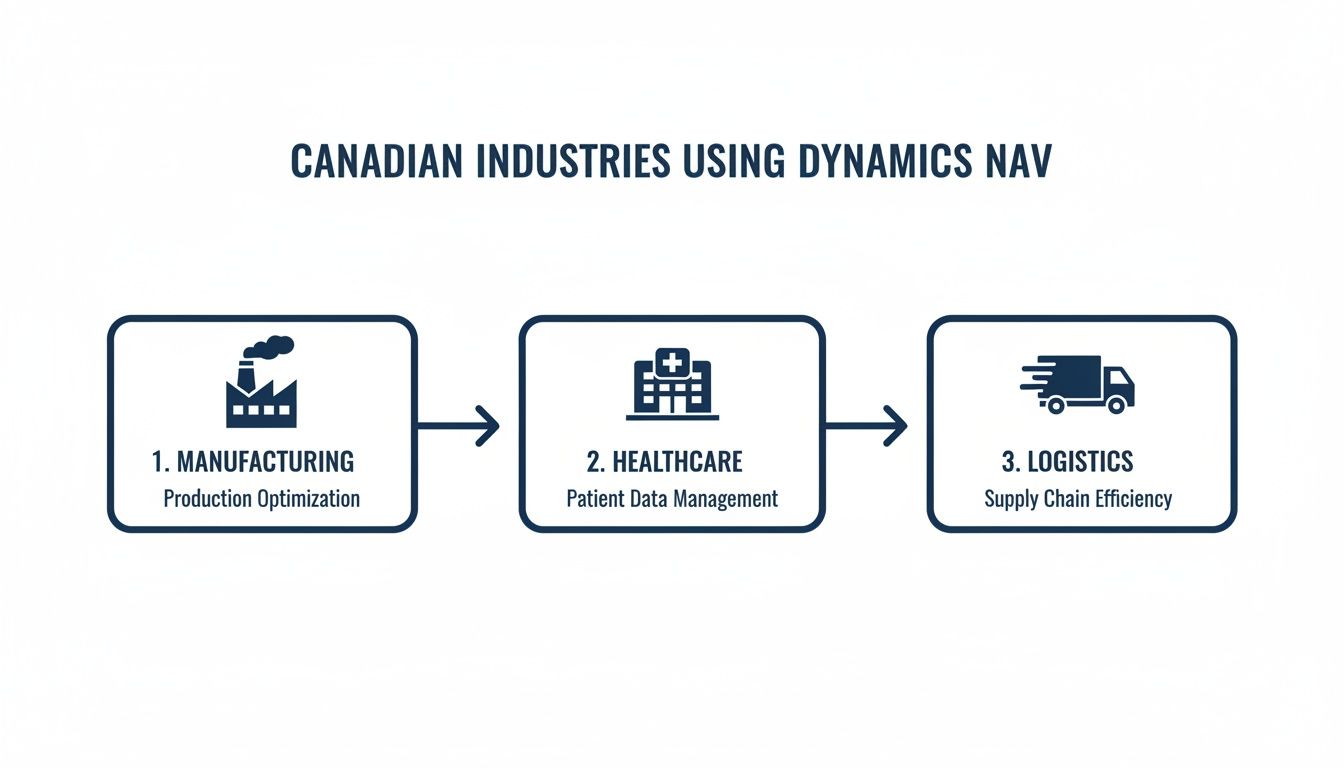
A platform’s true value isn't just a list of features; it's how it solves real-world problems. The real story of Microsoft Dynamics NAV software is found in its practical application across Canada. Its flexibility was its greatest strength, allowing it to be shaped to fit the specific operational needs of key Canadian industries.
From the factory floors of Ontario to the logistics hubs of Alberta, NAV became a trusted operational backbone. It provided the structure businesses needed to manage complexity, stay compliant, and drive efficiency. These examples show just how versatile and proven its value is in the Canadian business world.
In manufacturing, precision and real-time data are everything. For a mid-sized parts manufacturer in Ontario, Dynamics NAV was the key to finally getting a handle on its entire production process. The software helped manage complex bills of materials (BOMs), making sure every finished product was built with the right components and to exact specifications.
This control extended right onto the shop floor. Supervisors could track production orders as they happened, monitor machine capacity, and spot bottlenecks before they turned into major delays. By connecting inventory, production, and finance, the company could accurately cost each job, cut down on waste, and maintain lean inventory. This kind of integration is fundamental for successful modern manufacturing IT solutions.
Canadian healthcare operates under tight regulatory scrutiny, making resource management a constant balancing act with compliance. A hospital network, for example, could use Dynamics NAV to manage its inventory of critical medical supplies across several facilities. For this, the system's robust lot and serial number tracking would be indispensable.
Imagine a scenario where a specific batch of surgical gloves needs a recall. With NAV, the hospital could instantly find out which departments received that batch, how many units were used, and where the remaining stock is. This is not just about patient safety—it's also critical for staying compliant with regulations like the Personal Health Information Protection Act (PHIPA) by keeping operational data secure and auditable.
The adaptability of Microsoft Dynamics NAV software across such diverse fields highlights its strong position in the Canadian market. It has a significant foothold in key sectors, with top adopters including retail (32 companies), food and beverage services (25), and industrial machinery manufacturing (24). Its scalability is shown by users ranging from a prominent Canadian retailer with 201 employees and $33 million in revenue to a food and beverage giant with 1,600 employees and $1.5 billion in revenue, proving its worth for both mid-sized firms and large enterprises. You can discover more about the software's industry adoption in Canada.
For a national distributor headquartered in Calgary, success hinges on moving goods quickly and accurately. Dynamics NAV’s supply chain module would act as the central nervous system for all warehouse operations. It helps optimize everything from receiving and put-away to the picking, packing, and shipping processes.
The system could generate the most efficient picking routes for warehouse staff, cutting down on travel time and speeding up order fulfillment. It could also integrate directly with shipping carriers to automate label printing and give customers real-time tracking information. By unifying warehouse and transportation management, the distributor could slash shipping errors, lower freight costs, and boost on-time delivery rates—all critical metrics in the competitive logistics industry.
Professional services firms, like engineering or consulting companies, live and die by their projects. Their biggest challenge is tracking time, managing budgets, and billing clients with precision. Dynamics NAV offers powerful project accounting features to manage this complexity.
A firm could set up each client engagement as a unique project inside NAV, assigning specific budgets for labour and other expenses. As consultants log their hours against tasks, the system automatically rolls up that data for invoicing. This process ensures every billable hour is captured and project managers get a real-time view of budget-versus-actuals, giving them the insight to keep projects profitable and on schedule.
Thinking about migrating from Microsoft Dynamics NAV software to Dynamics 365 Business Central can feel overwhelming. It’s a big project, no doubt. But when you break it down into clear, manageable phases, that complexity starts to fade away.
A successful migration is about much more than just swapping out technology. It’s a strategic move to align your business goals with the right processes and tools, setting you up for future growth. A solid project roadmap is your blueprint, guiding every decision from the initial review to post-launch support.
The whole journey really starts with asking the right questions. What are we trying to achieve with this move? Are we aiming for better operational visibility, simpler workflows, or the ability to support a new business model? Getting clear on these objectives from the outset is the key to keeping the project on track and preventing scope creep.
The first step in any ERP migration worth its salt is a thorough assessment. This is not just a quick look at your tech; it's a deep dive into your current processes, your data, and all the customizations you have built into your Dynamics NAV system over the years. This phase is all about understanding what’s working well and identifying the pain points that need to be fixed.
With that assessment in hand, we can move into strategic planning. This involves a few key steps:
This initial planning lays a solid foundation for the entire project. It's how you de-risk the process by spotting challenges early and creating a clear path forward. You can learn more about why a structured approach is so important in our guide to successful cloud migration services.
Once the new system is configured and the data has been migrated, the focus turns to your team. User Acceptance Testing (UAT) is a make-or-break phase. Your employees will test the new system using real-world scenarios to make sure it handles their day-to-day tasks correctly. This is where we find and fix any gaps, building confidence before the official launch.
Crucially, employee training cannot be an afterthought. A successful migration depends on your team feeling comfortable and proficient with the new platform from day one. Customized training sessions focused on specific roles ensure a smooth transition and rapid adoption.
This kind of targeted preparation is especially relevant for the Canadian market. Data shows Canada is home to 241 verified companies using Microsoft Dynamics NAV, with a high concentration in mid-sized businesses. Key sectors like manufacturing, with 24 firms, and even large healthcare providers have relied on NAV's robust capabilities, making them prime candidates for a strategic upgrade.
An ERP migration is a massive undertaking. It's not just about swapping out old software for new; it’s a fundamental shift in how your entire business operates. While moving from Microsoft Dynamics NAV software to a modern cloud platform is a powerful step, the real work begins after the system goes live. That’s where you start to see the true value, and it’s where CloudOrbis comes in.
We provide the ongoing, managed IT services that turn your ERP investment from a simple expense into a genuine driver for growth. Our focus isn't just on the launch—it's on the long-term health and performance of your system, making sure it stays secure, runs efficiently, and keeps pace with your goals.
One of the biggest headaches after an ERP launch is getting your team the help they need. A small user question can quickly spiral into a major workflow disruption. Our 24/7, 100% Canada-based helpdesk is here to make sure that never happens. Your team gets expert answers right away, keeping productivity humming along.
At the same time, we are always watching over your system’s performance. We don’t wait for things to break. Our team proactively monitors your ERP environment, spotting and fixing potential issues long before they can affect your business. This kind of preventative maintenance is what guarantees the stability your daily operations depend on.
Your ERP is the digital heart of your company, holding your most sensitive financial records, operational plans, and customer information. Protecting it is not optional. CloudOrbis builds advanced cybersecurity directly into our service to shield this invaluable asset.
Our security measures are designed to be comprehensive:
A successful ERP strategy is not a "set it and forget it" project. It requires continuous alignment between technology and business goals. This is where strategic oversight becomes essential for long-term success.
As your business grows and changes, your ERP needs to adapt right along with it. Our virtual CIO (vCIO) services give you the high-level strategic guidance to make sure that happens. Think of your vCIO as a dedicated technology advisor, focused on continuously matching your ERP's features with your evolving business goals.
Whether you’re looking to add new modules, integrate third-party tools, or plan for the next phase of growth, our experts ensure your ERP remains a powerful engine for your success.
Partnering with CloudOrbis means you get more than a software migration. You get a dedicated IT partner who is just as committed as you are to maximizing the return on your ERP investment. To see how we can support your journey, take a look at our Microsoft Dynamics 365 consulting services.
Even with a clear path to modernize, it’s natural for business leaders to have questions about their current Microsoft Dynamics NAV software. We understand. You need to understand the lifecycle of your system and what comes next. Here are some straightforward answers to the questions we hear most often.
The short answer is no, not really. Microsoft officially ended mainstream support for all versions of Dynamics NAV back on January 10, 2023. This means no new features, no functional updates, and no regulatory patches.
While a few versions are technically in "Extended Support," this only covers security updates and is also set to end for most versions by early 2028.
In essence, sticking with NAV means your system is becoming more isolated every day. You're cut off from modern security practices and the business tools your competitors are using, which opens your organization up to serious risks.
This makes planning a transition from a nice-to-have to a need-to-do. Relying on unsupported software is a significant business risk that can easily lead to data breaches, compliance failures, and a system that just can’t talk to modern tools.
Technically, yes. Your current Microsoft Dynamics NAV software will not just stop working because support has ended. As long as the hardware it runs on is functional, the program will boot up. However, the drawbacks of doing so are significant and will only get worse over time.
Without security updates, your system becomes a low-hanging fruit for cyberattacks. As other technologies advance, your on-premise NAV system will start having compatibility issues, making it a headache to integrate with new cloud services or even modern operating systems. Eventually, the friction and risk just become too much to manage.
The biggest difference comes down to how they are built and delivered. NAV is a classic on-premise ERP, meaning you own and manage the servers, and upgrades are manual, costly projects. Business Central is its direct, cloud-native evolution, offered as a Software-as-a-Service (SaaS) solution.
Here’s what that means for you with Business Central:
Think of it like this: NAV is like owning a classic car that you have to maintain, source parts for, and garage yourself. Business Central is like a subscription service for a brand-new vehicle that’s always secure, maintained, and ready to drive.
At CloudOrbis Inc., we specialize in making this transition smooth and strategic. We help Canadian businesses move from legacy systems to modern, cloud-based platforms that drive growth and efficiency. If you’re ready to build a future-proof ERP strategy, contact CloudOrbis today.
September 13, 2026
Third-Party Risk Management for Canadian SMBsMaster third-party risk management for your Canadian SMB. Learn OSFI compliance, vendor monitoring frameworks, and how to secure your supply chain.
Read Full Post
September 12, 2026
Managed Services Cost: A Practical Guide for Canadian SMBsUnderstand managed services cost for Canadian SMBs. Learn pricing models, industry factors, ROI, and how to choose the right provider for your business.
Read Full Post
September 11, 2026
Managed EDR Services: A Practical Guide for Canadian SMBsLearn how managed EDR services detect, contain, and respond to threats around the clock. A practical guide for Canadian SMBs evaluating providers, pricing
Read Full Post
