Healthcare Cybersecurity Best Practices: Protect Data In
Protect patient data with our top healthcare cybersecurity best practices for 2026. Get actionable steps for compliance, risk management, & breach prevention.

Protect patient data with our top healthcare cybersecurity best practices for 2026. Get actionable steps for compliance, risk management, & breach prevention.
Fortifying your defences starts with one hard truth. In 2019, 48% of all reported national data breaches in Canada targeted health information systems, making healthcare the country's most vulnerable sector for cyberattacks, according to a peer-reviewed analysis in the National Institutes of Health archive. That's not just an IT concern. It's a direct threat to patient trust, care continuity, and regulatory compliance under PIPEDA and provincial privacy rules.
For medium-sized healthcare organizations, the challenge is practical. You need enterprise-grade protection, but you likely don't have enterprise-sized budgets or round-the-clock internal security teams. The right approach is to focus on a disciplined set of controls that reduce risk fast, support recovery when incidents happen, and fit how clinicians and administrators work.
If you're also tightening your breach response obligations, it helps to review related guidance on mastering HIPAA breach compliance. Canadian organizations operate under different laws, but the operational lessons around response discipline still matter.
Below are 10 healthcare cybersecurity best practices that deserve immediate attention. Each one includes a practical implementation timeline so your team can move from policy talk to execution.
MFA is the fastest way to make stolen passwords far less useful. The Canadian Centre for Cyber Security says healthcare organizations must implement multi-factor authentication for all user accounts accessing sensitive patient data, and notes that MFA reduced unauthorized access risks by over 99% in tested environments in its guidance for healthcare organizations.
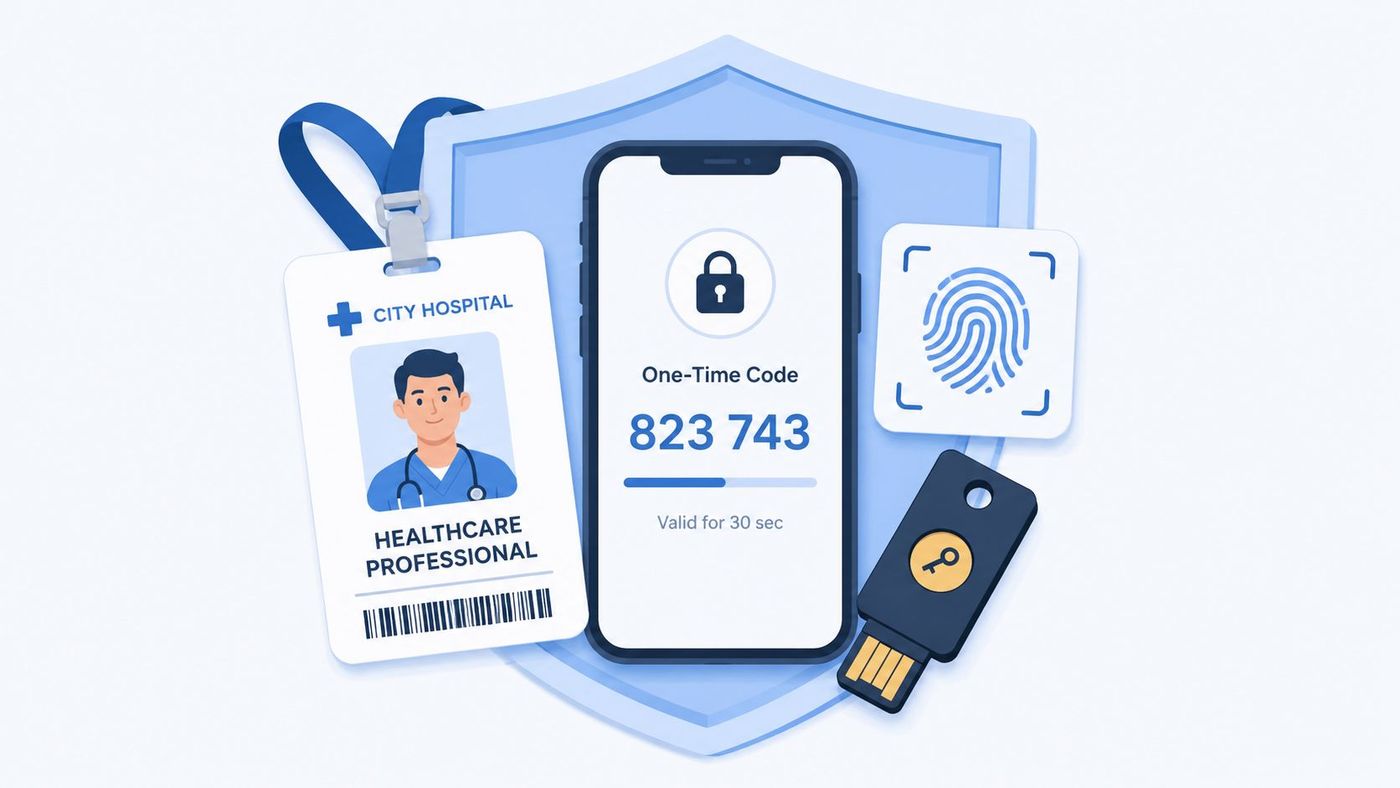
Most mid-sized providers can deploy this with tools they already own. Microsoft Entra ID, Duo Security, and Okta all support staged rollouts across Microsoft 365, VPNs, admin portals, and cloud apps. Start with privileged accounts, remote access, finance, and records teams first.
Week 1 to 2: Identify every system that stores, transmits, or exposes patient data.
Week 3 to 4: Enforce MFA for administrators, executives, IT staff, and billing.
Week 5 to 8: Extend MFA to all staff, including contractors and third-party accounts.
Practical rule: Don't wait for a perfect identity project. Turn on MFA first for the accounts that can do the most damage if compromised.
Use authenticator apps before SMS where possible. For clinicians who move between devices and locations, document emergency access workflows so security doesn't create unsafe delays in care. If staff use personal phones, set a device policy before rollout.
For patient-facing digital properties, align login and privacy controls with broader web standards. This guide for healthcare practices on HIPAA websites is useful for thinking through secure authentication on public-facing systems.
Cybersecurity awareness training only works when it's ongoing and tied to real staff behaviour. In healthcare, that means teaching reception, billing, nursing, leadership, and clinical admin teams how phishing reaches them, not giving everyone the same generic module once a year.
A useful benchmark comes from Canadian IT leaders. In 2024, 88% rated MFA and employee training programs as the most effective preventive tools, according to the Canadian cybersecurity solutions market analysis. That lines up with what most healthcare incidents look like in practice. The email is still the front door.

Run onboarding training for every new hire. Follow it with short quarterly refreshers, monthly phishing simulations, and immediate coaching when someone clicks. Keep the content specific to healthcare workflows such as lab requests, invoice approvals, fax-to-email messages, insurance attachments, and password reset prompts.
Build the program around these actions:
Strong programs are short, frequent, and measurable. If you need a template for building that rhythm, CloudOrbis has practical guidance on cybersecurity training for employees.
Too many healthcare organizations still grant access based on convenience. That creates avoidable exposure when staff change roles, move departments, or leave the organization.
Canada's Cyber Resiliency in Healthcare standard explicitly recommends role-based access control so access to sensitive data is restricted to users who need it for their duties, as outlined in the Digital Governance Standards Institute notice. In practice, that means a nurse, a scheduler, a finance manager, and an MSP technician should never see the same data set by default.
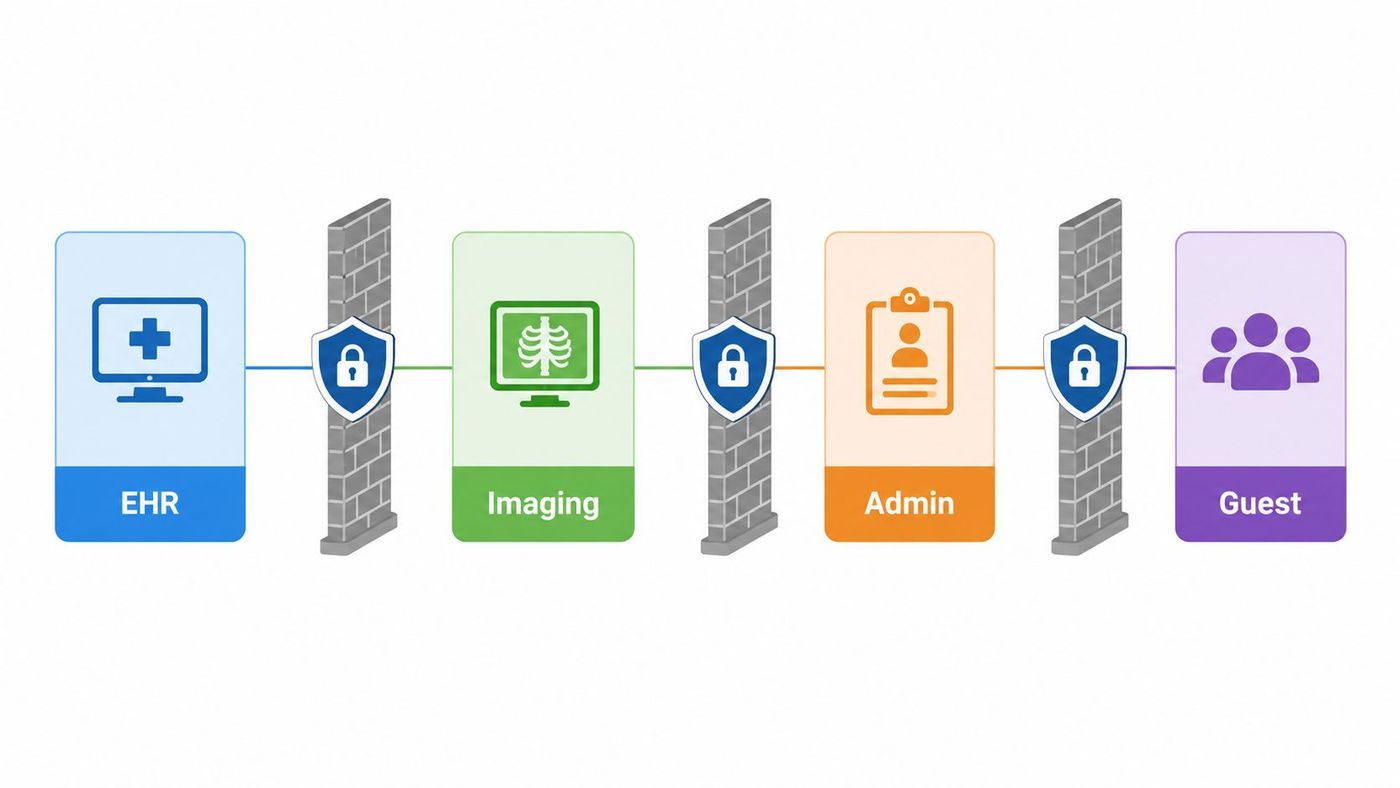
Start by mapping job roles to systems. Then remove broad permissions and replace them with role groups tied to actual duties. If you use Microsoft 365, Entra ID groups and conditional access policies can handle much of this. For EHRs and line-of-business systems, work with vendors to enable role templates and audit logging.
Restrict first. Add exceptions only when managers can justify them.
Review admin rights separately from standard access. Admin accounts should be limited, named, and monitored. Shared credentials should be eliminated wherever possible.
A medium-sized clinic can usually complete the first meaningful RBAC phase in two months if leadership owns the approval process. The gains are immediate. You reduce insider risk, tighten privacy compliance, and make future audits much easier.
A single compromised laptop can expose patient data, disrupt scheduling, and give an attacker a path into your EHR environment. Mid-sized healthcare organizations cannot afford that level of blind spot. Endpoint detection and response gives your team the visibility to spot suspicious behaviour early, contain it fast, and document your response in a way that supports PIPEDA breach reporting and internal investigations.
Traditional antivirus only catches a narrow slice of threats. EDR tracks behaviour across workstations, servers, and remote devices, then flags the activity that is important, such as credential dumping, lateral movement, suspicious PowerShell use, and mass file encryption. That is the level of monitoring healthcare IT leaders need.
Do not spend months fine-tuning detections while half your fleet remains uncovered. Cover the devices that would interrupt care, expose personal health information, or create a serious operational outage.
Prioritize these endpoints first:
Microsoft Defender for Endpoint, CrowdStrike Falcon, and SentinelOne are all credible options for a mid-sized provider. Choose the product your team can operate. If you already run Microsoft 365 Business Premium or E5-level security tooling, Defender often gives the best cost control and the fastest deployment path.
Deploy EDR to high-risk systems in the first 30 days. That means clinical workstations, domain-connected servers, executive devices, and any laptop with access to patient or financial data.
Expand to all managed endpoints in days 31 to 60. During that phase, set alert priorities, confirm device inventory, and turn on automated isolation for severe detections where appropriate.
Use days 61 to 90 to build response playbooks and assign owners. Write clear procedures for ransomware alerts, malicious script execution, suspicious remote access activity, and unauthorized data transfer. Pair that work with your business continuity and disaster recovery planning process so containment decisions do not stall clinical operations.
EDR only works if alerts get reviewed and acted on. If your IT team cannot monitor incidents after hours, contract for managed detection and response. Mid-sized healthcare organizations need enterprise-grade coverage, but they do not need to build an enterprise-sized SOC to get it.
Healthcare ransomware does not just lock files. It stops scheduling, delays diagnostics, disrupts billing, and forces clinicians onto paper. For a mid-sized Canadian provider, recovery speed matters as much as prevention.
PIPEDA raises the stakes. You need to protect personal health information with security safeguards appropriate to its sensitivity, and you need a documented response when systems fail. Backup and disaster recovery planning should support both obligations. If you cannot restore patient data quickly and prove how you protect it, your security program is incomplete.
Set recovery objectives for the systems that keep care moving. Start with EHR, scheduling, billing, imaging support, identity services, and file shares. Then assign a recovery time objective and recovery point objective to each one. This forces leadership to decide what must be back in hours, what can wait until the next day, and what data loss is unacceptable.
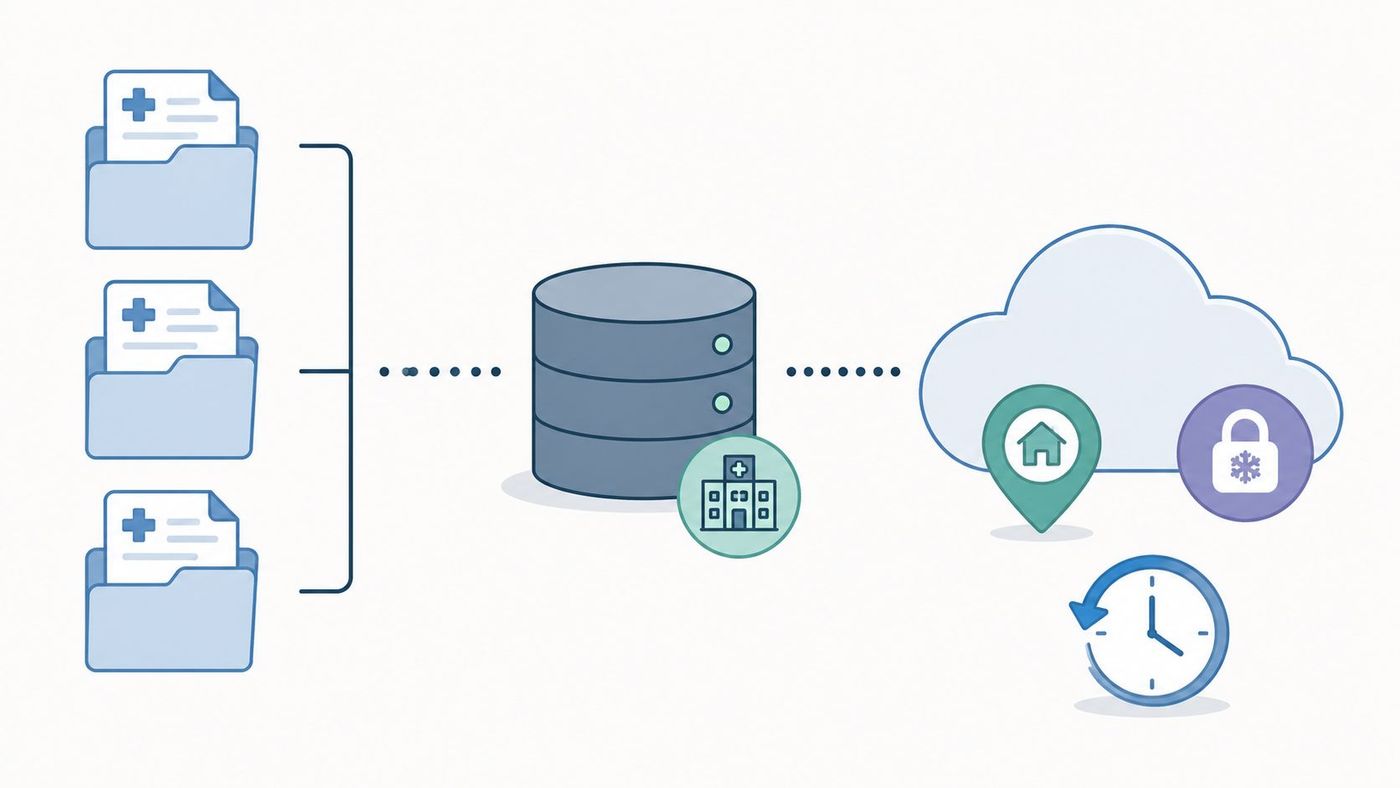
Use encrypted backups, keep at least one copy isolated from production, and make immutable or offline copies part of the design. For Microsoft 365, native retention does not replace a true backup strategy for Exchange, SharePoint, OneDrive, and Teams. For hybrid environments, protect both cloud workloads and on-premise servers under one recovery plan.
A practical architecture usually includes local backups for fast restores, offsite copies for site-level disruption, and immutable storage for ransomware resistance. If you are also redesigning internal traffic controls, align backup repositories with your network segmentation strategy for healthcare environments so compromised user networks cannot easily reach them.
Days 1 to 30: Identify tier-one systems, set recovery priorities, and confirm where patient, financial, and operational data lives. Many mid-sized organizations discover gaps here first.
Days 31 to 60: Deploy or tighten backup coverage for Microsoft 365, core servers, databases, and critical file shares. Add immutability, restrict administrative access, and separate backup credentials from standard domain accounts.
Days 61 to 90: Run restore tests that mirror real disruption. Recover a server, a Microsoft 365 dataset, and one clinical workflow end to end. File-level tests alone are not enough.
Budget matters. Mid-sized healthcare organizations do not need a bank-grade recovery stack on day one. They do need tested backups, clear restore priorities, and executive ownership. CloudOrbis covers the operational side of this in its guide to business continuity and disaster recovery.
Flat networks are dangerous in healthcare. If one compromised device can reach clinical systems, file shares, and administrative systems without restriction, you've made an attacker's job easier.
This issue is especially important for organizations trying to modernize without large budgets. Recent reporting highlighted that 42% of cyber breaches in small Canadian clinics occurred because they couldn't afford to implement network segmentation for medical devices, according to Adaptive Office's discussion of Canadian healthcare cybersecurity. Mid-sized organizations usually have more resources than a small clinic, but the lesson is the same. Segmenting high-risk systems should happen early, not after a breach.
Separate clinical applications, medical devices, administrative systems, and guest or public Wi-Fi. Then control traffic between those zones with firewalls, access policies, and logging. If your imaging systems, VoIP, printers, HVAC, or IoT medical devices sit on the same broad network as user workstations, fix that first.
If ransomware reaches one endpoint, segmentation decides whether it becomes a workstation issue or an organization-wide outage.
Use VPN access with MFA for remote staff, but don't let VPN users bypass internal segmentation. If you're planning the architecture from scratch or cleaning up an inherited environment, CloudOrbis breaks down the basics in what network segmentation is and why it matters.
A realistic first phase takes 60 to 90 days. Map traffic, identify dependencies, isolate critical systems, and test clinical workflows before enforcing broad policy changes.
Annual assessments are the minimum. In a mid-sized healthcare organization, once a year is the formal checkpoint, not the full program.
PIPEDA expects safeguards that match the sensitivity of the information you hold. For healthcare leaders, that means you need a documented process to identify risk, rank it, assign ownership, and verify remediation. If your assessment ends as a PDF in a shared folder, it failed.
Cover the systems creating operational and privacy exposure. Review administrative controls, technical controls, physical security, cloud platforms, remote access, connected medical devices, third-party support access, and any internet-facing asset. Then tie the findings to a vulnerability management workflow with named owners, due dates, and escalation rules.
Use the annual assessment to set priorities for the year. Within the first 30 days, confirm your asset inventory, external attack surface, privileged accounts, and unsupported systems. By day 60, complete internal and external vulnerability scans, validate high-risk findings, and review vendor access paths. By day 90, remediate the highest-risk issues first, especially exposed systems, identity infrastructure, and platforms tied to clinical operations.
That cadence works for organizations that need enterprise-grade discipline without enterprise-sized teams.
Independent testing should be part of the cycle. Add penetration testing for external exposure, targeted internal testing for segmented clinical environments, and phishing or social engineering exercises that measure whether staff and controls fail in practice. These tests show you where policy says one thing and daily operations do another.
If you need a practical framework to structure the review, use this HIPAA risk assessment checklist for healthcare security reviews. It is U.S.-framed, but the control categories map well to Canadian healthcare environments when you align them to PIPEDA and your provincial obligations.
One more operational point. Email should be included in the assessment scope because spoofing and weak domain controls often create avoidable exposure. As part of your review, verify DMARC record status and confirm it matches your approved sending services and enforcement policy.
Email is still the easiest way into a healthcare environment. It's also one of the easiest places to reduce risk quickly if you enforce the right controls.
Start with the basics. MFA on every mailbox. Anti-phishing and malware filtering. DMARC, SPF, and DKIM for domain authentication. Encryption for messages that contain patient information. Data loss prevention policies for common identifiers and attachments.
If staff routinely send patient information externally, move them toward secure portals or approved encrypted messaging instead of regular email attachments. If clinicians collaborate with outside providers, standardize the approved channel and shut down shadow methods.
Tighten communications with these steps:
For domain authentication, a quick operational step is to verify your DMARC record and confirm your policy aligns with your email platform and sending services.
Your cybersecurity posture includes every vendor that stores, processes, transmits, or can access patient information. That includes EHR providers, cloud platforms, billing services, imaging vendors, managed IT firms, and niche software suppliers.
The Canadian Health Privacy and Security Framework states that healthcare vendors and third-party service providers must maintain encryption for protected health information both in transit and at rest, and that contracts should enforce compliance and business recovery practices, as set out in the Canadian Health Privacy and Security Framework. That should immediately shape your procurement and renewal process.
Ask vendors how they encrypt data, how they manage access, how they notify you of incidents, and how they support recovery if their service fails. Review audit documentation where available, and confirm whether subcontractors or offshore support teams can access your environment or data.
Your vendor control pack should include:
CloudOrbis covers the broader governance side of this process in what IT vendor management involves. For healthcare leaders, that governance is no longer optional. It's part of compliance.
Healthcare remains one of the most targeted sectors for cyberattack. That alone justifies centralized threat monitoring. If your logs sit in separate systems and nobody reviews them in context, you are not monitoring risk. You are storing evidence for later.
A SIEM brings together signals from identity platforms, firewalls, servers, endpoints, cloud services, and clinical or business applications so your team can spot suspicious activity early and respond with speed. For a mid-sized Canadian healthcare organization, that matters for both operations and compliance. PIPEDA expects safeguards appropriate to the sensitivity of the information you hold, and patient data demands timely detection, investigation, and containment when something goes wrong. The Office of the Privacy Commissioner of Canada outlines those expectations in its guidance on PIPEDA and your privacy responsibilities.
Start with the data sources that change your response time:
Do not buy a SIEM and send everything into it on day one. That approach drives up cost, floods your team with noise, and delays value. Mid-sized organizations should prioritise high-risk systems first, then expand in phases.
A practical rollout looks like this:
Platform choice matters less than operating discipline. Microsoft Sentinel, Splunk, and IBM QRadar can all work. Pick the one your team can maintain, afford, and integrate with existing tools.
If you do not have in-house analysts, use a managed SOC or MSSP for triage and after-hours coverage. That is often the right trade-off for Canadian mid-sized providers that need enterprise-grade monitoring without enterprise headcount. The Canadian Centre for Cyber Security also recommends centralized event logging and continuous monitoring as part of baseline cyber defence guidance in its Top 10 IT security actions.
Set clear success criteria. Measure mean time to detect, mean time to respond, alert volume by source, and false-positive rates. If your SIEM cannot help your team answer who was affected, what happened, whether data was accessed, and what action is required, it is not configured well enough yet.
Mid-sized healthcare organizations cannot fund every control at once. This table helps Canadian IT and business leaders prioritize the practices that reduce risk fastest, support PIPEDA obligations, and fit a realistic implementation schedule.
| Control / Practice | Implementation complexity | Resource requirements | Expected outcomes | Ideal use cases | Key advantages |
|---|---|---|---|---|---|
| Implement Multi-Factor Authentication (MFA) Across All Systems | Low to Medium (pilot in 2 weeks, broad rollout in 6 to 8 weeks) | Moderate (MFA platform, user devices, training, support) | Lower account takeover risk, stronger access assurance, better audit defensibility | Remote access, privileged accounts, provider portals, cloud apps | Stops common credential attacks, supports privacy compliance, keeps user friction low when methods are chosen well |
| Conduct Regular Security Awareness Training and Phishing Simulations | Low (launch in 30 days, then run monthly or quarterly) | Low to Moderate (training platform, staff time, simulation tools) | Fewer phishing clicks, faster reporting, fewer avoidable security mistakes | Staff onboarding, high-turnover clinical teams, distributed locations | Low-cost risk reduction, measurable behaviour change, supports documented due diligence |
| Establish Strong Access Control and Role-Based Permissions (RBAC) | Medium to High (plan in 30 days, phase in over 60 to 90 days) | Moderate to High (identity tools, provisioning workflows, access reviews) | Lower insider risk, cleaner audit trails, faster onboarding and offboarding | Multi-site organizations, shared systems, separated clinical and administrative roles | Enforces least privilege, reduces excess access, makes reviews and audits easier |
| Deploy Endpoint Detection and Response (EDR) Solutions | Medium to High (deploy in 30 to 60 days, tune over the next month) | High (per-device licensing, internal security time or MSSP support) | Faster detection and containment of ransomware, malware, and suspicious device activity | Large endpoint fleets, remote work, ransomware exposure | Detects attacker behaviour, supports investigation, can isolate infected devices quickly |
| Implement Data Backup and Disaster Recovery Plans Covering Clinical, Administrative, and Cloud Systems | High (design in 30 days, test and refine over 60 to 90 days) | High (backup storage, immutable copies, recovery testing, offsite or cloud capacity) | Faster restoration, lower downtime, less data loss, stronger continuity planning | EHR platforms, imaging systems, file shares, finance and scheduling tools | Gives the organization a tested recovery path, supports incident response, strengthens ransomware resilience |
| Secure Network Architecture and Segmentation | High (design and phased rollout over 60 to 120 days) | High (firewalls, NAC, segmentation policy design, monitoring) | Limits lateral movement, contains compromised devices, separates legacy systems from critical assets | Medical device networks, guest Wi-Fi, mixed clinical and business environments | Contains breaches, protects older systems that cannot be patched easily, improves control over east-west traffic |
| Conduct Annual Risk Assessments and Vulnerability Management | Medium (formal review cycle in 30 days, continuous remediation after) | Moderate (scanning tools, external testing, remediation ownership) | Clearer risk priorities, faster patch planning, stronger compliance evidence | Pre-audit preparation, budget planning, system change reviews | Helps teams fix the highest-risk weaknesses first and document decisions for regulators and leadership |
| Establish Secure Email and Communication Controls | Medium (core controls in 30 to 45 days) | Moderate (email security gateway, DLP, encryption, configuration effort) | Less phishing and malware delivery, better protection for PHI in transit | Referral workflows, patient communications, internal and external email use | Blocks common threats early, reduces accidental disclosure, enforces secure message handling |
| Implement Vendor Risk Management and Third-Party Security Controls | Medium to High (start with critical vendors in 30 days, expand over 90 days) | Moderate (security questionnaires, contract review, assessment tracking) | Lower supplier-related risk, clearer accountability, better incident readiness | EHR vendors, cloud providers, billing partners, managed IT and device suppliers | Improves contract terms, identifies weak vendors early, supports PIPEDA accountability requirements |
| Deploy Security Information and Event Management (SIEM) for Threat Monitoring | High (initial use cases in 30 days, tuned operation in 60 to 90 days) | High (log storage, integrations, analysts or MSSP coverage) | Centralized visibility, faster incident triage, stronger forensic support | Organizations that need enterprise-grade monitoring without building a full SOC | Connects signals across systems, improves detection speed, supports after-hours monitoring through a managed provider |
Use this table to sequence investment, not just compare tools. For many Canadian mid-sized providers, the right order is MFA, access control, EDR, and backups first. Then build segmentation, email security, vendor controls, and SIEM around that core.
Healthcare cybersecurity best practices only work when they're operational. Policies don't stop phishing emails, isolate compromised devices, restore encrypted data, or prove compliance during an investigation. People, processes, and the right technical controls do.
For Canadian healthcare organizations, the compliance context raises the stakes. PIPEDA, provincial privacy rules, contractual obligations, and patient expectations all point in the same direction. You need defensible controls around identity, access, backups, monitoring, communications, and third-party risk. You also need evidence that those controls are active, reviewed, and improving.
The strongest approach is to sequence your work. In the first 30 days, lock down MFA, privileged access, endpoint coverage, and backup review. In the first 60 to 90 days, tackle segmentation, email protection, role-based access, and core monitoring. Within the year, formalize your annual risk assessment cycle, vendor review program, and incident response testing so your organization can respond under pressure without confusion.
Many medium-sized healthcare providers struggle. The requirements are enterprise-grade, but the team size and budget often aren't. That doesn't mean you should settle for fragmented tools and informal processes. It means you need an operating model that gives you coverage, expertise, and rapid response without forcing you to build every capability in-house.
CloudOrbis offers that model for Canadian organizations that need stronger cyber resilience without adding unnecessary complexity. From risk assessments and endpoint protection to backup, disaster recovery, Microsoft 365 security, and ongoing threat monitoring, the focus is simple. Reduce exposure, support compliance, and keep care delivery moving when incidents happen.
If your organization is reviewing its current healthcare cybersecurity best practices, start with the basics that change risk fastest. Enforce MFA everywhere. Restrict access by role. Protect endpoints. Test backups. Segment the network. Monitor what matters. Then build from there with a documented, repeatable program that your leadership team can defend and your staff can follow.
If your healthcare organization needs practical, Canadian-based support to strengthen security, improve compliance, and reduce downtime risk, talk to CloudOrbis Inc.. Their team helps mid-sized organizations implement the controls that matter most, from managed cybersecurity and Microsoft 365 hardening to backup, disaster recovery, and ongoing IT support that keeps patient care at the centre.
Book a 30-minute call with a senior engineer. No sales script, just straight answers about your environment.


