Cloud Storage Solutions for Business: A Practical Guide
Explore cloud storage solutions for business, covering architecture, security, compliance, cost trade-offs, and migration planning for Canadian SMBs.

Explore cloud storage solutions for business, covering architecture, security, compliance, cost trade-offs, and migration planning for Canadian SMBs.
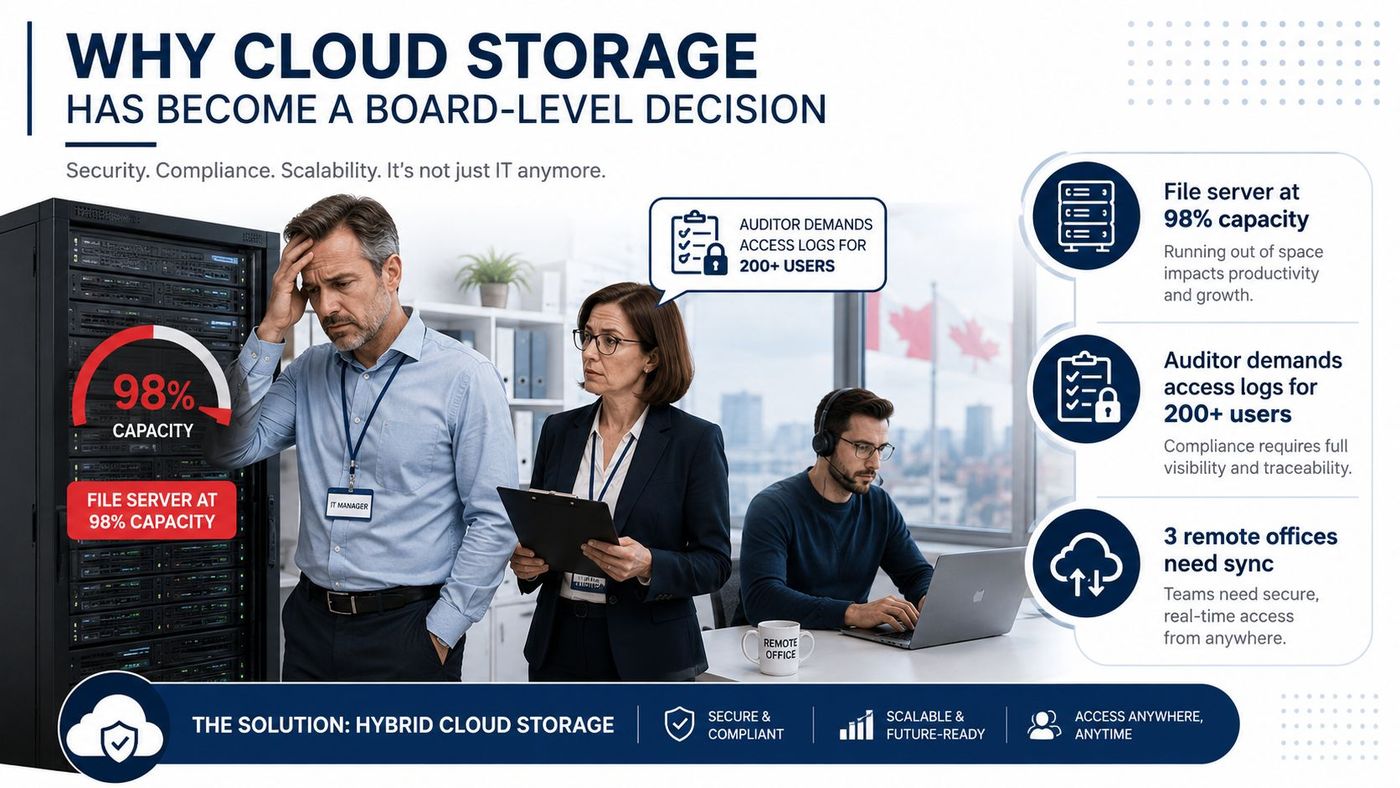
Your file server is full, the auditor wants better access logs, and employees are tired of reconnecting to a VPN every time they need a document. Meanwhile, finance wants predictable costs, operations wants fewer outages, and leadership wants a clear answer on where sensitive Canadian data is stored and who could legally access it.
That isn't a simple storage upgrade. It's an architecture and governance decision. The right cloud storage solutions for business must support collaboration, recovery, security, compliance, and future growth without creating an unmanageable operating model.
A mid-sized Canadian firm can reach this decision almost overnight. The local file server still works, but capacity is tightening. Remote offices need dependable access. An auditor asks who opened a contract, when they opened it, and whether the company can prove that only authorised staff accessed it. The IT manager knows that extending the server may postpone the problem without solving the underlying access, resilience, and governance issues.
Cloud storage has become board-level because it affects more than IT. It influences business continuity, legal exposure, employee productivity, vendor dependence, and the organisation's ability to support acquisitions or distributed operations. A storage platform that looks inexpensive in a sales presentation can become costly if it creates complex identity administration, expensive data transfers, weak recovery options, or uncertainty about jurisdiction.
Canada's market trajectory reflects that shift. The Canadian cloud storage market was valued at about USD 2,538.8 million in 2023 and is projected to reach about USD 5,999.8 million by 2028, implying 136% growth over five years and a compound annual growth rate of 18.8%, according to MarketsandMarkets' Canadian cloud storage market analysis. That scale shows that cloud storage has moved beyond an emerging technology and become core business infrastructure.
Canadian organisations are adopting storage alongside application hosting, disaster recovery, security controls, and workforce mobility. Statistics Canada estimated that 39% of Canadian businesses used cloud computing in 2019, while a 2021 CDW Canada cloud report found SaaS adoption at 92%, with PaaS at 47% and IaaS at 34%. The same report said half of IT budgets in 2020 went to external data centres and projected a 56% external versus 44% internal split by 2022.
The board question is no longer, “Should we try cloud storage?” It's, “Which architecture gives us acceptable control, recovery, compliance, and cost over the life of the business?” A practical total cost of ownership analysis should answer that before anyone signs a storage contract.
Vendor proposals become easier to evaluate once you separate storage formats from service models. These terms describe different layers of the technology, and confusing them can lead to the wrong performance, cost, or recovery design.
File storage works like a shared office cabinet. People organise documents into folders, apply permissions, and open files through familiar paths. It suits team documents, shared project folders, and applications that expect a conventional file system.
Block storage is closer to a private vault divided into high-speed compartments. An application sees raw storage volumes and manages the file system itself. Databases and performance-sensitive applications commonly need this model because they require predictable input and output behaviour rather than a simple folder structure.
Object storage resembles a large self-storage facility with labelled units. Each item carries its own data, metadata, and identifier, which makes the format well suited to backups, images, video, log archives, and other unstructured data. It can scale without forcing the business to manage a traditional folder hierarchy.
The service model describes how much of the surrounding technology the provider manages.
| Model | Business analogy | Typical responsibility |
|---|---|---|
| IaaS | Rent the building and manage the interior | You manage operating systems, applications, and much of the configuration |
| PaaS | Rent a prepared workshop | You develop and manage code while the provider manages more of the platform |
| SaaS | Use a finished service | The provider manages the application and underlying platform |
Microsoft 365 is a familiar SaaS example. The organisation uses hosted email, collaboration, and productivity applications without running the underlying servers. A database application built on a managed platform can fit PaaS. An organisation storing long-term records in object storage while managing its own application environment may be using IaaS.
Practical rule: Ask the vendor which layer you're buying, what your team must administer, and where the backup responsibility sits.
Hybrid storage combines local systems with cloud services. It can keep a latency-sensitive or tightly controlled workload close to users while sending backups, archives, or collaboration data to cloud storage. The difference between cloud computing and on-premise infrastructure matters because the migration plan depends on who owns each layer and who responds when it fails.
A storage decision becomes an architecture decision as soon as data crosses systems, regions, or legal jurisdictions. Storage format describes how information is organised. Deployment architecture defines where the environment operates, who administers it, and which controls the business must own.
A public cloud runs on a provider's shared infrastructure, with logical separation between customers. It suits standard productivity workloads, development environments, and businesses that need elastic capacity without purchasing hardware. The provider reduces infrastructure management, not accountability. Your team still controls identity, permissions, retention, recovery design, and the location or jurisdiction requirements attached to each workload.
A private cloud gives one organisation a dedicated environment or infrastructure. Choose it only when a defined requirement justifies the added work, such as specialised performance, tighter operational control, or specific isolation. The organisation must handle capacity planning, patching, monitoring, and resilience. Private cloud is not automatically safer. A neglected private environment can expose more risk than a well-administered public service.
A healthcare clinic could keep imaging archives in Canada-resident object storage while using Microsoft 365 for email, collaboration, and scheduling. That design works only when the clinic classifies the information, assigns each workload to the right environment, restricts administrative access, and documents transfers between systems.
Hybrid architecture fits businesses with local systems that still need cloud scalability or remote access. It also supports staged migration. The company can move suitable workloads first rather than forcing every application through one risky cutover.
The cost is operational complexity. Staff must maintain integration between environments, identity relationships, monitoring tools, network paths, and backup policies. Data transfers may create additional charges, while users can encounter conflicting permissions between a local file system and a cloud platform. Businesses without the staff to govern those dependencies should evaluate managed cloud computing options before committing to a hybrid design.
Multi-cloud uses services from more than one provider. It can serve specialised workloads, contractual requirements, resilience planning, or a deliberate effort to reduce dependence on one vendor. It can also create separate identity systems, logging formats, security policies, and support processes. Require a documented reason, an owner for cross-provider governance, and a recovery plan that works across the environments.
Canadian market research projects growth from about USD 1.67 billion in 2025 to USD 2.56 billion by 2035, describes hybrid cloud as the fastest-growing segment, and identifies security and compliance as major purchase drivers in its Canada cloud storage market report. Those findings show market interest, not a reason to adopt hybrid or multi-cloud by default.
My recommendation: Use public cloud for ordinary, well-governed workloads. Choose private infrastructure only for a defined control or performance requirement. Use hybrid when data classification, legacy systems, or residency requirements demand separation. Adopt multi-cloud only when the business can name the risk it reduces.
For most Canadian SMBs, a governed hybrid design offers a practical middle ground between pure private infrastructure and placing every workload in one public environment. Define the governance model before selecting the technology.
“Keep the data in Canada” sounds clear until you examine what it means. Data residency describes the physical location where information is stored. Data sovereignty concerns the laws and jurisdiction that may apply to that information and the provider controlling the environment.
The Government of Canada states that data stored in a cloud can remain subject to foreign laws. It also explains that storing data in Canada doesn't guarantee full sovereignty when the provider operates under foreign jurisdiction, as outlined in its guidance on data sovereignty in the public cloud.
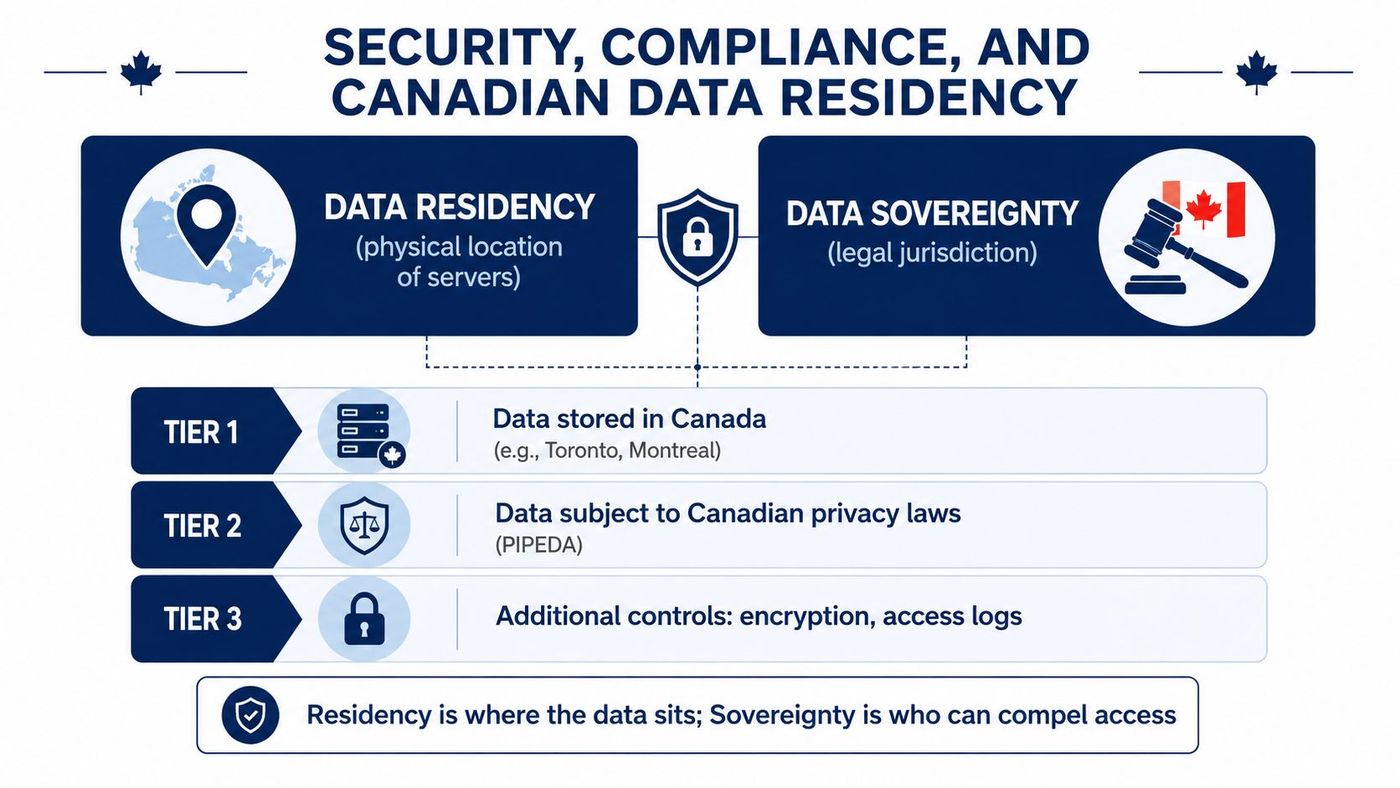
That distinction matters for healthcare, legal, finance, accounting, and professional services firms. PIPEDA obligations, Quebec Law 25, contractual confidentiality duties, and sector-specific expectations can all affect how a business stores, accesses, transfers, and deletes information. A healthcare provider may also use HIPAA-style controls as a practical security benchmark, but it shouldn't assume that a generic “HIPAA compliant” label answers Canadian privacy requirements.
Start with encryption at rest and in transit. Then determine who controls the keys. Customer-held keys can improve separation between the provider and the customer, but they also create a recovery responsibility. If the business loses access to its key material, encrypted data may become unusable.
Access governance deserves equal attention. Require role-based permissions, strong authentication, administrator separation, detailed audit logs, and a clear process for reviewing and removing access. Ask whether logs cover support personnel, administrators, application identities, and data exports, not only ordinary user activity.
Vendor questions should include:
The Government of Canada's broader digital sovereignty guidance adds an important federal nuance. For federal use, commercial public cloud storage is limited to data up to Protected B. That doesn't automatically classify every private-sector workload, but it demonstrates why buyers need a data classification policy rather than a vague preference for Canadian servers.
Use Canadian data privacy laws and cloud governance guidance as a starting point, then obtain legal advice for obligations specific to your sector and contracts.
A storage quote isn't a strategy. Before comparing monthly capacity prices, force every vendor to answer the operational questions that determine whether the platform will work during an outage, audit, migration, or contract dispute.
Read the service-level agreement instead of accepting a sales summary. Identify the uptime commitment, exclusions, maintenance rules, service credits, recovery objectives, and the provider's obligation to communicate during an incident. An uptime label without meaningful remedies and recovery language has limited value.
Then price the full data lifecycle:
Integration should be tested, not assumed. Confirm compatibility with Microsoft Entra ID, Microsoft 365, and Dynamics 365. Check whether the platform supports single sign-on, group-based permissions, automated provisioning, audit export, and retention requirements.
The average Canadian data breach cost CA$6.32 million in 2024, while breaches involving only public-cloud data averaged CA$6.74 million to remediate, according to IBM's 2024 Canada breach report. Those figures don't prove that cloud causes breaches. They do show why configuration, identity, segmentation, and recovery decisions belong in procurement.
Require independent backups rather than relying solely on provider redundancy. Ask how the vendor separates backup administration from production administration, how restores are tested, and whether immutable or isolated copies are available.
For broader budgeting discipline, guidance on how to stop cloud waste as a startup is useful even for established SMBs. The same principles apply: remove unused resources, assign ownership, monitor consumption, and make egress part of the original business case.
A migration succeeds when the business treats it as a controlled programme rather than a weekend file copy.
Consider a representative 75-person professional services firm moving from a local file server to a hybrid Microsoft 365 and Azure Blob design. The firm shouldn't begin by copying every folder into the cloud. It should first identify owners, classify data, document retention needs, locate sensitive records, remove obsolete material, and map dependencies such as line-of-business applications and shared drives.
A workable sequence looks like this:
Microsoft 365 may handle collaboration, while Azure Blob can hold suitable archives or backup data. Dynamics 365 integrations require their own review, especially where exports, attachments, reporting data, or business processes depend on access patterns.
Rollback must be written down before cutover. Define who can stop the migration, how users return to the previous system, how changed files are reconciled, and how long the old environment remains available. Without that plan, a technical problem becomes a business interruption.
Provider replication helps with infrastructure failure, but it doesn't automatically protect against deleted files, compromised accounts, malicious encryption, or a retention mistake. Canadian guidance recommends backing up cloud data independently and testing restores as a separate control.
A Data Backup as a Service approach can centralise automated backups, retention, monitoring, and recovery testing. The firm still needs documented recovery priorities, named decision-makers, and exercises that prove the backups are usable.
Most SMBs don't need another storage administrator. They need someone to make the architecture coherent, keep permissions under control, monitor changes, and own the recovery process.
A managed IT provider can support the work across its full lifecycle:
That changes the financial risk profile. Instead of asking an already busy IT generalist to design jurisdiction-aware storage, manage two control planes, and test recovery, the business gets an accountable operating model. It can also create more predictable monthly costs and provide access to Canadian-based support without hiring a full-time cloud architect.
CloudOrbis Inc. provides managed IT support, cloud solutions and migrations, cybersecurity, data backup and disaster recovery, Microsoft 365 and Dynamics 365 optimisation, and 24/7 Canada-based helpdesk support for Canadian SMBs. Its role can include evaluating vendors, designing the storage architecture, executing migration work, and monitoring the resulting environment.
Start this week by listing your critical data, identifying regulatory and contractual constraints, documenting recovery priorities, and requesting a storage review that includes exit costs and independent backup. Then ask a qualified provider to turn that inventory into a written architecture and migration plan.
CloudOrbis Inc. helps Canadian SMBs design, migrate, secure, and manage cloud storage environments that support collaboration, compliance, and recovery. Visit CloudOrbis Inc. to request a practical assessment and discuss a storage strategy built around your workloads, data obligations, and growth plans.
Book a 30-minute call with a senior engineer. No sales script, just straight answers about your environment.


