iPhone Text Message Delay: How to Diagnose and Fix It
Resolve iPhone text message delay issues with proven troubleshooting steps. Learn to diagnose network, carrier, and device causes affecting Canadian businesses.

Resolve iPhone text message delay issues with proven troubleshooting steps. Learn to diagnose network, carrier, and device causes affecting Canadian businesses.

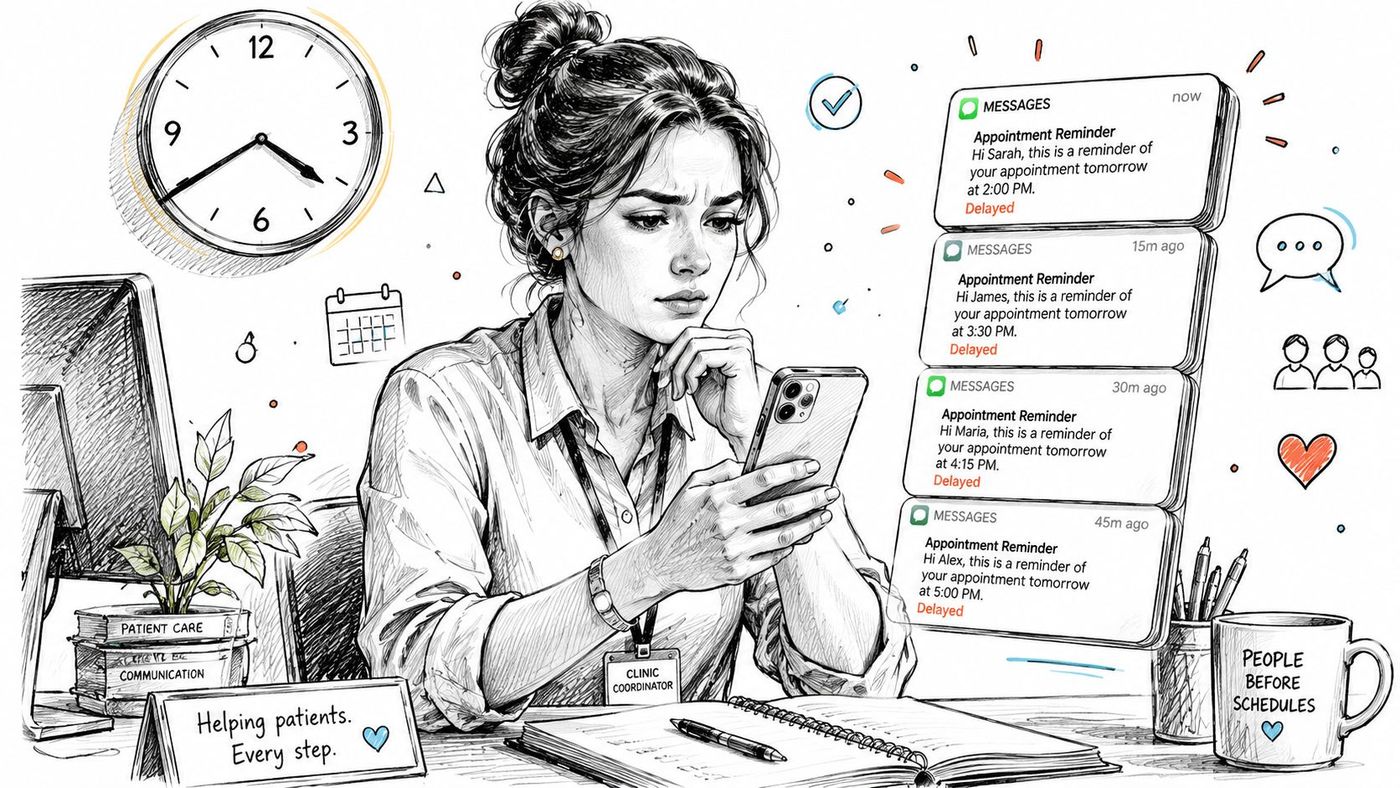
A clinic coordinator sends appointment reminders in the morning, but patients receive them hours later. A construction supervisor posts a safety update from a remote site, then learns the crew didn't see it until the following day. In both cases, an iPhone text message delay can look like a handset problem, even when the actual cause is message scheduling, connectivity, carrier routing, or a wider network fault.
The first step is to identify what kind of delay you're seeing. A message deliberately queued in Messages behaves differently from one marked Not Delivered, and a delay affecting one employee isn't investigated the same way as a delay affecting staff across several Canadian regions.
A delayed message isn't automatically a failed message. Apple's Canadian support documentation says Messages can schedule a message up to 14 days in the future, and the message will be delivered even if all of the user's devices are offline (Apple's Canadian iPhone messaging guidance). The queued message remains visible with a dashed border until its scheduled time, and the sender can edit or cancel it before delivery.
That distinction matters in a business setting. A clinic coordinator may think an appointment reminder is stuck when it was intentionally scheduled for a later time. A dispatcher may see a dashed placeholder in a conversation and open an unnecessary carrier ticket. Before changing settings, confirm whether Messages is following an instruction or failing to deliver.
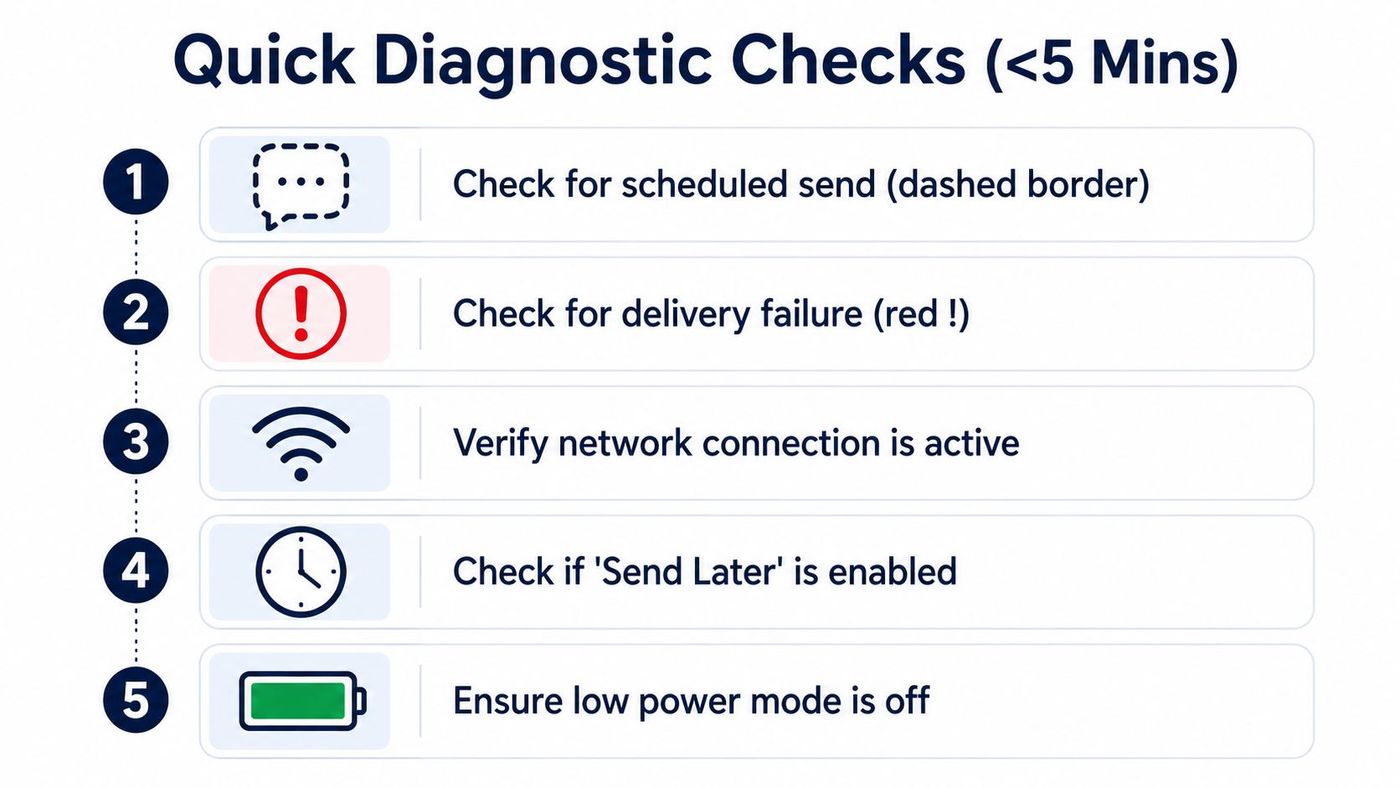
Open the conversation and inspect the message itself.
This quick classification prevents wasted effort. Resetting network settings won't make an intentionally scheduled message send sooner, while editing a queued message won't repair a mobile coverage problem.
For Canadian SMBs, the operational risk extends beyond one late text. If a delay causes missed appointments, unsafe site communication, or a stalled customer response, record the time, recipient, location, carrier, message type, and status shown on the iPhone. That information helps distinguish a local device issue from the broader business impact of IT downtime.
Practical rule: Check the message state before changing the phone's network settings.
iPhone Messages doesn't use one delivery path for every conversation. iMessage, RCS, and MMS require cellular data or Wi-Fi, while SMS requires a cellular network connection, as Apple explains in its Canadian messaging support material. If mobile data or Wi-Fi is unavailable, a data-based message may wait, fail, or require a different route. If the cellular network is weak or unavailable, SMS may also remain undelivered.
The fallback path can create confusion. When iMessage can't reach Apple's service or the recipient, an iPhone may attempt SMS if Send as Text Message is enabled. That change in route can make a user describe the problem as an iPhone bug, even though the underlying issue is an unavailable data connection, carrier support, or network coverage.
SMS also has limitations that businesses often overlook. A Public Mobile community response explains that SMS isn't an instant messaging service and travels over the voice channel, so timing depends on channel demand and the sender's or recipient's location (Public Mobile discussion of severely delayed text messages). That makes a weak signal, a busy local network, or movement between coverage areas relevant to the investigation.
Canadian academic MMS/SMS research from the University of Calgary defines delivery delay as the interval between message acceptance and transmission start. In a measured test environment, successfully received SMS messages had an average delay of 289.31 seconds (University of Calgary MMS/SMS research PDF). This doesn't mean every Canadian text takes that long. It does show why SMS shouldn't be treated as a guaranteed real-time channel for urgent business instructions.
Teams that need to understand the underlying mobile connection can review LTE phone basics for businesses, particularly when employees work in warehouses, construction zones, rural areas, or other locations where coverage changes.
A practical investigation separates three layers:
Good network monitoring practices help IT teams correlate user reports with connectivity events instead of treating every ticket as an isolated iPhone fault.
Start with evidence, not assumptions. Inspect the message status first.
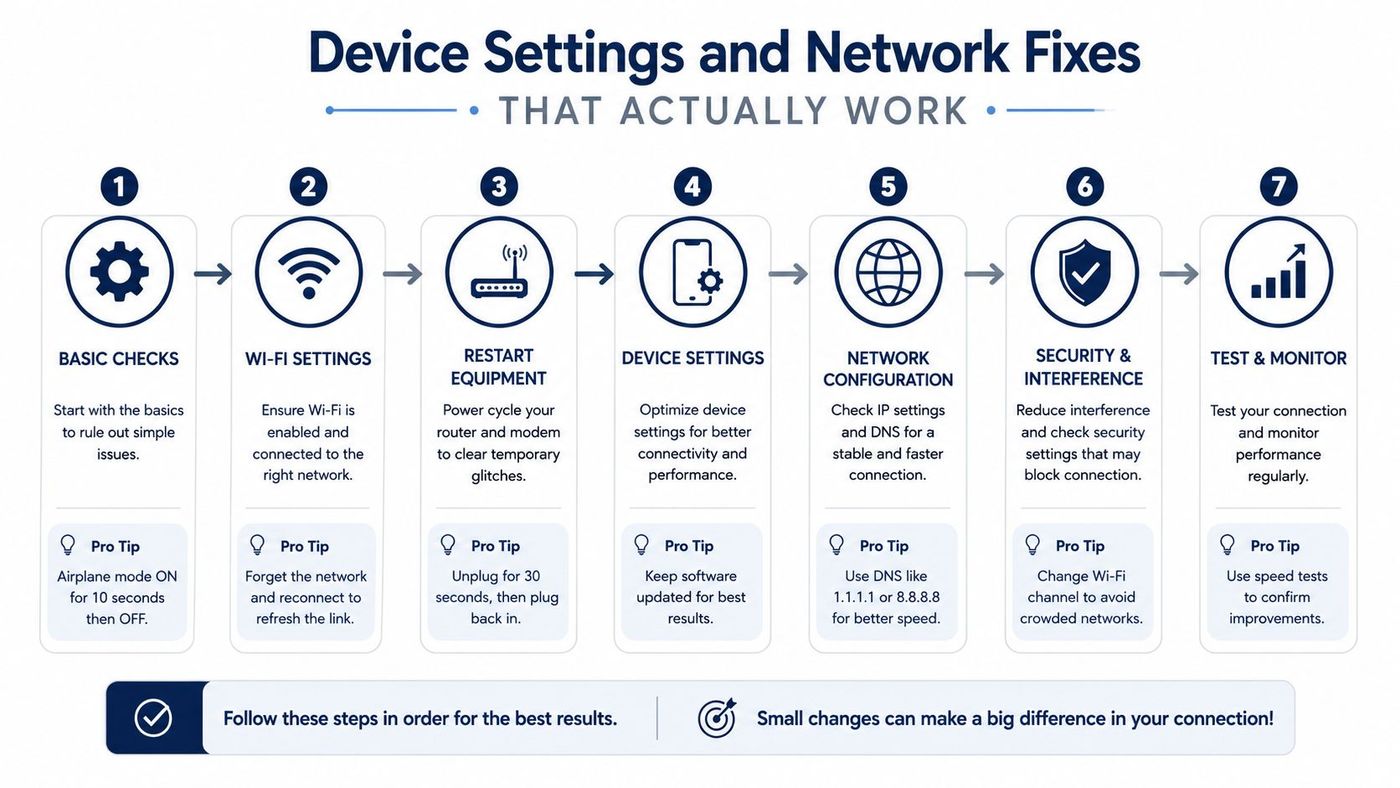
Change one variable at a time. If a message sends over Wi-Fi but not mobile data, examine the cellular path. If several employees using different iPhone models report the same delay, stop repeating device resets and compare carrier, location, and message type instead.
A controlled test narrows the fault domain. It shows which route fails and prevents a scheduled send from being mistaken for a delivery incident.
Distributed teams should also record whether the affected users share a carrier or coverage area. One carrier-specific pattern supports escalation to that carrier. Similar failures across carriers justify checking wider service conditions and preserving timestamps for the IT ticket.
For staff devices, complete a business smartphone security checklist alongside the messaging review, especially when employees use personal iPhones for work communication. Keep the diagnostic record with the device and user details so support can compare future incidents without restarting the investigation.
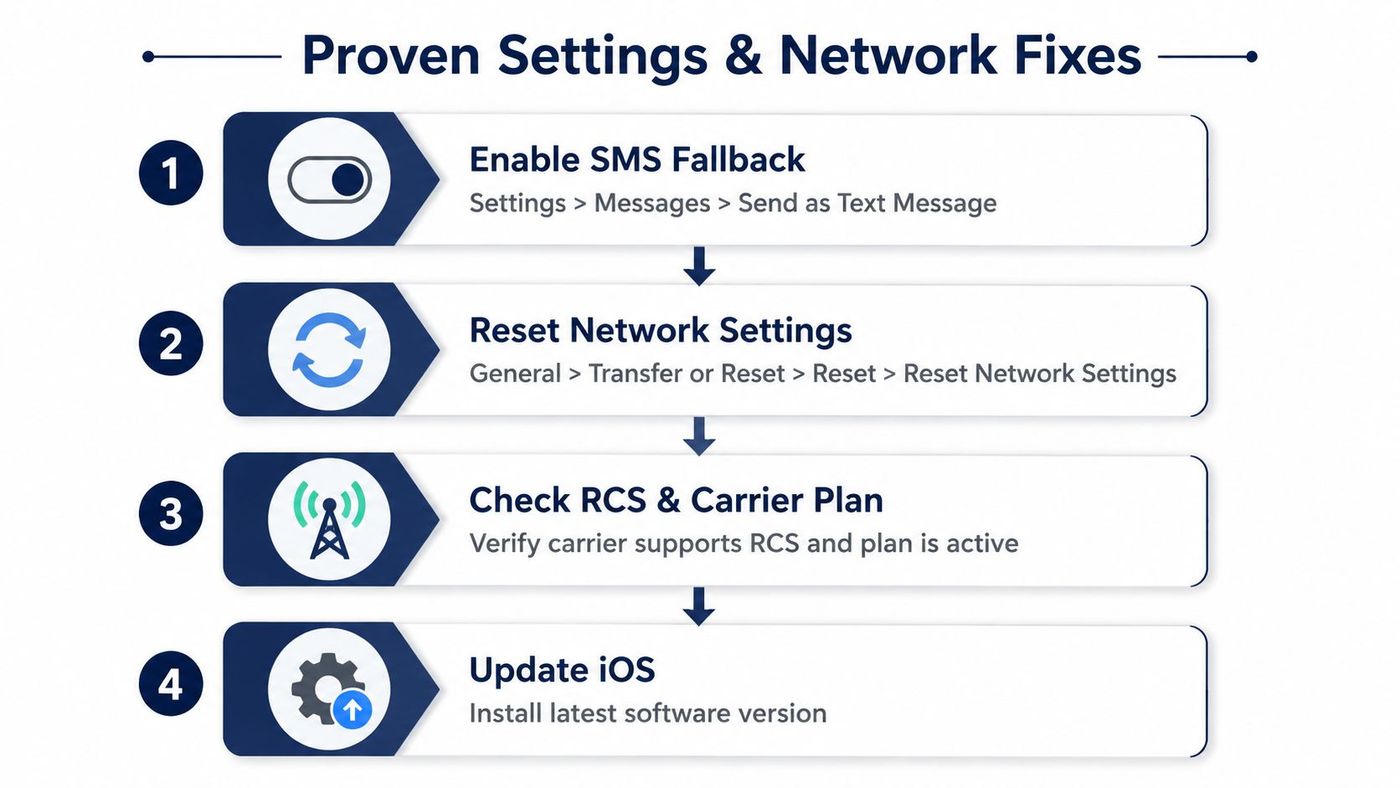
Once the evidence points to one iPhone, work through the least disruptive fixes first. Change one setting, send a controlled test, and document the result before moving to the next step.
Open Settings > Messages and turn on Send as Text Message. Apple states that an iPhone can automatically try SMS when iMessage isn't available after this setting is enabled (Apple's guidance on SMS fallback).
This option improves resilience, but it isn't a universal cure. SMS still needs cellular service, and the recipient may incur carrier charges depending on their plan. After enabling it, test with a contact whose service and number are known to be active. Confirm whether the message changes from an iMessage failure to an SMS delivery.
RCS can also introduce a short initial delay immediately after activation. Apple's Canadian support documentation identifies this as expected behaviour, so verify that RCS is enabled, allow registration to complete, then retest rather than assuming the carrier has failed (Apple's Canadian RCS support).
If the issue continues across several contacts, reset network settings. The usual path is Settings > General > Transfer or Reset iPhone > Reset > Reset Network Settings. This removes saved Wi-Fi networks and related network configuration, so confirm the user has the required Wi-Fi credentials before proceeding.
Use this reset when connection behaviour is inconsistent, not as the first response to a scheduled message. Afterward, reconnect to the approved Wi-Fi network, confirm mobile data is available, and run the same test used during triage.
Install available iOS updates through Settings > General > Software Update. Then confirm the carrier supports the message type being used, the account is active, and no messaging restriction has been applied. If the problem remains, provide the carrier with timestamps and test results instead of only reporting that an iPhone is delayed.
Businesses that manage many handsets should standardise these checks through mobile device management practices, so support staff can verify configurations consistently. For teams that send recurring customer notices, guidance on automating responses for service pros may also help reduce dependence on one manually timed message, although automation can't compensate for a carrier outage.
A single affected iPhone suggests a local investigation. Several affected employees suggest a service investigation.
Compare the symptoms across users:
| Pattern | More likely explanation | Best next action |
|---|---|---|
| One phone, one contact | Recipient, device, or conversation issue | Test another contact and message type |
| One phone, all contacts | Device connection or account issue | Check settings, coverage, and carrier support |
| Several staff on one carrier | Carrier degradation or outage | Check carrier notices and escalate with timestamps |
| Staff on multiple carriers in one location | Local connectivity or site coverage issue | Compare Wi-Fi, mobile data, and location |
| Staff in separate regions | Carrier or service-wide event | Correlate reports by carrier and time |
Canada has a clear example of why this comparison matters. Independent Canadian reporting showed that a Rogers nationwide mobile network outage in June 2025 disrupted both calls and text messaging across the country (Canadian reporting on the Rogers outage). An employee experiencing a delayed text during such an event may reasonably blame the iPhone, but replacing the handset won't restore a carrier network.
Check the carrier's service notices, community support pages, and outage tracking services. Ask affected employees whether calls, data, and texts are all affected, and compare reports by province, facility, and carrier. For distributed teams, location and carrier are often more informative than iPhone model.
Don't reset every device during a suspected outage. Capture the evidence, notify users through a separate channel, and open a carrier case when multiple users show the same pattern. Teams working with US carriers can also review Verizon SMS setup and limits when comparing carrier-specific messaging behaviour, but Canadian organisations should confirm their own provider's policies directly.
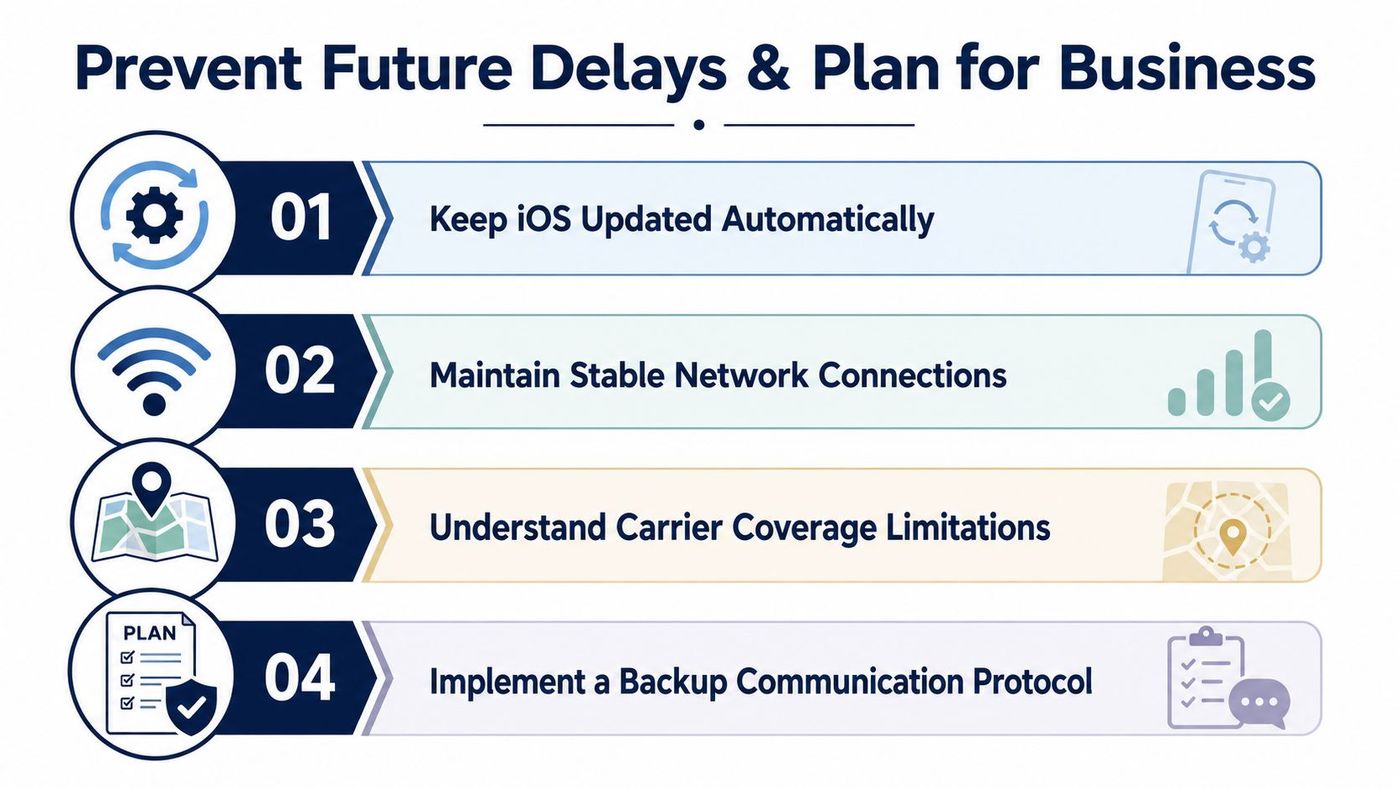
Reliable messaging starts with realistic channel selection. Keep iOS updated, maintain stable Wi-Fi and mobile connectivity, and document known coverage limitations at clinics, plants, warehouses, and remote work sites. Don't use SMS as the only path for a safety-critical instruction or an urgent operational change.
Create a simple protocol that identifies the primary channel, the backup channel, and the person responsible for confirming receipt. The backup might be a voice call, an approved collaboration platform, or an internal alerting system, depending on the risk and privacy requirements of the organisation.
Record recurring delays with timestamps, carriers, locations, message types, and affected users. A pattern gives the carrier or managed IT provider something actionable to investigate. It also helps leaders decide whether the business needs enterprise messaging rather than relying on ad hoc texts.
SMS has inherent delivery limitations because it depends on the carrier's network and voice-channel conditions. Set expectations accordingly, especially for healthcare, construction, logistics, and manufacturing teams where a late message can disrupt work. A documented business continuity and disaster recovery plan should state what staff do when mobile messaging is delayed or unavailable.
CloudOrbis Inc. helps Canadian businesses monitor, secure, and support mobile, network, cloud, and communication environments so recurring messaging issues receive a structured response. Visit CloudOrbis Inc. to discuss managed IT support, proactive monitoring, and business continuity planning for your organisation.
Book a 30-minute call with a senior engineer. No sales script, just straight answers about your environment.


