

September 27, 2026
How to Recover from a Ransomware Attack: An SMB PlaybookLearn how to recover from a ransomware attack with a step-by-step SMB playbook covering containment, backup restore, compliance, and post-incident hardening.
Read Full Post%20(1).webp)
Usman Malik
Chief Executive Officer
December 30, 2025
A disaster and recovery plan is more than just a document you file away; it's your step-by-step playbook for getting back on your feet after an unplanned crisis. Whether you're facing a cyberattack, a natural disaster, or a critical equipment failure, this plan is designed to slash downtime and restore essential IT operations before your business grinds to a halt.
Too many business leaders treat their disaster recovery plan as an administrative chore—something done just to satisfy an insurance or compliance requirement. Viewing it this way is a massive missed opportunity. A well-crafted and regularly practised plan isn’t just a safety net; it’s a genuine competitive advantage that builds true operational resilience.
Imagine a major ransomware attack hits your sector, or a regional power outage takes down the entire grid. Your competitor, who only has a plan on paper, might be down for days or even weeks. They will be scrambling to restore systems, fumbling communications, and losing customer trust by the minute.
Meanwhile, you are back in business within hours. Why? Because you treated your plan as a core part of your operations. That is the difference between merely surviving a disaster and thriving in spite of it.

This guide is designed to move you past generic advice and toward building that kind of resilience. We will break down the core concepts not as dense technical jargon, but as straightforward business questions that directly protect your revenue and reputation.
A solid disaster and recovery plan comes down to three key pillars:
When you frame these concepts as practical questions, the conversation shifts from a dry IT task to a vital strategic discussion. The answers you develop will directly drive your technology choices, your recovery steps, and your entire approach to keeping the business running.
It is also important to know how a disaster recovery plan fits into a larger strategy. We cover this in our guide on what is business continuity. At the end of the day, the goal is to transform a potential catastrophe—like a server dying in the middle of a huge client project—into a manageable, predictable incident.
Before you can think about building a recovery plan, you need a crystal-clear map of what you're protecting. This is where a Business Impact Analysis, or BIA, comes in. Forget about filling out endless, complicated spreadsheets; a BIA is about having honest conversations with your team to determine the absolute bedrock of your operations.
The goal is simple: pinpoint which business functions are most critical and truly understand the consequences if they go down. For a healthcare clinic, this is likely the patient management system. For a logistics company, it is the routing and dispatch software. A BIA helps you move from just guessing what is important to knowing with certainty.
This means sitting down with each department and asking, "What processes can we absolutely not live without, even for a single day?" Getting department heads in the room is non-negotiable here. They have the on-the-ground knowledge to identify dependencies that IT might completely miss, such as a specific third-party app the finance team relies on for month-end reporting.
One of the most eye-opening parts of a BIA is calculating the real-world cost of an outage. It's so much more than just lost sales. The financial fallout often has hidden layers that can be far more damaging in the long run.
A proper analysis needs to put a number on several types of impacts:
To effectively conduct your business impact analysis, it is vital to understand the intricate details of your critical infrastructure, including the considerations involved in how to build a data center. Knowing how your core systems are housed provides essential context for evaluating potential failures.
Once you have a handle on the potential damage, the next step is to create a detailed inventory of the assets that support your critical business functions. This inventory is the absolute foundation of your entire disaster and recovery plan—it dictates what gets recovered first when things go wrong.
Your list should be specific and cover several key categories. A good BIA will produce a clear hierarchy of what matters most to your organization, from systems that need to be restored in minutes to those that can wait a few days. For more real-world scenarios, our post on business continuity plan examples offers deeper insights.
A BIA isn't a one-and-done task; it's a living process. As your business brings in new software, serves new markets, or changes its operational model, your critical functions will also evolve. You need to revisit your BIA at least annually to make sure it accurately reflects how you operate today.
To help organize your thoughts, start by mapping out the following for each key business process. This framework will give you the raw data you need.
Answering these questions gives you the clarity needed to set realistic recovery objectives and build a plan that truly protects what matters most to your business.
Once you have gone through a Business Impact Analysis (BIA) and pinpointed what makes your business tick, the next question is practical: how fast do you really need those critical functions back after an outage? This is where you shift from analysis to action. You are about to set the specific, measurable goals that will become the backbone of your entire disaster and recovery plan.
Think of these goals less as technical jargon and more as core business decisions. They directly dictate your strategy, the technology you choose, and where your budget goes.
It all boils down to two key metrics: RTO and RPO. They might sound complex, but they answer straightforward questions.
These numbers are never one-size-fits-all. A law firm, for instance, might need an RTO of just a few minutes for its client case management system because missing a legal deadline is a non-starter. But that same firm’s internal HR portal? It could probably have an RTO of 24 hours. It is an inconvenience, to be sure, but not a business-ending catastrophe.
Your RTO and RPO targets are the single biggest factor in deciding what kind of disaster recovery (DR) architecture you will build. If you need a near-zero RTO, you are looking at solutions that can failover almost instantly. A more generous RTO of several hours, on the other hand, opens the door to much more budget-friendly options.
This decision tree is a great visual for thinking through how to prioritize systems based on their impact, which in turn guides your recovery strategy.
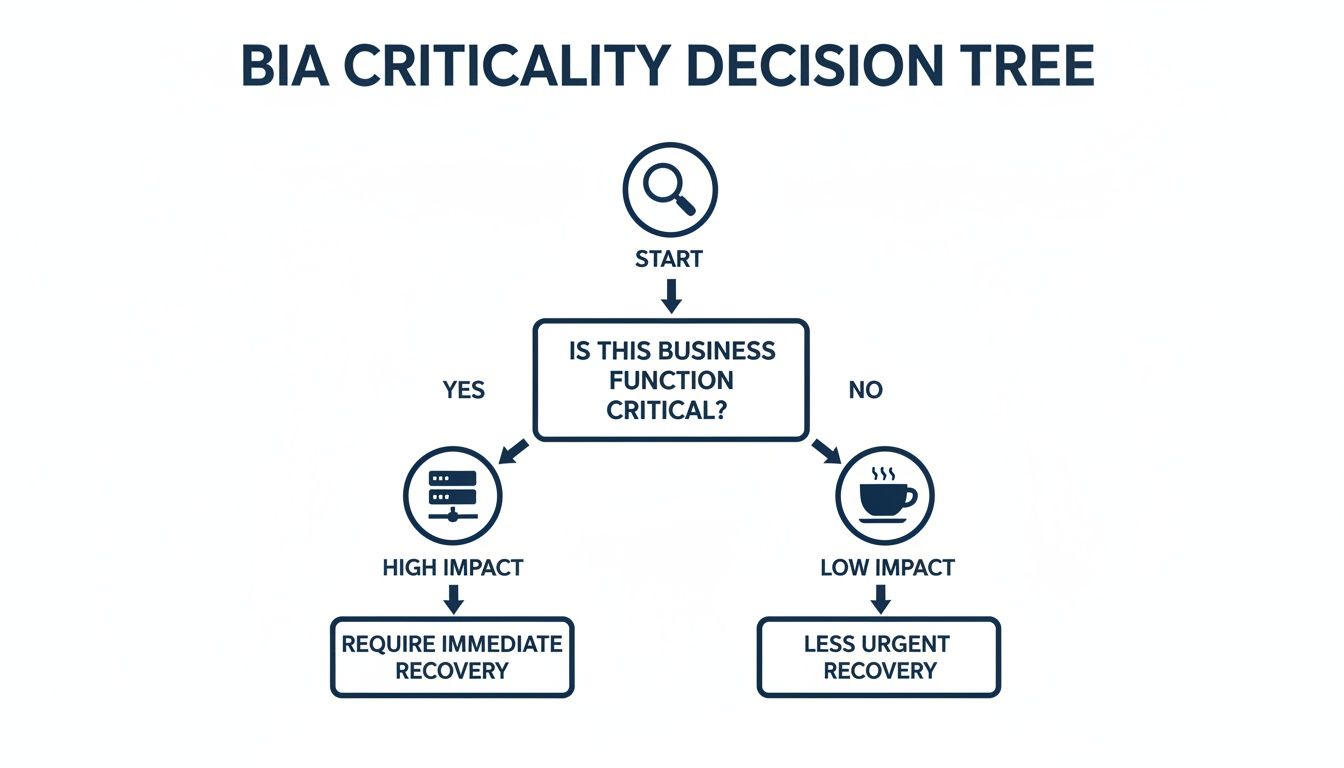
As you can see, the high-impact, mission-critical systems need immediate, robust recovery solutions. The less critical items can wait their turn.
Every DR architecture involves a trade-off between cost, complexity, and how fast you can get back up and running. Getting a clear handle on these differences is essential to making a smart decision that fits your business needs and your budget.
The best DR strategy isn’t about buying the fanciest technology. It's about picking the model that perfectly matches your specific RTOs, RPOs, and budget. For many medium-sized organizations, a hybrid approach often hits that sweet spot.
Take a logistics company, for example. They might go with a hybrid model. Their mission-critical dispatch and tracking systems could be replicated to a DRaaS provider for a lightning-fast RTO. Meanwhile, their financial and HR data, which have a much longer RTO, can be backed up to the cloud using a slower, less expensive method.
To help lay out your options, let's compare the three main DR models.
Choosing between on-premise, cloud-based, or a hybrid model comes down to balancing control, cost, and speed. Here’s a breakdown to help you see how they stack up against common business factors.
Ultimately, choosing the right architecture is a balancing act. Once you clearly define your RTOs and RPOs based on your BIA, you can build a disaster and recovery plan that is both effective and financially sound—ensuring your business can weather any storm.
A brilliant disaster recovery strategy is useless if it only exists in someone's head. When a real crisis hits, the only thing that cuts through the chaos is a set of clear, written instructions. This is where your high-level strategy becomes a detailed, actionable "runbook"—a step-by-step guide that anyone on your team can follow under pressure.
An effective runbook leaves nothing to interpretation. Think of it as a practical manual designed for a high-stress environment, where the person using it might not be the same expert who designed it. This detailed documentation is the absolute cornerstone of a successful disaster and recovery plan.
The whole point is to eliminate confusion before it even starts. By documenting everything, you ensure recovery is not dependent on one or two key people who might be unavailable during the incident. It truly democratizes the recovery process and makes your business far more resilient.
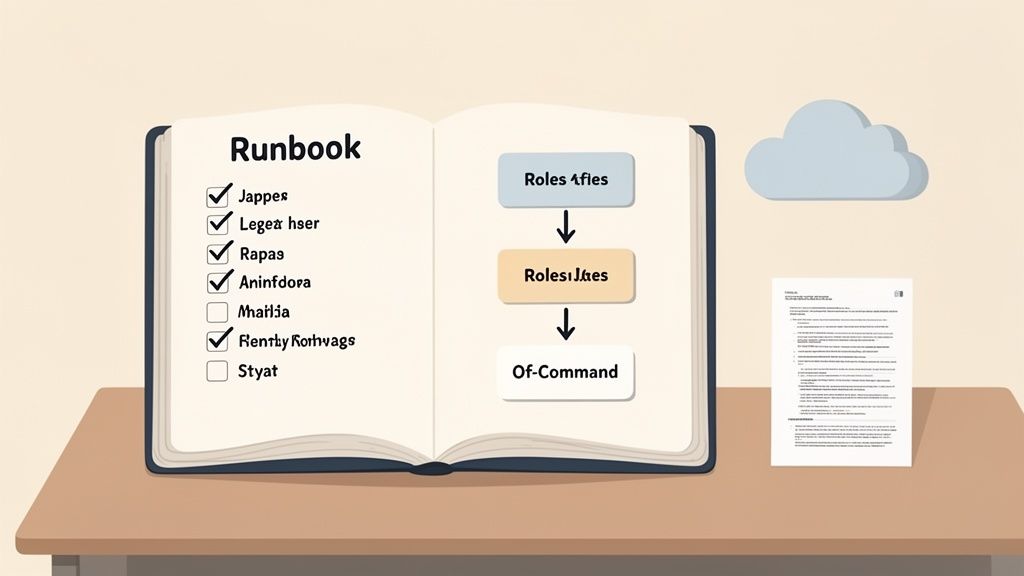
One of the very first things to get down on paper is who does what. During a disaster, ambiguity is your worst enemy. You need to establish a crystal-clear chain of command and define specific roles for every member of your recovery team.
This means assigning clear responsibilities for key actions: declaring a disaster, contacting vendors, restoring systems, and communicating with stakeholders. Each role should have a primary owner and at least one designated backup to account for anyone being unreachable.
A well-defined command structure prevents the nightmare scenario where multiple people give conflicting instructions or, worse, critical tasks are missed because everyone assumed someone else was handling it. This clarity is what turns a panicked scramble into a coordinated, effective response.
A comprehensive runbook is organized into logical sections that guide the team through the entire recovery process, from start to finish. While every business is different, a strong plan should include several core components to ensure all your bases are covered. To get a head start, you can begin with our disaster recovery plan template and tailor it to your specific needs.
Your documented plan should always include:
Your runbook should be written with the assumption that the reader is stressed, tired, and possibly unfamiliar with the system they are trying to restore. Use simple language, avoid jargon, and favour checklists over long paragraphs.
Here is a final, critical piece of the puzzle: accessibility. What good is a perfect disaster and recovery plan if it is stored on the very server that just went down? Your plan must be accessible even when your primary systems are completely offline.
This requires a multi-layered approach. Keep digital copies in a secure, independent cloud storage service that can be accessed from any device. Proactive planning is key to effective resource management in a crisis. A prime example is how authorities strategically allocate funds for recovery efforts to ensure essential services can continue during large-scale events—a testament to the power of a well-managed plan.
It is also wise to maintain physical hard copies in secure, off-site locations. Consider giving a copy to key recovery team members to keep at home or storing one at a designated secondary worksite. In a widespread power or internet outage, those paper copies might be the only guide you have.
An untested disaster and recovery plan is just a theory. It is a collection of well-intentioned assumptions that might completely fall apart in a real crisis. The only way to build genuine confidence in your strategy is to put it through its paces with realistic, controlled testing.
Think of it this way: testing is not about passing or failing. It is about finding the cracks in a safe environment before a real disaster forces them into the open. It is how you turn a document into muscle memory, ensuring everyone knows their role and can act decisively when the pressure is on.
You do not have to grind your entire business to a halt to validate your plan. There are several ways to test your readiness, ranging from simple discussions to full-blown simulations that can fit any company's comfort level.
The real value in testing comes from simulating real-world problems. Generic tests are fine, but scenarios tailored to your specific weak points will give you the most valuable lessons.
A disaster recovery plan must be a living document, constantly refined through tough testing. Proactive measures build true operational readiness.
Do not just simulate a simple hardware failure. What happens if your lead IT person is on a flight and unreachable? What if your main internet line is cut, taking your VoIP phone system down with it? These nuanced scenarios pressure-test your plan’s dependencies and reveal weaknesses you would never find otherwise.
The most important part of any test happens after it is over. This is the post-test review, where your team gets together to discuss what went right, what went wrong, and what was completely missed. This needs to be a blameless discussion focused purely on making the plan better.
Document every lesson learned. Assign clear action items to update the runbook, tweak recovery procedures, or schedule more training. This continuous feedback loop turns every test into an opportunity for improvement.
It ensures your disaster and recovery plan evolves and gets stronger over time. These regular reviews, much like the insights you get from comprehensive computer security audits, are absolutely essential for maintaining a strong defensive posture.
Developing, documenting, and testing a comprehensive disaster and recovery plan is a massive undertaking. For an internal IT team already juggling day-to-day operations, trying to manage a full-scale DR strategy can stretch resources to the breaking point. This is where a strategic partner can transform your disaster readiness from a background task into a core business strength.
Engaging a managed IT services provider takes your plan from theory to operational reality. Instead of relying on an internal team that splits its focus, you gain a dedicated group of specialists whose entire job is to monitor, manage, and execute your recovery strategy flawlessly. They bring the advanced technology and round-the-clock oversight needed to achieve true peace of mind.
This kind of partnership fundamentally shifts your business from a reactive to a proactive stance. A dedicated team ensures backups are not just running but are actually verified, and that recovery systems are always primed for activation.
One of the biggest advantages of bringing in experts is gaining access to specialized knowledge that is incredibly difficult and expensive to maintain in-house. This expertise is absolutely critical for navigating the complexities of modern threats and recovery architectures.
Consider the immense challenges faced during large-scale regional events. When disasters strike, robust external support frameworks are needed to keep essential services running. As you can learn by exploring disaster recovery efforts, these events prove that having an experienced team ready to act is invaluable. A managed partner provides that same level of dedicated support for your business.
By outsourcing the execution of your disaster and recovery plan, you ensure that someone is always watching over your critical systems. This 24/7 monitoring is what turns a good plan into a great one, capable of responding instantly to threats at any time of day or night.
A managed services partner does more than just look after your backups; they become a true strategic asset. They connect the dots between the risks identified in your Business Impact Analysis and the specific managed solutions that solve them, whether that is proactive monitoring or managed failover testing.
It is a similar logic to how businesses handle insurance claims post-disaster. Navigating that complexity on your own is tough, which is why understanding when a public adjuster can help can be a game-changer for securing a fair settlement.
This strategic approach ensures your DR plan is not a static document collecting dust on a shelf. It becomes a dynamic, evolving strategy that adapts to new technologies and emerging threats. By working with an experienced IT outsourcing company, you gain a partner genuinely invested in your long-term resilience, allowing you to get back to focusing on what you do best: growing your business with confidence.
Even with the best playbook in hand, putting a disaster recovery plan into action always brings up a few questions. That is perfectly normal. Here are some of the most common ones we hear from Canadian business leaders, along with straightforward answers to help you move forward.
This is a big one. For most medium-sized businesses, we strongly recommend a full-scale failover test at least once a year. It is the only way to be sure everything works as expected when you are under real pressure.
On top of that, you should be running tabletop exercises every quarter. These are less disruptive "what-if" sessions where your team talks through the plan. It keeps everyone sharp, helps onboard new staff, and often uncovers gaps you might have missed.
Critically, you must review and update your plan after any major change to your IT environment. Think new ERP system, a migration to a different cloud provider, or a big network overhaul. Your plan has to be a living document, not something that just gathers dust on a shelf.
It is easy to use these terms interchangeably, but they cover very different ground. The simplest way to think about it is that a disaster recovery (DR) plan is one crucial piece of a much larger Business Continuity (BC) plan.
So, DR gets the servers back online, while BC ensures your team can still answer phones, serve customers, and generate revenue while the IT team works its magic.
Think of it like this: DR is the plan to fix your car's engine after it breaks down. BC is the plan to get the kids to their soccer game on time, which might mean calling a ride-sharing service or borrowing a neighbour's car.
Having your data backed up to the cloud is a fantastic and absolutely necessary first step. But it is not a complete DR plan by itself.
A backup is just a copy of your data sitting somewhere safe. A true disaster recovery strategy is the whole process of actually using that data to bring your business back to life. It answers the question, "What do we do with the backup now?"
This means having the servers (compute), networking, and security ready to spin up at a moment's notice. This is where a solution like Disaster-Recovery-as-a-Service (DRaaS) really shines. Instead of just storing your data, DRaaS gives you a full, ready-to-launch replica of your environment, turning a chaotic scramble into a predictable, orderly recovery.
A solid disaster recovery plan is your business's ultimate insurance policy against the unexpected. At CloudOrbis Inc., we build and manage resilient IT strategies that let you sleep at night, knowing you're protected.
To see how our managed IT and disaster recovery services can safeguard your operations, visit us at cloudorbis.com.
September 27, 2026
How to Recover from a Ransomware Attack: An SMB PlaybookLearn how to recover from a ransomware attack with a step-by-step SMB playbook covering containment, backup restore, compliance, and post-incident hardening.
Read Full Post
September 26, 2026
On-Premise to Cloud Migration Checklist: 10 StepsUse this on-premise to cloud migration checklist to plan assessment, compliance, backups, sequencing, testing, cutover, and optimization for SMBs.
Read Full Post
September 25, 2026
Is VoIP Good for Small Business in Canada? a 2026 GuideIs VoIP good for small business in Canada? Explore costs, benefits, reliability, security, and migration tips for SMBs considering VoIP in 2026.
Read Full Post
