

September 26, 2026
On-Premise to Cloud Migration Checklist: 10 StepsUse this on-premise to cloud migration checklist to plan assessment, compliance, backups, sequencing, testing, cutover, and optimization for SMBs.
Read Full Post%20(1).webp)
Usman Malik
Chief Executive Officer
February 12, 2026

A SharePoint migration in Edmonton is more than a simple IT project; it's a strategic business decision to move from outdated file servers to Microsoft’s dynamic collaboration platform. It requires careful planning, a thorough analysis of your existing data, and precise execution to improve security, boost efficiency, and empower your team with seamless remote access. For any local business aiming to modernize, this is a critical upgrade.
For most Edmonton businesses, the question isn't if they should modernize their IT infrastructure, but how. Traditional on-premise file servers are often slow, difficult to access from outside the office, and expensive to maintain. A SharePoint migration directly addresses these challenges, transforming a complex web of siloed files into a secure, collaborative workspace accessible from anywhere.
This transition is especially important in Edmonton's key industries. Consider a healthcare clinic needing to protect patient data under PIPA, a manufacturing firm coordinating a complex supply chain, or an oil and gas company managing project documents across multiple sites. In each case, the need for a single, unified platform is clear. Moving to SharePoint Online isn't just a technical update; it's a business decision that delivers tangible, measurable results.
Traditional file servers often create friction in daily workflows. Searching for the correct version of a document is a common frustration, and collaboration typically involves confusing email chains with multiple attachments. SharePoint eliminates this chaos by providing one central location for all company data.
This modern approach delivers several immediate benefits:
Data security is a primary concern for every business leader. On-premise servers require constant physical and digital maintenance, which can be a significant drain on resources. When you migrate to SharePoint, you transfer much of this responsibility to Microsoft's enterprise-grade security infrastructure.
The platform provides granular control over who can access, view, and edit specific files and folders. This is essential for industries like healthcare or finance in Edmonton, where strict compliance with regulations like PIPA is mandatory.
The financial argument is equally compelling. Many Edmonton businesses that migrated to SharePoint reported a 40% reduction in IT infrastructure costs within the first year, saving an average of CAD 75,000 annually. Shifting from capital expenditures on hardware to a predictable operational expense simplifies budgeting and frees up capital for other business initiatives. For a deeper look at this, check out our guide on cloud computing vs. on-premise solutions.
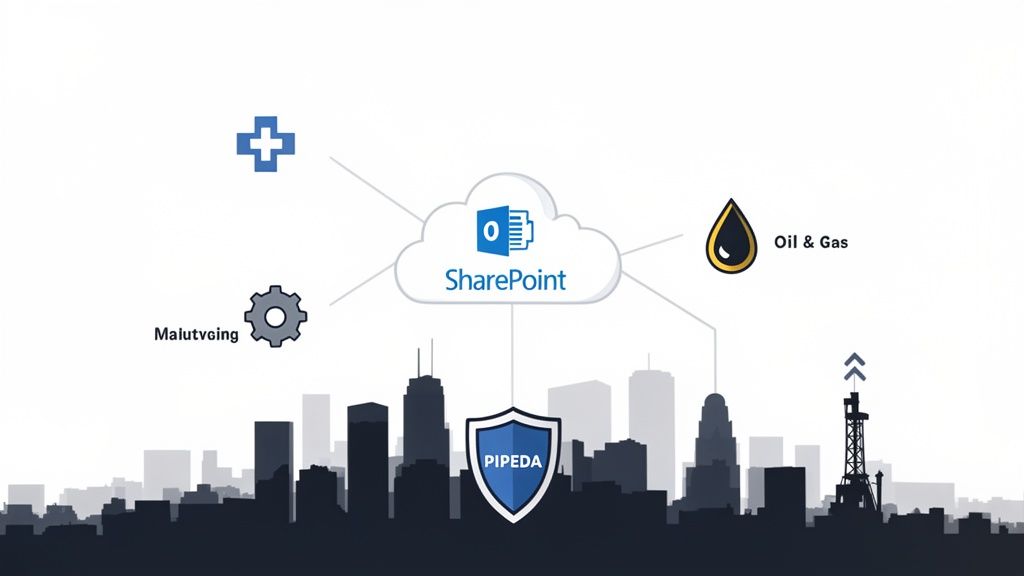
A successful SharePoint migration begins not with moving data, but with a solid plan. This pre-migration phase is like creating the architectural blueprint for your new digital workspace. It is where you define success, identify potential challenges, and ensure every decision aligns with your business goals.
For any Edmonton business, this stage is the single most important factor in ensuring a smooth transition. Rushing into the technical work without this foundation can lead to scope creep, budget overruns, and a final product that doesn't meet your team's needs. A well-defined blueprint ensures your SharePoint migration in Edmonton is a strategic success from the start.
First, you need to understand exactly what data you have. Many organizations are surprised by the sheer volume of redundant, obsolete, and trivial (ROT) data on their servers. A thorough inventory allows you to make informed decisions about what is worth moving.
You should categorize your files into three main groups:
A clean data set is the foundation of an efficient SharePoint environment. Taking the time to declutter before you move is like cleaning out your garage before moving into a new house—it ensures you only bring what you truly need.
For businesses in Edmonton, particularly in sectors like healthcare or finance, compliance is not optional. Your blueprint must account for regulations like Alberta's Personal Information Protection Act (PIPA). This involves carefully mapping out how you will handle sensitive information.
For example, a local healthcare clinic's migration plan must detail how patient records will be managed to ensure access is strictly controlled and auditable. This requires translating current user permissions to SharePoint's granular security model, guaranteeing that only authorized staff can access specific files. This step is not just about meeting compliance requirements; it's about building trust and protecting your clients' data.
A well-structured plan also organizes user permissions across the board. You can simplify complex folder structures and build a logical system that is easy for your team to use and secure for your administrators to manage. You can explore more strategies in our article covering best practices for IT project planning.
Before you begin, a clear checklist can guide your initial planning phase and ensure you cover all essential bases.
A step-by-step checklist to ensure your organization is fully prepared for a smooth SharePoint migration.
This checklist is not exhaustive, but it provides an excellent starting point to ensure your migration blueprint is built on a solid foundation.
What does a successful migration look like for your company? Your goals must be specific and measurable. Are you aiming to reduce server maintenance costs by 30%? Or perhaps you want to improve document retrieval times for field staff by 50%?
Defining these objectives helps you secure buy-in from key stakeholders across the organization, from the C-suite to department heads. When everyone understands the "why" behind the project, they become advocates for its success.
Finally, you need to assemble your internal project team. This group should include:
With a clear inventory, a compliance-focused security plan, and a dedicated team, your blueprint will set the stage for a SharePoint migration that truly moves your Edmonton business forward.
Once you have mapped out your data and defined your goals, the next step is to determine how you will get there. Not all migration paths are the same, and the best strategy for your Share-Point migration in Edmonton depends on your specific business needs, budget, and data complexity. This is where you move from planning to making critical decisions.
Selecting a strategy is a business decision, not just a technical one. Are you looking for a quick transition to the cloud, or is this an opportunity to reorganize and rebuild your digital workspace from the ground up? The answer will dictate the timeline, cost, and ultimate success of the project.
The most straightforward approach is often called a "lift-and-shift" migration. As the name suggests, you are essentially moving your data from its current location—such as an old file server—directly into SharePoint Online with minimal changes.
This method is popular for a few key reasons:
However, the lift-and-shift approach has a significant trade-off. You are moving everything—including existing clutter, disorganized folders, and inefficient setups. It is like moving to a new house but bringing all the junk from your attic. You get to the cloud, but you are not leveraging SharePoint's full potential.
The alternative is to rearchitect your data. This is a more involved strategy where you completely redesign your information architecture to take full advantage of SharePoint's modern features. It is not just about moving files; it is about transforming how your team finds and uses information.
For example, an Edmonton construction firm could replace a chaotic project folder on a shared drive with a dedicated SharePoint site for each project, complete with document libraries for blueprints, a task list for milestones, and a shared calendar for site visits. This approach enables true collaboration, not just cloud storage.
Rearchitecting your data is an investment in future efficiency. It requires more upfront planning, but the result is a clean, intuitive, and highly functional environment that helps your team work smarter, not harder.
This strategy is ideal if your current system is disorganized, if you need to implement stricter security protocols, or if you want to automate workflows. It ensures your new SharePoint environment is built for purpose and optimized from the start.
For many Edmonton businesses, the best solution is a hybrid approach. This might involve a lift-and-shift for archived data while rearchitecting active, high-value project files. This pragmatic strategy provides a balance of speed and optimization.
Recent forecasts show that Edmonton migrations averaged 2.5 TB of data per company, with success rates reaching 92% when businesses used these hybrid approaches. This often means keeping sensitive data on-premises while moving collaborative files to the cloud. For local construction and engineering firms, this translated to 35% faster project approvals through better document sharing. In fact, case studies of 40 local firms showed they saved an average of CAD 120,000 each year.
Once you have a strategy, you need the right tools and people to execute it. Microsoft offers its own native tools, like the SharePoint Migration Tool (SPMT), which is suitable for simpler lift-and-shift projects from file shares or older SharePoint versions.
However, for more complex migrations that involve rearchitecting data or moving from non-Microsoft platforms, you will likely need specialized third-party tools. These tools offer advanced features such as granular filtering, detailed permission mapping, and robust reporting.
This is also where finding the right partner becomes crucial. A local Edmonton partner who understands the specific needs of industries like healthcare or manufacturing can provide critical guidance. They will help you select the best strategy, choose the right tools, and manage the project to minimize disruption. As you explore your options, it is helpful to understand the full scope of what is involved, which we cover in our overview of cloud migration services. An experienced partner ensures your migration is not just a technical task but a successful business move.
Once your migration strategy is in place, it is time to transition from planning to execution. This is where we begin to bring your new SharePoint environment to life. The key is not a "big bang" rollout but a carefully phased approach that minimizes disruption and builds buy-in across your organization.
We always begin with a small, controlled pilot migration. This is more than a test; it is a full dress rehearsal. It allows us to run the entire process on a small scale, identify any potential issues, confirm our tools are working as expected, and gather honest feedback from real users. A successful pilot ensures the full launch proceeds smoothly.
For a pilot, we select a small group of users from different departments who are generally comfortable with technology and can provide constructive feedback. For an Edmonton-based manufacturing firm, this might include a project manager, a member of the finance team, and a supervisor from the shop floor. Their diverse perspectives are invaluable, as they show us how the new system performs in various real-world scenarios.
The goals for the pilot are straightforward but critical:
Your pilot phase does more than just check technical boxes; it is your first and most important step in change management. A smooth pilot creates champions within your company—people who will build excitement and support for the full rollout.
After we have addressed any issues based on the pilot feedback, we can begin the main migration. We do not move everyone at once, as that can lead to chaos. Instead, we migrate your organization in logical waves to keep the process manageable for everyone involved.
We might group these waves by department, project, or business function. For example, we could move the HR and Finance teams in the first wave, followed by Sales and Marketing. This staggered method allows us to provide each group with our full attention during their transition, ensuring we are available to answer any questions immediately.
This infographic illustrates the common paths businesses take when moving to the cloud.
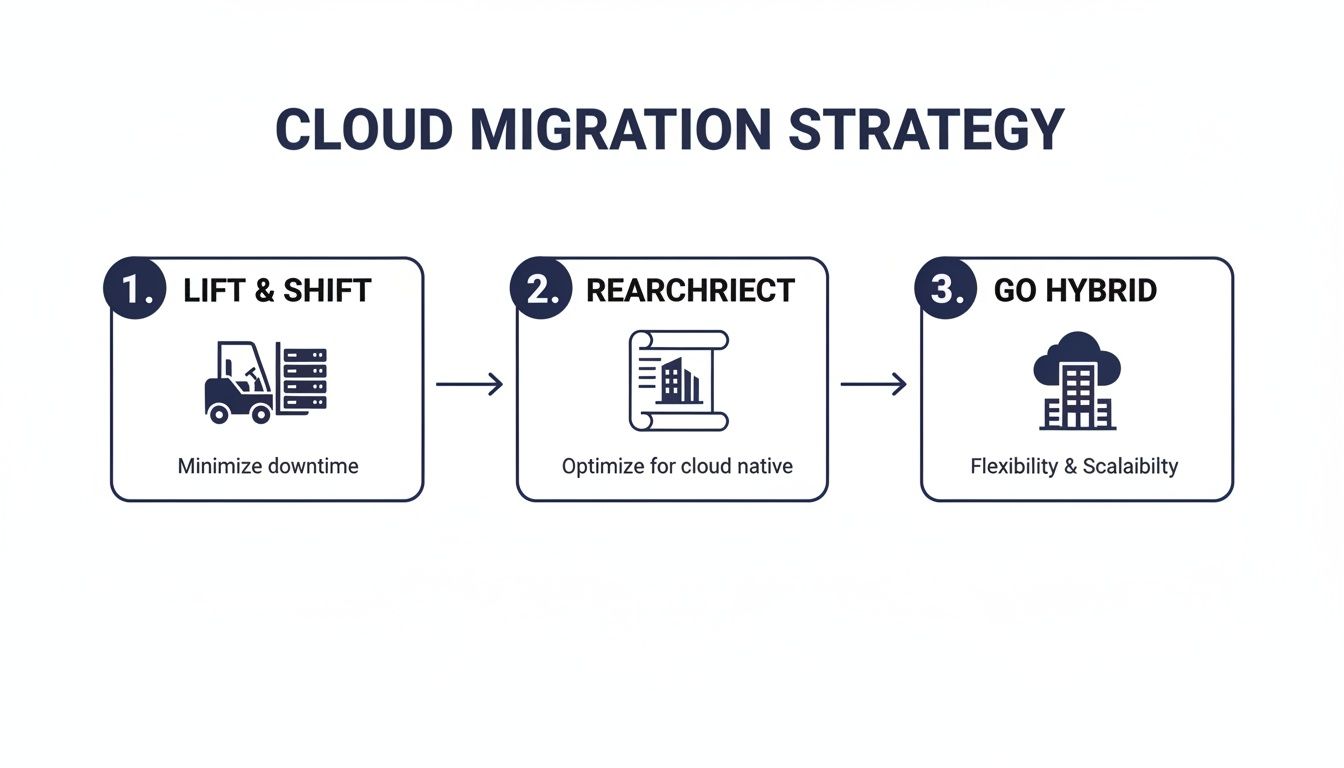
Whether we are performing a simple lift-and-shift or a complete rearchitecture, migrating in waves is the best way to control the process and minimize business disruption.
The final step is the cutover. This is the point when we officially disable access to the old system and direct everyone to their new SharePoint environment. We almost always schedule this for a weekend or after hours to ensure zero impact on your day-to-day operations.
Communication leading up to the cutover is essential. We ensure everyone knows the schedule, when the old system will become read-only, and how to log into the new one.
However, even with the best plans, unforeseen issues can arise. That is why a documented rollback plan is not just a "nice-to-have"—it is a necessity. Think of it as your safety net. It is a detailed, step-by-step guide to quickly revert to the old system if we encounter a critical problem after the cutover. While you hope you never need it, knowing it is there provides peace of mind. A solid rollback plan is the hallmark of any professional SharePoint migration in Edmonton.
Completing the technical side of your SharePoint migration is a significant milestone, but it is not the finish line. In many ways, it is the starting point. The true value of your new platform is only realized when your team uses it effectively, which requires a focused effort on adoption, training, and ongoing optimization.
Without a solid post-migration plan, users often revert to old, inefficient habits, such as saving files to their desktops or relying on email chains. For a SharePoint migration in Edmonton to deliver a real return on investment, you must actively guide your team toward a new, more collaborative way of working.
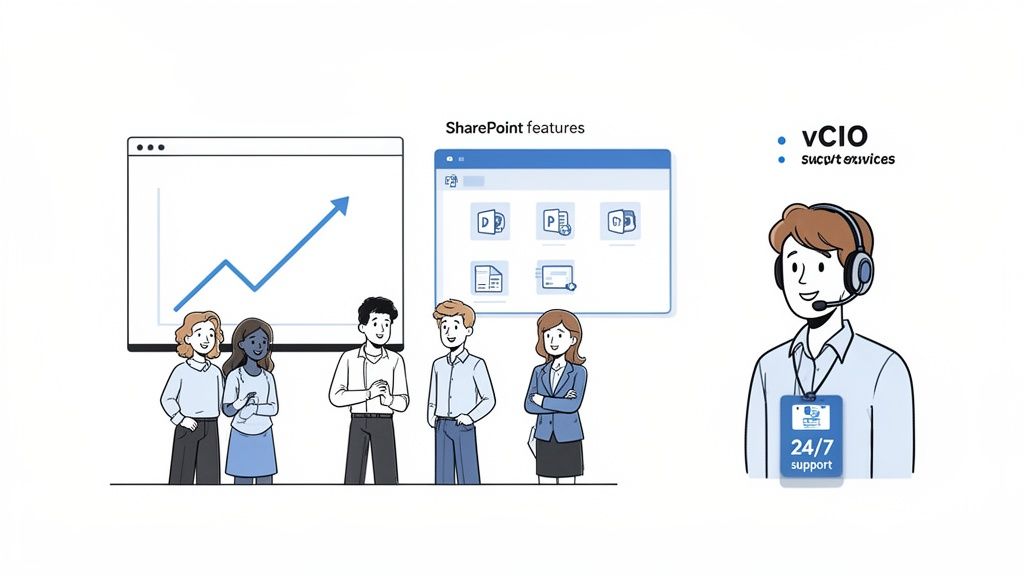
Simply showing your team how to upload a file is not enough. Effective training connects SharePoint’s features directly to their daily tasks and challenges. It is about demonstrating the "why" behind the change, not just the "how."
Instead of a generic, one-size-fits-all session, we find that role-specific training is far more effective. Your sales team, for example, does not need a deep dive into records management, but they will benefit from learning how to co-author proposals with colleagues in real-time.
A smart training strategy should include:
This tailored approach ensures everyone sees how the new tool makes their work easier, which is the fastest path to genuine adoption.
Technology is only half the equation; people are the other. A strong change management plan bridges this gap. It addresses the human side of the transition to prevent resistance and build enthusiasm. This starts with clear communication and setting expectations from the beginning.
A common mistake is assuming that a successful technical migration automatically leads to user adoption. In reality, adoption must be actively managed. Without it, you have simply moved your old problems to a new, more expensive location.
Your change management plan needs to clearly communicate the benefits for employees. Explain how SharePoint will reduce administrative tasks, make it easier to find information, and enable better teamwork, especially for those working remotely or from different Edmonton job sites.
Once your team is using SharePoint, the focus shifts to optimization and security. Your new environment is not a static product; it is a dynamic system that requires regular attention to perform at its best and remain secure.
Post-migration monitoring is essential. It helps you see which features are being used, identify potential performance bottlenecks, and ensure your security policies are being followed. Regular checks allow you to proactively address issues before they impact productivity.
For many Edmonton businesses, managing this ongoing oversight is a challenge. This is where strategic IT support, such as a virtual CIO (vCIO), becomes incredibly valuable. A vCIO provides ongoing guidance, helping you analyze usage data, refine security settings, and ensure your Microsoft 365 investment continues to align with your business goals. They help answer critical questions about whether your security is keeping up with new threats. For more on this, you can learn about securing your Microsoft 365 environment.
By pairing a thoughtful adoption strategy with continuous oversight, you ensure your SharePoint migration is not just a one-time project but a lasting improvement that drives your business forward.
Migrating to SharePoint is more than just a technology project; it is a significant business initiative that affects everything from daily workflows to compliance requirements. That is why choosing the right partner to guide your SharePoint migration in Edmonton is one of the most important decisions you will make.
The right partner should act as an extension of your team, not just another vendor. They bring the technical expertise for data transfers and security configurations, but more importantly, they provide the strategic vision to ensure your new SharePoint environment is built to support your business for years to come.
There is a tangible benefit to working with a partner who understands the Edmonton business landscape. A local partner recognizes the unique challenges here, whether it is the strict PIPA compliance in healthcare or the specific operational needs of manufacturing and logistics companies. That kind of local insight is invaluable.
When your partner is part of the community, you get a level of accountability you will not find with a faceless national firm. You are building a relationship based on trust and clear communication, knowing they are just down the road.
A SharePoint migration is a significant investment. The right partner ensures it delivers a powerful return by aligning the technology with your core business objectives, minimizing disruption, and empowering your team for success.
When you evaluate potential partners, look beyond the sales pitch and list of services. Engaging expert consulting IT services is the first step toward building a solid strategy and finding a team you can trust.
Here is what sets a great partner apart:
At CloudOrbis, we do not offer one-size-fits-all migrations. We see every SharePoint project as a unique opportunity to help an Edmonton business work smarter, more securely, and more collaboratively. Our engagement process is designed to deliver a smooth transition with minimal disruption, so your team can start benefiting from day one.
We combine our deep technical knowledge with a genuine commitment to understanding your business. With our 100% Canada-based 24/7 helpdesk and proactive approach to IT, we do not just manage your migration—we build a partnership to support your growth for years to come.
If you are considering a move to SharePoint, you likely have questions. Here are some of the most common ones we receive from businesses in Edmonton.
The honest answer is: it depends. The timeline for a SharePoint migration in Edmonton is determined by the volume of your data, the complexity of your current setup, and the migration strategy we choose together.
For a small business with a few hundred gigabytes of straightforward files, the process might take just a few weeks. For a larger organization with terabytes of data across multiple systems, the project could span several months. The only way to get an accurate timeline is with a thorough pre-migration assessment.
We plan every migration with one primary goal: minimal to zero downtime for your team.
The heavy lifting, such as the actual data transfer, occurs in the background without interrupting your team's work. The final "cutover" is the only part that requires a brief pause, and we always schedule it for a weekend or after hours to ensure a completely seamless transition.
We do not simply move your files into a new system. During the planning phase, we meticulously map your existing file permissions to SharePoint's more robust security model. The goal is to ensure your access levels are perfectly replicated—or, in many cases, improved for better security.
This is also the perfect opportunity to clean up a disorganized, decade-old folder structure. We will work with you to organize everything logically, making it much easier for your team to find what they need and boosting productivity from day one.
Ready to modernize your collaboration and secure your data? The expert team at CloudOrbis Inc. specializes in seamless SharePoint migrations for Edmonton businesses. We handle all the technical details so you can stay focused on growth.
Schedule your no-obligation consultation today by visiting our website at https://cloudorbis.com.
September 26, 2026
On-Premise to Cloud Migration Checklist: 10 StepsUse this on-premise to cloud migration checklist to plan assessment, compliance, backups, sequencing, testing, cutover, and optimization for SMBs.
Read Full Post
September 25, 2026
Is VoIP Good for Small Business in Canada? a 2026 GuideIs VoIP good for small business in Canada? Explore costs, benefits, reliability, security, and migration tips for SMBs considering VoIP in 2026.
Read Full Post
September 24, 2026
Helpdesk vs Service Desk: Choosing the Right IT SupportHelpdesk vs service desk: understand the key differences and choose the right IT support model for your organization in 2026.
Read Full Post
