Unlock Growth: Streamline Business Process in 2026
Learn to streamline business process. This guide gives Canadian SMBs a playbook for using managed IT, cloud, and automation for efficiency and growth in 2026.

Learn to streamline business process. This guide gives Canadian SMBs a playbook for using managed IT, cloud, and automation for efficiency and growth in 2026.

Most owners don’t wake up thinking, “We need to streamline business process.” They wake up because payroll still needs approval, patient files are sitting in two systems, staff are re-entering the same data, and someone is chasing an invoice that should’ve gone out yesterday.
That’s what operational drag looks like in a Canadian SMB. It isn’t dramatic. It’s daily. It shows up in missed handoffs, duplicated work, slow approvals, and teams that feel busy all day but still don’t get to the work that grows the business.
For regulated sectors like healthcare, legal, finance, logistics, and manufacturing, the problem gets worse. Process gaps don’t just waste time. They create security risk, compliance exposure, and customer frustration. If your workflow depends on sticky notes, inbox memory, or one employee who “just knows how it works,” you don’t have a process. You have a dependency.
A lot of mid-sized businesses reach the same point. The company has grown, but the way work gets done hasn’t. Staff still rely on spreadsheets passed around by email. Documents live in too many places. Teams use strong tools like Microsoft 365, but only for the basics. Phone systems, ticketing, approvals, and reporting all sit in separate lanes.

The fix usually isn’t “buy more software.” It’s to make the software, systems, and people work in a cleaner pattern. That’s what it means to streamline business process in a practical sense. Remove friction. Standardise handoffs. Reduce manual rework. Build workflows people can follow without guessing.
Practical rule: If a task has to be explained from scratch every time, the process is still broken.
This matters at the leadership level too. When workflows are messy, owners lose visibility. Managers spend time following up instead of leading. IT reacts to symptoms instead of addressing root causes. A proper process review gives you control back. It also turns technology into an operating tool rather than a collection of licences.
If you’re reviewing how support and service teams handle repeatable interactions, this overview of Customer Services Automation is a useful companion because it shows where repetitive customer-facing work can be structured instead of improvised.
For businesses trying to get serious about alignment between operations and technology, strategic planning matters as much as tool selection. That’s why a practical IT roadmap, like the guidance discussed at https://www.cloudorbis.com/blog/it-strategy-and-consulting, often becomes the difference between isolated fixes and sustained improvement.
Most businesses already know something feels inefficient. The harder part is identifying where to start. Guessing usually leads to low-impact projects, such as tweaking a report format while the underlying problem sits in onboarding, billing, scheduling, or compliance workflows.
A better approach is to run a simple internal process audit.
According to a 2022 Deloitte Canada report, 75% of Canadian SMBs identified inefficient processes as a top barrier to growth, with manual workflows contributing to an average of 20-30% lost productivity annually (supporting reference). That aligns with what many operators see on the ground. The primary drain isn’t one big failure. It’s dozens of small delays repeated every day.
Don’t audit everything at once. Pick one process that creates one or more of these problems:
Good candidates include client onboarding, accounts payable, employee offboarding, incident response, scheduling, dispatch, patient intake, or document approval.
This part needs accuracy. Don’t map the ideal version. Map the existing version. Sit with the people who do the work and ask:
You’re looking for friction points. Common ones include duplicate data entry, unclear ownership, inbox-based approvals, file version confusion, and steps that rely on verbal memory.
The workaround is often the clue. If staff built a side process to get work done, the official one is probably failing.
If your bottlenecks involve reporting, fragmented dashboards, or handoffs between systems, the article on 8 Common Data Analysis Bottlenecks and Their Solutions is worth reading because many operational slowdowns begin with poor data flow, not poor effort.
A quick scoring model helps you stop debating and start prioritising. Use the template below with your team.
| Business Process | Time Consumed (Manual Hours/Week) | Error Rate (Frequency of Mistakes) | Employee Frustration Level (1-5) | Impact on Client Experience (1-5) | Compliance Risk (1-5) | Overall Priority Score (Total) |
|---|---|---|---|---|---|---|
| Client Onboarding | ||||||
| Invoice Approval | ||||||
| Patient Intake | ||||||
| Support Ticket Routing | ||||||
| Employee Offboarding |
You don’t need perfect maths. You need a consistent way to compare processes. A workflow with moderate time waste but high compliance risk may deserve attention before a workflow that is only annoying.
Once the table is filled out, most businesses see the same categories show up.
Someone copies data from one system into another, renames files, sends reminders, or updates status by hand. These are usually the first tasks to automate.
A process breaks when one person assumes another person has the ball. This is common in finance approvals, service delivery, and cross-department work.
Your CRM, accounting software, Microsoft 365 environment, VoIP platform, and line-of-business apps don’t share context. Staff become the integration layer.
Nobody can quickly answer basic questions such as who approved this, where the latest version lives, or whether the record was retained correctly.
The best first project isn’t always the biggest one. It’s the one that is visible, fixable, and meaningful. If you can reduce daily friction in one important workflow, your team will trust the broader effort.
A practical infrastructure review helps here because process issues often sit on top of old hardware, weak access controls, or poor system design. This kind of checklist is a useful starting point for that deeper review: https://www.cloudorbis.com/blog/it-infrastructure-checklist
Once you know where the bottlenecks are, the next question is what technology should sit underneath the new workflow. Many businesses overcorrect at this stage. They buy an automation tool before they’ve stabilised devices, permissions, backups, or communications. The result is a faster version of a messy process.
A modern stack needs layers. Not just apps.
Before automation does anything useful, your environment has to be reliable. That means devices are monitored, updates are controlled, identity is managed, backups are tested, and users can get support without long downtime.
This is why managed IT belongs at the bottom of the stack rather than the side. If your team can’t trust connectivity, access, or endpoint performance, every “improved” workflow breaks under pressure. Businesses often underestimate how much process waste comes from small technical interruptions. Password resets, sync issues, unstable remote access, and printer workarounds all drain time from otherwise capable teams.
For some organisations, a managed service provider also acts as the operating layer that keeps cloud apps, user support, security tools, and vendor coordination moving together. CloudOrbis Inc. is one example of that model, providing managed IT, cloud support, security, backup, VoIP, and process automation services for Canadian SMBs.
Cloud adoption matters because efficient work needs a common operating environment. In practice, that often means Microsoft 365 for email, Teams, SharePoint, OneDrive, device management, and identity. For firms with more operational complexity, Dynamics 365 can bring together service, sales, finance, or field workflows.
The main benefit isn’t that these tools are “in the cloud.” It’s that they can reduce scattered files, disconnected communication, and version confusion when implemented properly.
A poor migration does the opposite. It moves clutter into a new platform and calls it modernisation.
Automation is powerful, but only when the process is already understood. If approvals are unclear, automating them just speeds up confusion.
A better sequence is this:
That might mean using Microsoft Power Automate to route approvals, trigger notifications, move documents, or create tasks. In a more structured environment, it could involve robotic process automation for rule-based admin work or workflow engines tied to CRM, ERP, ticketing, or document management systems.
Automate the repeatable step, not the judgement call. People should handle exceptions. Systems should handle routine flow.
Examples that usually work well include:
Examples that often fail:
A deeper look at practical tooling is available here: https://www.cloudorbis.com/blog/it-process-automation-software
The value of the right stack becomes obvious in logistics and oil and gas environments, where teams depend on fast communication and up-to-date operational information across offices, warehouses, dispatch, and field locations.
For logistics and oil & gas in Calgary and Edmonton, VoIP and cloud migrations cut communication delays by 50%, boosting on-time deliveries by 28% as per a 2025 Supply Chain Canada survey (supporting reference).
That result makes sense in operational terms. When dispatch, drivers, warehouse staff, customer service, and managers all work from fragmented systems, communication breaks down. A modern VoIP setup tied to shared cloud tools improves call handling, visibility, and response coordination. But the gains don’t come from VoIP alone. They come from integrating communication into the wider workflow.
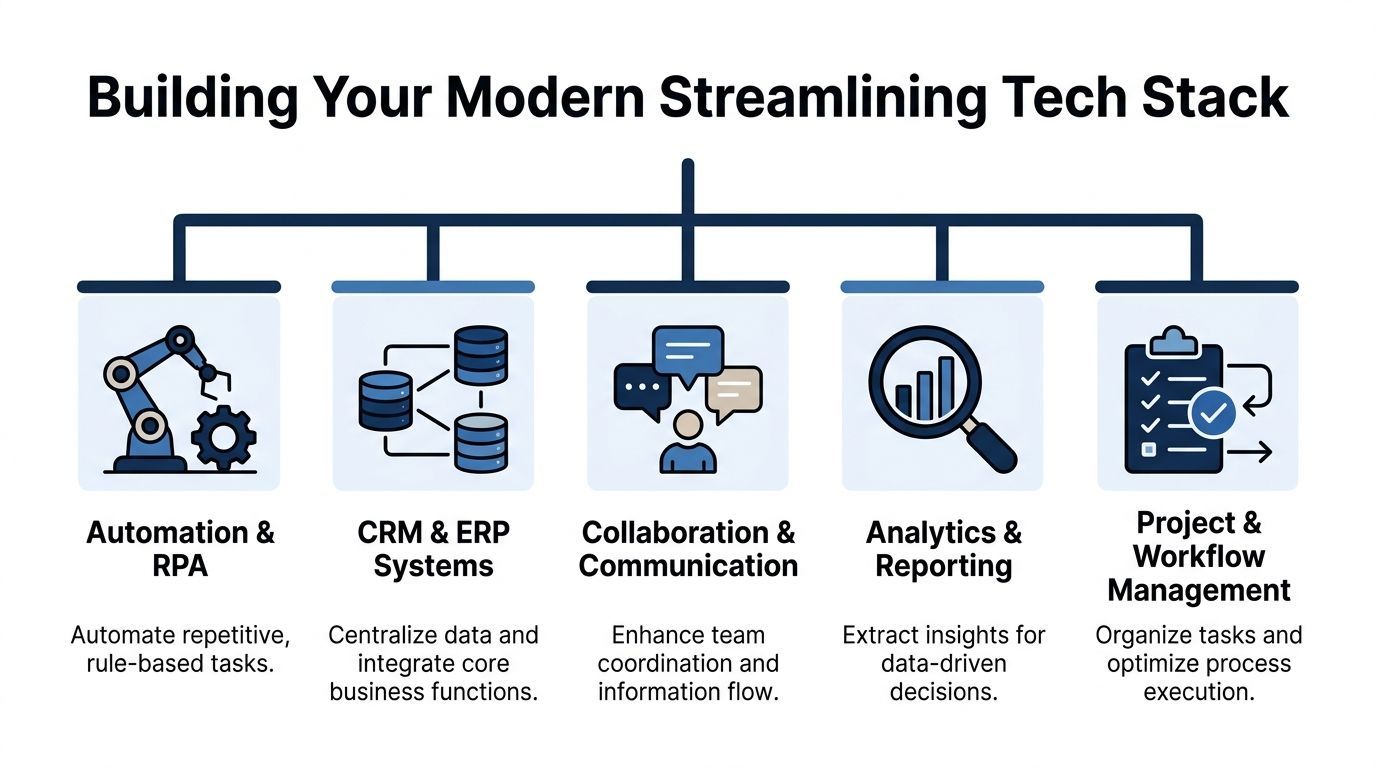
A strong stack usually includes five capability areas:
| Capability | What it should do |
|---|---|
| Automation and RPA | Handle repetitive, rules-based steps |
| CRM and ERP systems | Centralise customer, financial, and operational data |
| Collaboration and communication | Keep teams aligned in shared channels and tools |
| Analytics and reporting | Show what’s slowing work and where risk is building |
| Project and workflow management | Clarify ownership, deadlines, and task movement |
The right combination depends on your industry. A clinic needs privacy-aware records access and controlled documentation. A logistics business needs reliable communication and handoff visibility. A finance or legal firm needs secure document workflows and clear audit trails.
The common rule is simple. Build the base first, connect the systems second, automate third.
Many process projects fail for a simple reason. Leaders treat them like software deployments when they are behaviour changes.
A new workflow can be well designed, secure, and technically sound, but if staff don’t trust it or don’t understand why it matters, they’ll drift back to old habits. They’ll keep files on their desktop, send approvals by email, and maintain the shadow spreadsheet “just in case.”
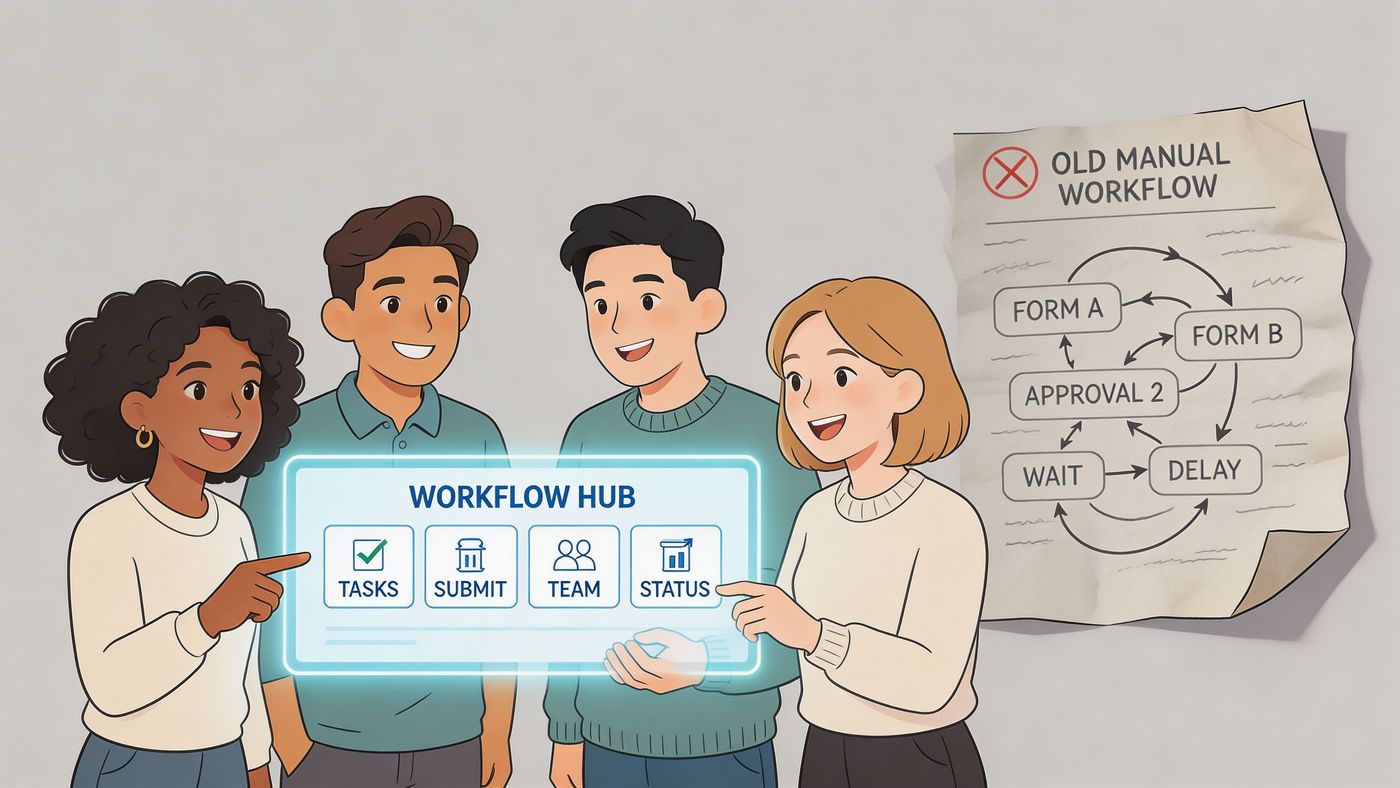
Staff need to hear more than “we’re rolling out a new system Monday.” They need the business case in plain language.
Tell them what’s changing and why:
That message has to be repeated by managers, not just sent in one launch email.
If employees think the change is about surveillance or control, they’ll resist it. If they see it removes pointless work, they’ll test it fairly.
The best workflow design sessions include the staff who live inside the process. They know where the exceptions happen. They know which fields are always missing. They know which “simple” step causes half the delays.
Three roles matter in adoption:
This person is accountable for the workflow overall. Not every task, but the performance of the process.
These are the employees who use the workflow daily. Their feedback should shape the design, especially around usability and exception handling.
Pick respected staff members who adapt quickly and communicate well. They can answer peer questions, reinforce standards, and reduce anxiety during rollout.
One long lunch-and-learn rarely changes behaviour. Teams need short, relevant training tied to actual tasks.
That usually means:
This becomes even more important when AI features enter the workflow. Tools such as Microsoft Copilot can help with drafting, summarising, and search, but only when permissions, file structure, and governance are already in order. Practical guidance on that front is available at https://www.cloudorbis.com/blog/how-to-use-microsoft-copilot
A workflow isn’t adopted because training happened. It’s adopted when staff stop relying on old methods.
Look for signs of healthy adoption:
Watch for warning signs too:
Human-centred implementation takes more patience, but it saves rework later. A process people use is worth more than a technically perfect process they avoid.
Plenty of businesses streamline a workflow, then discover they’ve created a security problem. Files sync to the wrong place. Staff share access too broadly. Backups don’t cover the new system. Audit records become harder, not easier, to produce.
Security can’t be bolted on after the workflow goes live. It has to be part of the design.
For Canadian healthcare providers, this is especially important. A clinic handling patient information has to think about operational speed and privacy obligations at the same time. In Ontario, that often means designing around PHIPA, and in some cases HIPAA requirements also shape the environment.
The common failure isn’t lack of effort. It’s fragmented process design. Intake happens in one system, files move through email, approvals happen verbally, and backups are treated as an IT issue rather than part of the operational workflow.
A 2025 report by the Canadian Institute for Health Information notes that 68% of Ontario healthcare SMBs faced compliance breaches due to inefficient processes, with only 22% using integrated managed IT for vulnerability assessments (supporting reference).
That tells you something important. Compliance breaches are often process failures first, technical failures second.
For a healthcare clinic, law office, or finance team, an efficient process should include security controls at each step.
Limit access by role. Reception doesn’t need the same visibility as clinical staff. Temporary staff shouldn’t inherit broad permissions because it’s convenient.
Patient files, contracts, and financial records should live in controlled repositories, not in personal inboxes or unmanaged local folders.
If a workflow creates or updates critical business records, those records need dependable backup coverage and a tested recovery path.
A secure workflow still depends on secure devices. If staff use laptops, tablets, or phones to access business systems, those endpoints need active protection and management.
You should be able to answer basic questions quickly. Who accessed the file? Who approved the change? Where is the current version? How long is it retained?
Compliance-friendly workflows reduce ambiguity. Staff shouldn’t have to guess where sensitive information belongs.
Take a small Ontario clinic trying to modernise patient intake and internal documentation. The wrong way is to digitise forms without tightening access, retention, backup, and review practices. That produces a nicer-looking front end with the same risk underneath.
The better approach is to map the workflow around privacy requirements from the start:
That kind of design takes coordination between operations, leadership, and IT. It also requires sector-specific judgement. Generic automation advice won’t cover the difference between convenience and compliance.
For businesses reviewing that foundation, this security planning resource is a practical next step: https://www.cloudorbis.com/blog/it-security-services
If you can’t measure the result, streamlining turns into a belief system. One manager says things feel faster. Another says the team is still overloaded. Nobody can prove what changed.
Good KPIs solve that. They connect process work to business outcomes you can review.
Before changing a workflow, capture the current state. You don’t need a giant analytics project. You need a baseline.
That usually includes:
Without that starting point, even a good result becomes hard to defend.
Don’t measure only speed. A process can become faster while creating new risk or frustrating staff. Track performance across four dimensions.
These KPIs show whether work moves with less friction.
These KPIs show whether the new process is easier to live with.
These metrics keep the outside impact visible.
These are critical in regulated environments.
A KPI only matters if someone reviews it and acts on it. Monthly trend reviews are often enough for most SMBs. High-risk workflows may need more frequent attention.
Look for patterns:
That’s where the next round of improvement usually comes from.
A healthy KPI set should answer two questions fast. Is the process working better, and is it creating any new risk?
Keep the dashboard small enough to use. Five to eight meaningful indicators beat twenty vanity metrics every time.
Most businesses don’t need a dramatic overhaul. They need a disciplined way to remove friction from the work they already do every day.
That starts by identifying one painful workflow, mapping it accurately, fixing the underlying handoffs, and supporting the change with the right mix of managed IT, cloud platforms, automation, training, and security controls. For Canadian SMBs, especially in healthcare, logistics, manufacturing, legal, and finance, the strongest results usually come from an industry-specific approach rather than generic “automation first” advice.
The important shift is this. Streamlining isn’t a software purchase. It’s an operating decision. Done well, it gives leaders more visibility, staff less admin burden, and clients a more consistent experience. Done poorly, it just moves old chaos into newer tools.
A few common questions come up at this point.
It depends on the complexity of the workflow, the systems involved, and how much cleanup is needed first. A focused process with clear ownership can move relatively quickly. A regulated or cross-department workflow takes longer because access, compliance, training, and exception handling need more care.
Standardise first. If the workflow is unclear, automation will hard-code the confusion. Map the process, assign ownership, define exceptions, then automate the parts that are repetitive and stable.
Sometimes, yes. If your internal team has time, process discipline, and the right technical depth, you can improve a lot on your own. Many SMBs struggle because internal staff are already overloaded, or because the work spans infrastructure, cloud, security, compliance, and change management at the same time.
They choose tools before they define the workflow. The second biggest mistake is skipping adoption work and assuming staff will “figure it out.”
Pick the one that combines visible pain, realistic scope, and meaningful business impact. The best first win is usually a workflow that staff complain about often and leadership can measure clearly.
If you’re ready to simplify operations without creating new security or compliance gaps, CloudOrbis Inc. can help you assess your current workflows, prioritise the right fixes, and build a practical path from process sprawl to controlled, modern operations.
Book a 30-minute call with a senior engineer. No sales script, just straight answers about your environment.


