Manage iPhone Application Permissions for Business Security
Master iPhone application permissions to secure your business data. Guide covers access management, enterprise controls & compliance for Canadian SMBs.

Master iPhone application permissions to secure your business data. Guide covers access management, enterprise controls & compliance for Canadian SMBs.
A clinic manager approves a few new apps for work iPhones. A sales lead installs a file-sharing app to move photos faster. A field supervisor allows location access “just in case” because the prompt appears during setup and everyone wants to get on with the day. Nothing looks dangerous. No one thinks they've created a security problem.
Then a privacy review starts, or a client asks how mobile data is controlled, and the gap becomes obvious. Company iPhones are carrying customer messages, photos, call logs, calendars, and location trails through apps that may have far more access than they need. That's the core issue with iPhone application permissions. The risk usually doesn't begin with malware. It begins with routine permission prompts that staff approve without context.
For Canadian businesses, this is now a governance problem, not just a user-awareness problem. If your team uses work-issued iPhones or supports BYOD, app permissions affect privacy, compliance, incident response, and client trust. They also fit squarely within the broader category of a cybersecurity threat, because every unnecessary permission creates another path to sensitive data.
The good news is that Apple gives users and IT teams strong controls. The challenge is using them consistently, and then scaling them across a real business environment where healthcare staff, finance teams, executives, and field workers all need different levels of access.
Most businesses don't notice mobile permission risk until they audit a device and ask a basic question: why does this app need access to that data?
A work iPhone can hold photos of a job site, scanned IDs, customer contact details, calendar entries, Teams messages, voicemail, and location history. If an employee installs a personal productivity app or social platform on that same device, the app may request broad access during setup. Staff often approve it because the request appears ordinary. In day-to-day operations, that decision can subtly expand the company's data exposure.
The problem isn't that every app is malicious. The problem is that many apps ask for more than their core function appears to require. That creates three operational issues:
Businesses rarely lose control of mobile data in one dramatic event. They lose it in small permission decisions repeated across dozens or hundreds of devices.
For small and mid-sized organisations, that's why iPhone application permissions deserve the same discipline as laptop endpoint controls. If your business protects SharePoint, Microsoft 365, and cloud backups but ignores app-level data access on phones, you've left a blind spot in the environment.
Think of permissions as digital keys. One key opens the supply closet. Another opens the records room. A few open almost everything people care about. Good mobile security starts by making sure each app gets only the key it needs.
A 2019 Jamf analysis of nearly 100,000 popular iOS App Store apps found that the four most-requested permissions were Photos, Camera, Location, and Microphone. The same analysis found that at least half of apps across all categories asked for photo-library access, with especially high rates in some categories, including 96% of photo and video apps, 87% of shopping apps, and 84% of social networking apps. For business leaders, that matters because permission requests are common across the apps people use every day, not just niche tools.
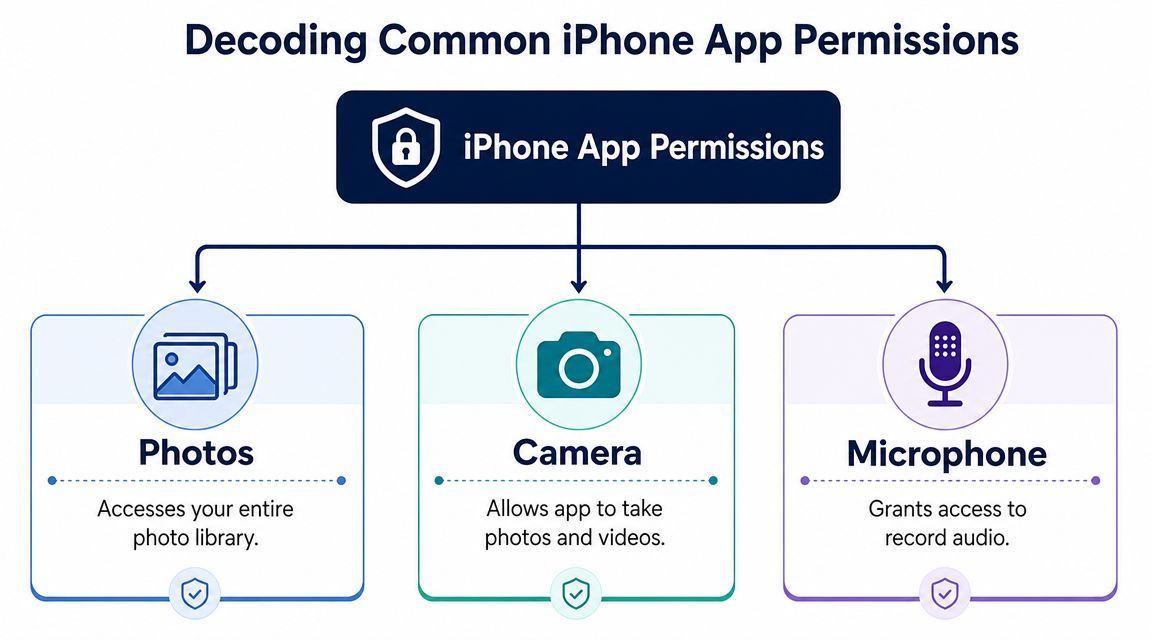
Here's how the most important permissions translate in business terms:
| Permission | Legitimate business use | Overreach warning sign |
|---|---|---|
| Photos | A site inspection app needs to upload work images | A simple utility app asks to browse the full photo library |
| Camera | Video meetings, scanning receipts, documenting damage | An app with no photo or video feature requests camera access |
| Microphone | Voice notes, meetings, dictation, calling features | A task app or calculator asks to record audio |
| Location | Fleet, dispatch, routing, delivery confirmation | A non-location-dependent app asks for persistent access |
| Contacts | Corporate communications or CRM syncing | A basic tool wants to ingest the address book |
| Local Network | Printer discovery, approved device communication | A consumer app asks to discover devices without a clear reason |
Don't start with the permission. Start with the app's job.
A logistics app probably needs location. A secure document scanner may need camera and photo access. A collaboration tool might need microphone and camera for calls. But if a weather widget wants contacts, or a note-taking app wants constant location, that's where IT should step in.
One useful way to train employees is to compare mobile permissions to physical access control. Most businesses don't hand every staff member a master key. They issue only the doors needed for the role. The same logic applies to mobile apps.
That principle also matters outside classic office environments. As businesses adopt connected tools such as smartphone-controlled access for gates, the line between convenience and over-permissioning gets thinner. Mobile access can improve operations, but only when device permissions, app trust, and identity controls are managed together.
Practical rule: If the app can still do its main job without the permission, treat that request as optional until proven necessary.
You don't need an MDM platform to perform a useful first audit. Any user can review permissions directly on the iPhone, and that makes this one of the fastest mobile security checks a business can promote across the workforce.
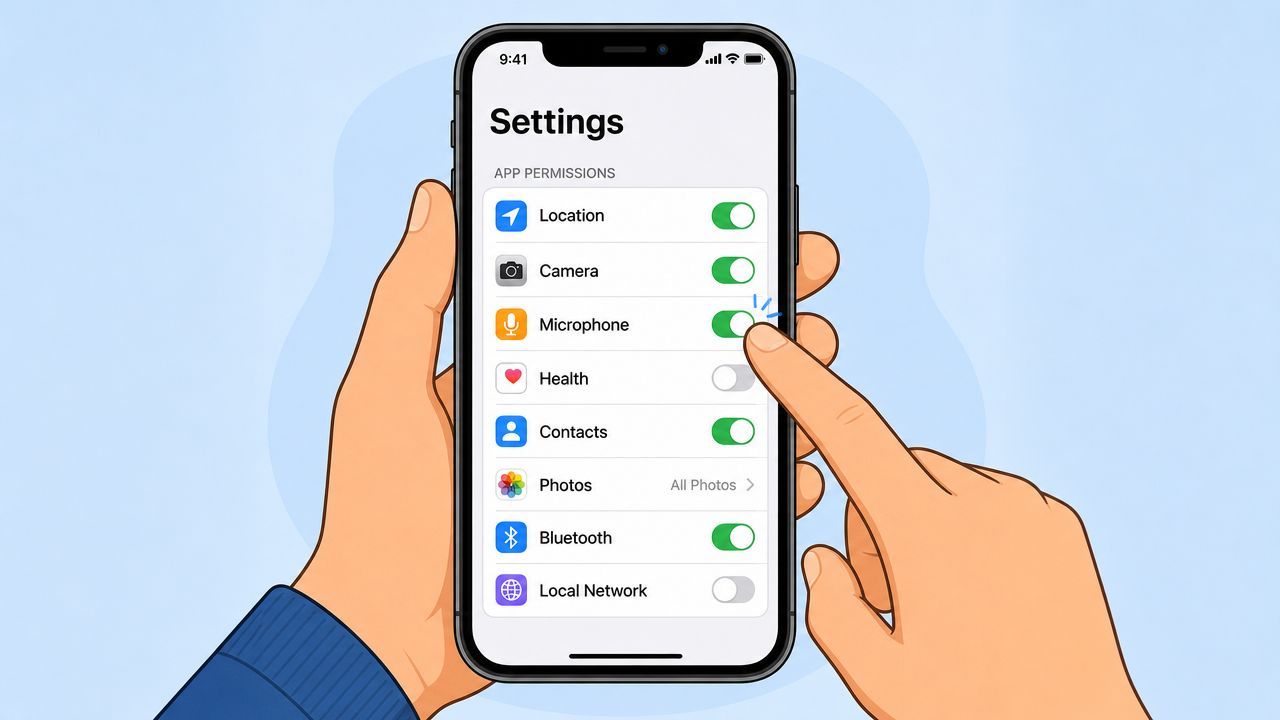
This method is best when you want to answer a question like “Which apps can use the microphone?”
This is often the fastest way to spot outliers. If staff are supporting shared devices or executive phones, this view helps identify apps that have accumulated access over time.
This method works better when you're checking a specific app before approving it for business use.
For location, the safest default in many cases is While Using the App rather than broader access. Apple's controls support that granular choice, and that's one of the most effective ways to limit unnecessary background collection while keeping the app usable.
The best staff guidance is short and repeatable. Many organisations overcomplicate this and end up with a policy nobody reads.
Use a checklist like this:
If you're building internal training, this pairs well with broader app security best practices that explain why least-privilege design matters on mobile. It also supports simple end-user awareness campaigns such as this quick guide on how to secure your business smartphone in 5 minutes.
Many businesses stop at permission toggles. That's useful, but it only tells part of the story. The stronger approach is to review how apps behave after those permissions have been granted.
Apple says iPhone privacy controls let users review and change app access to data such as Contacts, Photos, Calendar, Motion & Fitness, microphone, and camera, and Apple says App Privacy Report shows how apps use the permissions you grant and their network activity in its iPhone privacy controls guide. Apple's App Tracking Transparency requirement arrived in 2021, and by April 2022 the global iOS opt-in rate for tracking was reported as about 20%. For Canadian organisations, that low consent rate is a strong signal that users are selective about app tracking and expect tighter mobile privacy controls.
App Privacy Report helps answer questions that a simple settings review cannot. It can show whether an app is using the access you granted and whether its network behaviour aligns with its purpose.
Look for these patterns:
If an app's behaviour surprises your IT team, it will almost certainly surprise an auditor.
The App Store's privacy labels are useful during software approval. They won't replace testing, but they do help IT and line-of-business leaders ask better questions before deployment.
Review apps this way:
For internal development teams or organisations that commission custom apps, Apple's direction around data declarations also matters. This guide to iOS privacy manifests for developers is a useful primer for understanding how mobile software is expected to declare privacy-impacting behaviour. Businesses that already run periodic computer security audits should include these mobile checks in the same review rhythm.
Manual review works for a handful of devices. It breaks down fast when you're managing executives, clinic staff, warehouse supervisors, field teams, and shared corporate phones across multiple locations. That's where Mobile Device Management, or MDM, moves iPhone application permissions from ad hoc decisions to enforceable policy.
A practical risk-management view comes from Jamf, which notes that the most frequently requested iOS permissions are Photos, Camera, Location, and Microphone, and that broader permissions increase the amount of data an app can collect or infer, while tighter permissions reduce attack surface and limit the blast radius if the app is compromised in its iOS app permissions guidance.
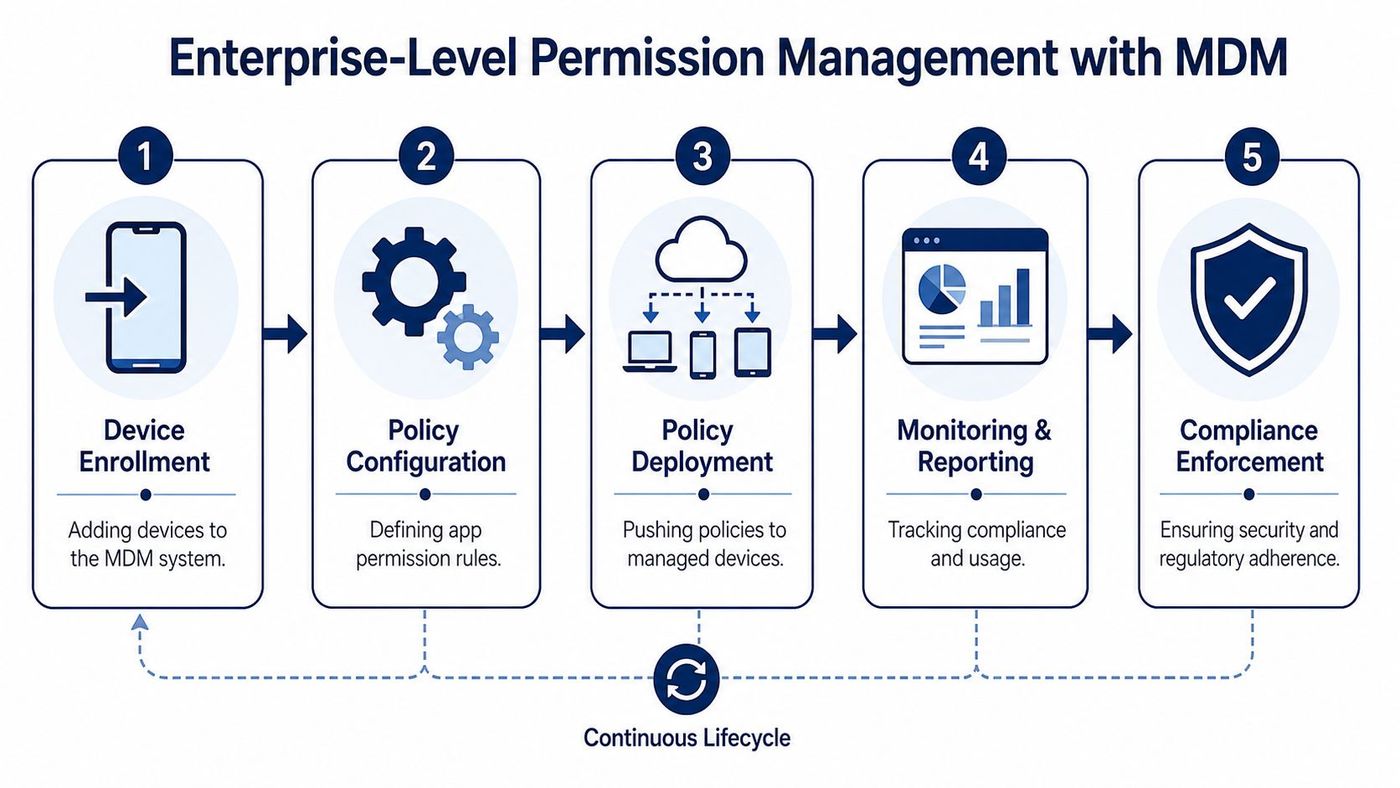
Without MDM, security depends on users making the right choice every time a prompt appears. With MDM, IT can define the acceptable choices ahead of time.
That changes the operating model in several ways:
These terms sound technical, but the business meaning is straightforward.
A supervised iPhone gives the organisation deeper administrative control over a corporate-owned device. That matters when the company needs stronger restrictions, tighter separation of approved apps, or more reliable enforcement of mobile security rules.
A configuration profile is the policy package that tells the device what's allowed. It can define settings, restrict behaviours, and support managed app deployment in a way that's far more consistent than sending employees a setup guide.
The biggest shift with MDM isn't convenience. It's moving from “please configure your phone this way” to “this is the standard, and the device enforces it.”
MDM earns its value when different teams need different mobile access patterns. A finance leader may need secure email and document access, but no reason to install unapproved file-sharing tools. A field technician may need camera and location for work orders, but not social apps on the same managed device.
That's where policy design matters more than blanket lockdowns. Heavy-handed restrictions often fail because staff find workarounds. Better results come from controlled flexibility:
| Scenario | Better control choice | What usually doesn't work |
|---|---|---|
| Shared corporate iPhones | Supervise devices and lock app choices tightly | Relying on each user to review settings manually |
| Executive devices | Limit high-risk consumer apps and monitor drift | Assuming senior staff will tolerate confusing prompts |
| Field operations | Allow only the permissions tied to route, proof, and communication workflows | Granting broad access “for convenience” |
| BYOD access | Use managed apps and conditional access boundaries | Treating personal and business data as if they're fully separable without controls |
For Canadian SMBs, iPhone application permissions transition from being a helpdesk issue to an element of security architecture. Teams already investing in endpoint protection, identity controls, and cloud governance should treat MDM the same way. It belongs inside the broader mobile strategy described in managed IT services security.
In regulated sectors, poor permission hygiene isn't just untidy IT. It can create reportable incidents, legal exposure, and failed audits.
Healthcare is the clearest example. A clinician uses a work iPhone to photograph a wound for a documented care workflow. That can be legitimate if the app, storage path, and consent process are controlled. The same act becomes a compliance risk if the image lands in a broadly accessible photo library and another app on the device can also read those photos. In finance, a similar problem appears when apps can access contact details, messages, documents, or recordings outside approved channels.
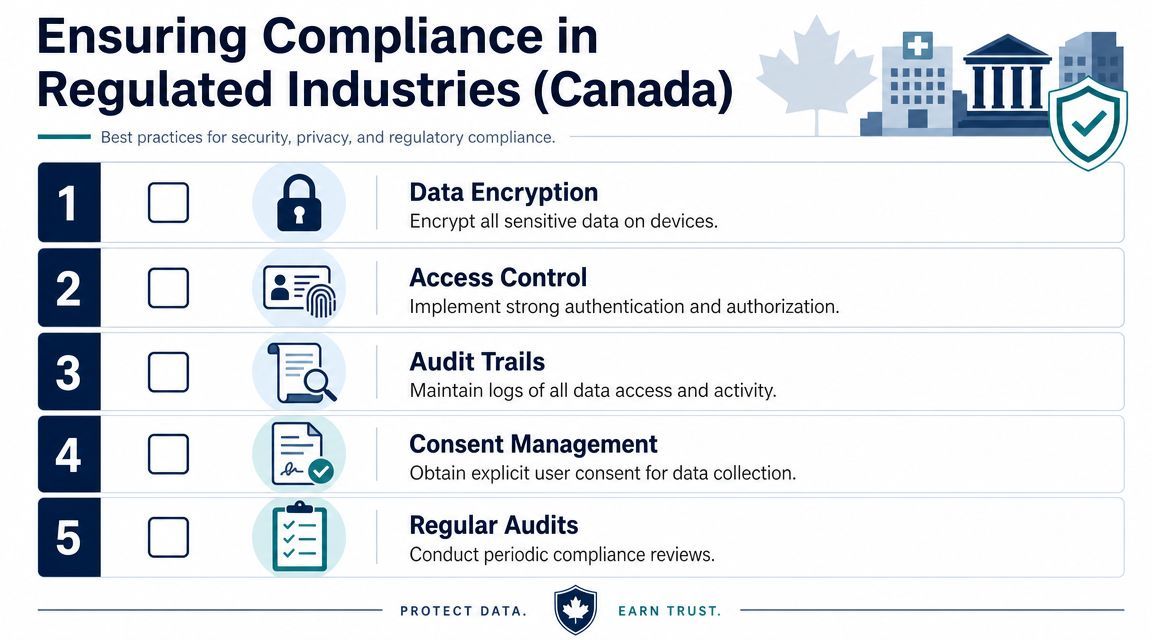
Healthcare providers, legal practices, accounting firms, and finance teams often focus on encryption, retention, and backup. Those matter. But mobile permissions can undermine all three if uncontrolled apps create alternate paths to sensitive information.
The common failure points are operational:
Regulated businesses usually need a stricter baseline than general office environments. In practice, that often means:
A clinic, law office, or finance department doesn't need every device locked down the same way. It needs evidence that each role has the right mobile controls for the sensitivity of the data involved.
In regulated industries, “we trust our staff” isn't a control. Auditors look for policy, enforcement, and records.
For Canadian organisations working under PHIPA, contractual privacy obligations, or strict client security questionnaires, that distinction matters. Permission management supports consent discipline, least privilege, and defensible governance. Those are exactly the things compliance reviews tend to probe.
The biggest mindset shift is simple. iPhone application permissions aren't a setup task to finish once. They're an ongoing control that needs review, policy, and enforcement.
At the individual level, users should know how to question a permission prompt and choose the narrowest practical access. At the business level, IT should decide which apps are approved, which permissions are justified, and how those decisions are enforced across devices. In regulated environments, that work also needs records, exceptions management, and periodic review.
The strongest programmes usually share a few habits:
If your organisation already manages laptops and cloud access with policy, mobile deserves the same standard. That's especially true for teams handling client records, patient information, financial data, legal files, or sensitive operational images.
The practical goal isn't to eliminate every app permission. It's to ensure each permission is intentional, justified, and controlled at scale.
CloudOrbis Inc. helps Canadian businesses turn that goal into a managed reality. If your team needs stronger control over work iPhones, BYOD, MDM policy, or compliance-driven mobile security, CloudOrbis Inc. can help you assess your current risks, define enforceable standards, and support your environment with a Canada-based managed IT and cybersecurity team.
Book a 30-minute call with a senior engineer. No sales script, just straight answers about your environment.


