
September 24, 2026
Helpdesk vs Service Desk: Choosing the Right IT SupportHelpdesk vs service desk: understand the key differences and choose the right IT support model for your organization in 2026.
Read Full Post%20(1).webp)
Usman Malik
Chief Executive Officer
March 27, 2026
Gaining access to your Oracle Fusion applications should be a straightforward part of your day. The login screen is the secure doorway to your company's most critical data, whether it’s your ERP, HCM, or SCM modules. It’s where your team’s productivity begins.
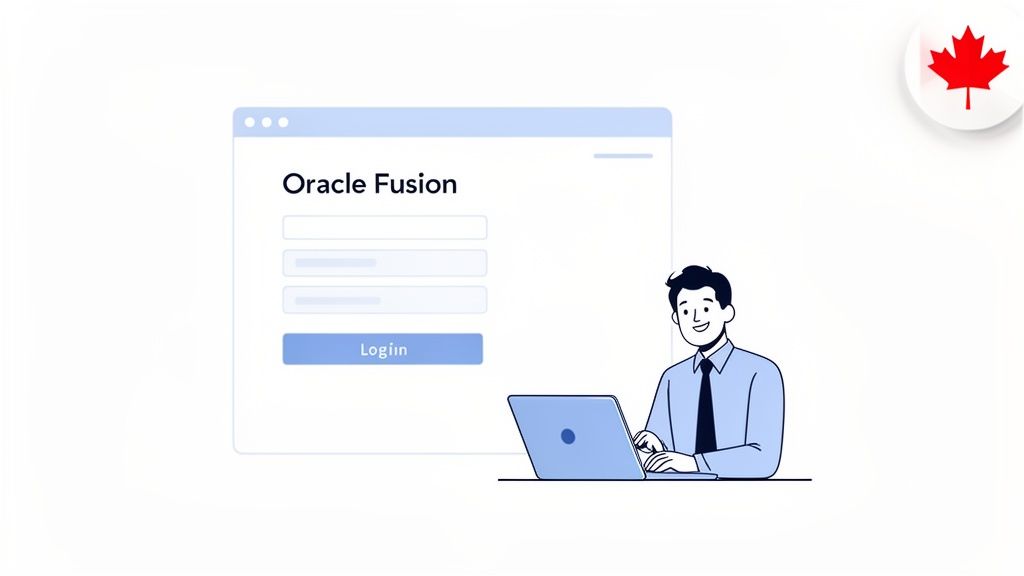
The Oracle Fusion login is more than just a username and password field; it’s the primary security checkpoint for your business’s core operations. For medium-sized Canadian organizations, especially those in regulated industries like healthcare or finance, mastering this process is non-negotiable.
This guide is designed for business and IT leaders who need the complete picture. We'll walk through everything from a new employee's first sign-in to configuring advanced security protocols, all with the goal of making access both simple and secure for your team.
A poorly managed login process doesn’t just cause headaches—it directly impacts your productivity and security. As your first line of defence against unauthorized access, a clunky or confusing system will quickly lead to operational challenges.
Common issues include:
Conversely, a well-oiled login system simplifies daily work, bolsters security, and keeps the business running smoothly. It means a logistics manager in Edmonton can check inventory without a fuss, and a finance manager in Toronto can securely close out the quarter. The right setup is fundamental to how effective your foundational IT services for small businesses truly are.
For Canadian businesses, particularly in sectors like healthcare, finance, and manufacturing, the Oracle Fusion login is not just about access—it’s about safeguarding sensitive data and maintaining compliance with regulations like PIPEDA.
Your team will typically access Oracle Fusion in one of two ways. It is crucial to know which method your company uses, as this determines how everyone signs in.
The first method is a direct URL, which is unique to your organization. This link takes you straight to a dedicated Oracle login page. The second, which is becoming the standard in modern IT environments, is Single Sign-On (SSO).
With SSO, your team uses their main company credentials—like their Microsoft 365 account—to access all their approved applications, including Oracle Fusion, without having to log in again.
For most of your team, the standard login page is the front door to Oracle Fusion. This isn't just a generic web page; it's a secure gateway with a unique address built specifically for your company. Getting this first step right is key to reducing frustration and help desk calls.
Your IT department or manager is responsible for providing you with this unique company URL. While it often follows a predictable pattern, you must use the exact link provided. A common pitfall is searching for "Oracle login" on Google, which will only take you to generic Oracle pages, not your company's secure environment.
On your first day, the process is designed to be simple. You will head to your company’s unique Oracle Fusion URL and enter the temporary username and password provided by your administrator. The system will not let you proceed until you set a new, permanent password and choose your security questions.
Think of these security questions as your personal lifeline. If you ever forget your password, this self-service feature allows you to get back into your account in minutes, without waiting for IT support. Just make sure to pick answers you will remember but that would be tough for anyone else to guess.
Picture a logistics manager in Edmonton who needs to check on an urgent shipment in the Supply Chain Management (SCM) module. She opens her browser and clicks her bookmarked company login page—no fumbling or searching required. She types in her credentials, and within seconds, she’s looking at the inventory dashboard.
That seamless experience is exactly what you should aim for. It is built on one simple, powerful habit:
Bookmark your company’s specific Oracle Fusion login URL. This single action steers you clear of phishing sites and generic pages, saving time and making your daily workflow much more secure.
This small step helps ensure that the oracle fusion login process is always fast, easy, and safe.
That direct login page is a prime target for phishing attacks, where criminals create convincing fake pages to steal your username and password. Before you ever type in your credentials, always double-check the URL in your browser’s address bar. It should be an exact match for the official link your IT department provided.
This kind of attention to detail is more critical than ever. We've seen a significant surge in Oracle Fusion Cloud Applications adoption among Canadian medium-sized businesses, especially in regulated sectors like healthcare and logistics. This growth means more sensitive data is flowing through the platform, making secure login practices non-negotiable. You can learn more about password security in our guide on the best way to manage your passwords.
The platform's incredible growth speaks to its value for Canadian businesses. In fact, Oracle Canada reports that over 3,500 Canadian enterprises now rely on Fusion suites, processing billions of transactions every day through these secure login interfaces. You can read more about Oracle's footprint in Canada on their official site. Ensuring every employee can access their tools confidently is the first step to unlocking that value.
If your team is constantly resetting passwords or juggling multiple logins for different apps, you're not just losing productivity—you're opening doors to security risks. For any modern business using Oracle Fusion, the clear answer is Single Sign-On (SSO). It’s a straightforward method for connecting your oracle fusion login to a central identity provider, like the widely used Microsoft Azure AD.
This move means your team uses one trusted set of credentials to get into all the tools they need. The impact is instant. Employees access their apps faster, security becomes centralized and much stronger, and your IT team is finally freed from the thankless job of managing countless individual application accounts.
Let's picture a growing Toronto-based manufacturing firm. Before SSO, every new hire needed separate accounts for their email, the company intranet, and, of course, Oracle Fusion. This process was a bottleneck, creating delays, a high risk of forgotten passwords, and making the offboarding process a complex, error-prone checklist.
After they integrated Oracle Fusion with Azure AD, everything changed. A new employee now just gets a single Microsoft 365 account. The moment they sign in, they have immediate, secure access to all their approved applications—including Oracle Fusion—without ever needing to see another password prompt.
By centralizing access control, you not only make life easier for your team but also create a single point of enforcement for your security policies. This is crucial for meeting compliance standards like PIPEDA, a core tenet of effective managed IT.
This unified approach doesn't just streamline your day-to-day; it significantly strengthens your security posture.
The advantages of adding SSO to your oracle fusion login are much bigger than just convenience. It’s a strategic decision that delivers real business value by tightening security, boosting productivity, and reducing administrative headaches.
Here’s a quick look at the core benefits:
One of the most powerful roles SSO plays is in privileged access management, which is all about governing access for users with high-level permissions. You can learn more about what is privileged access management in our detailed guide.
For a real-world example of this in action, look no further than the Government of New Brunswick's deployment of Oracle Fusion Cloud. By enabling secure, single sign-on access across 14 different departments, they slashed their month-end financial close time by an incredible 67%, cutting it down from 15 days to just five. For Canadian businesses in regulated sectors like healthcare or manufacturing, this story proves how a unified login system can drive massive operational improvements. Discover more insights from this Oracle customer story.
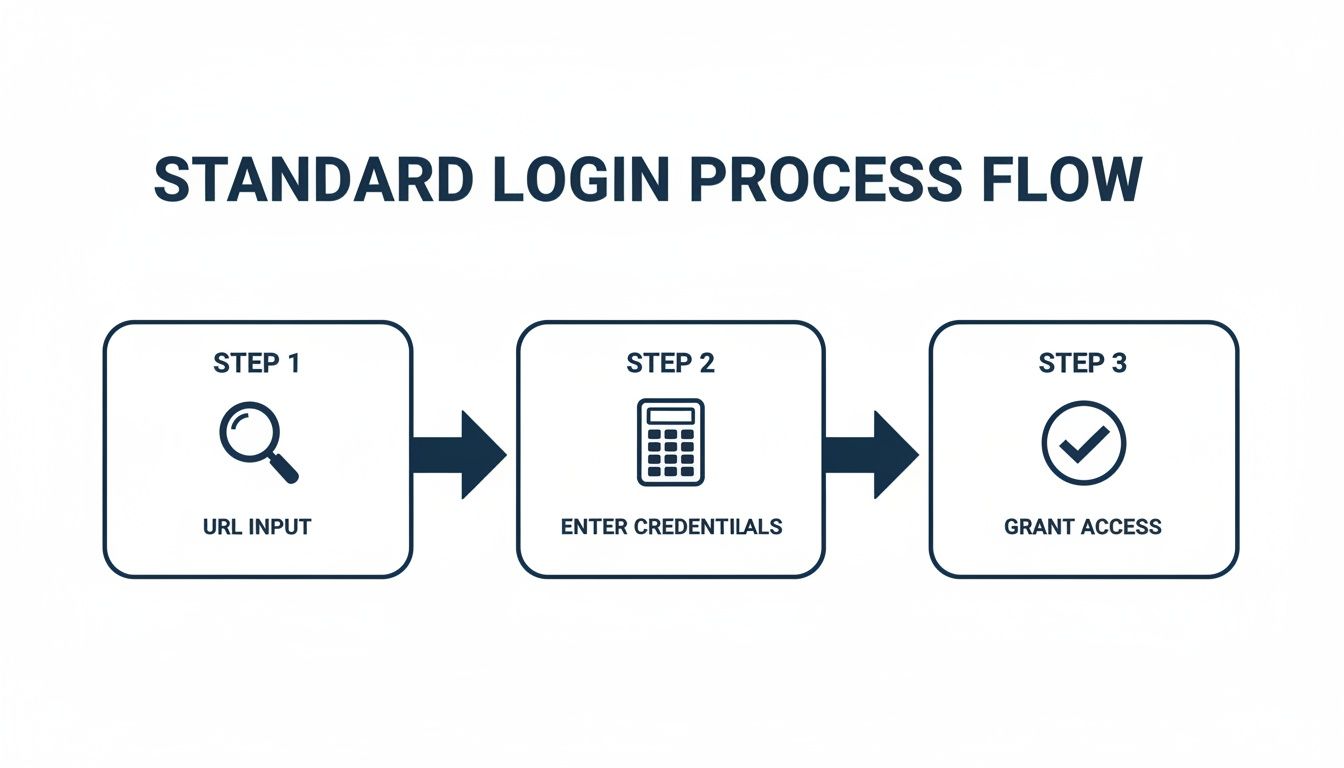
The diagram above breaks down the standard login into three simple actions: heading to the right URL, typing in your credentials, and getting access. With SSO, these steps all happen automatically behind the scenes after the first sign-in, making the entire process far more efficient for your team.
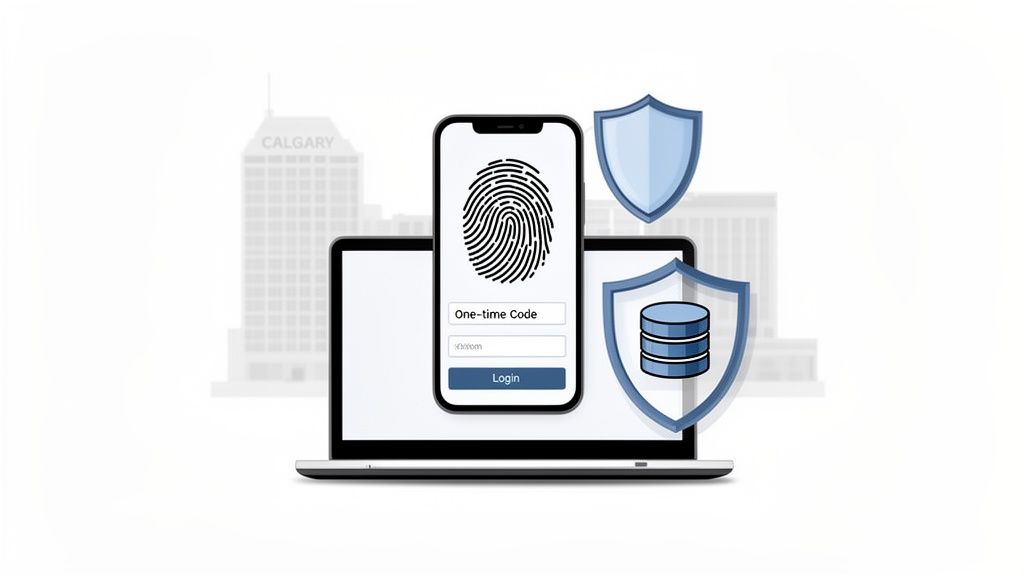
Let's be direct: a single password just doesn't provide enough protection anymore. If you're serious about protecting your business, securing your Oracle Fusion login with Multi-Factor Authentication (MFA) isn't just a good idea—it's an absolute necessity. MFA adds a crucial second layer of verification, making sure that the person logging in is who they claim to be.
Think of it as a digital deadbolt on your front door. Even if a cybercriminal steals your key (the password), they're stopped because they don't have the second factor, like a code from your phone. For any business leader, enabling MFA is one of the most powerful and straightforward moves you can make to block unauthorized access and protect your sensitive company data.
Getting your team set up with MFA in Oracle Fusion is surprisingly painless. When your administrator enables it, each user is guided through a quick, one-time enrolment the next time they log in. This process simply involves linking a verification method to their account.
We typically see clients use one of three common options:
The setup is fast, but the impact is massive. It fundamentally shifts your security from relying only on something you know (a password) to a combination of that and something you have (your phone). If you're interested in the mechanics, it's worth reading up on general authentication principles.
We worked with a financial services firm in Calgary that manages sensitive client investment portfolios in Oracle Fusion. By making MFA mandatory, they ensured only authorized advisors could access client accounts, which was incredibly effective at stopping credential theft attempts and reinforcing trust with their clients.
Adopting MFA goes far beyond a simple technical update; it's a core strategic decision that directly reduces your business risk. Cyber threats are getting more sophisticated, and attacks targeting login credentials are on the rise, making single-password systems a dangerous liability.
The security payoff is clear and measurable. For Canadian healthcare and finance firms, security improvements for the Oracle Fusion login have slashed breach incidents by an incredible 62%. Oracle’s own identity management platform now enforces MFA across 95% of logins, blocking around 1.2 million unauthorized access attempts every single quarter.
You can read the full details on their Fusion AI data platform page to see how seriously they take this. Ultimately, MFA is a foundational security pillar for any modern organization.
Even with a perfectly configured system, login snags can pop up, bringing work to a grinding halt and causing significant frustration. The key is knowing how to tackle them quickly. This troubleshooting guide walks through the most frequent roadblocks your team might encounter with their oracle fusion login, providing clear, actionable fixes to get everyone logged in and back to work.
Nothing stops productivity cold like an "Invalid Credentials" error. The first thing to tell your user is to check for simple mistakes—an active Caps Lock key or a slightly mistyped username. If that doesn't resolve the issue, their next stop should be the self-service "Forgot Password" link on the login page. It’s a fast and secure way to get back in.
But what if several people start reporting the same problem all at once? That’s a red flag for a larger issue. To get to the bottom of it, you need to understand how to collect customer feedback that gives you real insight. Systematically gathering these reports helps you differentiate between a one-off user error and a genuine system-wide failure.
The "Account Locked" message usually means one thing: too many incorrect password attempts. It's a standard security feature. In most systems, the account will automatically unlock itself after a short time, typically 15-30 minutes. If work cannot wait, an administrator will need to step in and manually unlock the account from the security console.
Sometimes, the problem isn't the credentials at all—it's the web browser. Old, cached data can cause all sorts of strange behaviour with the login process, leading to odd errors or a page that refuses to load.
A simple, but incredibly effective, first step is to clear the browser’s cache and cookies. This forces the browser to pull a fresh version of the login page and often solves the problem on the spot. If that fails, try a different browser or open an incognito/private window to see if a browser extension is causing the conflict.
A Proactive Approach: Regularly clearing the browser cache can prevent many common login headaches before they even start. Encourage your team to make it a habit, especially if they spend their days in web-based applications like Oracle Fusion.
Single Sign-On (SSO) issues, which often appear as confusing messages like "SSO Authentication Failed" or "RelayState Error," are a bit more complicated. These errors usually point to a misconfiguration between Oracle Fusion and your identity provider, like Microsoft Azure AD.
A few common culprits are behind most SSO failures:
Fixing these almost always requires an administrator's intervention. The user's first step should be to grab a screenshot of the complete error message and send it straight to your IT support. For your support team, having a solid process is everything. Our article on what to look for in a help desk for IT support can help you build an efficient response system for exactly these kinds of problems. By empowering users with a few basic troubleshooting steps and having a clear escalation path for complex issues, you can keep downtime to a minimum and your operations running smoothly.
Even with the best guide, you are bound to have a few specific questions when navigating the Oracle Fusion login process. We have fielded plenty of calls from both end-users and administrators on this exact topic.
To make things easier, we have compiled the most common questions we hear and provided straightforward, practical answers based on our experience.
This is a major point of confusion. Your login URL is not a generic address you can find on Google. It is a unique link, specific to your organization's secure Oracle Fusion environment, and it should come directly from your IT department.
While these URLs often follow a similar pattern, you have to use the exact one provided. Searching online for "Oracle Fusion login" will only take you to Oracle's corporate sites, not your company's instance. To save yourself the headache and keep your access secure, always bookmark the official URL your administrator gives you.
Absolutely, as long as your company has set up Single Sign-On (SSO). When Oracle Fusion is integrated with an identity provider like Microsoft Azure AD (the engine behind Microsoft 365 accounts), you can use your primary work credentials to get in.
This is the modern standard for secure and efficient access because it means one less password for you to manage. If this is enabled, visiting your Oracle Fusion URL will automatically redirect you to your familiar Microsoft login page.
If you are locked out from too many failed password attempts, do not panic. Most systems are configured to automatically unlock your account after a short period, usually 15 to 30 minutes.
However, if you've just forgotten your password, look for the "Forgot Password" link on the main login screen. This self-service portal will guide you through a few steps, like answering your security questions, to securely reset it yourself. If you are still stuck or the account remains locked, you will need to reach out to your IT administrator to have it manually unlocked.
This is incredibly frustrating, but it's a common issue. An authentication error, even when you are certain the password is correct, almost always points to a browser issue or a problem on the back end with your Single Sign-On (SSO) configuration.
The first and simplest thing to try is clearing your browser’s cache and cookies. Outdated data stored in your browser can cause all sorts of conflicts.
If that does not fix it and your company uses SSO, the error might indicate a more technical problem, like an expired security certificate. In that scenario, your best course of action is to take a screenshot of the complete error message and forward it to your IT support team. That information is exactly what they need to diagnose and resolve the issue.
At CloudOrbis Inc., we help Canadian businesses simplify their IT, from secure application access to comprehensive cybersecurity. If you're looking to optimize your IT infrastructure and keep your operations running smoothly, we're here to help. Learn more about our managed IT services.
September 24, 2026
Helpdesk vs Service Desk: Choosing the Right IT SupportHelpdesk vs service desk: understand the key differences and choose the right IT support model for your organization in 2026.
Read Full Post
September 23, 2026
DDoS Protection for Canadian SMBs: What Works in 2026Learn what DDoS protection really does, the latest Canada-specific threats, and a practical playbook for small and mid-sized businesses
Read Full Post
September 22, 2026
Security Audit Services Guide for SMBs in CanadaDiscover why security audit services are vital for Canadian SMBs. Explore typical scope, deliverables, timelines, and tips to choose the right provider.
Read Full Post
