FTC Cybersecurity for Small Business: A Guide for Canadians
A guide to FTC cybersecurity for small business. Learn how to apply US FTC standards in Canada with an actionable checklist to protect your operations and data.

A guide to FTC cybersecurity for small business. Learn how to apply US FTC standards in Canada with an actionable checklist to protect your operations and data.
If you're running a Canadian business, there's a good chance your technology stack already crosses the border. Your team uses Microsoft 365, a U.S.-based cloud app stores customer data, a vendor connects remotely to support software, and someone in finance still thinks a strong password is enough. That setup is common. It's also where security gaps start to spread unobserved.
Many owners assume FTC guidance is for American companies only. In practice, FTC cybersecurity for small business is a useful operating baseline for Canadian SMBs because it translates security into concrete controls, governance habits, and response steps that work in real environments. For companies serving U.S. customers, relying on U.S. vendors, or handling regulated information, ignoring that baseline creates unnecessary risk.
The more practical view is this. Treat the FTC's small-business guidance as a plain-language playbook, then map it to your Canadian privacy and breach-response obligations, your actual systems, and the managed services needed to keep it running.
A Canadian company doesn't need to be incorporated in the U.S. for FTC guidance to matter. If you process data in U.S. platforms, support cross-border customers, or depend on third-party technology providers, the controls the FTC emphasizes are already relevant to your day-to-day risk.
The value isn't just legal awareness. It's that the FTC has kept its small-business cybersecurity materials current and practical. Its updated small-business resources continue to stress that businesses should create and share a cybersecurity policy, require strong and unique passwords, and include vendor-security provisions in contracts, as outlined in the FTC's Data Privacy Day update for small businesses. That consistency matters because it tells business owners something important. Security isn't a one-time project. It's an operating discipline.
Most Canadian SMBs don't have a deep internal security team. They have a small IT group, an outsourced provider, or one overextended systems administrator trying to cover support, projects, licensing, vendors, and security at once. In that setup, ad hoc security fails first.
A password policy in a PDF doesn't protect cloud applications. An antivirus licence doesn't amount to a response plan. A backup that has never been tested isn't a recovery strategy.
Practical rule: If a control depends on one person remembering to do it manually every time, it probably won't hold under pressure.
The FTC's guidance maps well to the way Canadian firms should already be thinking about privacy, vendor risk, and breach readiness. If you're documenting data handling for internal governance, procurement, or privacy review, it's worth pairing your security work with a formal assessment approach such as this guide to an Alberta privacy impact assessment.
The businesses that improve fastest usually accept two realities early.
What doesn't work is treating cybersecurity as a bundle of disconnected tools. Owners buy endpoint software, add a firewall, renew cyber insurance, and assume they're covered. The FTC model pushes a more useful view. Security should be organised, assigned, documented, and tested.
The FTC points small businesses to the NIST Cybersecurity Framework and its five core functions: Identify, Protect, Detect, Respond, and Recover, as noted on the FTC's small-business cybersecurity guidance page. That's helpful because it gives non-technical leaders a simple way to organise decisions.
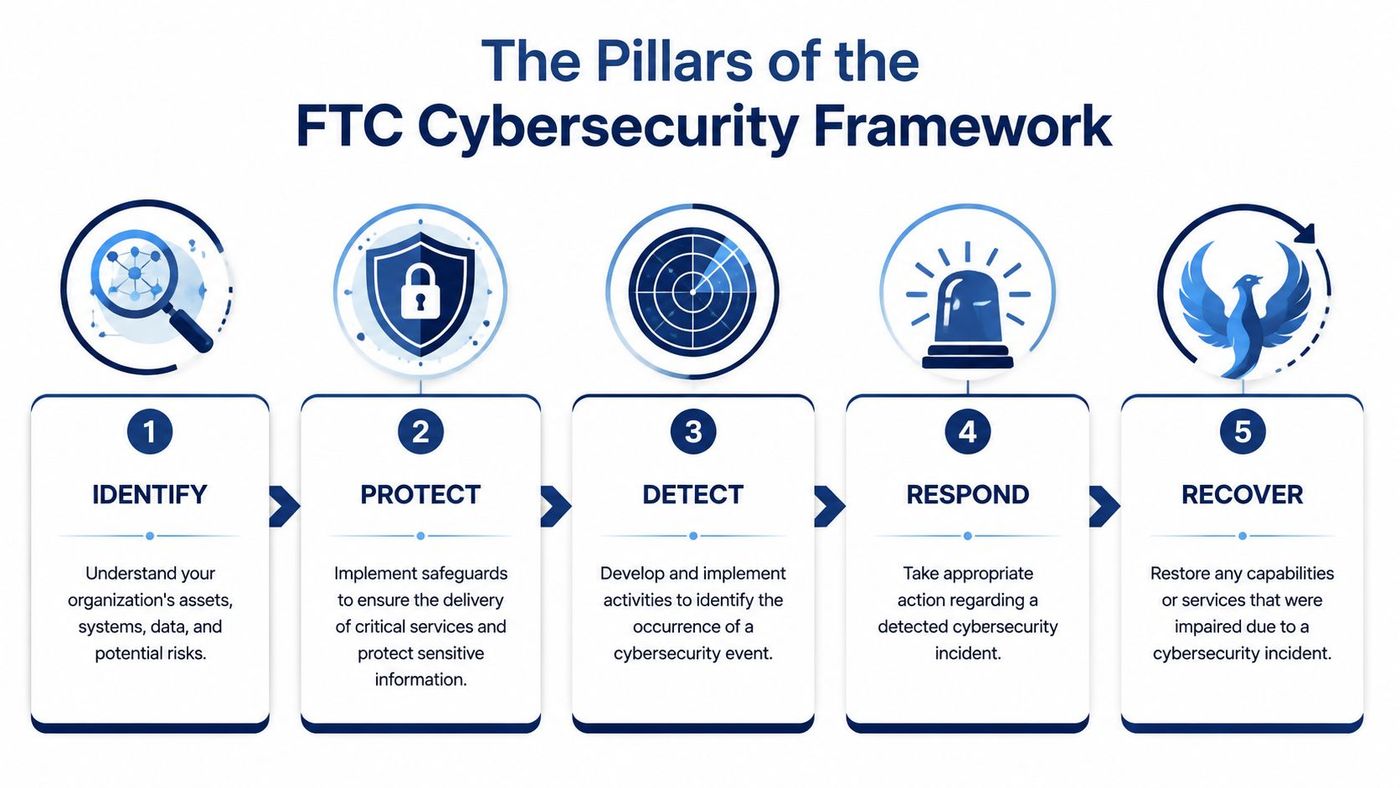
You can't secure what you haven't inventoried. Identify means knowing which laptops, servers, cloud apps, user accounts, vendors, and data stores your business depends on.
For a clinic, that may include EMR access, Microsoft 365, backup systems, printers, and contractor laptops. For a logistics company, it may include dispatch software, warehouse Wi-Fi, mobile devices, and customer file shares.
A useful asset inventory answers basic questions fast:
| Area | What to confirm |
|---|---|
| Users | Who has access, and is that access still needed |
| Devices | Which endpoints are managed, encrypted, and patched |
| Applications | Which cloud services hold business or customer data |
| Vendors | Which third parties can connect into systems or data |
| Critical data | What must be backed up and restored first |
Protect is where most owners think security begins. It includes MFA, encryption, password standards, device controls, patching, and role-based access.
The FTC explicitly recommends requiring MFA for employees, contractors, and others who access networks and devices. That's one of the clearest signals in the guidance. If MFA is still optional anywhere important, that gap deserves urgent attention.
Protection also needs proportion. Don't lock down everything equally if doing so breaks the business. Put the strongest controls around email, remote access, finance systems, customer data, and administrator privileges first.
A practical framework only works when controls fit real operations. Good security reduces risky behaviour. Bad security drives staff to bypass it.
If you're comparing frameworks across regulated environments, this practical framework for HIPAA SOC 2 is a useful example of how overlapping control expectations can be translated into operational work instead of treated as separate compliance silos.
Detect is your ability to notice suspicious activity before a small issue turns into a business disruption. That includes logging, alerting, endpoint visibility, and awareness of unusual sign-in activity or outbound traffic.
Respond is what your team does next. Who isolates a device? Who changes credentials? Who contacts the IT provider, legal counsel, insurer, or privacy lead? A good response plan removes hesitation.
Recover is the proof point. Can you restore access to critical systems, recover data cleanly, and resume operations without improvising every step?
These last three pillars often get underfunded because they don't feel visible day to day. In practice, they decide whether an incident remains contained or becomes a prolonged outage.
Most businesses don't need another abstract framework. They need a checklist they can use in a management meeting, an IT review, or a vendor discussion. The list below is built for that purpose.
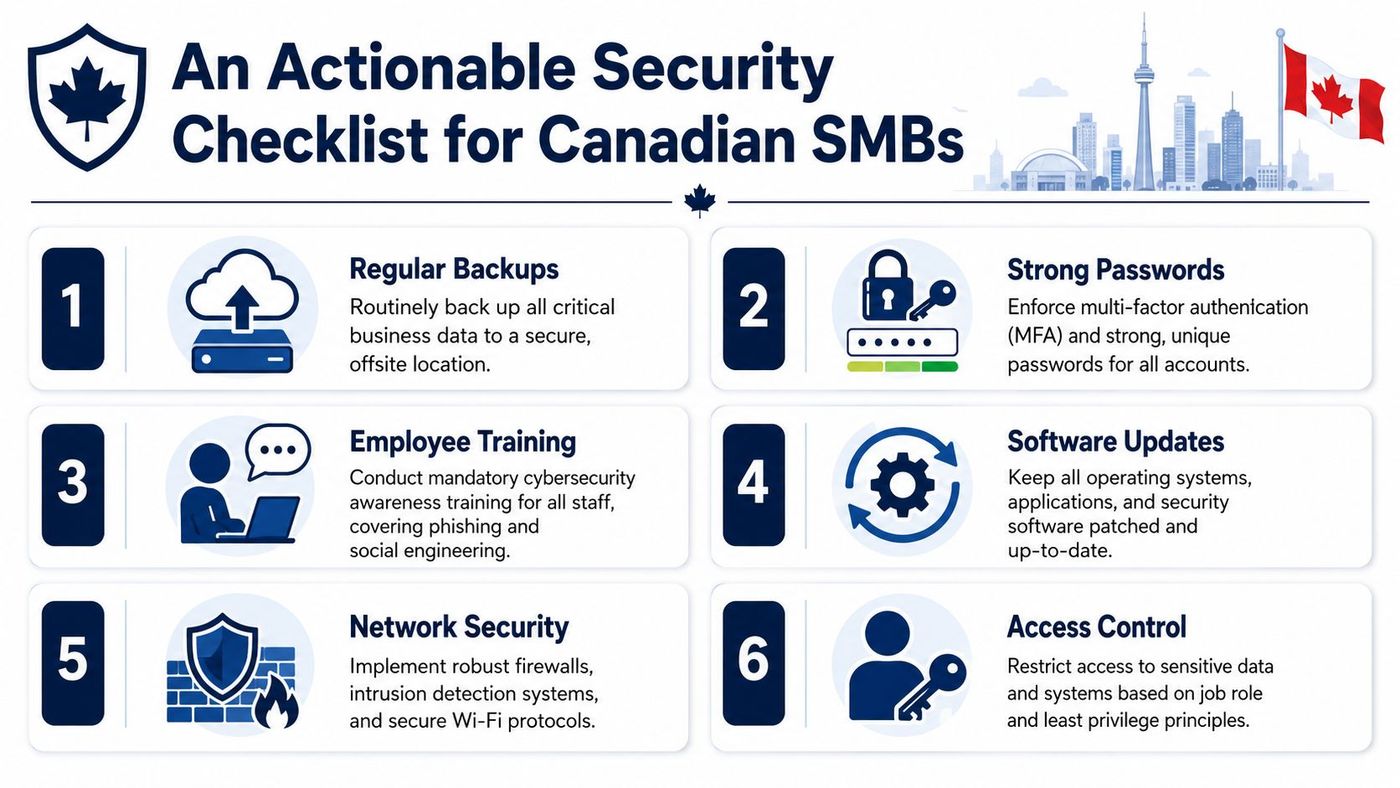
Start with the accounts attackers want most.
A quick test is simple. Ask for a list of all admin accounts and all remote access paths. If producing that list takes too long, access governance needs work.
Backups are only one part of data protection. Businesses also need to know where sensitive information sits and whether it is protected in storage and transit.
For a broader operational review, this IT checklist for Canadian small businesses is a practical companion to a security-specific assessment.
Many breaches still start at the endpoint. A laptop without current updates, a local admin account, or an unmanaged personal device can undermine stronger controls elsewhere.
Consider these baseline tasks:
Many small businesses are looser than they realise concerning their security practices. Office Wi-Fi, remote support tools, firewall rules, and third-party access often accumulate over time without review.
| Control area | Good practice | Common failure |
|---|---|---|
| Wi-Fi | Separate guest and business access | One flat network for everyone |
| Remote support | Approved tools with logging and MFA | Multiple tools used by different vendors |
| Firewall changes | Documented and reviewed | Rules added and never revisited |
| Vendor access | Contract terms and limited permissions | Permanent broad access for convenience |
Security maturity often improves fastest when a company cleans up vendor access. It's one of the least glamorous tasks and one of the most valuable.
Technology alone won't close the gap if staff don't know what to report or who owns key decisions.
This is also where managed services often make the biggest difference. Internal teams usually know what should happen. They just don't have enough time to keep policies, devices, vendors, backups, and user controls aligned month after month.
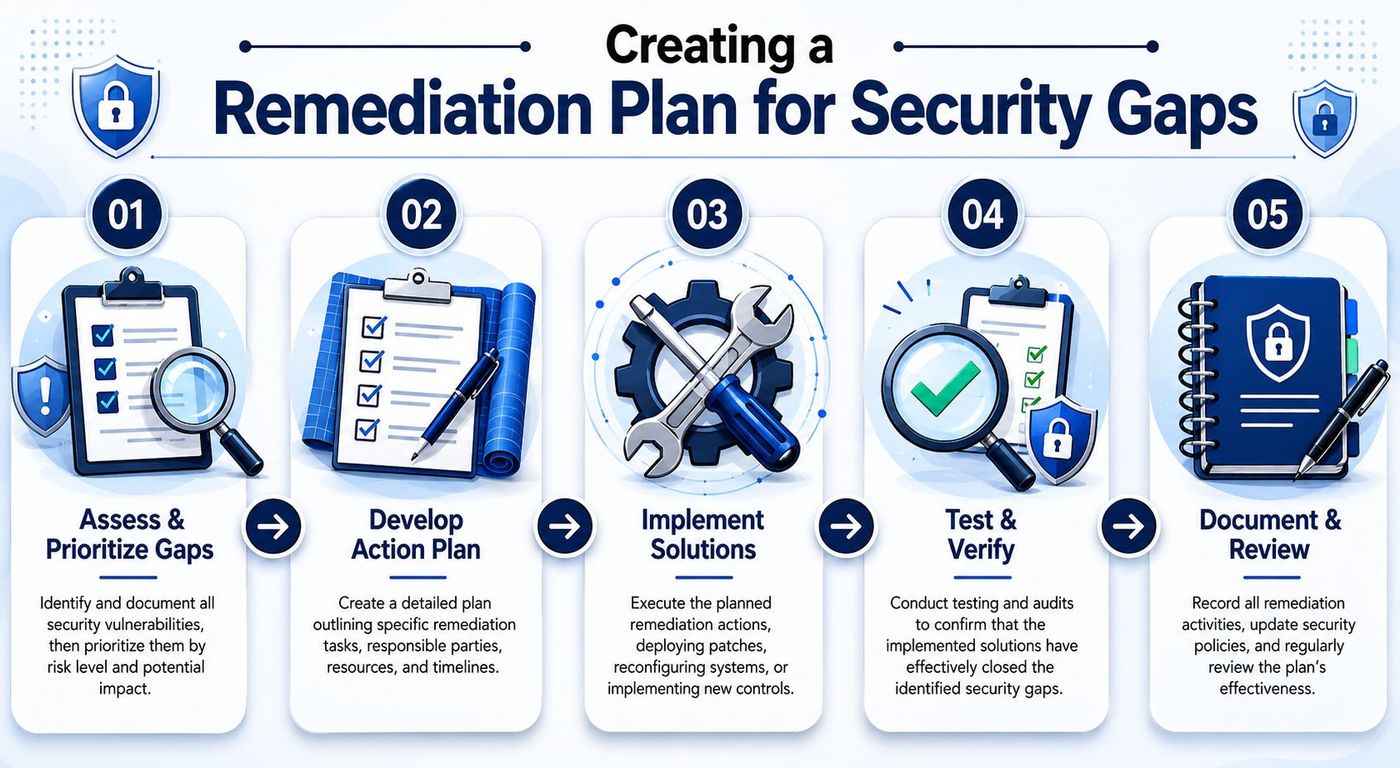
A checklist is useful only if it leads to decisions. Most businesses find several gaps at once. MFA may be inconsistent. Logging may be weak. Vendor access may be poorly documented. Backups may exist but recovery testing may be sporadic. The wrong reaction is trying to fix everything at the same speed.
The better approach is to sequence the work based on operational risk.
Start with exposures that would let an attacker gain broad access, stay hidden, or interrupt operations. The FTC's guidance on protecting personal information puts strong emphasis on maintaining central log files, monitoring incoming and outgoing traffic, using intrusion detection, and keeping an incident response plan covering data preservation, continuity, and customer notification, as described in the FTC's guide for protecting personal information in business.
That tells you where to focus first. Gaps that affect visibility and containment deserve priority because they increase dwell time and expand the blast radius when something goes wrong.
Every remediation item needs an owner, even if implementation is shared.
Use a short ownership model:
If ownership is vague, remediation drifts. Tasks like log retention, outbound traffic alerting, and recovery testing need one named person accountable for completion.
Security projects fail when plans ignore capacity. A small business can't roll out device management, rewrite vendor contracts, rebuild backups, train staff, and document incident response all at once without creating fatigue.
A workable roadmap usually groups activities into waves:
When a business wants independent validation of its most exposed systems, a service such as penetration testing services can help confirm whether critical fixes have reduced risk in practice.
Documentation matters for more than compliance. It prevents teams from repeating the same discovery work after every incident, staff change, or audit request.
The strongest remediation plans are boring. They assign work, set dates, record decisions, and get reviewed regularly.
For Canadian businesses, this discipline also supports breach-response readiness. If an incident creates reporting obligations, you don't want to be reconstructing your security controls from memory. You want logs, contact paths, playbooks, and evidence of remediation already in place.
Most SMBs understand what they should do. The sticking point is execution. Security controls need maintenance, coordination, and follow-up. That's where managed IT services become less of a convenience and more of an operating model.
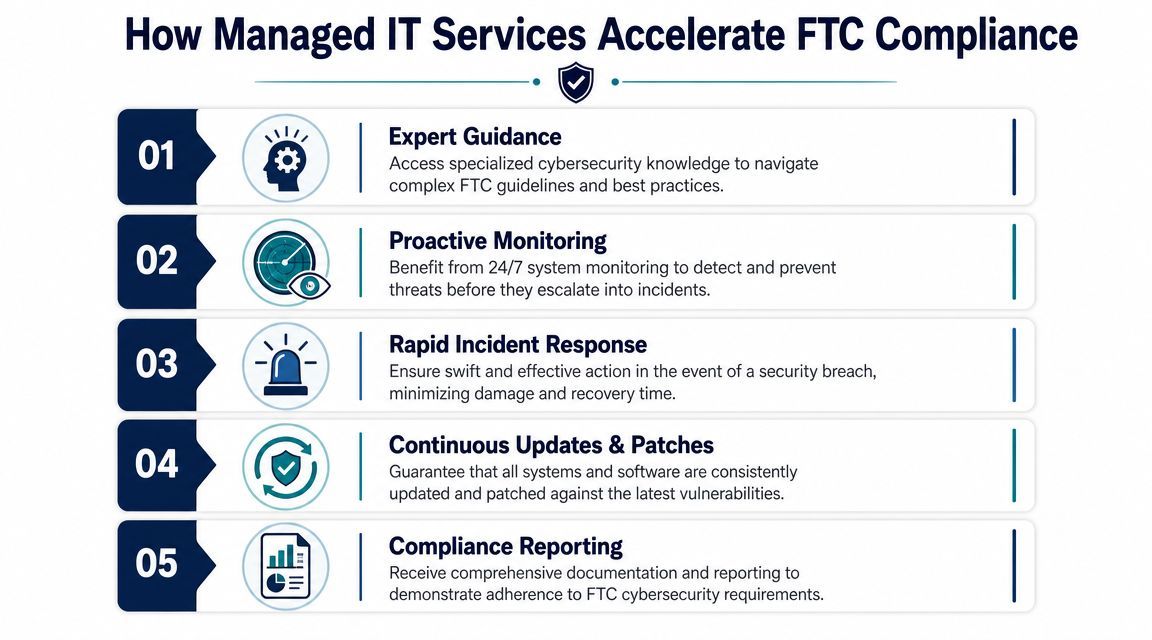
In-house staff often face the same constraints:
| Requirement | Common internal challenge | Managed service contribution |
|---|---|---|
| MFA and access governance | Inconsistent rollout across apps | Central policy enforcement and account review |
| Monitoring and alerting | Limited after-hours coverage | Continuous monitoring and escalation |
| Patching and endpoint control | Too many exceptions and manual steps | Standardised automation and compliance tracking |
| Backup and recovery testing | Backups run, restores aren't tested often enough | Scheduled verification and recovery playbooks |
| Documentation | Policies become outdated | Ongoing records tied to operational changes |
This doesn't mean outsourcing everything. It means moving recurring security work into a system with accountability, tooling, and cadence.
You can build a strong internal security function. It just takes time, specialist hiring, process discipline, and budget consistency. Many SMBs don't have that runway. They need coverage now, not after a year of staffing and tool consolidation.
That is where a managed partner can compress the gap between policy and execution. Services such as endpoint protection, vulnerability assessments, patch management, backup oversight, and security monitoring directly support the kinds of controls the FTC expects businesses to operationalise. One option in the Canadian market is managed IT services for small business, which outlines how recurring support, monitoring, and security operations can be structured for smaller teams.
The useful test isn't whether a provider says it offers cybersecurity. It's whether the service model covers the things your team will otherwise miss.
Look for these signs:
A provider adds value when it turns scattered security tasks into a repeatable programme. Without that structure, compliance efforts tend to regress between urgent projects, staffing changes, and budget cycles.
The most useful takeaway from FTC cybersecurity for small business isn't that another regulator has issued more guidance. It's that the baseline is clear. Businesses need policy, access control, vendor oversight, monitoring, backups, and a response process they can use.
For Canadian SMBs, this isn't separate from local obligations. It supports them. A business that can identify its systems, control access, monitor activity, and recover cleanly is in a far better position when customers ask hard questions, insurers request documentation, or an incident triggers privacy obligations.
Security also works best when it is treated like any other business safeguard. You wouldn't wait for a fire to think about insurance, continuity, or risk transfer. The same logic applies here. If you're also reviewing broader operational risk, resources on protecting your Vero Beach business with the right policy coverage offer a useful reminder that cyber readiness and business resilience are closely linked.
If your current environment has grown patch by patch, vendor by vendor, this is the right time to simplify it. Start with a structured review, document the gaps, assign ownership, and move the recurring work into a model that your team can sustain. If you want a planning resource to help shape that next conversation internally, download your guide to stronger IT decision-making.
CloudOrbis Inc. helps Canadian SMBs turn security requirements into operational controls, from managed IT support and endpoint protection to backup, monitoring, and compliance-focused remediation planning. If your team needs a practical path forward, contact CloudOrbis for a no-obligation review of your current environment and next-step priorities.
Book a 30-minute call with a senior engineer. No sales script, just straight answers about your environment.


