Best Antivirus Software for Small Business in 2026
Discover the best antivirus software for small business. Our 2026 guide compares top solutions for Canadian SMBs, focusing on protection, cost, and compliance.

Discover the best antivirus software for small business. Our 2026 guide compares top solutions for Canadian SMBs, focusing on protection, cost, and compliance.
For a Canadian small business, the best antivirus software is no longer just about blocking viruses. It's about implementing robust endpoint protection, utilizing smart threat detection, and having easy, centralized management that doesn't slow your team down. While there are many options available, the top solutions provide layered security that protects you from modern threats like ransomware and sophisticated phishing attacks.
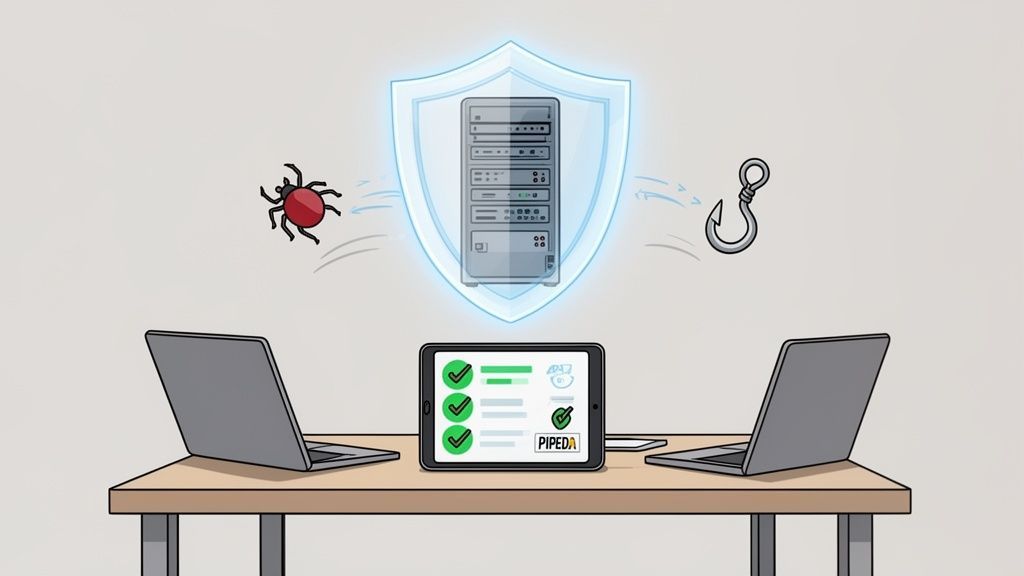
For any medium-sized business in Canada, selecting the right antivirus is a critical decision. It’s a choice that directly impacts your data security, your ability to remain operational during an attack, and your compliance with regulations like PIPEDA.
As cyber threats grow more complex and targeted, a simple, off-the-shelf program designed for home use just won't suffice. Business and IT leaders need a solution built to protect company assets and sensitive client information. Modern business security is about a platform that delivers multiple layers of defence, focusing on endpoint protection to secure the laptops, servers, and mobile devices that act as gateways to your network.
The transition from a simple antivirus tool to a comprehensive security platform is essential for any growing business. A basic program might catch common malware, but it is often blind to the sophisticated attacks designed to quietly steal data or bring your operations to a halt. This is precisely where a true business-grade solution proves its value.
Here are the key capabilities business leaders should look for:
For a business, antivirus software is not just another utility; it’s a core component of your risk management strategy. The right platform provides the visibility and control needed to defend against financial loss and reputational damage.
Recent data highlights the importance of choosing a proven solution. In a recent analysis, Bitdefender stood out for Canadian businesses, demonstrating a 99.9% protection rate against threats targeting sectors like finance and oil & gas. This is especially relevant for Calgary-based firms, which saw a 41% rise in trojan attacks alone. Understanding the findings in these threat reports can give you a clearer picture of the current risk environment.
One of the most common mistakes we see is businesses trying to get by with consumer-grade antivirus. While it might seem like a way to save money, the gaps in protection and management can be costly. The table below breaks down the key differences and shows why a dedicated business solution is non-negotiable.
| Feature | Consumer Antivirus | Business Antivirus |
|---|---|---|
| Management | Managed one device at a time | Centralized console for all devices |
| Threat Detection | Basic malware scanning | EDR and behaviour analysis |
| Reporting | Minimal or none | Detailed compliance reports |
| Support | Standard customer service | 24/7 priority business support |
Ultimately, choosing the best antivirus software for your business is about adopting a forward-thinking security posture. It’s about more than just software, it’s about building a resilient foundation that supports your growth. A robust platform is a key part of the comprehensive cybersecurity services that protect modern businesses.
Choosing the right security software isn't about finding the one with the longest feature list. Before you start comparing vendors, the most important step is to look inward. The best solution is one that fits your company’s specific operational realities, risk profile, and regulatory obligations.
A thorough self-assessment is the foundation for a smart security investment. This means moving past the outdated idea of simple virus scanning. Today’s threats are far more sophisticated, and your defence needs to be as well. Understanding the core components of a modern, business-grade security platform will help you ask the right questions and focus on what truly matters.
The language we use has changed for a reason. What we once called "antivirus" is now more accurately known as an Endpoint Protection Platform (EPP). This isn't just a name change; it reflects a strategic shift from simply reacting to known viruses to proactively securing every endpoint, laptops, desktops, servers, and mobile devices, that connects to your network.
An EPP is your foundational security layer. Its main job is prevention, using a mix of techniques to block threats before they can cause damage. This includes signature-based detection for known malware and behavioural analysis to spot suspicious activity from new, unknown threats. For any business, this is the absolute minimum standard.
An endpoint is any device that communicates with your business network. Each one represents a potential entry point for a cyberattack, making comprehensive endpoint protection a non-negotiable security measure.
However, prevention alone is no longer a silver bullet. Determined attackers can sometimes bypass initial defences. That’s where a more advanced capability becomes essential, especially for businesses that cannot afford any downtime or data loss.
Think of Endpoint Detection and Response (EDR) as the next critical layer of defence. While EPP focuses on keeping threats out, EDR is designed to detect and neutralize threats that have already managed to slip through. It essentially acts like a security camera and response team for your endpoints, constantly monitoring and recording activity to spot the subtle signs of a compromise.
When EDR identifies a threat, it gives security teams the power to act immediately:
If your business handles sensitive client data, EDR isn’t a luxury, it’s a necessity. It transforms your security from a passive shield into an active defence system, drastically reducing the time it takes to contain and recover from an attack.
Beyond the core technologies of EPP and EDR, a few key features will determine how well a solution fits your specific environment. A proper evaluation requires a clear-eyed view of your daily operations and your long-term goals. To make an informed decision, a detailed review of your current setup, much like what is covered in professional computer security audits, can highlight critical needs you might have overlooked.
Here are the criteria to prioritize in your evaluation:
Now that you have a clearer picture of your security needs, it’s time to look at the market. But comparing the best antivirus software for a small business isn't just about ticking off features on a list. It’s about finding a solution whose deployment model, core strengths, and management style align with how your business operates day-to-day.
One of the first major decisions you will make is how the software is deployed. This choice impacts everything from your upfront costs and ability to scale to the daily workload on your IT team. The three main models are cloud-managed, on-premises, and hybrid, and each has its own place.
Understanding these models is key to finding a solution that can grow alongside you, not hold you back.
For the vast majority of medium-sized organizations, a cloud-managed solution delivers the best combination of powerful security, flexibility, and cost-effectiveness.
This decision tree can help you visualize how your business’s unique details shape your security requirements and guide your thinking.
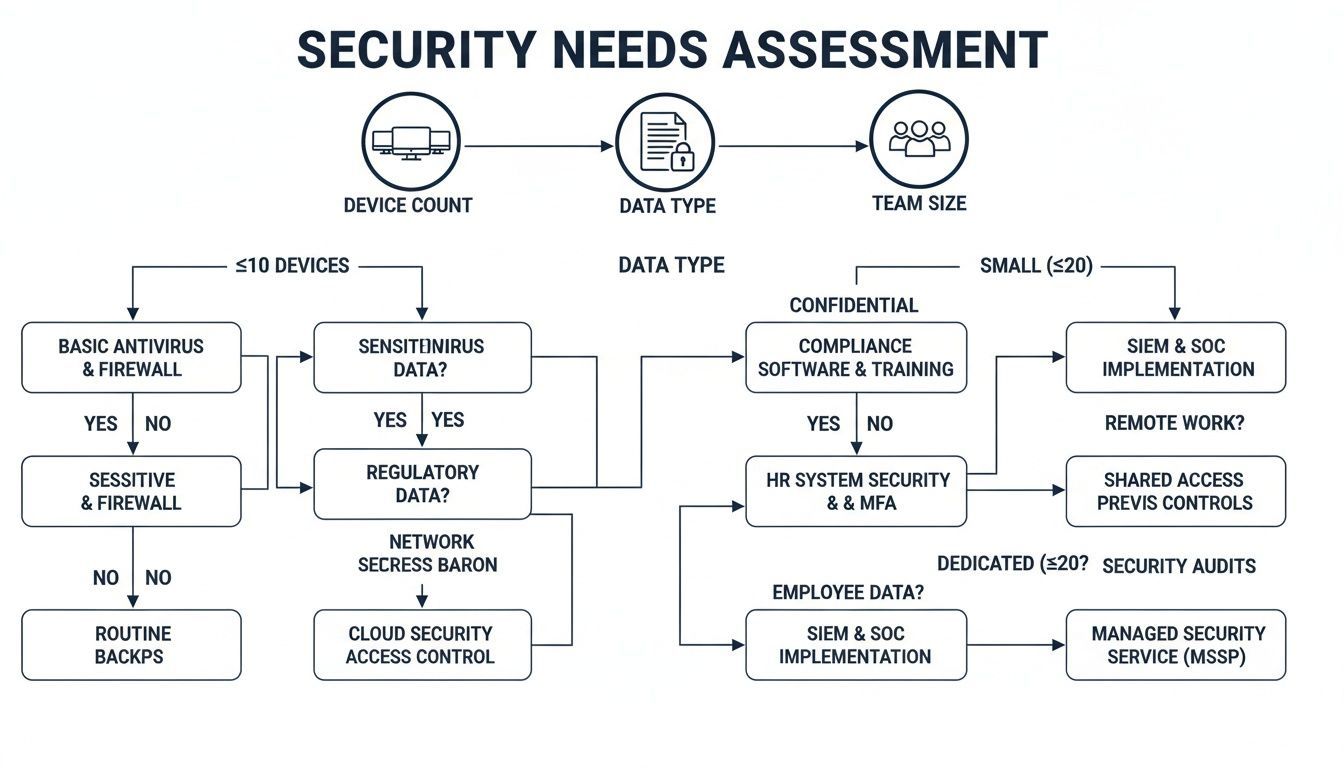
As you can see, the more devices you have, the more sensitive your data is, and the larger your team grows, the more you need a robust, centrally managed security platform.
While dozens of vendors are out there, a few names consistently rise to the top for their effectiveness and suitability for business needs. Let's put three of the leading contenders side-by-side: Bitdefender, Norton Small Business, and Microsoft Defender for Business.
Bitdefender GravityZone Business Security
Bitdefender is widely recognized as a market leader, and for good reason. It’s known for its incredibly powerful threat detection that has a minimal impact on computer performance. Its layered security approach is what makes it stand out, combining machine learning, advanced heuristics, and traditional signature-based detection to stop threats in their tracks.
The real differentiator for Bitdefender is its advanced threat intelligence network. It often sees and blocks sophisticated, zero-day attacks before they become widespread. This makes it an excellent choice for businesses handling very sensitive data, like legal firms or financial advisors.
Norton Small Business
Norton delivers a straightforward, easy-to-use solution designed specifically for businesses with up to 20 devices. It provides strong, reliable protection without the overwhelming complexity of more enterprise-grade platforms. For a business owner without a dedicated IT person, its simple setup and cloud management are a huge plus.
The threat landscape is only becoming more intense. In 2025, Canadian businesses saw a shocking 28% year-over-year increase in cyberattacks. Healthcare providers in Toronto and Calgary, for instance, reported that over 45% of incidents they faced involved ransomware. A solid defence is non-negotiable.
Microsoft Defender for Business
For any business already invested in the Microsoft 365 ecosystem, Microsoft Defender for Business is an incredibly compelling option. This isn't the basic Defender that comes with Windows; it’s a full-fledged endpoint security solution. It brings enterprise-level features like EDR, attack surface reduction, and centralized management directly into the Microsoft 365 Defender portal.
The seamless integration with Microsoft 365 is Defender's superpower. It massively simplifies deployment and management by giving you a single pane of glass for both your security and productivity tools, a major efficiency win for any busy business.
To make the differences clearer, we have created a table comparing these leading solutions. This will help you map their features and strengths directly to what your business needs in 2026.
| Feature/Criteria | Bitdefender GravityZone | Norton Small Business | Microsoft Defender for Business |
|---|---|---|---|
| Ideal Use Case | Businesses needing top-tier threat intelligence and granular control. | Small teams (under 20 employees) needing simple, effective protection. | Businesses integrated with the Microsoft 365 ecosystem. |
| Management | Centralized cloud console with advanced policy options. | Simple cloud-based dashboard for easy device management. | Integrated into the Microsoft 365 Defender portal. |
| EDR Capabilities | Included in higher-tier plans; excellent for threat hunting. | Not a primary feature; focuses on core threat prevention. | Strong EDR included, tied into the broader Microsoft security fabric. |
| Performance Impact | Very low; consistently rated as one of the most resource-efficient. | Low; designed to be lightweight for smaller environments. | Low to moderate; well-optimized for Windows environments. |
Ultimately, there's no single "best" choice for everyone. The right antivirus depends entirely on your specific context, your industry, team size, and the technology you already use. For an even deeper look into specific products to help you finalize your decision, check out this comprehensive guide on the best antivirus for small business.
Choosing the right antivirus for your business isn't a one-size-fits-all decision. The best solution is never about just picking the one with the most features; it’s about matching the software’s strengths to your specific industry, the kind of data you handle, and the regulations you’re bound by.
Let's move beyond theoretical comparisons and look at how this plays out in the real world. By exploring a few scenarios for different Canadian businesses, you can see how risk profiles and operational needs shape security priorities.
A mid-sized healthcare clinic in Toronto handles a massive volume of Personal Health Information (PHI). For them, the biggest concern is compliance with both federal PIPEDA and Ontario's PHIPA regulations. A data breach here isn’t just a financial problem, it means devastating penalties and a complete breakdown of patient trust.
This clinic needs far more than just a basic antivirus. Their priorities are crystal clear:
For a healthcare provider, the best antivirus is a comprehensive security platform that puts compliance and data protection first. The ability to prove you are safeguarding patient data is just as important as the protection itself.
In this scenario, a platform like Bitdefender GravityZone Business Security Ultra, especially when paired with a managed service, is an excellent choice. Its layered security, advanced EDR, and detailed policy controls are built for the strict demands of the healthcare sector. Given the high number of cyberattacks on Canadian organizations, these robust defences are critical. You can learn more by exploring the top cybersecurity threats for SMBs.
An Edmonton-based manufacturer faces an entirely different set of challenges. Their number one priority is keeping the production line running. Any downtime, whether from a ransomware attack or from a security scan that hogs system resources, translates directly into lost revenue.
Here, the network is a mix of standard office computers and specialized Operational Technology (OT) endpoints controlling plant machinery. The security focus must shift to performance and stability.
For this manufacturer, a solution like Microsoft Defender for Business is a very strong contender, particularly if they are already in the Microsoft 365 ecosystem. It's known for its low performance impact and includes attack surface reduction rules that can be configured to protect industrial control systems. Its centralized management simplifies oversight of both IT and OT environments, helping keep operational continuity the main focus.
A legal firm in Calgary is entrusted with incredibly confidential client information, case files, financial records, and privileged communications. The firm's entire reputation is built on discretion and trust, making data breaches and unauthorized access their biggest risks.
The ideal security solution here must be surgical in its focus on confidentiality and secure workflows.
In this case, a solution with granular control and powerful DLP, such as Bitdefender GravityZone, would be a superior choice. Its ability to enforce strict policies around data movement and its industry-leading threat detection provide the high level of assurance a legal firm needs to protect its clients and its reputation.
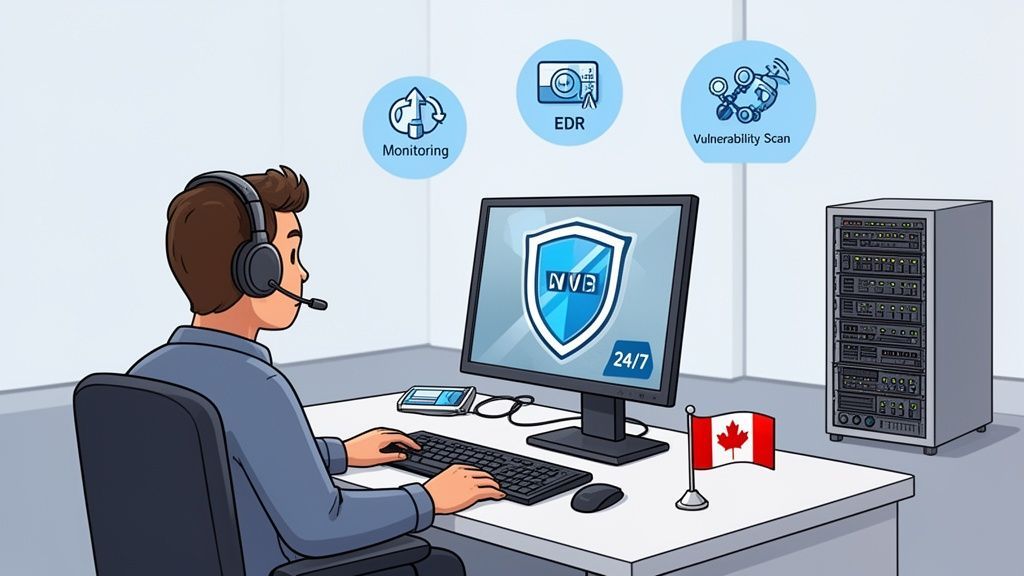
Choosing a top-rated antivirus is a great first step, but realistically, it's not the end of the story. A powerful security tool that isn't actively managed is like installing a state-of-the-art alarm system but never turning it on. For that software to truly protect your business, it needs constant attention, expert configuration, and someone ready to respond instantly. Most business teams just don't have the time or specialized training for that.
This is where partnering with a Managed Services Provider (MSP) like CloudOrbis completely shifts the dynamic. An MSP doesn’t just sell you a license; we integrate that tool into a living, breathing security strategy. By handing over the reins of your endpoint protection to a dedicated team, you turn a simple piece of software into a robust, actively managed defence system.
Cybersecurity isn't a "set it and forget it" task. Threats evolve daily, software needs constant patching, and alerts require investigation at all hours. Leaving this responsibility to an already swamped internal team, or worse, assuming the software will just run itself, leaves dangerous gaps in your defences.
A managed approach closes these gaps by delivering what software alone cannot:
The unfortunate reality is that many businesses are under-protected, which makes them prime targets for attackers. A 2025 Statistics Canada survey found that 73% of small businesses in Toronto, Calgary, and Edmonton lacked adequate antivirus protection, which contributed to CAD $5.7 billion in cyber-related losses nationwide. While tools like Microsoft's business antivirus showed 98.5% efficacy against Canadian phishing campaigns in 2026, especially for businesses in their Office/Copilot ecosystem, their true power is only unlocked with expert management.
One of the biggest benefits of working with an MSP is gaining access to managed Endpoint Detection and Response (EDR). While traditional antivirus is great at blocking known threats, EDR is built to hunt for the unknown ones that manage to slip through. It actively looks for suspicious behaviours on your network that indicate an attack is underway.
An unmanaged EDR solution is just a noisy alarm bell. With a managed service, you get the fire department, a team of experts who not only see the alert but immediately investigate, contain, and neutralize the threat.
This active response is what makes all the difference. For businesses looking to offload their security workload entirely, exploring models like Cybersecurity as a Service (CaaS) can deliver enterprise-grade protection without the cost of an in-house security team.
Our managed EDR service transforms your security from a passive shield into an active defence force. When a threat is detected, our team immediately isolates the affected computer or server to stop the malware from spreading across your network. You can learn more about how the technology works in our guide on what Endpoint Detection and Response is.
By partnering with CloudOrbis, you free up your team to focus on what they do best: growing your business. You get the confidence that comes from knowing your IT environment is not just protected by the best antivirus software for small business, but actively defended by a team of Canadian security professionals, making your operations stronger and more resilient.
Knowing what you need is one thing, but turning that knowledge into a solid, working strategy is where the real work begins. Choosing and rolling out the best antivirus software for a small business isn’t just about ticking a box on your IT to-do list; it's a strategic move to protect your company's future.
This straightforward, five-step plan will guide you through the entire process, from figuring out your needs to getting your new security system up and running. A structured plan ensures the solution you choose is implemented smoothly, your team knows how to use it, and your business gets the protection it deserves.
First things first, you need to take a hard look at where your business stands right now. Audit your current setup to find any security gaps, map out how your data moves, and get crystal clear on your compliance obligations, especially under regulations like PIPEDA. Are you handling sensitive client files, personal health information, or financial records? The answer will tell you exactly what level of protection you need.
At the same time, you need to determine your budget. Talk to your key decision-makers and frame this cost not as an expense, but as an essential investment in business continuity and risk management. A clear budget and a solid understanding of your security needs will be the foundation for every decision you make from here.
Once you know what you need and what you can spend, you can start planning the implementation. A messy rollout can cause serious disruption, so a well-organized plan is a must.
This structured approach is a key part of how successful IT managed services for small businesses turn a simple software purchase into a long-term security advantage.
The best security tool is one that’s well-planned, correctly implemented, and backed by a knowledgeable team. Your action plan is what turns a piece of software into genuine business resilience.
Ready to take the first step? Contact CloudOrbis today for a no-obligation cybersecurity assessment. We can help you build a security strategy that not only protects your business today but also prepares it for whatever comes next.
It's natural to have questions when you're navigating the complexities of business security. We’ve compiled answers to some of the most common ones we hear, helping you choose the right security software for your business with confidence.
While built-in tools like Microsoft Defender or Apple's XProtect provide a decent starting point for personal use, they don't quite suffice for most businesses. They often lack a centralized management console, advanced threat detection (like EDR), and the detailed reporting needed for compliance.
For any organization handling sensitive client data or subject to regulations like PIPEDA, a dedicated, business-grade solution is non-negotiable. These platforms offer the robust protection required to defend against sophisticated threats and prove you have done your due diligence.
The cost for business-grade antivirus software can vary quite a bit. Your final price tag will depend on the number of devices you need to protect, the features you require, and your chosen deployment model. On a per-user basis, you can expect to budget anywhere from a few dollars to over $15 per month.
It's better to think of this cost as an investment in your business's continuity and risk management, not just another expense. The potential fallout from a single data breach will always be far greater than the cost of proper protection.
When you partner with a managed service provider (MSP), this cost is usually rolled into a predictable monthly fee. This fee covers not only the software licence but also the crucial 24/7 monitoring, management, and expert support that deliver a much higher return on your investment.
Understanding the distinction between these two is key to building a modern security posture. They serve very different, but complementary, roles.
EDR is designed to spot the subtle indicators of an ongoing breach, giving security experts the ability to investigate and contain the threat fast. Today’s best security solutions merge both antivirus and EDR into a single, powerful platform for a layered defence strategy.
Ready to move from basic protection to a resilient, managed security strategy? CloudOrbis Inc. provides a no-obligation cybersecurity assessment to help you identify your vulnerabilities and build a plan that fits your business. Secure your future and focus on growth with confidence. Learn more at cloudorbis.com.
Book a 30-minute call with a senior engineer. No sales script, just straight answers about your environment.


