Active Directory Management: A Guide for Canadian SMBs
Master Active Directory management with our guide for Canadian SMBs. Learn security best practices, maintenance tasks, and hybrid Azure AD integration.

Master Active Directory management with our guide for Canadian SMBs. Learn security best practices, maintenance tasks, and hybrid Azure AD integration.
Your IT team adds a new hire in the morning, fixes a permissions issue before lunch, and disables an account for a departing employee at day's end. On paper, that sounds routine. In practice, it's where many Canadian SMBs start to feel the strain of Active Directory management.
Access requests pile up. Shared folders don't match job roles. A former contractor's account still exists because nobody wants to disable the wrong login and break a process. Meanwhile, leadership expects stronger security, smoother onboarding, and cleaner compliance evidence for frameworks tied to privacy obligations such as PIPEDA.
That's why Active Directory deserves more attention than it usually gets. For most Windows-based businesses, it sits at the centre of identity, access, policy enforcement, and device control. When it's well run, staff get the access they need without delays, admins spend less time firefighting, and audits become manageable. When it's neglected, the problems spread fast.
A familiar pattern shows up in growing SMBs. The business adds staff, adopts more Microsoft 365 services, opens a second location, or hands more IT work to a lean internal team. Active Directory stays in place because it still works, but the way it's managed doesn't keep pace.
That gap creates business risk. A sales employee might inherit access from a predecessor. A line-of-business application might still depend on an old security group that nobody fully understands. A helpdesk technician might be granted administrative rights “temporarily” that never get removed.
Active Directory is often treated like a background service. It isn't. It controls who can sign in, what devices join the environment, which policies apply, and how access changes when people move roles.
Employee productivity suffers when onboarding is manual and inconsistent. Security posture weakens when stale accounts and broad permissions stay in place. Compliance readiness becomes harder when there's no clean audit trail for privileged activity.
A broader identity strategy helps put this in context. This overview of identity and access management is useful if your team is trying to connect AD decisions to governance and business controls.
Practical rule: If account changes depend on memory, inbox requests, or one admin who “knows how it all works,” your Active Directory management process is already too fragile.
Some leaders still view Active Directory as dated or only suitable for legacy networks. That misses the point. Microsoft Active Directory supports a theoretical maximum of 2.5 billion users, and a real-world implementation has managed over 28 million users in a single Active Directory solution, which shows how broadly the platform can scale for enterprise and public sector use (reference).
SMBs don't need that scale, of course. What matters is what that tells you. AD remains a foundational system for Windows domain networks, and it's still central to secure authentication in Canadian organizations.
If staffing is part of the challenge, it's worth reviewing Nexus IT Group's 2026 guide for perspective on how businesses evaluate IT talent support when internal resources are stretched.
Good Active Directory management isn't an IT housekeeping task. It's an operating discipline that protects daily work, reduces avoidable risk, and gives the business room to grow without losing control.
The simplest way to explain Active Directory is this. It acts like a digital phonebook, a key cabinet, and a security guard at the same time.
It knows who people and devices are. It stores the groups they belong to. It decides whether they should get through the door.
Active Directory handles Authentication and Authorization. Authentication verifies identity. Authorization determines access. Those two functions are central to enterprise operations and are implemented through a hierarchy of domains, trees, and forests that group users and devices under shared databases and unified management (Fortinet's explanation of Active Directory).
That sounds technical, but the day-to-day meaning is straightforward:
For a mid-sized clinic, law firm, or manufacturer, that central control matters because scattered identity management creates inconsistent access and more operational overhead.
A concise outside explainer on what is Active Directory can be handy when you need a non-technical reference for leadership or department managers.
Domains, trees, and forests sound like concepts that only large enterprises need. In reality, the hierarchy matters for SMBs because it shapes how cleanly you can separate departments, offices, devices, and administrative responsibilities.
A practical example helps:
| AD element | Plain-English meaning | Why an SMB should care |
|---|---|---|
| Domain | Your main administrative boundary | Keeps users, devices, and policies organised |
| Organisational structure | The way you sort departments or locations | Makes delegation and policy targeting easier |
| Forest relationship | The broader trust model across environments | Becomes important during acquisitions or complex integrations |
Well-structured Active Directory management doesn't try to mirror every box on the org chart. It supports operations. That usually means:
A messy directory rarely fails all at once. It slows down decision-making first, then security, then recovery.
If your AD structure makes it hard to answer who has access to what, the issue isn't only technical. It's administrative design.
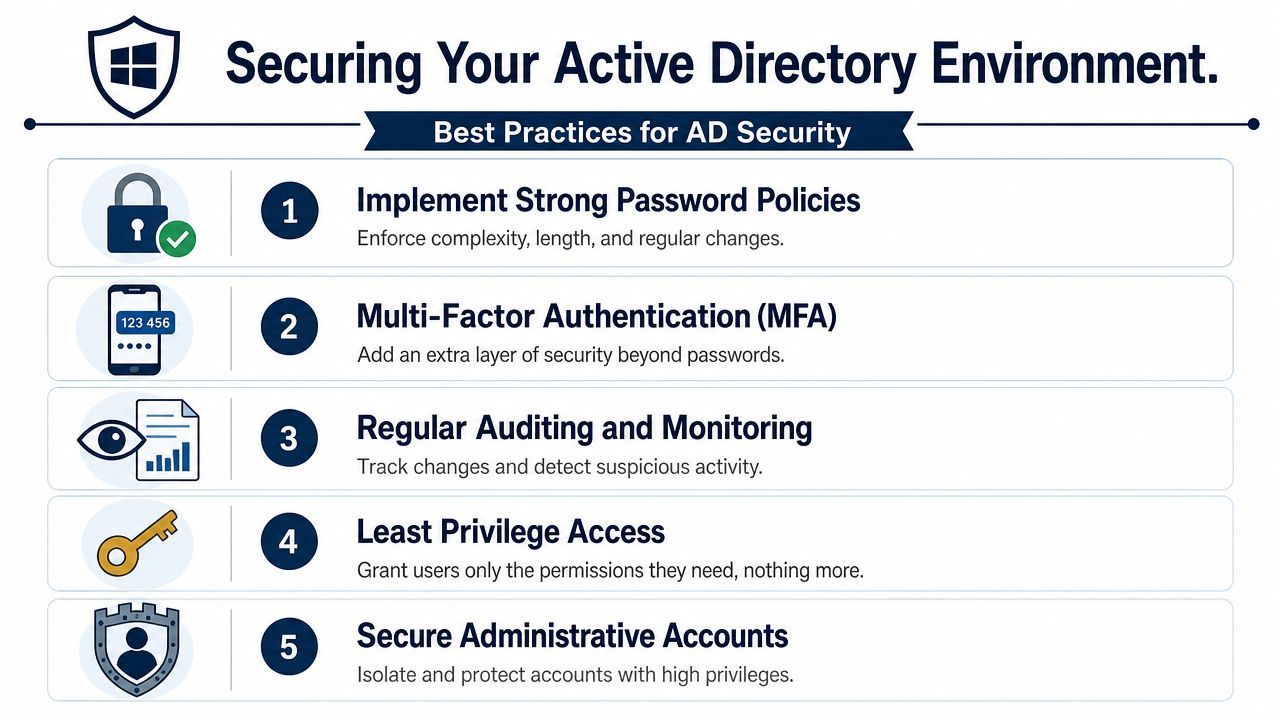
Security controls in Active Directory often fail for one reason. Teams try to be flexible, and flexibility turns into permanent privilege, weak oversight, and inconsistent admin practices.
For Canadian SMBs, that's a risky trade. You still need to support small teams and tight budgets, but some controls can't be optional if you want to reduce breach exposure and support compliance expectations around access, accountability, and data protection.
The Canadian Centre for Cyber Security's guidance states that membership to enterprise administrators, domain administrators, and built-in administrators must be strictly restricted, with no permanent user memberships, and that all privileged actions must be logged, monitored, and audited to protect critical directory services (ITSP.60.100 guidance).
That requirement changes how you should think about admin rights. The old model of “give the senior tech full access because they might need it” doesn't hold up well anymore.
A better operating model looks like this:
For teams working through role design, this article on RBAC for UK businesses is a useful companion because the core access principles carry over well to Canadian SMB environments.
Canadian cybersecurity guidance also mandates dedicated administrative workstations for administrator tasks paired with hardware-token multi-factor authentication, such as SmartCard and Keyboard or USB keys, to protect Active Directory access (guidance on securing Microsoft Active Directory services).
That sounds heavy for a smaller organisation, but the practical version is manageable. Your admins shouldn't browse email, use general productivity apps, and perform directory administration from the same workstation. Combining those activities increases the chance that a compromised session or device leads directly to privileged access abuse.
SMBs usually don't need more theory. They need controls that fit available resources.
Here's what tends to work in practice:
Field note: If your team can't quickly identify who can make domain-level changes, your first problem isn't tooling. It's control visibility.
The strongest AD environments aren't the most complicated ones. They're the ones where privilege is narrow, admin actions are observable, and exceptions don't live forever.
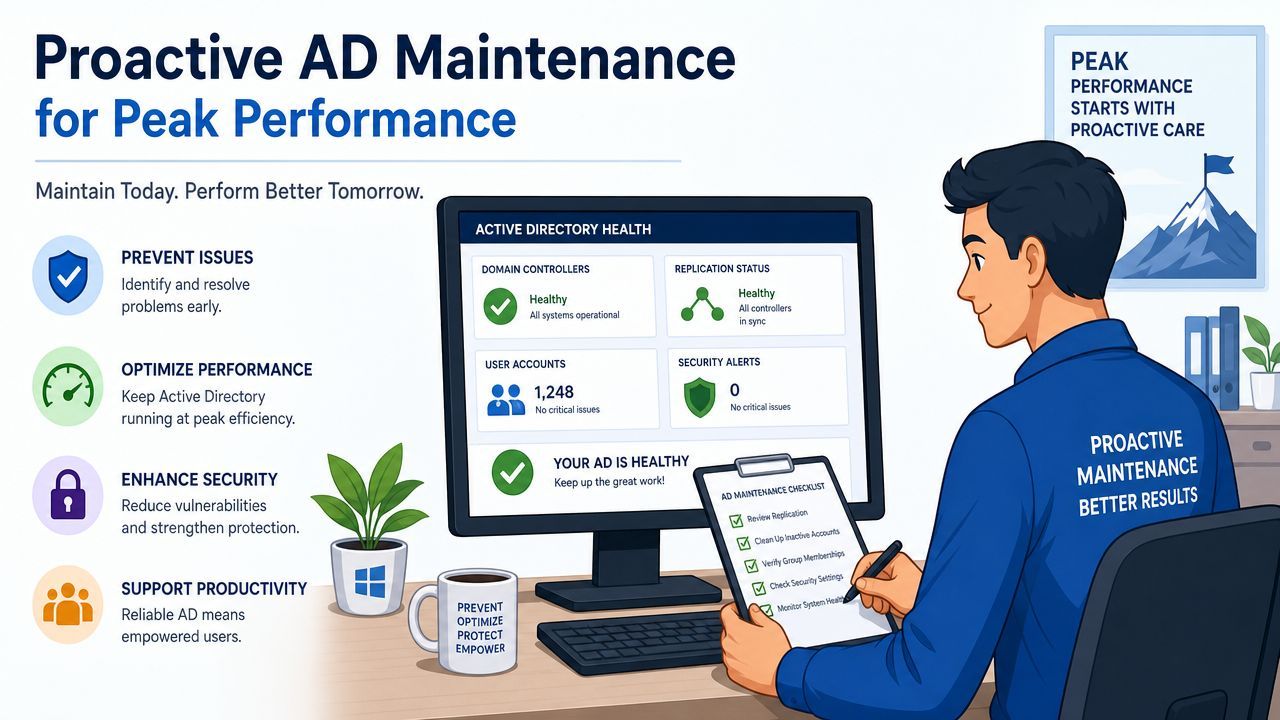
A secure Active Directory environment can still become unreliable if nobody maintains it. Performance issues, replication drift, outdated Group Policy, and recovery gaps don't always announce themselves early. They show up when logins slow down, a policy applies inconsistently, or recovery takes too long during an incident.
That's why active directory management needs a maintenance rhythm, not just a response plan.
Benchmark data indicates that AD environments must maintain immutable backups of at least two domain controllers per domain, with a recovery plan tested every six months. The same benchmark notes that organisations conducting regular security audits that include GPO changes and permission reviews achieve 90% faster recovery times after security compromises (Semperis checklist).
For an SMB, the message is simple. Backups only matter if recovery works. Too many teams confirm that backups completed, but never confirm that they can restore the directory in a controlled way.
A solid maintenance routine should include:
Healthy AD operations also depend on small recurring checks. These don't require an enterprise budget, but they do require discipline.
| Maintenance area | What to review | Why it matters |
|---|---|---|
| Replication | Consistency across domain controllers | Prevents policy and authentication issues |
| GPO hygiene | Redundant, conflicting, or outdated policies | Reduces login delays and troubleshooting time |
| Directory cleanup | Old groups, unused OUs, stale objects | Keeps administration clearer and safer |
Inactive and orphaned accounts are one of the easiest ways to create hidden risk. Proofpoint recommends using 90 days as a threshold to identify inactive users and orphaned accounts, then proceeding with safe deletion after notifying stakeholders and backing up the AD environment (Proofpoint threat reference).
That threshold gives smaller teams a practical rule they can automate and review. It's much better than waiting until an audit, an access incident, or a service owner asks why an old account still exists.
If you want a broader operational model around scheduled checks, patching, monitoring, and issue prevention, this overview of proactive maintenance services gives useful context.
The best maintenance plans are boring by design. They catch drift early, keep recovery realistic, and stop small identity problems from turning into business interruptions.
Most SMBs don't need to replace Active Directory. They need to stop managing it as if every task must be manual.
That's where modernization usually starts. Not with a rip-and-replace project, but with better workflows around account creation, group assignment, offboarding, and hybrid identity.
User onboarding and offboarding are prime candidates for automation. If your team still creates accounts manually, assigns groups from memory, and relies on emailed checklists for departures, you're increasing both delay and risk.
Good automation does three things well:
PowerShell remains a practical tool for many internal teams because it fits native Microsoft administration workflows. The goal isn't to automate everything. It's to automate the repeatable actions that are most likely to be done inconsistently when people are rushed.
Many Canadian SMBs now operate in a hybrid model. Some resources remain on-premises. Others live in Microsoft 365 or Azure-connected services. That means Active Directory management has to account for both environments without creating identity confusion.
Hybrid identity can improve the user experience through centralised sign-in and cleaner access governance, but only if the design is deliberate. If the cloud side evolves faster than the on-prem side, admins can lose visibility into where authority sits for identity decisions.
Keep the identity source of truth clear. Confusion around where accounts are mastered creates provisioning errors and access disputes.
A modernization plan should answer practical questions before technology questions:
If Azure adoption is part of your roadmap, this guide to Azure migration in Calgary is a helpful reference for thinking through infrastructure and operational implications.
Modernizing Active Directory works best when automation reduces manual effort and hybrid design improves control. If it only adds another layer of complexity, it isn't modernization. It's drift with better branding.
The biggest Active Directory mistakes usually aren't dramatic. They're quiet decisions that seem harmless at the time.
A permission gets added because someone needs urgent access. A service account is left untouched because changing it feels risky. An OU structure grows around exceptions instead of a clear operating model. Months later, the environment still functions, but hardly anyone can explain why access works the way it does.
Privilege creep is common in SMBs because role changes happen faster than cleanup. A user moves departments, takes on a temporary function, or helps with a project, and the old access never comes off.
The more dangerous issue is often less visible. Attackers increasingly target the management plane to compromise domain controllers, including in hybrid environments, by exploiting misconfigured RBAC models. Canadian guidance mandates monitoring privileged activity and using dedicated administrative workstations, yet many public resources still don't show teams how to properly audit and restrict those management permissions (Mind the Management Plane discussion).
That matters because the tools and paths used to administer AD can become the attack surface, even when user-facing controls look acceptable.
The question isn't whether an account is labelled “admin.” The question is whether it can influence Tier 0 systems, policies, or identity paths.
Strong active directory management doesn't depend on perfection. It depends on regular review and clean boundaries.
The practical fixes are usually straightforward:
Most environments don't need more complexity. They need fewer hidden privileges and a clearer model for how administration is supposed to work.
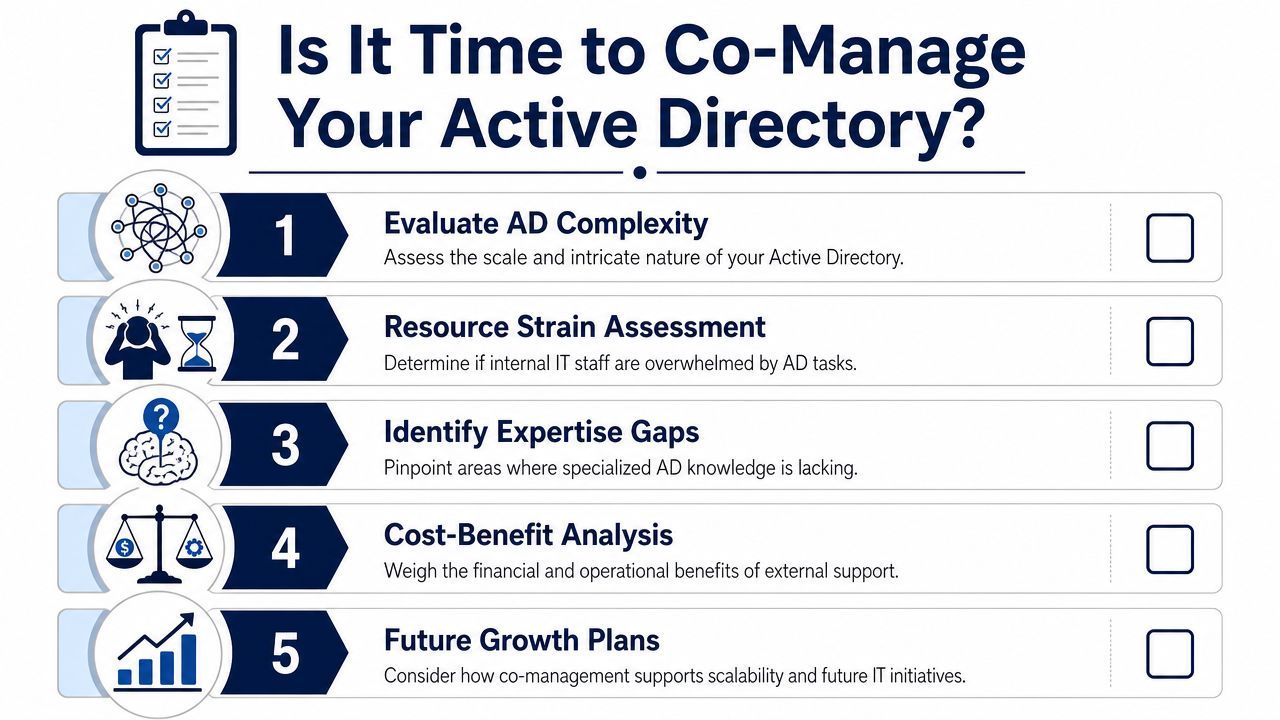
For many SMBs, the core issue isn't whether Active Directory is important. It's whether the current team has enough time and specialised depth to manage it well while still supporting users, projects, and security expectations.
Co-management makes sense when the internal IT team understands the business but can't keep up with every identity, policy, audit, and recovery requirement on its own.
Ask a few direct questions:
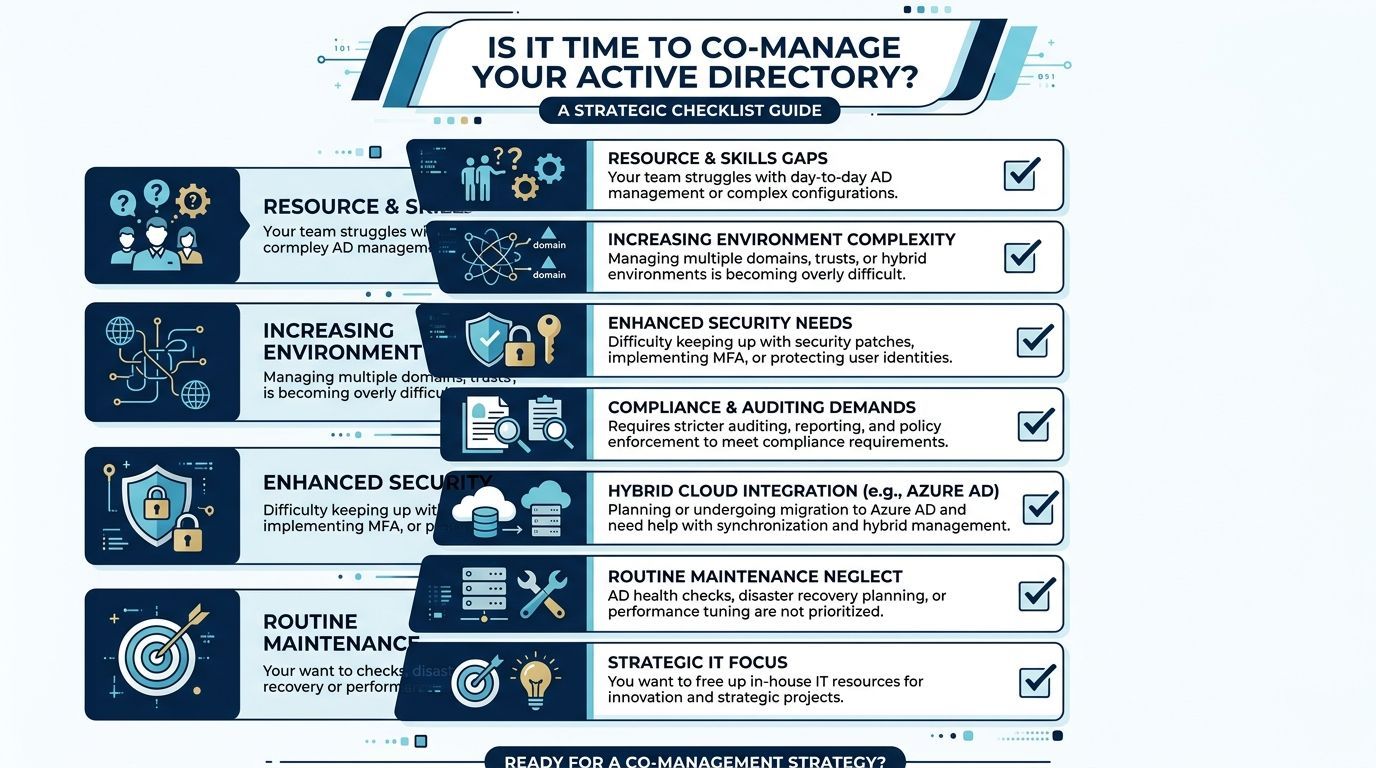
If several of those answers are uncomfortable, co-managed support is worth serious consideration. It gives your business a way to improve security and operational discipline without forcing an already-busy internal team to do everything alone.
For organisations weighing that model, this overview of co-managed IT services in Edmonton offers a practical starting point.
If your team needs a clearer, safer, and more manageable approach to Active Directory, CloudOrbis Inc. can help you assess the gaps, tighten controls, and build a co-managed strategy that fits your budget, compliance needs, and growth plans.
Book a 30-minute call with a senior engineer. No sales script, just straight answers about your environment.


