Top 7 Software Companies in Toronto Ontario for 2026
Our 2026 guide to top software companies in Toronto Ontario. Discover curated SaaS leaders in security, finance, and CX to help grow your business.

Our 2026 guide to top software companies in Toronto Ontario. Discover curated SaaS leaders in security, finance, and CX to help grow your business.

A software review usually starts the same way. The COO has three demos booked, Finance wants cleaner reporting, IT is checking integration and security requirements, and every vendor says their platform can handle growth. The real decision is not which product sounds strongest in a sales call. It is which one fits your operating model, your team capacity, and the systems you already rely on.
Toronto gives buyers plenty of choice. That helps if you know what problem you are solving. It slows things down if you evaluate software as a generic shortlist of local vendors instead of matching tools to business function and implementation risk.
That is the lens for this guide.
Rather than treating Toronto software companies as one broad category, this article groups seven established SaaS vendors by the business problems they address: security, finance, hospitality operations, customer service, education, and health benefits. That makes the comparison more useful for leadership teams weighing practical questions such as identity control, accounting workflow fit, deployment effort, data handling, and how much change management a rollout will require.
The strongest option on paper can still be the wrong choice in practice. A finance tool that suits a sole proprietor may create reporting gaps for a multi-entity business. A customer service platform may reduce support volume, but only if it connects cleanly with your CRM, knowledge base, and Microsoft 365 environment. If password sharing is already creating risk across staff and vendors, start with a clearer business password management approach before adding more applications.
The sections that follow are built to help business leaders compare Toronto-based software firms with more discipline, not more noise.
If your team is still sharing credentials in spreadsheets, chat threads, or browser vaults tied to personal accounts, fix that first. 1Password is one of the strongest Toronto-founded security platforms for businesses that need controlled password sharing, auditability, and cleaner identity practices across staff, vendors, and outsourced IT partners.
Its business fit is broad. Small teams can use it to centralize logins and enforce role-based vault access. Mid-sized organizations can layer in SSO integrations with platforms such as Okta, Microsoft Entra ID, OneLogin, and Duo, while technical teams can use the CLI, SSH key signing, and adjacent developer tooling to support DevOps workflows.
1Password works well when the issue isn’t just password storage. It’s access governance. That matters in co-managed IT environments where internal staff, external MSPs, and line-of-business owners all need different levels of access.
In practice, these are the strongest use cases:
Practical rule: If more than one person knows a privileged credential and nobody owns the rotation process, you don’t have a password problem. You have a governance problem.
There’s also a Canadian credibility factor here. For some organizations, especially in regulated sectors, that helps with procurement discussions around data handling and vendor trust.
1Password is mature, but it isn’t a complete privileged access management stack. If your environment includes deeper server privilege controls, session management, or advanced secrets management requirements, you may still need adjacent tooling.
Cost is the second issue. Public pricing changes in early 2026 have made some buyers revisit scope and licensing. That doesn’t make the platform poor value, but it does mean finance and IT should review actual usage, not just standard seat counts.
For teams reviewing password governance more broadly, this CloudOrbis guide on the best way to manage your passwords is a practical next read.
Use the platform site for current product details at 1Password.
A Toronto agency owner is usually not looking for a finance platform with heavy inventory controls or multi-warehouse logic. They need estimates out quickly, time logged accurately, retainers billed on schedule, and accountant access that does not slow down delivery. That is the lane FreshBooks serves well.
Among Toronto SaaS companies, FreshBooks stands out in the finance function for service-based SMBs. It fits businesses where revenue comes from people, projects, and recurring client work. If your operation runs on billable hours, fixed-fee engagements, or monthly retainers, the product is often a better operational match than accounting software built for product distribution or manufacturing.
FreshBooks keeps the workflow close to how service firms earn revenue. Teams can move from proposal to estimate, then to tracked time, invoicing, and payment collection without forcing owners into a larger accounting system than they need.
The practical advantages are clear:
That last point deserves attention. In many small and mid-sized firms, billing delays are not caused by bad accounting. They come from weak process discipline between delivery and finance. FreshBooks helps close that gap by keeping time, expenses, and client billing in one working system.
FreshBooks is usually strongest as an operational billing platform first, and a financial management tool for growing service firms second. For owner-led businesses, that is often the right trade-off.
There is also a document control issue to address during rollout. If staff regularly exchange receipts, statements, tax files, or client records, accounting software alone is not enough. Pair it with clear permissions and a secure document process. This guide to secure file sharing for accountants is a practical place to start.
FreshBooks becomes a tighter fit once your requirements move into inventory-heavy operations, manufacturing workflows, or more complex entity structures. It can still serve a growing company, but buyers should be honest about whether they need project billing software or a tool for complex financial modeling and broader back-office control.
Pricing is the second area to check carefully. Introductory offers can make the platform look cheaper than it will be in steady-state use. Review standard subscription costs, payment processing fees, and any add-ons against your actual billing volume.
For Canadian service SMBs, FreshBooks remains one of the more practical Toronto software options in the finance category.
Current product details are available at FreshBooks.
A founder launches with a simple requirement. Send invoices, track expenses, reconcile the bank feed, and avoid building an accounting process that costs more than the back office can justify. That is the type of buyer Wave serves well.
Wave belongs in the finance category of this Toronto guide because it solves a specific business problem. It gives very small companies a lightweight accounting stack without forcing them into the overhead of a broader ERP-style system. For sole proprietors, incorporated consultants, and early-stage service businesses, that trade-off is often sensible.
Wave works best when finance needs are still straightforward and the owner or office manager remains close to the books. Invoicing, estimates, receipt capture, transaction imports, and basic bookkeeping are all accessible enough to support day-to-day control without a long implementation cycle.
That matters more than many buyers expect.
I often see small businesses buy software for the company they hope to become rather than the one they run today. In practice, that usually means paying for extra modules, added configuration, and more process than the team will maintain consistently.
Wave is usually a good fit if your priorities look like this:
There is still an IT consideration. Even simple accounting platforms create risk if user access, endpoint security, and document handling are informal. Small firms that do not have internal IT capacity should pair financial software with reliable IT support for small businesses in Toronto, especially if staff are sharing receipts, banking records, and tax files across multiple devices.
The limits show up once the business adds more structure. Department-level job costing, multi-location reporting, layered approvals, procurement controls, and more formal financial oversight push beyond the type of environment Wave is designed for.
That does not make it a weak product. It means the product has a clear boundary.
For Toronto companies comparing software by business function, Wave is one of the more practical options at the entry end of the finance stack. It is not the right choice for every growth stage, but it can be the right choice for the current operating model.
Find current features and plans at Wave.

Friday dinner service is a poor time to discover your POS does not match how your restaurant operates. Orders back up, staff create workarounds, and the owner ends up paying for software that adds friction instead of removing it.
TouchBistro stands out because it is built for hospitality operations, not adapted from a general retail model. For business leaders using this guide to compare Toronto software companies by function, TouchBistro fits the operations category. It is most relevant when the priority is tighter service flow, cleaner table management, and better control over the handoff between front of house, kitchen, payments, and guest engagement tools.
The product aligns well with real restaurant workflows. That matters more than feature volume.
A restaurant group evaluating TouchBistro should focus on whether it improves these day-to-day functions:
That last point deserves scrutiny. An all-in-one approach can reduce admin overhead, but it also means buyers need to test how well each module performs for their specific service model. A quick-service operator, a full-service restaurant, and a multi-location hospitality group will not value the same setup.
A restaurant POS should shorten training time, reduce order errors, and keep service moving during peak periods. If staff need too much explanation on day one, the fit is probably wrong.
The harder questions usually appear after the demo. Multi-location businesses should check reporting consistency, menu governance, role-based access, payment reconciliation, and integration with accounting systems before procurement reaches legal review. Those factors affect operating discipline far more than the look of the interface.
Infrastructure also matters. Restaurants depend on stable wireless coverage, secure payment handling, device support, and quick issue resolution during service hours. Teams that do not have in-house IT should evaluate the POS alongside their broader support model, including managed IT services for Toronto businesses.
TouchBistro uses quote-based pricing, so buyers should push for a full cost picture. Ask for software fees, payment terms, hardware requirements, implementation scope, support coverage, and any charges tied to add-on modules.
Integration scope should be reviewed early as well. Purpose-built restaurant platforms usually offer better workflow fit than broad systems, but they can be less flexible if your business depends on a large third-party app stack. That trade-off is manageable if you identify your accounting, payroll, reservations, delivery, and reporting requirements before contract approval.
For Toronto companies comparing software by business function, TouchBistro is a practical example of a vertical SaaS product that solves a specific operational problem well. It is a strong candidate when restaurant execution matters more than broad cross-industry flexibility.
Product details are available at TouchBistro.
A support queue usually starts to break in a predictable way. Wait times rise, agents answer the same basic questions all day, and customers bounce between channels because the experience is inconsistent. Ada is built for that problem. It gives organizations a customer service automation layer for web, mobile, messaging, email, and voice, with rules for routing people to a human when the issue needs judgment.
For business leaders comparing Toronto software companies by function, Ada fits the customer service category. It is a stronger option for teams trying to reduce repetitive inbound work and standardize first-response handling than for companies looking for a simple chatbot widget.
Ada performs best when the underlying service operation is already defined. Good help content, clear escalation paths, CRM data that can be trusted, and someone responsible for ongoing tuning all matter. Without that operating discipline, automation tends to expose process gaps rather than fix them.
The platform is usually a good fit for organizations that need:
The fundamental evaluation point is not the demo. It is exception handling. Buyers should test how Ada performs when content is outdated, when a user asks an ambiguous question, or when an interaction needs policy-based escalation. Those are the moments that determine whether automation reduces workload or creates more cleanup for the service team.
Readiness also deserves a hard look. If Microsoft 365 administration, access controls, CRM ownership, or support workflows are weak, the rollout will be harder than expected. Companies that need to stabilize that foundation first should review their broader managed IT support options in Toronto before adding AI-driven service automation.
Ada typically uses sales-led pricing, so procurement teams should ask for a full commercial picture early. Get clarity on implementation scope, integration work, support coverage, usage limits, and who owns optimization after launch.
Governance is the bigger issue. Someone has to manage content quality, review failed conversations, tune routing logic, and decide when automation should stop and a person should step in. Companies that assign no clear owner often end up with poor containment rates and frustrated customers.
Ada is a serious customer service operations platform. It makes the most sense when support efficiency, consistency, and after-hours coverage are business priorities.
You can review the platform at Ada.

A dean approves a new teaching platform, faculty adopt it unevenly, students get three different course experiences, and IT inherits the support burden. That is the buying context for Top Hat. It is not just an education app. It is a teaching operations platform for organizations that need participation, assessment, and digital course delivery to work inside a repeatable academic model.
Top Hat fits a narrower business function than security or finance software, but that focus is the point. For universities, colleges, private training organizations, and professional education teams, it aligns closely with instructional workflows. Instructors can run polls, quizzes, attendance, assignments, and course content from one system instead of piecing together generic collaboration tools.
Top Hat makes the most sense in blended learning environments where live teaching and digital participation need to stay connected. LMS integrations, grading features, and interactive content help reduce context switching for faculty and give academic leaders more consistency across courses.
Common fit scenarios include:
For business leaders evaluating Toronto software companies by function, Top Hat sits in the learning and training category. The key question is not whether the feature set looks strong in a demo. It is whether your institution can standardize how it will be used across instructors, programs, and support teams.
Pricing often gets messy because the commercial model can involve institution-paid licensing, student-paid materials, or a mix of both. Set that budget structure early. If procurement leaves it unresolved, the objection will shift from educational value to cost fairness, faculty discretion, and student experience.
Security and data handling also need review before rollout, especially when student records, LMS connections, and single sign-on are involved. Teams that need to tighten controls first should look at their broader approach to data security management policies and practices.
The implementation work involves standardizing the experience across faculty, students, and support teams. Schools that treat Top Hat as a department-level tool often end up with uneven adoption and inconsistent support. Schools that assign clear ownership to academic leadership, IT, and teaching support usually get better results.
Review the platform at Top Hat.
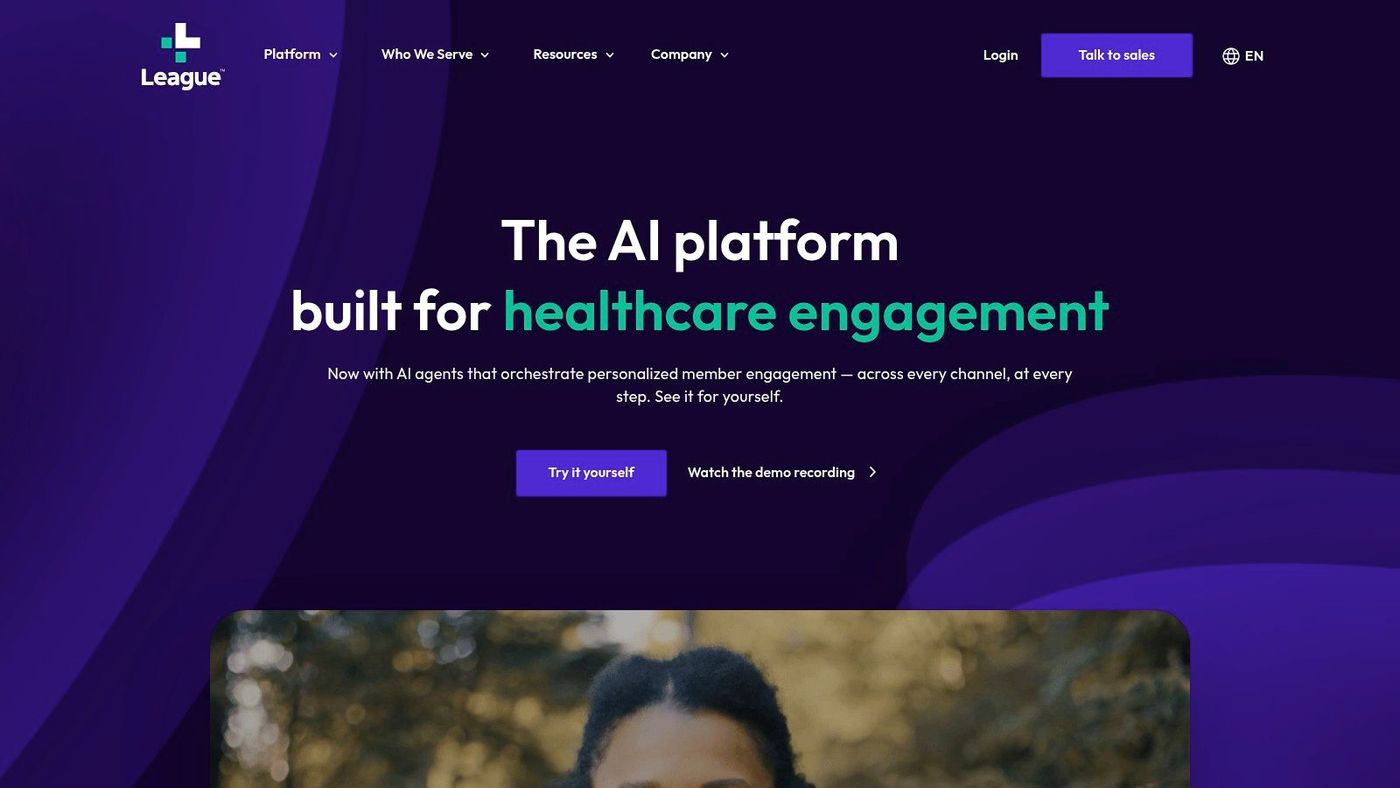
A benefits leader has one problem, HR has another, and IT has a third. Members want a simpler health experience. Support teams need fewer dead ends. Security and compliance teams need tighter control over health-related data and integrations. League is built for organizations trying to solve all three at once.
Within this Toronto group, League fits the health benefits and member engagement category. It serves insurers, health systems, and larger employers that need a digital front end for benefits, care guidance, and health communication. That positioning matters because this is not a general HR app decision. It is a service delivery and systems integration decision that touches member experience, operations, and governance.
League’s strength is its focus on healthcare and benefits workflows. White-label deployment, enterprise integrations, analytics, and AI-assisted engagement support organizations that need to coordinate members, providers, internal teams, and external partners through one experience layer.
That makes it relevant for buyers with real operational complexity.
A platform like this is usually evaluated by multiple executives at once. The business case may start with member adoption or support efficiency, but the technical review quickly shifts to identity, API maturity, data exchange, and how well the product fits existing claims, HRIS, CRM, or care management systems. Buyers that treat League as a simple app purchase usually underestimate the integration work.
League makes the most sense when healthcare journeys are already complicated enough to justify a dedicated platform. Smaller employers with limited benefits variation may not get enough return from the implementation effort, vendor coordination, and internal change management.
Procurement should also test who owns the operating model after launch. That includes content updates, member communications, escalation paths, analytics review, and decisions about which teams can change workflows or launch new programmes. If ownership stays vague, adoption often stalls even when the software is capable.
Security review needs to start early. In benefits and digital health environments, teams should examine access controls, data flows, endpoint risk, vendor responsibilities, and incident handling before contracting. This guide to data security management policies and practices is a good starting point for that review.
For business leaders comparing Toronto software companies by function, League belongs on the shortlist when the goal is to improve health engagement without creating another disconnected member portal. Review the platform at League.
| Product | Implementation complexity | Resource requirements | Expected outcomes | Ideal use cases | Key advantages |
|---|---|---|---|---|---|
| 1Password (AgileBits Inc.) | Medium, admin setup, SSO/IdP and RBAC configuration | Moderate, IT/admin for SSO, onboarding, DevOps integrations | Centralized credential security, auditability and secure sharing | Teams and organizations needing enterprise password/secret management and DevOps support | Mature RBAC and SSO, developer tooling, SOC 2 compliance |
| FreshBooks | Low, cloud onboarding and minimal configuration | Low, little IT, accountant access optional | Faster invoicing, time tracking and simplified bookkeeping with Canadian tax support | Freelancers, small professional services and SMBs | Very user-friendly, Canadian tax/localization and quick rollout |
| Wave | Very low, quick signup, basic setup | Minimal, few technical or financial resources required | Basic invoicing and bookkeeping at very low cost | Micro businesses, sole proprietors and startups on tight budgets | Free/low-cost entry with CAD pricing and simple payments |
| TouchBistro | Medium, POS configuration, hardware (iPad) setup | Moderate, iPads, network, staff training and optional integrations | Streamlined front/back-of-house operations with offline resilience | Restaurants and hospitality businesses needing purpose-built POS | Restaurant-specific workflows, offline capability, integrated payments |
| Ada | High, integrations, training and ongoing tuning required | High, data readiness, integration work and professional services | Tier‑1 support deflection, personalized CX and scalable automation | Enterprises seeking multi-channel automated customer service | Scalable AI agents, orchestration, strong services/implementation support |
| Top Hat | Low–Medium, instructor setup and LMS integration | Low–Moderate, faculty training and content sourcing/licensing | Increased class engagement, streamlined assessment and attendance tracking | Universities, colleges and professional education programs | Live engagement tools, interactive textbooks and institutional support |
| League | High, enterprise integration and regulatory/compliance scoping | High, integration, customization and vendor/partner engagement | Improved member/employee benefits navigation, engagement and analytics | Insurers, large employers and health systems modernizing benefits CX | Healthcare-focused UX, analytics and white‑label enterprise options |
You shortlist two Toronto vendors, book the demos, and both look polished. Three months later, the practical challenges begin. SSO does not map cleanly to your directory, finance needs a workaround, support tickets bounce between teams, and adoption stalls because no one owned the rollout plan.
That is why this decision should be treated as an operating model choice, not a software beauty contest. The seven companies in this guide solve different business problems across security, finance, hospitality, customer service, education, and health benefits. The right fit depends less on brand recognition and more on how the product matches your workflows, compliance requirements, internal IT capacity, and tolerance for change.
A practical way to choose is to start with the business function you need to improve, then test the product against your environment. 1Password fits organizations that need stronger credential control, shared access practices, and cleaner identity hygiene. FreshBooks suits service businesses that want simpler billing and accounting workflows without enterprise ERP complexity. Wave works well for very small businesses that need low-cost financial administration. TouchBistro is purpose-built for restaurants, where POS speed, offline operation, and front-of-house workflow matter more than generic retail features. Ada makes sense when support volume is high and your team has the data, integrations, and process discipline needed for AI automation. Top Hat serves institutions focused on classroom engagement and digital course delivery. League is better aligned to insurers, large employers, and health organizations with more complex member experiences and integration demands.
I have seen the same mistake repeatedly. Leaders compare feature lists before they define ownership, security review, integration scope, and success measures. That usually leads to a product that looked right in procurement and becomes expensive in implementation.
Use a tighter evaluation checklist before signing anything:
For some organizations, the answer is not an off-the-shelf product at all. If your workflows are highly specific or you need tighter control over integrations and data handling, a custom software development partner in Toronto may be the better route than forcing a SaaS platform into processes it was not built to support.
Toronto gives buyers strong options. The advantage is not merely vendor volume. It is the ability to choose by function and fit, then run a disciplined evaluation that accounts for implementation reality, not just demo quality.
If your team needs help validating vendors, reviewing integration risk, or aligning a software decision with your broader IT roadmap, CloudOrbis can help. Our vCIO and managed IT services focus on the part many businesses underestimate. Turning a software purchase into a secure, well-managed implementation that people will use.
CloudOrbis Inc. helps small and mid-sized Canadian organizations evaluate software, strengthen cybersecurity, and build the IT foundation required for successful adoption. If you’re comparing platforms and want a practical second opinion on integration, compliance, Microsoft 365 readiness, or managed support, CloudOrbis can help you make the right call before rollout becomes expensive.
Book a 30-minute call with a senior engineer. No sales script, just straight answers about your environment.


