Managing a Help Desk: The 2026 SMB Playbook
Master managing a help desk effectively. Our 2026 playbook for Canadian SMBs covers setup, staffing, security, metrics, & proactive IT support.

Master managing a help desk effectively. Our 2026 playbook for Canadian SMBs covers setup, staffing, security, metrics, & proactive IT support.
Your finance lead can’t access a shared drive. A nurse can’t print a chart. A plant supervisor loses connection to a line-of-business system right before shift change. None of those issues look strategic in the moment. They look like interruptions.
But when those interruptions pile up, they become a business problem. Work slows down. Employees stop trusting IT. Security gaps widen because people start finding their own workarounds. That’s why managing a help desk well matters so much for mid-sized organisations. It isn’t just about answering tickets. It’s about protecting focus, uptime, and confidence across the business.
The strongest teams no longer run support from a shared inbox and a handful of heroic technicians. Dedicated help desk systems are now standard among high-growth teams, with 60% of high-growth customer service teams in North America using them, and overall help desk software adoption has risen by 11 percentage points since 2020 to reach 53% according to monday.com’s help desk statistics roundup. That shift reflects a broader reality in Canadian businesses. Support has moved from informal and reactive to structured and operationally important.
If you’re still treating the help desk as a pure cost centre, you’re likely measuring the wrong thing. The question isn’t what support costs. It’s what poor support costs your business every day.
A badly run help desk creates hidden drag. Staff wait. Managers escalate manually. Business applications become unreliable not because the platform is broken, but because nobody owns the support process end to end.
A well-run help desk does the opposite. It gives employees one clear path for getting help. It creates visibility into recurring faults. It gives leadership a record of what’s breaking, where demand is rising, and which issues are draining productive hours.
That’s the strategic shift. Managing a help desk well means treating support as an operating function, not a repair queue.
When leadership reframes the help desk, three things usually improve quickly:
A good help desk doesn’t just resolve incidents. It exposes patterns the rest of the business can act on.
This matters in Canadian environments where compliance, distributed work, and sector-specific systems add complexity. A manufacturing firm in Alberta may need dependable support for plant-floor devices, VoIP, and Microsoft 365. A clinic in Ontario needs the same discipline, but with stricter handling of sensitive information and stronger audit practices.
The common denominator is control. That’s why many firms move toward structured, managed support models such as a managed help desk once growth makes informal support unsustainable.
Some habits still look efficient on paper but fail in practice:
That approach keeps IT busy. It doesn’t keep the business stable.
Most help desk problems start before the first ticket arrives. They start with unclear scope and a staffing model that doesn’t match the business.
If you don’t define what the help desk owns, every request turns into a negotiation. If you don’t staff it properly, every absence, after-hours alert, or specialist issue becomes a scramble.
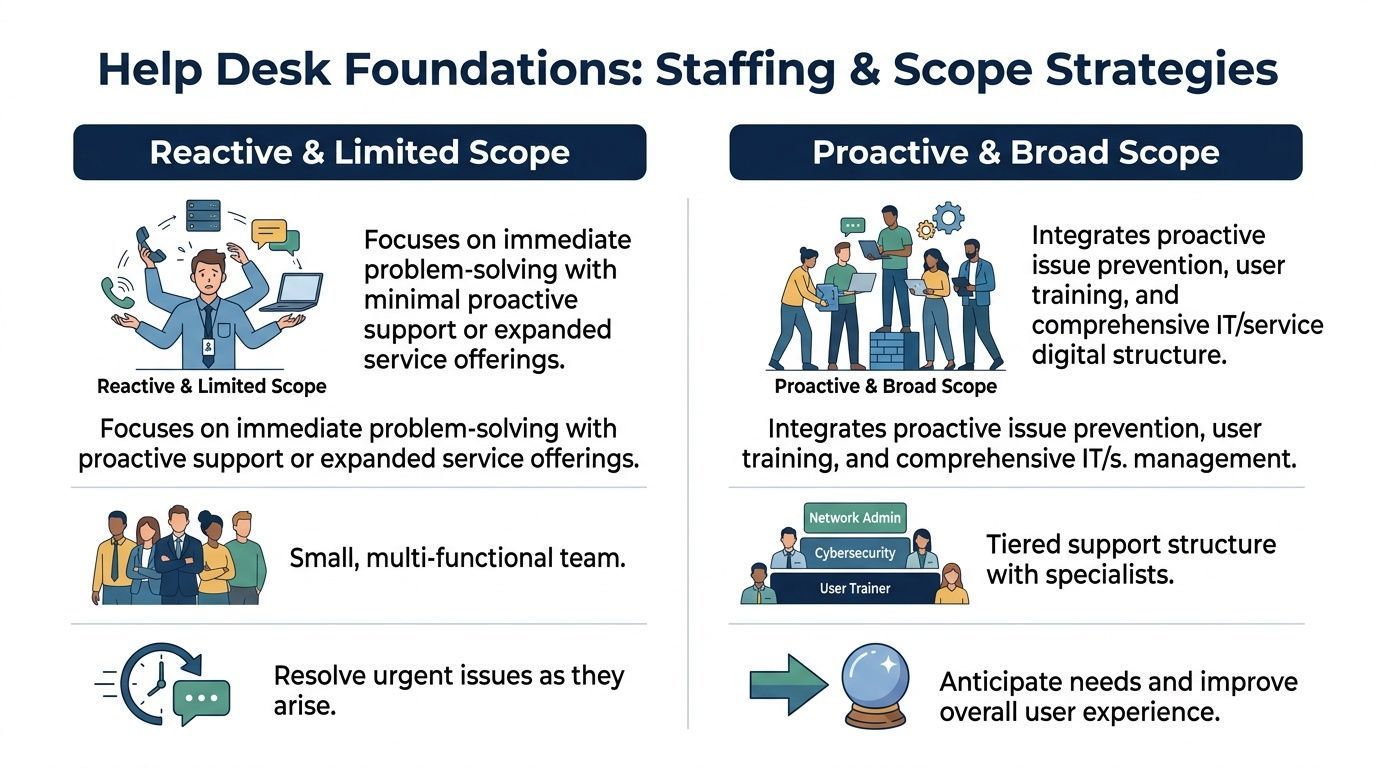
Leaders often jump straight to headcount. Scope should come first.
A practical help desk scope statement should answer:
Without this, the desk becomes a catch-all function. That tends to overwhelm frontline staff and disappoint users at the same time.
There are three common models. Each has trade-offs.
An internal team gives you direct control. That matters when your environment is highly specialised or your leaders want close alignment with business units.
It also creates concentration risk. If one person knows the ERP, one person knows network printing, and one person handles security escalations, service quality can dip fast when any of them leave or take holiday.
This challenge is more than theoretical in Western Canada. In Alberta’s oil and gas sector, help desk staff turnover reached 18% in 2025, while Edmonton manufacturing firms reported 25% vacancy rates for Tier 1 support. The same data found that co-managed IT services can reduce this turnover by 35% through workload sharing, based on the source cited in this industry reference.
A fully outsourced model can provide broader coverage and easier scheduling. It may also reduce recruitment pressure, especially when local talent is tight.
The risk is distance. If the provider doesn’t understand your systems, users, business cycles, or regulatory obligations, ticket handling becomes transactional. That usually shows up in weak triage, avoidable escalations, and frustrated department leaders.
For many mid-sized firms, co-managed support is the most practical middle ground. Internal IT keeps ownership of architecture, business alignment, and priority-setting. The external partner handles volume, after-hours coverage, standard requests, monitoring, and overflow.
This model works especially well when the business needs local context but can’t justify building a full bench internally. It’s also useful when specialist knowledge is uneven across sites or business units.
Practical rule: Use internal staff for business context and governance. Use an external bench for coverage, repeatable service delivery, and depth you don’t need to hire full time.
A firm evaluating regional support roles can also review what a modern frontline role typically entails in postings like this information technology help desk support position in Leduc, Alberta. It’s a useful reminder that today’s desk work blends technical support, communication, triage, and discipline.
A clinic and a manufacturer both need dependable support, but they don’t need the same help desk.
| Business context | Help desk priority | Staffing implication |
|---|---|---|
| Healthcare clinic | Privacy, secure access, urgent user issues | Strong process control, compliance-aware staff |
| Manufacturing plant | Device uptime, shift support, vendor coordination | Extended coverage, escalation discipline |
| Finance or legal office | Secure collaboration, access control, auditability | Tight permissions, documented handling |
| Multi-site SMB | Consistency across locations | Standardised workflows, shared tooling |
The point isn’t to make the desk bigger than it needs to be. It’s to make it deliberate. Most support breakdowns come from mismatch. The business expects a strategic service layer. The desk was staffed like a reactive call queue.
Three mistakes show up repeatedly:
That last problem is common. Outsourcing a queue is not the same thing as managing a help desk.
A stable help desk runs on clear workflows, not good intentions. If tickets arrive through five channels, get triaged three different ways, and escalate based on whoever’s available, the desk will feel busy all day and still miss important issues.
The fix is simple in principle. Every ticket should move through the same lifecycle, with clear ownership, time expectations, and closure standards.
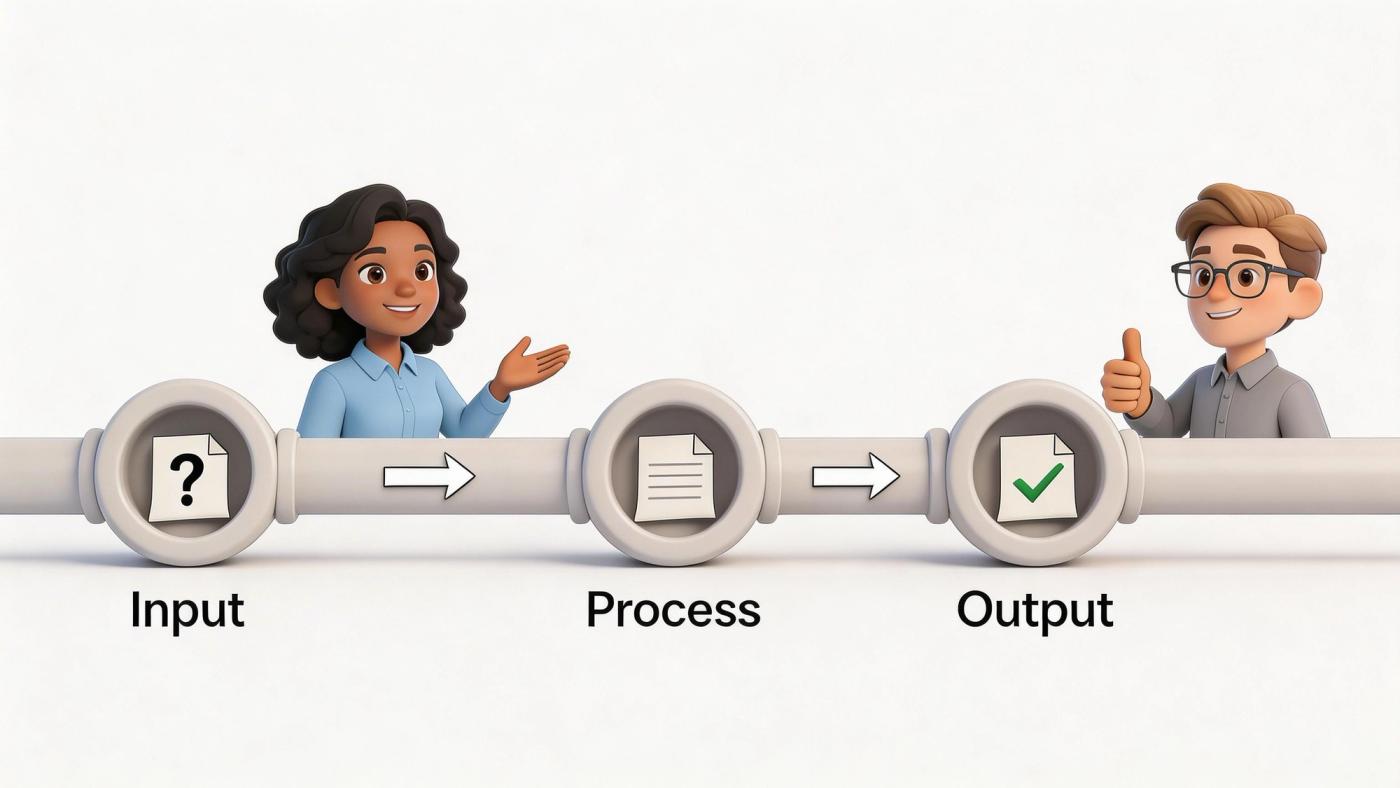
Users shouldn’t have to guess where to go. The more paths you allow without structure, the harder it becomes to prioritise correctly.
A practical model uses a service portal as the primary entry point, while still accepting email and phone for urgent or less technical users. The key is that all requests must become tickets inside the same system.
That workflow often looks like this:
Software-backed process matters. A shared mailbox can’t reliably handle categorisation, status visibility, or reporting the way a workflow platform can. Businesses refining these processes often pair their desk with broader software workflow management so escalations, approvals, and service tasks don’t live in separate silos.
Escalation shouldn’t feel like failure. It should be an intentional handoff.
The healthiest desks don’t push every difficult issue upward. They define which problems belong in Tier 1, which require specialist review, and which need vendor or project involvement. That reduces confusion for staff and shortens the time users spend waiting for the right owner.
A proactive help desk should target less than 15% ticket escalations and maintain zero predicted backlogs. High escalation rates often point to frontline training gaps, and poor self-service options can leave up to 30% of issues unreported, according to this help desk effectiveness reference.
If a ticket escalates, the receiving team should never have to reconstruct the story from scratch.
That means the handoff must include user impact, steps already taken, screenshots or logs where appropriate, and a clear statement of what’s blocking resolution.
Service levels should reflect business impact, not internal optimism.
A useful approach is to define urgency based on who is affected and what work has stopped. For example, a single user printer issue doesn’t belong in the same bucket as a clinic-wide login failure or a warehouse barcode outage.
Many desks over-promise here. They publish aggressive targets without staffing or tooling to support them. Users stop believing the service levels, and staff start closing tickets cosmetically to protect reports.
You don’t need a playbook for every scenario on day one. Start with the issues that come up constantly.
Good SOPs are short and operational. They should include:
For Canadian mid-sized firms, the usual first candidates are onboarding, password and MFA issues, Microsoft 365 access, shared mailbox problems, device replacement, and VoIP troubleshooting.
That’s the difference between a desk that depends on memory and one that can scale.
The platform you choose will either reinforce disciplined service delivery or undermine it. A weak toolset forces technicians to work around the system. A well-chosen one makes triage, visibility, and reporting easier without adding friction for users.
When leaders evaluate technology for managing a help desk, they often focus too much on feature checklists and not enough on fit. The right platform is the one your team will use consistently, integrate properly, and maintain without constant exception handling.
The basics still matter. You need ticket capture, categorisation, assignment rules, searchable history, and user communication. Beyond that, the strongest platforms usually earn their keep in four areas.
Your help desk shouldn’t sit apart from the rest of the environment. It should connect cleanly with Microsoft 365, endpoint management, identity tools, VoIP systems, and monitoring platforms.
If technicians have to jump across disconnected systems to understand one issue, response quality drops. Integration reduces swivel-chair work and gives agents better context before they contact the user.
Automation is useful when it removes repetitive work, not when it hides unresolved problems.
Good examples include routing tickets by category, auto-applying approvals for standard service requests, flagging VIP or compliance-sensitive users, and generating alerts from monitoring tools before users report the issue.
Leaders need more than ticket counts. They need views into backlog, recurring application faults, queue load, and escalation patterns by department or site.
If the reporting layer is weak, the desk can’t mature. You’ll still be arguing from anecdotes.
This gets overlooked. If the portal is clunky, users will bypass it. If the technician interface is cumbersome, documentation quality will slip.
For a broad view of evaluation criteria, this guide to IT support ticketing software is useful because it looks at feature fit from an operational perspective rather than from pure vendor marketing.
New software won’t fix a broken process by itself. If your categories are inconsistent, your ownership rules are fuzzy, and your closure practices are poor, a new platform will just document the confusion more neatly.
Before implementation, clean up three things:
Buy technology to support a service model you’ve already decided to run. Don’t expect the software to invent the model for you.
A sensible migration is phased. It doesn’t need to be dramatic.
Start with one business unit or one support stream if possible. That gives the team space to test triage rules, category design, and end-user communication before broad release.
This is also where remote monitoring should connect to service workflows. If you’re already reviewing remote monitoring and management practices, link alerts into ticket creation carefully. Too many unmanaged alerts will flood the queue. Good monitoring creates actionable tickets. Poor monitoring creates noise.
Focus on adoption. Are users submitting through the portal? Are technicians documenting well? Are categories being used consistently? Those questions matter more in the first month than advanced dashboard design.
One practical option in this space is CloudOrbis Inc., which provides a 24/7, Canada-based managed help desk as part of its broader managed IT model. For organisations considering co-managed delivery, that type of service can be relevant when paired with clear internal ownership and agreed workflows.
The test is simple. The tool should reduce ambiguity for users and workload friction for the team. If it doesn’t, the problem is either the product fit or the implementation discipline.
In regulated sectors, the help desk is part of your control environment. It handles identity checks, access requests, sensitive troubleshooting, and incident communication. That means weak help desk practices can create compliance exposure even when the rest of the IT stack is sound.
This is especially important in Ontario healthcare settings, where privacy obligations shape how support should work day to day.
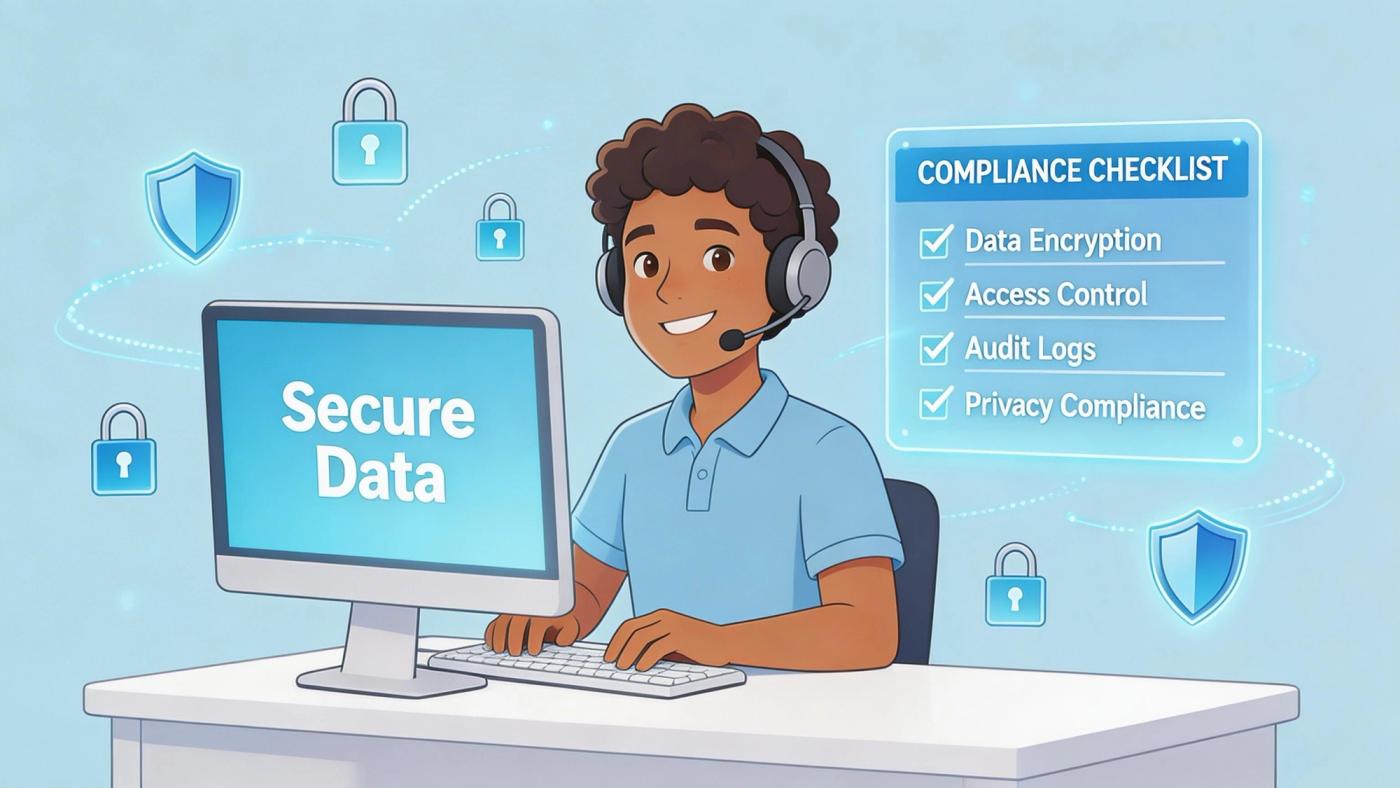
A secure help desk doesn’t rely on technicians remembering to be careful. The system should enforce good handling.
That usually means:
In Ontario, PHIPA compliance is a major consideration for healthcare organisations. Yet only 32% of Canadian healthcare IT leaders report full compliance in incident response protocols, and proactive, PHIPA-aligned monitoring can reduce breach-related help desk tickets by 28%, according to the source cited in this reference.
Many organisations make one of two mistakes. They either train help desk staff only on speed, or only on policy. Neither works.
Staff need enough privacy and security training to recognise risk quickly without freezing routine work. For a clinic, that may include knowing when a ticket contains personal health information, when to redact details from notes, and when to escalate a suspicious access request to security or management.
Compliance fails quietly when frontline staff have to improvise.
That’s why healthcare and legal environments often benefit from support processes that align closely with wider IT security services, rather than treating the help desk as a separate operational island.
Incident response shouldn’t begin when someone realises data may have been exposed. The desk needs prewritten steps for what to do, who to notify, and what not to say before facts are confirmed.
A practical supplement for leadership teams is a documented data breach response playbook. Used properly, it helps align frontline reporting with legal, operational, and communication decisions.
| Control area | What good looks like |
|---|---|
| Ticket content | No unnecessary sensitive data in notes |
| Access changes | Dual verification and documented approval path |
| Escalations | Clear route to security or privacy lead |
| Remote support | Controlled sessions and logged actions |
| Reporting | Review of privacy-related ticket patterns |
When managing a help desk in regulated sectors, the goal isn’t to slow support down. It’s to remove guesswork. The safest desks are usually the ones with the clearest rules.
A help desk improves when leadership treats metrics as management tools, not scorekeeping tools. The wrong dashboard creates theatre. The right one shows where service quality is drifting and where intervention will pay off.
Many mid-sized businesses get stuck at this point. They have data, but they don’t use it well. Ticket counts go into monthly reports. Nothing changes.
You don’t need dozens of measures. You need a few that reveal whether the desk is resolving work efficiently, documenting accurately, and preventing repeat issues.
The most practical set usually includes:
One metric deserves extra care. For every 1% improvement in First Call Resolution, a mid-sized business can save an estimated $276,000 annually in operational costs. But poor measurement distorts decision-making. Using a 24-hour callback window can artificially inflate FCR by 20% to 30%, according to MSPAA’s help desk performance guidance.
The value of reporting isn’t the number. It’s the conversation the number triggers.
If one site has slower resolution times, you may have a staffing problem, a weak escalation path, or a local application issue. If one department’s CSAT falls, the issue may be communication quality rather than technical skill.
Operator’s view: If your dashboard can’t tell you what to fix next, it’s reporting history, not managing service.
Some numbers look reassuring and mean very little on their own.
A high closure count can hide weak first-time resolution. Fast first-response time can mask poor handoffs. Strong CSAT can coexist with bad reporting if only a small slice of users completes surveys.
That’s why managers should review metrics together, not in isolation.
| KPI | What it reveals | Common management action |
|---|---|---|
| FCR | Frontline effectiveness | Coaching, SOP updates, knowledge base work |
| Resolution time | Service speed | Queue balancing, vendor review, triage refinement |
| CSAT | User confidence | Communication coaching, expectation-setting |
| Escalation rate | Training gaps or complexity | Role clarity, specialist coverage |
| Backlog ageing | Capacity strain | Resource shift, automation, scope review |
The strongest desks use monthly reporting to change something concrete.
That might mean rewriting an onboarding checklist because account setup tickets keep bouncing. It might mean creating a standard response pack for Microsoft 365 sync issues. It might mean assigning one senior technician to review every recurring VoIP fault for a quarter and push the underlying problem into a project queue.
That’s when the help desk becomes more than support. It becomes an early warning system for process, platform, and training weaknesses across the business.
A mid-sized business doesn’t need a flashy help desk. It needs one that is clear, accountable, secure, and aligned with the way the organisation works.
That starts with scope and staffing. It improves through disciplined workflows. It scales through the right technology. In regulated environments, it depends on privacy and security controls being built into the service itself. And over time, it gets better only if leadership uses performance data to make operational decisions.
Managing a help desk well changes how the business feels day to day. Staff stop chasing updates. Managers stop escalating around the process. IT stops living in permanent reaction mode. The organisation gets a steadier operating environment and better visibility into where technology is helping or hurting.
For Canadian SMBs in healthcare, manufacturing, finance, legal, and resource sectors, that shift matters. Reliable support protects productivity. Proactive support protects growth.
If your organisation is ready to turn IT support from a source of disruption into a disciplined business function, contact CloudOrbis Inc.. A strategic review of your managed or co-managed help desk can clarify where your current model is falling short, where risk is hiding, and what a stronger support operation should look like.
Book a 30-minute call with a senior engineer. No sales script, just straight answers about your environment.


