Your Guide to Business Process Optimization in Canada
Unlock efficiency with our guide to business process optimization. Learn a step-by-step framework for Canadian SMBs, from process mapping to technology and ROI.

Unlock efficiency with our guide to business process optimization. Learn a step-by-step framework for Canadian SMBs, from process mapping to technology and ROI.

If you're running a clinic, law firm, or finance office, you probably already know where work slows down. Intake forms arrive by email. Staff save documents to a shared drive. Someone updates Microsoft 365 manually. Another person creates a task in a ticketing system. Then a manager asks for status, and nobody trusts the answer until three people compare notes.
That's the point where business process optimization stops being a management buzzword and becomes an operational necessity.
In regulated Canadian SMBs, poor process design doesn't just waste time. It creates billing delays, inconsistent client service, weak audit trails, duplicate data entry, and avoidable security risk. The hard part is that most broken workflows don't look dramatic. They look normal because everyone has learned the workaround.
The fix usually isn't “buy more software”. It's to understand how work moves through your business, decide what matters most, and then improve the process in a controlled way. If you use Microsoft 365, cloud apps, email, and line-of-business systems, you already have part of the foundation. What you need is a method.
Business process optimization means improving how work moves from request to completion so the business gets a better result with less friction, less risk, and more consistency. In practice, that could mean faster client onboarding, cleaner invoice handling, fewer document errors, or a more reliable approvals process.
Most firms want to jump straight to automation. That's usually where projects go sideways. The Business Development Bank of Canada says process mapping, performance measures, and data collection are critical first steps, and recommends enterprise-wide mapping to identify waste and bottlenecks before making changes (BDC guidance for Canadian SMBs).
Don't begin with every workflow in the company. Start with the ones that create visible business pain.
In a legal office, that may be new matter intake, document review handoffs, or trust-related approvals. In a clinic, it may be referral intake, appointment follow-up, claims processing, or onboarding a new provider. In both cases, the warning signs are similar:
A practical first pass is to list ten recurring workflows and ask three questions. Which one causes the most delay? Which one creates the most rework? Which one creates the most risk if handled badly?
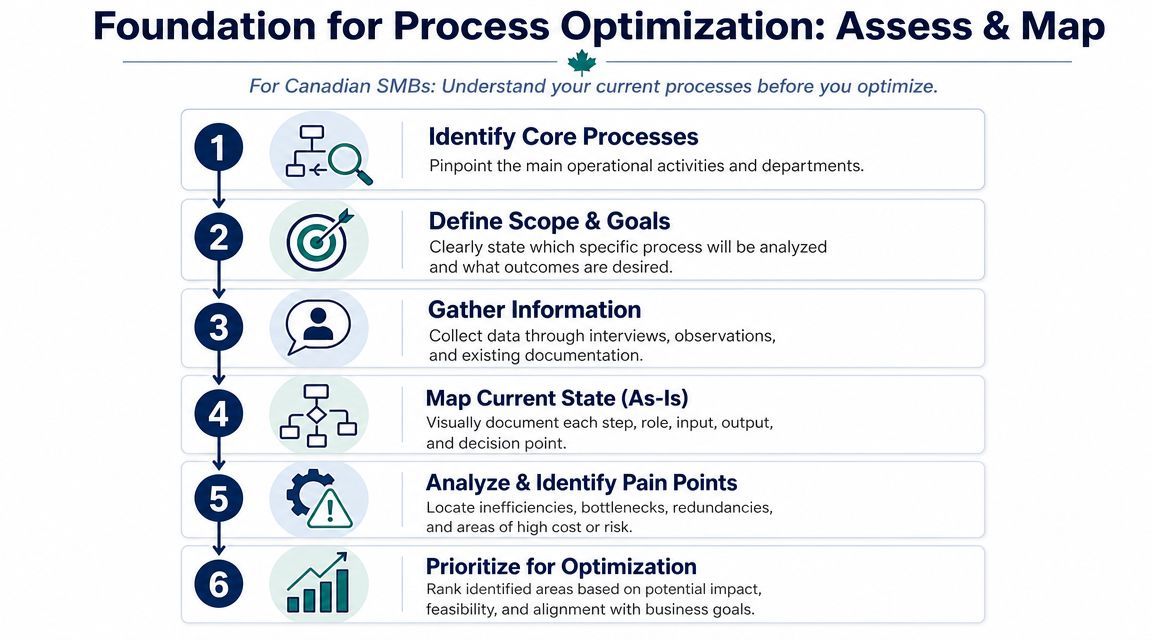
Most SMBs don't need a complicated modelling exercise to start. A whiteboard, Teams meeting, or shared document is enough if the map captures the actual flow of work. BDC specifically points firms toward methods such as SIPOC and value-stream maps as useful starting points for identifying bottlenecks and waste.
Use a simple structure:
If you want examples of how this looks in revenue and operations workflows, this guide to B2B revenue operations process mapping is useful because it shows how handoffs and ownership gaps become visible once the process is drawn out.
Practical rule: If a process only makes sense when one long-term employee explains it verbally, it isn't under control yet.
A map shows the flow. A baseline shows whether the flow is any good.
Before changing anything, record a few measures that match the business outcome you want. In most SMB environments, that means:
For a clinic, that might mean tracking how long referral intake takes from receipt to scheduling. For a law firm, it might mean how long new client intake takes from signed engagement to matter creation and document filing.
Keep it simple. A baseline doesn't need to be perfect to be useful, but it does need to be real. If you skip this step, you won't know whether the new process improved profitability, service quality, or compliance.
Once you've mapped several workflows, the next mistake is trying to fix all of them at once. That spreads the team thin and usually produces a lot of meetings with very little operational change.
A better approach is an impact versus effort view. Put each process on two scales. First, how much business value would you gain if it improved? Second, how hard will it be to change given systems, people, dependencies, and risk?
In regulated SMBs, business impact usually comes from a mix of four factors:
Effort is different. A workflow may look simple on paper but be hard to change because it touches multiple departments, custom forms, or compliance rules.
A process with medium impact and low effort often deserves attention before a high-impact process that requires major system redesign.
Here's a basic model you can adapt for a clinic, legal office, or professional services firm.
| Process Name | Business Impact (1-10) | Implementation Effort (1-10) | Priority Score (Impact/Effort) |
|---|---|---|---|
| Automate invoice reminders | 8 | 3 | 2.67 |
| Standardize new client intake | 9 | 5 | 1.80 |
| Centralize document approval workflow | 8 | 6 | 1.33 |
| Reduce email-based referral handling | 7 | 6 | 1.17 |
| Overhaul full matter management workflow | 10 | 9 | 1.11 |
This table isn't about mathematical precision. It's about forcing a clear decision. If leadership can see why one initiative ranks ahead of another, you'll get faster alignment and fewer side debates.
Pick one quick win, one strategic workflow, and one high-risk process that needs tighter control. That mix gives the business visible progress without ignoring structural issues.
This is also where business and IT alignment matters. If your process priorities don't connect to budget, compliance, and system planning, they'll stall in the handoff between operations and technology. A practical way to frame that conversation is through business technology alignment planning, where workflow priorities are tied to business goals instead of isolated software requests.
Technology should fit the process. It shouldn't dictate it.
That sounds obvious, but many SMBs still buy tools because they promise automation, then discover the workflow was never standardised in the first place. The result is expensive digital clutter. You end up with a faster version of the same broken process.
The bigger market shift is real. The global Business Process Management market is projected to grow from $15.4 billion to $65.8 billion by 2032, and reported gains from optimization tools include 15% to 25% cost savings and up to 50% faster process completion according to Comidor's BPM market summary. For Canadian businesses, that matters because the same categories of tools now sit inside everyday operations, not just enterprise transformation projects.
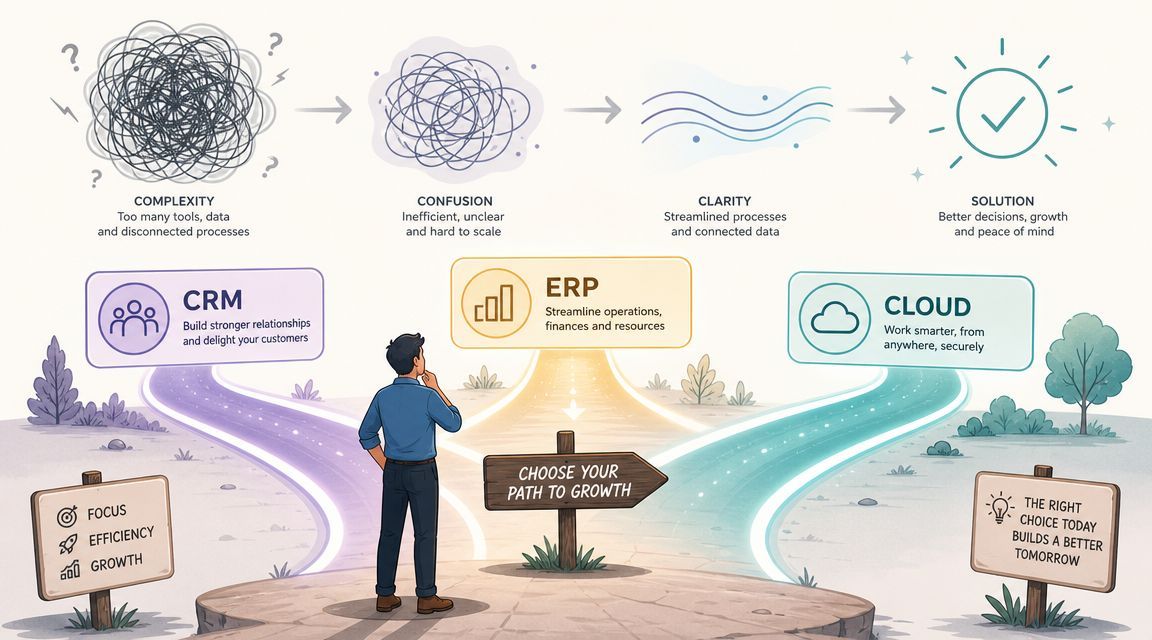
For many SMBs, Microsoft 365 is the first place to look. Not because it solves everything, but because it already sits in the middle of daily work.
A few examples:
For broader process visibility, some firms need more than workflow automation. If your business is dealing with customer records, billing, service operations, inventory, or finance in disconnected systems, Dynamics 365 may be the more appropriate layer because it ties operational records to a defined business process instead of leaving each team in its own tool.
The decision should come from the pain point, not the product category.
If the issue is inconsistent intake, use structured forms and standard data capture. If the issue is document confusion, fix storage, naming, permissions, and review workflow. If the issue is poor handoffs between sales, operations, and finance, look at the systems of record and where status gets lost.
That's also why goal setting matters. Technology works better when the business has already decided what success looks like. This overview of The OKR Hub's OKR software insights is useful if your leadership team needs a clearer way to connect workflow improvements to measurable business objectives.
A lot of process drag in Canadian SMBs comes from work split across Microsoft 365, email, shared drives, line-of-business apps, and ticketing tools. In that situation, the problem often isn't a single task. It's the gaps between systems.
One practical response is to define a primary system for each type of truth. Where does client information live? Where do approved documents live? Where does work status live? If every answer is “it depends”, the process is going to stay fragile.
For firms that want outside help, CloudOrbis is one example of a managed IT partner that works on Microsoft 365 and Dynamics 365 optimization alongside workflow standardisation and operational support. The key point isn't the provider. It's that your technology choices should support the process design, not compete with it. This article on technology alignment and process planning is a useful way to frame that discussion internally.
A process isn't optimized if staff have to work around security to get their job done.
That's especially true in healthcare, legal, and finance. In those environments, the process itself has to support confidentiality, document control, retention, approvals, and traceability. If those controls sit outside the workflow, people will bypass them under pressure.
The operational context in Canada makes this more urgent. 55.6% of employed Canadians usually worked from home in 2022, which increases the chance that work gets split across email, shared drives, Microsoft 365, and local habits that nobody formally approved (Canadian remote work context and fragmented workflow risk).
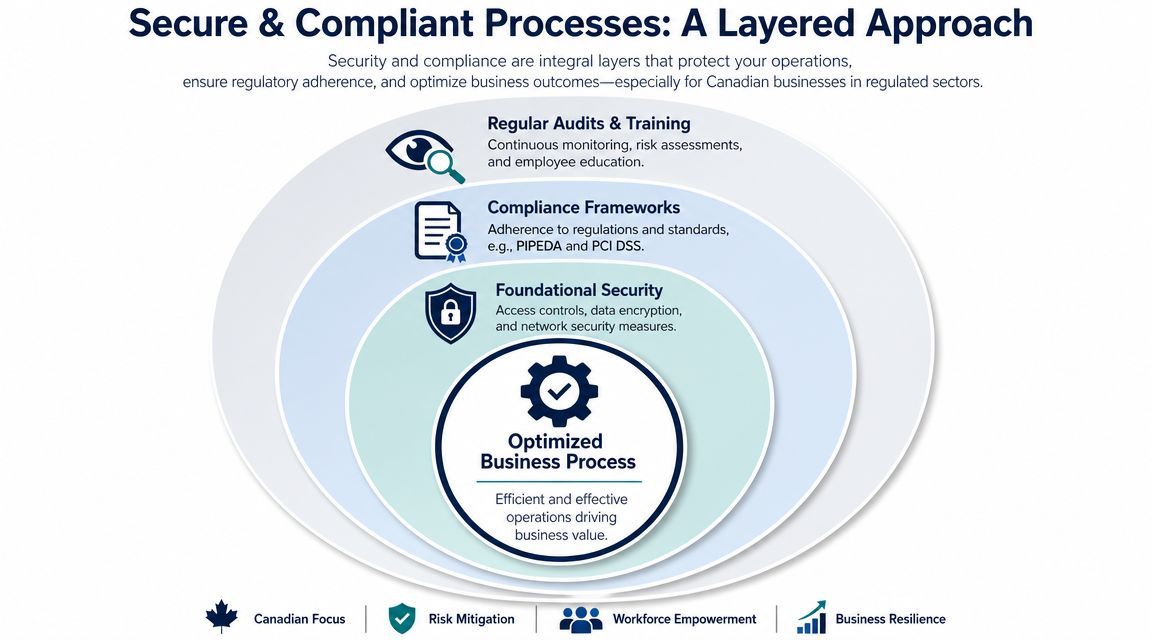
When leaders hear “security controls”, they often expect delay. In well-designed workflows, the opposite is usually true.
A secure intake process means staff know where documents go, who can see them, and what happens next. A secure approval process means managers don't have to chase files by email. A secure onboarding workflow means accounts, permissions, and device access follow a defined path instead of informal requests.
For regulated firms, that supports practical compliance needs around privacy, records handling, and auditability. It also reduces the hidden risk of shadow IT, where staff create their own shortcuts because the approved process is too slow or too confusing.
Security works best when it's embedded in the process steps themselves:
That last point gets overlooked often. As firms automate more tasks, they also create more credentials, tokens, and service connections behind the scenes. If your team is working through automation projects, this overview of secrets management best practices is a useful technical reference because it addresses how credentials should be handled as part of operational design, not as an afterthought.
Security controls that staff ignore are not controls. They're paperwork.
A clinic doesn't want ten different ways to handle patient documents. A legal firm doesn't want every lawyer saving files under a different naming convention. Standardisation is what makes compliance realistic.
That's one reason process redesign is a good time to review security architecture, access patterns, and audit readiness together. If your business is already revisiting workflow design, it makes sense to align that work with cybersecurity services for regulated environments rather than treating operational efficiency and risk management as separate projects.
Most process projects fail for a simple reason. The new workflow makes sense in the workshop, but it doesn't survive contact with daily work.
Staff revert to old habits when the rollout is rushed, the process wasn't tested, or the new steps create more confusion than the old ones. That's why implementation needs structure. A common failure in process optimization is jumping into automation before mapping the process and setting measurable objectives. A better method is DMAIC: define the KPI, measure the baseline, analyze root causes, pilot the improvement, and control the gain through ongoing monitoring, as outlined in SafetyCulture's process optimization guidance.
In practice, a phased rollout is safer and more effective than a big launch.
For example, if a clinic wants to redesign referral intake, don't switch every provider and every intake path on day one. Start with one referral type, one team, or one location. Watch what happens. Measure where staff hesitate, where data is missing, and where the process still depends on email.
That controlled scope gives you real feedback before the process becomes harder to unwind.
People adopt new workflows faster when leadership is clear about three things:
A lot of resistance isn't ideological. It's practical. Teams push back when they think the new process was designed without understanding the practical workload.
Pilot with actual users, not just managers. The people doing the work will find the gaps first.
Basic training usually focuses on the happy path. Real work rarely follows it.
In legal and healthcare environments, the difficult part is usually the exception. Missing documents. Urgent approvals. Duplicate records. Wrong file versions. Sensitive information sent to the wrong queue. If staff don't know what to do when the process goes off script, they'll invent their own workaround, and the standard process will erode within weeks.
A stronger implementation plan includes:
Going live is not the finish line. It's where the new process proves whether it can hold up under normal pressure.
Track the KPI you defined at the beginning. Watch whether staff are using the approved system. Review the missed steps, rework, and unresolved exceptions. If the process needs adjustment, make it deliberately and document the change.
That discipline is easier when process work is managed like an actual operational project rather than a side task. If your team is struggling with governance, rollout sequencing, or accountability, this guide to IT project management in business operations is a practical reference point.
A process improvement initiative has to answer one question from ownership or leadership. Was it worth it?
The answer comes from the baseline and the KPI tracking you established at the start. Mature optimization programs can produce 40 to 60% process cycle time reduction, 25 to 30% operating cost reduction, and in some cases 150 to 200% ROI within the first year, according to Six Sigma process optimization benchmarks. Those outcomes aren't automatic. They depend on disciplined measurement, root-cause analysis, and control after implementation.
For most SMBs, the useful metrics are straightforward:
If a new process saves time but creates more confusion, it isn't finished. If it improves speed but weakens documentation, it isn't a success in a regulated environment.
The firms that get the most value don't treat business process optimization as a one-time clean-up project. They review workflows regularly, assign ownership, and give staff a way to flag recurring friction before it becomes accepted as “just how we do things”.
That's where an external IT and operations partner can help. Ongoing monitoring, governance, and incremental changes are often easier to sustain when someone is watching the environment consistently. If you're evaluating that model, this overview of the benefits of managed IT services shows how continuous support contributes to operational stability, not just technical support.
If your team is still relying on email chains, shared drives, and manual workarounds to run critical workflows, it's probably time to redesign the process, not just work harder inside it. CloudOrbis Inc. helps Canadian SMBs improve operations through managed IT, Microsoft 365 optimization, cybersecurity, and practical workflow alignment that supports profitability, compliance, and day-to-day reliability.
Book a 30-minute call with a senior engineer. No sales script, just straight answers about your environment.


