Law Firm Cybersecurity Best Practices: 8 Steps for 2026
Discover eight practical law firm cybersecurity best practices, from MFA and encryption to incident response, with clear steps your firm can act on today.

Discover eight practical law firm cybersecurity best practices, from MFA and encryption to incident response, with clear steps your firm can act on today.

A partner forwards an email to accounting at 11:40 with two words attached: please action. The message carries a long-standing client's name, a matter reference that looks plausible, and revised wire instructions for a closing that afternoon. Nothing about it feels wrong until the bank calls three days later to confirm the funds left an account the client never controlled.
That's how a large share of breaches at professional services firms begin. Not with custom malware, but with an ordinary mailbox, a convincing request, and a person working to a deadline. The technical investigation comes later, once the firm is working out what was taken, who must be told, and whether the trust account can be made whole.
Order matters more than the length of the list. Most managing partners already know they need firewalls, endpoint protection, and a backup. What's usually missing is sequence: which control to switch on this quarter, which to fund in the next budget cycle, and which has to exist before the others are worth anything. A backup nobody has restored is a hope. An incident response plan written before multi-factor authentication exists is a plan for a different firm.
The eight practices below run in the order I'd tackle them at a mid-sized Canadian firm. Each maps to a specific way firms lose money, files, or a client's confidence, and each carries an expectation from clients, insurers, or a law society.
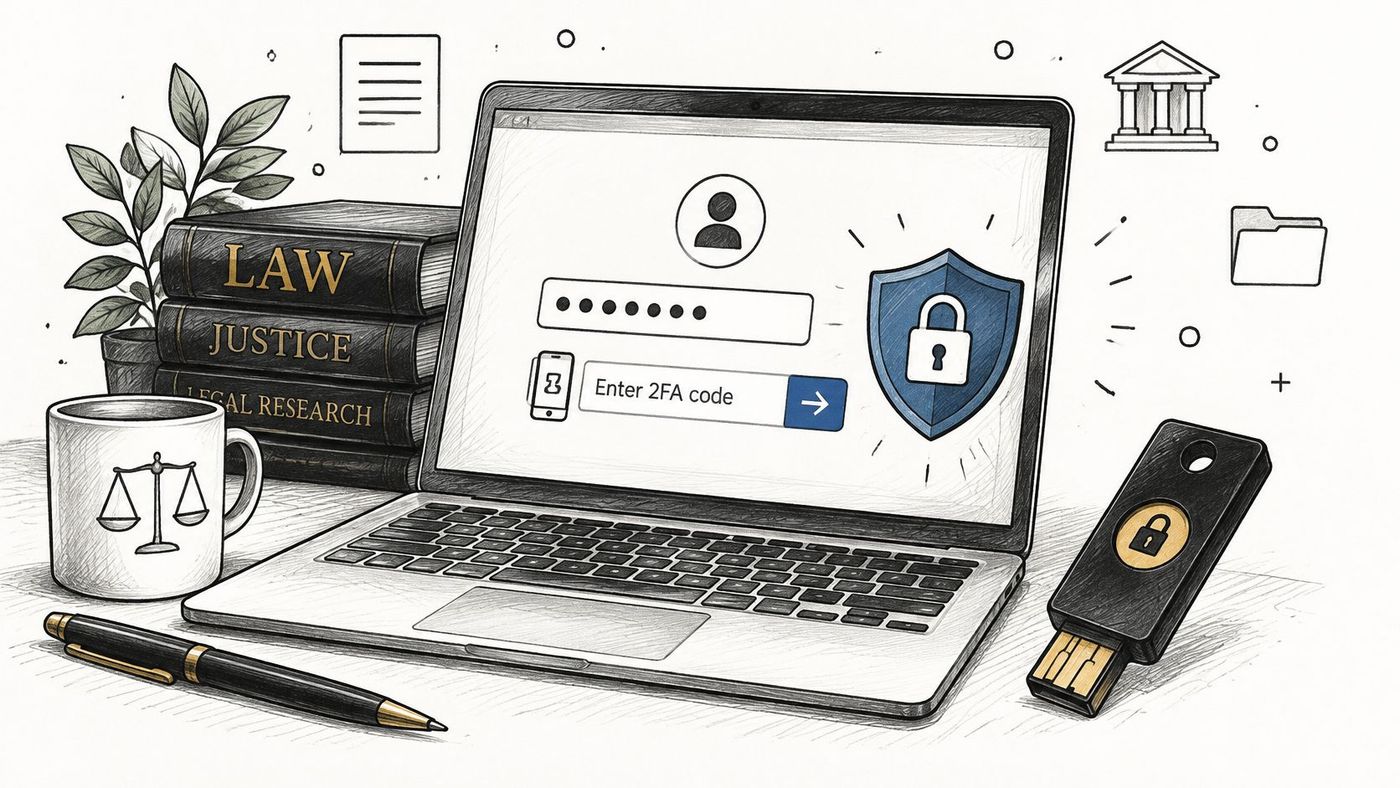
Multi-factor authentication (MFA) asks for a second proof of identity at sign-in, beyond the password. That second factor is usually a code from an authenticator app, a push approval on a phone, or a hardware security key that plugs into a USB port. Stolen and guessed passwords are the cheapest route into a firm's email and document systems, and MFA stops most of those attempts even when the password is already in an attacker's hands.
For a practice that holds privileged client files, MFA is a baseline, not an upgrade. The Canadian Centre for Cyber Security and NIST's digital identity guidance (Special Publication 800-63B) both treat it as the expected standard for remote and privileged access.
Canadian firms have already moved budget in this direction. In a 2019 survey of more than 150 full-time lawyers working at firms with at least 20 employees or in large corporate legal departments, 87% said their organization planned to increase cybersecurity spending over the following 12 months, expecting an average increase of 20%, compared with 35% who anticipated more resources in a comparable 2017 survey (Robert Half Canada). Spending that money on anything before MFA is spending it in the wrong order.
In Microsoft 365 shops, the fastest start is Entra ID security defaults or a conditional access policy that requires MFA for every user. A firm without a security team can have that running in a week. Hardware keys for partners and administrators are worth the money, because those are the accounts an attacker wants most. CloudOrbis configures and monitors MFA policies across Microsoft 365 environments as part of a managed cybersecurity engagement.
The trade-off: MFA costs a partner about ten seconds per sign-in and generates one support call per phone upgrade. Weigh that against a diverted trust payment or a disclosed client file.
Endpoint detection and response (EDR) is software that watches what a laptop does, not just what files it holds. Traditional antivirus compares files against a list of known bad signatures. EDR watches behaviour instead: a Word document spawning a PowerShell script, a machine encrypting files at speed, a login at 3 a.m. from a country where the firm has no clients. It can cut that machine off the network before the problem reaches the document management system.
Patching is the other half. Most ransomware arrives through a vulnerability a vendor fixed months earlier. During the NotPetya outbreak, DLA Piper's systems went down across multiple countries and took an extended period to restore while clients waited. Rapid containment and current systems separate a bad afternoon from a lost quarter.
The cybersecurity checklist published through the Law Society of British Columbia's lawyers insurance program puts critical security patches on a two-week cycle and calls for firewalls and endpoint protection that are actively monitored (BC cybersecurity checklist). Two weeks is a workable benchmark for practice-critical software. Internet-facing systems deserve faster treatment, because attackers scan them continuously.
A 40-lawyer firm I'd model this for runs EDR on every endpoint, patches to the two-week clock, and hands after-hours alerts to a monitoring provider. The partners see a monthly report listing devices out of compliance by name. That single page ends more arguments about budget than any risk assessment.
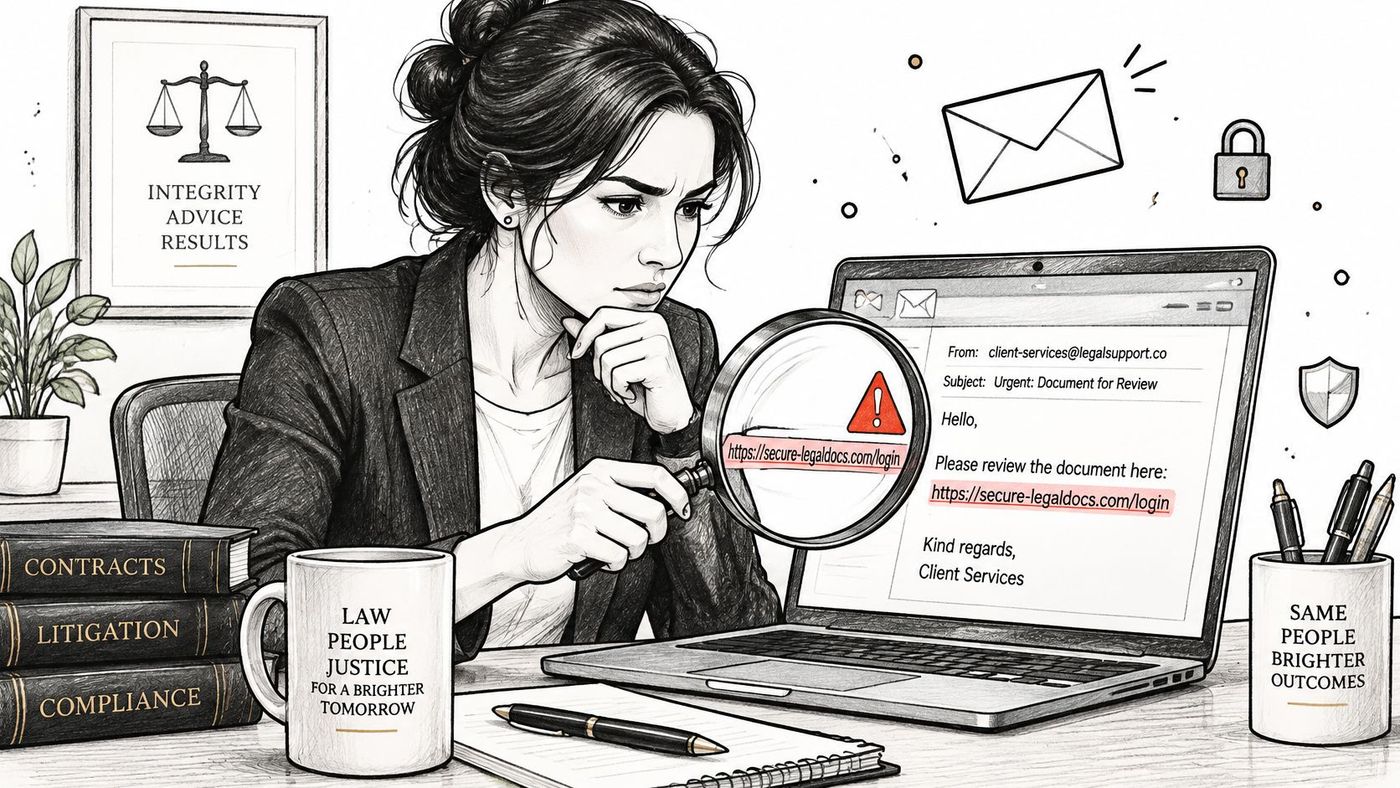
Phishing is the email that asks you to sign in. Business email compromise (BEC) is the email that asks you to pay. Both lean on the same weakness: a message arriving under a name the recipient already trusts, at a moment when nobody has time to check.
Canadian firms have learned this the hard way. Reporting on breaches at four major Canadian firms, McCarthy Tétrault, Davies Ward Phillips & Vineberg, Bennett Jones, and Borden Ladner Gervais, indicated that at least seven employees granted attackers access, including four compromised accounts at McCarthy Tétrault, two at Bennett Jones, and one at Davies. The Canadian Centre for Cyber Security reportedly warned of an ongoing campaign in which callers impersonated internal IT support to steal credentials, with activity concentrated in the legal sector (Globe and Mail).
That last detail should change how you train people. A receptionist told to never share a password can still be talked into reading out a verification code by someone who knows your helpdesk provider's name and the laptop model on the desk.
No payment instruction changes by email alone. Call the client back on a number already in the matter file, never a number supplied in the message, and write the call in the file note.
Firms that adopt the callback rule stop most diversions before funds leave the trust account. The rule costs two minutes. A fraudulent wire costs a client relationship, an insurance claim, and a conversation with the law society.
Ransomware is not an edge case for Canadian organizations. A Canadian Cybersecurity Trends Study covering incidents handled in 2020 found ransomware accounted for 67% of reported cybersecurity incidents, up from 35% in 2019 (Foglers). When it lands, the backup is the whole recovery plan.
A workable program has four properties: the copies are current, at least one is isolated, someone tests restoration, and a named person owns it. The 3-2-1 rule, popularized by photographer and IT author Peter Krogh, still holds: three copies of the data, on two different types of media, with one copy offsite or offline.
The Law Society of Ontario recommends secure offsite backups, including copies not connected to the firm's network, and regular restoration testing, and it lists ransomware, phishing, unauthorized access, and lost devices among the incidents a response plan must address (LSO practice review guidance).
An immutable backup is a copy that can't be altered or deleted, usually enforced by object lock or write-once storage. This is the control that defeats ransomware, because stolen credentials can't encrypt a copy the attacker can't reach.
Set two numbers with your partners before an incident. The recovery point objective (RPO) is how much work you can afford to lose, measured in hours. The recovery time objective (RTO) is how long the firm can operate without a given system. Partners usually say "a day" until they hear what a day of unbilled time costs.
Say a Tuesday morning starts with the practice management server encrypted. A firm with an isolated nightly backup, a documented restore order (email, document management, billing, then everything else), and a tested procedure gets the doors open by afternoon. A firm with an untested backup spends three days discovering that the database restore fails on permissions.
Test quarterly with real data. Restore one mailbox and one matter folder, record the elapsed time, and check that document metadata and access permissions survive. Back up Microsoft 365 separately, since native retention is not a restore tool. Our data backup and recovery strategies cover restore testing for mid-sized firms.
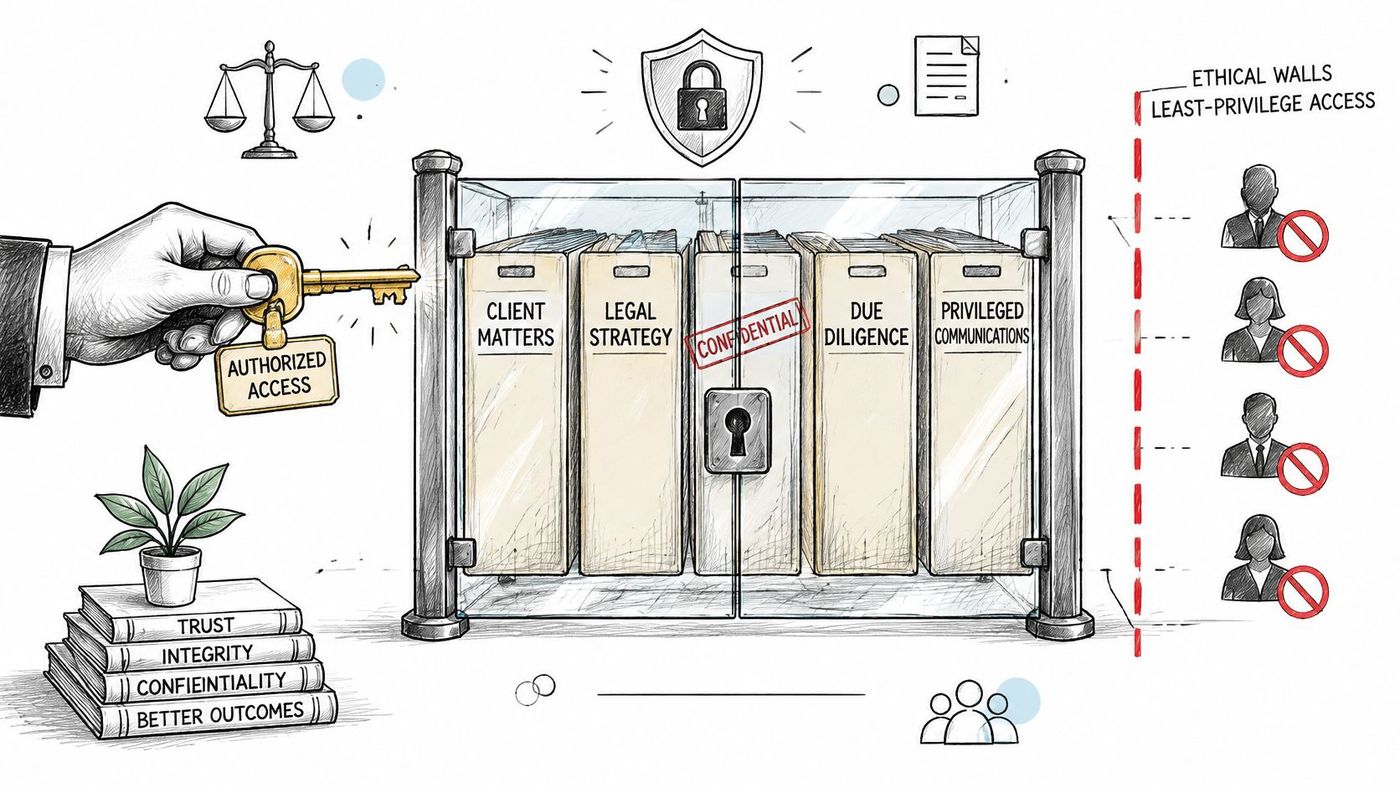
Least-privilege access means every person, application, and integration gets only the permissions the job requires. In a law firm it does a second job as well: it builds the ethical walls that keep conflicted lawyers away from a matter.
The duty behind this is broader than most staff assume. The Law Society of Ontario's guidance on confidentiality states that the obligation covers prospective, current, and former clients, applies regardless of who supplied the information, and continues after the client's death, and that where disclosure is permitted, the lawyer must not disclose more than necessary (LSO confidentiality guidance).
A compromised account with domain-wide access exposes every matter at once. The same account limited to two practice groups exposes two.
Access should follow the matter, not the person. When a matter closes, its permissions should close with it.
A useful test is a lateral hire who arrives from a firm that acted for the other side of a live transaction. That person needs a desktop, a phone, and a clean set of permissions that excludes the matter entirely, with the exclusion documented. Our privileged access management guide walks through the tiering. CloudOrbis's managed IT and vCIO engagements help firms design role-based models that match their practice areas.
Law firms produce a narrow range of highly sensitive material: privileged advice, financial records, medical reports, identity documents. Data classification is the act of naming those categories so systems can treat them differently. Encryption protects them in transit and at rest. Data loss prevention (DLP) stops a labelled document from being forwarded to a personal Gmail address.
The professional expectation is explicit. Law Society of Ontario practice guidance on technology asks lawyers to use encryption to maintain confidentiality and privilege, secure information stored or processed through cloud services, use firewalls and security software, and make sure non-lawyer staff understand their confidentiality responsibilities (LSO technology guidance). A policy that begins and ends with "use strong passwords" doesn't meet that bar.
Start with labels that match how the firm works: Public, Confidential, and Confidential, Client. Add a fourth for Restricted when a matter involves medical or identity documents. In Microsoft Purview, sensitivity labels can apply automatically when a document contains patterns such as a social insurance number or a client matter code.
Say a conveyancing clerk emails a mortgage commitment containing a client's date of birth and account numbers. With a label and a DLP rule in place, the message either leaves encrypted or triggers a prompt that makes the clerk stop. Without them, the file leaves and the firm finds out only if the recipient misuses it.
Microsoft 365 Copilot summarizes documents, drafts email, and searches across Teams, SharePoint, and OneDrive. It does all of this under the permissions each user already holds. That design makes existing oversharing far easier to find, including by the wrong people.
A SharePoint site open to "Everyone except external users" was a dormant problem while nobody had time to browse it. Add an AI assistant that answers the question "what did we agree on the Rosemont file" and the site becomes a disclosure channel with a friendly interface.
The competence duty covers this. The Law Society of Ontario's rules of professional conduct recognise technological competence as part of a lawyer's responsibilities, including understanding the benefits and risks of the technology in use and the duty to protect confidential information (LSO rules of professional conduct). Adopting an AI tool without reviewing what it can reach isn't a productivity decision. It's a confidentiality decision.
Write a short AI use policy covering approved tools, what may never be pasted into a public model, and the requirement to check every AI summary against the source document before it reaches a client. Our guide to Copilot privacy for business sets out the permission review in more detail. Two practice groups testing for a quarter will teach you more than a vendor demonstration.
An incident response plan sets out what happens in the first hours: who is called, who decides, how systems are contained, how evidence is preserved, and who speaks to clients. Firms without one lose those hours to a debate about whether to call IT or the managing partner first.
Reporting duties are the part firms get wrong. Under Canada's federal Personal Information Protection and Electronic Documents Act (PIPEDA), a firm must report a breach of security safeguards to the Office of the Privacy Commissioner of Canada when it's reasonable to believe the breach creates a "real risk of significant harm" to an individual, and the threshold is assessed on both the sensitivity of the information and the probability of misuse (Office of the Privacy Commissioner of Canada). Privileged communications, medical records, financial data, and identity documents raise that risk sharply. Not every incident meets the threshold, and the reasoning for a decision either way should be written down.
Rehearse it, don't just file it. One tabletop exercise a year with partners, IT, and office administration surfaces the gaps in decision authority that no written plan can anticipate.
For the notification workflow itself, this Ares guide to breach notification rules maps the reporting sequence and the records that support it.
| Item | Primary Risk Addressed | Key Standards or Tools | Main Trade-off |
|---|---|---|---|
| Enforce Multi-Factor Authentication on All Accounts | Account takeover from stolen or guessed passwords | NIST SP 800-63B, FIDO2, Microsoft Entra ID | Adds sign-in steps and requires a secure account recovery process |
| Deploy Endpoint Detection, Response, and Consistent Patching | Malware, ransomware, and exploitation of unpatched devices | EDR, MDM, CIS Controls v8 Control 7 | Recurring costs and potential disruption from patching or alert volume |
| Train Staff to Recognize Phishing and Business Email Compromise | Fraudulent payments, credential theft, and spoofed emails | SPF, DKIM, DMARC, phishing simulations | Requires ongoing engagement and does not replace technical controls |
| Build a Tested Backup and Disaster Recovery Strategy | Data loss and prolonged disruption after ransomware or outages | 3-2-1 rule, immutable backups, RPO and RTO | Storage and recovery costs; backups must be isolated and tested |
| Apply Least-Privilege Access and Ethical Walls | Unauthorized access to confidential matters and excessive account reach | NIST SP 800-207, role-based access control, matter-level permissions | Granular controls take time to manage and can slow access |
| Classify, Encrypt, and Protect Sensitive Client Data | Accidental exposure or unsafe sharing of confidential client information | Microsoft Purview, DLP, TLS, AES-256, PIPEDA | Setup and labeling effort; strict rules can impede legitimate work |
| Govern Microsoft 365 Permissions Before Adopting Copilot | AI-driven discovery of overshared or sensitive information | SharePoint Advanced Management, Purview, Restricted SharePoint Search | Permission cleanup takes time, and Copilot adds licensing and governance needs |
| Prepare a Written Incident Response and Breach Notification Plan | Delayed response and missed breach notification obligations | PIPEDA, NIST SP 800-61, Canadian Centre for Cyber Security guidance | Requires partner involvement and regular testing and updates |
A trust-account wire request arrives while the office is busy. The first security control to prioritize is the one that interrupts a likely attack without overwhelming staff. Sequence the work, assign owners, and track progress.
Days 1 to 30: Enable multi-factor authentication (MFA), which requires a second form of proof at sign-in, and disable legacy authentication. Set a callback rule for payment changes and verify that backups can be restored. A failed restore test exposes a recovery gap before a real outage does.
Days 31 to 60: Deploy endpoint detection and response (EDR), which helps identify suspicious activity on computers, with monitoring outside office hours. Set a patching schedule and report compliance. Review access, remove stale accounts, and add account removal to the staff offboarding checklist.
Days 61 to 90: Complete the governance work. Draft an incident response plan and hold a practice exercise with partners and office administration. Before adopting Copilot, review Microsoft 365 permissions so sensitive client files are not exposed through existing oversharing. Assign an owner to each control and report status at a monthly partners' meeting. A single page with each control, its owner, and its status is enough.
A Canadian Lawyer survey of more than 150 full-time Canadian lawyers found that 34% expected a significant increase in cybersecurity spending and 53% expected a moderate increase (Canadian Lawyer's survey report). Insurers also ask firms to document their security practices. Use the questionnaire to identify gaps, then assign each one an owner and a target date.
A 90-person law firm that came to CloudOrbis after a ransomware scare recorded zero security incidents in 18 months, quarterly disaster recovery testing with documented recovery time objectives, 95% phishing training completion, and a 22% reduction in cyber insurance premium. Those results came from deploying security and compliance practices together, not from a single tool.
If the next step is unclear, CloudOrbis offers a free IT Risk Assessment to identify and prioritize gaps. CloudOrbis provides managed IT and cybersecurity for legal practices, including endpoint protection, backup validation, disaster recovery, and formal security policies. Its 24/7 helpdesk is 100% Canada-based. Visit CloudOrbis Inc. to book an assessment.
Book a 30-minute call with a senior engineer. No sales script, just straight answers about your environment.


