IT Support for Accounting Firms: What to Secure and Why
Learn how IT support for accounting firms covers secure document handling, Microsoft 365, backups, privacy compliance and smooth onboarding in Canada.

Learn how IT support for accounting firms covers secure document handling, Microsoft 365, backups, privacy compliance and smooth onboarding in Canada.

Sixteen per cent of Canadian businesses dealt with a cybersecurity incident in 2023, only 26% kept a written cybersecurity policy, and the share employing cybersecurity personnel fell to 50% from 61% in 2021, according to Statistics Canada's 2023 Canadian Survey of Cyber Security and Cybercrime. Read in sequence, those figures describe firms meeting incidents without a written plan and with fewer people assigned to spot trouble.
Accounting practices carry that gap with higher stakes because one identity can open email, client files, payroll and portals. The fix is priority order: identity first, backups second, logging third, then prove each control with a restore test and records you can hand to a partner, insurer or auditor.
A 20-person practice concentrates risk in a way a 20-person retailer doesn't. Tax files, payroll data, financial statements, banking details, government identifiers and client credentials sit in the same tenant, and they're touched by seasonal staff, outside bookkeepers and client portals that each add a login to track.
Ad hoc support handles that badly. A technician who fixes a sign-in and leaves hasn't checked whether the laptop is patched, whether a mailbox rule nobody created is forwarding client email out, or whether last night's backup can be restored onto different hardware. Structured support does the unglamorous, repeating work: patching with a report you can read, endpoint monitoring, identity administration, backup verification and documentation that survives staff turnover.
Practical rule: If nobody can produce a patch report, a restore test and a list of who can reach the client file share, you don't have IT support. You have a helpdesk.
For a firm of 10 to 30 people, building that in-house doesn't pencil out. You'd need a security specialist, a Microsoft 365 administrator and after-hours coverage for work that arrives in bursts around deadlines. Co-managed or fully managed support buys that expertise at a predictable per-user cost covering end-user support, security operations and reporting.
Automation raises the stakes. Firms experimenting with AI in finance workflows need those tools inside a governed tenant, not in a partner's personal account where nobody can audit what client data was pasted in.
If you read one section of this article, make it the priority tiers and the recovery test. Everything else can wait a quarter.
Accounting technology has moved from optional modernization to governance. CPA Ontario's guidance on advanced technologies states it directly: as organizations digitize, cybersecurity and cloud computing become critical to creating and protecting organizational value. Practice management, document repositories, Microsoft 365 collaboration, electronic tax services and AI-assisted workflows now sit behind the same identity that guards client files.
That changes what you buy first. Rank the work by what stops the losses a small firm is most likely to face: account takeover, business email compromise and ransomware. Those three arrive through identity, unpatched endpoints and untested backups, in that order, so the tiers below weight the work accordingly.
| Support Area | What Good Support Covers | Priority Tier |
|---|---|---|
| Identity and MFA | MFA on all Microsoft 365 and remote accounts, privileged-access reviews | Tier 1: start now |
| Endpoint protection and patching | EDR, monthly patch reporting, managed laptops | Tier 1: start now |
| Backups and tested restore | Immutable, separate copies with restore tests and documented recovery times | Tier 1: start now |
| Client file access | Role-based permissions and prompt removal of leavers | Tier 1: start now |
| Logging and monitoring | Central, tamper-resistant logs with alerts for unusual access | Tier 2: within a quarter |
| Security awareness training | Phishing and payment-fraud training with completion rates | Tier 2: within a quarter |
| Vendor assessments | Review of security terms for ISPs, software and hosting providers | Tier 2: within a quarter |
| Encryption and intrusion detection | Full-disk encryption audits and network monitoring | Tier 3: once basics hold |
| AI tool governance | Approved tools list, data-use rules and review of new automation | Tier 3: once basics hold |
Firms buy the easy half of that table. Research published by the Office of the Privacy Commissioner of Canada found that 90% of businesses reported endpoint protection, 87% password controls and 86% employee file-access controls, while only 65% used multi-factor authentication, 55% encryption and 52% intrusion-detection systems. Endpoint software ships with a licence and a dashboard. Identity work takes a person reviewing who holds what access, which costs less and stops more.
The tiers also work as evidence. Tier 1 tells you what to build; Tier 2 logging and reporting tells you whether it holds. A restore test with a documented recovery time proves the backup is real. An alert log on unusual sign-ins proves MFA is doing something beyond slowing staff down at login.
A provider covers each tier with named deliverables: MFA enforcement and privileged-access reviews, monthly patch reports and endpoint alerts, restore tests, and a permissions review of client directories. The firm keeps its policies. We can configure and monitor the tenant, but a partner still signs the acceptable-use and retention rules.
Deferral is a real option, not a failure. A 10-person practice can hold Tier 3 for a year without much added exposure. A 30-person practice running cloud line-of-business applications should revisit it sooner, because every integration is one more place a stale account can sit unnoticed.
Scoring method: Count the four Tier 1 items in the table that you have in place today. Anything missing is your first project for the next 90 days, ahead of any new tool.
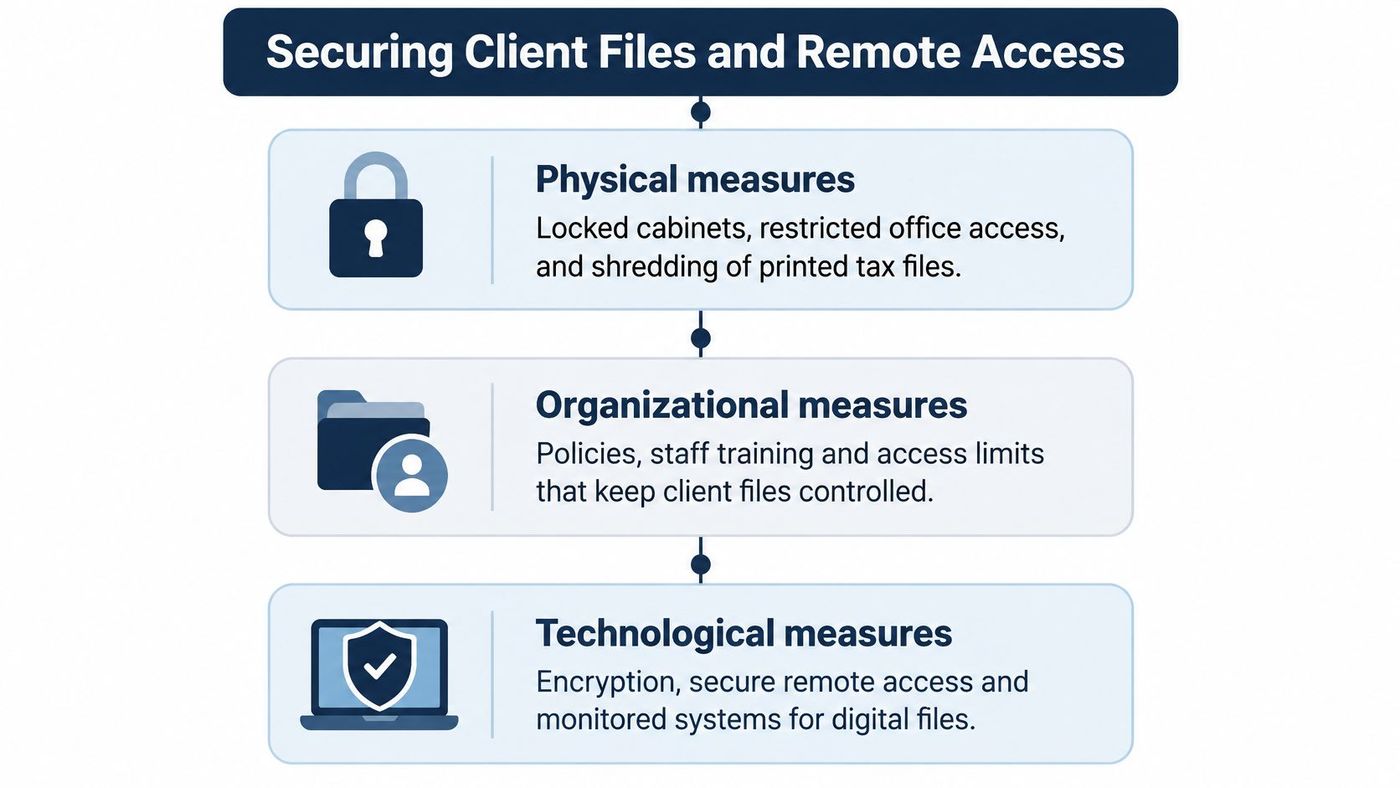
PIPEDA doesn't name products. It requires safeguards proportionate to how sensitive the information is, and the Office of the Privacy Commissioner's interpretation bulletin on the safeguards principle sorts them into three categories that work best in combination.
Physical measures still matter in a mostly paperless practice: locked cabinets for the files that never got scanned, restricted access to the server closet, cross-cut shredding for printed tax drafts. Organizational measures cover need-to-know roles, staff training and removing access the day someone leaves. Technological measures cover passwords, encryption, managed devices and conditional access rules.
Staff should reach practice software through an identity-based sign-in with MFA, not through a desktop published to the internet or one shared VPN password. Sessions should time out, and unmanaged personal devices should be blocked from client folders rather than trusted by default.
The access split matters more than most partners realise. We typically hold admin rights to endpoint management, security tools and infrastructure monitoring. Access to business-critical applications such as ERP, CRM and line-of-business systems stays with your team unless you explicitly delegate it, and all access is documented, audited and reviewed quarterly.
A seasonal bookkeeper needs read-only access to one client folder for 60 days. Give the account an expiry date and let it close itself. Don't buy a permanent licence and rely on someone remembering to disable it in June.
Breach handling belongs in scope too. The Commissioner's guidance for businesses on privacy breaches expects documented incident response, breach assessment, notification workflows and centralized breach records, which shapes how access is logged and revoked. Pair that with a tested secure file sharing setup for accountants and the quarterly review gets faster.
Four questions, once a quarter: who has access, who should have it, which accounts belong to former staff, and which seasonal accounts are still open. Print the list and have a partner initial it. That page is the evidence you want when a client asks how their file is protected.
Most of an accounting firm's exposure sits inside one tenant, and it's fixable in an afternoon of configuration. Work in order of risk.
Conditional access first. Require MFA and a managed device for email and client files, and block the legacy authentication protocols that skip MFA entirely. Then external sharing. Limit it to named guests, put expiry dates on client links, and review guest accounts each quarter. Then licensing by role, so only staff who need advanced auditing and data-loss controls get those licences.
Retention is the setting firms misread. A retention policy holds email and SharePoint or OneDrive content for a set period, but it isn't a backup, because a compromised administrator can still alter or delete the live copy. Enable audit log search, keep sign-in and mailbox logs for the period you choose, and alert on new inbox forwarding rules, which attackers create to hide payment fraud.
Remove unused licences, name an owner for every client folder, and confirm that Teams channels carrying client work are private by default. A portal link to a shared tax folder should expire after 14 days and open only for the named contact at the client.
Access at that level is identity work rather than a Microsoft 365 project. Identity and access management is where the reviews, the conditional access policies and the joiner and leaver steps belong.
Only 34% of Canadian SME owners said their business had tested the strength of its cybersecurity measures, and 72% said new technology and AI could make cyber risks harder to protect against, up from 65% a year earlier, according to a 2025 Cyber Savvy Canada survey of business owners. The number that matters in March isn't the backup job's success rate. It's how long your team can keep filing, answering clients and reaching working papers.
Microsoft 365 retention keeps a copy inside the same tenant, under the same identity provider. When an administrator account is compromised, the live data and the retained copy are both within reach. An independent, immutable copy held outside the tenant, with credentials that administrator doesn't control, is the version that survives. That's the difference between Office 365 backup and recovery and a retention label, and it's worth writing into your incident procedure.
Write down a recovery time objective and a recovery point objective for three systems: the client file share, practice software and email. Have a partner sign the values before the first test, so nobody renegotiates them mid-incident. Then run each scenario.
| Test Scenario | Pass Criteria | Owner |
|---|---|---|
| Restore one complete client file | Opens in under 4 hours with folder structure and permissions intact | Backup administrator |
| Recover after a Microsoft 365 account compromise | Mailbox and files restored from a copy held outside Microsoft 365 | IT provider |
| Identity provider outage | Staff work from the documented offline procedure within 1 hour | Practice manager |
| Compromised administrator account | Account disabled, sessions revoked and backups checked clean within 2 hours | IT provider |
| Payment instruction fraud | Dual-approval procedure stops the transfer before release | Finance lead |
| Phone and VoIP failover | Clients reach a backup number within 30 minutes | IT provider |
Restoring a client file means the folder structure and permissions come back intact, not that a ZIP file downloaded. Run the tests outside peak filing weeks, log each result, and retest any failed step within 30 days. Keep the paper fallback ready: a printed contact list, a manual payment procedure requiring dual approval, and one backup phone number clients can reach.
Reality check: A backup you haven't restored is a maintenance contract, not a recovery plan.
Two duties run alongside each other here, and firms usually prepare for only the first. When a breach of security safeguards creates a real risk of significant harm, you report it to the Privacy Commissioner and notify affected individuals. When it doesn't meet that threshold, you still record it.
The Commissioner's guide for businesses on breach records says records must hold enough detail for the regulator to judge whether you assessed the risk of harm properly and met your reporting and notification obligations. The Breach of Security Safeguard Regulations require two years of retention, longer where another rule applies.
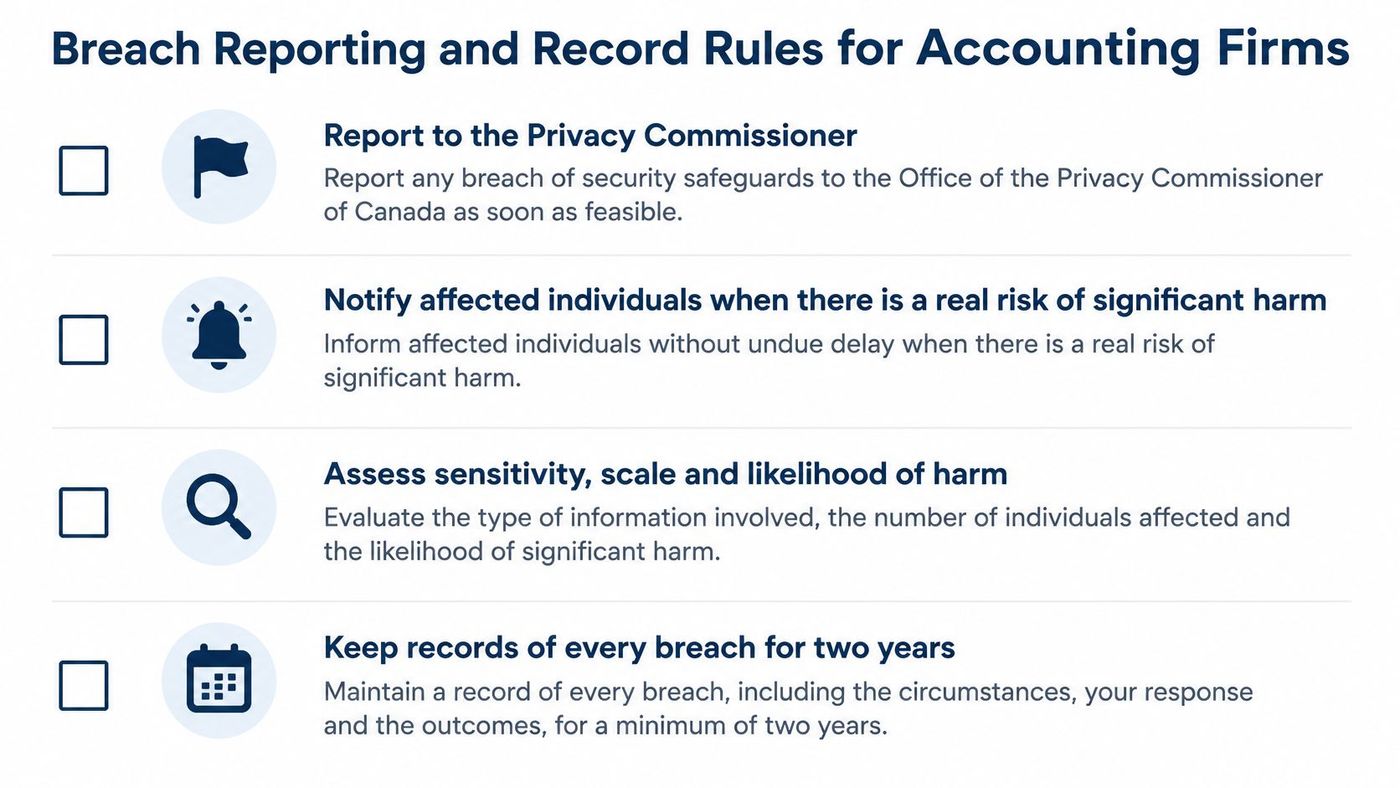
Date, affected systems and records, type of information involved, containment steps, risk assessment, the notification decision and the remediation. Build those fields into the ticketing system so a technician captures them at the time, not from memory six weeks later when the file has gone quiet.
Logging isn't a feature you switch on after an incident. A CPA Canada and EY report on cybersecurity disclosure found that 98% of Canadian companies identified cybersecurity as a concern while 78% reported mitigation efforts involving processes, procedures or systems. For a practice, that means forwarding identity, endpoint, firewall, cloud and backup logs to a monitored repository, synchronizing timestamps, restricting log deletion to a separate administrative role, and alerting on impossible travel, repeated MFA failures, mass downloads and new forwarding rules. During tax season, abnormal activity hides inside unusually high legitimate volume.
Insurers read the same evidence. Data security rules for accounting firms outside Canada look for documented safeguards, and Canadian underwriters ask for much the same bundle. Our cyber insurance preparation includes formal policies (Acceptable Use, MFA, Device, Remote Work, Incident Response, Disaster Recovery), endpoint protection with managed detection and response, password governance, training with documented completion rates, patch compliance reporting, backup validation and DR testing, and monthly compliance reporting.
Keep the Canadian data privacy laws that apply to your firm on one page, province by province, with the record retention rule printed beside each.
In 2025, 55% of Canadian accounting firms ran hybrid technology stacks and 18% were fully cloud-based, according to Wolters Kluwer's Canadian Future Ready Accountant report. Most practices therefore need support that spans a desktop tax package and a cloud practice platform in the same week, not one or the other.
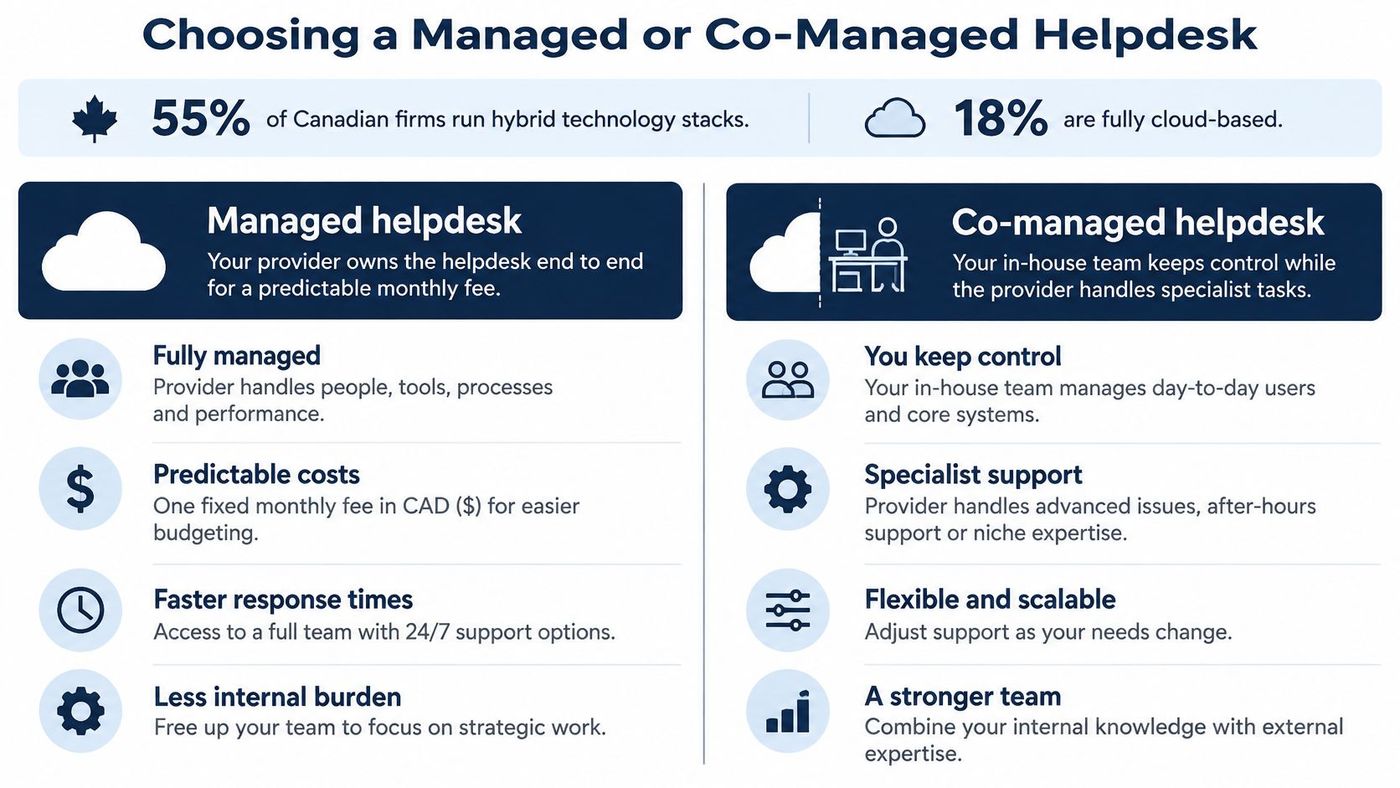
| Model | Daily Support | Strategy and Business Decisions | Best Fit |
|---|---|---|---|
| Internal IT only | One or two staff handle all requests | Internal team | Practices with a dedicated IT lead |
| Co-managed | Provider covers overflow, security operations and after-hours | Internal team keeps ownership | Practices with an internal IT lead who need more depth |
| Fully managed | Provider runs all IT, with on-site visits included | Owner sets priorities, provider executes | Owners who want one accountable partner |
A request comes in through the IT Button or your existing ticketing system. Triage routes it to internal IT or to us according to the responsibility matrix, the assigned team resolves it, and the fix gets written into the runbook so the next occurrence is faster. If you run ServiceNow, Jira Service Management or Freshservice, we work inside it rather than forcing a second queue on your staff.
The co-managed split is simple to state and hard to fake: your team owns strategy, internal priorities and business-critical decisions, while we own execution support, security operations and documentation.
Ask any provider four things before signing. After-hours coverage matters, since a locked-out partner at 9pm on a filing deadline is a business problem. So do response times during filing weeks, how vendor escalations get handled with ISPs and software suppliers, and who keeps the runbooks if the contract ends. On that last point, documentation should stay with you. A managed help desk should make your firm less dependent on it over time, not more.
In 2025, 86% of Canadian accounting practices used cloud accounting software, and it was used in 59% of client engagements, according to Xero's survey of 250 Canadian accountants and bookkeepers. That means a migration usually touches live client work rather than a spare system nobody's using this month.
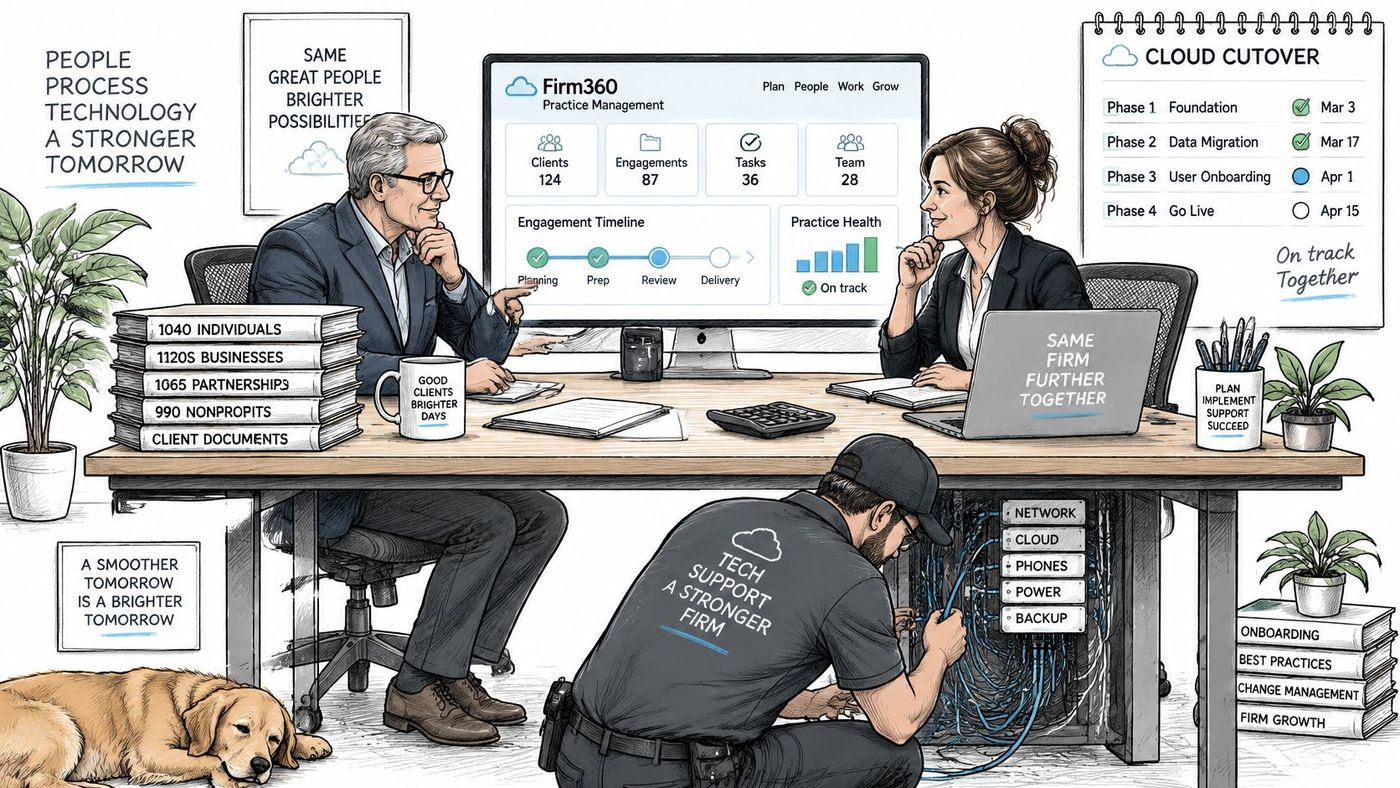
Sequence by blast radius. Do the reversible cleanup while calendars are loose, and leave anything hard to undo until after filing pressure drops.
Keep proof from the process, not just a clean finish: ticket history shows what broke, access logs show who got which role, and a restore check shows client files came back intact. On our side, onboarding covers hardware deployment, account provisioning and access setup to your team's specifications; your team defines the role templates, and CloudOrbis builds to them.
Sequencing rule: If a step can't be reversed in an hour, it doesn't belong in the last week of a filing period.
The decision is narrow. Does your current support cover the five Tier 1 controls and pass the six recovery tests before the next busy season? If you can't answer that with evidence, the answer is no.
Start with one action this quarter: run the six tests from the table, record the results, and write down the failed steps with an owner next to each. That list becomes your roadmap, and it's more useful than any security assessment.
Then take the next step deliberately. A Discovery Call is a personalized walkthrough of the support platform, policies and reporting measured against your own list, not a generic pitch deck. It's also the point to decide between Managed IT Services, Co-Managed IT Services, IT Consulting or a Free IT Risk Assessment, depending on how much you want to keep in-house.
Checkpoint: If you can't name an owner for each recovery step and each Tier 1 control, that's the first problem to solve, before you evaluate a single vendor.
CloudOrbis Inc. runs IT for Canadian accounting and finance teams, covering the controls this article puts in Tier 1 and the recovery tests that prove they hold, from MFA and privileged-access reviews to immutable backups with documented restore times. Our 24/7 Canadian helpdesk, security operations and monthly compliance reporting are built for firms that need evidence, not just uptime. Visit CloudOrbis Inc. to book a Discovery Call and walk your own priority list against our platform before the next filing season starts.
Book a 30-minute call with a senior engineer. No sales script, just straight answers about your environment.


