IT Security Risk Management: A Practical Guide for SMBs
Learn how to run an IT security risk management program in five steps: identify, assess, mitigate, monitor and report, with SMB templates and compliance tips.

Learn how to run an IT security risk management program in five steps: identify, assess, mitigate, monitor and report, with SMB templates and compliance tips.
Most mid-sized firms already own endpoint protection, backups, and Microsoft 365 security features. What's missing is usually a named person who decides which risks matter, accepts what's left, and proves the controls work. That's the gap IT security risk management closes.
Statistics Canada's 2023 Canadian Survey of Cyber Security and Cybercrime found that approximately 1 in 6 Canadian businesses (16%) reported being affected by a cybersecurity incident in 2023. Among affected businesses, more than 1 in 8 (13%) reported ransomware, an increase from 11% in 2021. That's not a rare tail risk for a 50 to 500 person firm. It's a planning assumption.
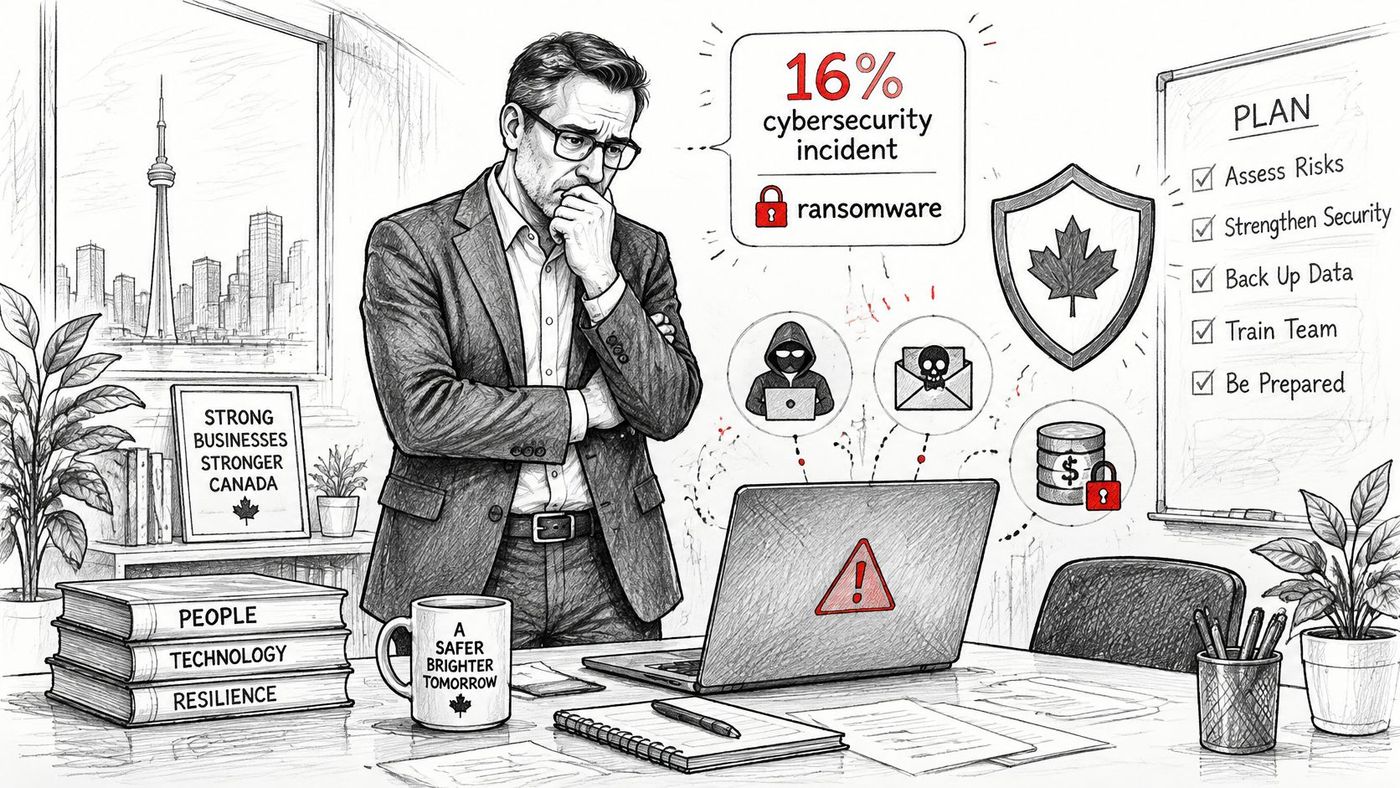
The cost pattern reinforces the point. Canadian businesses' total spending on recovering from cybersecurity incidents doubled from approximately $600 million in 2021 to $1.2 billion in 2023, while spending on prevention and detection rose from $9.7 billion to $11.0 billion. You're not choosing between prevention and recovery. You need both, and you need to know which dollar reduces which exposure.
A large enterprise absorbs a bad week across divisions. A mid-sized clinic, manufacturer, or logistics firm often can't. One outage that stops payroll, shipping, or client files consumes a disproportionate share of operating resources, and recovery pulls the same small team away from revenue work.
Recent figures show governance still lags behind tool purchases. Statistics Canada's release on cybersecurity incidents in 2025 reported that 15% of small businesses and 21% of medium-sized businesses experienced a cybersecurity incident in 2025. Yet the most common governance arrangement was assigning employees responsibility for cyber risks, reported by 46% of businesses, while only 43% reported maintaining backups.
I'd start from that decision gap, not from a product gap. Build a five stage cycle, score each risk, make a treatment decision, map evidence to PIPEDA and sector rules, and report quarterly. A first risk register is achievable in two to four weeks. No tool removes risk on its own.
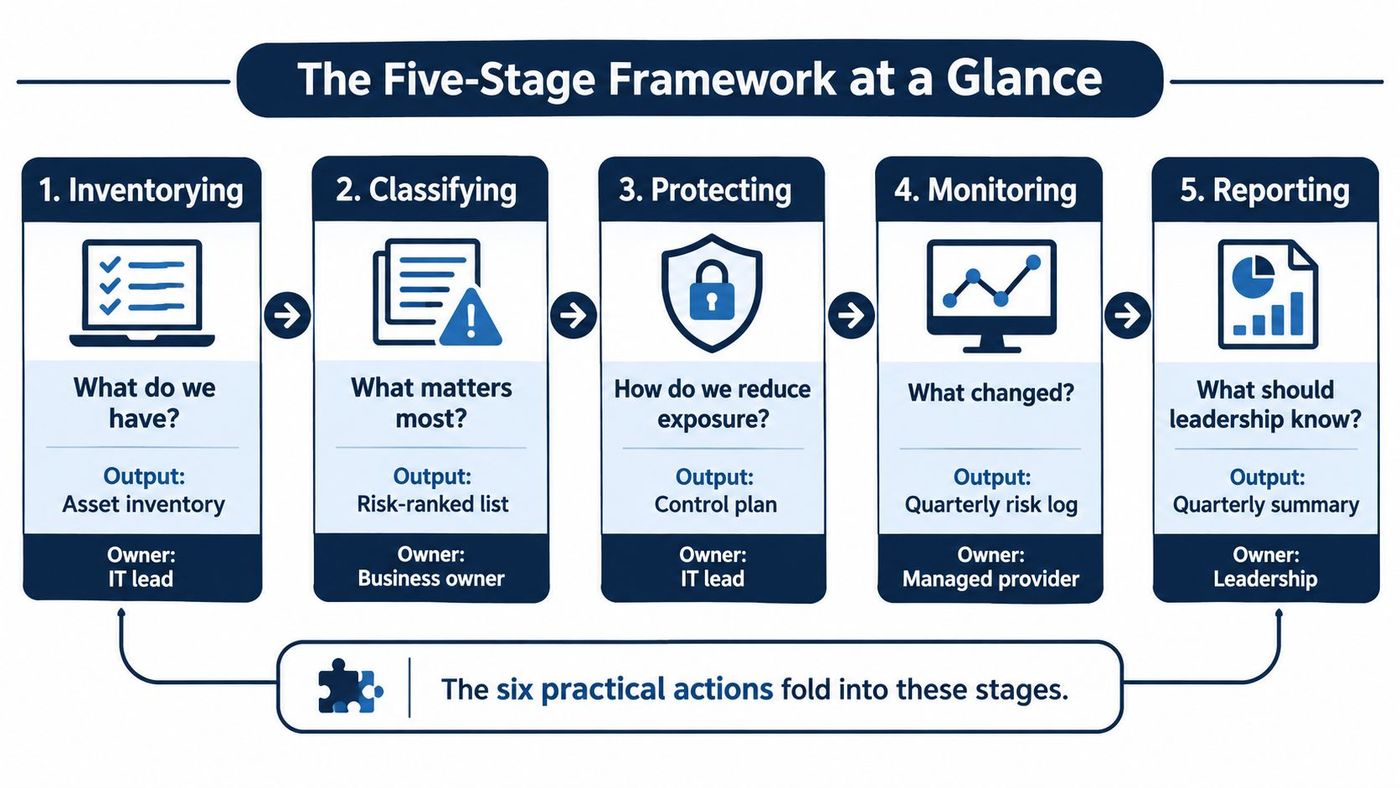
| Stage | Core question | Output | Typical owner |
|---|---|---|---|
| 1. Identify | What do we have and what could go wrong? | Asset inventory and threat list | IT lead with department heads |
| 2. Assess | How likely is each risk, and how bad would it be? | Scored risk register | IT lead |
| 3. Treat | What do we do about each risk? | Treatment decision and named owner | Executive sponsor |
| 4. Monitor | Are the controls working? | Test results, logs and evidence | IT lead or managed provider |
| 5. Report | What does leadership need to know? | Quarterly risk summary | Executive sponsor |
Six practical actions fold into these stages. Inventorying business critical assets and mapping threats to confidentiality, integrity, and availability sit under Identify. Scoring by likelihood × business impact sits under Assess. Assigning an owner, choosing to mitigate, transfer, avoid, or accept, and implementing controls sit under Treat. Validation through logging, vulnerability testing, and tabletop exercises sits under Monitor, with quarterly reassessment feeding Report.
That discipline matters because downtime is the operational cost, not the alert count. Statistics Canada's 2023 survey results reported that 23% of medium-sized businesses experienced a cyber-security incident in 2023. Among affected Canadian businesses in 2021, approximately 40% experienced downtime, with average downtime of 36 hours. Rank identity systems, Microsoft 365, backups, production systems, clinical or financial records, and remote access accordingly.
A stage isn't complete until its output exists in writing. A verbal agreement in a meeting isn't a register entry, and it won't survive a staff change or an insurer's questionnaire.
Name one person in each owner column, even in a 40 person firm where that person also runs the help desk. Print the table, put each output on the agenda for the first risk meeting, and repeat the cycle every quarter with a full reassessment once a year. Answer the questions in order each time, so a new manager or auditor can see the program's status on one page.
A risk closes when a test or log proves exposure dropped, not when someone installs a tool and closes the ticket.
Scoring works only if you start with business assets, not with a vulnerability scan. A scan tells you what's technically weak. It doesn't tell you what stops payroll or patient care.
List identity systems such as your Microsoft 365 and Entra ID tenant, payroll and accounting, client or patient records, line of business applications, backups, remote access, and supplier connections. For example, a 100 person firm typically lands on 25 to 40 items once department heads add the spreadsheets and SaaS tools IT didn't buy. A disciplined asset inventory management process keeps that list current as staff and vendors change.
Don't inventory every laptop first. Start with systems whose loss stops work, then work outward to the devices and accounts that reach them.
For each asset, write what could happen to its confidentiality, integrity, or availability. Use scenarios people recognise, such as ransomware encrypting the file server, a fake supplier invoice redirecting a payment, an account takeover of a finance user, or an outage at your hosting provider.
Vague entries like "cyberattack" produce vague controls. A scenario with an actor, a path, and a business consequence produces a control you can test.
Score likelihood using past incidents, phishing reports, exposed services, and the strength of current controls. Score impact using downtime hours, revenue loss, legal exposure, and recovery cost. Then multiply the two numbers.
| Score band | Risk level | Required response | Review cadence |
|---|---|---|---|
| 1-4 | Low | Accept and record with a review date | Annually |
| 5-9 | Medium | Plan a control within 90 days | Quarterly |
| 10-15 | High | Assign an owner and fund the fix this quarter | Monthly until closed |
| 16-25 | Critical | Act now and escalate to leadership within a week | Weekly until closed |
The bands force a conversation about money and timing. A critical score doesn't mean panic. It means leadership sees it within a week and either funds the fix or signs the acceptance in writing.
Give each risk an ID, asset, threat, likelihood, impact, score, owner, treatment, due date, status, and evidence link. Keep it on one page that leadership can read.
Example register row
That last field does the heavy lifting in IT security risk management. Without an evidence link, you've recorded an intention, not a reduction in exposure.
Sort the register from highest to lowest score and limit the first review to the top 20 risks. Reserve the critical band for risks that could stop payroll or client service within a week. If everything is critical, nothing gets funded first, and the register becomes wallpaper.
I'd also tie each top risk to the response you'd need if the control fails. Working through the steps involved in creating a business cyber response plan helps you test whether your impact score is honest, because a scenario with no response owner and no recovery path scores higher than one you can contain in an hour.
Practical rule: If you can't name the owner, the due date, and the evidence, you haven't scored a risk. You've written a worry list.
Every scored risk gets one of four decisions. The mistake is treating that decision as an IT preference. It's a business decision with a price attached, and the register should show who made it.
Mitigate when you can reduce likelihood or impact at a sensible cost. Enabling multifactor authentication on every Microsoft 365 account, removing standing admin rights, and testing immutable backups all mitigate. This is the default for high and critical risks, because it changes the exposure itself.
Transfer when the financial loss is too large to carry alone, usually through cyber insurance. Transfer doesn't reduce the chance of an incident, and insurers still ask about MFA, endpoint protection, patching, and backup practices. If you can't evidence those controls, you may pay more or struggle to get coverage at all.
Avoid when the activity isn't worth the exposure. Retire an unsupported server instead of defending it forever, or stop storing card data and let a payment processor carry that scope. Avoidance is underused because it requires someone to say no to a familiar process.
Accept when the risk sits in the low band, or when a compensating control makes the remaining exposure tolerable. A legacy printer that can't support modern authentication might stay, isolated on its own network segment, with a documented reason and a review date. Acceptance without a date is just neglect with paperwork.
Supplier risk cuts across all four choices, since a vendor's compromise becomes your incident. A structured third-party risk management approach helps you decide which vendors need evidence, which need contract terms, and which you should replace.
Use a simple decision rule. Any high or critical risk needs mitigation or transfer. Any accepted risk above the medium band needs sign off from the executive sponsor, recorded in writing with a review date.
Name owners who hold real authority over the system, not the help desk by default. The finance director owns the risk of a fraudulent payment instruction because finance controls the approval process. IT supports that owner with mailbox rule alerts and phishing resistant authentication, but IT can't change how invoices get approved.
Ownership follows authority. If the named owner can't change the budget, the process, or the system, you've assigned blame, not ownership.
Record residual risk as its own score after treatment. MFA might move a finance account takeover from 16 down to 6, and that remaining 6 still needs an owner and a review cadence. Close the original risk only when a test or log shows the exposure dropped, and keep the residual entry open until leadership accepts it.
Compliance work gets expensive when you answer every auditor, insurer, and client questionnaire from memory. Map each control to an obligation once, keep the evidence beside the register entry, and reuse it.
Under PIPEDA, the Office of the Privacy Commissioner of Canada guidance on privacy breaches states that an organisation must report a breach of security safeguards to the Office of the Privacy Commissioner of Canada and notify affected individuals when the breach creates a real risk of significant harm. The assessment considers the sensitivity of the personal information and the probability that it will be misused. Organisations must also maintain records of every breach, including breaches that are not reportable.
Build that assessment into your incident playbook before you need it. Your responder should capture what information was involved, who could access it, whether it was encrypted, and who made the reporting call. Deciding those fields during an incident wastes hours and produces gaps.
For a broader view of how federal and provincial duties fit together, Canadian data privacy laws provides useful context for Ontario, Alberta, and national operations.
Quebec's Law 25 requires a designated privacy officer and an incident register, which overlaps neatly with your breach log if you design it once. Ontario's PHIPA applies to clinics and other health information custodians, where access logs and privacy training records become your evidence. Manufacturers and logistics firms often meet these duties through customer contracts rather than a single statute, so check contract terms alongside legislation.
Web facing systems deserve the same treatment, since a privacy notice that doesn't match actual data handling creates its own risk. Reviewing details on website data privacy shows the kind of plain language disclosure visitors expect, and it gives you a prompt to check whether your own statements match the data your site collects.
| Obligation | Source | Evidence to keep | Register category |
|---|---|---|---|
| Report breaches with a real risk of significant harm | PIPEDA breach reporting | Breach assessment, OPC report and notice copies | Incident response |
| Keep a record of every breach, reportable or not | PIPEDA breach record-keeping | Dated breach log with facts and decisions | Incident response |
| Apply safeguards suited to information sensitivity | PIPEDA safeguards principle | Access reviews, MFA logs and encryption settings | Identity and data |
| Appoint a privacy officer and keep an incident register | Quebec Law 25 | Officer designation and incident register | Governance |
| Protect personal health information | Ontario PHIPA | Access logs and privacy training records | Clinical records |
| Show controls to a cyber insurer | Cyber insurance application | MFA, backup and patch evidence | Risk transfer |
I'd use the NIST Cybersecurity Framework 2.0 as the organising structure for a mixed mid-sized firm, with the Govern function holding the register, ownership, and reporting cadence. It's voluntary, outcome based, and flexible enough to sit above PIPEDA, PHIPA, and insurer requirements without duplicating them.
Confirm the current text of each obligation with counsel before you rely on this map. Rules change, and your register should record when you last checked.
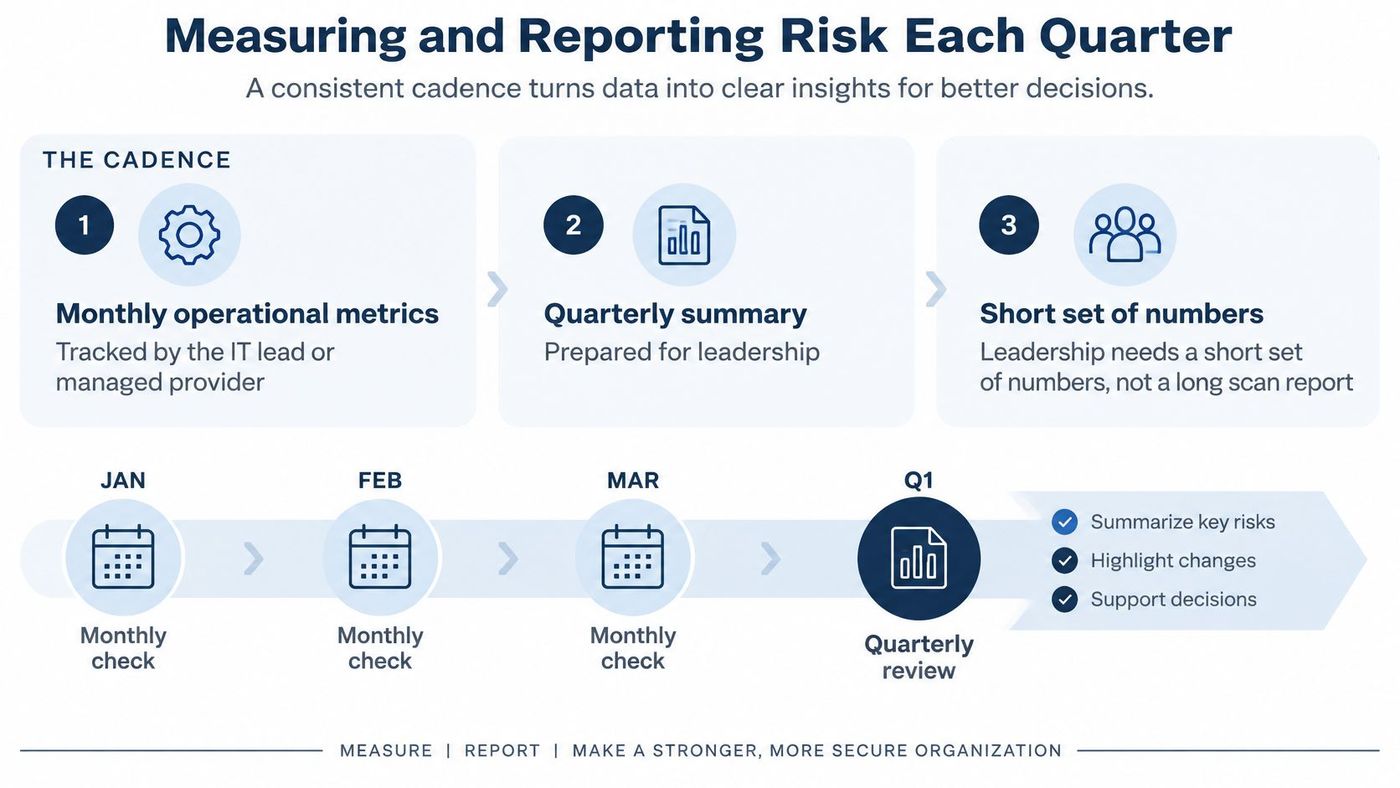
Leadership doesn't need a 200 page scan report. Directors need a short set of numbers, a trend, an owner, and the next step, so they can tell whether exposure went up or down.
Independent security audit services can validate these numbers periodically, which helps when the same team both operates and reports on the controls.
| Metric | Example target | Reporting frequency | Audience |
|---|---|---|---|
| MFA coverage on Microsoft 365 accounts | 100% of accounts enrolled, no legacy authentication | Monthly | Executive sponsor |
| Standing privileged accounts | Fewer than 5 standing admin accounts, reviewed quarterly | Quarterly | IT lead |
| Critical patch age | Critical patches applied within 14 days | Monthly | IT lead or managed provider |
| Backup restore success | 100% of monthly test restores completed successfully | Monthly | Executive sponsor |
| Recovery time tested | Critical systems restored within the agreed recovery time in the past 12 months | Quarterly | Leadership team |
| Tabletop exercise completed | At least one per year | Annually | Full leadership team |
Present each metric as trend, owner, and next step. A missed target is a finding to report, not a failure to hide, because hiding it removes the funding conversation that would fix it. Put accepted risks above the medium band on the quarterly page with their sign off date, so expired acceptances surface before an auditor finds them.
Run your tabletop on one realistic scenario, such as a compromised Microsoft 365 admin account discovered on a Friday afternoon. Record how long it takes to notice, contain, reset credentials, and decide on notification. Those timings turn into register entries with owners, which is where tabletop exercises earn their time.
The test of a good quarterly report is simple. A board member should understand in ten minutes whether risk rose or fell, what drove the change, and what decision you're asking for next.
Split this decision into two questions. Who does the work, and who holds the decision? Confusing them is how risk programs stall, because a provider can run controls but can't accept business risk on your behalf.
Your internal owner keeps the accept decisions, the register, and executive reporting. Those tasks depend on business knowledge a provider doesn't have, such as which production line matters most, which client contract carries penalties, or when payroll can tolerate a delay.
A managed provider can take the high volume work that small teams rarely sustain. That includes 24/7 monitoring, vulnerability scanning, patching, backup restore tests, and evidence collection for the quarterly summary. Delegating volume frees your internal lead to run scoring sessions and chase overdue owners, which is where programs usually fail.
Use a simple test to decide whether you need outside help now. If fewer than two people can lead a business incident at 2 a.m., add a managed provider for after hours response. Coverage gaps don't show up in a tool inventory. They show up during your first serious incident.
A fractional IT arrangement can also fit firms that need senior ownership and reporting discipline without hiring a full time security leader.
Assess CloudOrbis against those same criteria alongside other providers. Its managed services cover monitoring, vulnerability assessment, endpoint protection, backup and disaster recovery, and risk documentation, which maps to the evidence collection side of this framework. Judge any provider on the reports and test results you'll receive, not on the tools listed in a proposal.
Buy evidence and response capacity, not dashboards. If a provider can't show you restore test results and patch ageing in your first monthly report, the register won't improve.
Those four steps turn IT security risk management from a project into a cadence. You'll still refine scores, argue about impact, and find gaps in your inventory. That's normal, and it's far better than discovering those gaps during an incident. Start with twenty risks, prove the controls work, and let the register, not the newest tool, drive spending.
If your team needs help turning that first risk register into monitored controls, tested backups, and quarterly reporting your leadership can act on, CloudOrbis Inc. provides managed IT and cybersecurity services for Canadian mid-sized organisations, including vulnerability assessments, endpoint protection, and ongoing risk documentation. Visit us to discuss who should own your program this quarter and what evidence you need to collect first.
Book a 30-minute call with a senior engineer. No sales script, just straight answers about your environment.


