Performance Optimization for SMB IT: A Step-by-Step Guide
Learn how to measure and improve performance optimization across networks, cloud, Microsoft 365 and endpoints, with metrics, steps and ROI for SMBs.

Learn how to measure and improve performance optimization across networks, cloud, Microsoft 365 and endpoints, with metrics, steps and ROI for SMBs.

It's Monday at 9:15 a.m. Sign-ins drag, Teams calls break up, and your line-of-business app won't open a file without a coffee break in between. Someone says the whole system is slow, and someone else wants to buy faster internet, new laptops, or both.
That's the expensive way to start. Performance optimization isn't about making one screen load faster on a good day. It's about total operating impact, meaning normal-day productivity plus expected downtime, recovery labour, and the friction your security controls add. A change that saves three seconds at sign-in but adds a day to recovery after an incident hasn't improved performance. It's made the business slower where it hurts most.
I would start with measurement, not purchases. If you can't name the system, the time of day, and the users affected, you don't have a diagnosis yet. You have a complaint.
Say a 40-person accounting office reports that everything is slow. Nobody can say whether it's the tax software, SharePoint, Wi-Fi, or just the first hour after everyone signs in. Without a baseline, every vendor pitch sounds plausible and every fix is a guess.
Downtime belongs in that baseline from day one. Statistics Canada reported that 58% of businesses affected by a cybersecurity incident experienced downtime, with average total downtime of 23 hours across mobile devices, desktops, and networks, according to its Canadian Survey of Cyber Security and Cybercrime analysis. A fast system that fails hard isn't performing well.
These are planning targets, not universal standards. Adjust them with the owner of each system, then measure against them consistently. Good analytics and reporting turns these readings into a trend you can act on instead of a pile of screenshots.
Baseline metrics and planning targets for SMB IT
| Metric | What it tells you | Planning target | Where to read it |
|---|---|---|---|
| Availability of critical apps | Share of time services are reachable | 99.9%, about 8.8 hours allowed downtime a year | Monitoring tool or provider uptime reports |
| Mean time to detect (MTTD) | Time from fault to alert | Under 15 minutes for critical alerts | Alert logs |
| Mean time to restore (MTTR) | Time from alert to restored service | Under 4 hours for critical systems | Incident tickets |
| Recovery time objective (RTO) | Longest tolerable outage | Set per system with its owner | Continuity plan |
| Recovery point objective (RPO) | Most data loss the business accepts | 24 hours or less for files; shorter for line-of-business databases | Backup policy |
| Microsoft 365 round-trip latency | Responsiveness of cloud apps | Under 100 ms | Network connectivity tests |
| Voice packet loss and jitter | Call quality in Teams | Under 1% loss and under 30 ms jitter | Teams Call Quality Dashboard |
| Sign-in time | Friction at the start of the day | Under 10 seconds | Identity sign-in logs and user sampling |
| Helpdesk tickets per user per month | Recurring pain points | Falling trend is the goal | Ticketing system |
Canada's broader record shows why this discipline matters. Statistics Canada reports in its analysis of Canadian productivity and technology adoption that Canadian labour productivity increased by an average of only 0.8% annually between 2000 and 2023-era assessments, less than half the 1.9% average in the United States. Buying technology hasn't automatically closed that gap. Connecting it to measurable outcomes is the work.
Practical rule: Measure for at least two weeks and include a month-end close. A quiet Tuesday will hide the exact peak that breaks you.
Split results by department and location, because an office-wide average can bury one struggling team. Keep the baseline sheet. You'll need it to prove whether later changes worked.
Start this week by writing down the top five metrics for the three systems your business can't run without. If you can't read a metric today, note that gap. A missing reading is still useful information.
The costliest symptom is usually the line-of-business app that slows at month-end. That's when billing, payroll, and reporting all hit the same undersized database, and staff lose hours at the exact moment deadlines tighten. Yet the daily average often looks fine, because the other twenty days dilute the peak.
Most slowdowns show up at one layer but start in another. Staff blame the app they can see. The cause may sit in identity, Wi-Fi, a backup window, or a laptop that's run out of memory. Checking the layer first stops you tuning the wrong thing, a point also covered well in WebinOne on lasting speed and stability, which frames durable gains as a stability problem, not just a speed tweak.
Common symptoms, likely layers and first checks
| Symptom | Likely layer | Cause to test first | Evidence to check |
|---|---|---|---|
| Slow sign-in each morning | Identity and DNS | Conditional access or DNS delay when many devices sync at once | Entra sign-in logs and DNS response times |
| Choppy Teams calls | Network (Wi-Fi or WAN) | Channel congestion, upload saturation, no QoS for voice | Call Quality Dashboard jitter and packet loss |
| Slow SharePoint or OneDrive files | Cloud and endpoint | Sync conflicts, large files, VPN traffic routed through the head office | Sync status and the endpoint's network path |
| Line-of-business app slow at month-end | Application and server | Undersized database, locked tables, high disk queue length | Server CPU, memory and disk queue during peak hours |
| Laptops freezing after two years | Endpoint | Under 8 GB RAM, nearly full disk, too many startup apps | Task Manager startup tab and Resource Monitor |
| File server crawling at 2 a.m. | Infrastructure | Backup jobs competing with replication and scans | Backup job logs against disk and network graphs |
| Wi-Fi dropouts in one area only | Network | Overlapping access points, old firmware, interference | Wireless site survey and client connection logs |
Averages hide peaks. Check the 95th percentile and the busiest hour rather than the daily mean. A link that's calm at 40% utilisation on average can still saturate every morning when devices sync, update, and sign in together.
Test whether the problem follows one location, one user group, or one device model. If it follows the user to another desk, look at profile and permissions. If it stays with the desk, look at the device and the access point. That single test eliminates half the guessing, and it's also how you spot signs you need to upgrade your hardware instead of replacing machines on a hunch.
Trace the one symptom that costs the most staff time each week. Don't chase all seven rows at once.
Most SMBs already own more monitoring than they use. Check your licences before you buy anything, because Microsoft 365 and Windows include readings many teams never open. Paying twice for the same graph is common, and it doesn't make diagnosis faster.
Monitoring tools by layer and licensing model
| Layer | Tool | Best for | Licensing model |
|---|---|---|---|
| Infrastructure | Windows Performance Monitor and Zabbix | CPU, memory and disk queues on servers | Built into Windows; Zabbix is open source |
| Network | PRTG Network Monitor | Bandwidth, latency and device uptime | Sensor-based licensing |
| Network packets | Wireshark | Packet-level troubleshooting | Free |
| Cloud and Microsoft 365 | Microsoft 365 admin center reports and Entra sign-in logs | Adoption, sign-in failures and conditional access | Included with eligible Microsoft 365 plans |
| Calls and meetings | Teams Call Quality Dashboard | Jitter, packet loss and poor calls | Included with Microsoft 365 |
| Endpoints | Microsoft Intune endpoint analytics | Boot time, app crashes and device health | Included with eligible Intune or Microsoft 365 plans |
| Applications | Vendor performance logs or Azure Application Insights | Response times and error rates | Vendor bundle or pay-as-used |
| Managed monitoring | Provider-run 24/7 monitoring | Alerting and response without in-house staff | Monthly fee per user or device |
Built-in and open-source tools cost staff time, not licence fees. Someone still has to install agents, tune thresholds, read the output, and keep it patched. Sensor-based tools such as PRTG scale with device and sensor count, so a sprawling device list raises the bill. Application tooling is often bundled by the vendor or billed by usage, which makes it worth reviewing alongside wider cloud cost management so a monitoring project doesn't inflate consumption charges without anyone noticing.
Managed monitoring is the different model. Cost follows the service rather than the licence, which suits teams without after-hours coverage. CloudOrbis, a Canada-based managed IT provider, can run this monitoring and response for organisations that lack in-house coverage. That's one option among several, and the right test is whether you have a person who'll act on a 3 a.m. alert.
Pick one tool per layer. Add a second only when the first leaves a blind spot you can name.
Overlap creates conflicting numbers and duplicate alerts. One trusted reading per layer, reviewed weekly, beats five dashboards nobody opens.
Ninety days is long enough to measure, fix, and verify without turning performance optimization into a permanent project. Run it in six steps, each with a dated output someone owns.
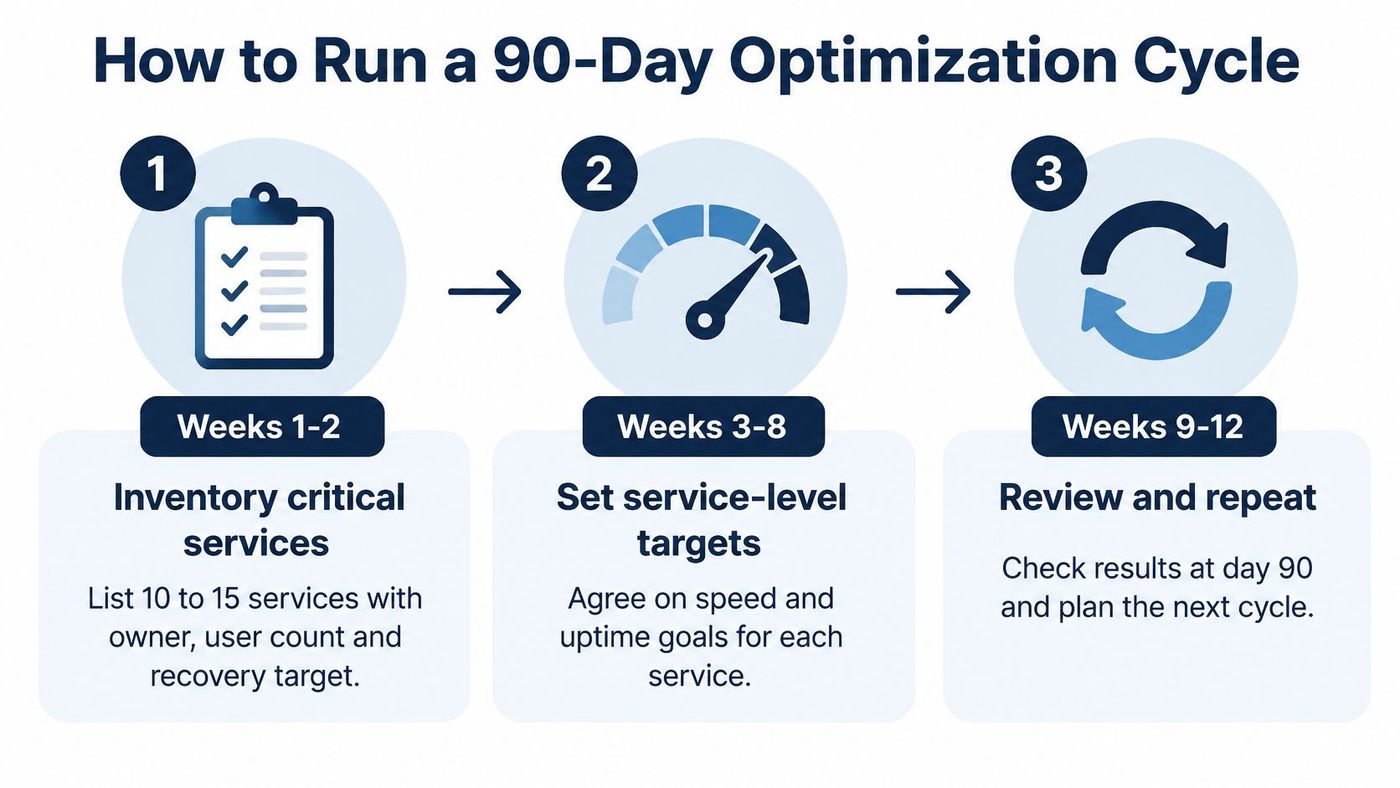
Consider a composite example of a 60-person law office with month-end slowdowns. Baseline readings traced the problem to a file server with a high disk queue during close, not to the document management app staff blamed. A targeted disk and memory upgrade, piloted with one practice group, cut the queue during the next close. No platform purchase was needed.
That pattern repeats because the visible symptom and the constraint are rarely in the same place. The pilot matters too. One practice group can tell you a change breaks a court-filing workflow before sixty people find out on deadline day.
Every change needs a rollback plan written before it starts. If you can't undo it quickly, you aren't ready to ship it.
At day 90, keep the wins, drop the changes that didn't move a baseline figure, and start the next cycle with the new top-ranked issue. Continuous small cycles beat an annual overhaul that nobody can evaluate.
Many SMB alert systems produce hundreds of messages a day, so staff stop reading them. The critical warning then sits in the same queue as a printer running low on toner. Alert fatigue isn't a people problem. It's a design problem.
The stakes are real. The CDW Canada cybersecurity study found that 87% of surveyed organisations experienced a security incident in the preceding year, average incident downtime reached 14 days, and 41% had adopted managed detection and response. When recovery can run that long, the alerts that matter must reach a person who'll act, fast.
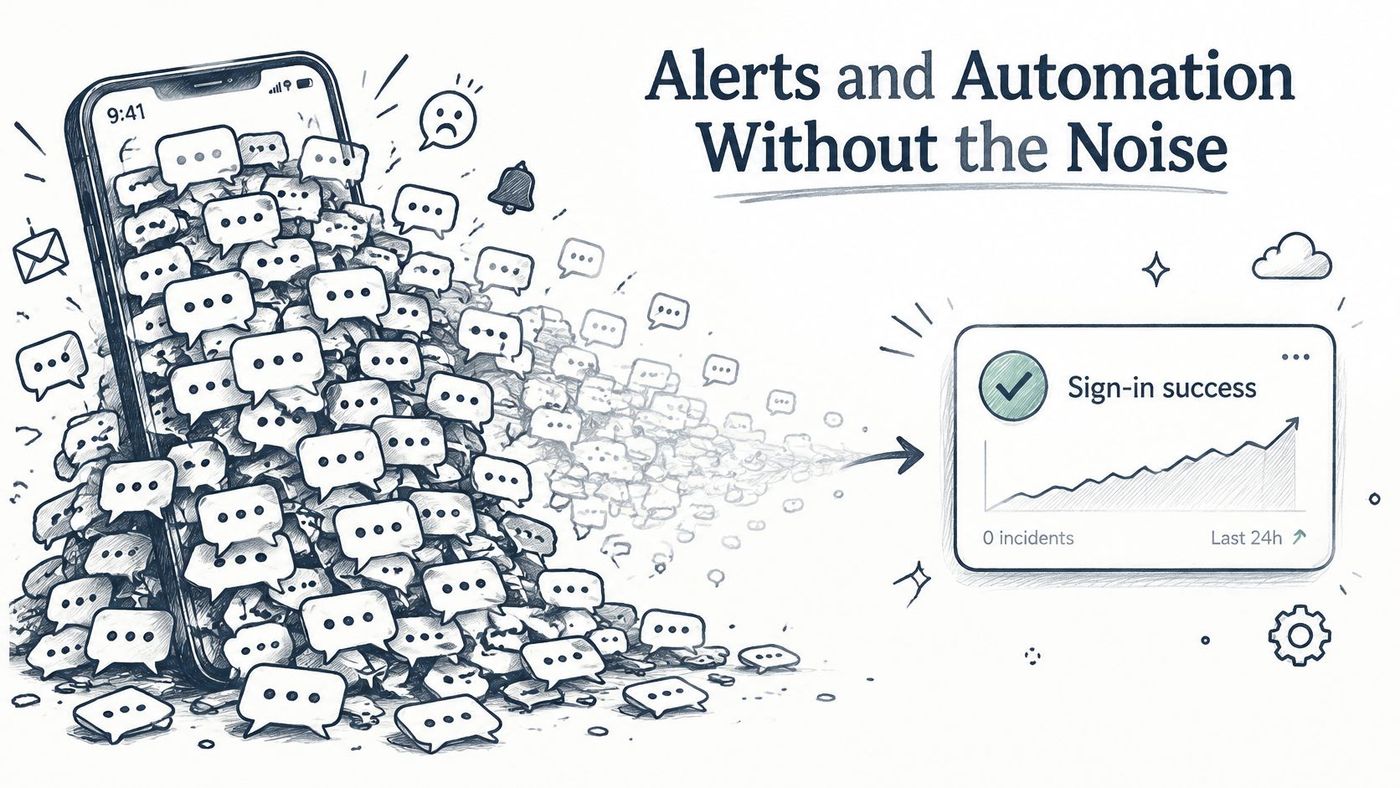
Alert on service-level indicators, such as whether a sign-in succeeds, a payment posts, or a backup restores. Raw event volume tells you a device is chatty. It doesn't tell you the business is affected. Applying sensible network monitoring best practices means grouping related alerts by service, so one failing switch creates one ticket instead of a flood.
In one composite environment, grouping alerts by service turned roughly 300 daily notifications into about 12 actionable tickets. Nothing was monitored less. The noise was correlated into the handful of faults causing it.
List the alerts that wake someone up tonight. Delete any that has never led to a fix, and demote the rest to a daily digest.
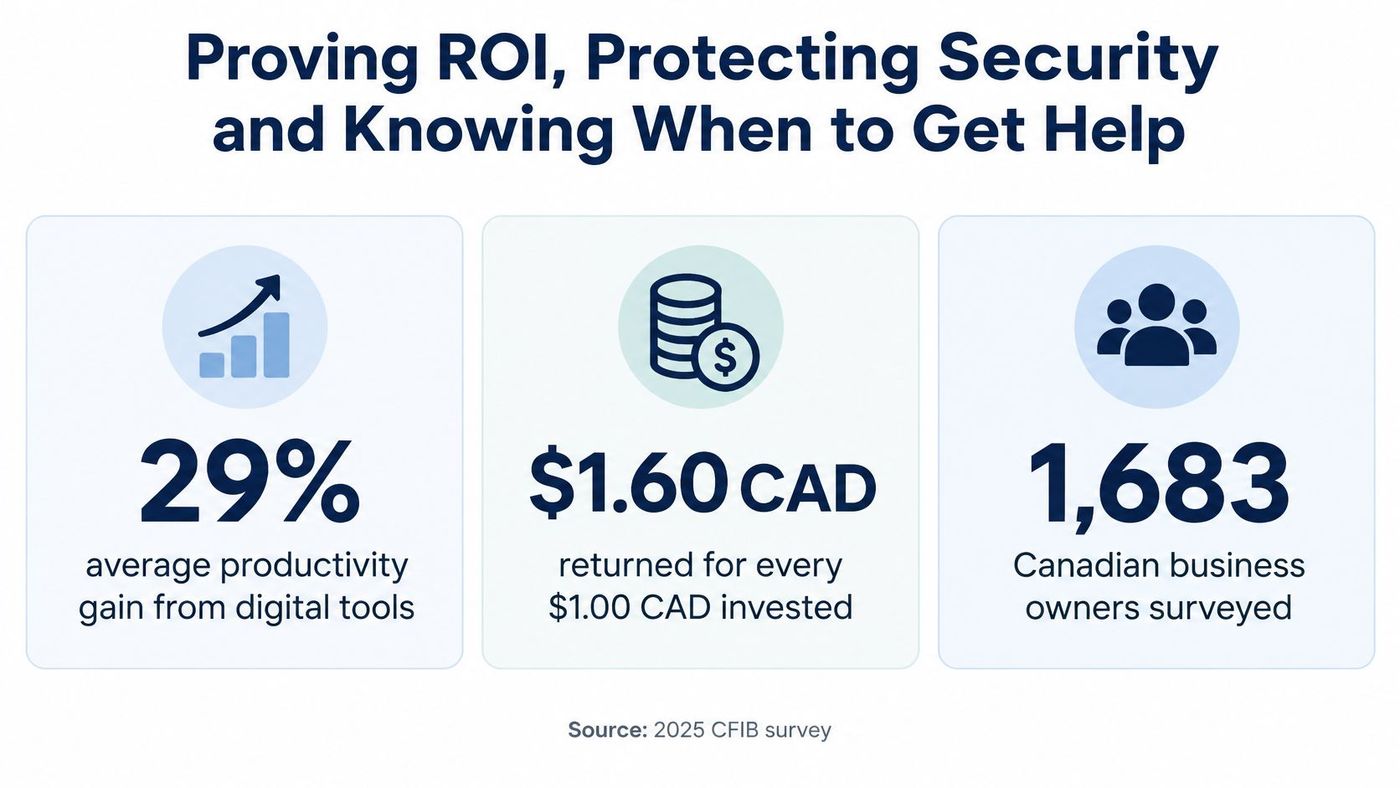
Before taking a productivity figure into a budget meeting, check what it measures and whether it applies to your business. The 2025 CFIB survey of 1,683 Canadian business owners reported that digital tools increased productivity by 29% on average and generated $1.60 for every dollar invested. These are useful benchmarks, not a forecast for your firm.
The CFIB figures are self-reported, and early AI adopters may already have had stronger operations before adopting new tools. Separate the effects of the tool, staff training, and process changes. Otherwise, a software licence may get credit for time saved by reorganising the work.
Use this formula: annual hours saved multiplied by loaded hourly cost, plus downtime avoided multiplied by cost per hour, minus total annual cost. Loaded cost includes wages, benefits, and payroll costs, not base salary alone. Count savings only when a baseline and follow-up measurement support them.
For example, say 40 staff save 15 minutes a day over 230 working days. That adds up to about 2,300 hours, or roughly $103,500 at a $45 loaded rate. Treat the result as a hypothesis until your baseline confirms the time saved. Compare task times or ticket volumes before and after the change, then report the smaller figure your records support. A conservative estimate that stands up to review is more useful than a larger claim with weak evidence.
Removing multi-factor authentication or loosening access controls may save seconds at sign-in, while increasing the chance of disruption and the labour required to recover. Measure total operating impact: normal-day productivity, expected downtime, recovery labour, customer disruption, and compliance exposure. A control that adds four seconds to sign-in may still be a performance gain if it helps prevent a week of outage.
For clinics, Ontario's PHIPA sets a floor for handling health information. A faster system that weakens auditability, access control, or data-location requirements can create risks that outweigh a latency improvement. Legal and finance firms face similar trade-offs when they handle client records under professional obligations.
A result counts only if business-impacting downtime falls. More alerts, higher utilisation, or a faster benchmark on an empty system don't count on their own.
Security also creates day-to-day friction, so track authentication failures and sign-in time alongside containment and restore times. Frequent lockouts call for a configuration fix, staff coaching, or conditional access policies that reflect device and location risk. Switching off the control may remove the immediate annoyance, but it also removes the protection.
Bring in help when any of these conditions apply:
Outside support should be accountable to the same measures as internal work. Whether you need project advice or ongoing support, IT consulting for small business should start with a baseline and report against it. Ask which metric the work is meant to improve, how much improvement is expected, and how both sides will measure the result.
Next week, confirm the baselines for your three critical systems and book a full restore test with a named owner and timed result. Together, these steps show whether normal work is getting easier and whether recovery is ready when systems fail.
If your baselines are missing, alerts are noisy, or nobody owns after-hours recovery, CloudOrbis Inc. can help measure the situation, address high-impact issues, and monitor the results. Visit CloudOrbis Inc. to discuss a 90-day optimization cycle based on your critical systems, downtime targets, and verifiable measures.
Book a 30-minute call with a senior engineer. No sales script, just straight answers about your environment.


