Vulnerability Assessment Tools Compared for Canadian SMBs
Compare vulnerability assessment tools by category, selection criteria and co-managed roles, with a neutral scoring framework for Canadian SMBs.

Compare vulnerability assessment tools by category, selection criteria and co-managed roles, with a neutral scoring framework for Canadian SMBs.
A 2025 analysis of medical and operational technology across 351 hospitals and healthcare delivery organizations found that 89% had devices in the riskiest 1% category. That finding, reported in a 2025 analysis of healthcare cybersecurity risks, highlights a problem that applies beyond hospitals: a vulnerability tool can report thousands of findings and still miss the asset that matters most. For a mid-sized Canadian firm, a better test is whether the tool builds a credible inventory, ranks weaknesses in business context, and gives someone a clear path to verify the fix.
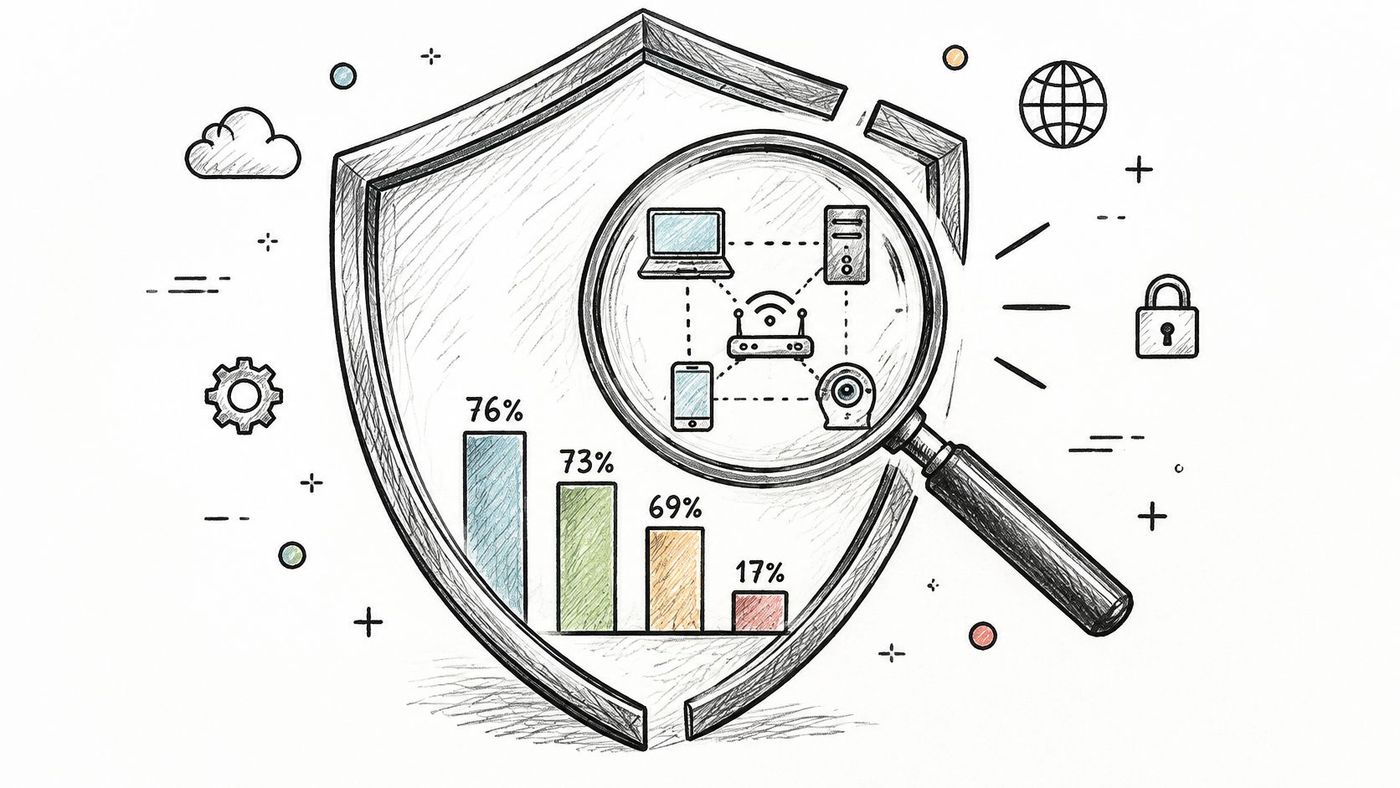
Security products can block malicious activity without showing whether every system is patched, correctly configured, or even known to the organisation. Statistics Canada's 2019 reporting found that 76% of Canadian businesses used anti-malware software, 73% used email security, and 69% used network security. Yet only 17% of businesses using internet-connected smart devices assessed their security, while 65% did not install software and operating-system security updates monthly or more often, according to Statistics Canada's analysis of cybersecurity risks to Canadian businesses.
That's the gap vulnerability assessment tools are meant to address. A vulnerability assessment tool finds, records, and ranks known weaknesses across systems such as servers, endpoints, applications, network devices, and cloud accounts. It can flag missing updates, exposed services, and insecure configurations, but it doesn't automatically decide which issues your business should fix first or make the change for you.
The distinction matters because adjacent security activities answer different questions:
These activities can complement one another, but none should be mistaken for the others. A scan can identify an outdated service without proving that an attacker could exploit it. A penetration test can validate a specific attack path without maintaining an inventory of every exposed device. For a closer look at how assessment differs from the ongoing work of addressing vulnerabilities, see vulnerability management versus vulnerability assessment.
Assessment needs to recur because systems, configurations, and known weaknesses change. A one-time scan is a snapshot, not an enduring assurance. When a business is reviewing wireless exposure, a practical resource on how to audit Cisco Meraki Wi-Fi networks can help frame the network-specific questions that a broader assessment programme should also consider.
The first buying question isn't which product has the longest feature list. It's which assets each category can see, and which ones it can't.
| Category | Best for | Main blind spot | Typical SMB fit |
|---|---|---|---|
| Network vulnerability scanner | Ports, services, and patch levels on servers and network devices | Off-network laptops; limited configuration depth without credentials | Office with a fixed server room or firewall |
| Authenticated endpoint agent | Patch status, installed software, and local settings on Windows, macOS, and Linux | Unsupported operating systems and unmanaged devices | Hybrid teams with 20 to 249 endpoints |
| Cloud posture management | Misconfigurations in Microsoft 365, Azure, AWS, and Google Cloud accounts | On-premises operating-system flaws | Cloud-first firms with few local servers |
| Web application scanner | Injection flaws and authentication weaknesses in customer-facing apps | Custom business logic; needs a safe test environment | Firms with client portals or e-commerce sites |
| External attack-surface management | Internet-facing hosts, domains, and forgotten cloud assets | Outside view only; no patch data from inside the network | Firms unsure what's exposed to the internet |
| Passive OT and IoMT discovery | Medical and production devices seen through network traffic | Shallow detail per device; needs a sensor or span port | Clinics, plants, and logistics sites with connected equipment |
A network scanner is useful for checking server rooms, firewalls, and network devices. Without credentials, though, it may not see a host's internal patch status or configuration. It can also miss laptops that aren't connected when the scan runs.
An authenticated endpoint agent can give a deeper view of supported laptops and servers, including installed software and local settings. But an agent can't provide coverage for devices that don't support it, aren't managed, or never check in. Cloud posture management covers a different slice: account settings and configuration in cloud platforms, not flaws on a legacy file server in the office.
A web application scanner probes an application for issues such as injection and authentication weaknesses, but business-specific logic can require manual review. External attack-surface management shows what an outside observer can find on the internet, but it doesn't reveal patch details from inside the network. Passive OT and IoMT discovery can reduce the risk of probing fragile production or clinical equipment, but its device-level findings may be shallow.
One category rarely covers everything. A network scanner can miss an off-network laptop, an endpoint agent can miss a printer, and a cloud tool can miss a legacy file server. Vendors may bundle several categories, so compare what the bundle covers and how thoroughly, rather than counting advertised modules.
Rule of thumb: Most mid-sized firms need at least one internal view and one external view of their exposure.
A vulnerability scan is one layer in a broader security stack. For context on where DNS protection fits your security stack, consider how protective controls complement, rather than replace, asset and vulnerability assessment. The practical differences between scan types are also laid out in this guide to vulnerability scanning.
Tool interoperability determines whether findings can be compared, confirmed, and routed to the people who can fix them. The Canadian Centre for Cyber Security's risk-assessment guidance recommends standard identifiers and exchange formats. Each has a distinct job:
Standardised identifiers make it easier to reconcile overlapping findings from scanners, endpoint agents, cloud tools, and ticketing systems. A product that exports CVE-tagged findings through a documented API may save more operational time than one with a much longer list of checks but no way to connect alerts to an owner or remediation record.
Compare authenticated and unauthenticated coverage separately. An unauthenticated scan shows what the tool can detect from its position on the network; an authenticated scan can inspect more detail within supported systems. Ask the vendor to demonstrate API and export options, explain how the tool discovers assets, and show how it prioritises findings using technical severity alongside asset importance and the CISA Known Exploited Vulnerabilities catalogue.
Application testing also deserves its own question. The Cyber Centre distinguishes infrastructure assessment from analysis of custom software, which may need static, dynamic, binary, or hybrid methods. A network scanner alone shouldn't be treated as evidence that a custom application has had meaningful code-level review.
Finally, ask where scan data is stored and who can access it. Security findings can disclose sensitive details about systems and weaknesses. Buyers should confirm data handling, access controls, and transfer arrangements in light of applicable privacy obligations, including PIPEDA and Quebec's Law 25.
For each requirement, ask the vendor to demonstrate the capability during the trial, not just describe it in a sales presentation. If you can't see it working in your environment, treat it as unproven.
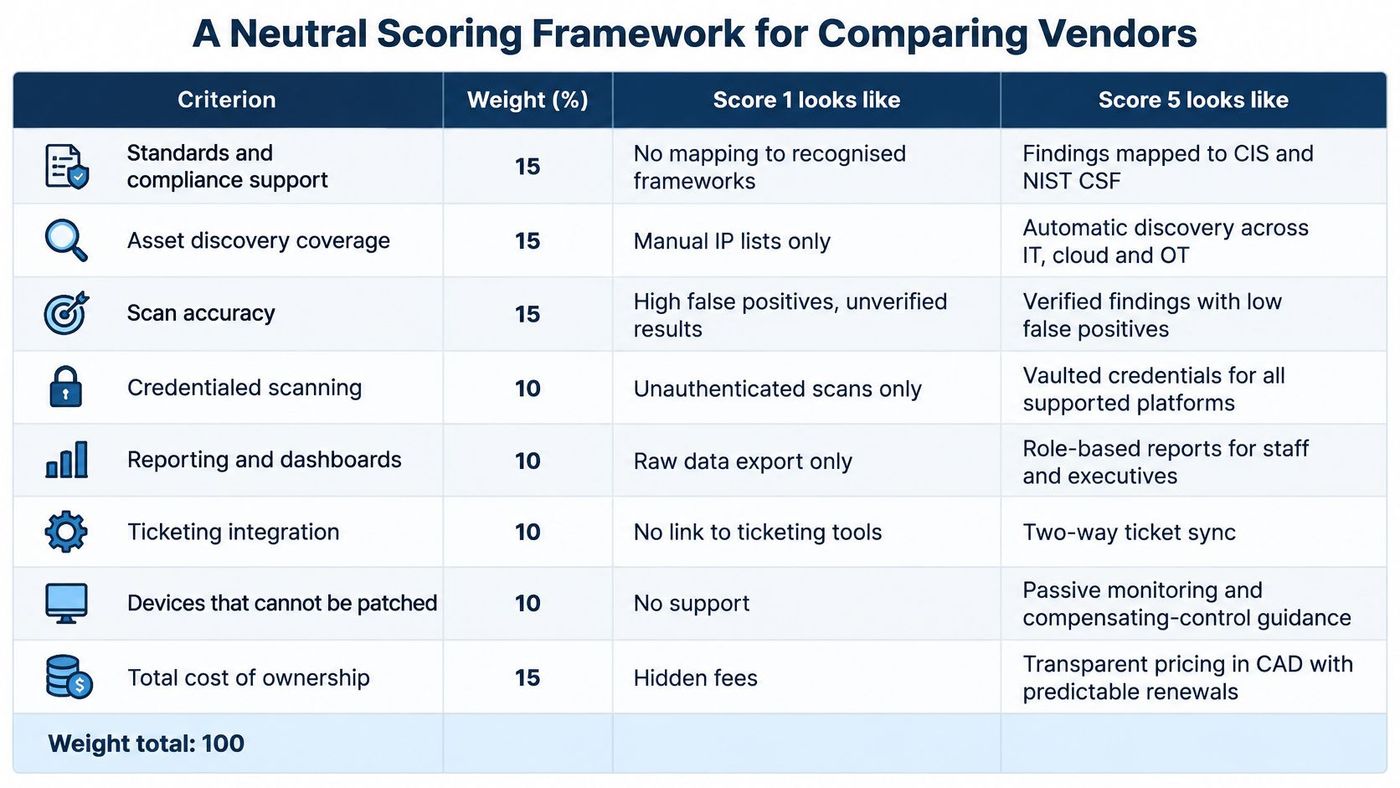
Use a weighted scorecard to compare vendors on the work the tool needs to perform, not on the volume of alerts it produces. The criteria below weight interoperability, authenticated coverage, inventory, validation, and remediation workflow equally. Operational safety and reporting also matter, while Canadian data handling gets a distinct score.
| Criterion | Weight | Score 1 looks like | Score 5 looks like |
|---|---|---|---|
| Standards and export support | 15% | Proprietary IDs and no API | CVE, OVAL, and CVSS with a documented API |
| Authenticated coverage | 15% | Scans only from outside the network | Credentialed scans across the estate, with coverage reported |
| Asset discovery completeness | 15% | Inventory built by hand | Unknown devices found and attributed to owners automatically |
| Validated-finding rate | 15% | Most alerts need manual triage | Most high-severity results confirmed on retest |
| Remediation workflow integration | 15% | Reports only, no ticketing | Findings open tickets with owner, due date, and retest |
| Operational safety | 10% | Crashes or slows sensitive hosts | Safe scheduling, throttling, and exclusions for fragile devices |
| Reporting and audit evidence | 10% | Raw scan output only | Scope, method, and remediation history for auditors and insurers |
| Canadian data handling | 5% | Storage location unclear | Canadian hosting or documented transfers and access controls |
Score each criterion from 1 to 5, multiply the score by its weight, then add the weighted results. Express the weights as fractions for the calculation, so a score of 4 for a 15% criterion contributes 0.60 points. The result is a total out of 5.
Canadian vulnerability-management guidance from the Government of Canada treats network scans, agents, penetration testing, attack-surface management, software-component analysis, and threat-intelligence feeds as complementary ways to assess exposure. It also recommends combining automated assessments with manual validation. That caution matters: a scanner can behave aggressively enough to make devices unstable, crash, restart, or require manual recovery.
A tool that produces many findings but has a low validated-finding rate should lose points: your team pays to triage noise as well as to fix real weaknesses. If it disrupts production, cap its operational-safety score low regardless of its other strengths. Healthcare and OT buyers should shift more weight toward safe discovery and asset completeness, even if that means accepting fewer actively tested devices.
The scorecard is most useful when the vendor's answers and test results are recorded consistently. A guide to how organisations compare vendors objectively with audit trails can help buyers make those decisions traceable. For a governance reference point, consider how the NIST Cybersecurity Framework 2.0 can support the wider risk-management conversation.
Co-managed assessment works when the provider and the in-house team have distinct responsibilities and make consequential decisions together. The provider can operate the scanning and validation process, but the business still knows which systems must remain available and who can approve changes.
| Task | In-house team | Managed provider | Shared decision |
|---|---|---|---|
| Scan scheduling | Approves clinical and production windows | Configures and runs scans | Timing reviewed monthly |
| Credential management | Owns privileged accounts | Stores and rotates scan credentials | Access rules agreed in writing |
| Finding triage | Confirms business impact | Validates findings and removes noise | Priority list signed off together |
| Patching | Approves change windows | Deploys and verifies patches | Exceptions logged together |
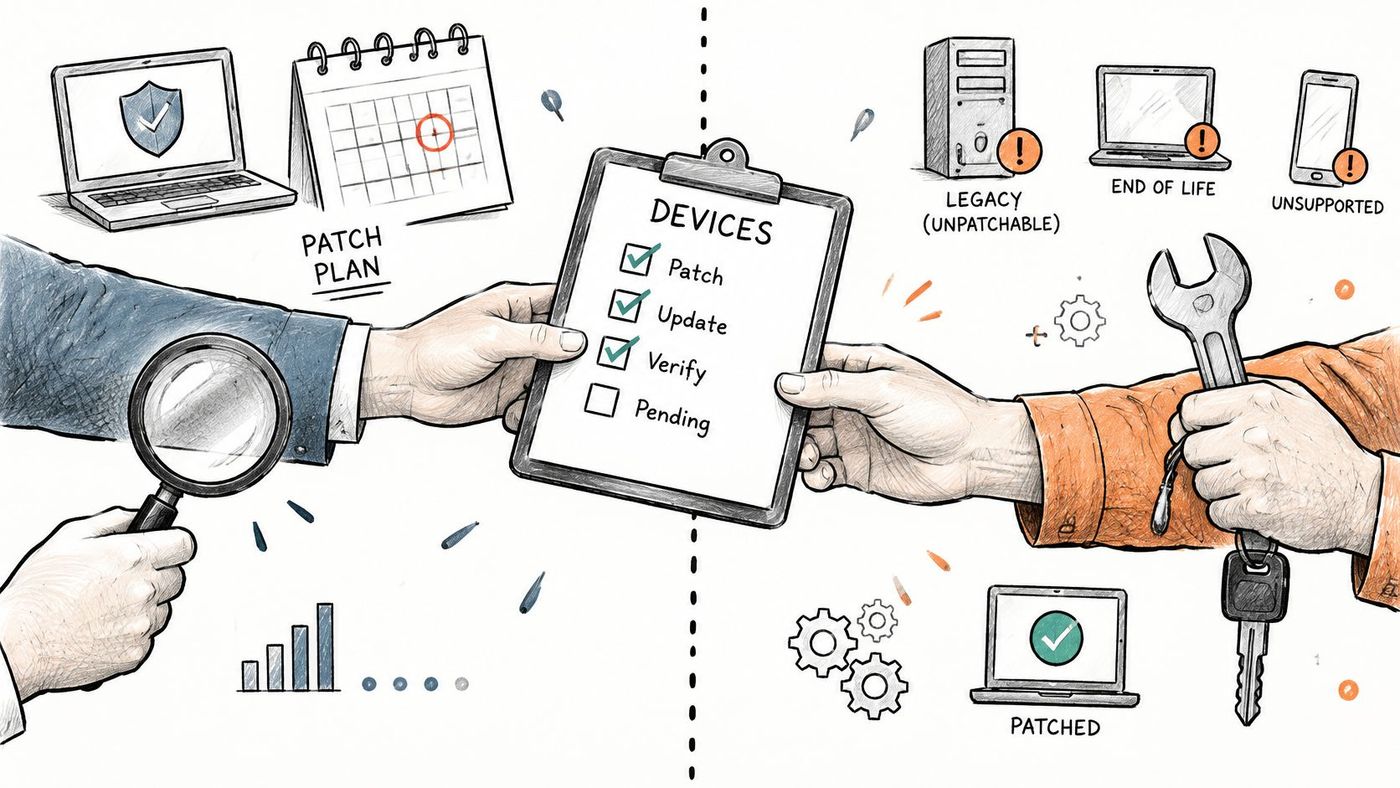
| Devices that cannot be patched | Accepts or rejects residual risk | Designs segmentation and monitoring | Risk acceptance recorded |
| Executive and insurer reporting | Presents and signs off | Produces monthly reports | Narrative agreed in review |
The business-size difference makes this division relevant to mid-sized firms. In 2021, 25% of Canadian medium-sized businesses with 50 to 249 employees reported being affected by a cybersecurity incident, compared with 16% of small businesses with 10 to 49 employees and 37% of large businesses with 250 or more employees. Among affected businesses overall, approximately 40% experienced downtime, with average downtime lasting 36 hours, according to Statistics Canada's incident and downtime reporting.
Many mid-sized organisations don't have a full-time analyst available to sort every finding, confirm ownership, and coordinate remediation. An in-house-only model can leave the team scanning without fixing, while a fully outsourced model can leave nobody inside the business able to identify a production-critical server or a clinical system that can't be patched during normal hours. Both failures start with unclear ownership.
A provider such as CloudOrbis Inc. can run the scanning and validation layer while the client retains decisions about change windows and residual risk. The teams can use a shared monthly review to agree which findings matter, assign owners, and confirm whether completed fixes worked. See the co-managed IT services approach for a model built around shared responsibility rather than a complete handover.
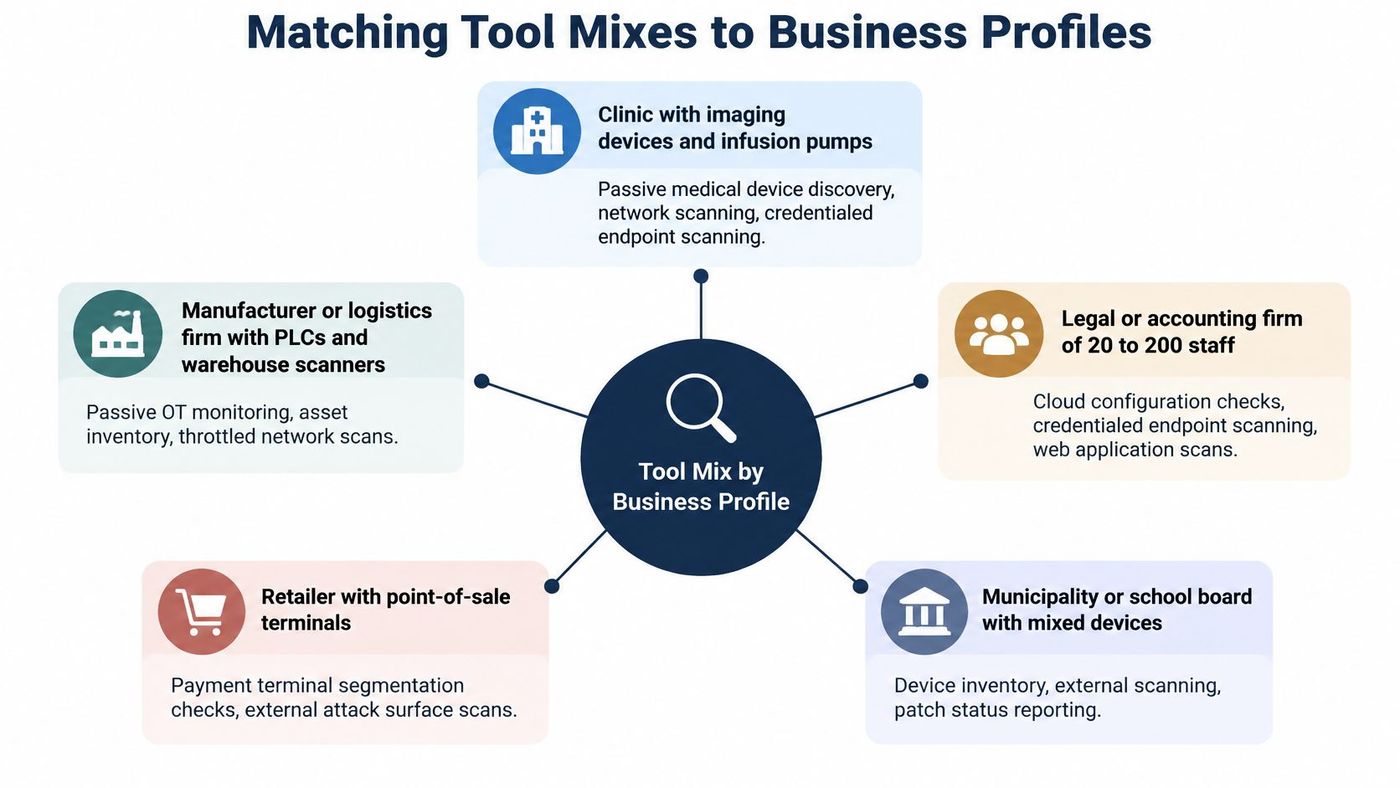
For a clinic, the first assessment question is whether the inventory includes equipment that routine IT records may miss. Imaging devices, infusion pumps, and EHR servers can have different owners, maintenance windows, and tolerances for scanning. A 2025 analysis covered IoMT and OT exposure across hospitals and healthcare delivery organisations, finding that 89% of the organisations had devices in the riskiest 1% category. The finding makes discovery and safe scan methods as relevant as detection.
| Business profile | Priority assets | Tool mix | Cadence |
|---|---|---|---|
| Clinic or healthcare provider | Imaging devices, infusion pumps, EHR servers | Passive IoMT discovery plus authenticated server scans | Passive continuous; active scans off-hours monthly |
| Manufacturing or logistics | PLCs, HMIs, warehouse scanners | Passive OT discovery plus network scanner in maintenance windows | Passive continuous; active quarterly |
| Legal or accounting firm, 20 to 249 staff | Microsoft 365 tenant, laptops, file servers | Cloud posture management plus endpoint agent | Cloud weekly; endpoints continuous |
| Construction or engineering | Remote laptops, job-site routers, project servers | Endpoint agent plus external attack-surface management | External monthly; endpoints continuous |
| E-commerce or client portal | Public web apps and APIs | Web application scanner plus external attack-surface management | Before each release; external quarterly |
In healthcare, passive discovery should precede active probing. It identifies connected equipment by observing network traffic rather than sending requests that could disrupt care. Active scans can then be scheduled off-hours for suitable systems, with clinical and technical owners agreeing on scope. Manufacturing and logistics teams face a similar constraint: scans of PLCs, HMIs, and other production equipment need to respect maintenance windows.
Consider a hypothetical 60-person clinic. The first phase combines passive discovery with the clinic's medical-device and server records, resolving device names and ownership. The team then separates clinical devices from ordinary IT assets, confirms which servers support credentialed scans, and agrees on scan windows with clinical and technical owners. That sequence turns discovery into a usable remediation list: each validated weakness has an owner and a safe change path, rather than arriving as an unprioritized export.
The other profiles need different coverage. A legal or accounting firm can pair cloud-tenant checks with endpoint agents for supported laptops, while assessing any public-facing application separately. A construction or engineering firm needs visibility into remote machines and internet-exposed job-site routers. An e-commerce business should match its web application scanner to its release process and pair it with an external view of public assets.
A smaller, better-attributed list can be more useful than a large pile of unowned alerts. The goal is a complete, prioritised inventory and a clear remediation route, not the highest finding count.
Unknown endpoints are a recurring discovery challenge in organisations. For that reason, compare tools on whether they identify assets and help assign owners, not only on their scanner's detection count. Also assess how they handle known exploited vulnerabilities, compensating controls, and clinical-device safety. A tool that reports fewer weaknesses may still support better risk reduction if it provides a more complete view of the environment and helps teams move validated findings toward remediation.
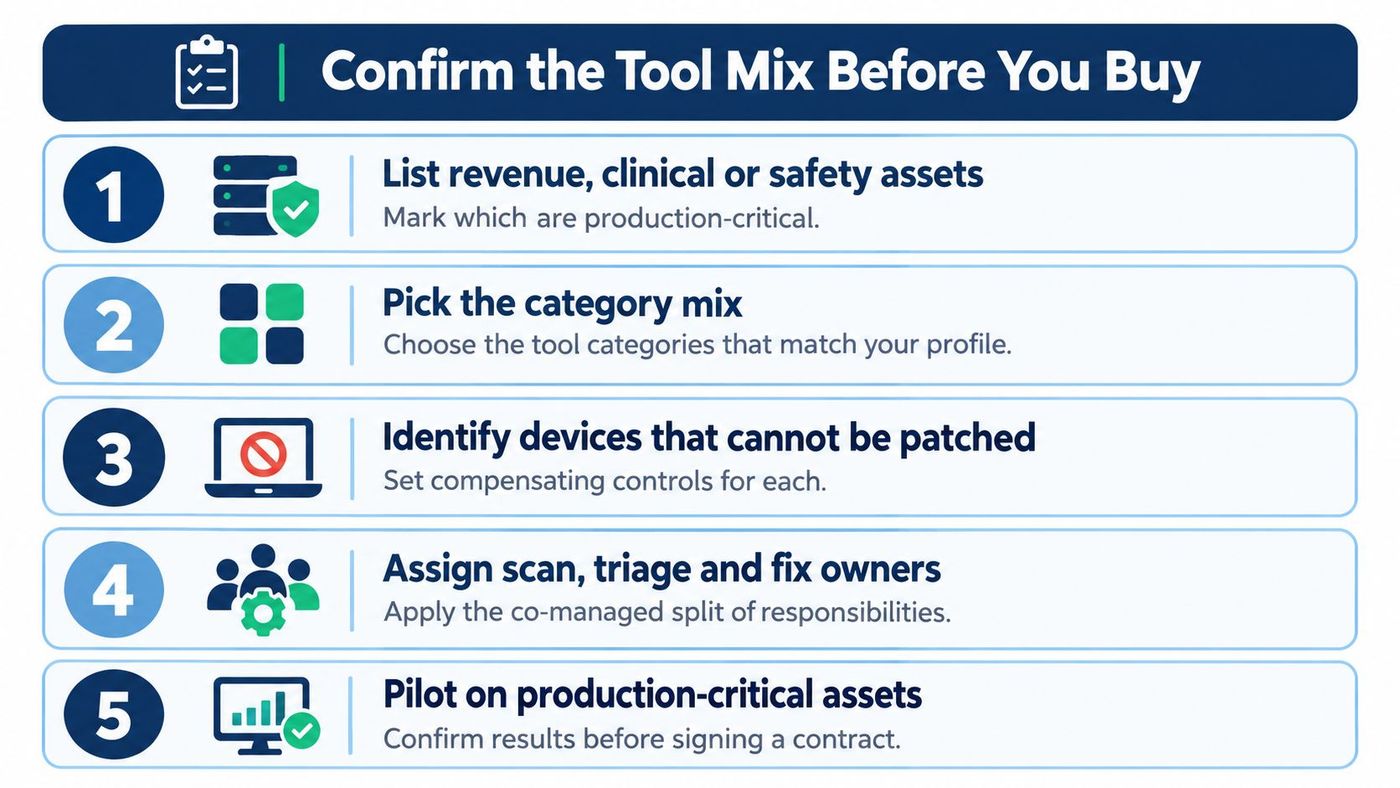
A strong purchase decision starts with the work the tool must support. First, list the assets that support revenue, clinical care, or safety. Mark production-critical systems, assign owners, and note any special scan handling. Then match internal and external coverage to those assets rather than to a vendor's bundle.
Shortlist two or three vendors and use the same weighted framework for each. Check standards support, inventory quality, finding validation, and reporting. Run a two-week pilot on a representative subset, including production-critical assets where scanning is safe. Use the proof test to assess both the results and operational effects. Before routine scans begin, assign responsibility for triage and remediation between internal staff and any provider.
Budget comparisons should account for work completed, not just licence cost. Statistics Canada reported that only 19.8% of Canadian businesses and organisations planned new or additional cybersecurity actions over the 12 months following the second quarter of 2025. Among manufacturing organisations that said they weren't planning new measures, 15.4% cited insufficient financial resources, according to Statistics Canada's reporting on business cybersecurity plans.
Compare cost per actionable remediation with subscription cost. Include staff time for removing false positives, confirming asset owners, preparing change requests, applying fixes, and retesting. A lower-priced tool can demand more staff effort if it generates unverified alerts. A costlier option may reduce that burden through reliable validation and a workable patching connection, but the trade-off is a higher licence cost. For guidance on turning assessment findings into repeatable remediation, see CloudOrbis's vulnerability management resource.
Book a baseline vulnerability assessment with CloudOrbis to test your shortlist against your environment and identify findings with a clear remediation path. Before signing, confirm in writing who will validate results, coordinate fixes, and verify remediation.
CloudOrbis Inc. provides managed IT and cybersecurity services, including vulnerability assessments and scanning, for Canadian businesses. Visit CloudOrbis Inc. to discuss a baseline assessment and confirm the support your team needs to act on its findings.
Book a 30-minute call with a senior engineer. No sales script, just straight answers about your environment.


