Hard Drive Recovery Edmonton: Your Complete Guide
Data loss in Edmonton? This guide covers immediate steps, professional recovery insights, and how to choose the right hard drive recovery Edmonton service.

Data loss in Edmonton? This guide covers immediate steps, professional recovery insights, and how to choose the right hard drive recovery Edmonton service.
That gut-wrenching moment when a critical hard drive stops responding is something no IT leader wants to face. But if it happens, your actions in those first few minutes can make all the difference between a successful recovery and permanent data loss.
When you need professional help, options for hard drive recovery in Edmonton can be incredibly effective, but your immediate actions set the stage for success.
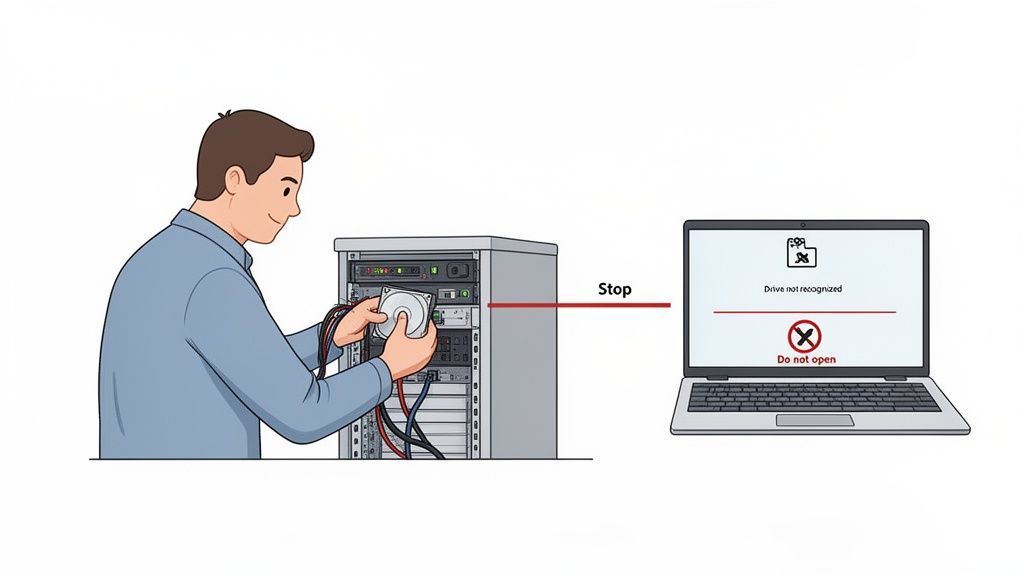
The instant you suspect a drive has failed, the most important step is to power down the device immediately. Do not try to reboot it "just one more time."
Continuing to run a failing drive, even for a few minutes, can turn a recoverable situation into a lost cause. Every second it remains powered on, the delicate internal components can cause more physical damage.
Think of it like hearing a horrible grinding noise from your car's engine. You wouldn't keep driving; you'd pull over and shut it off to prevent catastrophic failure. A hard drive is no different.
That dreaded clicking or buzzing sound, often called the “click of death,” is a massive red flag. It’s a clear signal that the read/write heads are physically striking the fragile platters where your data lives.
Your first instincts can either help or hurt. This table guides you through those critical first moments.
| What You Should Do Immediately | What You Must Avoid at All Costs |
|---|---|
| Power down the computer or server immediately and unplug it from the wall. | Don't keep rebooting the device to "see if it works now." |
| Take note of any unusual sounds, like clicking, grinding, or buzzing, to tell the expert. | Don't run DIY recovery software. These tools can stress a physically damaged drive and cause more harm. |
| Do not open the hard drive casing. The internal components are extremely sensitive. | Don't try to freeze the hard drive or use other internet "hacks." They are myths and can ruin it. |
| Contact a professional data recovery service for a proper diagnosis as soon as possible. | Don't try to swap the circuit board with one from a "matching" drive. It can short the electronics. |
Resisting the urge to "just try something" is tough, but it’s the best thing you can do for your data.
It’s important to understand what you’re up against. Hard drive failures generally fall into two categories:
Trying to fix a physical failure with software is like trying to heal a broken bone with a bandage. It addresses the wrong problem and can make the real injury much worse.
A physically failed hard drive is incredibly delicate. Even a single speck of dust, invisible to the naked eye, can get between the read/write head and the platter, scratching it and destroying your data forever. This is why professional labs use certified cleanrooms.
For medium-sized organizations in Edmonton, especially in sectors like manufacturing, healthcare, or construction, data is the lifeblood of operations. When a server drive fails, the downtime can quickly lead to thousands of dollars in lost revenue, stalled projects, and unhappy clients.
The good news is that professional recovery has a very high success rate when handled correctly. For instance, some providers serving Central Alberta for over 17 years report a 96% success rate in retrieving files from all types of failed media, often with a "No Data, No Recovery Fee" promise. This is the kind of assurance you should look for.
A measured, informed response can significantly improve your odds. While data loss is incredibly stressful, seeking expert help right away is your best path to a successful outcome. To see how this fits into a broader business continuity strategy, you might find our comprehensive data backup and recovery guide helpful.
When a hard drive starts acting up, the first impulse is often to try and fix it in-house. After all, you want to understand the problem before calling for professional hard drive recovery in Edmonton. Is it a simple glitch or a full-blown crisis? A few safe, non-invasive checks can provide insight without making things worse.
The key is to distinguish between a minor hiccup, like a loose cable, and a serious internal failure. For instance, a quick check of the power and data cables is a logical first move. Are they seated firmly in their ports? Sometimes, that's all it takes to bring a drive back to life, a simple fix that costs nothing and carries zero risk.
Another safe step is to see if your computer's BIOS or operating system recognizes the drive. You don’t need special software for this. If the drive shows up but you can’t access your files, you’re likely facing a logical issue. If it doesn’t appear at all, the problem is probably much more serious, pointing to a hardware or firmware failure.
There’s a clear line where troubleshooting must stop and a professional’s work needs to begin. Crossing this line can turn a perfectly recoverable drive into a permanent paperweight. Any action that attempts to write data to the drive or physically manipulate it is a massive gamble.
This includes a few common but dangerous mistakes:
This flowchart can help you visualize the decision-making process when you suspect a drive is failing.
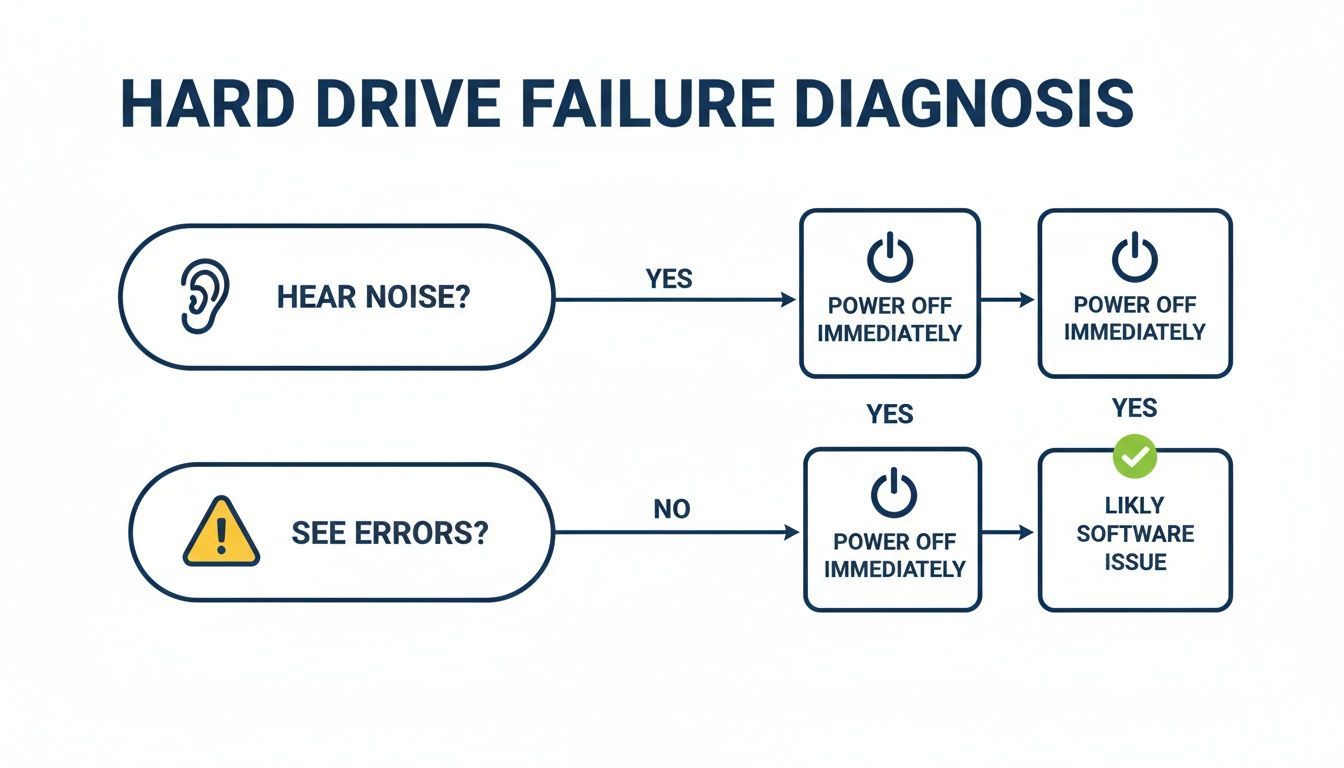
The takeaway is simple: if you hear any unusual noises or see physical signs of damage, the problem is beyond DIY. It’s time to call a professional.
Imagine an Edmonton accounting firm in the middle of tax season. One of their servers, holding years of critical client financials, suddenly goes offline. The in-house IT manager performs safe checks: power is good, cables are secure, but the drive isn’t showing up in the BIOS. Worse, there’s a faint, rhythmic clicking sound.
This is the red line. At this moment, the manager knows that any further action could permanently destroy irreplaceable client records. The clicking noise is the classic sign of a physical head failure. Running any software on it would be like hitting the damaged part with a digital hammer over and over again.
Instead of rolling the dice with recovery software, the manager immediately powers down the server and calls a professional data recovery service. That decision maximizes the chance of a successful recovery because the drive wasn't stressed any further. This kind of proactive approach is a cornerstone of proper IT hardware maintenance.
Ultimately, DIY diagnostics are only useful for ruling out the most basic external issues. The second you suspect an internal problem, and especially if you hear strange noises, the safest and most cost-effective decision you can make is to stop what you're doing and call an expert.
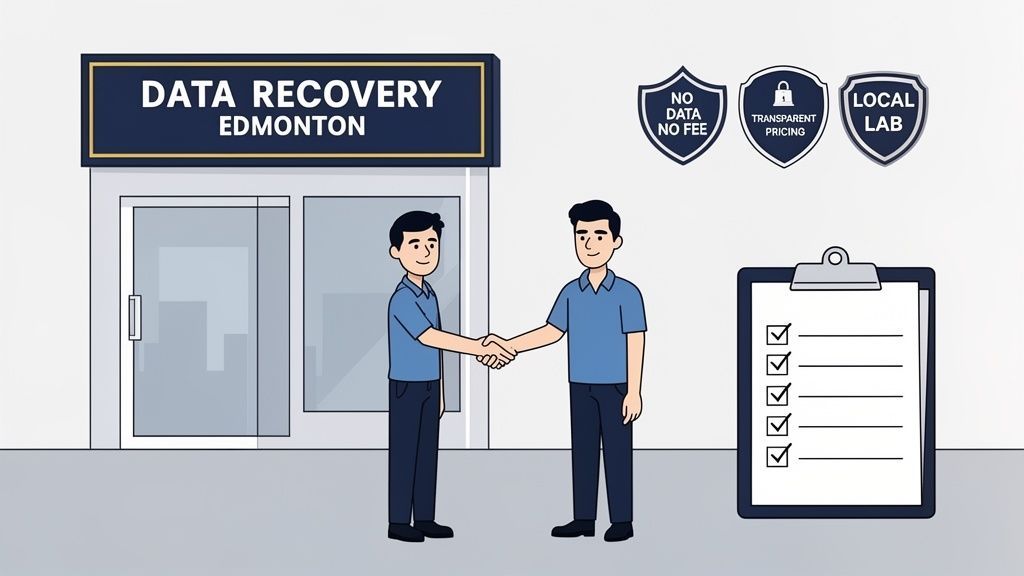
When you hand over a failed hard drive, you’re placing immense trust in the technicians to rescue your critical business data. Have you ever wondered what actually happens behind those lab doors?
The professional hard drive recovery Edmonton experts use is a world away from simply plugging your drive into another computer. It's a meticulous process combining surgical-like precision with sophisticated digital forensics.
It all starts with a detailed evaluation. This isn't just a quick look; it's a non-intrusive diagnostic where specialists pinpoint the exact cause of failure, whether it’s mechanical, electrical, or logical. Reputable Edmonton firms offer this assessment upfront, giving you a clear, transparent quote and a realistic success projection before you commit to anything.
This initial diagnosis is everything. It shapes the entire recovery strategy, from the specific tools and donor parts needed to the techniques required to access your data without causing further harm.
If the diagnosis reveals a physical failure, that dreaded clicking or grinding sound, the drive has to be opened. This is where the line between a real lab and a back-of-the-shop operation becomes clear. Any legitimate lab performs this work inside a Class 100 cleanroom.
What is a cleanroom? It’s a specialized environment with an advanced air filtration system that removes microscopic particles. To give you some perspective, a standard office space can have over 500,000 dust particles per cubic foot of air. A Class 100 cleanroom has fewer than 100.
Why does this matter so much? A single speck of dust landing on a drive's magnetic platter can trigger a catastrophic head crash, instantly destroying the very data technicians are trying to save. Opening a hard drive in a normal room is a surefire way to turn a recoverable situation into permanent data loss.
This environment is an absolute must-have. When vetting a recovery provider, always ask them about their cleanroom and its certification.
Once the drive is in a safe environment, technicians don't just start copying files. The first and most critical goal is to create a perfect, sector-by-sector clone of your failing drive onto a new, healthy one. This process is known as imaging.
Specialized hardware and software are used to read data directly from the drive's platters, bypassing the faulty internal components. This is a painstaking task. The imaging tool might have to work around bad sectors or make several passes to pull every last bit of raw data. If parts like the read/write heads are broken, they're carefully swapped out with matching components from a vast library of donor drives.
For logical problems, where the drive is mechanically fine but the data is inaccessible, the approach is different. Experts use advanced tools to reconstruct the file system, piece together fragmented files, and repair corrupted data structures. This gets especially complex with RAID arrays, where data is spread across multiple disks. The entire array has to be virtually rebuilt before any data can be extracted.
Working with a local lab in Edmonton brings an understanding of regional factors. For instance, some local experts have noted that physical failures can impact up to 60% of drives here each year, partly due to the harsh temperature swings in Alberta. This local knowledge reinforces the need for specialized equipment and non-destructive methods to achieve the best results. You can discover more about these local industry standards and see how they improve recovery success rates.
Once a successful image is created, the data is carefully validated and copied onto a new external hard drive. That final drive, holding all of your recovered files, is then returned to you. The entire journey, from diagnosis to data return, showcases why professional recovery is a vital investment in your business continuity.
If you'd like to dive deeper into the process, check out our article on the value of a dedicated data recovery service.
When a business-critical hard drive fails, the pressure to get your data back is immense. But this is where a poor decision can make things much worse. Choosing the wrong hard drive recovery partner in Edmonton can be an expensive mistake, leading to permanent data loss or a shocking final bill.
Not all recovery services are created equal. You need a partner who can guide you through a stressful situation with real expertise and total transparency. They must understand that your operation is on the line and that the security of your data is paramount.
Before you hand over your failed drive, it’s time to do some homework. A slick website is one thing, but you need solid proof of their professionalism and reliability. Start by finding a provider with a physical lab and a real business address here in Edmonton.
Sending a fragile, failed drive across the country adds a significant risk of more damage during shipping. A local lab means you can drop it off in person, speak with the team directly, and sidestep those risky shipping delays.
Here are the absolute must-haves:
These aren't just nice-to-haves; they demonstrate that a company is confident in its technical skills and respects its clients.
Once you've narrowed it down, it's time to get into the details. The answers to these questions will tell you everything you need to know about their technical skill and security posture. A true professional will be happy to explain their process.
When your business is in a data crisis, you need more than a technician; you need a partner who provides clear communication and assurance. The quality of their answers is just as important as the answers themselves.
A good place to start is asking about their success rates, particularly for drives with failures similar to yours. Then, pivot to data security. This is non-negotiable for businesses in regulated sectors like healthcare or finance. How do they guarantee your confidential information stays that way during the recovery? For more on how managed services can lock down your security, check out our guide on choosing an MSP in Edmonton.
Finally, nail down the logistics. What's the realistic turnaround time? And how will they return your recovered data? A professional service will have a clear, secure process, usually delivering your files on a brand-new, encrypted external drive.
Comparing different data recovery services can be challenging, but you can cut through the marketing fluff by focusing on a few key capabilities. This table breaks down what truly matters when you’re making a choice for your business.
| Provider Feature | Why It Matters To Your Business | What to Look For Locally |
|---|---|---|
| Certified Class 100 Cleanroom | This protects your drive's sensitive internal components from microscopic dust during physical repairs, preventing what could become permanent platter damage. | Ask for proof of their cleanroom certification and whether they perform these delicate physical repairs right here in Edmonton. |
| Strict Data Security Protocols | This is crucial for ensuring your sensitive client or company data remains confidential and that you stay compliant with privacy laws like PIPEDA. | Ask about their data handling policies, if employees undergo background checks, and how they physically secure their lab. |
| Free Initial Evaluation | A no-cost evaluation lets you get a clear diagnosis and a firm quote without any financial commitment, so you can make an informed decision without risk. | Confirm that the evaluation is genuinely 100% free and comes with zero obligation to proceed with the recovery service. |
| On-Site Physical Lab | A local lab minimizes shipping risks and delays. It often means a much faster turnaround time and lets you speak directly with the technicians working on your drive. | Verify that they have an actual, working lab in Edmonton, not just a drop-off storefront that ships your drive to another province. |
Ultimately, choosing the right recovery partner is the single most important decision you'll make after a drive fails. By focusing on these trust signals and asking sharp questions, you give your business the best possible chance of a successful and secure recovery.
That feeling of relief when you get your data back is something you don’t forget. But the whole ordeal is a hard lesson. The best approach to hard drive recovery in Edmonton is to build a system where you never have to go through it in the first place. It’s about moving from a panicked, reactive scramble to proactive control.
Ultimately, the best kind of recovery is the one you never need. That's why understanding how to prevent data loss is the most critical step you can take. For any medium-sized organization in Edmonton, this defence is built on one thing: a rock-solid backup and disaster recovery (BDR) plan.
A true BDR strategy isn't just about copying your files occasionally. It's a complete framework designed to keep your business running, whether you're dealing with one failed drive or a catastrophe that takes out your entire office.
The foundation of any good BDR plan is the 3-2-1 backup rule. It’s a time-tested strategy that provides multiple layers of protection.
The rule is straightforward:
What does this look like for an Edmonton business in 2026? Your first copy is the live data you and your team work with every day. The second might be a local backup to a Network Attached Storage (NAS) device in your office, providing a quick way to restore files.
That third copy is your lifeline. It has to be off-site. While this could be a physical drive stored elsewhere, it is more often a cloud backup. That geographic separation is what protects you from a fire, flood, or theft that could destroy both your computers and your local backup.
Most modern organizations use a mix of local servers and cloud services like Microsoft 365. Your BDR plan has to cover this hybrid reality. It’s a massive misconception that cloud providers like Microsoft automatically handle all your backup needs.
They guarantee their own infrastructure won’t fail, but they operate on a shared responsibility model. You are still responsible for protecting your own data from accidental deletion, ransomware, or even a disgruntled employee.
A modern BDR plan brings both worlds together. For instance:
This approach creates a unified defence that protects your data, no matter where it lives. For a step-by-step guide on building out this kind of strategy, our IT disaster recovery plan template is an excellent starting point.
A common blind spot for many businesses is assuming their cloud data is automatically safe. Without a dedicated backup for services like Microsoft 365, a single ransomware attack or a malicious admin can permanently wipe out years of critical files and communications.
If your Edmonton business is in a regulated field like healthcare or finance, a BDR plan isn't just a good idea, it’s the law. Protecting client or patient data under privacy legislation means you need more than just a simple backup. You need to be able to prove data integrity, security, and recoverability.
This is where a managed BDR plan from an expert provider is no longer a luxury. A managed service ensures backups are not only happening consistently but are also encrypted, monitored 24/7, and tested regularly to prove they work.
If a data loss incident ever occurs, a managed provider can execute a fast, documented recovery that helps you meet your compliance duties. This includes providing the audit trails needed to show that the restored data is complete and secure.
For a busy healthcare clinic or financial services firm, this means you can focus on your clients with confidence, knowing your digital records are protected by a system built to meet those strict standards.
When a drive fails, the stress is immediate, and you need answers fast. If you're looking for clear, concise information about hard drive recovery in Edmonton, this is the place to start. We've gathered the most common questions we hear from local business and IT leaders.
This is always the first question, but the honest answer is: the cost is tied directly to the nature of the failure. A simple recovery for corrupted files might run a few hundred dollars. On the other hand, a complex physical failure requiring a cleanroom and donor parts can climb from $800 to several thousand dollars.
Be wary of anyone who gives you a flat price over the phone. A true professional needs to perform a hands-on evaluation first.
The single most important factor is finding a provider offering a free, no-obligation evaluation and a firm quote. This protects you from hidden fees and allows you to decide based on a real diagnosis, not a blind guess.
Just like cost, the timeline depends entirely on the problem. For a lab here in Edmonton, you can generally expect this kind of turnaround:
If you're in a critical situation, most professional services offer emergency options. This service costs more but can cut the recovery time down to just a couple of days.
Your data's security is non-negotiable. Whether it's sensitive business files, client information, or financial records, it absolutely must remain confidential. A professional lab will have strict security protocols baked into their process.
Before you hand over anything, be sure to ask them:
For any business dealing with regulated information, like in healthcare or finance, getting solid answers to these questions is essential for maintaining compliance.
Yes, in many situations, it absolutely can. This is where a true expert makes all the difference. When a drive has been dropped, gotten wet, or fried by a power surge, it requires a highly specialized skill set.
Technicians use a Class 100 cleanroom environment to safely open the drive. Inside, they can replace damaged components like the read/write heads or the spindle motor. From there, they use advanced imaging tools to clone the raw data directly off the platters. While a 100% guarantee is never possible, the success rate for physically damaged drives is incredibly high with the right expertise and equipment.
This is a critical distinction that every business leader needs to understand.
Think of it this way: a backup is your own fire extinguisher, ready to go at a moment's notice. Data recovery is calling the fire department when the building is already on fire. A solid backup strategy is always the better, cheaper, and smarter choice.
At CloudOrbis, we believe the best defence is a proactive one. We help Edmonton’s medium-sized organizations build robust data backup and disaster recovery plans to ensure you never have to make that stressful emergency call.
Ready to protect your business from future data loss and move from a reactive to a proactive IT strategy? Contact CloudOrbis today to learn how our Managed IT Services can safeguard your critical data.
Learn more at https://cloudorbis.com.
Book a 30-minute call with a senior engineer. No sales script, just straight answers about your environment.


